
Portable SSD buying checklist for choosing the right drive
The right portable SSD is the one that fits its intended use rather than the one with a single universal specification. This portable SSDs buying checklist frames the decision around workload, device compatibility, durability, data safety, and value.
The right portable SSD is the one that fits its intended use rather than the one with a single universal specification.
A portable SSD used for backups, travel, media files, or everyday transfers will face different storage and handling demands. Defining the use-case first establishes the required capacity, expected speed, acceptable risk, and connection needs before individual models are compared.
The checklist should therefore test fit before treating any headline specification as useful.
A common mistake is to prioritise advertised speed while ignoring the host device, port, cable, or file system. Real-world performance becomes limited by the slowest compatible part of that connection, while an unsuitable file system can restrict how the drive works across operating systems. The checklist should therefore test fit before treating any headline specification as useful.
A common mistake is to prioritise advertised speed while ignoring the host device, port, cable, or file system.
Core requirements are workload, capacity, compatibility, durability, and data safety; optional extras include encryption, bundled accessories, and features that add value only when they serve the intended use-case.
- Workload: Select a portable SSD for a defined task such as backups, travel storage, media work, or routine transfers rather than for a broad claim of being suitable for everything.
- Capacity: Choose enough space for the files you plan to store plus practical room for growth, while avoiding unused capacity that adds price without improving the use-case.
- Speed: Compare the drive model with the host device, port, and cable because real-world performance cannot exceed the slowest supported connection in that path.
- Compatibility: Confirm that the portable drive supports the operating system, file system, and connector required by the device, including USB-C or USB-A where relevant.
- Durability and safety: For travel or frequent handling, favour a protective casing and stated shock resistance, and consider encryption when the drive will carry sensitive files.
- Value: Compare price with useful features such as warranty coverage, a suitable bundled cable, encryption, and durable construction, while treating avoidable extras as added cost rather than added value.
Table of Contents
Portable SSD requirements before comparing models
Portable SSD requirements should be defined by the use-case before drive models are compared. The useful buying criteria come from the device environment, file size, transfer frequency, portability needs, data sensitivity, and available budget. These conditions determine the required capacity, speed, compatibility, and protection.
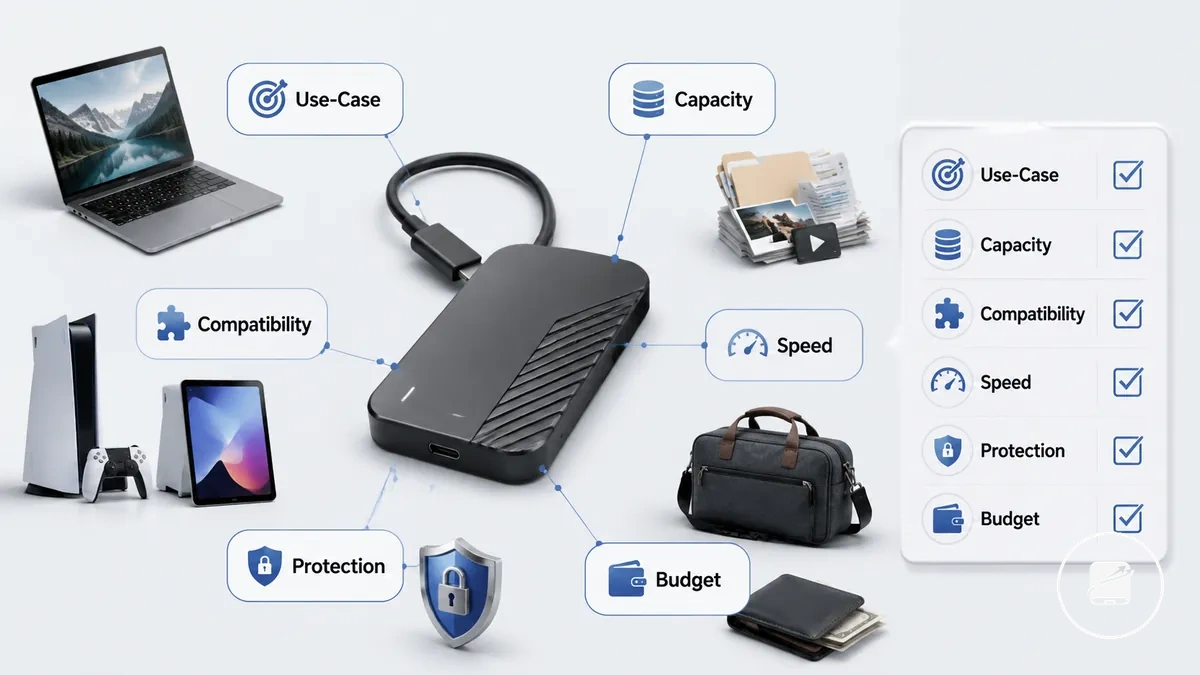
Backup use may prioritise capacity and protection, while travel increases the importance of portability and a durable casing. Gaming can place more pressure on speed and device compatibility, while media work can require more capacity and sustained performance for larger files. General file storage usually creates a more balanced requirement across capacity, compatibility, and budget. Each scenario therefore changes which requirements are essential and which features remain optional.
Use the following mini-checklist to separate must-have requirements from nice-to-have features.
Unclear requirements can lead to overspending on unused performance or selecting a drive that does not match the intended device, workload, or protection need. For example, a portable SSD used mainly for occasional document backups may benefit more from suitable capacity and compatibility than from higher speed, while sensitive work files make encryption a more relevant requirement. Use the following mini-checklist to separate must-have requirements from nice-to-have features.
- Use-case: Treat backup, travel, gaming, media work, or general storage as the primary requirement because each purpose changes the priority of the remaining selection factors.
- Capacity: Base storage needs on current file size plus a practical growth margin; larger or expanding collections increase the required capacity and budget.
- Device environment: Match the operating system, port, and cable to the portable SSD so the required compatibility is present before model comparison.
- Transfer frequency and speed: Frequent movement of large files increases the value of higher sustained performance, while occasional small transfers reduce the need to prioritise speed.
- Portability and protection: Regular travel increases the value of a compact casing, manageable cable storage, and protection against routine handling.
- Data sensitivity and budget: Sensitive files make encryption and backup protection must-have requirements, while convenience features should remain optional unless they justify their effect on the budget.
Capacity and speed fit for the intended workload
Portable SSD capacity and speed should be judged together against the workload because capacity controls storage headroom while speed affects transfer time. Workload size, file growth, and transfer frequency determine whether storage space or real-world performance deserves greater priority. The graphic below organises capacity and speed fit for the intended workload by storage pressure, transfer behaviour, and bottleneck risk.
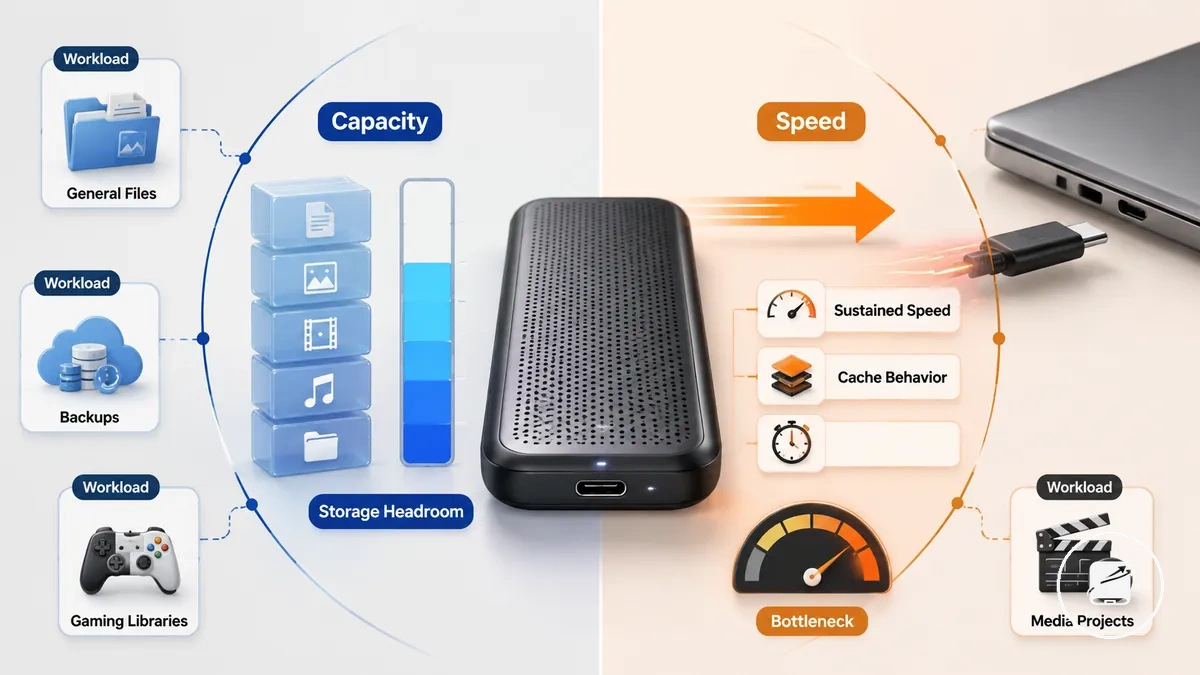
General files usually create balanced capacity and speed pressure, while backups place greater emphasis on storage headroom when the retained file set continues to grow. Gaming libraries increase capacity pressure and can also benefit from shorter transfer time, whereas media projects place stronger pressure on sustained speed when large files are moved repeatedly. Frequent large transfers make cache behavior more relevant because performance after the cache is filled can matter more than the headline sequential speed. One attribute therefore dominates only when the workload creates more storage pressure than transfer pressure, or the reverse.
The table separates capacity-first and speed-first decisions without treating either attribute as universally superior.
A larger capacity tier or higher advertised speed is not automatically a better fit because unused storage or performance can lead to overspending. For example, occasional document backups may justify more capacity before more speed, while repeated movement of large media files may justify sustained speed before additional unused storage headroom. The table separates capacity-first and speed-first decisions without treating either attribute as universally superior.
| Workload type | Capacity pressure | Speed pressure | Buying implication |
|---|---|---|---|
| General files | Moderate | Moderate | Balance storage headroom with adequate transfer speed. |
| Backups | High when retained files grow | Low to moderate unless backups are frequent | Prioritise capacity before higher speed ratings. |
| Gaming libraries | High for expanding installations | Moderate when files are moved often | Balance capacity with the host device's transfer ceiling. |
| Media projects | High for large project files | High when long transfers are routine | Prioritise storage headroom and sustained speed. |
| Frequent large transfers | Moderate to high by file volume | High, with cache behavior affecting transfer time | Check sustained speed and avoid a port or cable bottleneck. |
Storage capacity needed for files, backups, gaming, or media
Storage capacity depends on file type, retention period, and the growth margin needed before replacement. The image organises storage capacity needed for files, backups, gaming, or media by file size, expected growth, and required headroom.
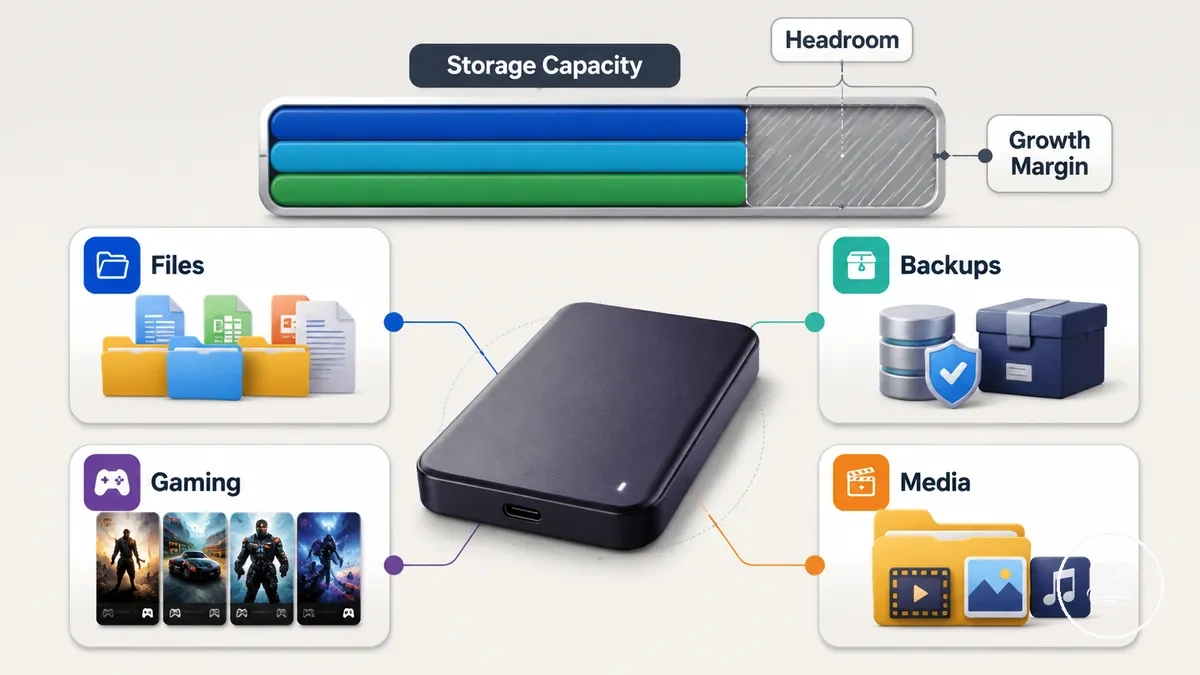
General files usually create low to moderate capacity pressure, while backups require more headroom when backup frequency or retention period increases. Gaming storage needs rise as the game library expands, and media projects create higher pressure when large project files remain active. For example, a user who regularly keeps completed video projects needs more storage headroom than a user who stores mainly documents. Each use-case therefore needs a capacity value that includes room for continued file growth.
Each use-case therefore needs a capacity value that includes room for continued file growth.
Choosing only for today's storage can shorten replacement timing, while selecting far beyond expected growth can increase overspend risk. Compare current use, expected growth, and budget against the full capacity requirements before choosing a capacity tier.
- General files: Low to moderate pressure; allow growth margin for new documents, photos, and routine downloads.
- Backups: Higher backup frequency or a longer retention period increases the required headroom.
- Gaming: A growing game library raises storage size needs and can bring replacement timing forward when free space becomes limited.
- Media: Large project files create high capacity pressure and require extra headroom for active and retained work.
- Budget: Match useful capacity to expected growth so unused storage does not create unnecessary overspend.
Read, write, and sustained transfer speed needs
Different speed measures describe different portable SSD transfer behaviours. Read speed affects loading and file access, write speed affects copying, and sustained transfer speed describes performance during longer transfers.
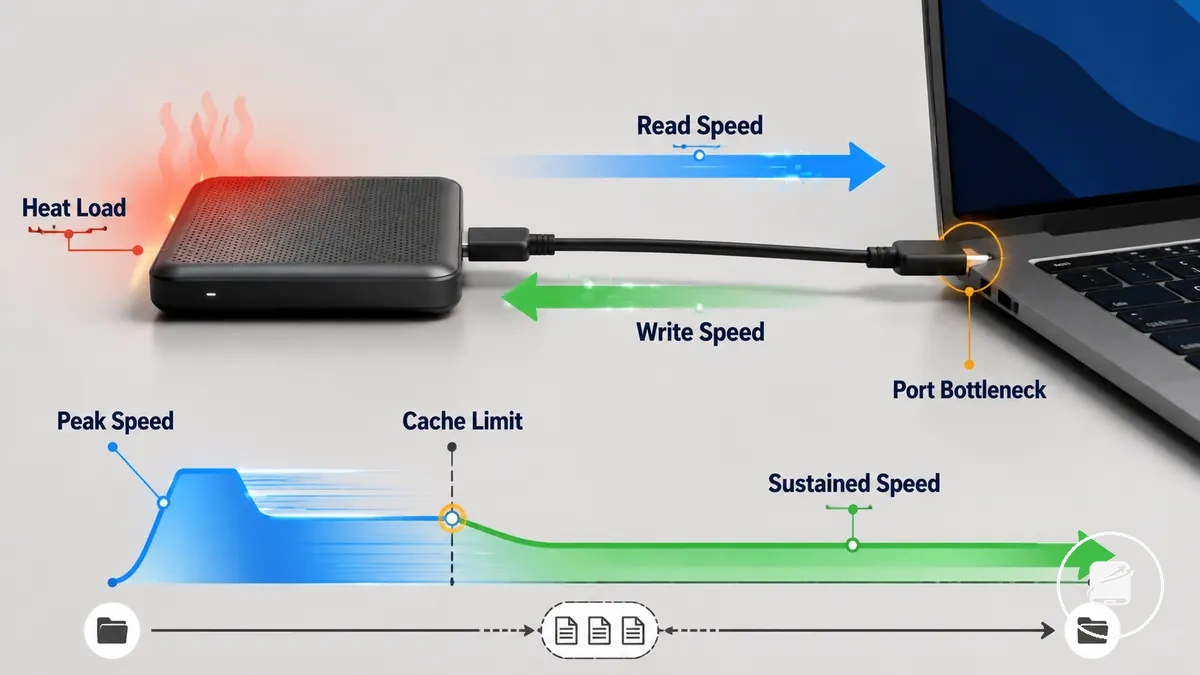
Peak speed represents a short-duration maximum under suitable conditions, while sustained transfer speed becomes the more relevant measure after cache limits are reached during a long transfer. For example, copying a large media folder can begin near the drive's peak write speed and then continue at a lower sustained speed once the temporary cache is full. A slower port or cable creates a connection bottleneck, while heat, host-device limits, file size, and workload can further increase transfer duration.
| Speed measure | What it affects | When it matters | Buying caution |
|---|---|---|---|
| Read speed | Loading and file access | Opening applications or accessing many small files | A higher rating can be wasted when the host device or connection sets a lower speed ceiling. |
| Write speed | Copying and saving files | Moving large folders or creating backups | Peak write speed may describe only the initial stage of a transfer. |
| Sustained transfer speed | Long-transfer performance | Copying large files for an extended duration | Lower sustained speed increases total transfer duration after temporary cache capacity is exhausted. |
| Cache-limited transfers | Speed after temporary cache fills | When file size exceeds the available cache | Compare long-transfer behaviour rather than relying only on the peak speed rating. |
| Port or cable limits | Maximum usable transfer speed | When the connection is slower than the drive | The port or cable becomes the bottleneck and prevents the drive from reaching its higher speed rating. |
Compare the drive's read, write, and sustained figures with your file size, workload, port, and cable before judging the full speed requirements.
Device, interface, cable, and file system compatibility
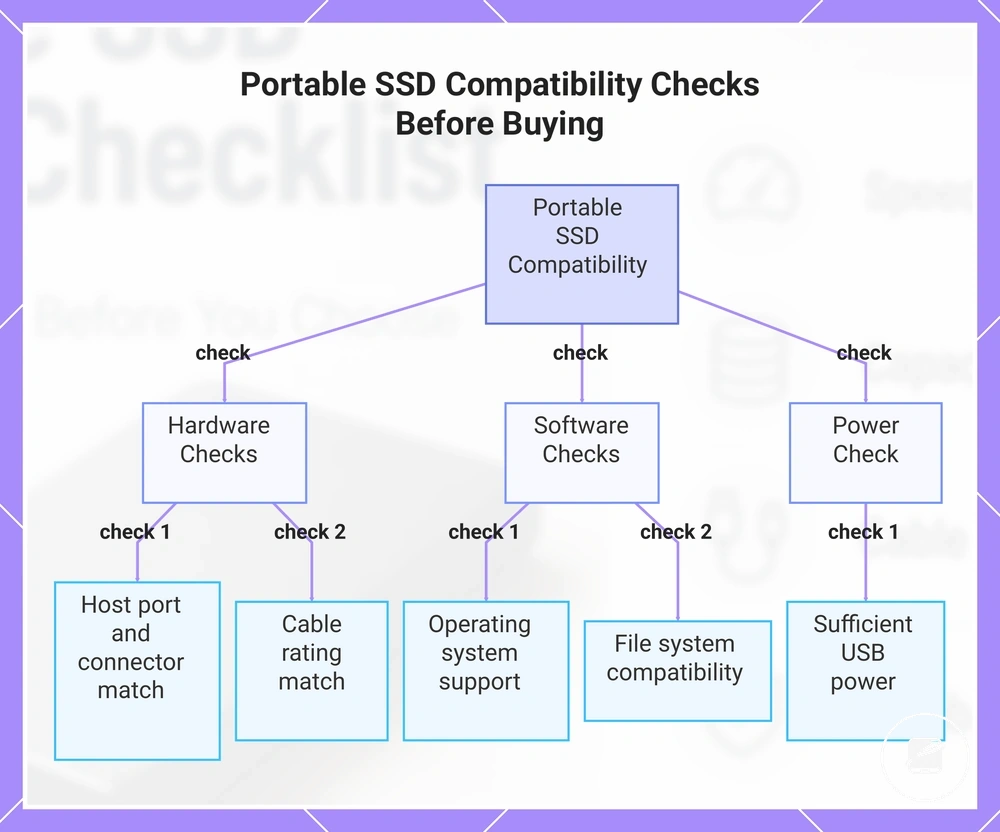
Portable SSD compatibility is confirmed when the drive matches the intended device environment, not simply when the connector fits. The host port, interface, cable rating, operating system, and file system together determine whether the drive is detected correctly, reaches its expected speed ceiling, and provides read-write access.
Portable SSD compatibility is confirmed when the drive matches the intended device environment, not simply when the connector fits.
A physical connection does not always provide full performance or full functionality because the slowest supported interface or cable sets the available transfer ceiling. For example, a portable SSD connected through a USB-C cable designed for lower-speed data transfer will operate at that cable's limit even if both the drive and host port support higher speeds. Review these compatibility checks before buying to verify the connector, host port, cable rating, operating system, and file system work together as intended.
Use the checklist below to verify buying-time compatibility.
Formatting and first-time setup affect how the drive is prepared after purchase, but they are separate from buying-time compatibility. Confirming device fit before purchase reduces setup friction because the portable SSD already matches the required interface, operating system, and file system. Use the checklist below to verify buying-time compatibility.
- Host port: Confirm that the computer, tablet, or console supports the portable SSD interface so the drive is detected and operates within the host port's speed ceiling.
- Connector: Match the SSD connector with the available USB-C or USB-A port, and verify that any required adapter supports data transfer rather than charging only.
- Cable rating: Choose a cable rated for the intended interface because a lower-rated cable limits transfer speed even when the drive and host port support higher performance.
- Operating system: Verify that the operating system supports the selected file system so the drive provides the required read-write access instead of read-only or unsupported access.
- File system: Select a file system compatible with every device you intend to use because different operating systems support different levels of read-write access.
- Power support: Ensure the target device supplies sufficient USB power so the portable SSD can be detected and remain connected during normal operation.
This chart shows the key compatibility checks to verify before buying a portable SSD, grouped by hardware, software, and power requirements.
USB-C, USB-A, USB4, and Thunderbolt limits
Connector shape and interface capability are separate checks for a portable SSD. USB-C and USB-A identify physical connector types, while USB4 and Thunderbolt describe interface support that can affect transfer performance and power behaviour. The host port generation and cable rating set the practical speed ceiling.
The host port generation and cable rating set the practical speed ceiling.
USB-C does not identify one fixed transfer speed or guarantee USB4 or Thunderbolt support. For example, a USB-C cable can physically fit the drive and host port but still limit transfer speed when its cable rating supports a lower data capability. Use the comparison below to separate physical fit from interface performance.
| Connection term | What it tells you | What it does not prove | Buying check |
|---|---|---|---|
| USB-C | The reversible connector shape | The supported interface, transfer speed, or power capability | Check the host port generation and cable rating. |
| USB-A | The rectangular connector shape | The host port's interface generation or the drive's achievable speed | Confirm whether the portable SSD needs an adapter and whether that adapter supports data transfer. |
| USB4 | Support for the USB4 interface | That the cable, portable SSD, and host port support the same performance level | Verify USB4 support across the drive, host port, and cable. |
| Thunderbolt | Support for a Thunderbolt interface | That any USB-C connector provides Thunderbolt performance | Confirm Thunderbolt support on both the portable SSD and host port. |
| Cable rating | The cable's supported data and power capability | The host port generation or the portable SSD's interface support | Match the cable rating to the intended interface to reduce underperformance risk. |
Windows, Mac, tablet, console, and cross-device use
Cross-device use is practical when the portable SSD matches the operating system, file system, permissions, and power support expected by each device. The same drive may be readable, writable, setup-required, or limited across Windows, Mac, tablet, and console environments. Check file system support, read-write permissions, and available power before purchase.
Setup requirements can therefore differ even when the same drive connects physically.
For one-drive use across computers, tablets, and consoles, each device family must support the chosen file system and storage role. For example, a portable SSD that is a writable drive on Windows or Mac may be only a readable drive, require a different setup requirement, or provide limited functionality on a tablet or console. Setup requirements can therefore differ even when the same drive connects physically.
| Device type | Compatibility factor | Possible limitation | Buying check |
|---|---|---|---|
| Windows | File system and permissions | A file system without full Windows support may reduce the drive to read-only access or require preparation. | Confirm that the selected file system provides the required readable drive and writable drive access. |
| Mac | File system and permissions | A file system with limited macOS write support may make the drive readable but not writable. | Verify read-write access for the intended file system before choosing the drive. |
| Tablet | File system, power support, cable, and adapter | Insufficient power support or an unsupported file system may prevent detection or limit read-write access. | Check device support, available power, and the required cable or adapter. |
| Console | Supported storage use and setup requirement | The console may restrict the drive to specific storage functions or require device-specific preparation. | Confirm that the console supports the intended storage use and portable SSD setup requirement. |
| Mixed-device use | Shared file system, permissions, and power support | One device may provide full read-write access while another provides read-only access or limited functionality. | Choose a file system and connection method supported across every planned device ecosystem. |
Durability, portability, and data protection checks
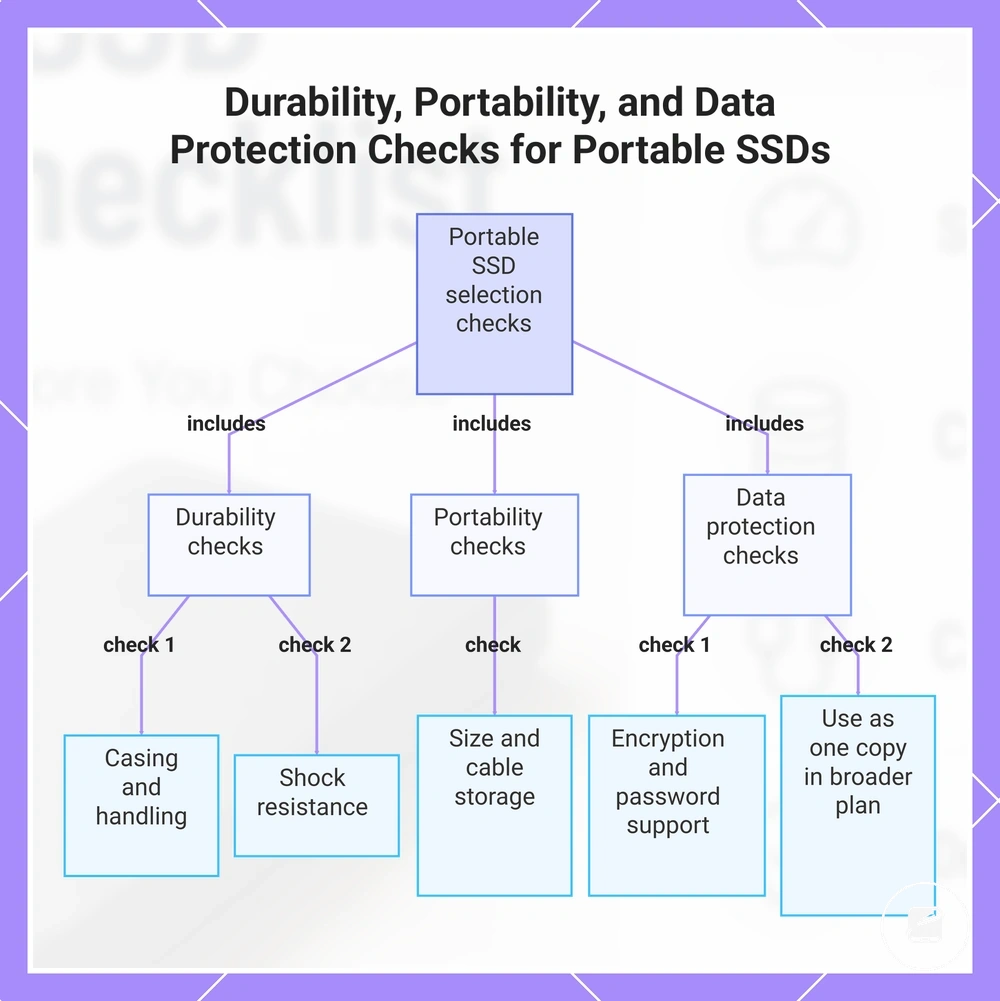
Durability and data protection checks should match how and where the portable SSD will be carried, handled, and stored. Frequent travel raises the importance of protective casing, shock resistance, water resistance, compact size, and secure cable storage, while sensitive files raise the importance of encryption and password support. Evaluate both physical damage risk and privacy risk before selecting a drive.
Evaluate both physical damage risk and privacy risk before selecting a drive.
A drive used mainly on a desk faces lower handling risk than one carried in a bag between locations. Travel use increases exposure to drops, moisture, loose cables, and compression, while sensitive files create a separate privacy risk if the drive is lost or accessed without permission. A portable SSD used for backup also has a recovery limitation when it is the only remaining copy. Each scenario therefore requires a different balance of travel suitability, physical protection, privacy protection, and backup role.
A portable SSD used for backup also has a recovery limitation when it is the only remaining copy.
Rugged casing and encryption reduce specific risks, but neither removes the need for careful handling or a separate backup. Compare the stated durability factors with the expected environment, and treat password support as an access-control feature rather than a recovery safeguard. The checklist below organises durability, portability, and data protection checks while keeping long-term maintenance and data recovery outside this selection step.
- Casing and handling: Choose a rigid or reinforced casing when the drive will be carried frequently, because repeated movement and contact with other objects increase damage risk.
- Shock resistance: Check for a stated drop or shock-resistance condition when accidental impacts are likely, and confirm that the claim applies to the drive itself rather than only its packaging.
- Water resistance: Select a model with a documented resistance rating when exposure to rain, splashes, or damp environments is plausible, while recognising that protection applies only under the stated test conditions.
- Size and cable storage: Prefer a compact drive and a secure cable-storage method for travel, because loose cables and bulky accessories increase handling difficulty and loss risk.
- Encryption and password support: Confirm whether encryption is hardware-based or software-managed and whether password access is supported on the devices you plan to use, because unsupported access tools can limit file access.
- Backup role: Use the portable SSD as one copy within a broader backup plan rather than the only copy, because casing, encryption, and password support do not remove recovery limitations after loss, failure, or accidental deletion.
This chart shows the key checks to evaluate when selecting a portable SSD based on usage context, covering physical durability, portability, and data protection.
Shock resistance, water resistance, and build quality
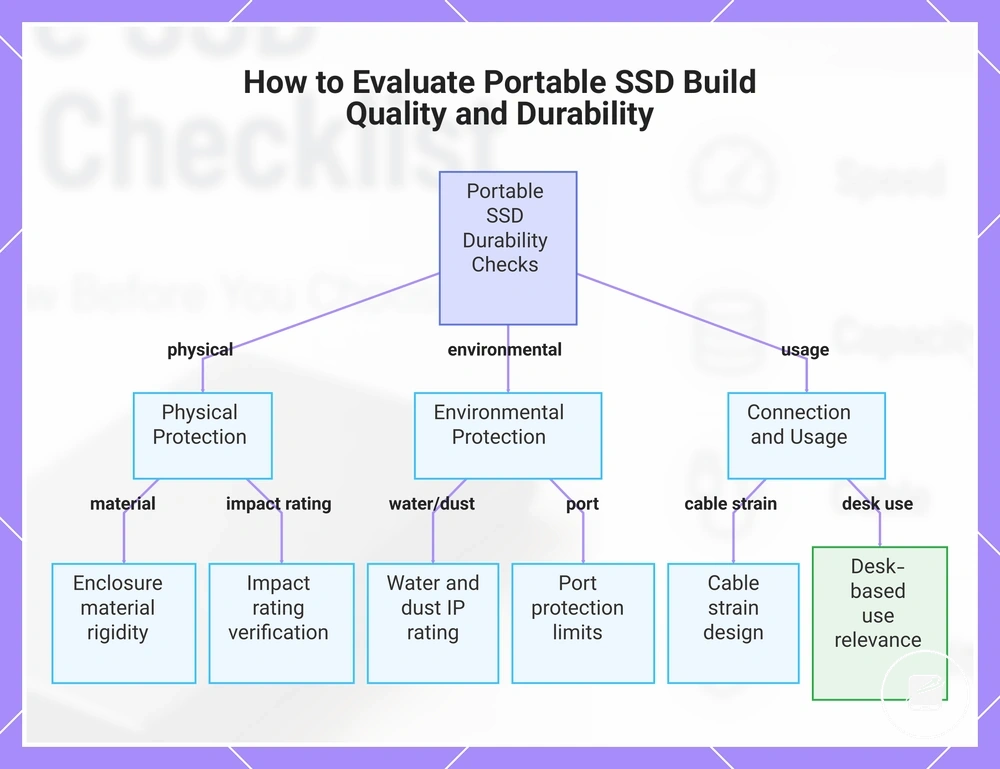
Build quality matters most when a portable SSD faces frequent movement, packing, drops, or outdoor handling during travel. Enclosure material and protective design affect casing rigidity, while an impact rating, water resistance, dust resistance, port protection, and controlled cable strain provide clearer durability signals than appearance alone.
Use the checklist below to distinguish documented physical durability from marketing language.
A rugged label is not proof of shock resistance or water resistance unless the manufacturer states the tested condition, rating, and applicable limitation. For example, a rubberised enclosure may improve handling confidence but still create false confidence if the port remains exposed or no impact rating is stated. Use the checklist below to distinguish documented physical durability from marketing language.
- Enclosure material: A rigid metal or reinforced polymer enclosure indicates greater resistance to bending and surface impact than a thin decorative shell, but verify whether the construction protects the internal drive as well as the exterior.
- Impact rating: A stated drop height, test method, or impact classification defines the shock-resistance condition; a general rugged or shockproof claim without those details does not establish damage resistance.
- Water and dust resistance: An IP rating separates solid-particle protection from water-ingress protection, so confirm both digits and the stated test condition rather than treating water resistance as protection against every exposure.
- Port protection: A sealed connector area or fitted cover can reduce dust and moisture entry when closed, but that protection is limited when the port is exposed during use.
- Cable strain: A recessed connector, short flexible cable, or secure plug fit reduces leverage on the port during packing and handling, while a stiff or protruding cable increases strain if the drive moves while connected.
- Desk-based use: For a drive that remains on a stable desk with low movement, extensive ruggedness offers less practical value than sound casing quality and reliable port construction.
This chart shows the key checks to distinguish genuine physical durability from marketing language for portable SSDs.
Encryption, password protection, and backup safety
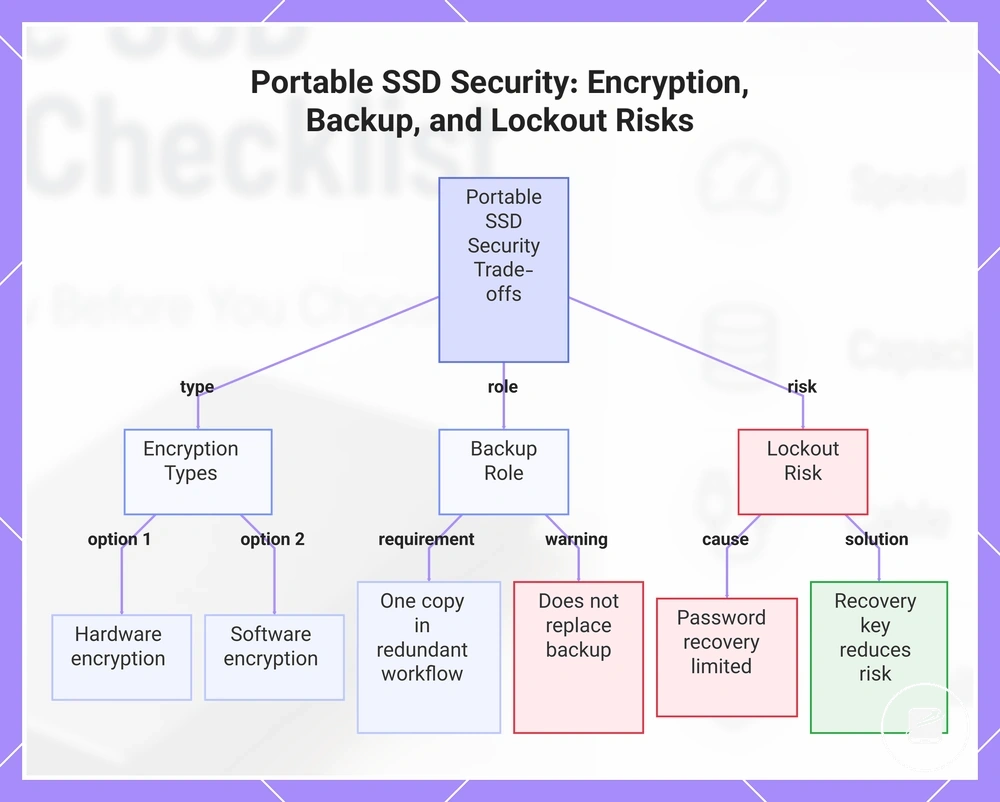
Encryption and password protection improve privacy protection when a portable SSD is lost or accessed without permission, but they do not replace backup planning. Hardware encryption uses the drive’s built-in security system, while software encryption relies on compatible software and its configuration. The main trade-off is stronger access control versus greater lockout risk if credentials or recovery information are unavailable.
Match the security feature, backup role, and user workflow to the specific privacy risk and data-loss exposure.
Sensitive files and travel use increase lost-drive risk, making encryption and password protection more relevant buying features. Backup storage addresses a separate risk because an encrypted drive can still fail, be deleted, or become inaccessible. Match the security feature, backup role, and user workflow to the specific privacy risk and data-loss exposure.
Password recovery is limited by the drive’s security design and the setup completed before access is lost.
Password recovery is limited by the drive’s security design and the setup completed before access is lost. A documented recovery key or reset method can reduce lockout risk, but it does not restore data after physical failure or file corruption.
- Encryption type: Hardware encryption operates through the portable SSD’s built-in controller, while software encryption requires a supported application or operating system; verify which devices can unlock the drive before choosing either option.
- Password recovery: Confirm whether the security system provides a recovery key or another documented recovery method, because a forgotten password without an available recovery path can leave the stored files inaccessible.
- Backup role: Treat the portable SSD as one copy within a redundant backup workflow rather than as a backup replacement, because encryption limits unauthorised access but does not remove data-loss exposure.
- Lost-drive risk: Choose encryption and password protection for sensitive files carried during travel, while recognising that these features provide privacy protection only when they are enabled and configured correctly.
- Workflow fit: Select a security feature that works across the intended computers and devices, and keep required credentials separate from the drive to reduce avoidable lockout risk.
This chart shows the main trade-offs between encryption types, backup role, and lockout risk when using a portable SSD.
Value factors beyond the headline price
Portable SSD value is not the same as the lowest headline price. Real value comes from matching the drive to the intended workload rather than paying only for a lower upfront cost or an unused premium feature. Compare capacity, sustained performance, compatibility, durability, warranty, and included accessories.
| Value factor | When it matters | Risk if ignored | Buying signal |
|---|---|---|---|
| Capacity | Everyday storage, backups, and growing file collections | Early replacement or repeated file management | Choose a capacity that covers current files and expected growth |
| Sustained speed | Large, repeated, or time-sensitive transfers | A high advertised speed tier may not maintain the required transfer rate | Prioritise sustained performance when the workload includes long transfers |
| Compatibility accessories | Use across devices with different ports | A missing bundled cable or adapter creates a hidden replacement cost | Confirm that the included cable matches the intended devices and interface |
| Durability and case | Travel, commuting, or frequent handling | Additional protection may need to be purchased separately | Choose protective construction or an included case when mobility increases handling risk |
| Warranty | Long-term ownership and support expectations | Shorter or limited coverage can reduce support after a fault | Compare the stated warranty period and coverage conditions with the expected service life |
| Security features | Sensitive files or shared-device use | Missing privacy controls or an unnecessary premium for unused protection | Select encryption or password protection only when it supports the intended use |
A low purchase price can create a hidden replacement cost when the bundled cable is incompatible, an adapter or case must be purchased separately, or the selected capacity becomes inadequate. These mismatches can remove the apparent saving without improving the drive’s usefulness. Evaluate the complete accessory bundle and specification against the required value criteria.
Each factor should therefore be judged by use-case fit.
For everyday storage, suitable capacity and broad compatibility usually matter more than the highest speed tier. Backup use places greater value on adequate capacity and warranty, while travel increases the importance of durability and a protective case. High-transfer workloads justify stronger sustained performance when shorter transfer times change the practical outcome. Each factor should therefore be judged by use-case fit.
A premium feature is not automatically a useful feature.
A premium feature is not automatically a useful feature. Faster performance, a security feature, a longer warranty, or an accessory adds useful value only when it reduces a relevant limitation, cost, or risk for the intended use. The decision signal is a measurable improvement in the reader’s workflow rather than a higher specification alone.
The decision signal is a measurable improvement in the reader’s workflow rather than a higher specification alone.
Compare the headline price with capacity, sustained performance, compatibility, durability, warranty coverage, the bundled cable, the case, and security features. A portable SSD provides stronger cost-value when those factors support the intended use without creating an unnecessary premium or hidden replacement cost.
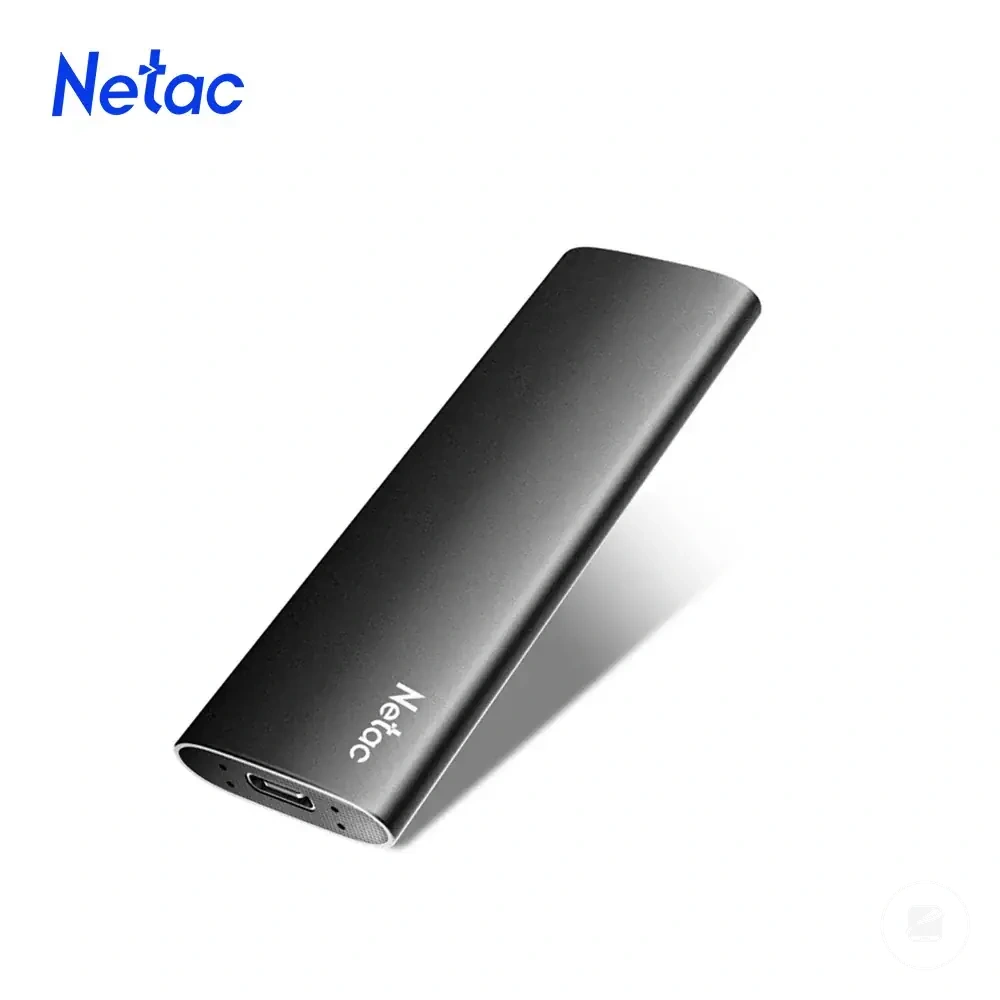
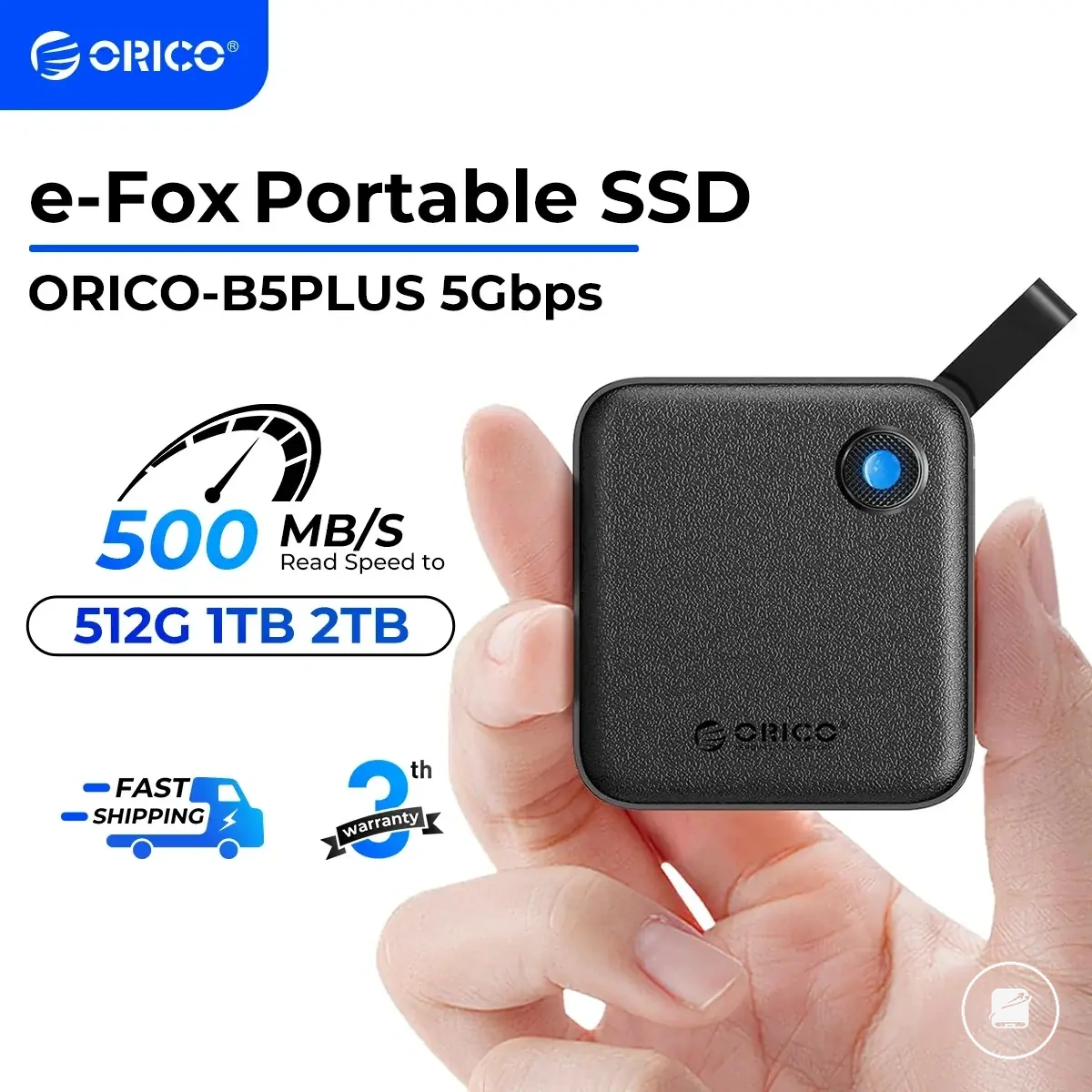
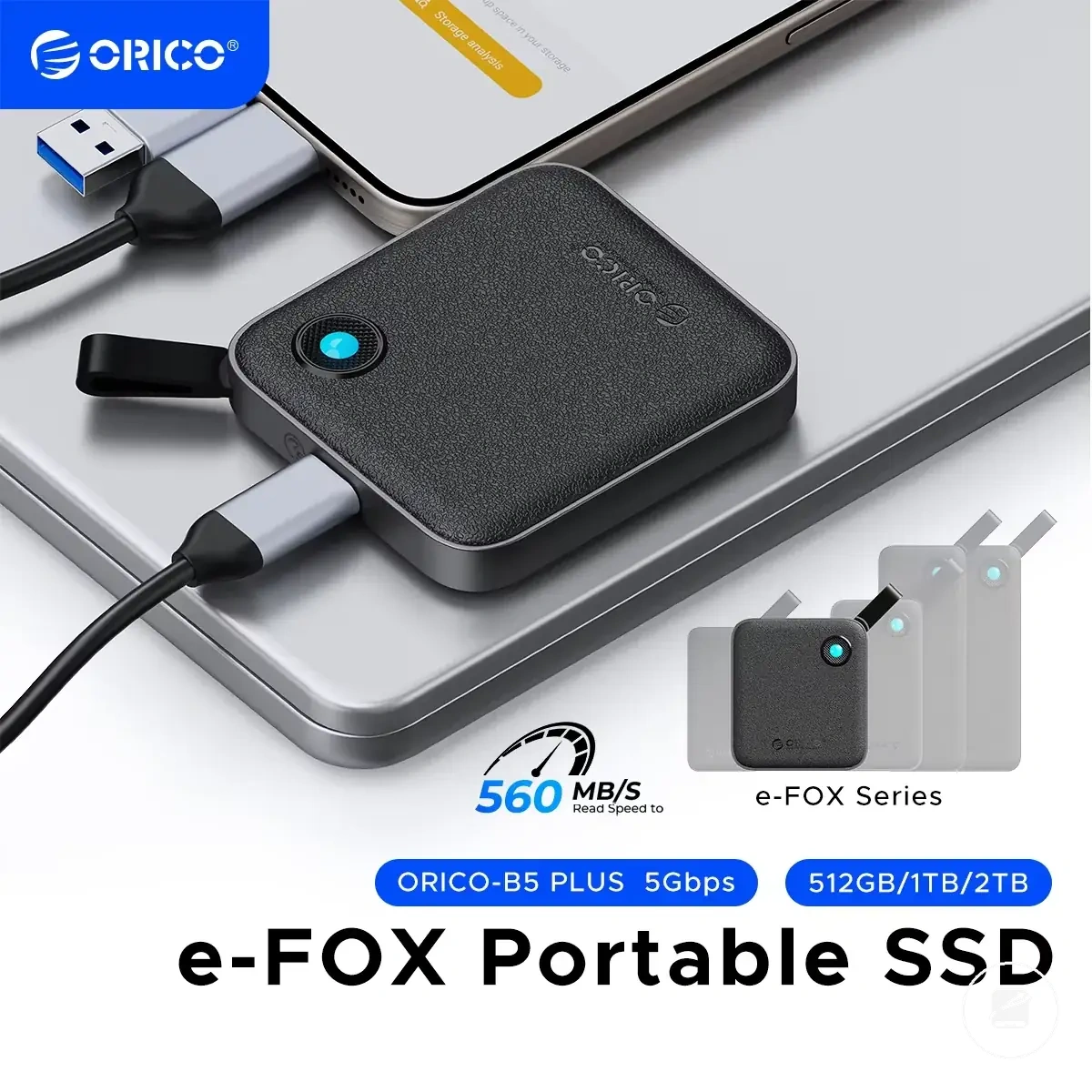
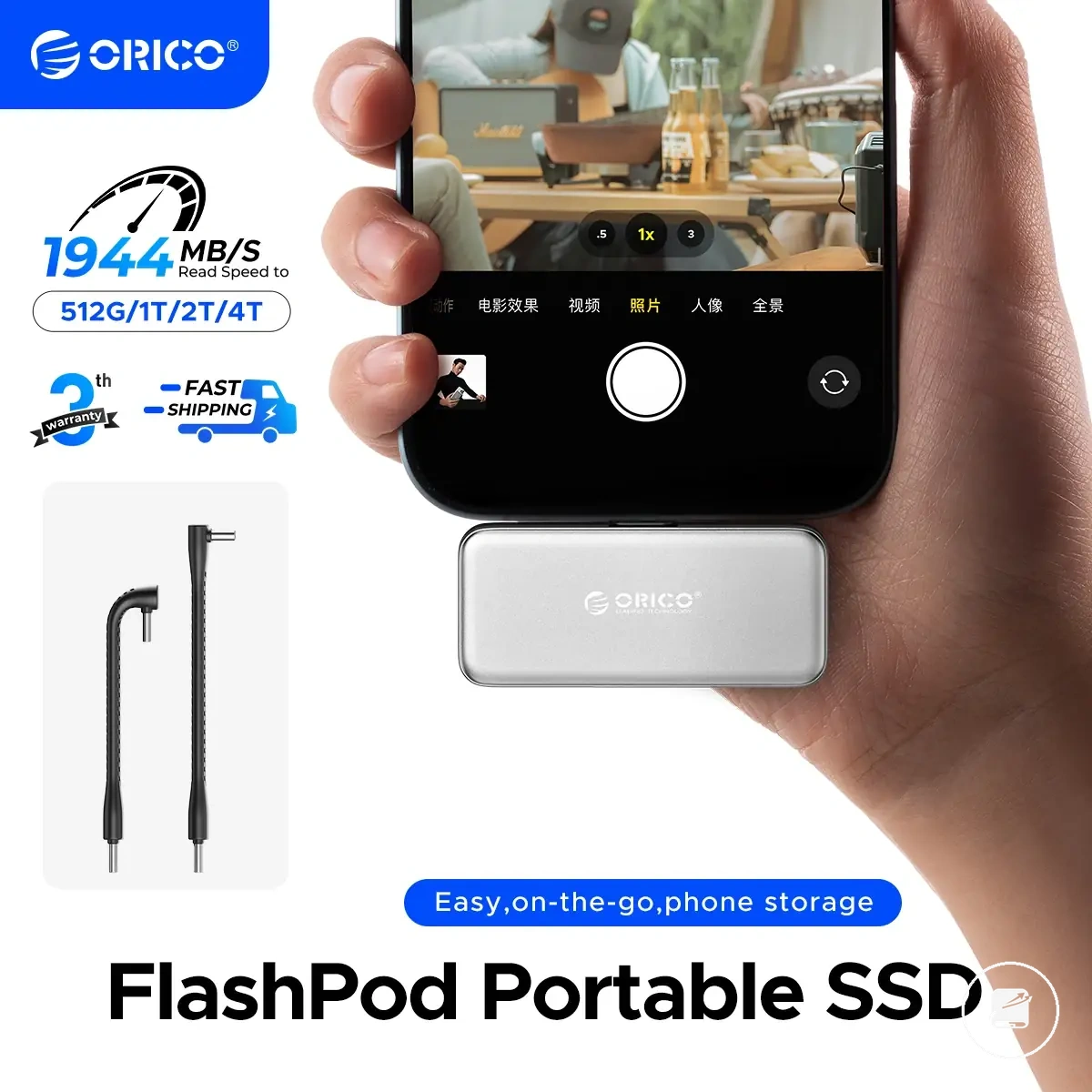
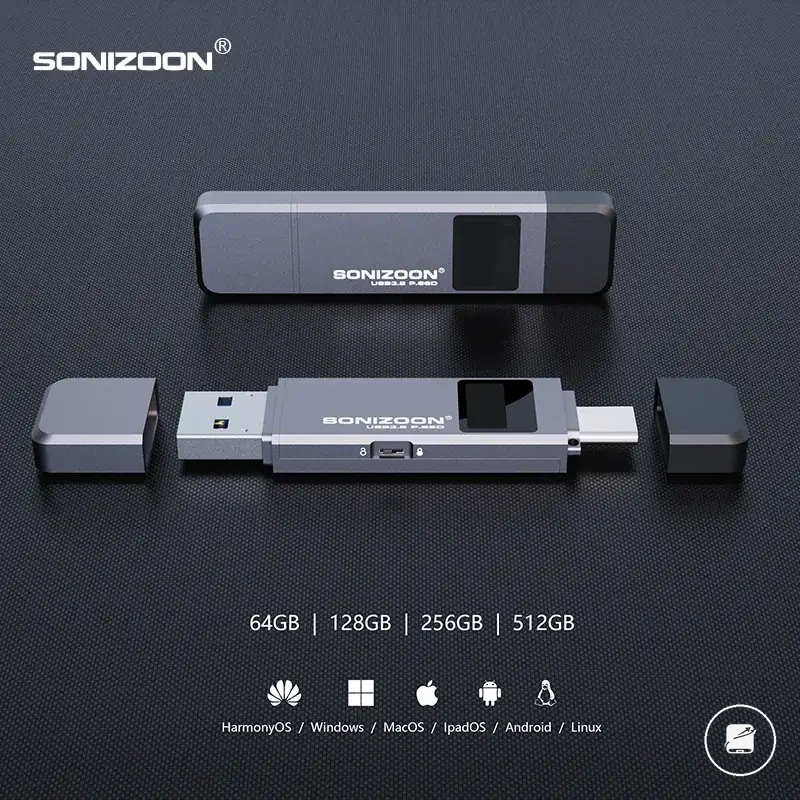
The products below are useful examples for comparing available options.
The products below are useful examples for comparing available options. Before buying, check that the compatibility criteria, key features, and product details match your needs.
Cost per gigabyte, useful capacity, and bundled accessories
Cost per gigabyte is a useful comparison tool because it relates a portable SSD's total price to its capacity tier, but it does not determine the whole purchasing decision. Compare drives with similar capacities first, then judge whether the useful capacity and bundled accessories support the intended workload and devices.
Bundled accessories improve setup readiness only when they reduce additional purchases or simplify compatibility with existing equipment.
Bundled accessories improve setup readiness only when they reduce additional purchases or simplify compatibility with existing equipment. A cable bundle, case, or adapter that matches the intended device can reduce setup friction, while duplicate or unnecessary included items simply increase the total price without adding real value. Use the table below to compare capacity and accessory value while remembering that reliability, compatibility, and sustained performance remain more important than cost per gigabyte when they directly affect the use-case.
| Value item | What to check | When it helps | When it may be unnecessary |
|---|---|---|---|
| Cost per gigabyte | Compare the total price across the same capacity tier | Provides a consistent value calculation between similar drives | When lower cost comes with reduced reliability, compatibility, or sustained performance |
| Useful capacity | Match usable storage to current files and expected headroom | Reduces the need for early replacement or constant file management | When additional capacity is unlikely to be used |
| Cable bundle | Verify connector types and interface compatibility | Improves setup readiness without purchasing another cable | When existing compatible cables already meet the requirement |
| Case | Check whether protection supports travel and portability | Keeps the drive and accessories protected during transport | When the drive remains in a fixed workspace or an existing case is available |
| Adapter | Confirm it supports the required device ports | Allows immediate use across different connector types | When every intended device already supports the supplied cable |
| Warranty or reliability context | Review warranty coverage alongside expected workload | Adds long-term value for frequent or important storage tasks | When additional coverage does not change the practical ownership needs |
Features worth paying for versus avoidable extras
Features worth paying for are those that change the user’s actual outcome, such as reducing transfer time, protecting the drive during travel, or controlling access to sensitive files. A feature that does not improve the intended workload, device compatibility, or ownership risk is more likely to be an avoidable extra than a functional buying criterion.
The comparison below shows how the same feature can be useful in one use-case and unnecessary in another.
Hardware speed has decision value for frequent large-file transfers, while rugged casing adds protection for travel or field use. Encryption can reduce privacy risk for sensitive files, and a longer warranty can increase confidence when reliability and replacement support matter. Cable quality affects compatibility and setup readiness, whereas a software bundle or accessory pack has convenience value only when the included functions or items will be used. The comparison below shows how the same feature can be useful in one use-case and unnecessary in another.
| Feature | Worth paying for when | Avoidable when |
|---|---|---|
| Hardware speed | The workload includes frequent large-file transfers and shorter transfer times improve the result | Use is limited to light storage, occasional backups, or devices that cannot use the higher speed tier |
| Rugged casing | The portable SSD will travel regularly or face greater exposure to drops, dust, or rough handling | The drive will remain in a protected, fixed workspace |
| Encryption | The drive stores sensitive files and access control reduces a relevant privacy or security risk | The stored files are non-sensitive and the feature adds complexity without changing the risk level |
| Warranty | Long-term use, frequent workloads, or difficult replacement conditions make support coverage more valuable | The additional coverage does not improve the expected ownership outcome |
| Cable quality | The supplied cable supports the required connector, interface, and repeated portable use | An existing compatible cable already meets the same setup and durability needs |
| Software bundle | The included software provides a function the user will actively use, such as backup management or access control | The same function is already available through the operating system or existing software |
| Accessory pack | The case, adapter, or extra cable matches the intended devices and improves setup readiness or portability | The included accessories duplicate existing equipment or do not match the planned use-case |
Need-based selection keeps decision value separate from convenience value without assuming that every premium feature is useful or every basic drive is sufficient. Compare best portable SSDs by need after identifying which features change the intended outcome.
Buying risks that can weaken portable SSD selection
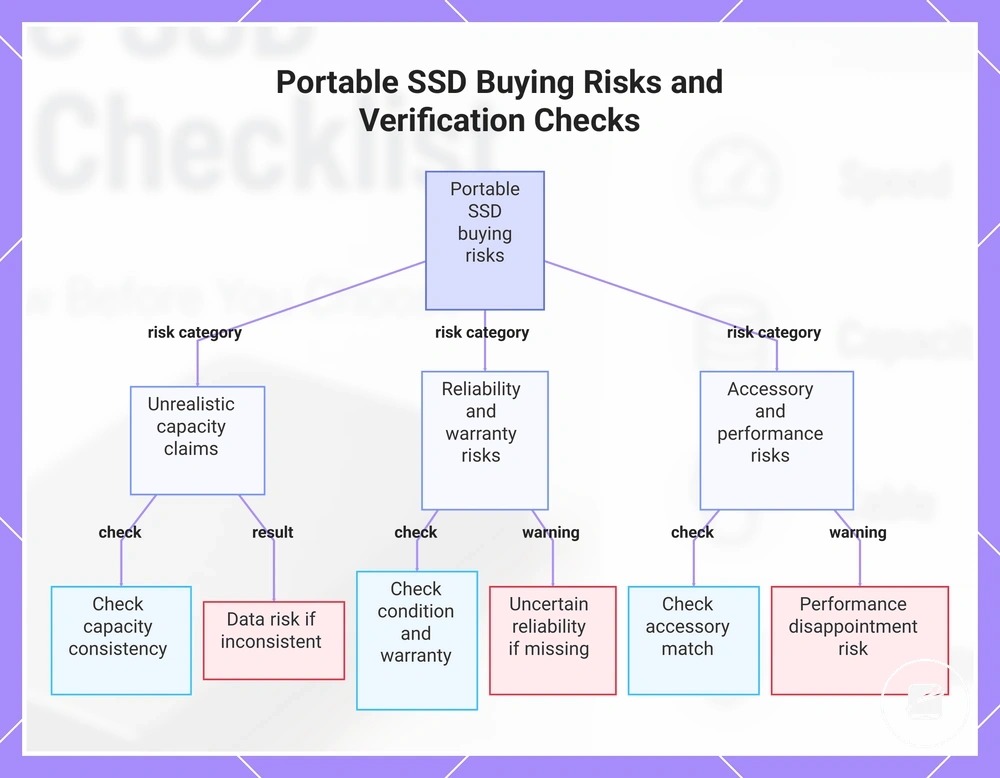
Buying risks usually appear when a portable SSD seller claim is stronger than the evidence a buyer can verify. A capacity listing, compatibility promise, or headline specification should be treated as a decision signal rather than proof until the drive’s capacity, interface, warranty status, and condition are clear. The main risk categories are unrealistic capacity claims, uncertain reliability, mismatched accessories, missing warranty context, and performance disappointment.
Buying risks usually appear when a portable SSD seller claim is stronger than the evidence a buyer can verify.
Unrealistic capacity claims can create data risk when the listed storage is not supported by consistent product information. Reliability is harder to assess when a used drive’s history, previous workload, or remaining warranty status is unknown. Accessories can also reduce value when the supplied cable or adapter does not match the required port or interface. Pause and verify whenever the capacity, condition, warranty context, or compatibility details cannot be confirmed before the buying decision.
The checklist below organises warning signals, verification checks, and possible buying consequences.
Risk reduction does not mean treating every low price or ambitious specification as evidence of a problem. It means checking category-level signals that separate a well-documented option from one with unresolved claims. The checklist below organises warning signals, verification checks, and possible buying consequences.
- Capacity claim: If the advertised capacity appears unusually large for the price, check whether the capacity listing is consistent across the product title, specification details, packaging information, and order summary. Unresolved differences increase the risk of receiving less usable storage than expected and may expose copied files to data risk.
- Reliability evidence: If the listing gives no clear reliability information, check the drive’s condition, warranty status, and whether the unit is described as new, refurbished, or used. Missing condition evidence reduces confidence in expected service life and increases the risk of performance disappointment.
- Used-drive history: If a portable SSD is used, check whether its previous workload, health information, and remaining support are disclosed. An unknown used history creates greater uncertainty about wear, sustained performance, and suitability for important files.
- Warranty context: If a warranty is mentioned without a duration, provider, territory, or eligibility condition, verify who supplies the coverage and whether it applies to the specific unit. An unclear warranty context can leave the buyer without the expected replacement or support path.
- Accessory quality: If a cable, case, or adapter is included, check the connector type, interface support, physical condition, and whether each item matches the intended device. Poorly matched accessories can cause setup failure, reduced transfer performance, or unnecessary replacement cost.
- Compatibility promise: If the seller claim uses broad compatibility wording, verify the required port, operating-system support, file-system needs, and intended device category. A compatibility promise without these conditions can lead to connection problems or an unusable setup.
- Headline specifications: If the buying decision relies mainly on a maximum speed or durability statement, check the interface, workload, cable, device, and test conditions behind that claim. Headline specifications that omit real-world conditions can create performance disappointment even when the stated figure is technically valid.
This chart shows the main risk categories when buying a portable SSD and the verification checks to reduce each risk.
Fake capacity claims and unusually cheap large drives
Fake capacity claims and unusually cheap large drives require verification before trust because the claimed capacity can exceed the storage the device can reliably provide. A low price alone is not proof of a problem, but an unrealistic capacity claim can create data-loss risk if files are written beyond the drive’s actual usable space.
Use the warning bullets below to guide the verification process.
Check the claimed capacity against the price level, then review the seller information, reviews, and return path for consistent details. These signals do not prove that a portable SSD is fake, but they can reveal conflicting claims, weak documentation, or poor purchase confidence before payment. Use the warning bullets below to guide the verification process.
- Capacity claim: Treat a large claimed capacity as a warning signal when the same figure is not stated consistently across the title, specifications, packaging details, and order summary. Conflicting capacity information increases the risk that the usable storage will not match the listing.
- Price mismatch: Pause when the price level is far below comparable large-capacity storage without a clear explanation such as used condition, an older generation, or limited warranty coverage. The mismatch creates a verification need rather than proof of fake capacity claims.
- Seller clarity: Check whether the seller information identifies the product condition, brand, model, included accessories, and warranty status. Missing or contradictory details reduce confidence in the storage claim and the available support path.
- Review pattern: Read reviews for repeated reports of capacity errors, corrupted files, failed transfers, or a product that differs from the listing. A consistent pattern of storage-related complaints is a stronger warning signal than an isolated rating or generic praise.
- Return path: Confirm that the return path states the applicable period, process, condition requirements, and responsible party. An unclear return path increases purchase risk if the drive’s claimed capacity or condition does not match the listing.
- Verification need: Choose a better-documented option when the capacity claim, price level, seller information, reviews, and return terms remain inconsistent after checking. This category-level decision reduces data-loss risk without treating every cheap drive as fraudulent.
Used drives, unclear reliability history, and warranty gaps
Used drives or portable SSDs with an unclear reliability history need extra checks because prior use, handling, health status, and warranty status may be unknown. A second-hand drive is not automatically unsafe, but missing evidence about wear or warranty transferability creates reliability uncertainty. The main criteria are prior use, health status, seller disclosure, return option, warranty transferability, and encryption reset.
Match the buying decision to the importance and replaceability of the stored data.
For temporary storage, a used drive presents a lower risk level when the files also exist elsewhere and the device can be replaced without serious loss. The same unclear-history drive presents a higher risk level for important backups or sensitive data because a reliability failure or privacy concern would have a greater consequence. Match the buying decision to the importance and replaceability of the stored data.
Treat an encryption reset as a condition to verify rather than proof that every prior-data issue has been resolved.
Privacy confidence is stronger when seller disclosure confirms that previous accounts, access controls, and encryption settings have been removed or reset. Treat an encryption reset as a condition to verify rather than proof that every prior-data issue has been resolved.
- Prior use: Check whether the drive was lightly used, heavily used, refurbished, or returned without a documented history. Missing prior-use details increase reliability uncertainty and reduce confidence in the drive’s value.
- Health status: Look for a clearly stated health status or condition assessment for the specific unit. If no condition evidence is provided, treat the drive as having an unclear reliability history rather than assuming equivalence to a new drive.
- Warranty transferability: Verify whether any remaining warranty applies to a second owner, the specific serialised unit, and the relevant territory. A warranty gap reduces the available support path and may lower the value of the used drive.
- Return option: Check whether the return option states the return period, accepted condition, process, and responsible party. A clear return path provides a practical remedy if the drive’s condition differs from the seller disclosure.
- Encryption reset: Confirm that previous encryption, account association, or access restrictions have been reset before relying on the drive. Unclear reset status creates a privacy concern and may prevent normal use.
- Seller disclosure: Prefer a listing that consistently identifies prior use, health status, warranty status, included accessories, and return terms. Complete seller disclosure improves purchase confidence, while missing or contradictory information supports choosing a better-documented option.