Portable SSD Durability and Rugged Protection
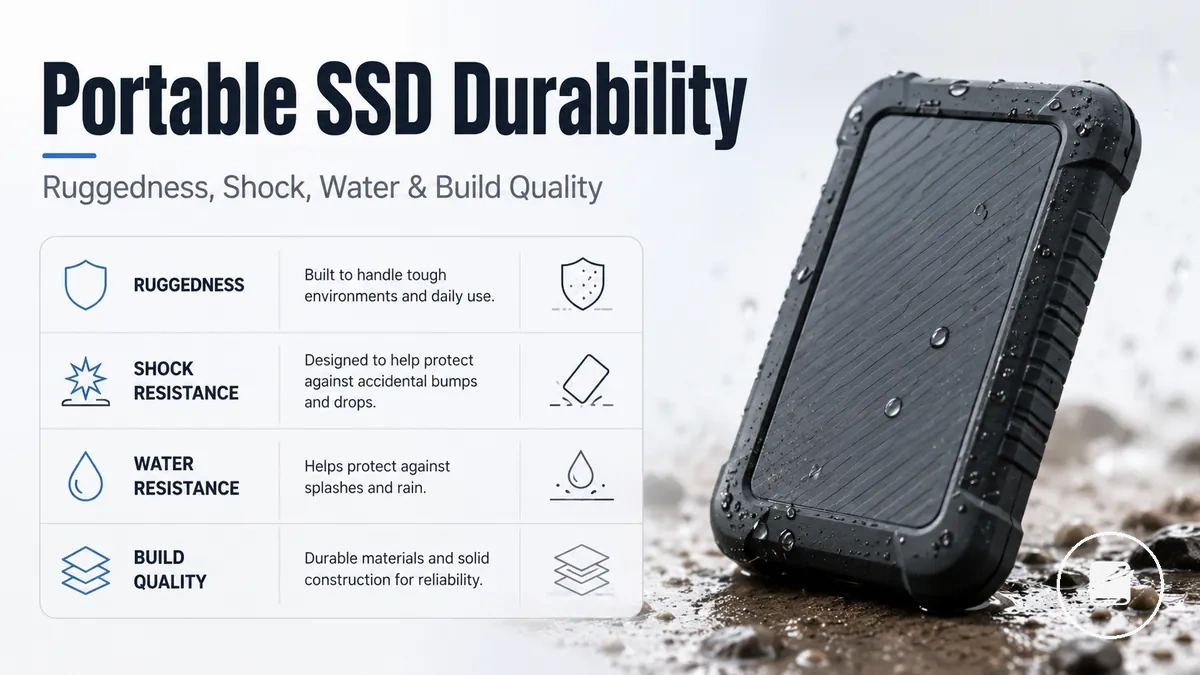
Portable SSD durability describes how an enclosure and its build quality reduce physical handling risk during transport and everyday use. Rugged protection can improve resistance to shocks, drops, dust, and limited water exposure, but it remains conditional risk reduction rather than absolute protection.
Portable SSD durability describes how an enclosure and its build quality reduce physical handling risk during transport and everyday use.
A portable SSD carried between desks, worksites, or travel bags faces impacts, loose particles, moisture, and strain around its cable or port. A buying decision should therefore evaluate shock resistance, drop protection, water resistance, dust resistance, enclosure design, and overall build quality.
It does not replace safe handling, routine maintenance, or a separate backup.
Ruggedness can increase buying confidence when the protective features match the expected handling conditions. It does not replace safe handling, routine maintenance, or a separate backup.
Table of Contents
What Durability Means for a Portable SSD
Portable SSDs durability is the ability of a drive to resist realistic handling, impact, moisture, dust, and enclosure stress during transport and everyday use. It defines the level of physical protection provided by the enclosure and connector area under expected operating conditions rather than protection from every type of damage. Portable SSD durability is therefore measured by how well the drive withstands realistic conditions that influence handling risk and buying decisions.
What durability means for a portable SSD is easier to understand by looking at the parts that provide physical protection.
What durability means for a portable SSD is easier to understand by looking at the parts that provide physical protection. The annotated image below highlights the enclosure, connector area, and other external features that help reduce damage from normal handling, travel, and light environmental exposure.
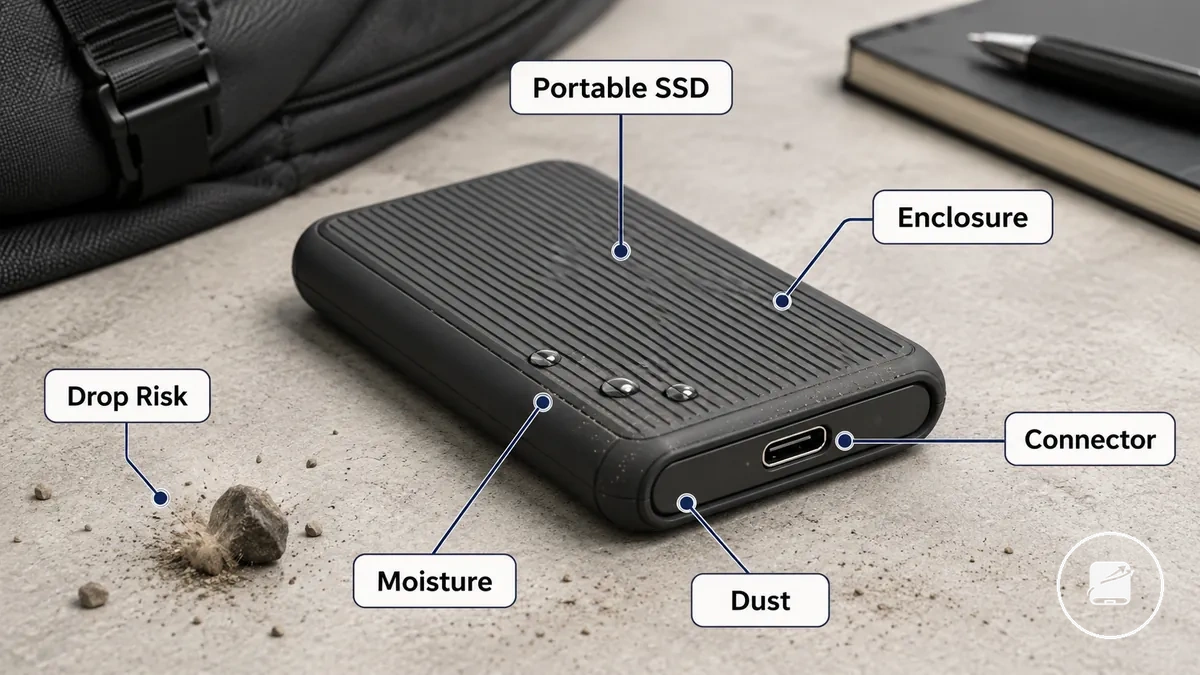
Portable SSD durability focuses on physical protection against handling, impact, moisture, dust, enclosure stress, and drop risk rather than on drive health or data safety. For example, a reinforced casing can reduce the chance of enclosure damage after an accidental knock or short drop under realistic conditions, but it does not guarantee that the storage hardware or stored data will remain unaffected by every impact or environmental hazard.
Physical Protection versus Drive Lifespan and Data Safety
Physical protection reduces the risk of damage to a portable SSD's enclosure and connector during everyday handling and transport, while drive lifespan and data safety are determined by different factors. Ruggedness helps protect the outside of the drive, but internal drive health depends on conditions such as NAND wear and operating stress rather than casing strength alone. This distinction separates external protection from long-term storage health.
This distinction separates external protection from long-term storage health.
Physical protection versus drive lifespan and data safety becomes clearer when the comparison below separates what ruggedness changes from what it does not guarantee.
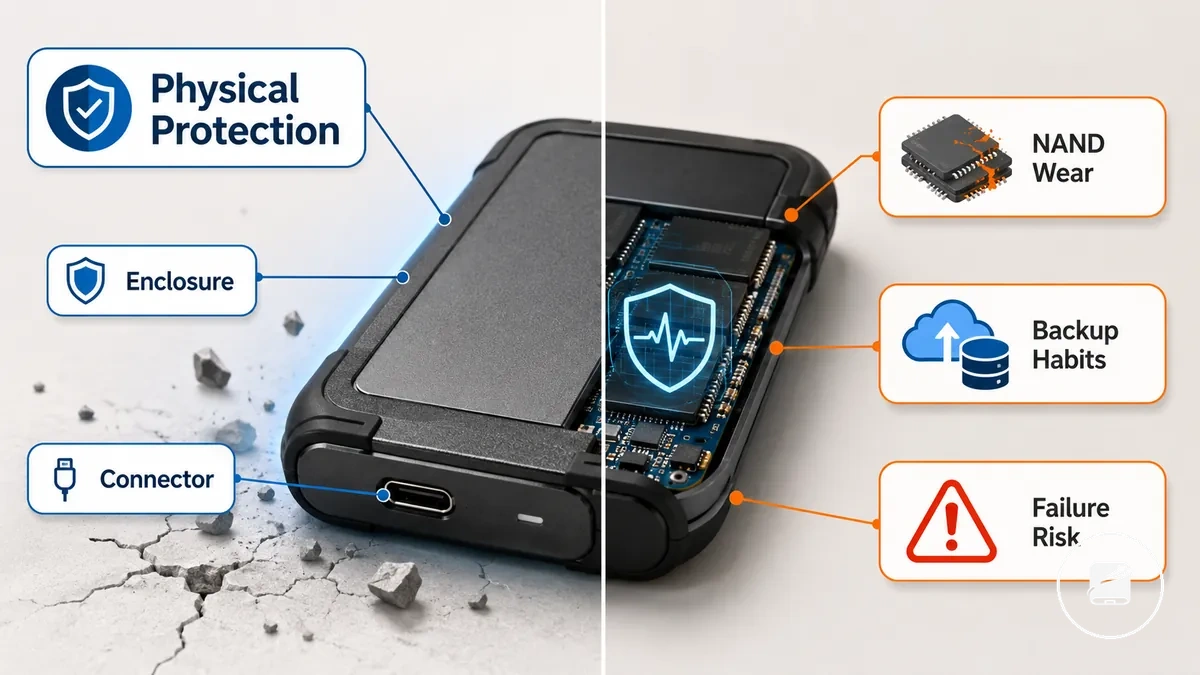
| Physical protection | Lifespan or data safety |
|---|---|
| Enclosure helps resist everyday knocks and handling. | Drive lifespan is influenced by NAND wear during normal use. |
| Connector protection lowers the chance of physical port damage. | Data safety relies on backup habits rather than enclosure strength. |
| Impact resistance can reduce external damage under realistic handling conditions. | Failure risk remains linked to internal drive health and storage reliability, even when the casing is rugged. |
A rugged enclosure is not a guarantee that stored files or internal components will remain unaffected after every incident. For example, a portable SSD may withstand a minor drop without visible casing damage while data safety still depends on having current backups if an internal failure occurs. For related guidance on these adjacent topics, see portable SSD lifespan and health.
Build Quality Factors That Affect Portable SSD Durability
Build quality factors that affect portable SSD durability are the inspectable construction features that help a drive resist everyday handling and rough carry conditions. Enclosure material, seam design, port reinforcement, grip, weight, and case fit each provide a different protection effect when evaluated under realistic use conditions rather than appearance alone. Together, these features form a practical set of build quality attributes for assessing durability.
Together, these features form a practical set of build quality attributes for assessing durability.
Build quality factors that affect portable SSD durability become easier to judge when each physical attribute is linked to its protection outcome. The annotated image below highlights the enclosure material, seam area, port reinforcement, grip features, and case-fit context discussed in this section.
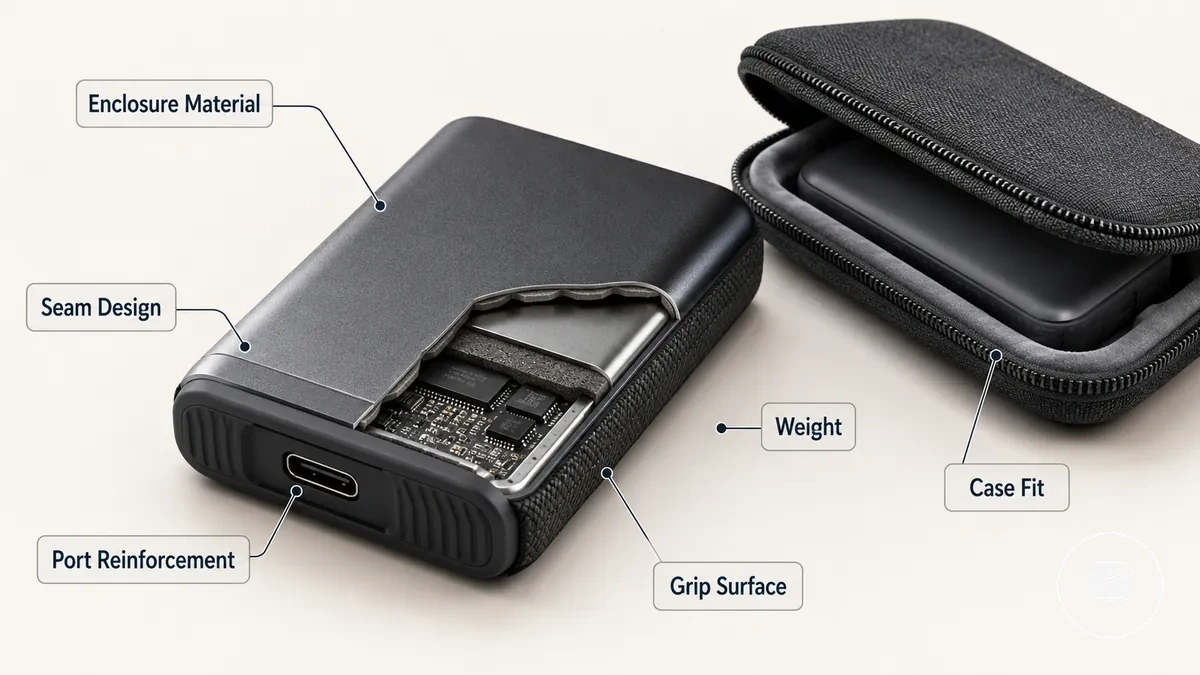
Imagine carrying a portable SSD in a backpack with chargers, cables, and other accessories every day. A rigid enclosure material and reinforced port area can reduce connector stress caused by repeated cable insertion and movement, while a textured grip and a close-fitting protective case can reduce handling risk by making accidental slips less likely. These construction features help manage enclosure and port stress during everyday handling rather than proving overall durability.
The table below maps each attribute to its practical effect or risk.
Build quality is the combination of physical construction features and their protection effects under realistic use conditions. For example, tightly aligned seams can better resist separation during repeated handling than visibly uneven joints, while a secure port housing provides a stronger decision signal than appearance alone. The table below maps each attribute to its practical effect or risk.
| Entity/part | Attribute/criterion | Value/condition | Effect/risk/decision |
|---|---|---|---|
| Enclosure | Enclosure material | Rigid metal or reinforced polymer casing | Provides greater resistance to everyday knocks than a thin flexible shell. |
| Seams | Seam design | Tight, evenly fitted joints | Reduces the likelihood of enclosure separation during repeated handling. |
| Port area | Port reinforcement | Supported connector housing or reinforced mounting | Helps reduce connector stress from frequent cable use. |
| Grip surface | Grip | Textured or rubberized finish | Lowers handling risk by improving hold during everyday carry. |
| Device body | Weight | Balanced for comfortable portable use | Can improve handling control without relying on appearance as a durability cue. |
| Protective case | Case fit | Close-fitting protective cover with minimal movement | Helps reduce surface wear and movement during transport. |
A rugged appearance is not reliable evidence of strong construction quality. Visible build features such as reinforced ports, secure seams, and suitable enclosure material provide more useful decision signals than design styling by itself.
Outer Shell Material and Enclosure Strength
The outer shell and enclosure strength determine how well a portable SSD resists bending, cracking, scuffing, and impact transfer during everyday handling. Aluminium, plastic, and rubberized shell designs each offer different material characteristics, while reinforced corners and good seam quality improve the enclosure's ability to withstand routine wear. These material choices should be evaluated as handling-risk factors rather than proof that one construction is universally stronger.
The annotated image below highlights the shell features being compared.
Outer shell material and enclosure strength are easier to compare when each visible feature is linked to its practical effect. The annotated image below highlights the shell features being compared.
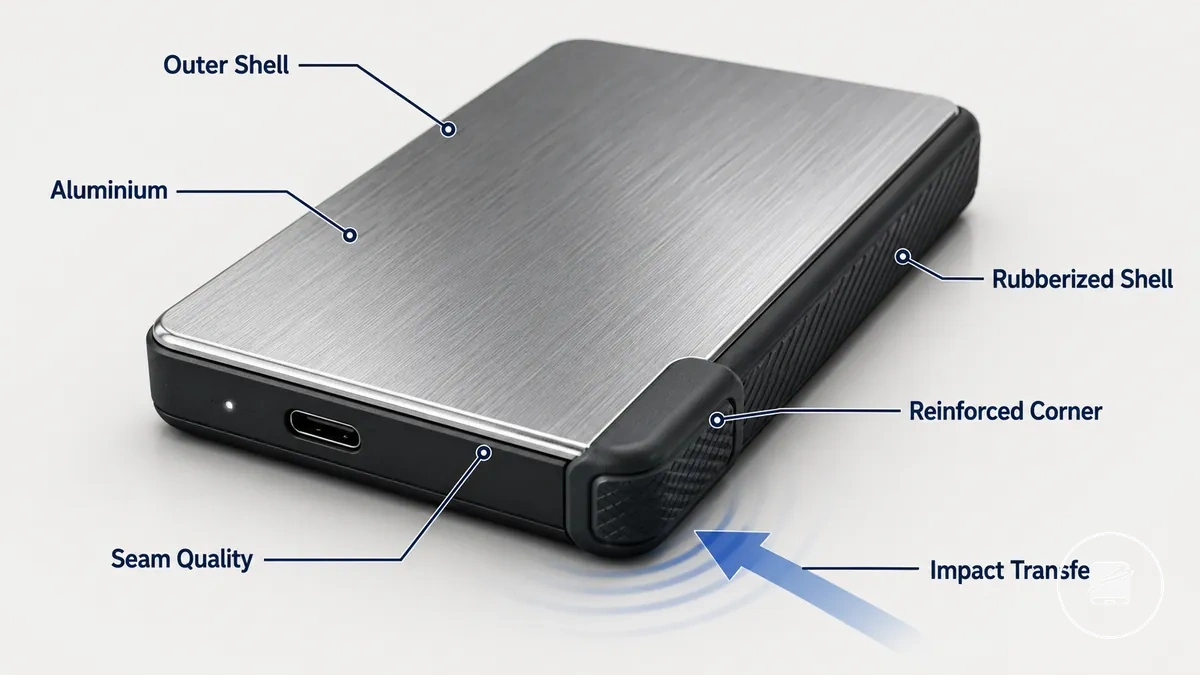
- Hardness: Aluminium provides higher resistance to bending and surface dents than thin plastic, but a rigid shell can transfer more impact force to internal components.
- Flex: Plastic offers greater flexibility before cracking, although thinner plastic surfaces are generally more prone to scuffing and deformation.
- Grip: A rubberized shell improves handling by increasing surface grip, helping reduce accidental slips during everyday carry.
- Corner protection: Reinforced corners spread impact loads across the enclosure, reducing concentrated stress at exposed edges.
- Seam quality: Tight, even seams provide a stronger enclosure joint than visible gaps or uneven panel alignment, lowering the risk of separation during repeated handling.
A hard aluminium enclosure is not automatically the better choice in every situation. For example, it can resist crushing better than a softer shell, while a rubberized shell may absorb part of a minor knock before impact transfer reaches the enclosure body. Material selection is therefore a trade-off between shell strength, grip, flexibility, and impact transfer rather than a single measure of durability.
Rubber Edges, Grip, and Protective Case Fit
Rubber edges, grip texture, and protective case fit help reduce slip risk, limit cosmetic scratches, and add protection against minor knocks during everyday handling. A fitted case is beneficial when it provides secure bumper coverage, unobstructed port access, and a snug fit without interfering with normal use. Together, these features improve durability by making the portable SSD easier to hold and carry safely.
Together, these features improve durability by making the portable SSD easier to hold and carry safely.
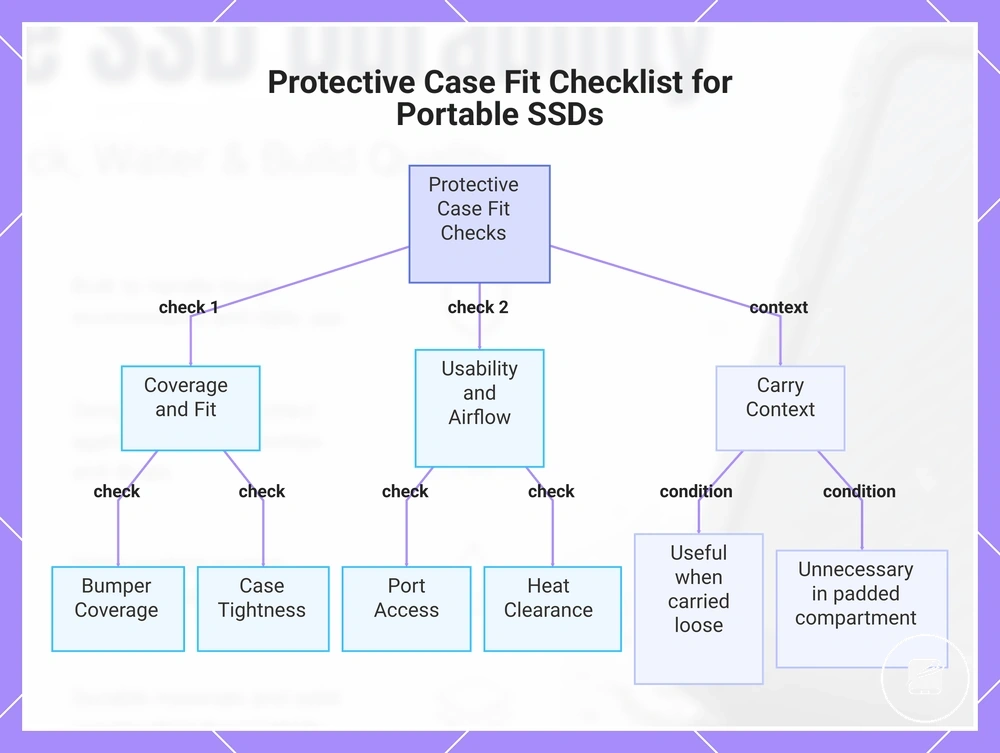
Use this checklist to verify that rubber edges, grip texture, and protective case fit improve protection without reducing usability.
- Bumper coverage: Confirm the fitted case protects exposed corners and edges that are most likely to contact hard surfaces.
- Port access: Verify the USB port remains fully accessible so cables connect without removing the protective case.
- Case tightness: Check that the case fits securely with minimal movement to reduce rubbing that can cause cosmetic wear.
- Cable storage: If the storage case includes cable space, keep the cable separate from the SSD to reduce the chance of surface scratches during transport.
- Heat clearance: Ensure the protective case leaves enough clearance for normal airflow so it does not interfere with heat dissipation during daily use.
- Carry context: A separate protective case is useful when the SSD is carried loose with keys or other hard objects, but it is often unnecessary when the drive is stored in a padded device compartment.
If you normally carry a portable SSD in a dedicated laptop sleeve or padded pocket, rubber edges and grip texture are often sufficient for everyday handling. For example, carrying the drive in a backpack with loose accessories makes a separate protective case more useful because it helps reduce rubbing and minor impact exposure without replacing careful handling.
This chart shows the key checks and context for verifying that a protective case improves durability without reducing usability.
This chart shows the key checks and context for verifying that a protective case improves durability without reducing usability.
Shock, Drop, Water, and Dust Resistance Claims
Shock resistance, drop protection, water resistance, and dust resistance claims are useful only when they include the test condition behind them. Compare the stated drop height, IP rating, exposure type, and claim wording because these details determine the likely protection outcome. Treat every ruggedness claim as a conditional buying criterion rather than an absolute guarantee.
| Claim type | What to check | Condition or limit | What it means for buying |
|---|---|---|---|
| Shock resistance | Impact wording, test method, operating state, and surface | Protection applies only to the documented test condition and impact scenario. | Prefer claims that explain how shock resistance was evaluated. |
| Drop protection | Drop height, landing surface, and number of drops | The stated protection outcome applies only to the specified height and test surface. | Compare the documented drop height with the accidents most likely during daily use. |
| Water resistance | IP rating or stated splash or immersion condition | Water exposure beyond the documented depth, duration, or liquid type is outside the claim. | Select a rating that matches realistic exposure instead of assuming unrestricted protection. |
| Dust resistance | IP rating and enclosure condition | Dust protection is limited to the tested exposure and assumes the enclosure remains intact. | Defined dust resistance claims are more useful than general ruggedness wording. |
| Combined ruggedness labels | Separate evidence for shock, drop, water, and dust claims | One resistance label does not replace individual test conditions, and warranty limitation terms may exclude certain damage. | Evaluate each claim separately before treating the device as suitable for demanding environments. |
An IP rating defines enclosure protection against dust and water under standardized test conditions, while shock resistance and drop protection require their own documented impact conditions. For example, a portable SSD with an IP rating but no stated drop height provides evidence about water or dust exposure, not how it performs after a fall. Resistance labels therefore describe specific test conditions rather than unlimited real-world protection.
A common myth is that a ruggedness claim means an SSD is accident-proof.
A common myth is that a ruggedness claim means an SSD is accident-proof. The reality is that every protection outcome is limited by the documented test condition, exposure, and any warranty limitation. Read resistance claims as qualified evidence instead of absolute promises.
Drop Protection and Shock Resistance Limits
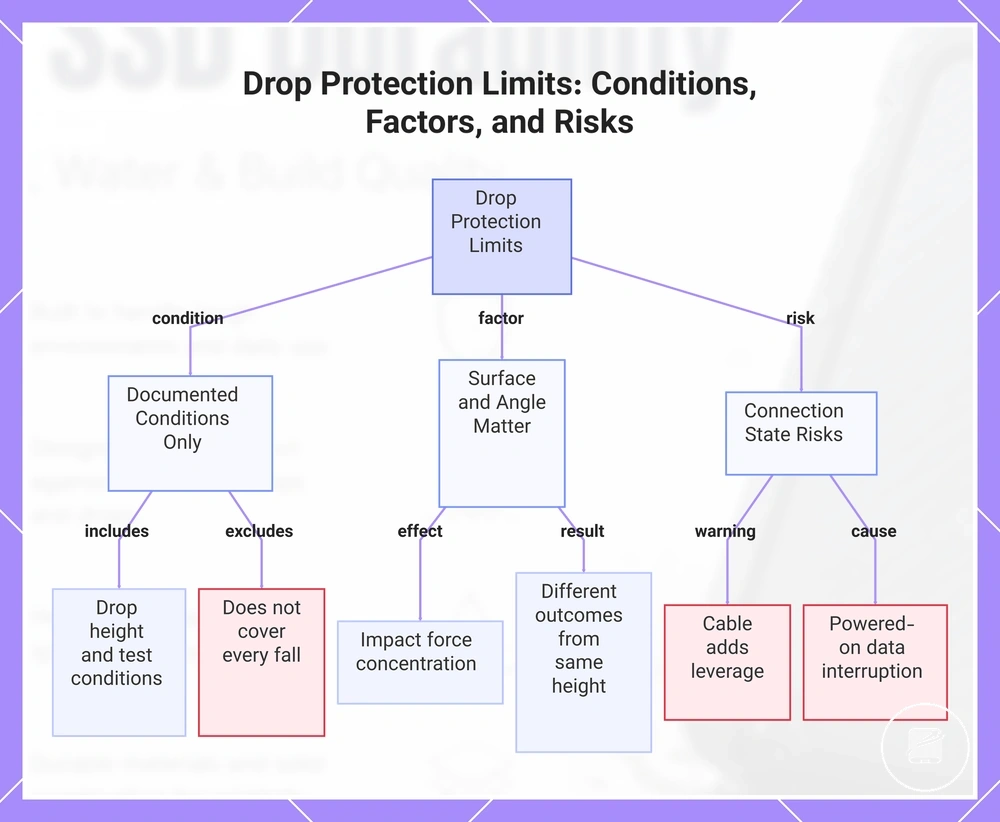
Drop protection and shock resistance describe impact performance only under the stated drop height and test conditions. The portable SSD body, connector, enclosure, and internal electronics can face different damage risks because the surface and angle determine where impact force is concentrated. A drop claim therefore stops at its documented conditions and does not establish the outcome of every fall.
Powered-on use can also interrupt data transfer if the connection breaks.
For example, two drops from the same height can produce different outcomes when one portable SSD lands flat on a soft surface and another lands connector-first on a hard surface. A cable connection can add leverage to the connector during a connected drop. Powered-on use can also interrupt data transfer if the connection breaks. Surface, angle, and connection state therefore change the likely impact risk even when the drop height is the same.
A cable connection can add leverage to the connector during a connected drop.
This chart shows the key limitations of drop protection claims, including the conditions under which they apply, the factors that affect impact risk, and additional risks from connection state.
IP Ratings for Water and Dust Resistance
An IP rating is a structured way to compare water resistance and dust resistance claims under defined test conditions. The first digit identifies the level of protection against dust exposure, while the second digit identifies the level of protection against water exposure. An IP rating is therefore a condition-based comparison label rather than a guarantee outside its tested conditions.
| Rating element | What it refers to | Common condition | Buying caution |
|---|---|---|---|
| First digit | Dust resistance | Specified dust exposure | Compare products only by the documented test condition. |
| Second digit | Water resistance | Splash, rain, or other stated water exposure | A higher rating does not cover every liquid or pressure condition. |
| Port cover | Enclosure protection | Port cover fitted or closed when required | An open or damaged port cover can reduce the intended protection. |
| Splashes or rain | Everyday water exposure | Tested external water contact | Check whether the claim covers only splashes or also other tested exposure. |
| Dust exposure | Ingress protection | Specified dust test environment | Real-world conditions outside the tested exposure are not automatically covered. |
| Submersion wording | Immersion-related claim | Only when explicitly stated for the tested condition | Do not treat this as a submersion guarantee. |
Use the IP rating to compare products by reading both digits together and checking any port cover requirements and warranty limitation. Water resistant is not the same as waterproof because the rating applies only to the documented tested condition. Even if the enclosure remains intact after water exposure, moisture could still create data-risk or fall outside a warranty limitation if the exposure exceeds the stated conditions.
How Rugged Portable SSDs Differ from Standard Portable SSDs
A rugged portable SSD differs from a standard portable SSD by adding protection features such as enclosure reinforcement, a documented drop claim, or an IP rating. These features can improve suitability for higher handling risk, but they can also increase bulk, weight, and price. The practical comparison is therefore added protection versus portability, cost, and the intended use condition.
| Factor | Rugged portable SSD | Standard portable SSD | Decision signal |
|---|---|---|---|
| Enclosure | Uses added enclosure reinforcement where the model specifies impact protection | Uses a lighter or less reinforced enclosure where no added protection is specified | Consider reinforcement when frequent transport raises impact risk. |
| Drop claim | May include a documented drop claim with stated test conditions | May have no published drop claim | Compare the stated test conditions when accidental drops are likely. |
| IP rating | May include a published IP rating for specified dust and water exposure | May have no published IP rating | Choose a rated model when documented ingress protection matches the use condition. |
| Size or weight | Added protection commonly increases bulk and weight | A simpler enclosure commonly reduces bulk and weight | Lower handling risk can make the lighter standard model sufficient. |
| Heat behavior | Heat behavior is shaped by the protective enclosure and its thermal design | Heat behavior is shaped by a less reinforced enclosure and its thermal design | Check model-specific thermal guidance rather than assuming either type runs cooler. |
| Cable handling | External protection does not remove connector stress caused by pulling or sharply bending the cable | Connector stress also increases when the cable is pulled or sharply bent | Careful cable handling remains necessary for both drive types. |
| Price | Added protection features can place the rugged model in a higher price category | Fewer protection features can place the standard model in a lower price category | Paying more is justified only when the extra protection matches the expected risk. |
For example, a rugged portable SSD can suit travel between worksites or outdoor locations where drops, dust exposure, and rough handling are credible risks. A standard portable SSD can be sufficient for controlled indoor use when the drive stays on a desk, travels in a protective case, and faces lower handling risk. Higher risk supports considering a rugged model, while lower risk supports choosing a standard model.
Rugged does not mean superior in every use condition.
Rugged does not mean superior in every use condition. Added protection can bring more bulk, weight, and price without improving the buying decision for controlled indoor use. Rugged does not always mean better.
When Rugged Protection Is Worth Paying For
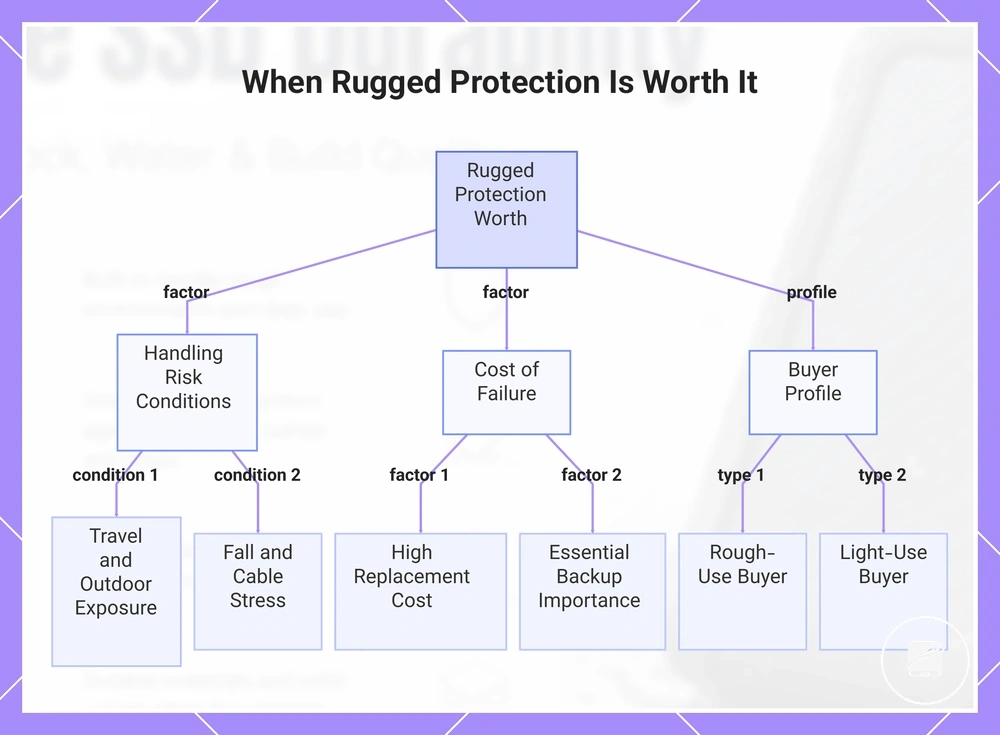
Rugged protection is worth paying for when the use-case creates a credible handling risk and drive failure would carry a high replacement cost or interrupt access to important files. The main worth-it conditions are frequent travel, outdoor exposure, fall risk, repeated cable stress, and costly data or workflow disruption.
- Travel frequency: Frequent travel increases packing and handling risk, while occasional light carry can make standard durability sufficient.
- Outdoor exposure: Outdoor work and field media use support a rugged upgrade when dust, moisture, or uneven surfaces are regular conditions.
- Fall risk: Work from vehicles, temporary tables, or crowded locations raises drop risk and strengthens the case for protective features.
- Cable stress: Frequent connection changes or use in tight spaces increases connector strain, although careful cable handling remains necessary.
- Replacement cost: Rugged protection has more value when replacing the drive, restoring the workflow, or recreating lost work would cost more than the price premium.
- Backup importance: A drive used as an essential field backup justifies more protection than a secondary copy kept safely for desk use.
- Tolerance for bulk: Added bulk is easier to accept when risk reduction matters more than minimum weight or pocket-sized carrying.
For example, a rough-use buyer who travels regularly, handles field media during outdoor work, and connects the drive throughout the day has multiple conditions that support rugged protection. A light-use buyer whose routine is limited to commuting in a padded bag, backup use, or desk use faces lower handling risk and may receive sufficient protection from a standard model. Rough-use buyers benefit most when exposure is frequent, while light-use buyers benefit more from lower bulk and cost.
The decision signal is high handling risk combined with a high consequence of failure.
Rugged protection is justified when the expected risk reduction outweighs the added price and bulk. Buyers comparing portable SSDs for travel should weigh travel conditions, replacement cost, and backup importance together. The decision signal is high handling risk combined with a high consequence of failure.
Rugged protection is justified when the expected risk reduction outweighs the added price and bulk.
This chart shows the main risk conditions, cost factors, and buyer profiles that determine when rugged protection is worth the extra price and bulk.
Rough-Use, Travel, and Outdoor Handling Conditions
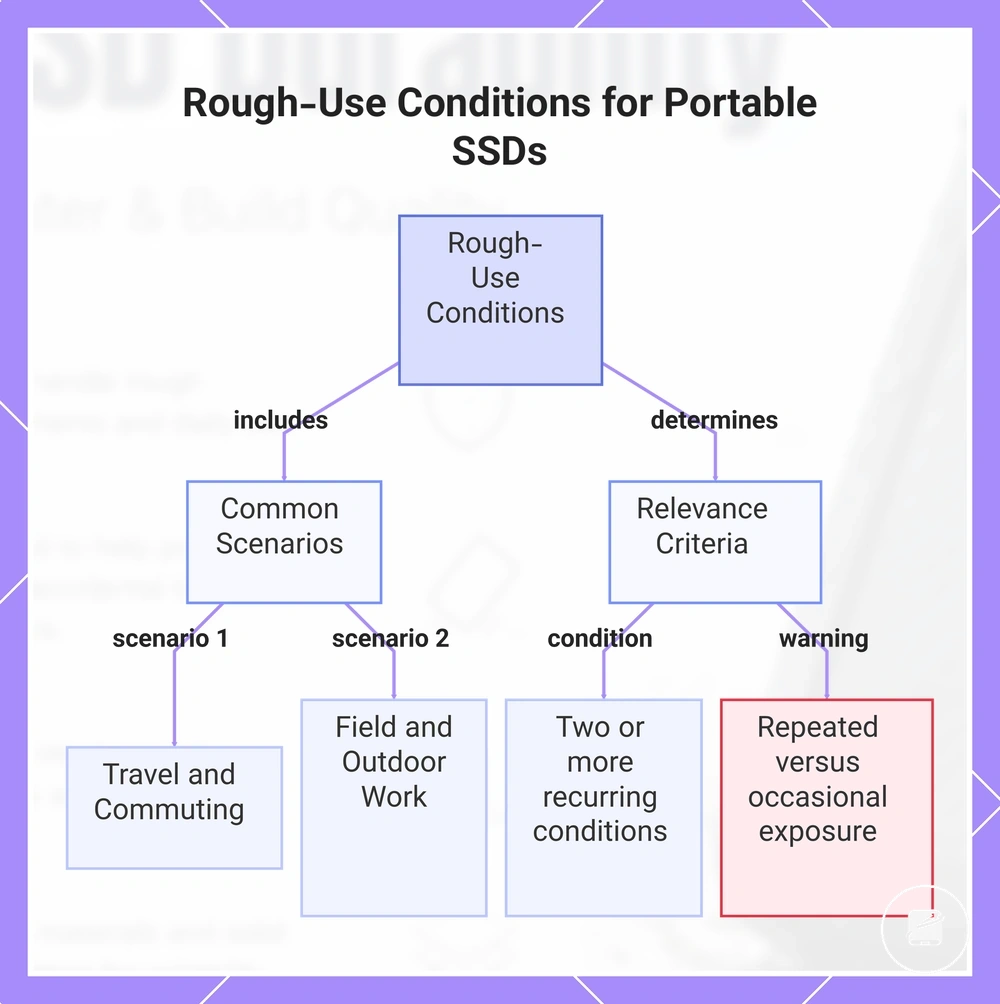
Rough use occurs when a portable SSD faces regular handling and environmental exposure rather than a rare accident. Travel bags, outdoor handling, field work, outdoor shoots, commuting carry, dust, rain, and frequent plugging increase handling risk when they are normal parts of use; this pattern is repeated exposure.
- Travel bags: Repeated packing beside chargers or other equipment makes enclosure reinforcement more relevant because the drive faces regular pressure and knocks.
- Field work and outdoor shoots: Moving the drive between temporary work areas increases the relevance of drop protection when stable surfaces are not consistently available.
- Outdoor handling: Regular exposure to dust or light rain makes a documented ingress-protection rating more relevant only when its stated protection covers those conditions.
- School or commuting carry: Daily movement between home, school, or work makes impact protection more relevant when the drive is handled outside a fixed protective setup.
- Frequent plugging: Repeated connection and disconnection makes reinforced port areas more relevant when connector stress is part of normal use rather than an occasional event.
Ruggedness matters most when two or more of these conditions recur during normal use. Occasional protected carry is not the same as repeated field or outdoor exposure. The local decision cue is whether handling risk is routine rather than exceptional.
Occasional protected carry is not the same as repeated field or outdoor exposure.
This chart shows the common scenarios that constitute rough use for portable SSDs and the criteria that determine when ruggedness is relevant.
Everyday Desk, Backup, and Light Carry Conditions
Standard durability may be enough for everyday desk use, backup use, and light carry when the portable SSD stays in controlled use with low exposure. Desk storage, home backup, occasional laptop-bag carry, case use, and careful cable handling reduce the need for rugged features because the drive is exposed to fewer impacts and environmental hazards. These conditions represent lower-risk use.
Standard durability may be enough for everyday desk use, backup use, and light carry when the portable SSD stays in controlled use with low exposure.
Use these checks to confirm whether your usage fits a lower-exposure pattern:
- Storage place: The drive is usually kept on a desk, shelf, or in home storage instead of moving between work sites.
- Carry frequency: Laptop-bag carry is occasional rather than part of a daily routine.
- Case use: The drive is carried inside a protective case during light transport.
- Cable handling: Connections are made carefully to reduce connector stress from repeated plugging.
- Exposure: Everyday use involves low exposure to dust, rain, and unstable environments.
For example, a portable SSD used for home backup, stored on a desk, and carried in a case only occasionally is a situation where standard durability is often sufficient. This differs from higher-exposure use without repeating rough-use scenarios. Accidents and connector stress still matter, even under controlled use.
Durability Trade-Offs Against Size, Speed, Heat, and Price
Extra ruggedness can improve protection while increasing size, weight, enclosure thickness, or price. It can also change portability, heat dissipation, performance expectations, and overall value, so added protection should be treated as a durability trade-off rather than an isolated upgrade.
| Trade-off area | What may change | Why it matters | Buying signal |
|---|---|---|---|
| Size | A tougher enclosure can add extra bulk and greater enclosure thickness. | A larger portable SSD can fit less easily in a small laptop sleeve, pocket, or compact desk setup. | Accept the larger size when impact exposure matters more than minimum portability. |
| Weight | Additional protective material can make the drive heavier than a slimmer standard design. | Greater weight reduces portability when the drive is carried frequently. | Choose the heavier design for regular rough handling and the lighter design for controlled carry. |
| Heat | A thicker enclosure can improve heat dissipation when it uses conductive material, or retain more heat when insulating layers restrict heat transfer. | Thermal behavior affects surface temperature and sustained-use expectations. | Check the enclosure material and thermal design instead of assuming ruggedness produces cooler operation. |
| Speed expectation | Ruggedness does not increase the speed class; the interface, controller, and storage hardware set the performance limit. | A stronger enclosure does not offset a lower speed class when transfer performance is the priority. | Match the speed class to the workload separately from the protection level. |
| Cable quality | A damaged, unsuitable, or low-quality cable can limit connection stability and available interface performance. | Cable quality can prevent the drive from meeting its expected performance even when the enclosure is durable. | Assess the cable specification and condition alongside ruggedness and speed. |
| Price premium | Reinforced construction and environmental protection can add a price premium. | The higher price provides stronger value when the use case includes repeated exposure to drops, dust, moisture, or frequent transport. | Pay the premium when those risks are routine; avoid unnecessary cost when use remains controlled. |
For example, a thicker enclosure can be a useful ruggedness trade-off for a portable SSD carried between field locations, even when it adds weight and occupies more bag space. The same extra bulk and price may provide limited use-case fit for a drive that stays on a protected desk. The better decision balances protection with portability, performance expectation, and value.
Choosing ruggedness in isolation can create unnecessary bulk or cost.
Rugged does not mean faster, cooler, or more valuable in every use case. A drive's heat and thermal behaviour should be assessed separately from its impact protection, just as speed class and cable quality require separate checks. Choosing ruggedness in isolation can create unnecessary bulk or cost.
How to Compare Durable Portable SSD Options Before Buying
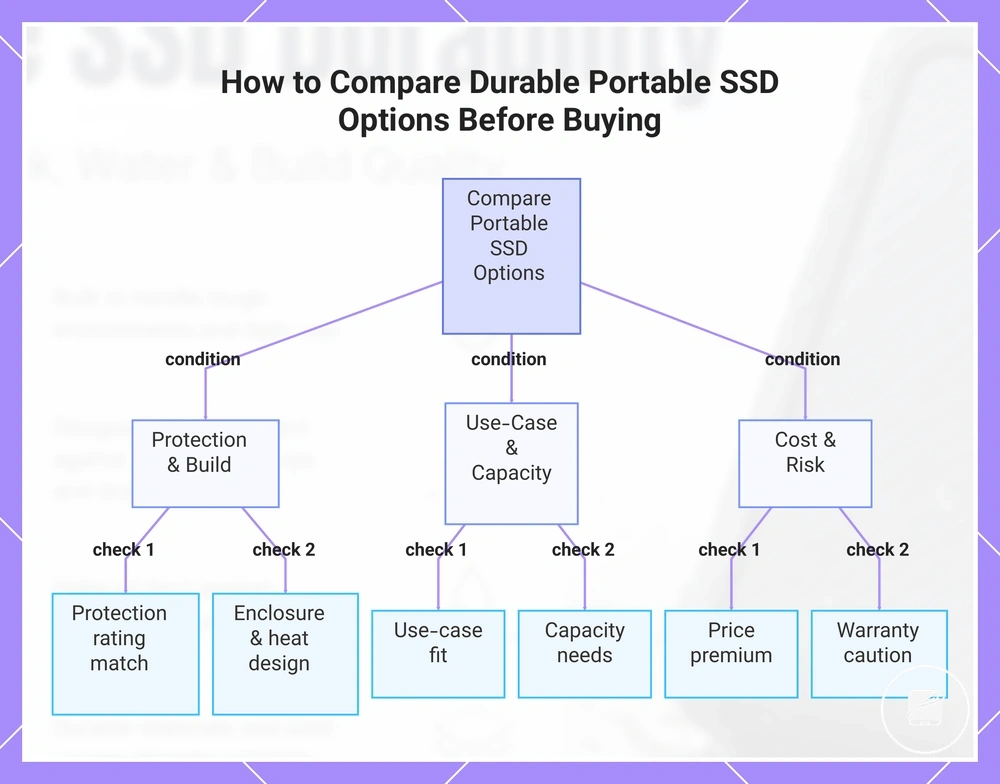
Compare durable portable SSD options by matching protection, fit, capacity, and cost to the conditions in which the drive will be used. A higher protection rating is useful only when its build features address realistic exposure without creating an unsuitable cable, heat, size, or price trade-off. Use the same comparison method for every option rather than relying on rankings.
Apply the following comparison checklist before choosing.
Buying criteria group each drive by protection level, physical design, compatibility context, storage requirement, and value. The aim is to convert each specification into a decision outcome, such as stronger protection for frequent travel, sufficient capacity for the intended files, or a price premium justified by regular exposure. Apply the following comparison checklist before choosing.
- Protection rating: Confirm whether the stated rating covers dust, water, drops, or only one type of exposure, then match that protection to the expected environment.
- Enclosure and build features: Compare shell material, reinforced edges, port covers, and enclosure thickness with the need for impact resistance and portability.
- Port and cable fit: Check that the connector type matches the intended devices and that the supplied or planned cable supports the required connection and carrying setup.
- Use-case fit: Choose rugged protection for repeated rough handling, semi-rugged protection for regular travel with moderate exposure, and standard protection for controlled desk or backup use.
- Heat tolerance: Check the model's stated operating conditions and enclosure design when long transfers or warm environments are expected.
- Capacity needs: Select enough storage for the intended backup, media, or project files without paying for unused capacity.
- Price premium: Compare the added cost with the frequency and severity of the exposure that the stronger protection is intended to address.
- Warranty caution: Read the warranty terms because a durability claim or protection rating does not automatically mean accidental damage, data loss, or every environmental condition is covered.
For example, frequent outdoor work can justify a rugged portable SSD when its protection rating, covered ports, cable fit, capacity, and heat tolerance match the working conditions. Regular commuting in a protective case may suit a semi-rugged option, while controlled home backup may need only standard protection. The right protection level follows the use-case fit rather than the strongest available enclosure.
Choose the lowest protection level that adequately matches the expected use.
Choose rugged protection for routine high exposure, semi-rugged protection for moderate travel risk, and standard protection for controlled use with low exposure. Compare other portable SSDs only after these criteria establish the required protection, fit, capacity, and acceptable price premium. Choose the lowest protection level that adequately matches the expected use.
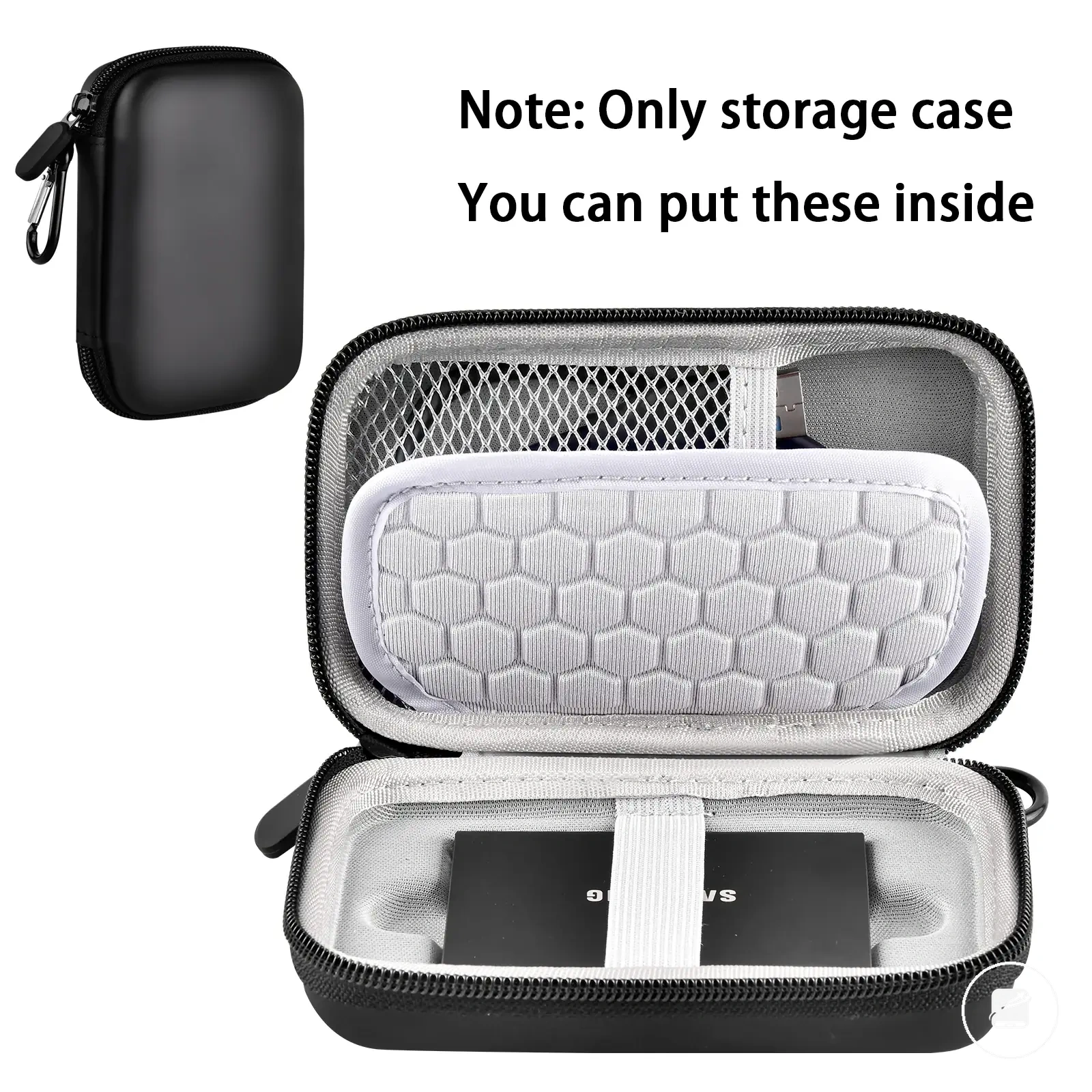
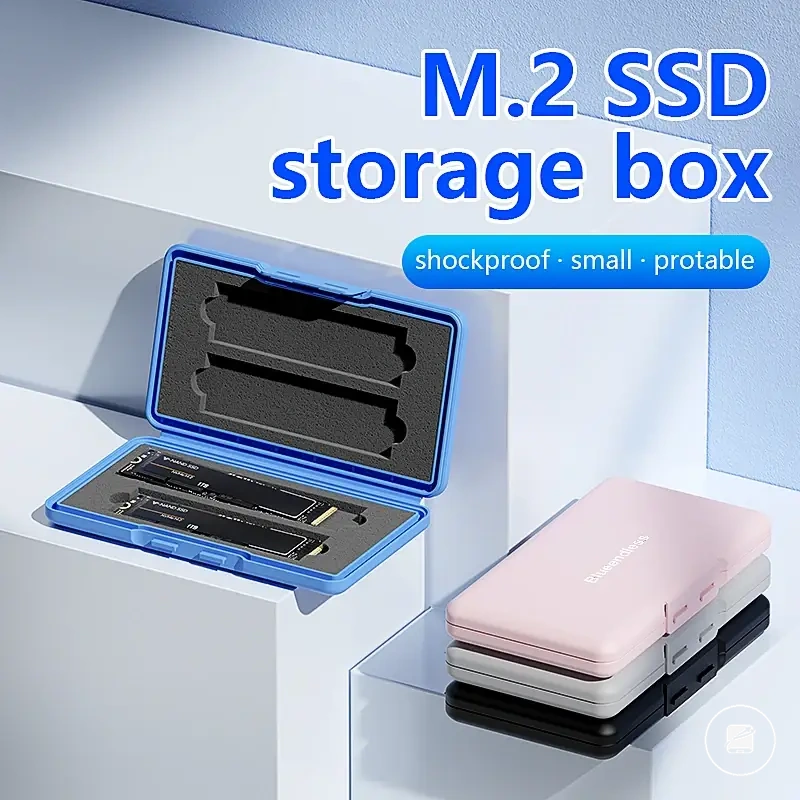
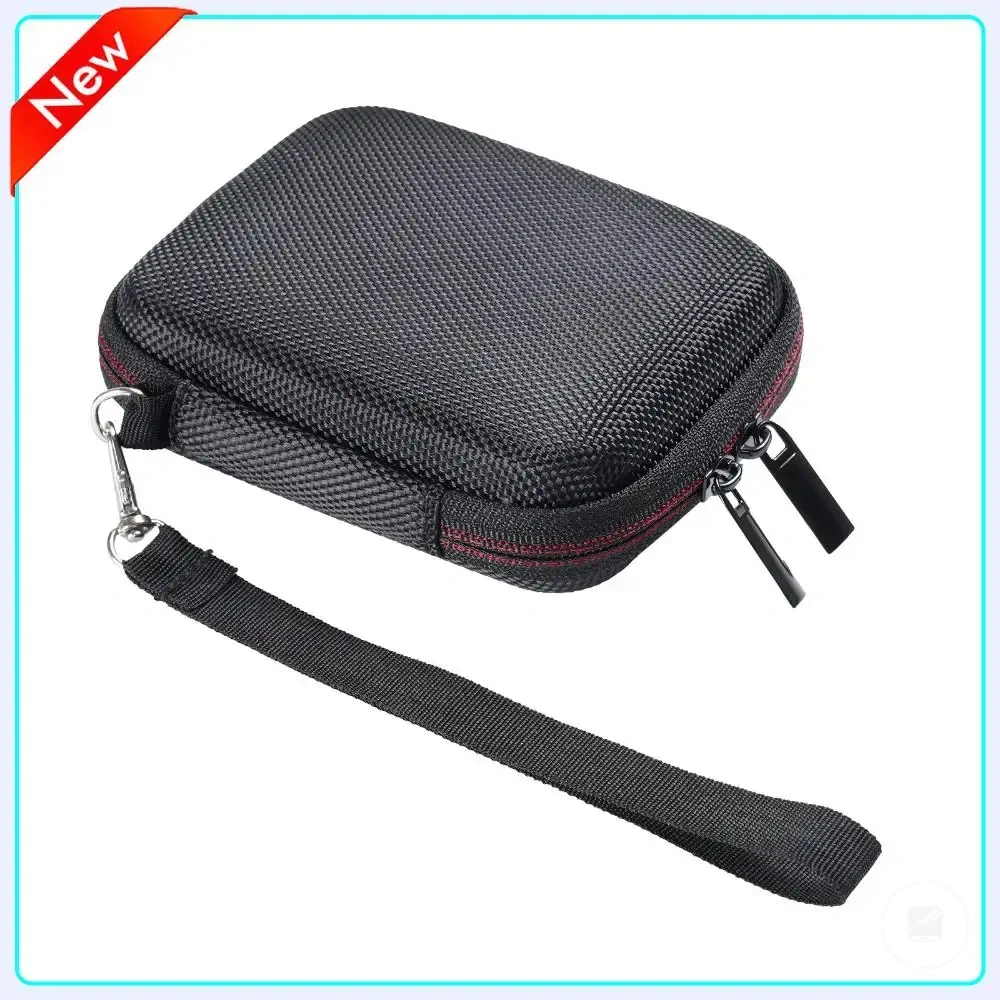
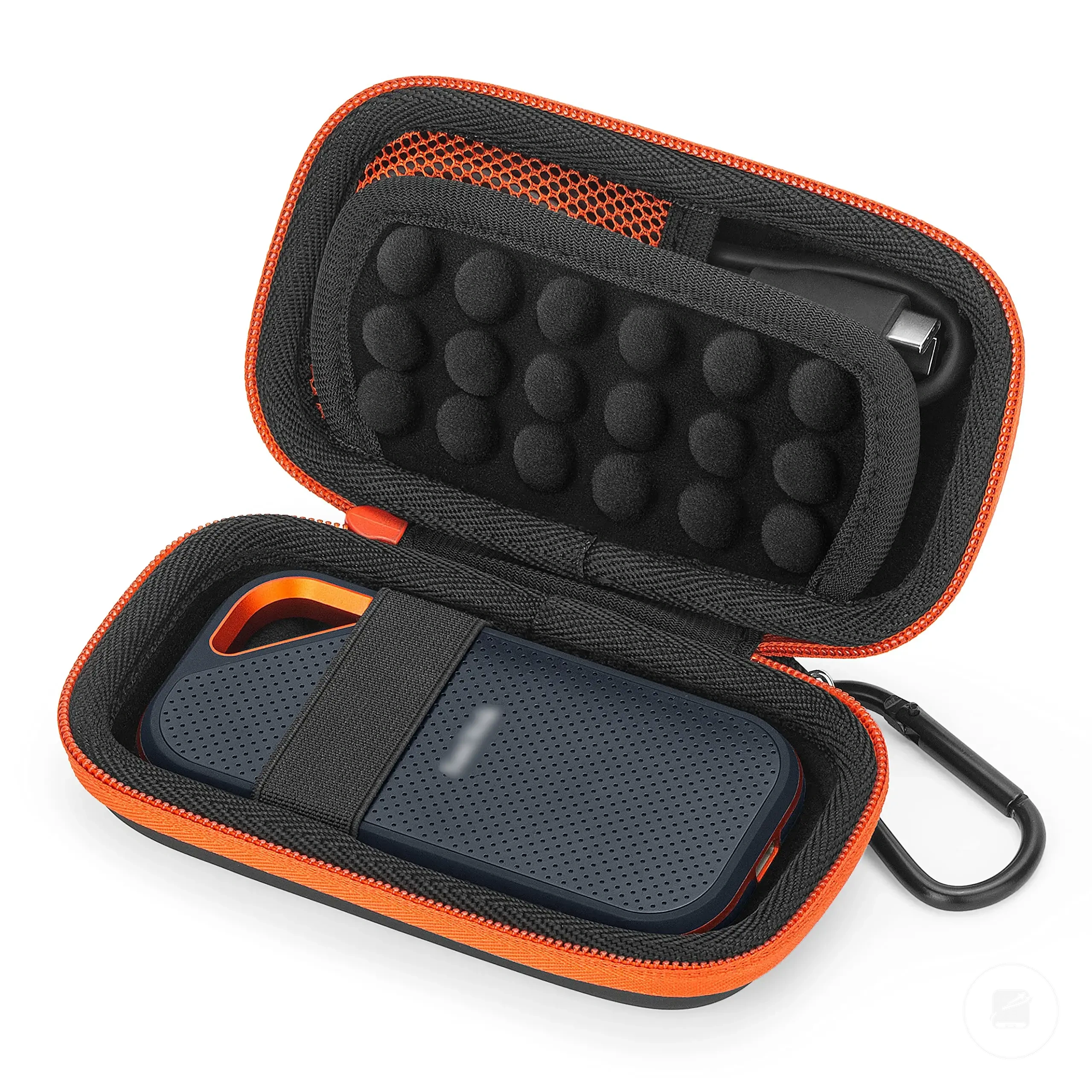
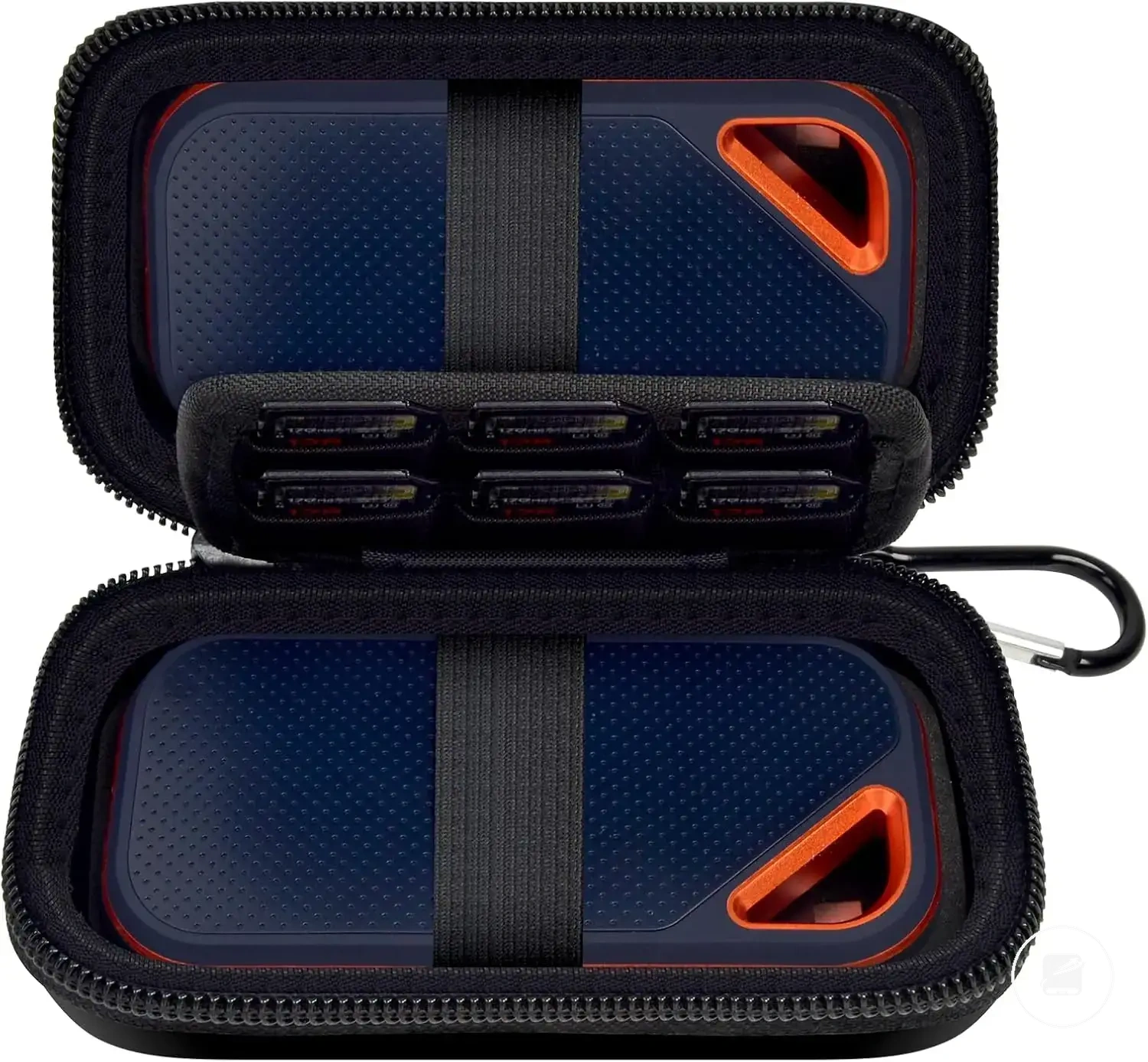
Here are product examples that may make comparison easier.
Here are product examples that may make comparison easier. Before buying, always review the compatibility criteria, essential features, and product details.
This chart shows the main criteria for comparing durable portable SSDs, grouped by protection, use-case, and cost, to help choose the right drive.