Best Portable SSDs by Need
The right portable SSD is the one whose strengths match its use case: large capacity and redundancy for backup, compact ruggedness for travel, sustained speed for video editing, or encryption and password protection for security. The best fit should also match the device ports, file sizes, workload, travel conditions, recovery risk, and budget.
The best fit should also match the device ports, file sizes, workload, travel conditions, recovery risk, and budget.
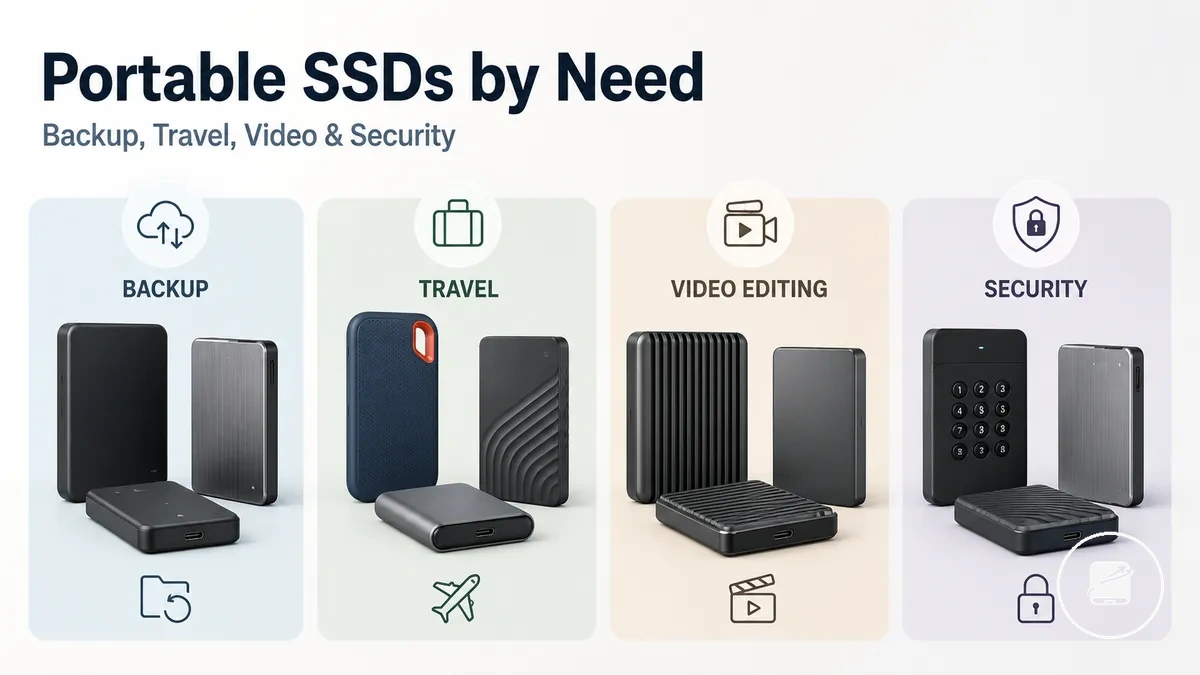
Backup prioritises capacity and file safety, while travel prioritises compact size, a protective enclosure, and ruggedness. Video editing prioritises sustained speed, interface and cable compatibility, and heat management during long transfers; large external storage libraries prioritise capacity and value, while sensitive files call for a secure drive with encryption and controlled access.
Backup prioritises capacity and file safety, while travel prioritises compact size, a protective enclosure, and ruggedness.
Apply these criteria before considering any recommendation: choose a speed-led portable SSD for repeated large-file transfers, a capacity-led drive for backup or media libraries, a rugged drive for frequent transport, or a security-led drive for sensitive data. For example, an editor moving large video projects should favour sustained performance and host-device compatibility, while a traveller carrying irreplaceable files should place greater weight on ruggedness, encryption, and a separate backup copy.
Table of Contents
Portable SSD needs change by storage job
A portable SSD can be a strong fit for one storage job and a weak fit for another because each use case places the decision burden on a different attribute. portable SSDs should therefore be assessed by the capacity, speed, ruggedness, security, and compatibility required by the intended workload, device, cable, environment, and file type. The comparison below organises these storage jobs by the attribute that usually carries the greatest decision weight.
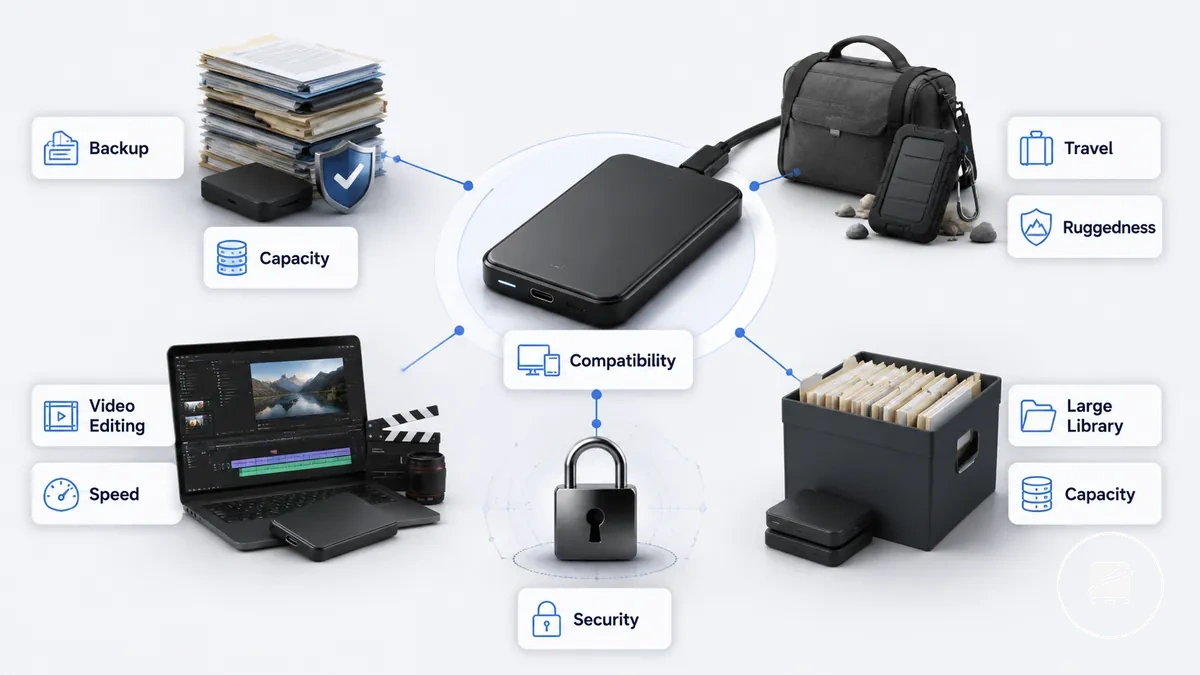
- Backup: Capacity and redundancy carry the priority because the drive must hold the required file volume while a separate copy supports retention.
- Travel: Compact size, enclosure strength, cable requirements, and ruggedness carry more weight because the portable drive is exposed to frequent movement and handling.
- Video editing: Sustained speed, interface compatibility, cable capability, and heat management carry the priority because large project files place longer transfer loads on the drive.
- Security: Encryption and controlled access take priority when the storage job involves sensitive files or a higher consequence of loss or unauthorised access.
- Large-library storage: Capacity becomes the primary constraint, while speed and compatibility remain secondary requirements for moving and accessing a high file volume.
These categories frame decision contexts rather than complete operating procedures. For example, the same external SSD may suit routine backup because it provides sufficient capacity but remain a weak video-editing fit when its interface or cable limits sustained transfer speed.
Portable SSD selection criteria by use case
A portable SSD selection criterion should be chosen according to the intended use case because each storage task gives a different priority to capacity, speed, ruggedness, security, compatibility, or value. The primary filter is the criterion with the greatest decision effect for the workload, and the table below organises these trade-offs before any recommendation is considered.
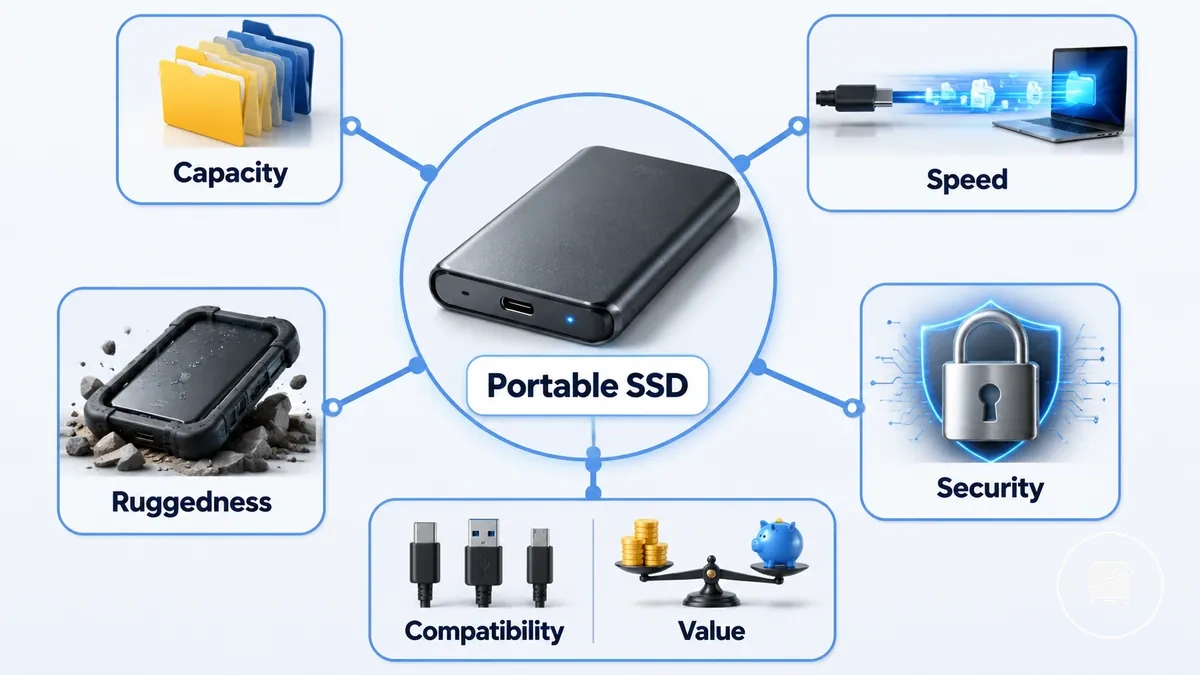
Read each criterion as a trade-off rather than a fixed rule, then use the portable SSD buying checklist to test the remaining requirements. For example, a travel use case can place ruggedness ahead of peak speed, while video editing can place sustained performance, interface compatibility, and cable capability ahead of enclosure protection.
| Use case | Primary criterion | Value or condition | Decision effect |
|---|---|---|---|
| Backup | Capacity | Capacity must cover the expected file volume, required backup depth, and storage headroom. | Insufficient capacity limits how many files or backup versions the portable SSD can retain. |
| Travel | Ruggedness | A protective enclosure and secure cable connection take priority when the drive is carried and handled frequently. | Greater physical protection reduces exposure to handling and transport risk. |
| Video editing | Speed | Sustained performance requires a compatible drive interface, device port, cable, and workload. | The slowest link in that connection path limits transfer performance during large project-file operations. |
| Security | Security | Hardware encryption or password protection takes priority when the drive stores sensitive files. | Access controls reduce unauthorised access risk, while a separate recovery plan remains necessary if credentials are lost. |
| Large-capacity storage | Capacity and value | Capacity must accommodate the library size and expected growth without exceeding the available budget. | Higher storage headroom reduces early replacement pressure, while value determines whether the additional capacity is proportionate to the use case. |
| General use | Compatibility and value | The portable SSD must match the intended device ports, operating systems, cable requirements, and budget. | A compatible connection supports the intended devices, while value balances capacity and performance against cost. |
Capacity range and file volume
Capacity range and file volume should match both current storage needs and expected retention depth because backup frequency, media library growth, and editing workload determine future storage pressure. The capacity bands below organise likely file volume requirements so the decision reflects storage headroom rather than an exact universal capacity target.
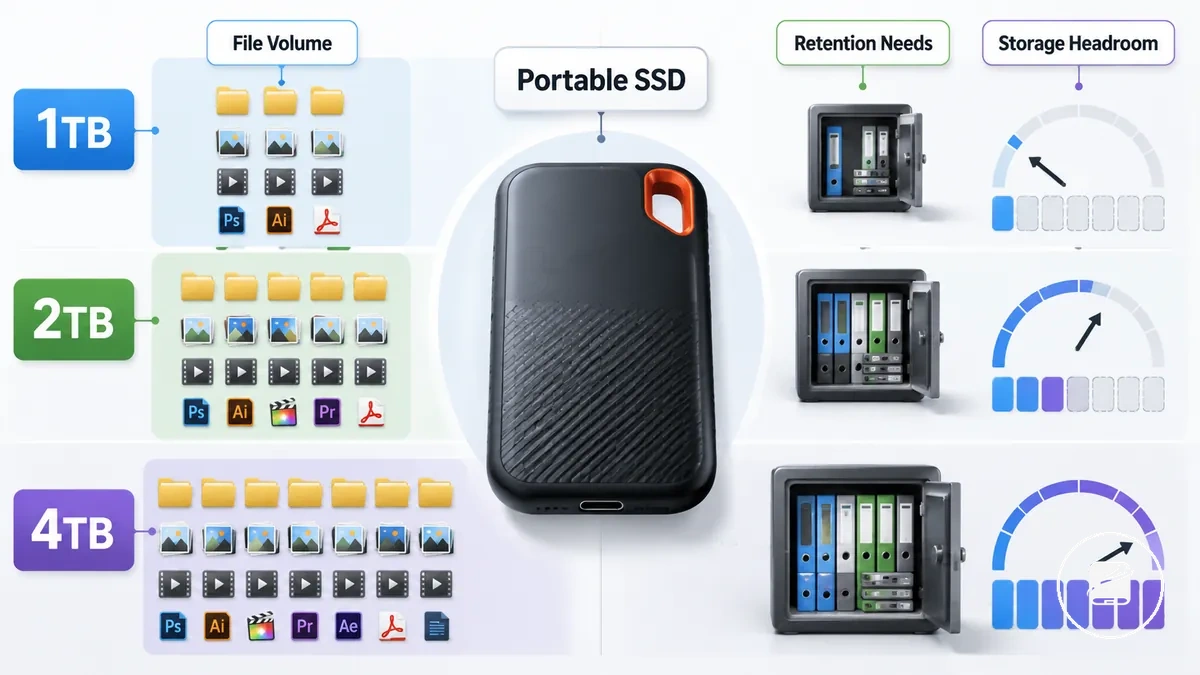
Capacity range and file volume become easier to compare when each band is linked to a typical storage condition instead of a fixed recommendation. A practical example is a growing video library, where retaining older project files can justify moving from 1TB to 2TB or 4TB to preserve additional storage headroom.
- 1TB: Appropriate for moderate file volume, lighter backup frequency, or smaller photo and document collections where storage headroom remains available.
- 2TB: Better suited to expanding media libraries, recurring backups, or larger project sizes that create higher storage pressure over time.
- 4TB: More suitable for extensive media libraries, frequent editing workloads, or larger project files where additional storage headroom supports longer retention needs.
- Decision criterion: Select the capacity range according to expected file volume growth and retention needs instead of choosing the largest capacity by default.
Interface speed and sustained performance
Interface speed and sustained performance should be assessed together because sustained transfer behavior has the greatest effect on longer file transfers and editing workloads. Peak read speed improves results only when the portable SSD, the USB or Thunderbolt interface generation, the cable, the device port, and the workload can all use the available bandwidth.
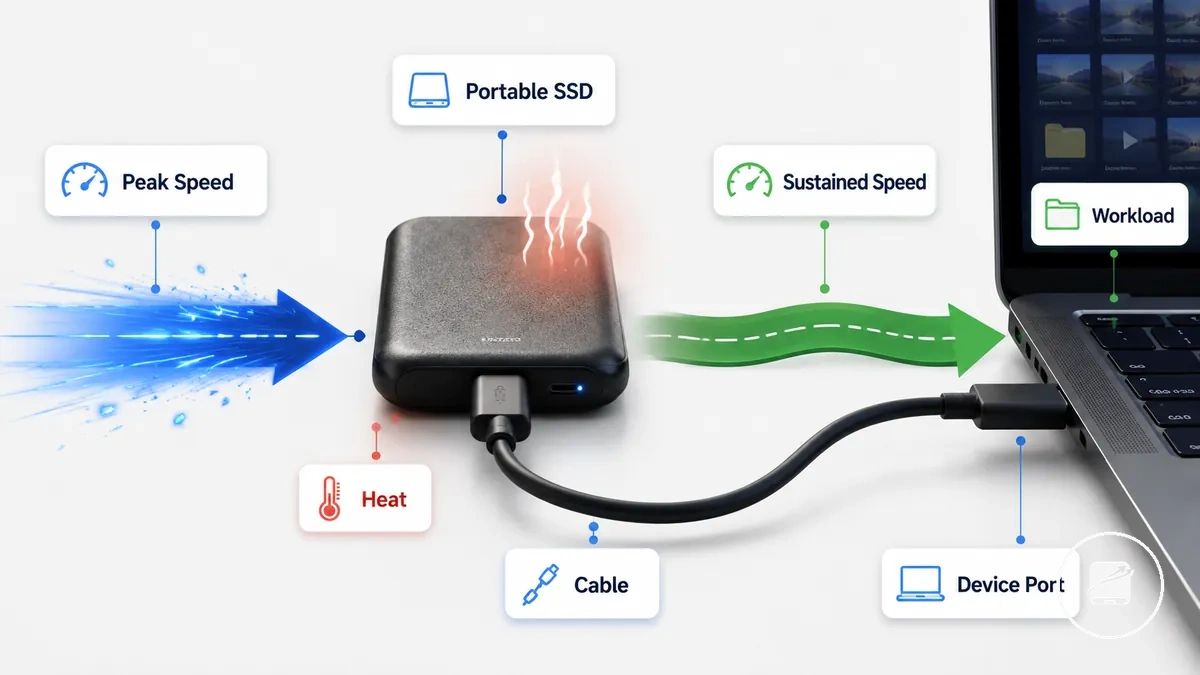
Advertised speed reflects the highest potential connection, while sustained performance indicates how consistently read speed and write speed are maintained during extended transfers. For example, copying a large video project benefits more from stable sustained write behavior than from a short burst of peak speed if heat, the cable, or the connected device limits transfer performance.
| Speed signal | What it should mean for selection |
|---|---|
| Peak read speed | Useful when the USB or Thunderbolt interface generation, device port, cable, and workload all support the advertised transfer capability. |
| Sustained write behavior | More important for long file transfers, backups, and editing workloads because write performance remains consistent over time. |
| Interface generation and cable | Select a cable and device port that match the drive's interface speed, otherwise the slowest connection limits transfer performance. |
| Thermal behavior | Long continuous transfers can reduce sustained performance as heat builds, making thermal management more relevant than brief peak-speed results. |
Portability, ruggedness, and enclosure protection
Carrying conditions should determine how much enclosure protection a portable SSD needs. A compact drive with low size and weight suits everyday travel, while field use benefits from a more protective enclosure together with manufacturer-specified shock resistance and any stated water resistance or dust resistance features.
Carrying conditions should determine how much enclosure protection a portable SSD needs.
Portability, ruggedness, and enclosure protection can be checked with this mini-checklist to verify physical fit before choosing a drive:
- Size: Choose a compact size for frequent carrying in a pocket, laptop sleeve, or camera bag.
- Weight: Lower weight improves everyday portability without affecting how easily the drive can be carried.
- Enclosure: Match the protective casing to the expected carry environment rather than assuming every compact drive is rugged.
- Resistance claims: Treat shock resistance, water resistance, and dust resistance as model-specific features only when the manufacturer explicitly specifies them.
- Cable storage: Keep the cable in a dedicated pouch, integrated holder, or carrying case to reduce the risk of leaving it behind during travel.
- Carry environment: Everyday commuting usually prioritises compact size and weight, while field use places greater value on enclosure protection and clearly specified resistance features.
A compact design does not automatically provide rugged protection. For example, a travel drive used between home and the office mainly benefits from portability, whereas a drive carried to outdoor photo or video locations is better suited to an enclosure with clearly documented protective features that match the expected conditions.
Encryption, password protection, and data safety
Security features should match the level of access control required for a portable SSD. Hardware encryption, password protection, and fingerprint access help protect the confidentiality of sensitive files, but they do not replace backup redundancy or remove recovery risk if authentication credentials become unavailable.
Security features should match the level of access control required for a portable SSD.
Encryption, password protection, and data safety can be verified with this checklist before selecting a secure portable SSD:
- Encryption type: Prefer hardware encryption when built into the drive, as it provides dedicated access control independent of the host system.
- Password workflow: Confirm that the password software is supported on every operating system and device you intend to use.
- Recovery implications: Review the manufacturer's documented recovery process because losing the password or enrolled fingerprint can permanently block access on some encrypted drives.
- Backup redundancy: Maintain at least one separate backup copy because encryption protects confidentiality rather than recovering files after deletion, device failure, or physical loss.
- Device compatibility: Verify that fingerprint access or other authentication features operate with your intended devices before relying on them for daily use.
Encryption protects privacy, while backup protects recoverability, so they solve different problems. For example, a password-protected portable SSD used for confidential business documents benefits from a separate backup because reducing access risk does not eliminate recovery risk if the drive fails or authentication credentials cannot be recovered.
Best overall portable SSDs for general use
A general-use portable SSD profile balances capacity, reliable speed, broad compatibility, manageable size, and fair value rather than maximising one specification. This fit pattern suits everyday files, photo libraries, document storage, backups, and routine transfers because it prioritises consistent external storage across common devices.
A general-use portable SSD profile balances capacity, reliable speed, broad compatibility, manageable size, and fair value rather than maximising one specification.
The table below shows the criteria that define a balanced portable SSD profile and the decision signals that indicate when a more specialised option is more suitable.
| Criterion | Good general-use signal | When to choose another profile |
|---|---|---|
| Capacity | Balanced capacity that covers everyday files, documents, photos, and routine backups without substantial unused storage. | Choose a higher-capacity profile when large media libraries or project archives exceed ordinary daily storage needs. |
| Speed | Reliable speed for routine transfers, backups, and opening files directly from the drive. | Choose a performance-focused profile when sustained editing or repeated large-file transfers make transfer time a primary requirement. |
| Compatibility | Broad compatibility with the connector types, operating systems, laptops, and tablets used in the intended workflow. | Choose another profile when a required device lacks the necessary port, software support, or interface capability. |
| Size | A manageable size that fits easily beside its cable in a laptop sleeve or everyday carry bag. | Choose a rugged profile when frequent outdoor or field use makes enclosure protection more important than minimum size. |
| Value | Fair value from capacity, speed, and features that match the actual storage need instead of paying for unused premium specifications. | Choose a specialised profile when higher security, durability, or workload performance provides a direct practical benefit. |
Balance matters because maximum specifications can increase cost without improving a routine workflow. For example, a user moving documents, family photos, and regular backups between a laptop and tablet gains more from compatible connections and reliable transfer behaviour than from a premium interface that the devices cannot fully use.
Balance matters because maximum specifications can increase cost without improving a routine workflow.
A general-purpose SSD should be skipped when the main workload is sustained high-resolution video editing, demanding field use, or advanced security management. In those cases, the specialised requirement becomes the primary decision signal rather than all-around suitability.
Best portable SSDs for backup storage
A backup-focused portable SSD profile combines sufficient capacity, reliable operation, compatible file-system support, optional encryption, and a clear redundancy plan. The suitable capacity is the amount required for the selected backup storage plus room for future copies, rather than an exact size that applies to every user.
File volume and backup frequency determine how quickly that capacity is consumed.
File volume and backup frequency determine how quickly that capacity is consumed. For example, a regularly updated photo library needs more available space than a small collection of work documents, while frequent versioned backups require more capacity than replacing a single storage copy.
For example, a regularly updated photo library needs more available space than a small collection of work documents, while frequent versioned backups require more capacity than replacing a single storage copy.
Use this checklist to verify whether an external backup SSD fits the intended devices, files, backup workflow, and storage conditions:
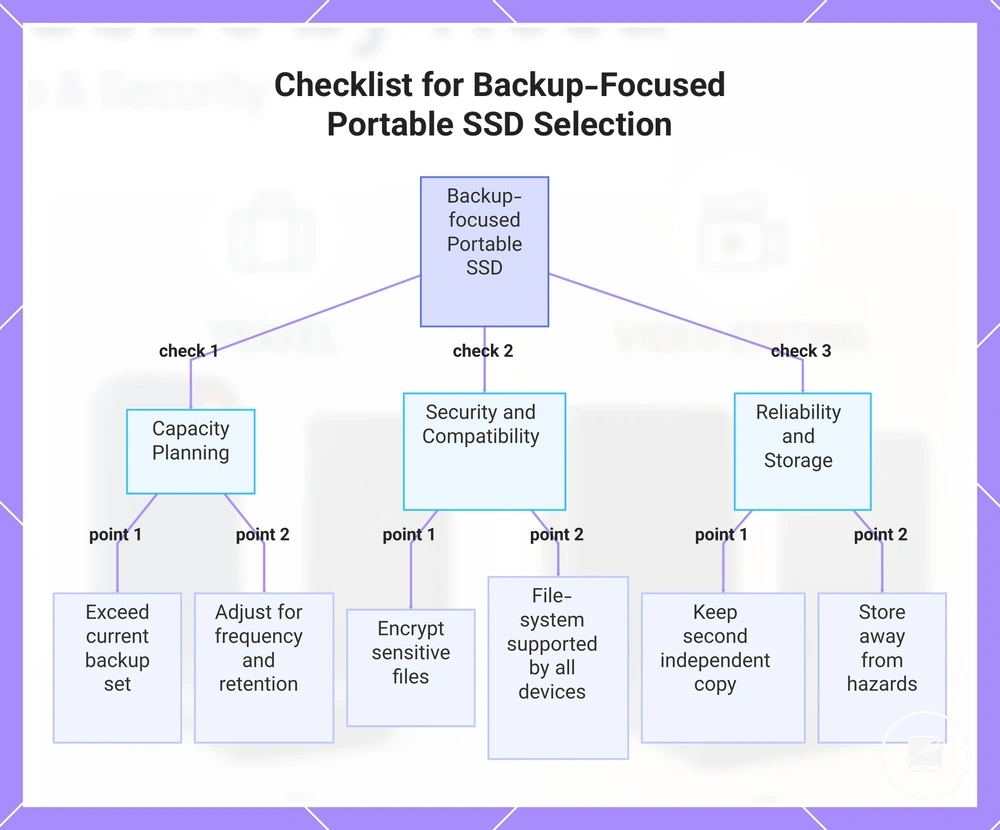
- Capacity: Choose capacity that exceeds the current backup set and leaves room for the expected growth of home files, work documents, or a photo library.
- Backup frequency: Allow more available space when backups are frequent or when older versions must be retained instead of overwritten.
- Encryption: Select password protection or encryption when the drive will hold sensitive files, while recognising that access control reduces access risk but does not prevent file loss.
- File-system fit: Use a file system supported for reading and writing by every device involved in the backup workflow.
- Redundancy: Keep a second independent copy because using one portable SSD as the only storage copy leaves the backup exposed to loss, damage, or drive failure.
- Storage conditions: Store the drive away from excessive heat, moisture, impact, and locations where the original files and backup could be lost together.
For deeper guidance on matching capacity, retention, reliability, and redundancy to a specific workflow, compare backup-focused portable SSDs.
For deeper guidance on matching capacity, retention, reliability, and redundancy to a specific workflow, compare backup-focused portable SSDs .
This chart shows the main checklist categories to verify when choosing a backup-focused portable SSD, covering capacity, security, and reliability factors.
Best portable SSDs for travel and field use
A travel-focused portable SSD profile combines compact size, practical cable management, enclosure protection, and file safety suited to the carrying conditions. Routine travel prioritises portability and convenience, while field use requires greater ruggedness and documented shock resistance, water resistance, or dust resistance where exposure risk is higher.
Carry risk increases when a drive and its cable move between bags, aircraft seats, vehicles, and outdoor work areas.
Carry risk increases when a drive and its cable move between bags, aircraft seats, vehicles, and outdoor work areas. For example, a compact SSD with a short, securely stored cable suits commuting and flights, whereas an outdoor photo shoot calls for a protective drive, a storage case, and a separate backup copy so enclosure damage or loss does not remove the only file copy.
| Travel condition | Priority signal |
|---|---|
| Commuting | Prioritise compact size, low carry bulk, and a cable that can be stored without sharp bends or loose movement. |
| Flights | Choose enclosure protection against bag pressure and handling, and keep the drive with essential files in a controlled carry location. |
| Outdoor shoots | Prioritise shock resistance and a documented resistance rating that matches the expected exposure to dust or water. |
| Harsh conditions | Choose a rugged portable SSD with manufacturer-specified water resistance and dust resistance, and treat each rating as limited to its stated test conditions. |
| Cable handling | Use secure cable management and confirm that the required cable matches the host device, because a lost, damaged, or incompatible cable can make field storage temporarily inaccessible. |
Compact travel drives and rugged field drives are not interchangeable categories. A compact SSD reduces packing burden, while a field-use model adds stronger enclosure protection; neither profile guarantees file safety, so redundancy remains necessary for files that cannot be replaced.
Compact travel drives and rugged field drives are not interchangeable categories.
For a broader explanation of carrying conditions, protection claims, and storage precautions, compare travel-focused portable SSDs.
Best portable SSDs for video editing workloads
A video-editing portable SSD profile prioritises sustained write speed, a host interface and cable that support the same speed class, sufficient capacity for the project size, and stable heat behavior during long transfers. Peak read speed alone is not a complete suitability signal because an editing workload can expose slower sustained performance, interface limits, storage pressure, or thermal slowdowns.
| Editing factor | What to check | Why it matters |
|---|---|---|
| Sustained write speed | Check sustained-transfer test results rather than relying only on the advertised peak read speed. | Long media imports, cache writes, and exports can reveal a bottleneck risk that short peak-speed tests do not show. |
| Interface | Match the drive interface to a host port that supports the same or a faster data-transfer class. | A slower port limits the external editing SSD to the lower connection speed. |
| Cable | Use a data cable rated for the required interface speed rather than a charging-only or lower-speed cable. | An unsuitable cable can reduce transfer speed or prevent the drive from operating at its intended speed class. |
| Capacity | Choose capacity that holds the active media, project files, cache, exports, and working free space. | Insufficient free space creates storage pressure and forces disruptive file movement during the media workflow. |
| Heat behavior | Review sustained-performance testing for long transfers and keep the drive enclosure unobstructed during use. | A drive that reduces performance as heat builds can extend transfers and increase bottleneck risk during a demanding editing workload. |
| Project size | Compare the active project library with the drive's usable capacity and the host system's interface limits. | Large media sets increase the value of capacity and workflow discipline, while smaller projects may not benefit from the fastest available high-speed drive. |
The main problem is a mismatch between the drive's sustained performance and the complete connection path. A high-speed drive matters when large source files, frequent cache activity, or long exports keep storage busy, but its benefit is limited when the computer port or cable supports a lower speed class.
The main problem is a mismatch between the drive's sustained performance and the complete connection path.
For example, an editor working from a compact project may gain more from sufficient capacity and an organised media workflow than from a higher peak-speed specification. A larger project with repeated long transfers places greater weight on sustained write speed and heat behavior because reduced performance during extended activity can lengthen the workflow.
For deeper workload, connection, and project-storage guidance, compare portable SSDs for video editing .
For deeper workload, connection, and project-storage guidance, compare portable SSDs for video editing.
Best secure portable SSDs for sensitive files
A secure portable SSD profile combines hardware encryption with password protection or fingerprint access, compatible software support, and documented recovery planning. This profile reduces data exposure when a drive is lost or accessed without permission, but suitability also requires an authorised user to retain a reliable way to unlock and manage the sensitive files.
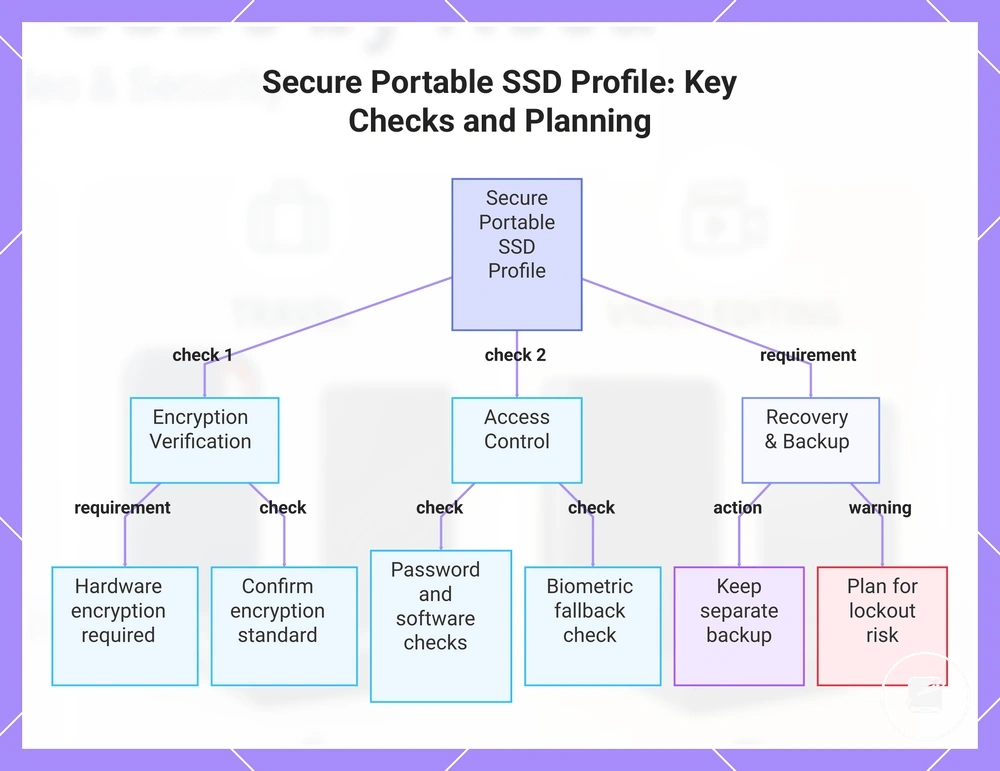
- Encryption type: Verify that encryption is performed by the drive hardware and confirm the stated encryption standard in the manufacturer's documentation.
- Password workflow: Check how passwords are created, changed, stored, and entered, including whether access requires dedicated software.
- Biometric dependency: For fingerprint access, confirm whether password access remains available when fingerprint recognition fails.
- Software support: Confirm that the security software supports each operating system and device used to access the drive.
- Backup plan: Keep at least one separate backup because access-controlled storage does not protect against drive failure, loss, deletion, or file corruption.
- Recovery implications: Determine whether a forgotten password, failed biometric reader, or damaged security controller creates permanent lockout risk.
Encryption does not provide total data safety; it controls access to stored information. Privacy protection, physical durability, and backup reliability are separate criteria, so an encrypted drive can still be damaged or lost, while a rugged enclosure does not protect files on an unlocked drive from unauthorised access.
Encryption does not provide total data safety; it controls access to stored information.
For example, fingerprint access can make routine use more convenient, but recovery planning should include an alternative authorised access method and a separate copy of irreplaceable files. Without those safeguards, the feature intended to reduce data exposure can also increase lockout risk for the legitimate owner.
Without those safeguards, the feature intended to reduce data exposure can also increase lockout risk for the legitimate owner.
This chart shows the main verification steps and planning requirements for a secure portable SSD profile, including encryption, access control, and recovery considerations.
Best large-capacity portable SSDs for bigger libraries
A large-capacity portable SSD profile prioritises enough storage headroom for the active library, planned retention period, and backup depth before comparing cost per GB or speed class. A practical capacity range is 1 TB for a focused working set, 2 TB for expanding libraries or multi-device backups, and 4 TB or higher when a large media library needs to remain together.
| Capacity signal | Trade-off to check | Best-fit condition |
|---|---|---|
| 1 TB | Lower total capacity limits backup depth but can reduce purchase cost and unused storage. | A focused media library, one-device backup, or short retention cycle that fits with working headroom. |
| 2 TB | Higher purchase cost than 1 TB, with value determined by how much of the added capacity will be used. | A growing library, longer retention period, or multi-device backups that would create storage pressure on 1 TB. |
| 4 TB or higher | Compare physical size, available security features, interface support, and total cost rather than capacity alone. | A large media library or deeper backup history that needs to remain on one high-capacity drive. |
| Cost per GB | Divide the drive price by its stated capacity and compare like-for-like models, because the lowest total price is not necessarily the lowest cost per GB. | A value-led choice where the additional capacity will be used within the planned retention period. |
| Speed class | Match the drive interface and sustained transfer performance to the workload instead of assuming a larger SSD is faster. | Large transfers, frequent media updates, or backup jobs where transfer time is a practical constraint. |
For bigger libraries, capacity should cover the current data set, the intended backup depth, and additional working headroom for new files. For example, a media library copied from multiple devices can outgrow a 1 TB drive even when no single device holds that much data, making 2 TB or 4 TB a better fit when the combined library and retained backups require the space.
More capacity is not automatically the better value outcome.
More capacity is not automatically the better value outcome. A high-capacity drive can provide deeper retention and a lower cost per GB within a comparable product range, but a smaller drive may be the stronger fit when portability, security features, or a faster speed class is the real constraint.
How to choose between similar portable SSD recommendations
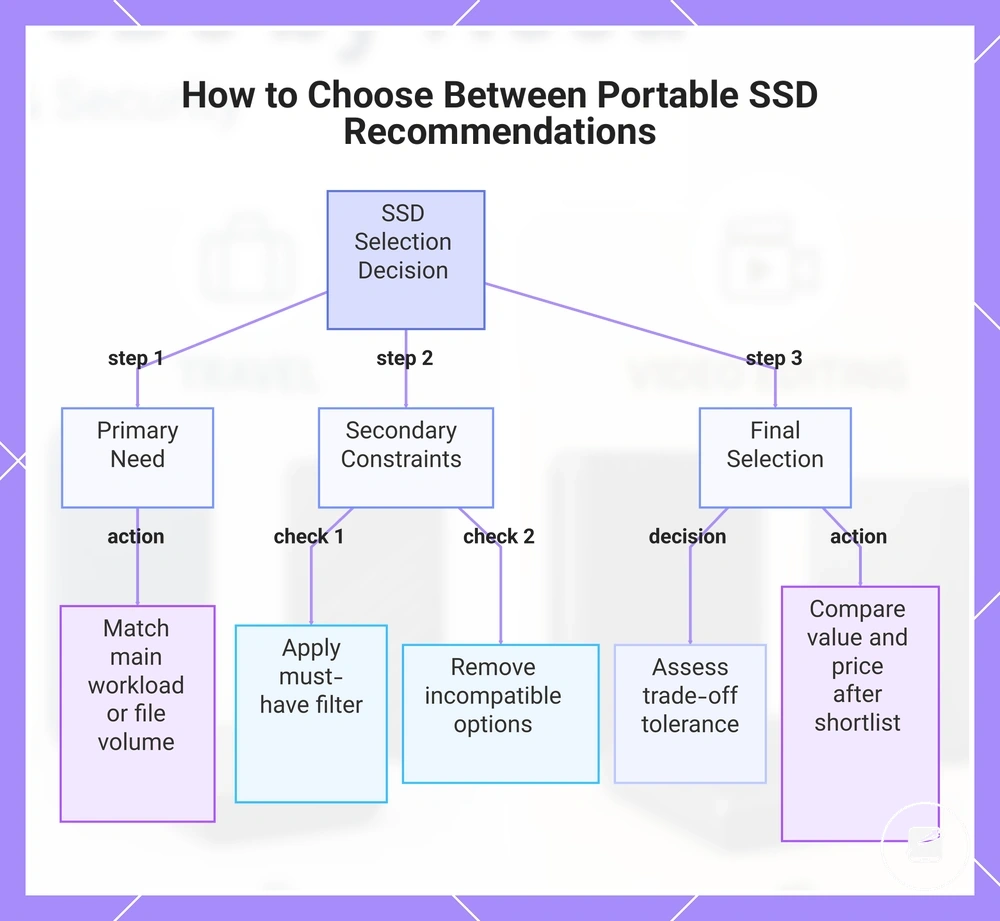
Separate similar portable SSD recommendations by identifying the primary need that the drive must satisfy, such as fast transfers, higher capacity, ruggedness, or access control. Use-case fit is the first decision signal because the recommendation must resolve the main workload before secondary features affect the final selection.
- Primary need: Select the recommendation that directly supports the main workload, file volume, or retention requirement.
- Secondary constraint: Remove options that do not meet the required device compatibility, portability, security, or budget condition.
- Must-have feature: Treat a required interface, capacity level, encryption method, or protection rating as a pass-or-fail filter.
- Acceptable trade-off: Decide whether lower speed, less capacity, reduced ruggedness, or extra setup is acceptable for the intended use.
- Value signal: Compare the useful features and capacity received for the total price rather than using the lowest price as the final selection rule.
- Price-view readiness: Check external offers only after the shortlist meets the functional criteria and the remaining difference is value.
A secondary constraint should resolve close choices only after the primary need is satisfied. For example, two drives may both support the required workload, but the final choice should favour compatible ports when adapters are unacceptable, stronger access control when sensitive files are involved, or a smaller enclosure when daily portability is the limiting condition.
Trade-off tolerance defines which compromise remains acceptable within the shortlist.
Trade-off tolerance defines which compromise remains acceptable within the shortlist. A user moving large project files may accept a larger enclosure for higher sustained speed, while a traveller may accept slower transfers for lower weight or stronger ruggedness; these decision signals distinguish use-case fit without re-ranking the earlier recommendations.
Price-view readiness begins when the functional shortlist is complete and value is the remaining distinction between close choices.
Price-view readiness begins when the functional shortlist is complete and value is the remaining distinction between close choices. The final selection should therefore follow the order of primary need, secondary constraint, acceptable trade-off, and then current external price.
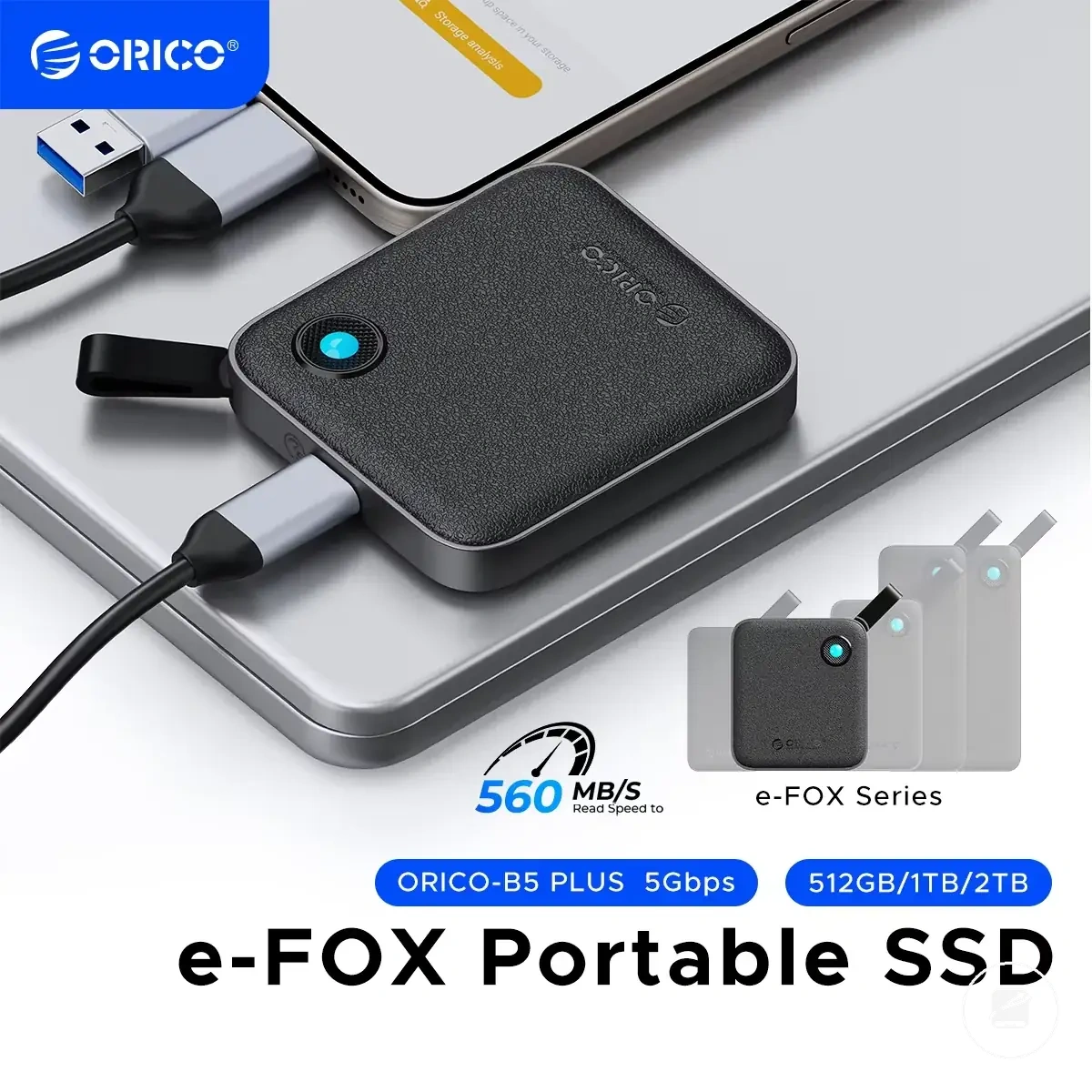
The products below are useful examples for comparing available options.
The products below are useful examples for comparing available options. Before buying, check that the compatibility criteria, key features, and product details match your needs.
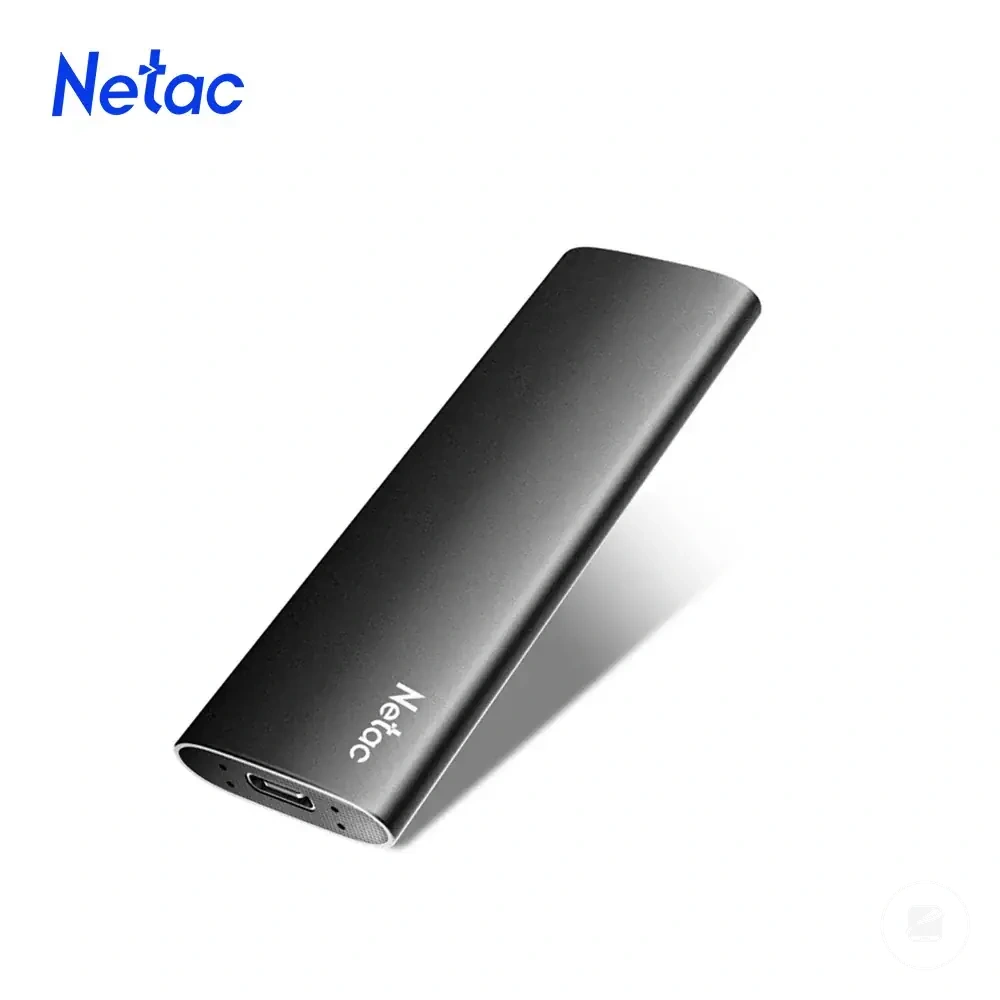
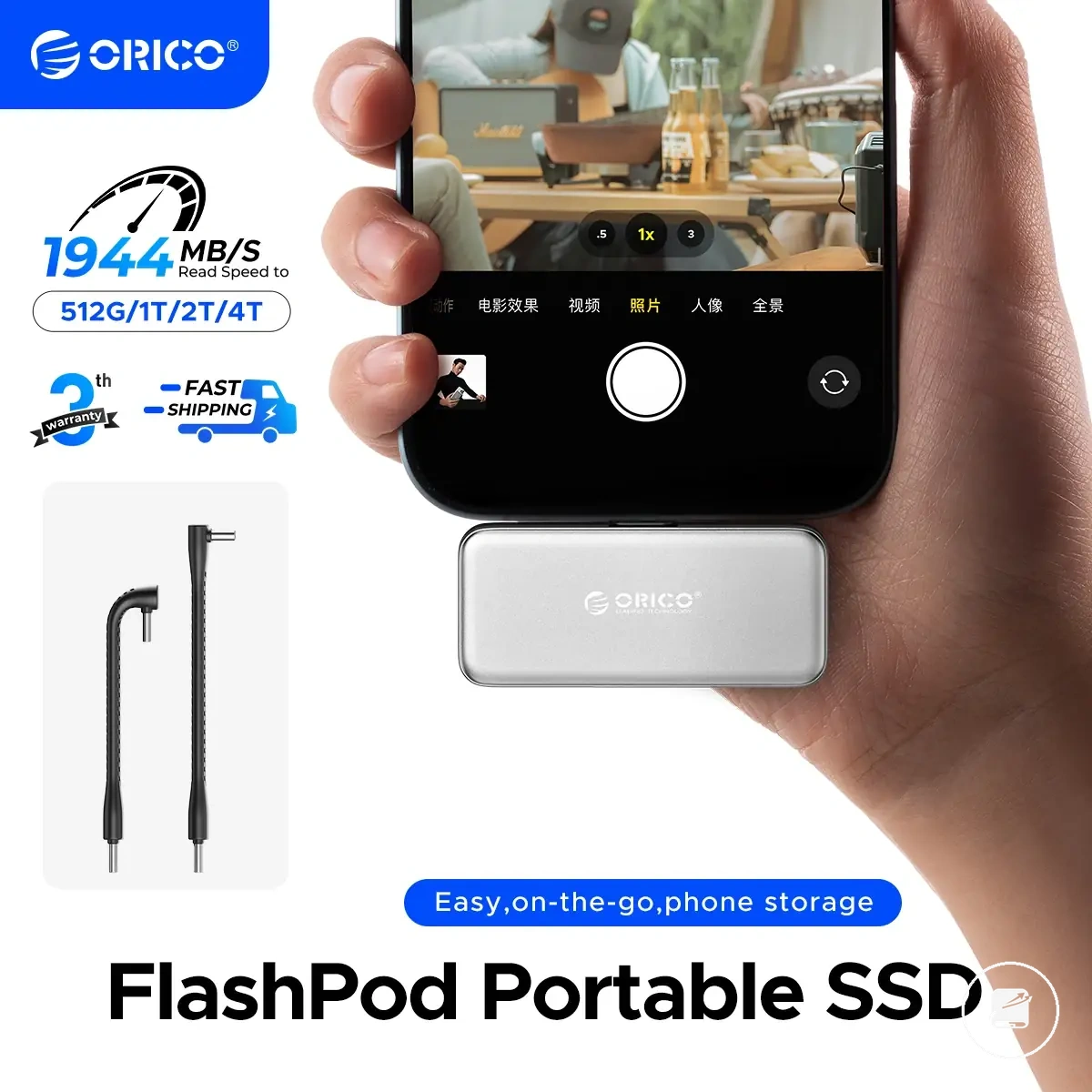
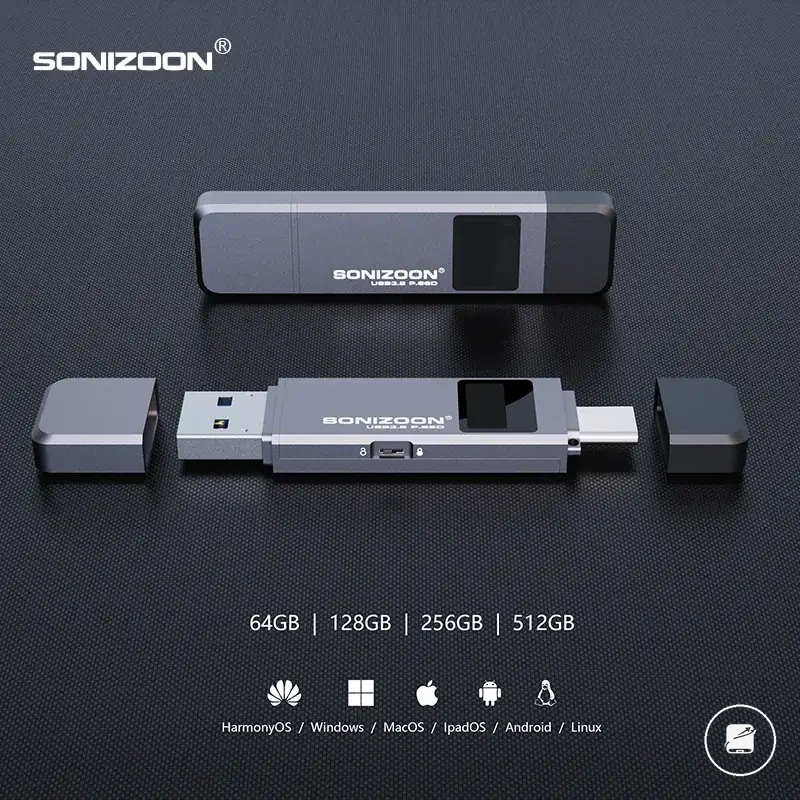
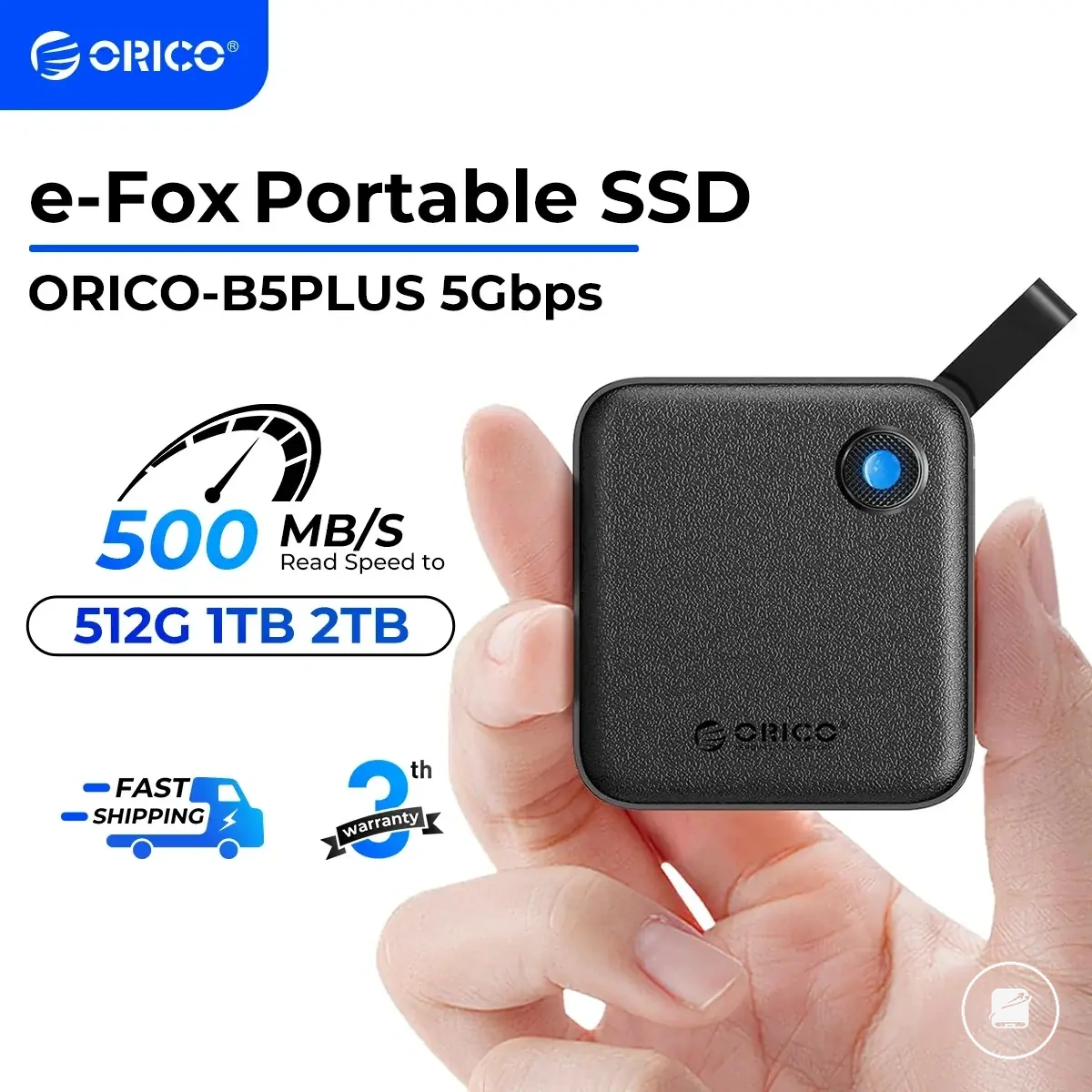
This chart shows the sequential decision process for selecting between similar portable SSD recommendations, covering primary need, secondary constraints, trade-off tolerance, and value-based price comparison.
When speed matters more than capacity
Speed matters more than capacity when the active workload is a high-speed workflow involving frequent large-file transfers, direct editing, or repeated project updates where sustained speed affects completion time. A speed-first choice is appropriate only when the device interface and cable capability can support the drive without creating a bottleneck; ordinary backup storage usually benefits more from sufficient capacity than from higher transfer speed.
- Editing workload: Prioritise sustained speed when media or project files are edited directly from the portable SSD.
- Repeated transfers: Choose speed over extra capacity when large files move often enough for transfer time to affect the workflow.
- Interface match: Treat the faster drive as useful only when the host port and device interface support the same performance class.
- Cable capability: Use a cable rated for the required connection standard, because a lower-capability cable can limit the transfer outcome.
When capacity matters more than peak speed
Capacity matters more than peak speed when the portable SSD must hold a high file volume, support greater backup depth, or retain files for longer without frequent drive swaps. A capacity-first choice is appropriate when storage size and library coverage create more pressure than ordinary transfer time.
- Archive libraries: Prioritise storage headroom when media files or long-term records need to remain together on one drive.
- Multi-device backups: Choose more capacity when combined backups from multiple devices would otherwise reduce backup depth or require extra drives.
- Long retention: Favour a larger drive when older backup versions must remain available throughout a longer retention period.
- Ordinary transfers: Accept lower peak speed when files are copied occasionally and greater capacity provides better library coverage with fewer drive swaps.
When ruggedness matters more than compactness
Ruggedness matters more than compactness when carrying conditions increase the risk of drops, dust, moisture, or repeated handling during travel or field work. Choose a rugged drive with greater enclosure strength, shock resistance, and suitable water resistance or dust resistance when field reliability is a higher priority than reducing size and weight for carry convenience. This criterion becomes more important as carrying conditions become harsher.
This criterion becomes more important as carrying conditions become harsher.
The carrying environment changes the decision more than physical dimensions alone.
| Carry condition | Better priority |
|---|---|
| Desk-and-bag use | Compactness for lower size and weight. |
| Commuting | Balance compactness with a protective enclosure for travel protection. |
| Outdoor field work | Ruggedness with stronger enclosure strength and shock resistance for better field reliability. |
| Harsh weather | Ruggedness with suitable water resistance and dust resistance specifications. |
| Frequent cable packing | Ruggedness when repeated packing increases wear during transport. |
When security matters more than convenience
Security matters more than convenience when the portable SSD stores sensitive files that require stronger confidentiality and controlled access. Choose a secure drive only when its encryption method, password management, or biometric access provides a justified privacy benefit over simpler access. The decision must also account for software dependency and recovery risk because failed authentication can create a lockout outcome unless backup recovery is available.
- Sensitive files: Prioritise stronger security when the stored content requires confidentiality; casual files may not justify the same convenience trade-off.
- Access method: Verify whether access control uses a password, biometric access, or both, and confirm that the method suits regular use.
- Recovery plan: Keep a separate backup and the required recovery credentials because password loss or failed biometric access can make protected storage inaccessible.
- Software dependency: Check whether unlocking requires vendor software, a supported operating system, or built-in drive controls.
- Convenience tolerance: Accept extra authentication steps only when the privacy priority outweighs the added usability burden.
Portable SSD value signals before viewing offers
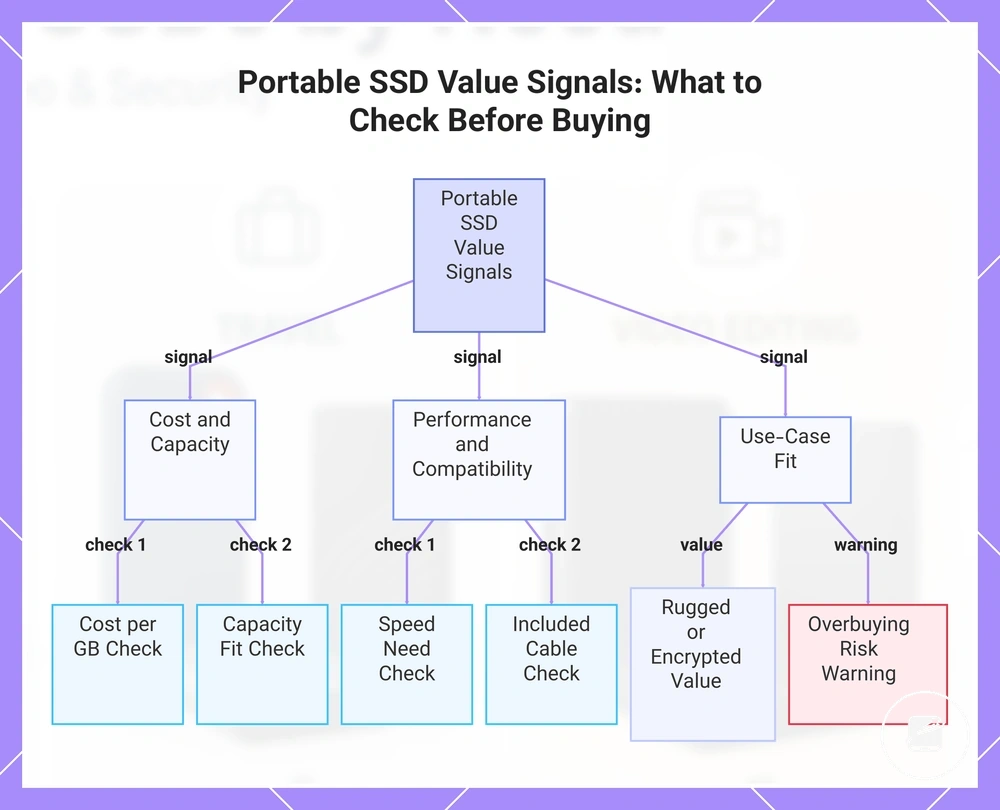
Portable SSD value signals help determine whether an external offer is worth viewing before comparing recommendations. A value decision should balance price with capacity, speed, protection, security, and use-case fit instead of treating price alone as the deciding factor.
- Price: Compare the asking price with similar capacity and performance categories.
- Cost per GB: Check whether the storage capacity provides suitable value for the expected file volume.
- Capacity fit: Confirm that the drive matches current and expected storage needs to reduce overbuying risk.
- Speed need: Verify that the performance level matches the intended workload.
- Included cable: Confirm that the included cable supports the required device connection and interface.
- Warranty signal: Treat warranty coverage as one indicator of long-term buyer confidence alongside durability and protection.
- Overbuying risk: Avoid paying for unused capacity or features that do not improve the intended use-case fit.
Portable SSD selection criterion gives greater value to an appropriate balance of capacity and cost per GB than to larger capacity alone. A higher-capacity drive is worthwhile only when future storage needs justify the additional price.
For a broader comparison of cost signals and buyer-fit criteria, see portable SSD value .
Portable SSD selection criterion should compare speed with compatibility and the included cable because higher interface performance adds value only when connected devices support it. For a broader comparison of cost signals and buyer-fit criteria, see portable SSD value.
Overbuying risk increases when additional protection or performance does not benefit the intended workload.
For example, a rugged or hardware-encrypted portable SSD can provide better use-case fit for field work or confidential business files even when its price is higher. Overbuying risk increases when additional protection or performance does not benefit the intended workload.
Review these value signals before viewing an external offer to reduce overbuying risk.
A value decision is stronger when it reflects real requirements rather than the highest specifications. Review these value signals before viewing an external offer to reduce overbuying risk.
A value decision is stronger when it reflects real requirements rather than the highest specifications.
The products below are useful examples for comparing available options. Before buying, check that the compatibility criteria, key features, and product details match your needs.
This chart shows the key value signals to evaluate before viewing portable SSD offers, grouped into cost, performance, and use-case fit categories.
Common portable SSD buying doubts
Should I use a portable SSD as my only backup?
No, a portable SSD should not be the only backup for important files. A second copy on another drive or a cloud service adds redundancy if the portable SSD is lost, damaged, or its files are deleted. Use more than one backup location when the data would be difficult to replace.
What capacity should I choose for a portable SSD?
The right capacity should match the expected file volume and available budget. Video projects, game libraries, and large photo collections need more space than routine documents, while unused capacity can reduce value. Allow extra capacity when the workload is likely to grow before the next storage upgrade.
Can a portable SSD handle video editing?
Yes, a portable SSD can support video editing when its speed, capacity, connection, and device compatibility match the workload. Larger or higher-resolution projects place greater demands on transfer performance, available storage, and sustained operation. Check the editing device and project requirements before making a recommendation.
Does a portable SSD need security features?
A portable SSD needs stronger security when it stores sensitive personal or business files. Encryption or password protection improves access control, but lost credentials can create recovery risk and reduce convenience. Choose these features when confidentiality matters more than immediate access.
When is a rugged portable SSD useful for travel?
A rugged portable SSD is useful for travel when frequent transport increases exposure to drops, dust, or moisture. Added protection improves file safety only when the model's stated durability matches the expected condition. A standard portable SSD may offer better value for mainly desk-based use.
Should value matter more than the lowest price?
Yes, value is a stronger decision criterion than price alone because it includes capacity, performance, compatibility, durability, and use-case fit. A higher price can be justified when those attributes remove a practical limitation, while unused premium features increase overbuying risk. Base the final recommendation on the workload and budget rather than specification level alone.
Base the final recommendation on the workload and budget rather than specification level alone.
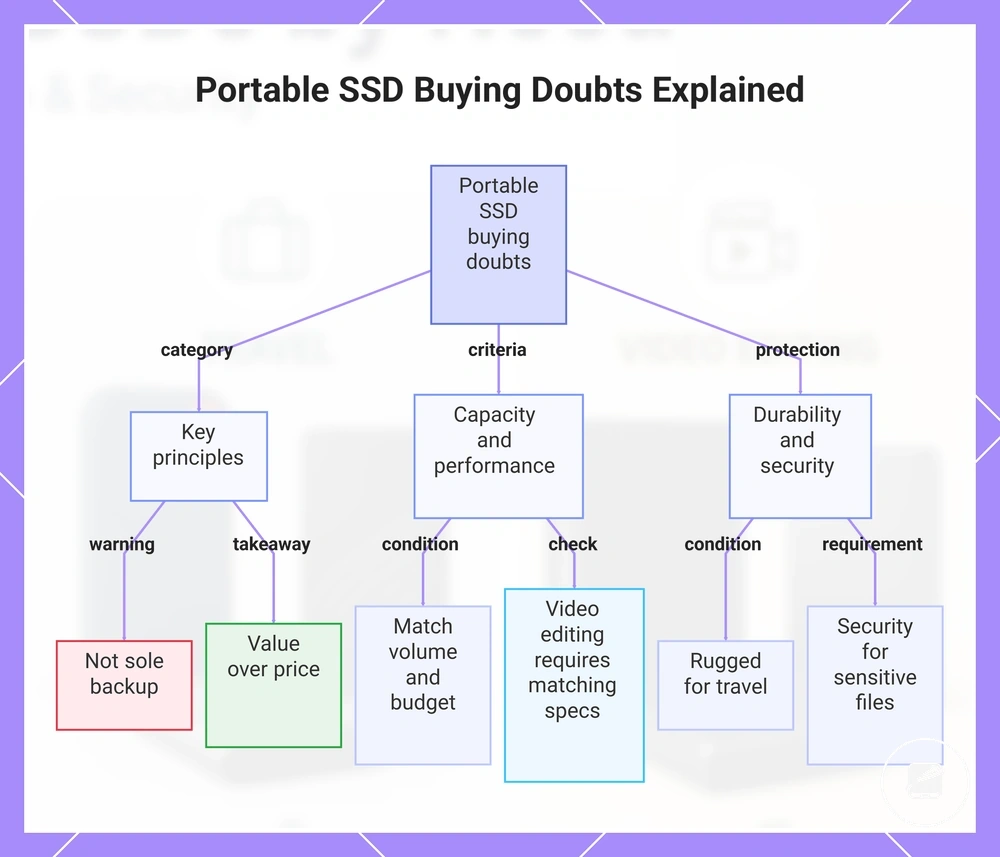
This chart groups common portable SSD buying doubts into three main areas: key principles, capacity and performance criteria, and protection needs.