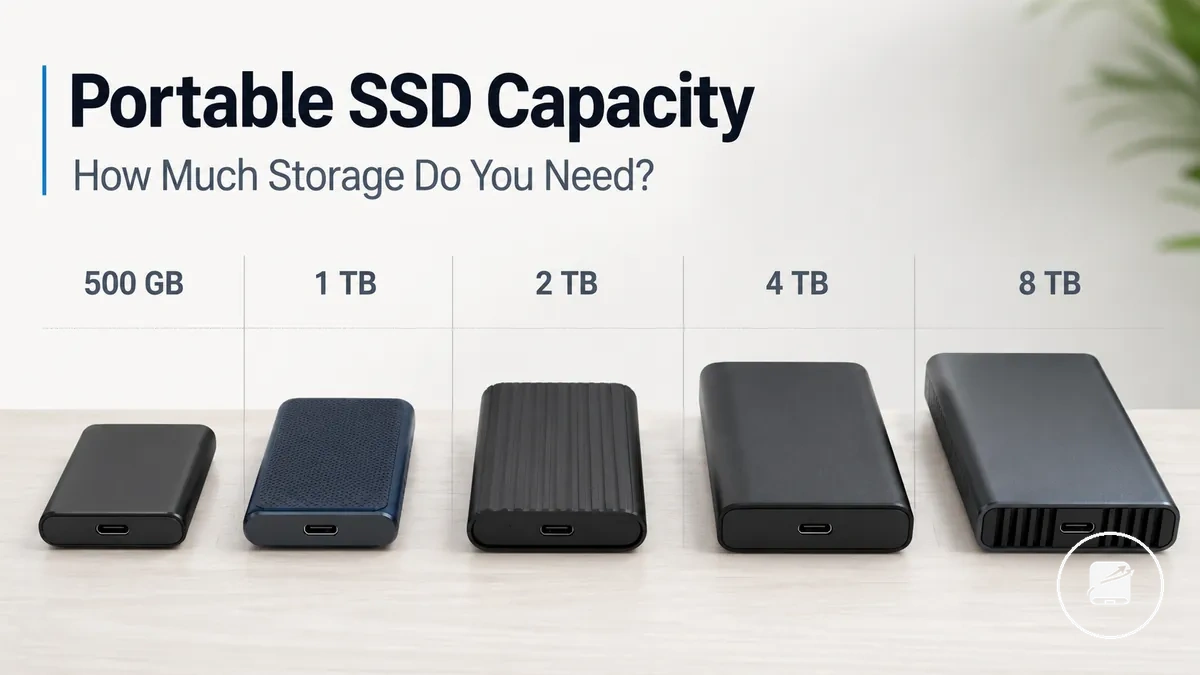
Portable SSD Capacity Guide
Portable SSD capacity is the storage size available for files, backups, and active projects. The suitable capacity range is the one that covers current data, retained copies, spare space, and expected future growth without leaving excessive unused storage. Advertised capacity and practical working room are related but not identical because usable storage is lower after formatting and system overhead. Capacity should therefore be evaluated through real storage planning rather than the printed figure alone.
Portable SSD capacity is the storage size available for files, backups, and active projects.
A practical storage need might involve moving work between devices, keeping a travel backup, or carrying a large media project. Small documents create less storage pressure than raw photos, game installations, or high-resolution video. For example, a drive holding one active project needs less storage headroom than a drive holding that project, retained versions, and a separate device backup. Workload, file size, backup depth, and future growth are the main variables that determine usable storage.
These criteria provide the basis for evaluating capacity ranges in the sections that follow.
Buying too little capacity can lead to frequent file removal or an earlier replacement, while buying too much can increase cost without improving the workload. A useful decision compares total file size with the required backup depth, then reserves spare space for active work and growth. Price per GB can help compare upgrade value between capacity bands, but it should support rather than replace workload-based criteria. These criteria provide the basis for evaluating capacity ranges in the sections that follow.
A useful decision compares total file size with the required backup depth, then reserves spare space for active work and growth.
No single drive capacity suits every user. A lower capacity may fit light transfers and limited backups, while a higher capacity may better support large project files, deeper backup histories, or faster data growth, so each recommendation should remain conditional on the intended use.
Table of Contents
What portable SSD capacity means in usable storage
Portable SSD capacity is the amount of storage a drive is sold to provide, as shown on its storage label. It defines the advertised capacity rather than the exact amount of space available for file storage after the drive is prepared for use. Usable storage is typically lower because part of the drive is allocated to formatted space and related system overhead. As a result, advertised capacity is not the same as guaranteed free working room for storage planning.
Usable storage can be lower than the storage label while still matching the advertised capacity.
Usable storage can be lower than the storage label while still matching the advertised capacity. portable SSDs are marketed by their advertised capacity, but the available working room for file storage can be smaller after formatting and according to how much spare space a user chooses to maintain. The difference between advertised capacity and usable storage is a normal planning consideration rather than a fault. The image below illustrates the distinction between the labeled capacity and the practical space available for storage planning.
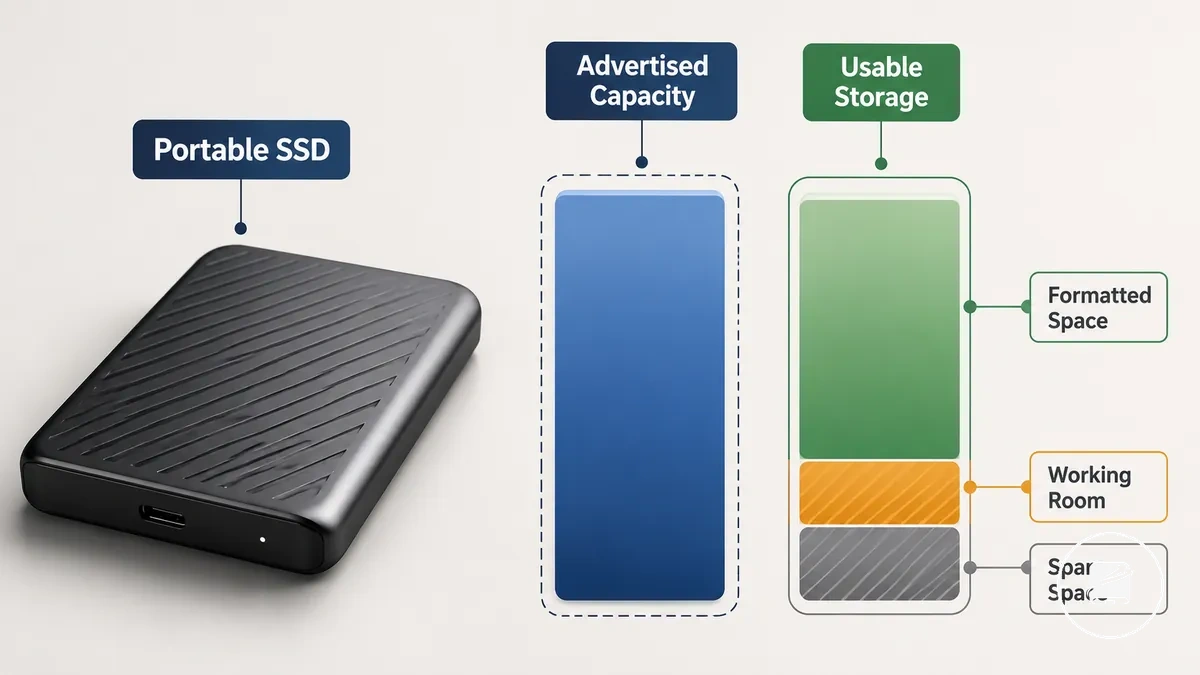
For example, a buyer storing documents, photos, and future project files would estimate available space after allowing for formatted space and spare space instead of assuming the full storage label is available for file storage. This approach supports more accurate storage planning without relying on an exact usable amount that is not guaranteed across every system.
Common portable SSD capacity ranges
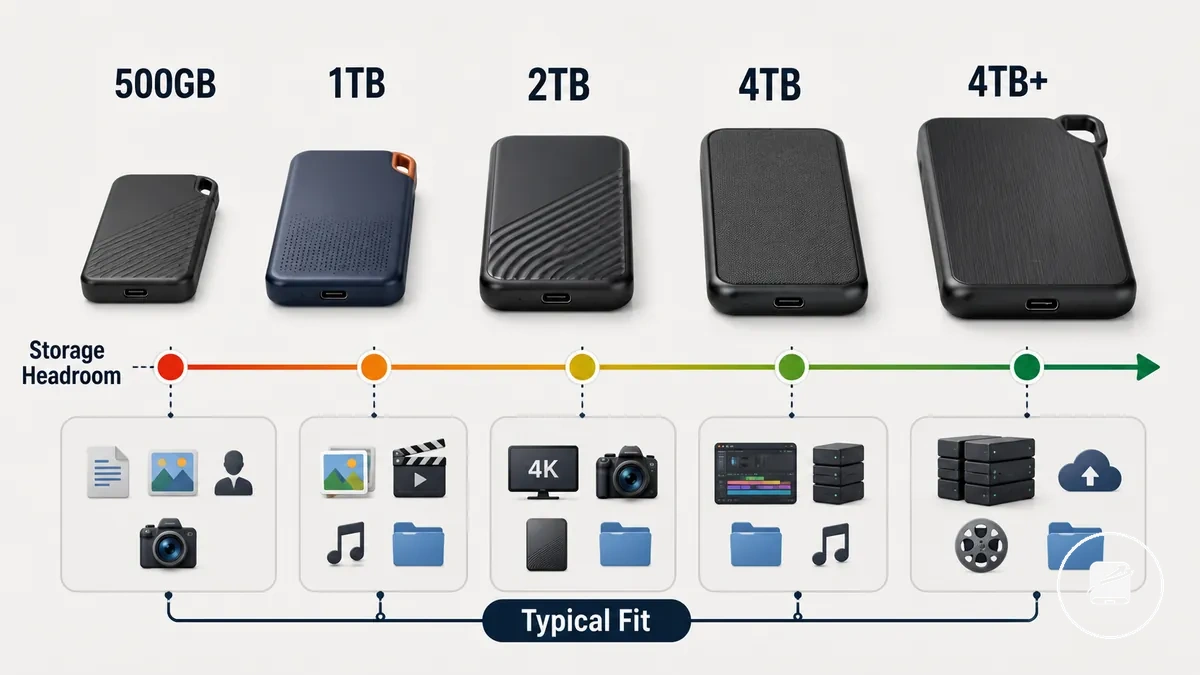
Common portable SSD capacity ranges should be interpreted by workload and storage headroom rather than by capacity labels alone. A capacity range groups drives into practical planning categories that reflect typical fit, expected limits, and buyer risk instead of promising fixed file counts. File sizes, compression, backup methods, cameras, and devices can all change how much storage a workload requires. The table below organizes common portable SSD capacity ranges into practical sizing bands.
Use case and expected data growth should guide the final capacity choice.
The risk of treating every capacity label as equal user value is selecting either too little storage headroom or more capacity than the workload is likely to use. For example, someone who mainly stores office documents and photos may find 1TB sufficient, while regular backups and larger media projects can justify 2TB or 4TB. Use case and expected data growth should guide the final capacity choice.
| Capacity range | Typical fit | Main limit | Buying implication |
|---|---|---|---|
| 500GB | Everyday files, documents, and light media storage. | Limited storage headroom as file collections expand. | Suitable for lighter workloads with modest future growth. |
| 1TB | General file storage, photo libraries, and routine backups. | Large media collections can reduce available headroom. | A balanced capacity range for many everyday users. |
| 2TB | Frequent backups and larger media projects. | Very large or long-term archives may still outgrow the space. | Provides additional storage headroom for expanding workloads. |
| 4TB | Large media libraries, multi-device backups, and extensive project storage. | Higher purchase cost and greater data concentration on one drive. | Appropriate when larger datasets justify additional capacity. |
| Larger than 4TB | Professional-scale archives and very large storage collections. | Higher cost and increased reliance on a single storage device. | Choose larger capacity only when sustained storage requirements clearly support it. |
500GB to 1TB portable SSD capacity
500GB to 1TB portable SSD capacity can suit light or moderate storage when future growth is expected to remain limited. This capacity band is generally suitable for everyday files, a photo library, small media transfers, and a limited backup rather than expanding long-term collections. Choosing between 500GB and 1TB should include enough storage headroom for future files and routine use. The image below shows how this capacity range fits common everyday storage scenarios.
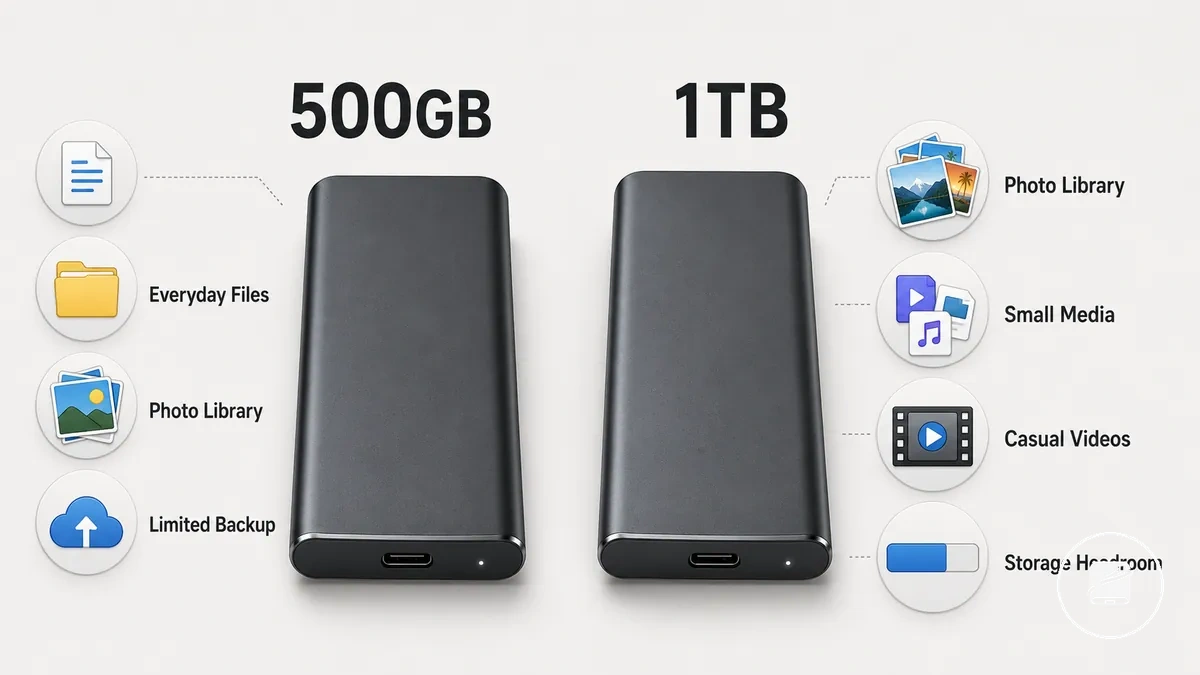
- 500GB: Suitable for light storage such as documents, everyday files, smaller photo libraries, and limited backup needs when data growth is expected to remain modest.
- 1TB: Better suited to a larger photo library, more frequent small media transfers, and additional storage headroom for steady file growth.
- Casual videos: Occasional phone videos and small media transfers generally fit this capacity band more comfortably than larger ongoing media collections.
- Storage headroom: Leaving spare space helps accommodate future files and routine storage management without filling the drive too quickly.
For example, someone storing work documents, family photos, casual phone videos, and a limited backup might begin with 500GB, but 1TB is often the safer choice when the photo library is expected to grow. The additional storage headroom can delay the need to reorganize files or move to a larger drive.
1TB to 2TB portable SSD capacity
1TB to 2TB portable SSD capacity is often the practical middle range for buyers balancing storage space and cost. A 1TB drive is suitable for moderate storage with active files and occasional backups, while 2TB provides larger storage headroom for growing project size and more frequent backup use. This capacity range commonly becomes the main decision zone because increasing storage needs can raise early replacement risk. The image below compares how 1TB to 2TB portable SSD capacity affects headroom for active files and backup copies.
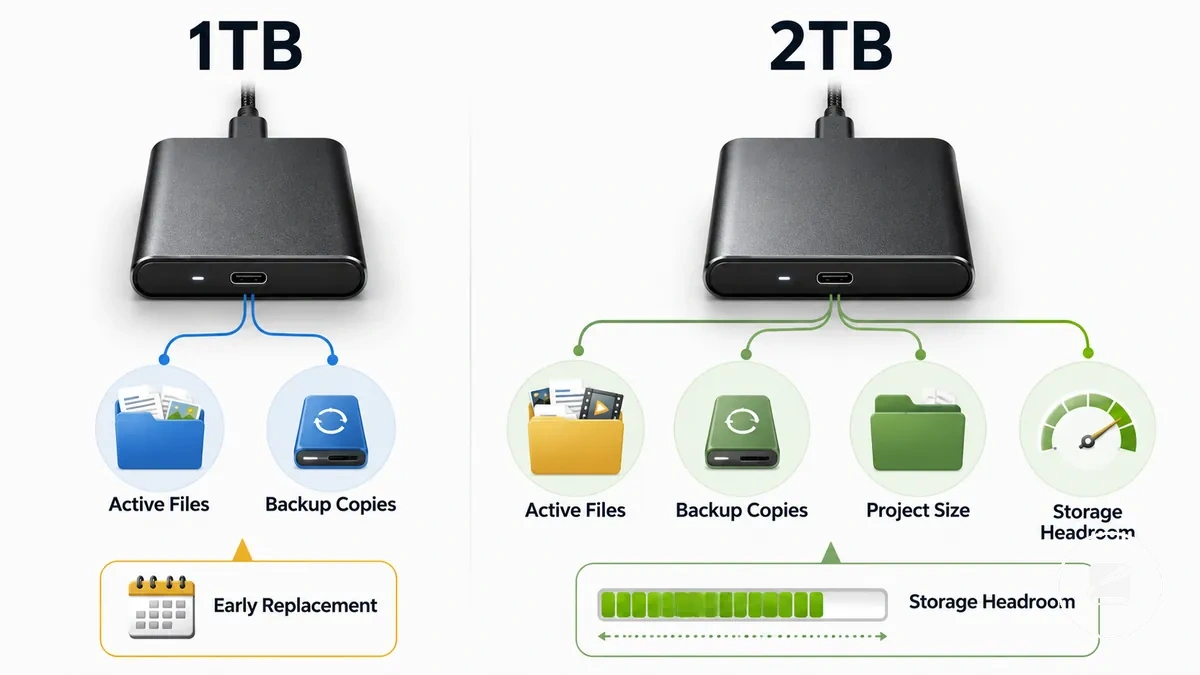
- 1TB: Well suited for moderate storage when active files are the main workload and backup frequency remains occasional.
- 2TB: Provides larger storage headroom for expanding project size and more frequent backups over time.
- Project size: As projects grow, choosing additional capacity can reduce the need for an earlier capacity upgrade.
- Early replacement risk: Extra free space helps delay replacing the drive because of limited available storage.
For example, someone who keeps active work files on the portable SSD while also storing regular backup copies can outgrow 1TB as storage needs increase. In that situation, 2TB is usually the more comfortable choice because one drive can accommodate both backups and active files while maintaining useful storage headroom.
4TB and larger portable SSD capacity
4TB and larger portable SSD capacity is most useful when storage volume and storage growth remain consistently high. A larger portable SSD becomes a practical choice for users managing a large media library, repeated backups, multi-device storage, or professional projects that place sustained storage pressure on smaller drives. The added capacity provides more headroom for expanding data, but higher cost and greater data concentration mean it is most valuable when matched to a demanding workload rather than chosen as an automatic upgrade.
4TB and larger portable SSD capacity is most useful when storage volume and storage growth remain consistently high.
If your work regularly involves large media libraries, repeated backups, or storing data from multiple devices, this checklist can help determine whether 4TB or larger capacity fits your workload.
- Large media library that continues to expand over time.
- Repeated backups from multiple computers or storage devices.
- Multi-device storage consolidated onto a single larger portable SSD.
- Professional projects that require substantial project storage and long-term capacity headroom.
For example, a video editor may keep active projects, completed media, and repeated backup copies on the same high-capacity drive to reduce storage pressure across multiple devices. Even then, larger capacity does not replace backup safety or drive health planning because storing more data on one drive also increases data concentration if that drive fails.
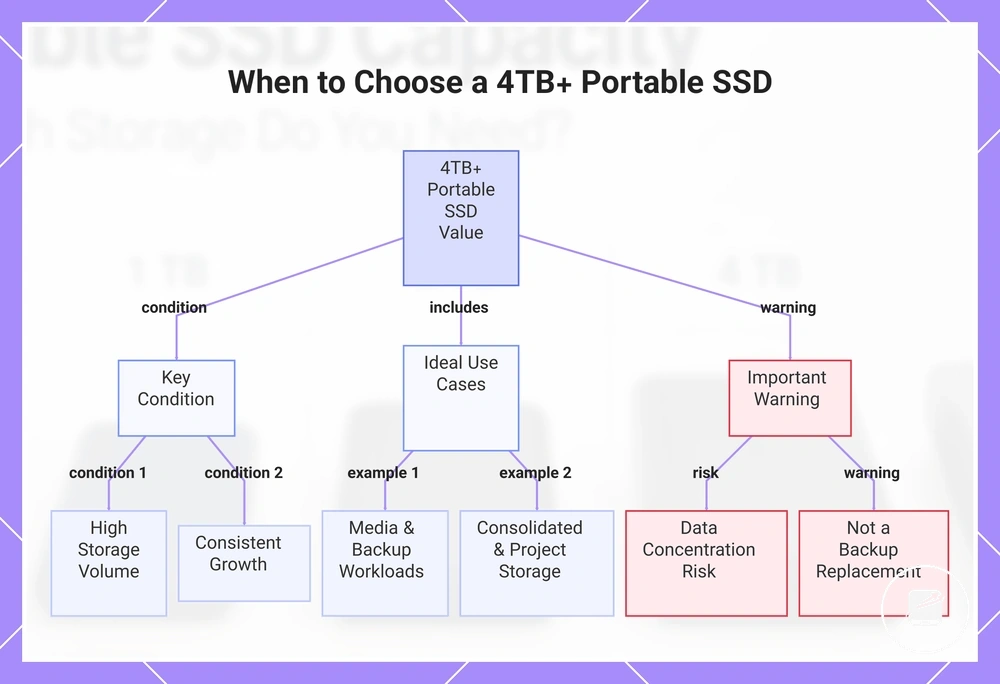
This chart shows the key conditions, ideal use cases, and important warning for using a 4TB or larger portable SSD.
This chart shows the key conditions, ideal use cases, and important warning for using a 4TB or larger portable SSD.
Storage needs by file type and workload
Choosing portable SSD capacity based only on drive size often creates a mismatch with the files you actually store. Storage needs by file type and workload provide a more reliable estimate because storage intensity determines how quickly available space is consumed. When documents, photos, backups, and video files share the same drive, their combined workload creates greater capacity pressure than any single file type alone. File type and workload should therefore be the primary criteria behind the buying implication.
File type and workload should therefore be the primary criteria behind the buying implication.
For example, a mixed use workload that combines office documents, a growing photo library, regular backups, and occasional video projects increases storage demand over time. As backup depth, project files, and archive needs expand, capacity pressure also rises because more headroom is required for future files. If one portable SSD is expected to serve multiple storage purposes, selecting a larger capacity is generally the more practical direction.
As backup depth, project files, and archive needs expand, capacity pressure also rises because more headroom is required for future files.
The table below organizes storage needs by file type and workload by storage intensity, likely capacity pressure, and practical capacity direction.
| File type or workload | Storage intensity | Capacity pressure | Practical direction |
|---|---|---|---|
| Documents | Low | Low | A smaller capacity is usually suitable unless combined with larger file workloads. |
| Photos | Moderate | Moderate | Consider additional capacity if the collection is expected to grow steadily. |
| Media libraries | High | High | A larger capacity is typically more practical because archive needs expand over time. |
| Backups | Moderate to high | Moderate to high | More capacity is appropriate when repeated backups consume a significant share of available storage. |
| Video projects | Very high | Very high | A larger capacity is generally recommended because video files, cache files, and project archives create sustained storage demand. |
Everyday files, photos, and media libraries
Everyday files, documents, and photos usually create gradual growth rather than immediate capacity pressure. A media library grows faster when music, casual videos, and downloaded media are added regularly because these file groups consume more space than light document archives. The relevant criterion is therefore the expected growth of the combined personal-file workload. Faster photo and media library growth calls for more storage headroom.
- Documents: Light storage demand and low capacity pressure unless they are stored with larger personal media collections.
- Photos: Gradual growth that increases capacity pressure as the photo collection expands.
- Music and downloaded media: Moderate growth that becomes more significant as the media library accumulates.
- Casual videos: Higher storage demand than documents or music, so repeated additions increase the need for headroom.
For example, a small document archive may remain a light workload, while a growing collection of photos, downloaded media, and casual videos creates steadily higher capacity pressure. If the media library is expected to keep expanding, choosing more capacity is the more practical size direction.
If the media library is expected to keep expanding, choosing more capacity is the more practical size direction.
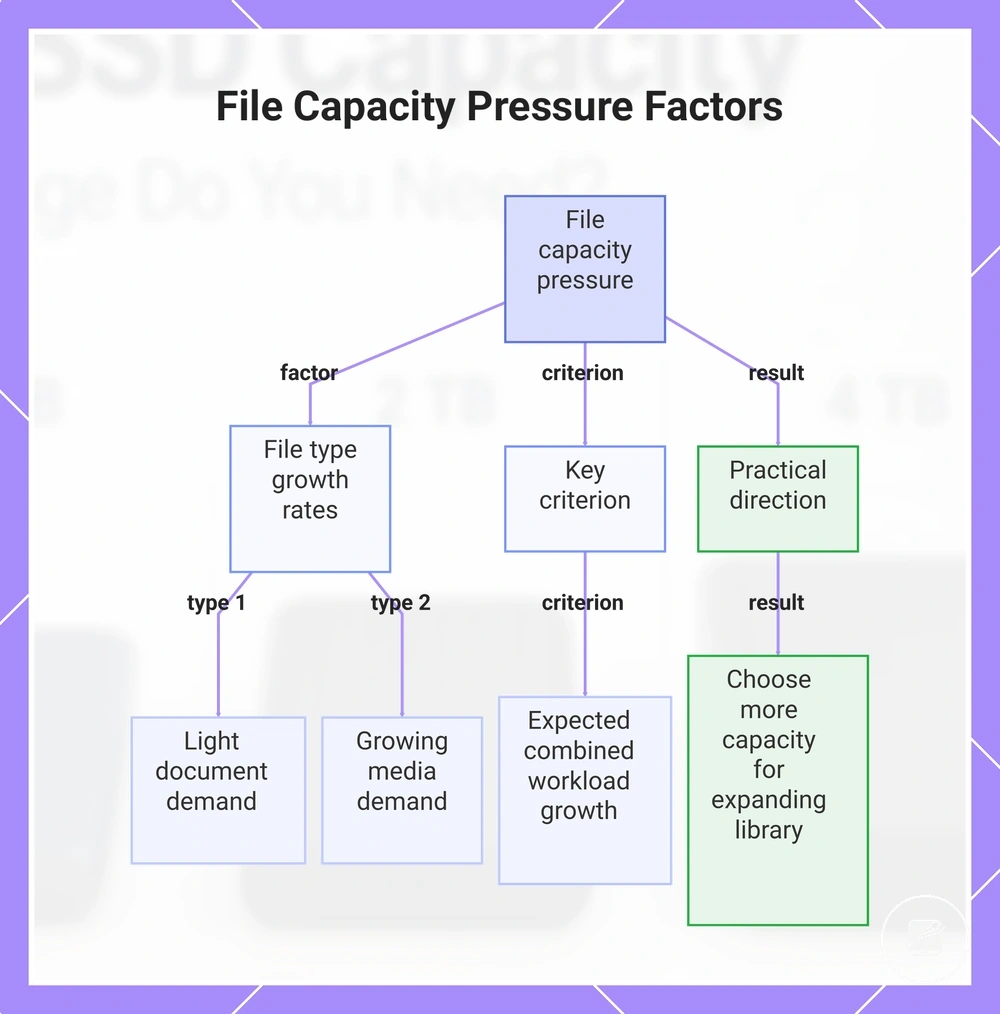
This chart shows how file type growth rates and the expected combined workload growth determine file capacity pressure and the practical capacity decision.
Backup copies and device storage
Backup copies and device storage should be planned around source device capacity, backup frequency, retained versions, and spare headroom because each factor changes the required drive size. More retained versions, more frequent backups, or additional devices increase capacity pressure beyond the size of a single device copy. A free-space buffer also helps accommodate future file growth without immediately exhausting available storage. These criteria keep the discussion focused on capacity planning rather than backup procedures.
These criteria keep the discussion focused on capacity planning rather than backup procedures.
Use the checklist below to verify how backup copies and device storage influence the capacity you are likely to need.
- Source device capacity: Base the required drive size on the total amount of data stored on the devices you intend to back up.
- Number of devices: Each additional computer, phone, or tablet increases backup storage requirements.
- Retained versions: Keeping multiple retained versions requires more capacity than storing only the latest backup copy.
- Spare headroom: Reserve a free-space buffer so future file growth does not immediately create capacity pressure.
- Active and backup storage: If the same portable SSD holds active files and backup copies, additional capacity helps reduce competition for available space.
Treating one device copy as the complete backup requirement can underestimate future capacity needs when backup frequency increases or retained versions accumulate. For broader guidance on planning and managing backup storage needs, refer to the dedicated backup section because this subsection covers capacity planning only.
Video editing and large project files
Video editing and large project files usually increase capacity demand because footage, project files, cache files, scratch space, export files, and archives accumulate at the same time. Higher footage resolution and longer project duration increase storage demand, while more active projects raise the amount of working data that must remain available. Capacity choice should therefore account for active project storage, temporary working files, completed exports, and archive needs together.
The comparison below shows how each project component contributes to capacity pressure.
The comparison below shows how each project component contributes to capacity pressure.
| Workload condition | Storage pressure | Capacity implication |
|---|---|---|
| Higher footage resolution or longer project duration | More source footage and project data accumulate | A larger capacity provides more room for the active project and its working files. |
| Multiple active projects | Project files remain stored concurrently | Capacity pressure rises compared with keeping only one active project on the drive. |
| Cache files and scratch space | Temporary working files consume storage alongside the source footage | Extra capacity helps prevent temporary files from displacing active project data. |
| Export files and archive needs | Completed outputs and retained projects continue using space | A larger drive is more suitable when exports and archived projects remain on the same portable SSD. |
A buyer choosing between 2TB and 4TB for media work may find 2TB suitable when only a small number of active projects and limited archives are stored, while 4TB is the stronger capacity choice when higher-resolution footage, longer projects, cache files, exports, and retained archives accumulate. For guidance beyond storage size, see video editing storage needs; speed and heat considerations sit outside this capacity-focused subsection.
Capacity comparisons that affect the buying decision
Capacity comparisons should be judged by fit, trade-off, and upgrade risk rather than by storage size alone. A sound buying decision weighs storage headroom against portability, data concentration, the price step between capacity bands, and expected growth. These criteria show whether added capacity solves a likely future constraint or creates unused space without a clear benefit.
Comparing only the number on the drive can lead to early upgrade pressure or overbuying.
Comparing only the number on the drive can lead to early upgrade pressure or overbuying. The table below separates each capacity decision by best-fit condition, main trade-off, and the signal for when to stay moderate, size up, or limit unnecessary capacity.
| Capacity decision | Best-fit condition | Main trade-off | Decision signal |
|---|---|---|---|
| Stay moderate | Current storage use is stable and expected growth is limited. | Lower price step and easier portability, but less storage headroom. | Stay moderate when projected files fit comfortably within the selected capacity band without creating near-term upgrade risk. |
| Size up | Expected growth includes larger files, more active projects, or additional devices. | More storage headroom at a higher price step, with greater data concentration if the drive becomes the main storage location. | Size up when foreseeable growth would otherwise consume most available space and force an earlier upgrade decision. |
| Limit data concentration | A larger capacity would place most important files on one portable SSD. | Convenient consolidation increases the amount of data affected if the drive is lost, damaged, or unavailable. | Keep capacity moderate or distribute files when consolidation risk outweighs the convenience of carrying one larger drive. |
| Avoid overbuying | Current needs are modest and expected growth does not justify a larger capacity band. | The higher price step produces unused capacity rather than practical value. | Avoid overbuying when the extra headroom has no identified workload, archive, or growth requirement. |
512GB vs 1TB portable SSD capacity
512GB is more practical for light storage and a tighter budget, while 1TB is more practical when the workload includes growing photo, video, or project libraries. The price difference buys additional headroom and can delay replacement timing, whereas the smaller drive carries a higher replacement risk if storage demand expands quickly. For example, choosing 512GB for its lower initial cost can become less efficient if an early storage upgrade is needed because new files outgrow the available capacity. The 1TB option is therefore more suitable only when the expected growth margin justifies the higher upfront cost.
| 512GB | 1TB |
|---|---|
| Fits light storage and a lower budget, but provides less growth margin and may bring replacement timing forward if the workload expands quickly. | Fits a growing workload by providing more headroom, but requires a larger upfront budget and may be unnecessary when storage needs remain stable. |
1TB vs 2TB portable SSD capacity
1TB is a better fit for leaner capacity needs, while 2TB provides more headroom for mixed use that combines active files with backup copies. The decision should be based on expected storage growth, backup comfort, and upgrade risk rather than capacity alone. A 1TB drive suits moderate capacity requirements when storage growth is predictable, whereas 2TB offers a larger storage buffer for expanding workloads. If the same portable SSD will hold both active files and backups, 2TB is generally the safer choice because it leaves more spare space as data grows.
The decision should be based on expected storage growth, backup comfort, and upgrade risk rather than capacity alone.
The comparison below shows how 1TB vs 2TB portable SSD capacity changes the buying outcome under common storage conditions.
| Criterion | 1TB condition | 2TB condition | Decision effect |
|---|---|---|---|
| Use case | Leaner capacity for active files and moderate storage needs. | Larger capacity for mixed use with active files and backups. | Match the capacity to expected storage growth. |
| Headroom | Provides a smaller storage buffer before free space becomes limited. | Provides more headroom for future files and larger projects. | Additional spare space can lower upgrade risk over time. |
| Backup comfort | Better suited when backups are kept on a separate drive. | More comfortable when one drive stores both active files and backup copies. | 2TB is the stronger fit when a single portable SSD serves both purposes. |
| Upgrade risk | Higher if storage needs increase sooner than expected. | Lower when long-term storage growth is anticipated. | Choose the larger capacity only when the additional headroom aligns with future storage requirements. |
2TB vs 4TB portable SSD capacity
2TB is enough for many users with expanding everyday storage needs, while 4TB becomes more practical when media projects, multiple devices, and greater archive depth require additional spare space. The choice is a trade-off between extra headroom and a higher cost rather than a universal upgrade. Select 4TB when sustained storage growth is expected instead of short-term capacity needs. The added headroom is valuable only if it matches the workload and future storage demand.
The added headroom is valuable only if it matches the workload and future storage demand.
Storing large amounts of data on one high-capacity drive also increases data concentration, so capacity should be balanced with backup redundancy. A 4TB portable SSD expands storage volume for larger archives, but it does not by itself improve transfer speed, increase data safety, or replace a separate backup strategy.
The comparison below highlights the practical differences between 2TB and 4TB portable SSD capacity.
The comparison below highlights the practical differences between 2TB and 4TB portable SSD capacity.
| Criterion | 2TB condition | 4TB condition | Caution |
|---|---|---|---|
| Media projects | Suitable for moderate media collections and ongoing projects. | Better suited for larger media projects with continued storage growth. | Choose larger capacity only when long-term storage demand justifies it. |
| Multiple devices | Works well when fewer devices share the available storage. | Provides more spare space for files collected from multiple devices. | Additional capacity reduces storage pressure but not file-management complexity. |
| Archive depth | Supports moderate storage archives. | Supports deeper storage archives with extra headroom. | More archived data also increases the amount stored on a single drive. |
| Data concentration | Lower concentration because less data is typically stored on one portable SSD. | Higher concentration if one drive stores most important files. | More capacity does not replace backup redundancy or solve speed and safety limitations. |
When large capacity portable SSDs are worth it
A large capacity portable SSD is worth it only when the workload needs persistent headroom rather than simply the biggest available number. Heavy media storage, expanding file collections, and predictable future growth are stronger decision signals than capacity alone. A larger drive should match the volume of data you expect to keep accessible over time. Expanded capacity is justified when ongoing storage demand would otherwise create repeated space pressure.
A larger drive should match the volume of data you expect to keep accessible over time.
Heavy media storage or multi-device backups can justify a high-capacity portable SSD because both create continuing demand for spare space. Long-term libraries also benefit when new files are retained instead of regularly removed, while travel storage consolidation can reduce the need to carry multiple drives. For example, one portable SSD may hold files from several devices during a trip while preserving room for later additions. These are the strongest fit cases when convenience and future growth outweigh the risk of concentrating more data on one drive.
The checklist below verifies whether a bigger drive solves a realistic storage problem.
Overbuying becomes a risk when the extra capacity is likely to remain unused for most of the drive's intended use. Paying a higher price for unused space does not by itself improve performance, value, or lifespan. Capacity should therefore be based on expected workload growth rather than a preference for the largest option. The checklist below verifies whether a bigger drive solves a realistic storage problem.
Paying a higher price for unused space does not by itself improve performance, value, or lifespan.
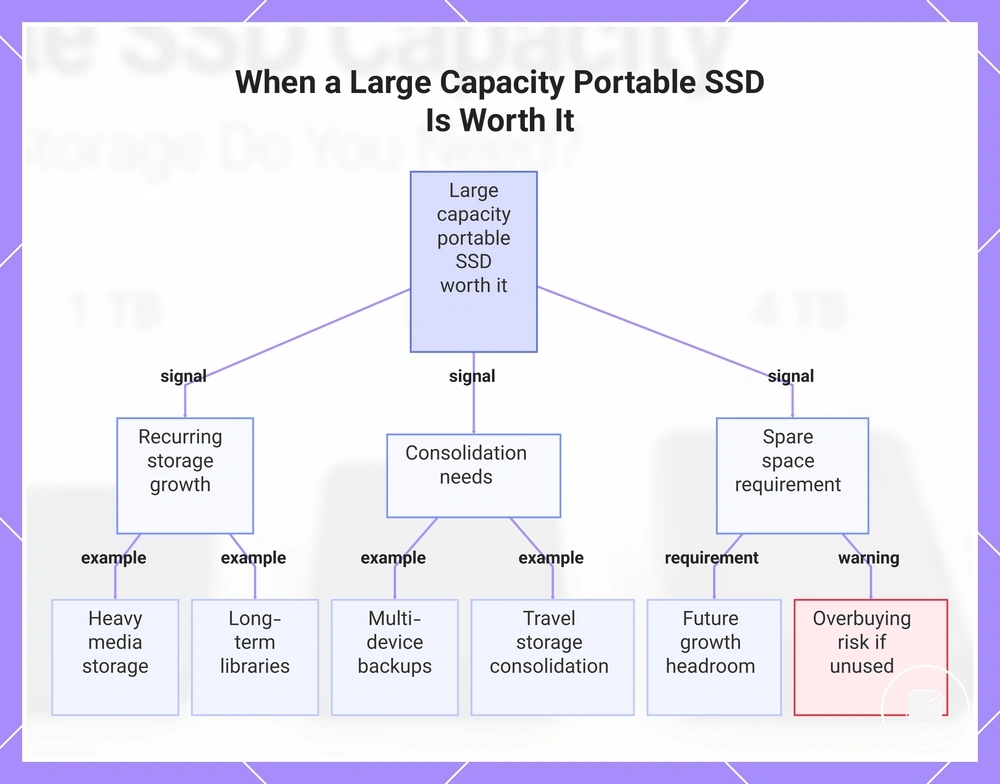
The main decision signals are recurring storage growth, consolidation needs, and a clear requirement for spare space. A large capacity portable SSD is more defensible when multiple signals apply together rather than when only one temporary need is present.
- Heavy media storage continues to grow and regularly reduces available space.
- Multi-device backups require one drive to hold data from more than one device.
- Long-term libraries are retained and expected to expand over time.
- Travel storage consolidation is more practical than carrying multiple smaller drives.
- Future growth requires headroom beyond current storage use.
- The additional capacity is likely to be used, reducing the risk of overbuying.
A large capacity portable SSD is recommended when these workload signals consistently apply and the extra headroom supports realistic future growth. If current files and expected demand remain moderate, a smaller capacity is the more practical choice because it limits unused space and unnecessary cost.
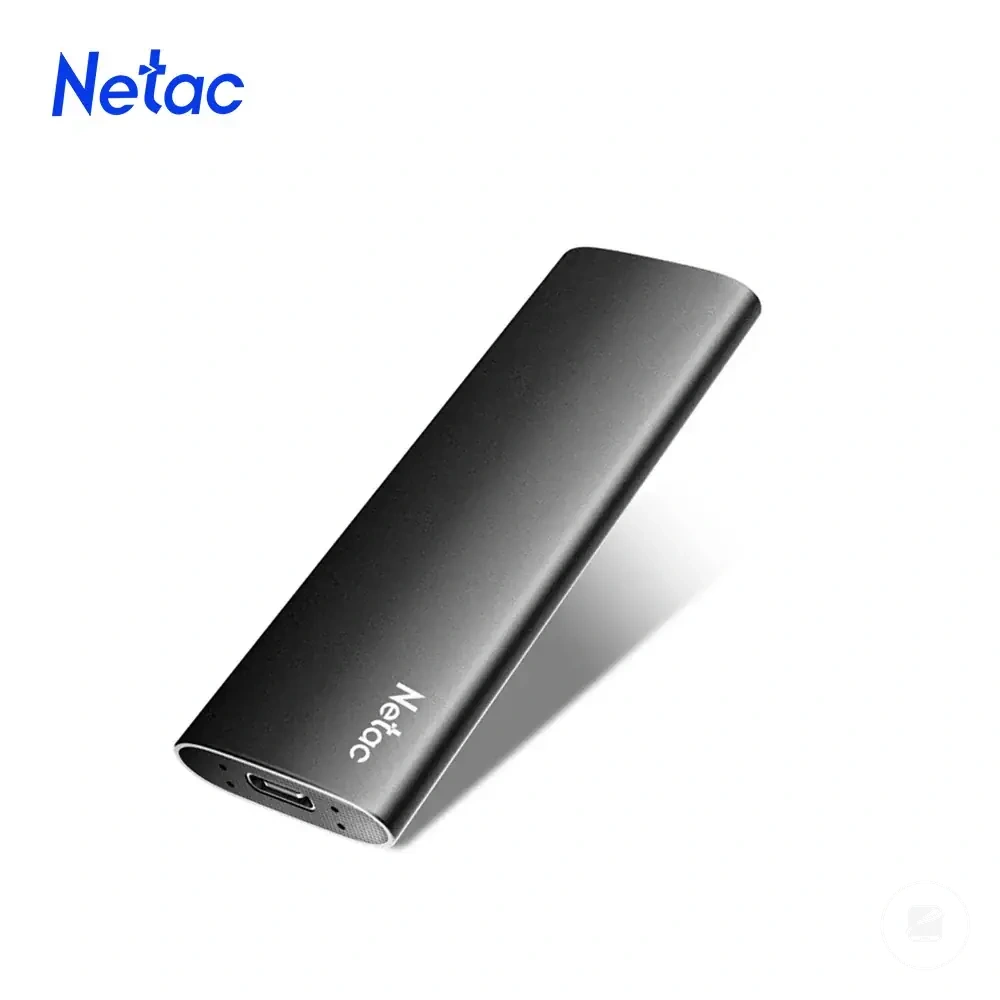
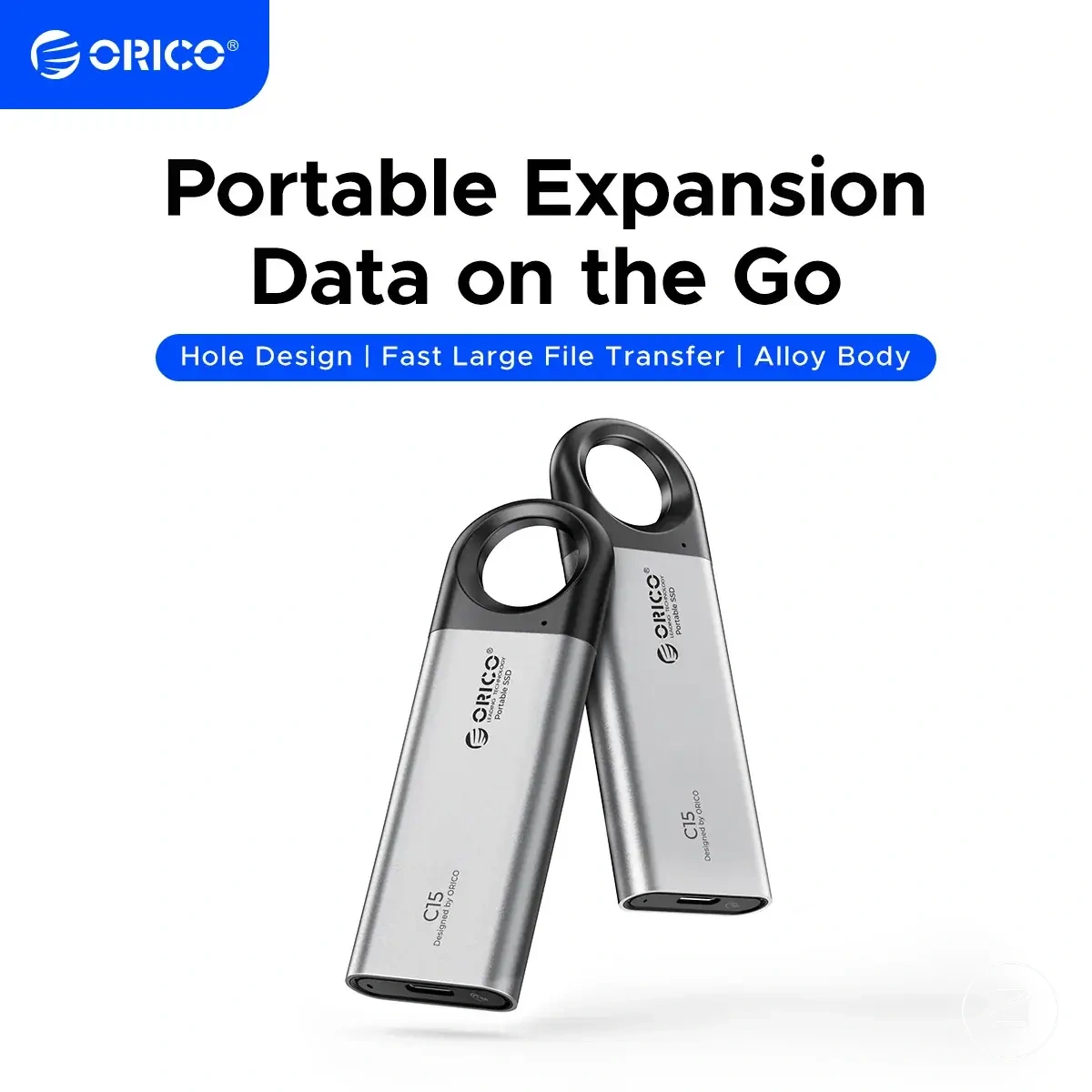
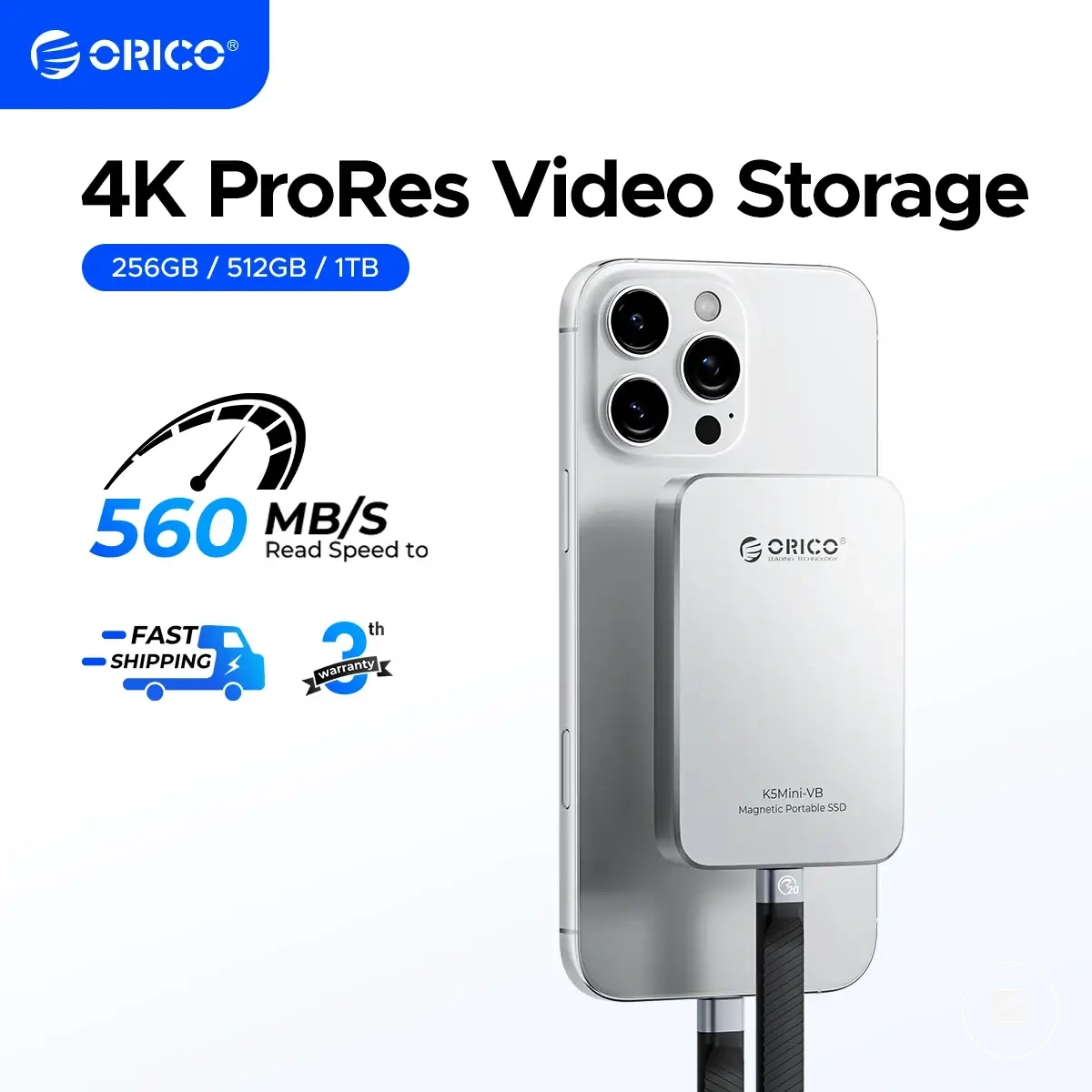
Here are product examples that may make comparison easier.
Here are product examples that may make comparison easier. Before buying, always review the compatibility criteria, essential features, and product details.


This chart shows the main decision signals that justify buying a large capacity portable SSD and the risk of overbuying.
Capacity, price per GB, and upgrade value
Price per GB can help compare capacity value, but it does not decide the purchase alone. A lower cost per GB is useful only when the additional capacity matches expected use and is likely to be occupied. Upgrade value improves when a larger capacity delays a foreseeable replacement without creating excessive unused space. The stronger choice balances storage value with practical fit.
The stronger choice balances storage value with practical fit.
Chasing the lowest price per GB creates a risk of paying more overall for capacity that remains unused. A larger capacity band can show a lower cost per GB while still providing weak upgrade value for a light workload. For example, extra storage adds little practical benefit when current use and projected growth fit comfortably within a smaller drive. Buyer caution should focus on total cost, usable capacity, and the likelihood of needing another upgrade.
Chasing the lowest price per GB creates a risk of paying more overall for capacity that remains unused.
Capacity band, expected use, and upgrade timing interact because each larger step should solve a realistic future storage need. A higher capacity provides stronger upgrade value when growing files would otherwise force an early replacement, while a smaller option provides better fit when storage growth is limited. The broader portable SSD price and value comparison places this value metric within the full buying decision. The table below organises the main capacity, price per GB, and upgrade value patterns without relying on temporary prices.
The table compares each capacity band by value tendency, buyer caution, and upgrade implication.
The table compares each capacity band by value tendency, buyer caution, and upgrade implication. These patterns remain conditional because prices and offers change, so value should be interpreted against expected use rather than treated as a fixed ranking.
| Capacity band | Value tendency | Buyer caution | Upgrade implication |
|---|---|---|---|
| Lower capacity | Lower total cost with a potentially higher price per GB than larger bands. | Limited spare space increases replacement risk when storage grows quickly. | Suitable when expected use is stable and another upgrade is unlikely soon. |
| Mid-range capacity | Balances total cost, usable headroom, and cost per GB when moderate growth is expected. | Value weakens when the added space exceeds realistic storage growth. | Useful when moderate growth would otherwise shorten the upgrade cycle. |
| High capacity | Provides a lower price per GB only when the extra storage is likely to be used. | A higher purchase cost can outweigh the value metric if much of the capacity remains empty. | Provides stronger upgrade value when expected use requires sustained headroom. |
| Very high capacity | Provides value only when persistent large-storage demand justifies the total cost. | The risk of overbuying is highest when future requirements are uncertain. | Justified when it prevents a foreseeable replacement or storage split across multiple drives. |
The final cost-value decision cue is whether the next capacity band is likely to postpone a necessary upgrade at an acceptable total cost. Choose the larger option when expected use supports its extra capacity; otherwise, a lower price per GB does not create meaningful upgrade value by itself.
Before buying, always review the compatibility criteria, essential features, and product details.
Here are product examples that may make comparison easier. Before buying, always review the compatibility criteria, essential features, and product details.
Capacity mistakes before choosing a portable SSD
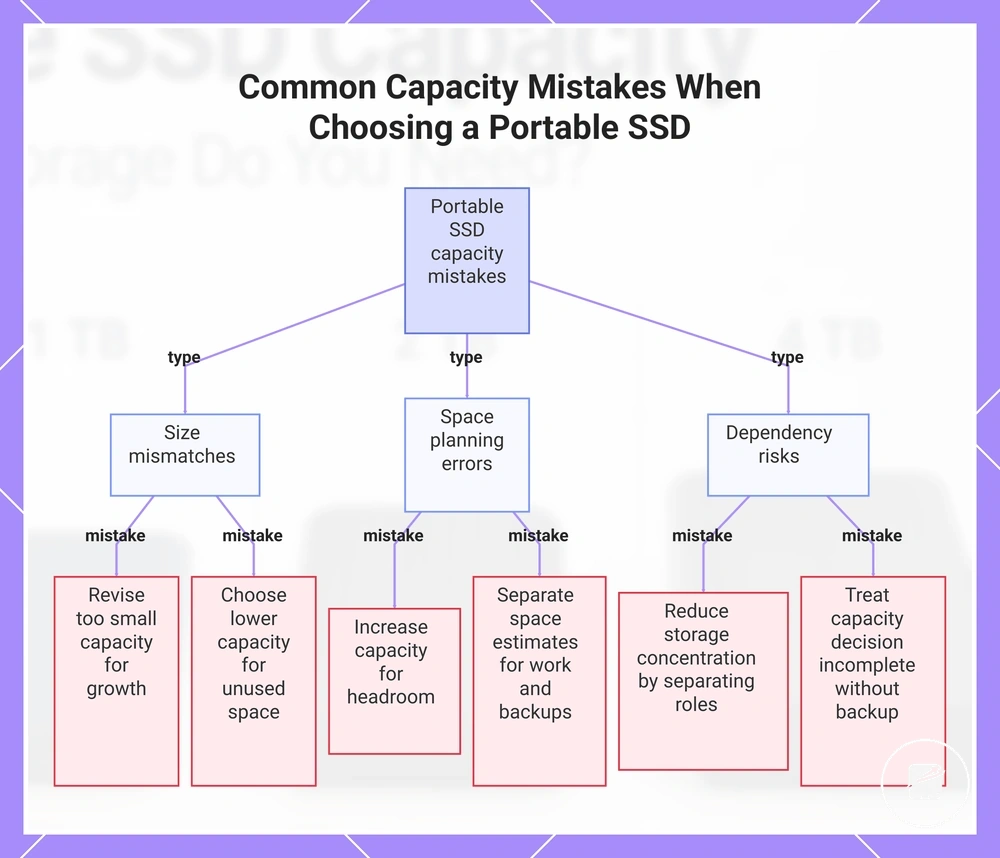
The most common capacity mistake is mismatching drive size to the real workload. Inaccurate workload assumptions can create wasted budget, early replacement, insufficient spare space, or excessive storage concentration. Capacity planning should compare current data, expected growth, active work, and backup needs before a drive size is selected. The checklist below pairs each capacity mistake with a corrective signal.
- Buying too small: Revise the capacity choice when expected workload growth would consume the available space soon after purchase, increasing the risk of early replacement.
- Buying too large: Choose a lower capacity band when the additional space has no defined use and would create wasted budget through long-term unused capacity.
- Ignoring spare space: Increase the planned capacity when active work and expected growth would leave too little headroom for new files.
- Mixing active work and backups without planning: Recalculate the required capacity by assigning separate space estimates to working files and each backup copy.
- Using one drive for every storage role: Reduce storage concentration by checking whether active work and backup data would depend on the same portable SSD.
- Relying on one drive as the only copy: Treat the capacity decision as incomplete when the planned drive would hold the sole copy of important files.
The corrective principle is to choose capacity from measured current use, realistic growth, and clearly separated storage roles. The final decision should preserve spare space for active work while keeping the backup copy separate from one drive whenever the files are important.
The corrective principle is to choose capacity from measured current use, realistic growth, and clearly separated storage roles.
This chart shows the main capacity planning mistakes and their corrective signals to help you choose the right portable SSD size.
Portable SSD capacity questions
Remaining portable SSD capacity questions should be answered with short, conditional guidance. The suitable storage size follows the use case, active files, backup fit, and required storage headroom.
What is the minimum capacity for a portable SSD?
What is the minimum capacity for a portable SSD?
Choose the minimum only after comparing current storage use with near-term growth.
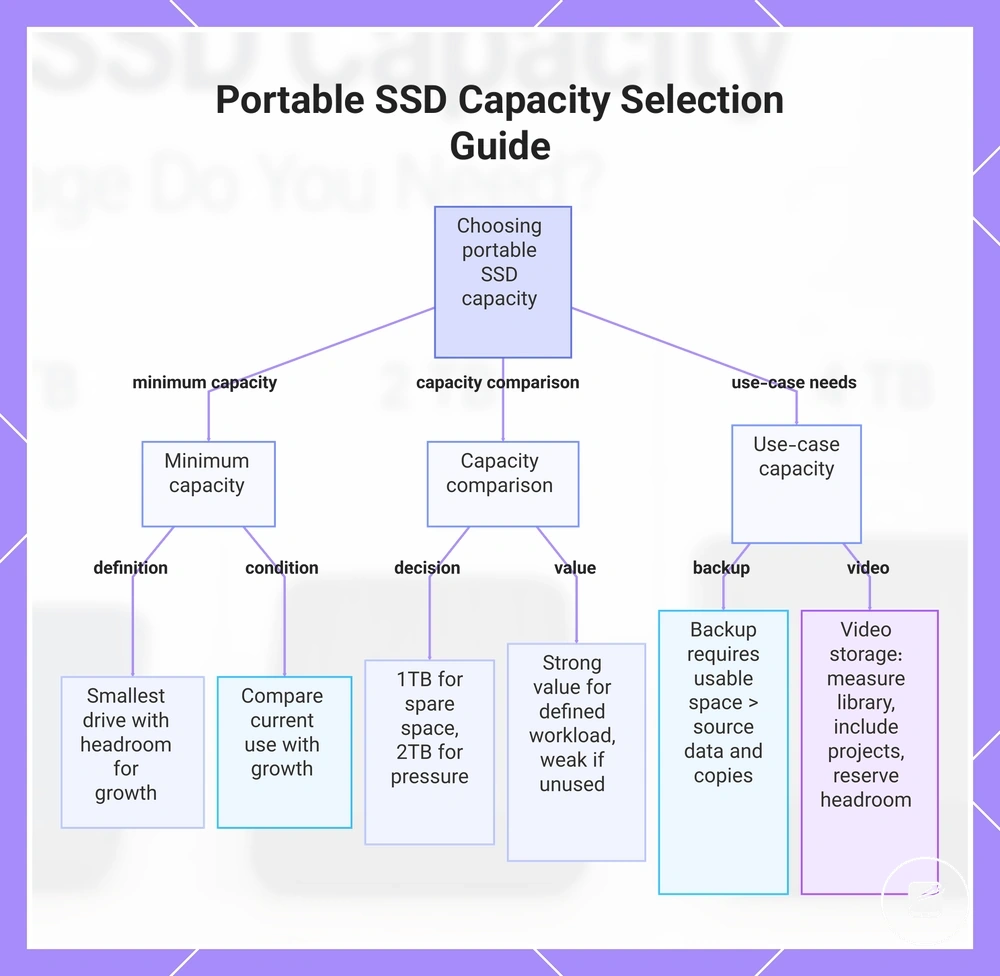
The minimum capacity is the smallest drive size that holds current everyday files while leaving storage headroom for expected growth. A lower capacity can suit document transfers and a limited file set, but it becomes restrictive when active projects or backups expand. Choose the minimum only after comparing current storage use with near-term growth.
Should I choose 1TB or 2TB?
Choose 1TB when active files and planned backups fit with comfortable spare space; choose 2TB when the same workload would place regular capacity pressure on 1TB. The larger option also provides more room for growing media libraries or multiple project versions. The decision should follow measured storage use rather than the capacity label alone.
The decision should follow measured storage use rather than the capacity label alone.
Is a large capacity portable SSD good value?
Compare the higher total cost with the practical benefit of avoiding future capacity pressure.
A large capacity provides stronger value when its extra space supports a defined workload or delays an expected replacement. It provides weaker value when most of the added capacity is likely to remain unused, increasing the risk of overbuying. Compare the higher total cost with the practical benefit of avoiding future capacity pressure.
Can one portable SSD provide enough backup capacity?
Can one portable SSD provide enough backup capacity?
Confirm both the required backup space and where another copy will be stored.
One portable SSD can provide enough backup fit when its usable space exceeds the selected source data and the backup copies assigned to that drive. It should not be treated as the only copy of important files because capacity and backup separation solve different problems. Confirm both the required backup space and where another copy will be stored.
How much portable SSD capacity is suitable for video storage?
How much portable SSD capacity is suitable for video storage?
Measure the current video library, include active project files, and reserve storage headroom for upcoming work.
Video storage places greater capacity pressure on a drive when source footage, project files, exports, and retained versions are stored together. Measure the current video library, include active project files, and reserve storage headroom for upcoming work. A 2TB drive holds more video data than 1TB, but the suitable capacity still follows recording format, project length, and retention needs.
A 2TB drive holds more video data than 1TB, but the suitable capacity still follows recording format, project length, and retention needs.
This chart shows the main factors to consider when choosing a portable SSD capacity, including minimum capacity, capacity comparisons, and use-case specific requirements.