
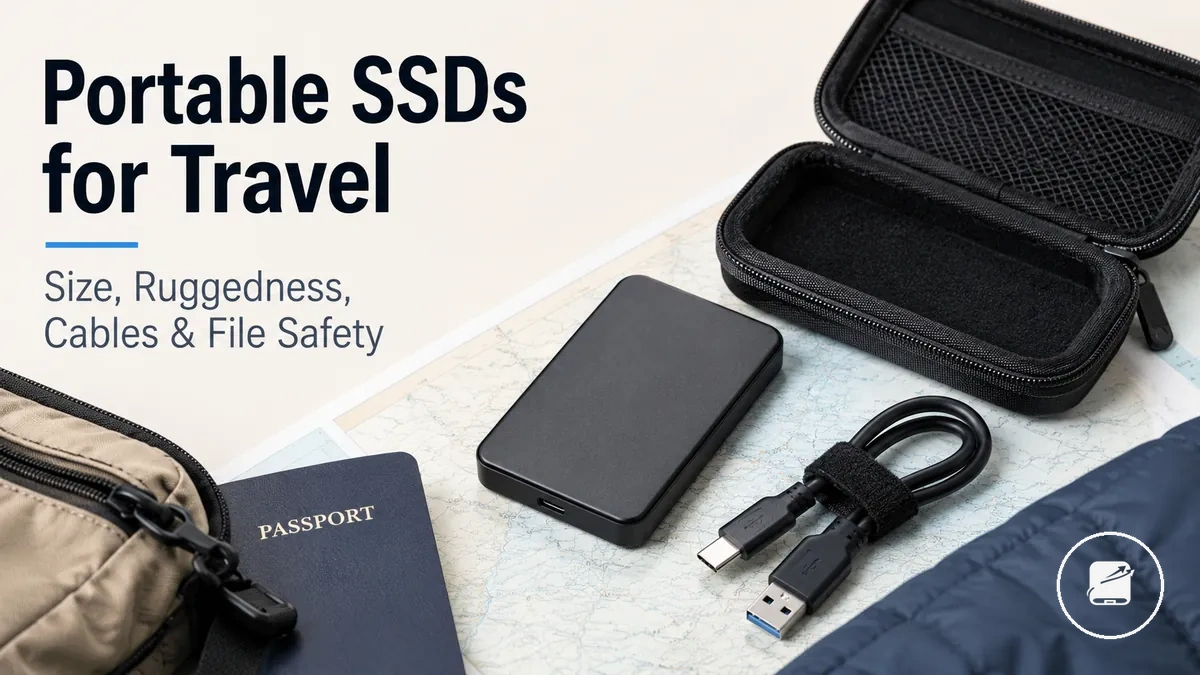
Portable SSDs for Travel Storage
Portable SSDs are compact external storage devices used to carry, access, and protect files away from a fixed desk. Their travel value comes from combining portable access with a cable-based connection to laptops, tablets, or other supported devices. This page frames portable SSDs as tools for travel storage.
This page frames portable SSDs as tools for travel storage.
A traveller may need to move work documents, photographs, or media between devices while managing limited bag space, frequent handling, and changing connection options. Ruggedness should be treated as a defined level of casing and shock protection rather than proof that a portable drive cannot be damaged. Device compatibility requires the drive interface, cable, adapter where needed, device port, operating system, and file format to support the intended workflow. These travel conditions establish the practical decision criteria.
These travel conditions establish the practical decision criteria.
The main risk is treating one portable SSD as both convenient access and a complete protection plan. For example, a traveller can keep working files on the portable drive while storing a separate backup copy on another device or service, so loss of the travel drive does not remove the only copy. File safety is stronger when important files have a separate backup copy, while encryption can reduce exposure if a supported drive is lost but cannot replace another copy of the data. The next section begins with the travel conditions that determine how much portability and protection a drive setup needs.
Table of Contents
When Portable SSDs Make Sense for Travel Storage
A portable SSD makes sense for travel storage when travellers need portable file access, temporary working storage, or secondary copies while away from their usual workspace. It is especially suitable for trip-based storage needs where reliable access to files across supported devices is more important than permanent storage. This section focuses on deciding whether the travel need justifies carrying external storage.
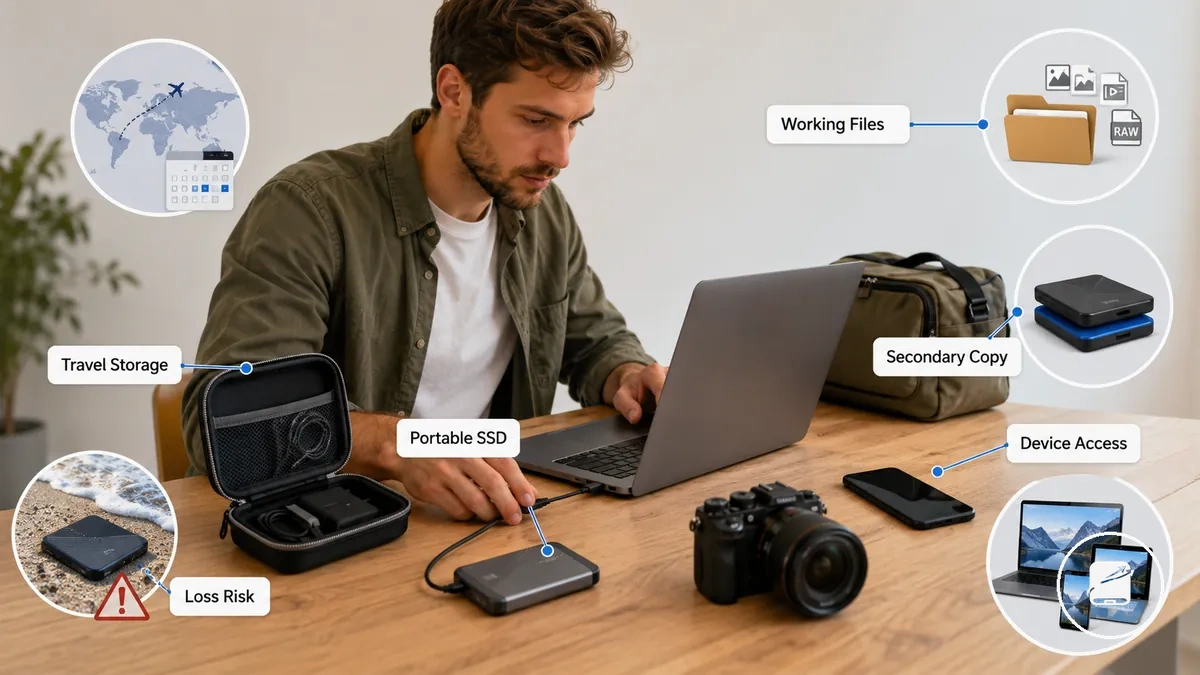
For trips involving large files, offline work, or file transfers between multiple devices, portable SSDs provide portable storage that supports efficient device access during travel. A short trip using mainly cloud documents may not require an external SSD, while longer journeys or workflows with photos, videos, or project files often benefit from keeping secondary copies available. The practical fit is determined by trip length, file size, device access requirements, portability, and the expected risk of loss or damage.
The practical fit is determined by trip length, file size, device access requirements, portability, and the expected risk of loss or damage.
Consider carrying a portable SSD for travel storage if these conditions apply:
- You need portable file access without depending on a continuous internet connection.
- Your trip involves large files that exceed the available space on your primary device.
- You expect to move working files between compatible devices during the journey.
- You want secondary copies of important files while travelling.
- You prefer portable storage that is easy to carry alongside your travel equipment.
A portable SSD improves travel convenience, but it does not replace a broader backup strategy. For example, keeping working files on the travel drive while maintaining another backup copy in a separate location reduces the impact of losing or damaging the travel drive during the trip.
Travel Capacity and Portability Criteria
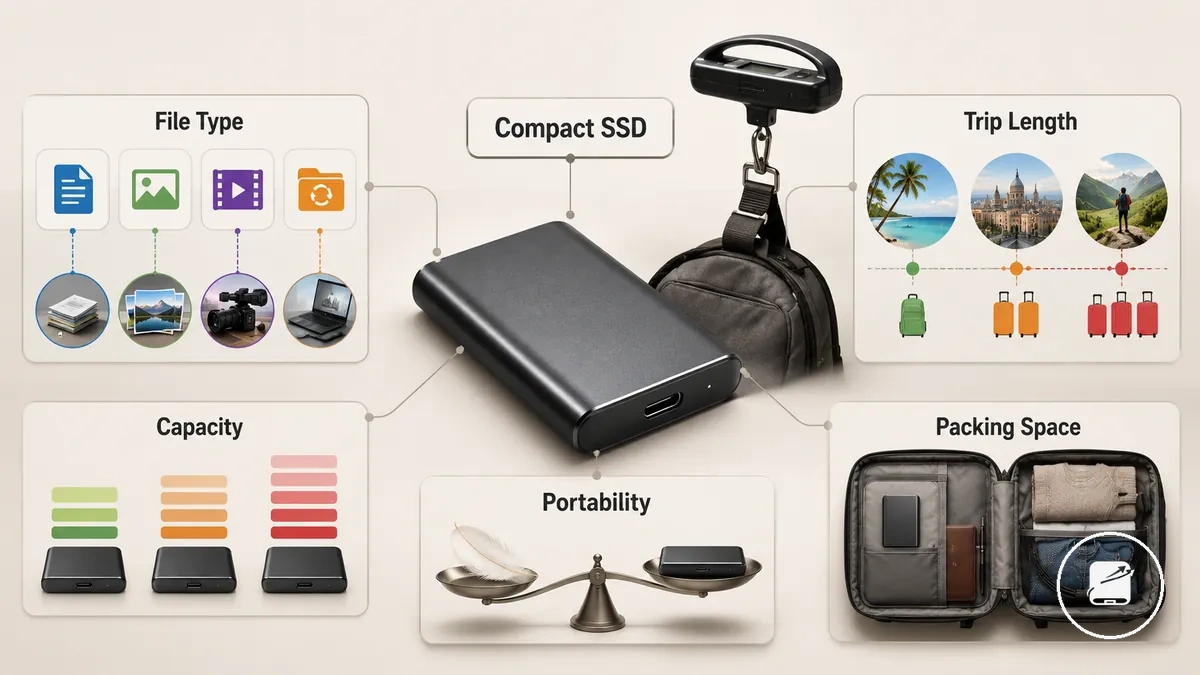
Travel capacity and portability criteria should match your file type, trip length, and packing constraint rather than a general preference for larger storage. A compact portable SSD is the better travel choice when its capacity provides storage adequacy for the planned workload without adding unnecessary size or weight. Use these criteria to balance storage needs against portability.
Use these criteria to balance storage needs against portability.
Travel capacity and portability criteria are easiest to compare when storage size is evaluated alongside carry size and travel workload. A short business trip with mostly documents places low capacity pressure, while a longer journey involving photo or video work benefits from higher storage capacity if the added weight still fits your packing plan. The table below organizes the main decision cues by travel scenario.
| Travel workload | Capacity pressure | Portability concern | Decision cue |
|---|---|---|---|
| Document travel | Low | Small carry size and minimal weight. | A compact portable SSD is suitable when documents and presentations make up most of the travel workload. |
| Photo travel | Moderate to high | Balance storage size with available bag space. | Choose additional capacity when longer trip length and frequent photo transfers increase storage demand. |
| Video travel | High | Accept a modest increase in carry size for larger working files. | Prioritize storage adequacy when video files create sustained capacity pressure during the trip. |
| Mixed backup travel | Moderate | Balance portability with the need for secondary copies. | Select capacity based on the combined workload instead of planning around a single file type. |
For example, a traveller carrying only office documents for a weekend trip can usually prioritize portability, while a traveller editing photos or videos during a longer journey benefits from additional capacity even if the drive occupies slightly more bag space. The decision should remain linked to the expected travel workload instead of treating larger capacity as a universal recommendation.
Compact Size, Weight, and Packing Fit
Compact size, weight, and packing fit determine how easily a portable SSD fits into daily travel without slowing access to stored files. A smaller carry footprint improves bag organization, while a slightly larger casing can be a better choice when extra protection and easier handling outweigh minimal space savings.
Compact size, weight, and packing fit determine how easily a portable SSD fits into daily travel without slowing access to stored files.
Compact size, weight, and packing fit become easier to evaluate when the drive, cable storage, and carry location are considered together. The image below shows how the drive, cable, and common travel compartments can be organized to improve access while reducing unnecessary clutter.
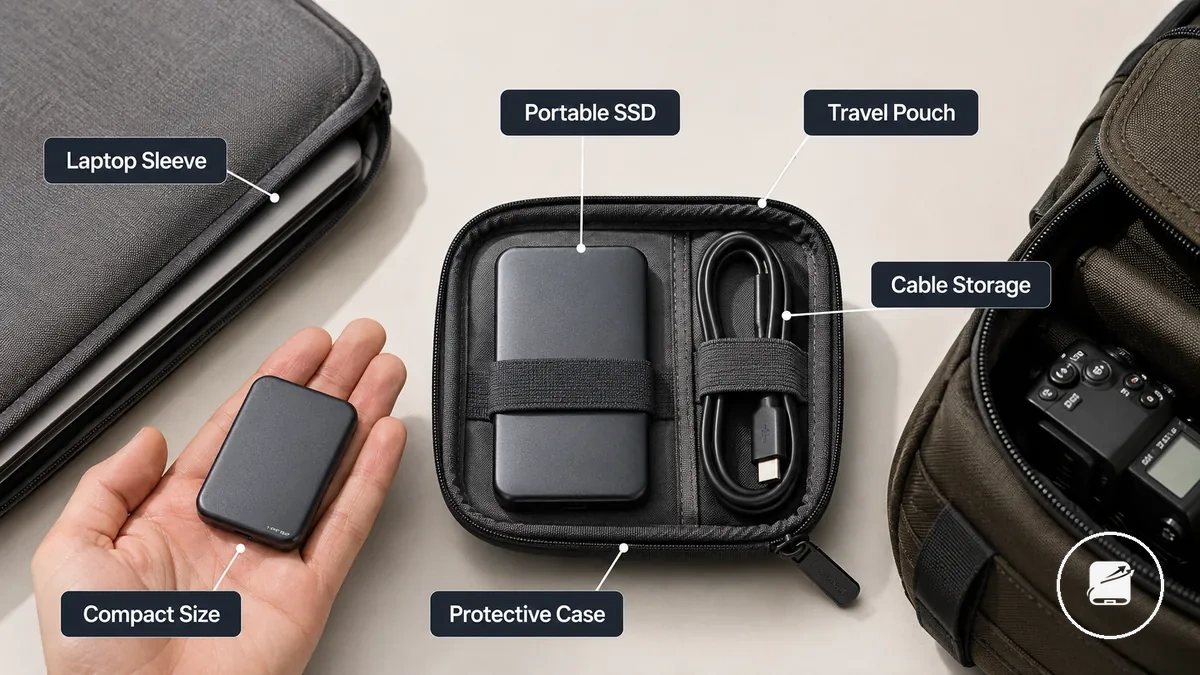
- Pocket carry: A small drive occupies little space, but storing it loose increases misplacement risk unless it is kept in a labeled pouch.
- Camera bag carry: A dedicated pocket keeps casing bulk separate from cameras and accessories, making the drive easier to locate.
- Laptop sleeve: A slim portable footprint fits beside a laptop, while secured cable storage reduces snagging during removal.
- Travel pouch: Keeping the drive and cable together improves packing fit and provides faster access throughout the trip.
For example, a traveller who connects a portable SSD throughout the day may prefer a slightly larger protective casing because it is easier to grip and identify inside a crowded backpack than the smallest shell, even though it occupies a little more bag space.
Capacity Ranges for Photos, Video, Documents, and Backups
Capacity ranges for photos, video, documents, and backups should match your travel workload instead of relying on a single recommended drive size. Documents and phone media usually create lighter storage pressure, while RAW photos, camera video, project files, and a duplicate copy increase storage demand more quickly, especially on longer trips. Choosing suitable capacity therefore starts with the expected travel workload.
Choosing suitable capacity therefore starts with the expected travel workload.
Capacity ranges for photos, video, documents, and backups become easier to compare when file type and trip duration are considered together. The comparison below shows how common travel files influence storage pressure without suggesting exact file-count guarantees.
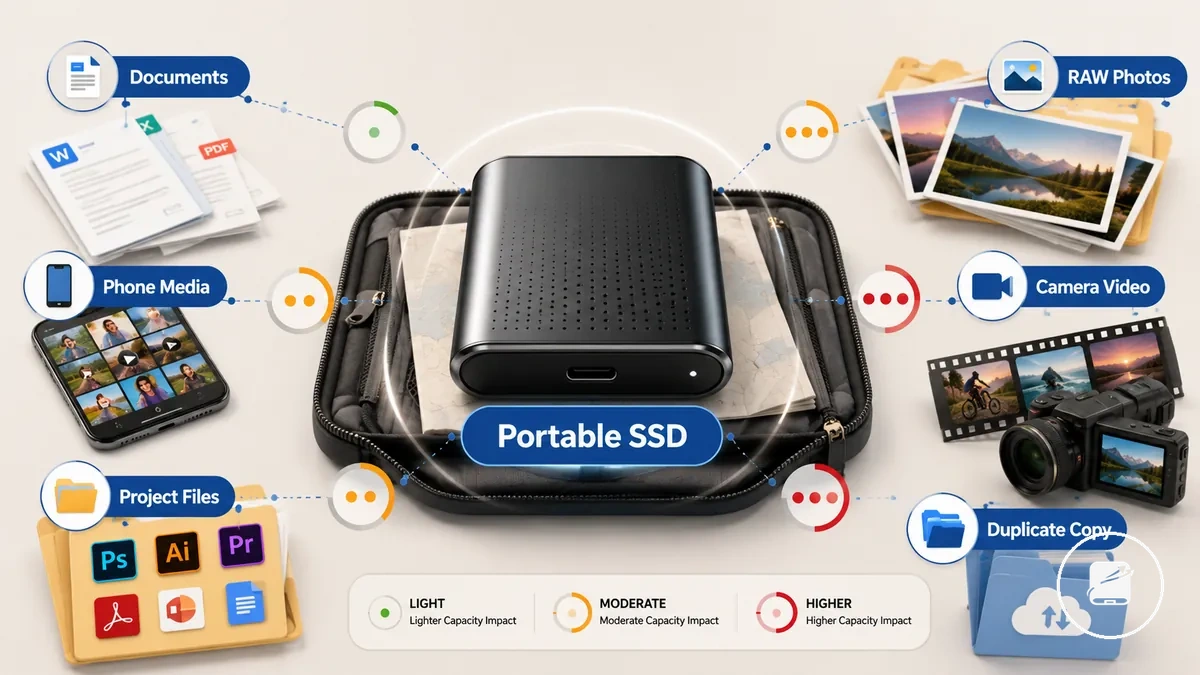
| File type | Typical travel pressure | Capacity implication | Safety note |
|---|---|---|---|
| Documents | Light | Smaller capacity ranges are often suitable for text files, PDFs, and travel records. | Keep a duplicate copy of important documents whenever practical. |
| Photos | Moderate to high with RAW files | Higher-resolution images increase capacity pressure over longer trips. | Store originals and a duplicate copy separately if possible. |
| Phone media | Light to moderate | Storage needs increase as photos and recorded videos accumulate. | Remove unnecessary duplicates before creating a backup. |
| Video and project files | High | Larger capacity ranges are generally more appropriate because these files consume storage quickly. | Create a duplicate backup copy for difficult-to-replace footage when practical. |
| Duplicate backups | Additional storage requirement | Reserve extra capacity for a second copy of important travel data. | Keep the duplicate copy in a separate location to reduce loss from a single incident. |
For example, a short business trip storing mostly documents and phone media usually requires less capacity than a week-long photography trip capturing RAW photos and camera video. These comparisons are illustrative estimates rather than guaranteed storage outcomes because file volume depends on recording settings and individual travel workflows.
Ruggedness and Environmental Protection During Travel
A portable SSD should be chosen for travel by matching its protection attributes to the conditions it is likely to encounter while packed, carried, or moved between locations. Shock resistance, environmental sealing, and careful handling each reduce different types of risk, making the relevant travel condition more important than a rugged marketing label. This section focuses on the protection attributes that matter most during travel.
This section focuses on the protection attributes that matter most during travel.
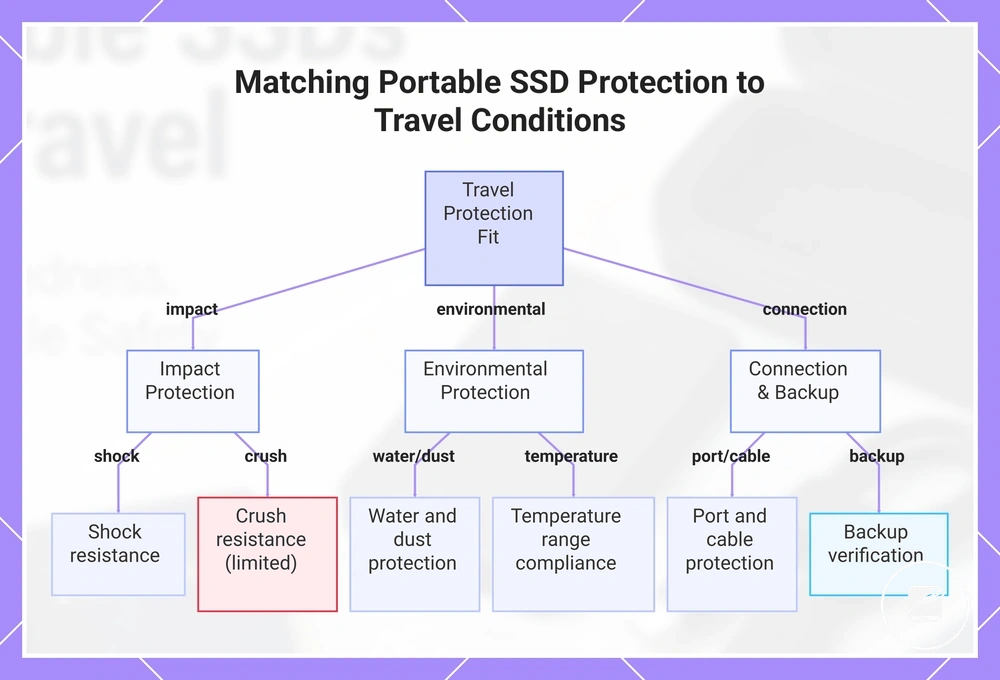
Each protection attribute should be evaluated against a specific travel condition. Shock-resistant enclosures help reduce the risk of damage from accidental drops, while water, dust, crush, and temperature resistance provide additional confidence only within the manufacturer's stated operating or protection limits. Cable connections, exposed ports, and adapters also deserve attention because repeated packing and unplugging can increase wear. A verified backup copy remains an important part of file safety because physical protection lowers risk but cannot eliminate data loss.
Each protection attribute should be evaluated against a specific travel condition.
Before comparing portable SSDs, check whether these protection attributes match your expected travel conditions rather than relying on broad rugged branding.
- Shock resistance: Suitable for reducing damage risk from everyday drops and impacts during normal travel handling.
- Water and dust protection: Appropriate when the enclosure is designed for limited exposure to moisture or dust under the manufacturer's specified conditions.
- Port and cable protection: Secure cable support and clean ports help reduce wear from frequent connections.
- Crush resistance: A reinforced enclosure offers greater resistance to pressure inside tightly packed luggage but should not be treated as crush-proof.
- Temperature resistance: Operate and store the drive within the manufacturer's stated temperature range to reduce environmental stress.
- Backup verification: Confirm copied files open correctly so file safety complements physical protection.
For example, a traveller carrying a portable SSD in a crowded backpack may benefit more from a durable enclosure and protected USB port than from generic rugged branding alone. For broader durability considerations beyond travel conditions, see rugged portable SSD features.
For broader durability considerations beyond travel conditions, see rugged portable SSD features .
This chart groups the key protection attributes for portable SSDs into impact, environmental, and connection categories, and highlights the travel-specific checks and limitations.
Shock Resistance and Drop Protection
A portable SSD provides more effective drop protection when its shock-resistance attributes match the travel condition in which it is carried. Enclosure design, storage method, and handling habits each reduce a different type of impact risk, so evaluating these attributes together leads to a more informed travel decision.
Shock protection comes from multiple layers rather than a single feature.
Shock protection comes from multiple layers rather than a single feature. A rigid aluminium or reinforced plastic enclosure helps distribute impact across the casing, while solid-state storage avoids the moving mechanical components found in hard disk drives, reducing vulnerability to vibration and everyday knocks. Even so, the USB port, connector, and internal electronics remain susceptible to damage from severe impacts, making careful handling an important part of overall protection.
Even so, the USB port, connector, and internal electronics remain susceptible to damage from severe impacts, making careful handling an important part of overall protection.
Use the following criteria when comparing shock resistance for travel:
- Casing material: Reinforced plastic or metal enclosures provide greater structural support than thin plastic housings during routine travel handling.
- Internal SSD resistance: Solid-state storage resists vibration and normal movement better than mechanical storage, although the electronics and enclosure can still be damaged by a hard drop.
- Padded storage: A padded protective case reduces direct impacts and limits movement inside luggage.
- Handling habits: Disconnect the cable before packing and store the portable SSD in a secure compartment to reduce port strain and accidental impact.
For example, placing a portable SSD inside a padded organiser pocket instead of a loose outer compartment reduces movement during transit and lowers the risk of impact against other travel items, although no carrying method completely removes drop-related risk.
Water, Dust, and Casing Protection
A portable SSD offers more reliable protection during travel when its water, dust, and casing attributes match the expected travel condition. These attributes reduce exposure to splashes, dust, and everyday handling risks, but they do not make the device risk-free, so checking the protection features remains part of an informed travel decision.
A portable SSD offers more reliable protection during travel when its water, dust, and casing attributes match the expected travel condition.
Water and dust protection is typically identified by an IP rating when the manufacturer specifies one, with the IEC 60529 classification defining the enclosure's tested resistance to dust ingress and water exposure. A sealed casing, protected port area, and closely fitted case seams help limit environmental exposure during outdoor use or when a portable SSD is carried in a dusty bag, although the stated protection applies only under the tested conditions. A protective carrying case adds another layer against scratches, dirt, and minor impacts, but it cannot increase the enclosure's certified ingress protection.
A protective carrying case adds another layer against scratches, dirt, and minor impacts, but it cannot increase the enclosure's certified ingress protection.
Verify these protection attributes before relying on them during travel:
- IP rating label: Confirm that the manufacturer publishes an IP classification rather than using general rugged marketing terms.
- Port covers: Check that protective covers or sealed connector areas are intact because open ports increase exposure to dust and moisture.
- Case seams: Inspect enclosure joints for a well-sealed construction that supports the stated protection level.
- Protective case: Use a travel case to reduce contact with dust, scratches, and loose items inside luggage, while recognising that it does not replace the drive's own enclosure protection.
For example, carrying a portable SSD inside a zipped protective case during a light outdoor hike helps reduce exposure to dust and accidental splashes, but the level of water and dust protection still depends on the model's stated IP rating and the conditions under which it is used.
Travel Cases and Accessory Storage
A travel case keeps a portable SSD, cable, and small accessory together when moving between a laptop, tablet, or another compatible device. For travel use, this organisation reduces misplaced items and separates the drive from loose objects inside luggage, a backpack, or a camera bag.
A travel case keeps a portable SSD, cable, and small accessory together when moving between a laptop, tablet, or another compatible device.
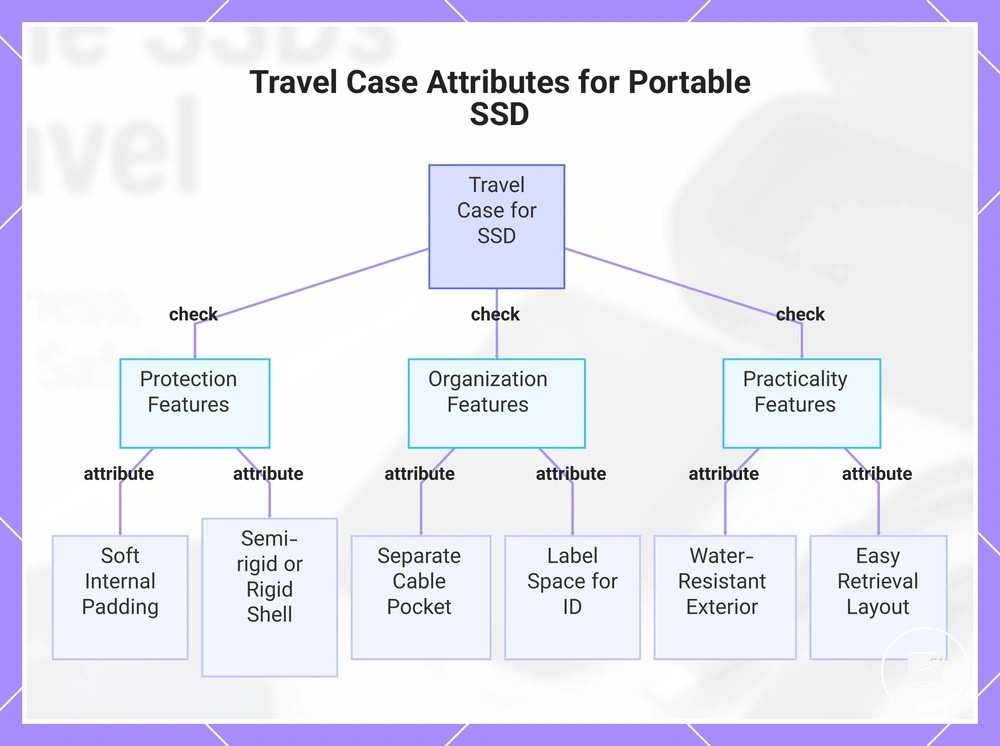
The case should combine soft internal padding with a semi-rigid or rigid shell when the travel condition includes tightly packed luggage, while a flexible pouch is more suitable where low bulk and quick retrieval matter more than compression resistance. A separate cable pocket prevents the connector and adapter from rubbing against the portable SSD, and label space helps identify the correct drive when multiple storage devices are carried. A water-resistant exterior can reduce exposure to light rain or accidental splashes, but it does not make the case waterproof or replace the drive enclosure's own protection.
A water-resistant exterior can reduce exposure to light rain or accidental splashes, but it does not make the case waterproof or replace the drive enclosure's own protection.
For example, a camera-bag user may choose a semi-rigid case with a dedicated cable pocket to separate the portable SSD from heavier equipment while keeping the drive accessible for a backup copy. Check these travel-use attributes before choosing the storage arrangement:
- Padding: Use soft internal material that separates the portable SSD from hard accessories and minor contact inside the bag.
- Shell stiffness: Choose a semi-rigid or rigid shell for packed luggage, or a flexible pouch when lower bulk is the priority.
- Cable pocket: Keep the cable and adapter in a separate compartment so they remain available without pressing against the drive or port.
- Label space: Use a visible identification area when more than one portable drive or accessory case is carried.
- Water resistance: Treat a water-resistant exterior as protection from light splashes rather than immersion or waterproof storage.
- Ease of retrieval: Select an opening and internal layout that allow the portable SSD and cable to be removed without unpacking the surrounding bag.
This chart shows the key attributes to check when selecting a travel case for a portable SSD, grouped by protection, organization, and practicality.
Hard Cases, Sleeves, and Padded Compartments
A portable SSD should be stored in a hard case, soft sleeve, or padded bag compartment according to the travel condition and the level of protection required. The practical trade-off is between protection, bulk, and accessibility, so the storage option should match how the drive and its accessory items will be carried during travel use.
Choose the storage option that provides the appropriate balance between protection and convenience for the expected handling condition.
Choose the storage option that provides the appropriate balance between protection and convenience for the expected handling condition.
| Storage option | Protection level | Bulk | Accessibility | Pressure risk from nearby items |
|---|---|---|---|---|
| Hard case | High protection against compression and minor impacts | Higher | Moderate | Lower because the rigid shell helps shield the portable SSD, cable, and adapter from heavy items |
| Soft sleeve | Basic protection against scratches and light contact | Low | High | Higher because the sleeve provides little resistance to pressure from packed accessories or equipment |
| Padded bag compartment | Moderate protection when built-in padding separates the drive from surrounding items | None beyond the bag itself | High | Moderate because protection relies on careful packing and the weight of nearby items |
For example, a soft sleeve is usually sufficient when a portable SSD is stored inside a dedicated padded laptop compartment with minimal surrounding weight. A hard case is a safer choice when the drive travels beside chargers, camera equipment, or other heavy accessories that could place sustained pressure on the enclosure or cable.
Cable Pockets and Small Accessory Organisation
A portable SSD is easier to use during travel when its cable, adapter, and other small accessory items stay in a dedicated pocket within the case. Organising each connector for the expected device and travel condition reduces missing parts, tangled cables, and unnecessary handling before a backup copy or file verification.
A portable SSD is easier to use during travel when its cable, adapter, and other small accessory items stay in a dedicated pocket within the case.
Use a pocket or small pouch that keeps the following items visible and separated:
- Cable length: Pack a cable that reaches the intended device port without tension and coils inside the pocket without tight bends.
- Connector type: Match the packed cable to the portable SSD connector and the port available on the intended device.
- Spare adapter: Carry one labelled adapter when travel use requires access to a second port type, rather than packing duplicate cable sets.
- Cable strain: Coil the cable loosely and keep both connector ends inside the pocket so the case closure or nearby items do not press against them.
- Labels: Mark the cable and adapter by connector type or intended device when similar accessories share the same pouch.
- Object separation: Keep the portable SSD and its cable away from keys, tools, chargers, and other sharp or heavy objects that increase pressure or abrasion risk.
For example, a traveller using a USB-C laptop and a USB-A device can keep one compatible portable SSD cable and one labelled adapter in the same accessory pocket. This arrangement keeps both port types available without overpacking, provided the cable and adapter match the required device connections.
Cable and Device Compatibility While Travelling
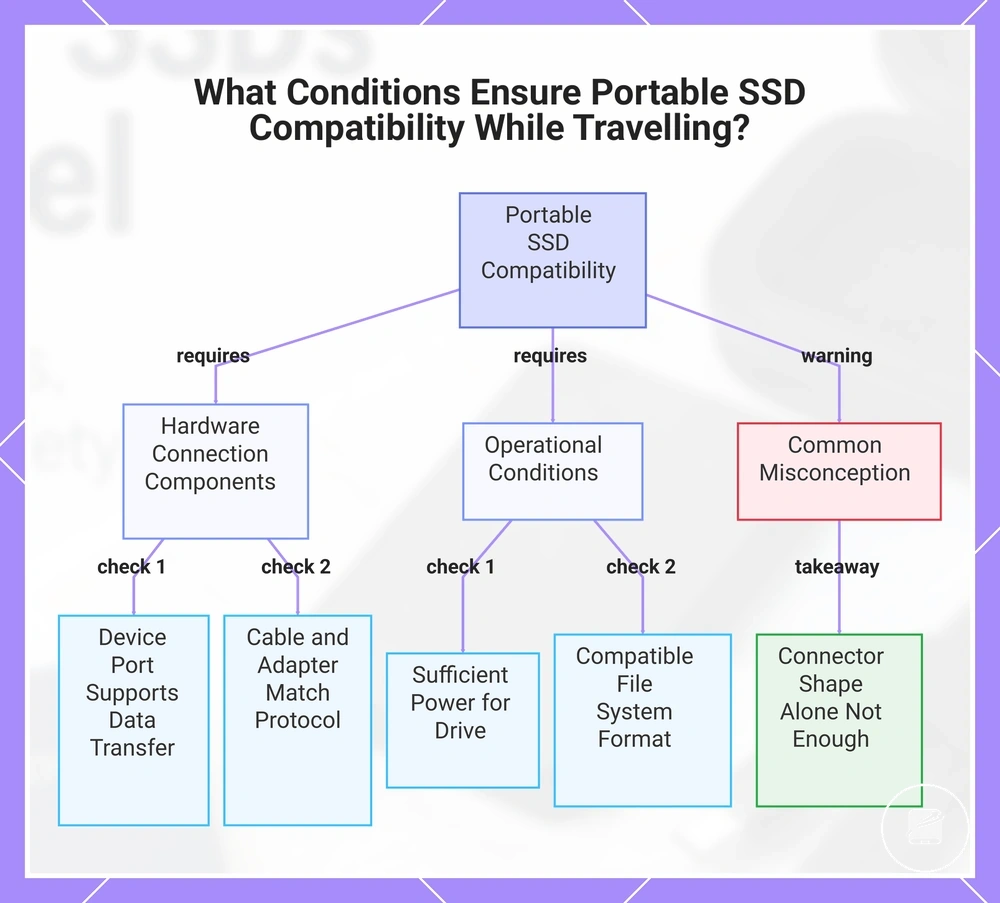
A portable SSD is compatible with a travel device when the device port, cable connector, data protocol, available power, and file-system support match the drive’s requirements. Verify these conditions before departure so the connection supports the intended backup copy, verification, or file-access task.
Verify these conditions before departure so the connection supports the intended backup copy, verification, or file-access task.
Check each part of the connection rather than relying on connector shape alone:
- Device: Confirm that the laptop, tablet, or phone supports external storage through the port intended for travel use.
- Port: Identify whether the device provides USB-C, USB-A, or another required connection, and confirm that the selected port supports data transfer rather than charging only.
- Cable: Use a cable with connectors that fit both the portable SSD and the device, and with a data protocol supported by both endpoints; matching connector shapes alone do not establish the available speed or power.
- Adapter: Add an adapter only when it preserves the required data connection between different connector types; a charging-only adapter does not provide storage access.
- Power: Confirm that the device port provides the power condition required by the portable SSD, because insufficient power can prevent detection or interrupt operation.
- File system: Use a format that the intended operating system can read and, when file changes are required, write; read-only support limits editing, deletion, and backup operations.
For example, a USB-C cable may physically connect a portable SSD to a USB-C device while the cable, port, or adapter supports charging only or a lower data-transfer capability. The connection outcome therefore reflects the complete device-to-drive path, not the connector shape alone.
The connection outcome therefore reflects the complete device-to-drive path, not the connector shape alone.
Review cable and device compatibility when the travel setup includes multiple operating systems, connector types, or adapters that require broader verification.
This chart shows the key conditions to verify for a portable SSD to work with a travel device, including hardware connection, power, and file system checks.
This chart shows the key conditions to verify for a portable SSD to work with a travel device, including hardware connection, power, and file system checks.
USB-C, USB-A, Thunderbolt, and Adapter Needs
A portable SSD is compatible for travel use when the device port, cable, adapter, and supported protocol match the intended connection. Check these compatibility conditions before leaving home so the portable SSD can support reliable backup copy, verification, and file access during travel.
A portable SSD is compatible for travel use when the device port, cable, adapter, and supported protocol match the intended connection.
Verify the following compatibility points before packing:
- USB-C port: Confirm that the device's USB-C port supports data transfer rather than charging only.
- USB-A port: Use a USB-A cable or adapter that supports data transfer and matches both the portable SSD and the destination device.
- Thunderbolt: A Thunderbolt port supports compatible USB-C storage devices, but a USB-C connector alone does not indicate Thunderbolt capability or the same data performance.
- Adapter direction: Select an adapter intended for storage data transfer between the portable SSD and the destination device; a charging-only adapter does not provide storage access.
- Cable rating: Use the original cable supplied with the portable SSD or a replacement cable rated for the required data protocol.
- Power reliability: Confirm that the selected device port supplies sufficient power for the portable SSD because inadequate power can prevent reliable detection or interrupt file transfers.
For example, a USB-C cable may fit both a portable SSD and a laptop, yet an unrated spare cable may support charging only or a lower data capability than required. Physical connector shape confirms only that the cable fits the port, while protocol support, cable rating, adapter function, and device compatibility determine the connection outcome.
Laptop, Tablet, Phone, and Camera Connection Limits
A portable SSD is compatible with a travel device when the device supports external storage through its port, supplies the required power, and can read the drive's file system. Check each condition before travelling so the portable SSD remains available for backup copies, verification, and file access.
Check each condition before travelling so the portable SSD remains available for backup copies, verification, and file access.
Verify these device-specific compatibility limits before packing:
- Laptops: A laptop requires a data-capable USB or Thunderbolt port, a compatible cable or adapter, operating-system support for external storage, and readable file-system support.
- Tablets: A tablet requires external-storage support through its port, sufficient power for the portable SSD, a compatible file system, and an app or file manager that can access the mounted drive.
- Phones: A phone requires USB storage support, a compatible cable or adapter, sufficient port power, and operating-system access to external files; failure in any condition can leave the drive connected but unusable.
- Cameras: A camera can record directly to a portable SSD only when the camera supports external recording through that port and recognises the drive, cable, file system, and recording mode.
For example, a phone may detect that an accessory is connected while withholding file access because the portable SSD is not mounted by the operating system or available to the selected app. Accessory detection is therefore not the same as usable storage compatibility.
File Safety and Backup Behaviour on the Road
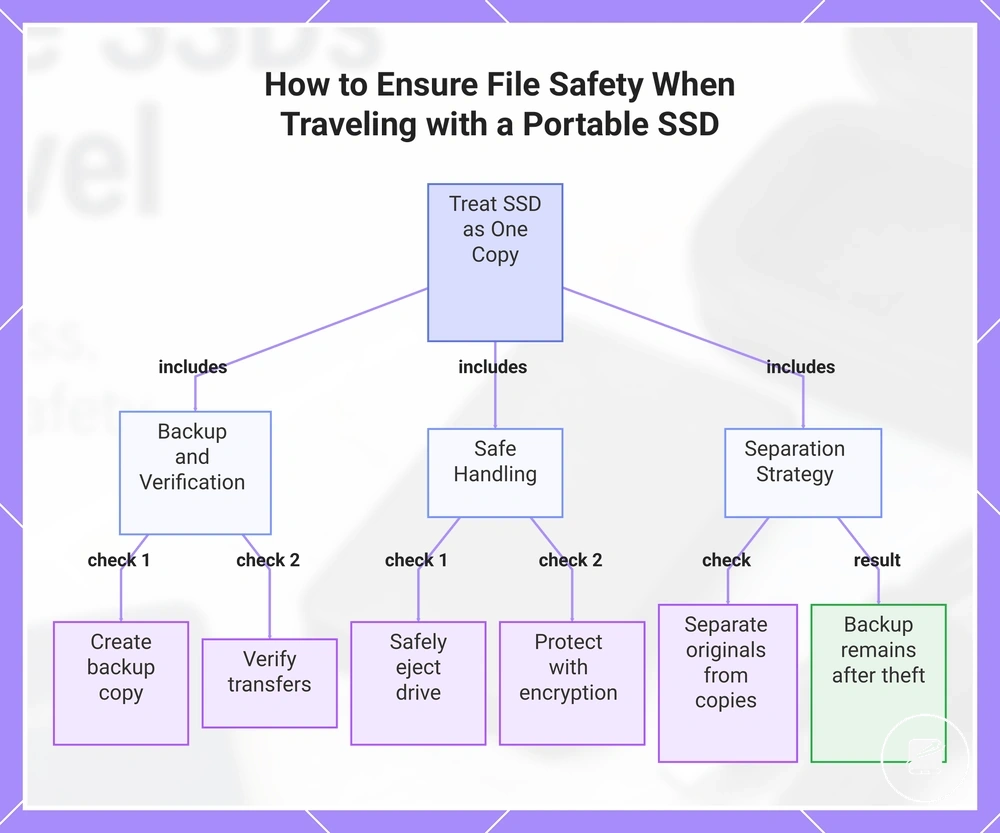
File safety during travel improves when a portable SSD is treated as one copy of your data rather than the only copy. Reduce loss risk by keeping a verified backup copy, protecting stored data with encryption when appropriate, and separating originals from copies so a single incident does not affect every version.
File safety during travel improves when a portable SSD is treated as one copy of your data rather than the only copy.
Use the following checklist before and during your trip to reduce common travel-related file-loss risks:
- Create a backup copy: Keep at least one additional verified copy of important files on a separate device or trusted location before travelling.
- Verify transfers: Open or compare transferred files after copying to confirm the backup copy completed successfully before deleting the original.
- Safely eject the portable SSD: Disconnect the drive only after the operating system finishes write activity to reduce the risk of file-system corruption.
- Protect access with encryption: Encryption helps prevent unauthorised access if the portable SSD is lost or stolen, but recovery requires the correct password or recovery key because encrypted data cannot normally be accessed without them.
- Separate originals from copies: Store the portable SSD and another backup copy in different bags or locations so lost luggage, theft, or accidental damage is less likely to affect every copy.
For example, if a portable SSD is stolen during a trip after a successful transfer verification, a separate backup copy stored elsewhere remains available even though the original drive is gone. For broader guidance on protecting stored information, see portable SSD data safety.
For broader guidance on protecting stored information, see portable SSD data safety .
This chart shows the key actions required to treat a portable SSD as one copy of your data and reduce travel-related file-loss risks.
Travel Backup Copies and Transfer Habits
Travel use is safer when every transfer to a portable SSD follows the same repeatable routine instead of relying on a single successful copy. Copy files from the source device, confirm the transfer completed successfully through verification, and keep a second backup copy in a separate location to reduce file-loss risk while travelling.
Travel use is safer when every transfer to a portable SSD follows the same repeatable routine instead of relying on a single successful copy.
Follow this routine whenever you transfer important files during travel:
- Copy: Transfer files from the source device to the portable SSD using a stable cable, compatible accessory, and secure port connection.
- Verify: Open or compare a sample of the copied files to confirm the transfer completed successfully before removing the originals from the source device.
- Eject: Safely eject the portable SSD only after all write activity has finished to reduce the risk of file-system corruption.
- Separate: Keep the portable SSD and the second backup copy in different cases or bags so a single incident is less likely to affect every copy.
For example, if a large transfer stops because the source device battery becomes depleted or the cable is accidentally moved, reconnect the portable SSD, repeat the interrupted transfer, and complete verification before deleting the original files. This routine confirms the verification outcome before treating the portable SSD as the primary travel copy.
Password Protection, Encryption, and Loss Risk
Password protection and encryption can reduce exposure if a portable SSD is lost during travel, but they also create the responsibility of protecting your own access. File safety improves when encryption is combined with a verified backup copy and confirmation that you can still unlock the drive on the device you plan to use before departure.
Password protection and encryption can reduce exposure if a portable SSD is lost during travel, but they also create the responsibility of protecting your own access.
Review these security checks before travelling:
- Confirm the security feature: Use hardware encryption if the portable SSD supports it, or software encryption when that is the available protection method.
- Store recovery information separately: Keep recovery keys or password records away from the portable SSD so losing the drive does not also mean losing the recovery details.
- Verify device access: Unlock the encrypted portable SSD before travelling to confirm the password, biometric unlock, or other supported authentication method works on the intended device.
- Check shared access: If authorised users will access the portable SSD on shared devices, confirm they have the required credentials before the trip.
For example, if an encrypted portable SSD is misplaced while travelling, encryption can help protect the stored files from unauthorised access. However, forgetting the password or losing the recovery information can also prevent the owner from accessing the data, so maintaining a verified backup copy remains an important part of reducing overall loss risk.
Air Travel and Transit Handling for Portable SSDs
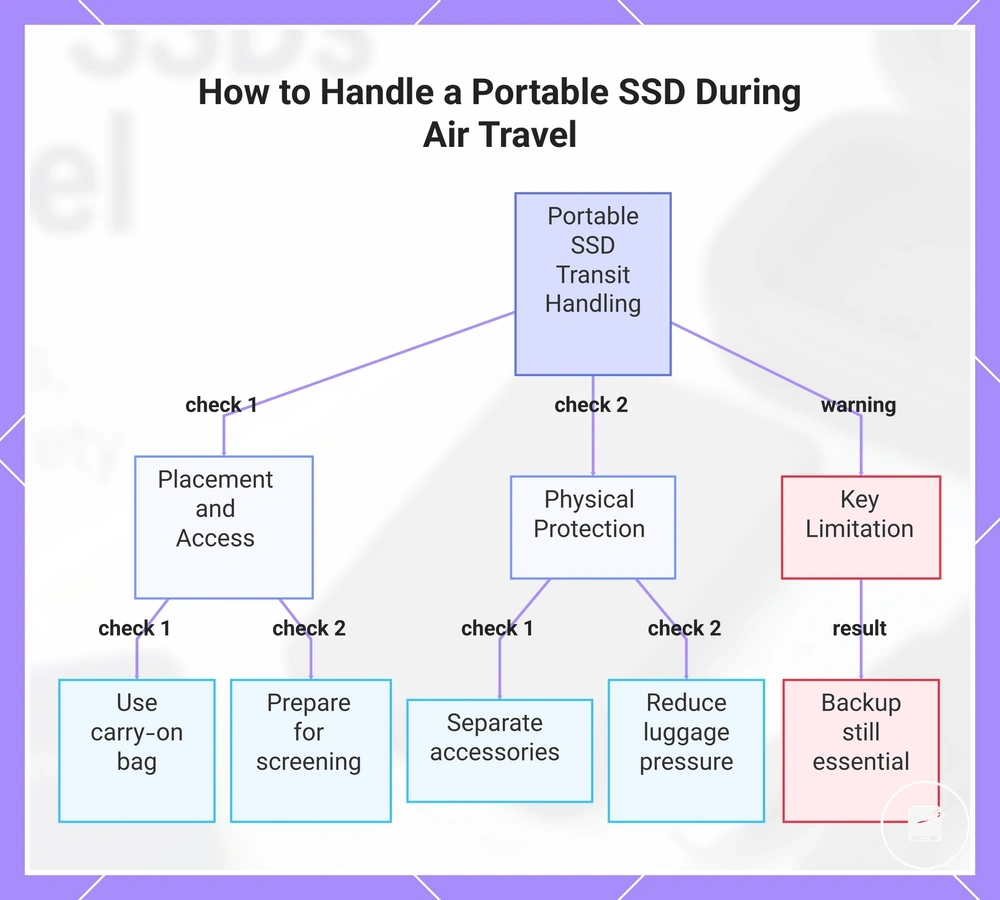
Travel use is safer when a portable SSD remains accessible and protected through airports, vehicles, hotels, and other transit environments. Keeping the drive in a protective case inside a carry-on bag, when permitted and practical, reduces exposure to checked-luggage handling and pressure from heavier items. The purpose is to reduce transit risk while keeping the portable SSD ready for use.
The purpose is to reduce transit risk while keeping the portable SSD ready for use.
Use these handling checks throughout the trip:
- Choose accessible placement: Keep the portable SSD in a carry-on bag rather than checked luggage when the travel condition allows, so the drive remains under your control and available for screening or file access.
- Separate each accessory: Store the cable and adapter in a separate pocket or compartment so they do not press against the drive or place leverage on its port.
- Reduce luggage pressure: Use a fitted case and avoid placing the portable SSD beneath heavy items that could compress the enclosure or connector area.
- Manage temperature exposure: Keep the drive away from prolonged heat or cold, and allow it to return to a suitable operating condition before connecting it if the enclosure feels unusually hot, cold, or damp from condensation.
- Prepare for screening: Pack the portable SSD where it can be removed without disturbing the rest of the bag, and verify any current airline or security-screening requirements before travel.
For example, placing the portable SSD in a padded carry-on case while storing its cable separately can reduce connector stress and make the drive easier to present during screening. Careful transit handling supports drive health while travelling, but it does not replace a verified backup copy, verification, or other file safety habits.
This chart shows the key handling checks for a portable SSD during transit and an important limitation about backup.
This chart shows the key handling checks for a portable SSD during transit and an important limitation about backup.
How to Choose a Travel-Ready Portable SSD
A travel-ready portable SSD should be selected by matching each travel need to the features required for that situation. A sound decision comes from choosing the right combination of compact size, rugged protection, cable readiness, security, capacity, and accessories instead of focusing on a single specification. Use these criteria to determine whether a portable SSD suits the intended travel workflow.
Different travel conditions change which criterion deserves the highest priority.
Different travel conditions change which criterion deserves the highest priority. A compact design supports light packing, while a rugged enclosure becomes more valuable when the drive will be handled frequently or used in demanding environments. Secure access features are appropriate when sensitive files are carried, and cable or adapter readiness matters only when the destination devices require those connections. Considering these attributes together reduces the chance of selecting a portable SSD that performs well in one area but limits travel use elsewhere.
Considering these attributes together reduces the chance of selecting a portable SSD that performs well in one area but limits travel use elsewhere.
Use the following checklist to convert your travel situation into a practical decision:
- Casual traveller: If documents and personal photos are the main files, choose a compact portable SSD with a compatible cable or adapter so the drive is ready to connect when needed.
- Photographer: If frequent field transfers are expected, choose higher storage capacity together with a rugged enclosure or protective case to better support repeated handling.
- Remote worker: If business or confidential files are carried, select a secure portable SSD that supports password protection or encryption to help control access.
- Video-heavy traveller: If large video projects will be recorded or edited during the trip, choose higher storage capacity and verify compatibility with the intended recording or editing device before departure.
- Multi-device traveller: If files will move between different devices, confirm the required cable, port, or adapter is available before travelling to avoid interrupted transfers.
- Frequent transit user: If the portable SSD will be packed and unpacked repeatedly, add a protective case to reduce handling risk during airports, hotels, and vehicle travel.
For example, a photographer may prioritise storage capacity and rugged protection, while a remote worker may place greater value on secure access and device compatibility. Product examples can support these decision criteria after the selection process, but they should not replace a criteria-based decision.
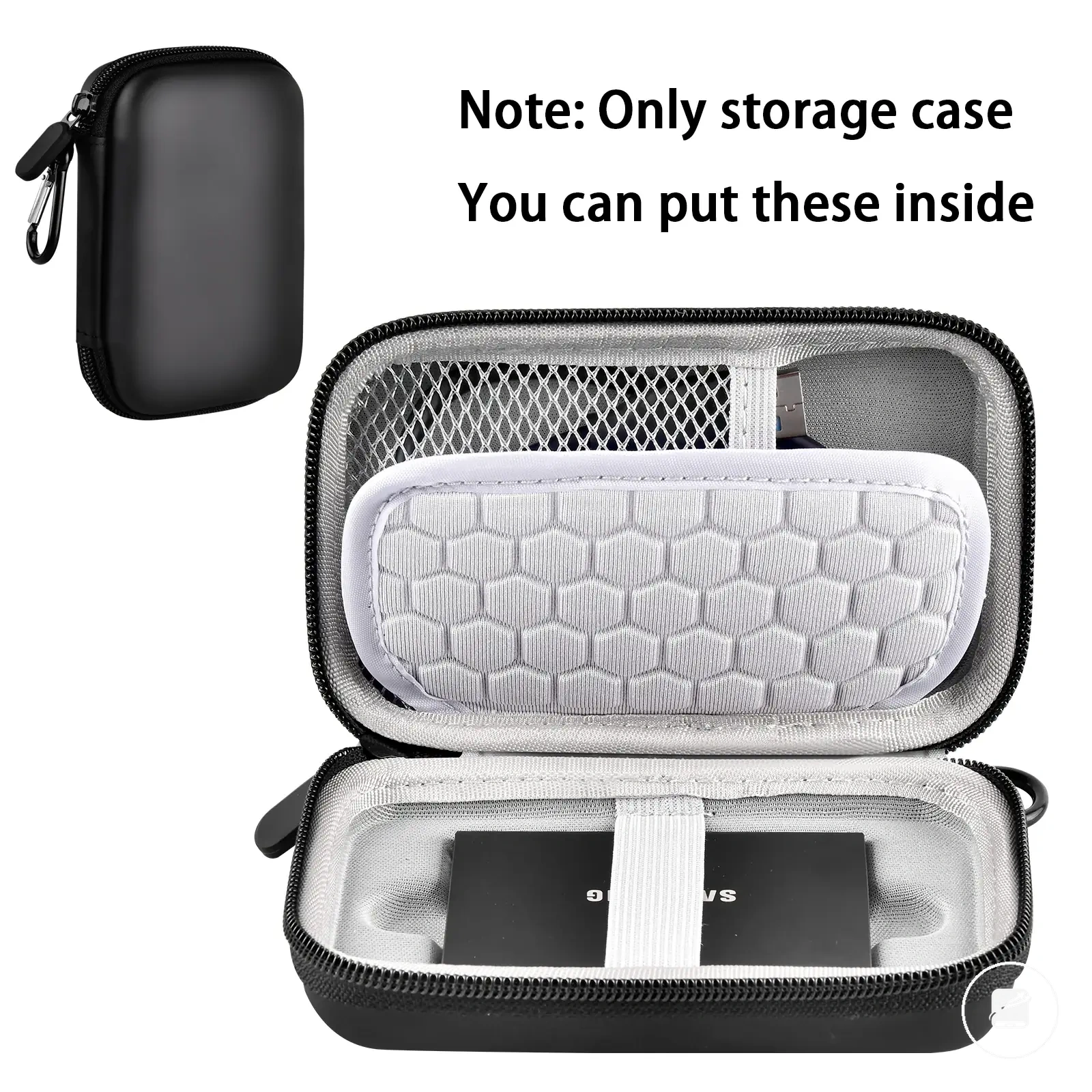
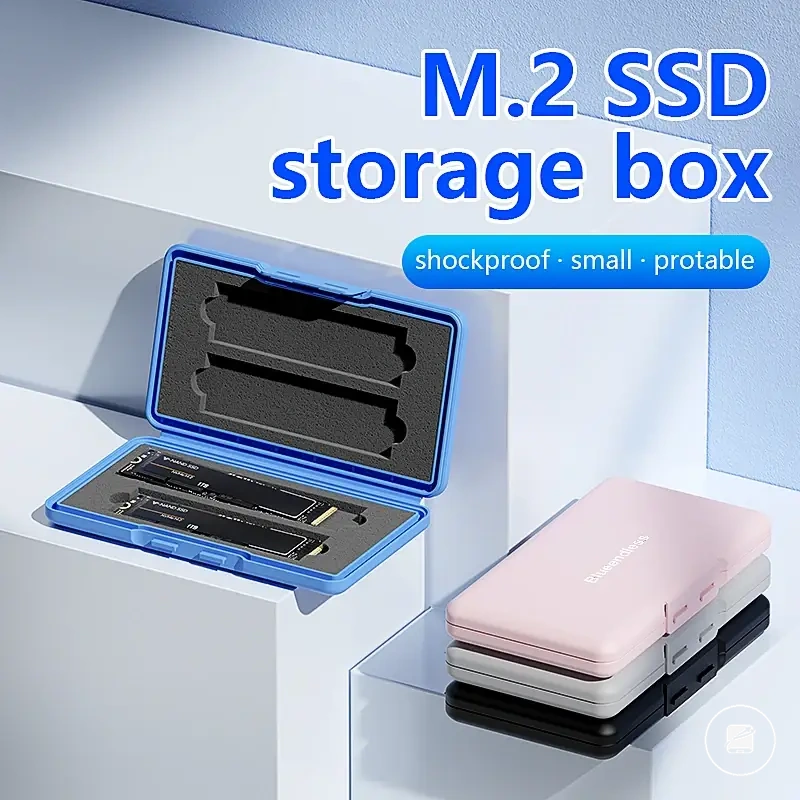
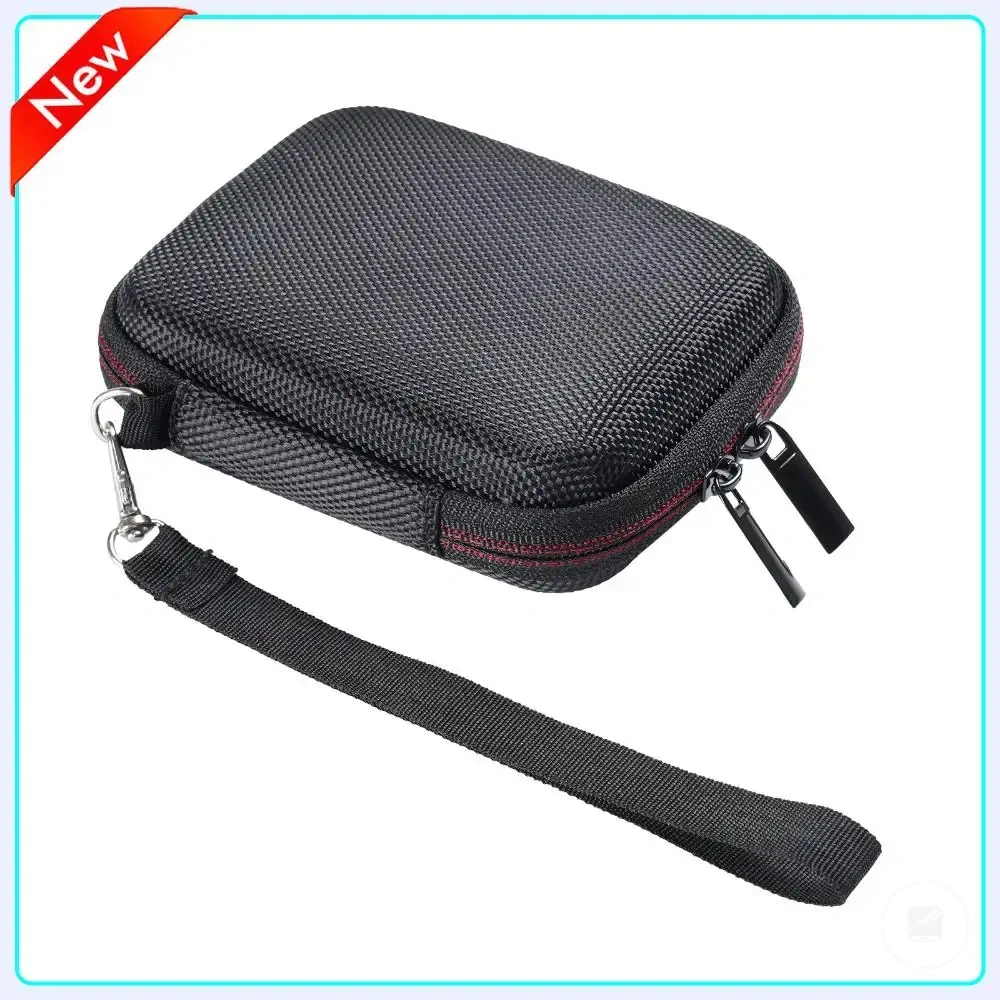
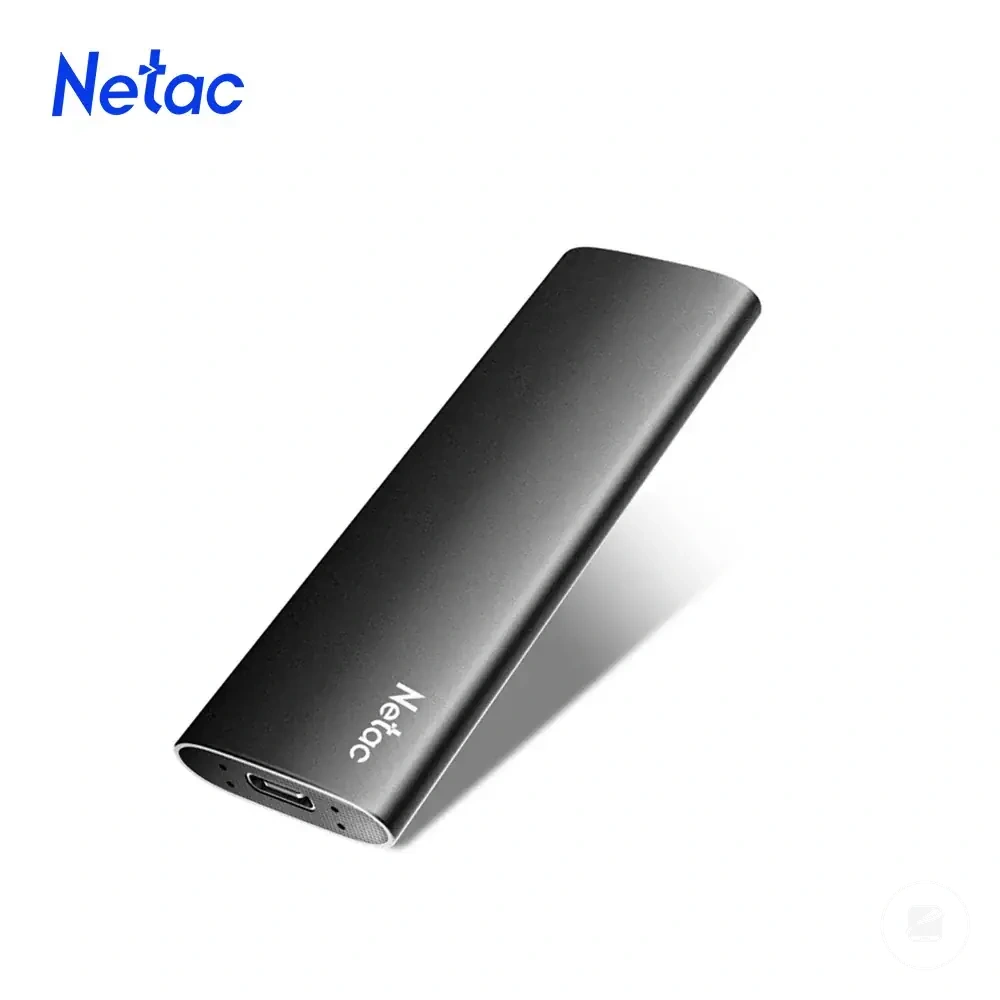
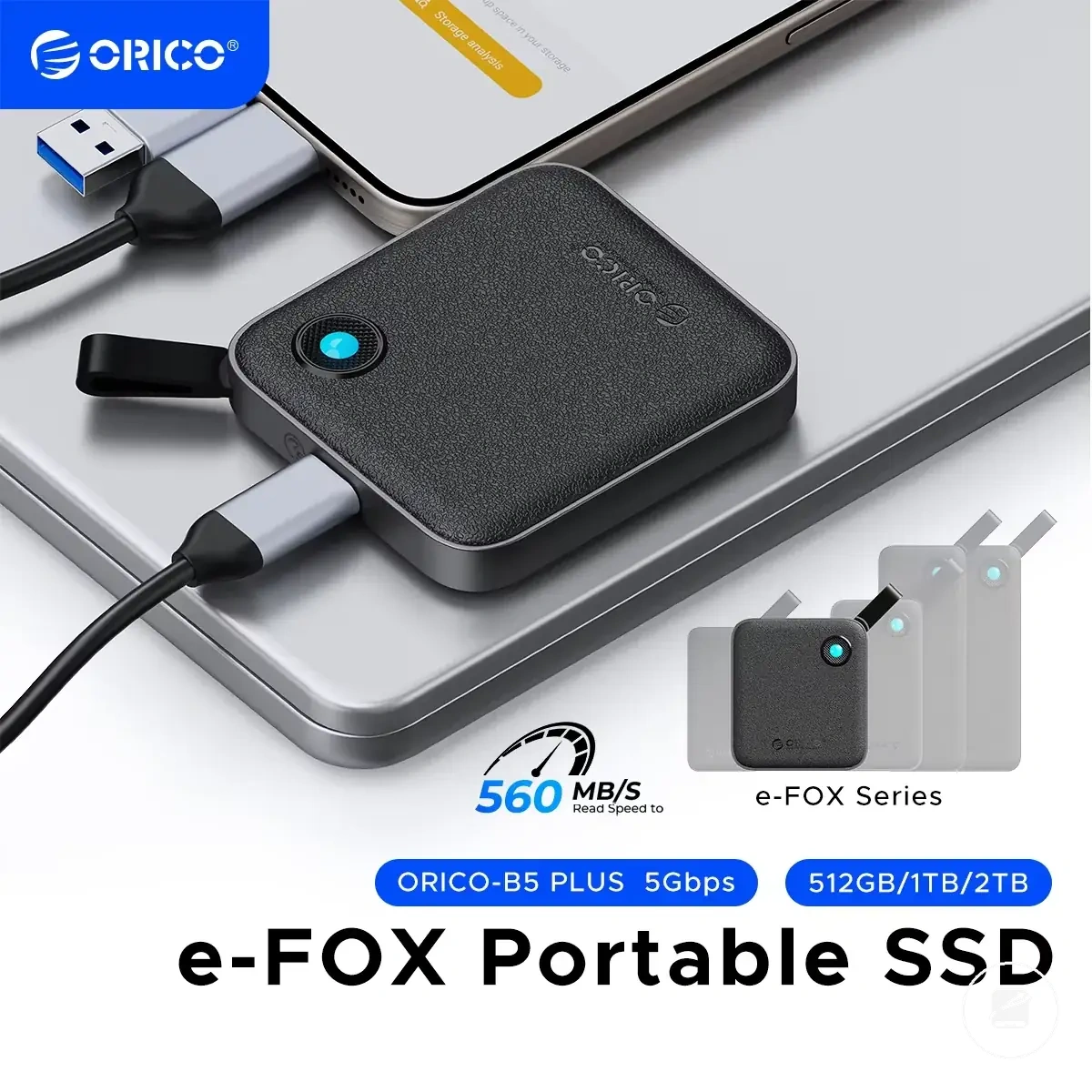
The products below are useful examples for comparing available options.
The products below are useful examples for comparing available options. Before buying, check that the compatibility criteria, key features, and product details match your needs.
Travel Situations That Need Rugged, Compact, or Secure Storage
The dominant criterion for a portable SSD should change with the travel need: compact storage suits light urban movement, rugged protection suits demanding handling, and secure access suits sensitive work. The decision should follow the travel condition rather than assume one drive type fits every trip.
The decision should follow the travel condition rather than assume one drive type fits every trip.
City and family travel usually place more value on compact packing, while outdoor and photo trips raise the priority of rugged protection and sufficient capacity. Work and international travel can make secure access more important when the portable SSD contains confidential or irreplaceable files. The following scenario matrix maps each situation to an acceptable condition and a practical selection decision.
| Travel situation | Dominant attribute | Acceptable condition | Decision signal |
|---|---|---|---|
| City travel | Compact size | The portable SSD and its cable fit within the traveller's usual day bag without displacing essential items. | Choose the compact option when frequent movement and limited packing space matter more than added enclosure protection. |
| Outdoor travel | Rugged protection | The enclosure or protective case is suited to repeated handling and the expected exposure conditions. | Prioritise rugged storage when drops, dust, moisture, or rough packing create a higher handling risk. |
| Photo trips | Capacity and protection | The available capacity covers the planned image workflow, and a case protects the drive during field transfers. | Choose higher-capacity, protected storage when the trip produces frequent or irreplaceable media files. |
| Work travel | Secure access | The portable SSD supports the required password-protection or encryption workflow for the files being carried. | Select the secure option when confidential files require controlled access. |
| Family trips | Compactness and capacity | The drive is small enough for shared luggage and has sufficient capacity for the files the group plans to store. | Choose compact storage with adequate capacity when packing space is limited and multiple travellers contribute files. |
| International travel | Security | The storage workflow includes secure access and a verified backup copy for important files. | Prioritise secure storage when loss or unauthorised access would create a significant file-safety risk. |
For example, a city traveller carrying personal files may favour a compact portable drive, while a photographer working outdoors may accept extra case size to gain more protection and capacity. These scenario signals guide the priority order, but the final decision still requires verification against the actual device, port, cable, case, and user workflow.
Accessories That Improve Travel Use Without Changing the Drive
A portable SSD that already meets the required capacity, compatibility, security, and ruggedness criteria can gain more practical travel use from a small set of supporting accessories. Each accessory should address a defined travel condition, such as a missing connection, exposed enclosure, unclear ownership, or disorganised packing, without changing the drive itself.
A portable SSD that already meets the required capacity, compatibility, security, and ruggedness criteria can gain more practical travel use from a small set of supporting accessories.
Use the following checklist to match each accessory to a specific need and practical effect:
- Spare cable: Carry a second cable when the original is likely to be misplaced or used frequently during the trip; the spare restores the planned connection only when its connectors match the portable SSD and device ports.
- Adapter: Pack an adapter when the cable connector does not match the destination device; the adapter bridges the physical connector types but does not make an unsupported interface compatible.
- Pouch or case: Use a fitted pouch or protective case when the portable SSD will share luggage with hard or loose items; the case reduces direct contact, abrasion, and handling risk.
- Identification label: Add a label when similar drives or shared bags could cause confusion; an owner or purpose label makes the correct portable SSD easier to identify without exposing sensitive file details.
- Cleaning cloth: Carry a clean, dry cloth when dust or fingerprints are likely around the enclosure and connector area; wiping the exterior before storage removes loose debris without introducing moisture.
- Storage organiser: Use a small organiser when the drive, cable, adapter, and backup accessories would otherwise move between pockets; fixed compartments reduce misplaced items and unnecessary strain on connectors.
For example, a traveller moving between devices with different supported ports could keep the portable SSD, matching cable, required adapter, and cleaning cloth in one labelled organiser. These accessories support handling, connection readiness, and file-safety routines, but they do not replace adequate capacity, verified compatibility, a backup copy, secure access, or the rugged condition required for the trip.