
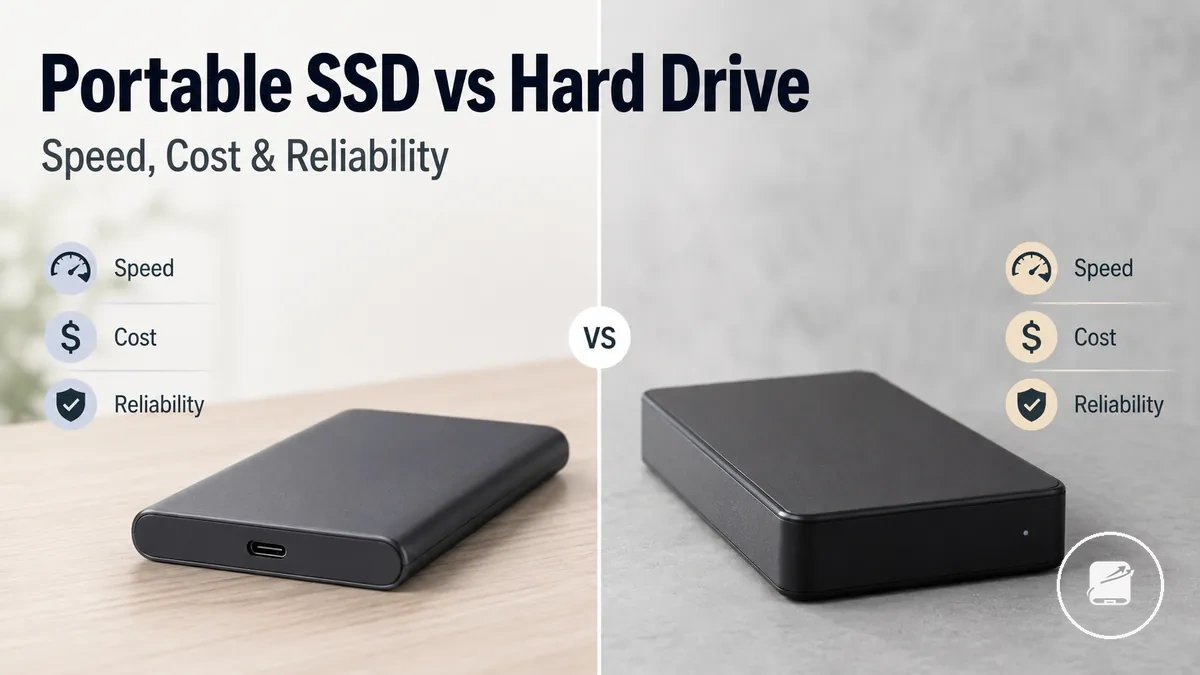
Portable SSDs vs External Hard Drives
Portable SSDs usually suit people who prioritize faster file access, quicker transfers, and easier travel, while external hard drives usually suit people who want more storage capacity for the same budget. The core purchase decision is the trade-off between speed and handling versus capacity value.
The practical distinction is between frequent-access workloads and bulk-storage workloads.
If you regularly edit large files, move data between devices, or carry a drive every day, a portable SSD is typically the better fit because it responds faster and tolerates movement more effectively. If your main goal is storing large backups, media collections, or long-term archives, an external hard drive usually provides more storage for less cost per terabyte. The practical distinction is between frequent-access workloads and bulk-storage workloads.
Choose the storage type that matches how you use your data instead of looking for a universal winner.
Choose the storage type that matches how you use your data instead of looking for a universal winner. The most useful comparison starts with speed, capacity, cost, reliability, portability, backup suitability, and overall use case.
The most useful comparison starts with speed, capacity, cost, reliability, portability, backup suitability, and overall use case.
According to Kingston Technology, SSDs provide faster data access and contain no moving mechanical parts, making them more resistant to shock during normal handling than HDDs. Western Digital also positions external hard drives as a practical choice for high-capacity storage and backups where maximum transfer speed is not the primary requirement.
| Decision factor | Portable SSD | External hard drive |
|---|---|---|
| Speed | Higher transfer and access speed when the drive, cable, port, and host device all support the same high-speed interface. | Lower transfer and access speed because data is read from rotating magnetic platters. |
| Capacity | Better suited to active working files where responsiveness matters more than maximum storage size. | Better suited to large media libraries, archives, and multi-drive backup storage because higher capacities are available at a lower cost per terabyte. |
| Cost | Higher cost per terabyte in comparable consumer storage categories. | Lower cost per terabyte, making large-capacity storage more economical. |
| Reliability and durability | No moving parts, reducing the risk of mechanical damage from everyday bumps or vibration, although flash memory and controllers can still fail. | Mechanical components require more careful handling during operation, but HDDs remain a widely used option for long-term storage and backup. |
| Portability | Compact and lightweight for frequent travel or mobile work. | Usually larger and less resistant to physical impact during transport. |
| Backup fit | Well suited for backups that benefit from faster copy and restore times. | Well suited for storing large backup sets where storage capacity is the higher priority. |
| Typical use case | Creative projects, active work files, portable applications, and frequently accessed game or media libraries. | System backups, photo collections, video archives, and infrequently accessed data. |
For example, a video editor who transfers large project files between a laptop and a desktop is likely to benefit from a portable SSD because faster access reduces waiting time during everyday work. A household keeping years of family photos and scheduled computer backups is likely to gain better storage value from an external hard drive.
Table of Contents
How Portable SSDs and External Hard Drives Differ
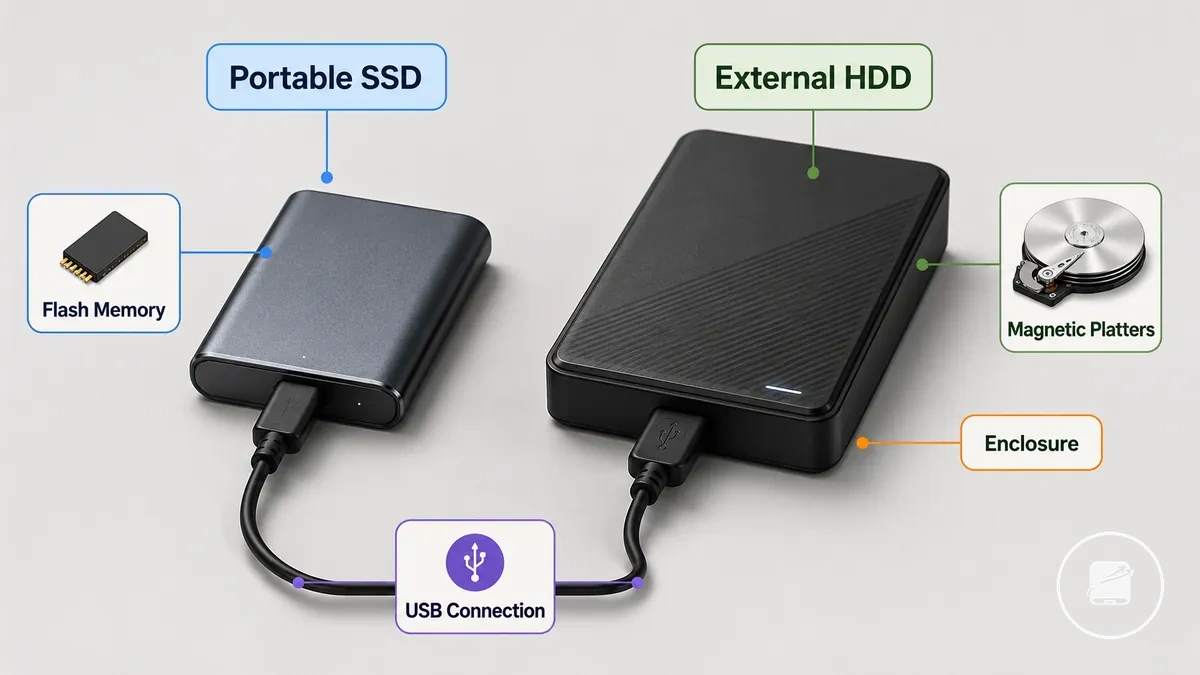
A portable SSD is an external storage drive that uses flash memory, while an external hard drive is an external HDD that stores data on magnetic platters. Both sit outside the computer, but SSD flash storage has no moving parts and HDD storage uses spinning platters and moving parts.
Both sit outside the computer, but SSD flash storage has no moving parts and HDD storage uses spinning platters and moving parts.
How portable SSDs and external hard drives differ begins with the storage technology inside the enclosure rather than the external format alone. Both drive types commonly connect through a USB connection, but an external SSD accesses flash memory electronically while an HDD moves a read-and-write head across rotating platters. This mechanism difference generally gives SSDs faster access, quieter operation, stronger resistance to everyday movement, and easier handling, while HDDs produce mechanical noise and require more care during use.
| Drive type | What changes in use |
|---|---|
| Portable SSD or external SSD | Flash memory and no moving parts support fast access, silent operation, compact handling, and greater resistance to everyday bumps, subject to the drive enclosure and connection. |
| External hard drive or external HDD | Magnetic platters and moving parts create mechanical sound, require more careful handling during operation, and commonly provide lower capacity cost than SSD storage. |
A common misconception is that “portable” and “external” identify different storage technologies; they describe how a drive is used, while SSD and HDD identify the storage mechanism. The term portable SSDs refers to external drives built with flash memory, whereas an external hard drive usually refers to an HDD inside an external enclosure.
SSD Storage and HDD Storage Mechanisms
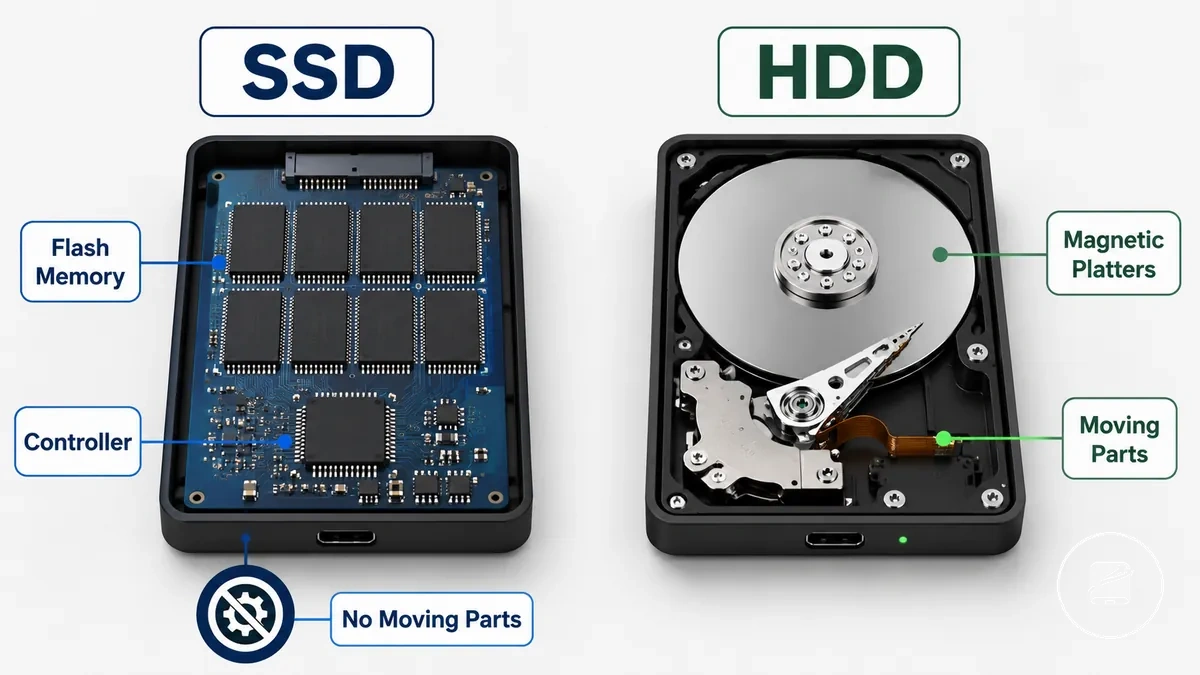
SSD storage is a storage mechanism that uses flash memory managed by a controller, while HDD storage uses magnetic platters and moving parts to read and write data. The core difference is SSD flash memory versus HDD magnetic platters.
The core difference is SSD flash memory versus HDD magnetic platters.
SSD Storage and HDD Storage Mechanisms explain why the two technologies behave differently during everyday use. An SSD controller accesses flash memory electronically with no moving parts, whereas an HDD stores data on spinning magnetic platters that require mechanical movement to read and write data. For example, if a portable drive is bumped while transferring files, an SSD is generally less affected by shock and produces less noise, while an HDD's mechanical design influences read speed, write speed, shock risk, noise, and overall storage value.
External Drive Terminology and Scope
External drive terminology separates product names by form factor, connection, and storage technology so comparisons remain accurate. External Drive Terminology and Scope helps distinguish labels that are often used interchangeably in search results. The key distinction is whether a term identifies the device format, the connection, or the storage technology.
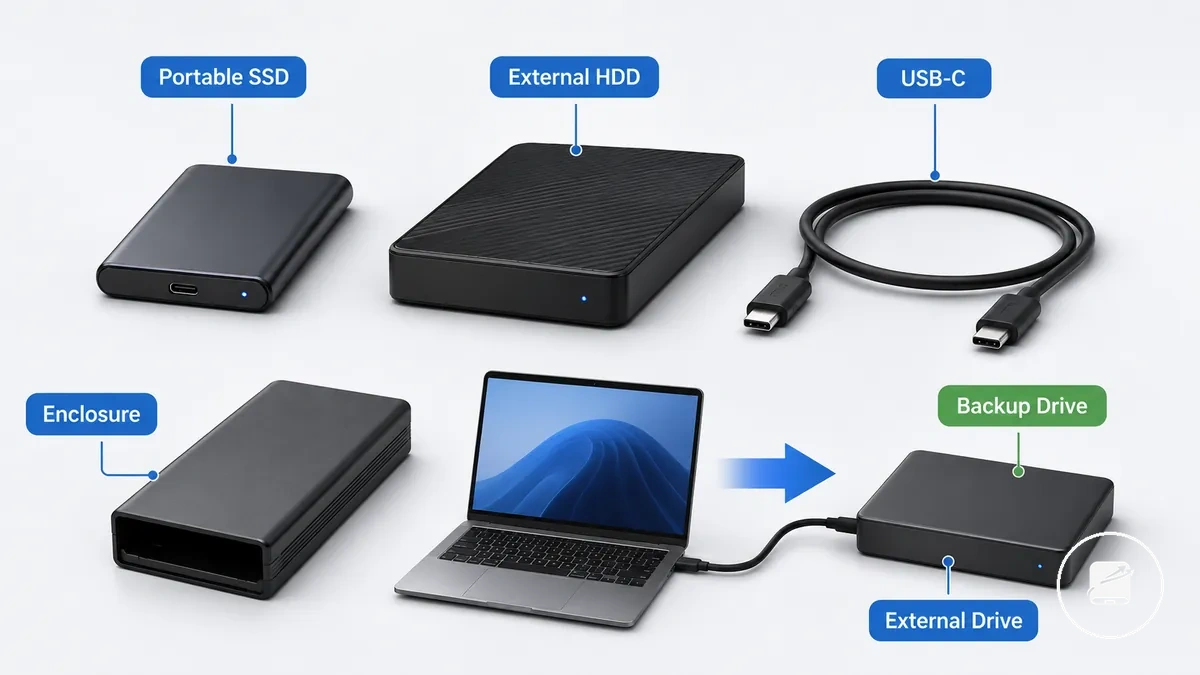
- External drive: A general term for a storage device used outside a computer.
- Portable drive: An external drive designed for easy transport, regardless of whether it uses SSD or HDD storage.
- Portable SSD / External SSD drive: An external drive that uses flash storage, commonly connected through USB-C.
- External hard drive / External HDD: An external drive that uses spinning storage inside an enclosure.
- Enclosure: The outer case that houses the storage device and provides the external connection.
- Backup drive: A term describing the intended use of an external drive for storing backup copies of data rather than a specific storage technology.
Although people often use portable SSD, external SSD drive, and external hard drive as if they describe the same product category, they refer to different combinations of storage technology, form factor, and connection. For example, a portable SSD is an external drive with flash storage, while an external HDD stores data on spinning media inside an enclosure, and USB-C identifies only the connection interface. This comparison remains focused on choosing external storage and excludes enclosure buying, internal SSD installation, setup procedures, NAS, cloud storage, and repair.
Speed Differences in Everyday Transfers
Transfer speed is generally faster on a portable SSD than on an external hard drive during everyday file use. Speed Differences in Everyday Transfers are influenced by both storage technology and interface limits, including USB generation, cable quality, and host-device bottlenecks. Even when the drive is faster, interface limits can reduce real-world speed.
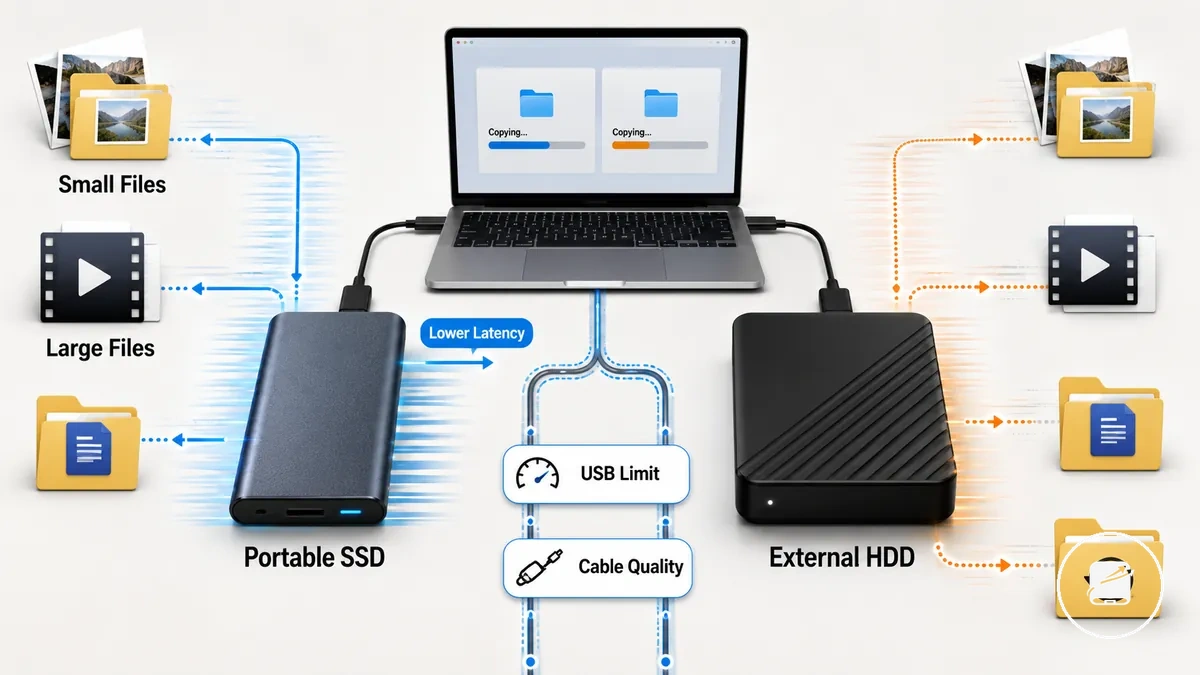
When importing photos, editing videos, loading games, or working with project folders, a portable SSD usually provides quicker read speed, write speed, and lower latency, making active file use feel more responsive. An external hard drive remains practical for storing bulk files, but transferring or opening many small files typically takes longer because access time is higher. Large files benefit more from sustained transfer speed, while small files are affected more by latency.
The comparison below summarizes how file behavior changes the user experience.
Real-world speed reflects the combined effect of drive type, workload, and interface quality rather than advertised performance alone. For example, a portable SSD connected through an older USB generation, a lower-quality cable, or a slower host port can become bottlenecked before the drive reaches its potential. The comparison below summarizes how file behavior changes the user experience.
| Task | Portable SSD effect | External hard drive effect | Condition that can change the result |
|---|---|---|---|
| Small-file copies | Lower latency improves responsiveness | Higher access time slows transfers | USB generation and system bottleneck |
| Large media transfers | Higher sustained read and write speed | Longer transfer duration | Cable quality and port bandwidth |
| Active project folders | Faster opening, saving, and editing | More noticeable delays during active file use | Device performance and storage workload |
| Backup restores | Completes sooner when the interface is not the bottleneck | Suitable for large-capacity restores but slower overall | Read speed, write speed, and USB interface limits |
For example, copying thousands of photos or opening a large design project usually feels faster from a portable SSD because lower latency reduces waiting between file requests, while restoring archived media from an external hard drive prioritizes capacity over responsiveness. If you want a more detailed breakdown of workload-specific performance, see speed differences.
Large File Transfers and Active Project Work
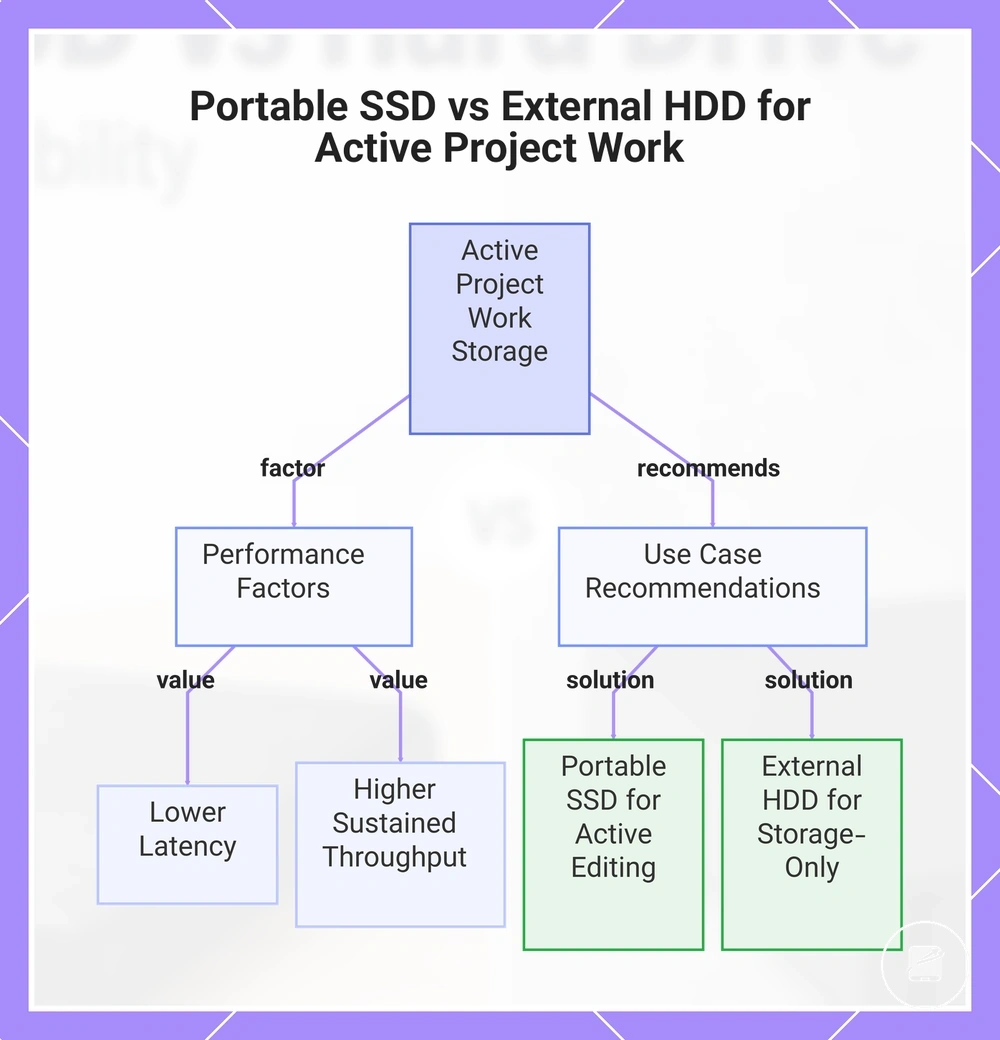
When you regularly work with video projects, photo libraries, game files, or application libraries, a portable SSD can make large file transfers and repeated file access feel more responsive because lower latency and higher sustained throughput reduce waiting during active project work. An external hard drive can store the same large files effectively, but active work benefits more from faster access than storage-only use.
The local performance difference is primarily determined by latency and sustained throughput.
Active project work gains the most from a portable SSD when files are opened, edited, saved, and copied repeatedly instead of being archived once. For example, editing media files directly from a portable SSD keeps a working folder more responsive, while moving completed projects to an external hard drive remains a practical choice for storage-only use. The local performance difference is primarily determined by latency and sustained throughput.
- Video projects: Faster loading and saving during editing, while an external hard drive remains suitable for storing completed footage.
- Photo libraries: Repeated browsing, importing, and organising benefit from quicker access, whereas archived collections remain well suited to an external hard drive.
- Game files and application libraries: Frequent loading and updates benefit from lower latency, while an external hard drive remains appropriate for storage-only use.
- Working folder: Use a portable SSD for files that are edited repeatedly, and use an external hard drive when the primary goal is storing completed project files.
This chart shows the key performance factors and recommended use cases for choosing between a portable SSD and an external hard drive when working with large files in active projects.
Interface Limits and Real-World Speed Variation
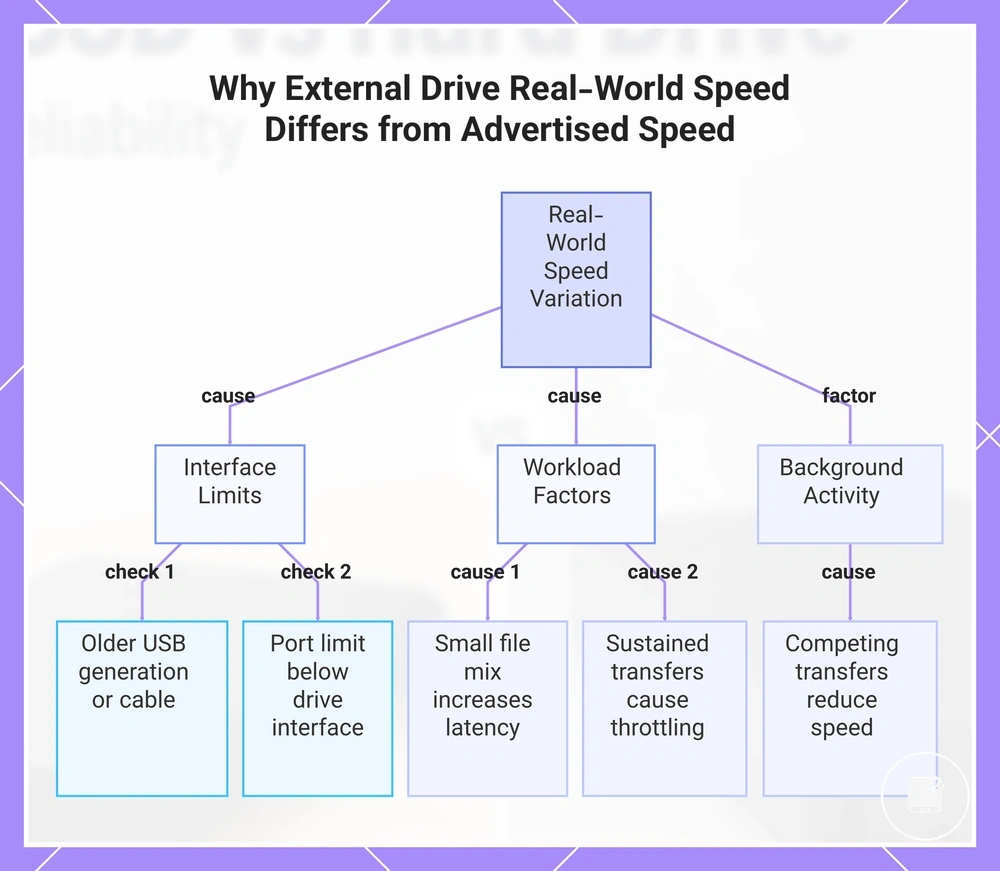
Real-world speed is compatible with a drive's advertised speed when the entire connection supports the same performance level. Interface Limits and Real-World Speed Variation occur because the USB connection, cable, computer port, file workload, or the drive itself can become the effective speed limit. The primary conditions to verify are the interface and the file workload.
The primary conditions to verify are the interface and the file workload.
A speed bottleneck occurs when a USB-C or USB-A connection uses an older USB generation, a cable with a lower cable rating, or a computer port whose port limit is below the drive's supported interface, reducing the transfer rate before the storage reaches its advertised speed. Long sustained transfers can also slow when thermal behavior or the drive's controller limit reduces sustained throughput, while a workload containing many small files typically delivers lower real-world speed than transferring fewer large files because repeated file access increases latency overhead. Before judging the drive, verify the conditions below to determine whether the interface or workload is limiting performance rather than the storage device itself.
- Confirm that the computer port supports the same USB generation as the external drive.
- Verify that the USB-C or USB-A cable has a cable rating suitable for the intended transfer speed.
- Check whether the file size mix contains many small files, as this increases latency-related overhead and lowers observed transfer speed.
- Compare the computer's port limit with the drive's supported interface to identify a possible speed bottleneck.
- Consider thermal behavior during long sustained transfers because heat can reduce sustained throughput.
- Recognize that each drive model has a controller limit that can cap performance during extended workloads.
- Account for background storage activity because competing transfers can reduce the real-world speed observed during the test.
This chart shows the main factors that cause real-world drive speed to vary from advertised speed, and the key conditions to verify to identify the bottleneck.
Cost, Capacity, and Storage Value
Cost, capacity, and storage value should be judged against the storage role rather than the drive type alone. A portable SSD usually carries a speed premium, while an external hard drive generally offers larger capacity and a lower cost per terabyte. The stronger value choice is the one that matches cost to the intended storage role.
The stronger value choice is the one that matches cost to the intended storage role.
For active storage, paying a higher upfront price for an SSD can create value when frequent transfers, editing, or application use benefit from faster access. For bulk storage, an external hard drive is often more rational because a larger capacity tier can hold more backups or archived files within the same budget. This separates active storage, where speed has practical value, from bulk storage, where capacity value is usually the priority.
The table below organises these value signals by storage role.
Cost, Capacity, and Storage Value are therefore best compared through workload, capacity need, and replacement expectations rather than current market prices. A drive that is expected to be replaced mainly because its capacity becomes insufficient creates a different value trade-off from one chosen to reduce waiting during regular work. The table below organises these value signals by storage role.
| Storage need | SSD value signal | Hard drive value signal | Caution |
|---|---|---|---|
| Active files | The speed premium creates value when files are opened, moved, or edited frequently. | The lower upfront price is useful when access speed is secondary. | Do not pay for performance that the workload will rarely use. |
| Bulk backup | Faster transfers add value when backup time is a regular constraint. | A lower cost per terabyte supports larger backup capacity within a fixed budget. | Capacity and backup coverage should take priority over speed alone. |
| Large archive | Suitable when the archive is accessed often enough to justify faster retrieval. | Larger capacity is more rational when files are stored for infrequent access. | Archive growth can make a smaller capacity tier require earlier replacement. |
| Travel storage | Faster access and a compact form support active mobile use. | More capacity can offer stronger storage value when carrying a larger library matters more than speed. | Balance portability, workload, capacity, and replacement expectations together. |
For example, a user carrying current project files may justify the SSD speed premium, while a user storing a growing backup archive may gain more value from the larger capacity of an external hard drive. Compare the same storage role, workload, capacity tier, and replacement horizon when judging cost and value.
Cost per Terabyte and Large-Capacity Storage
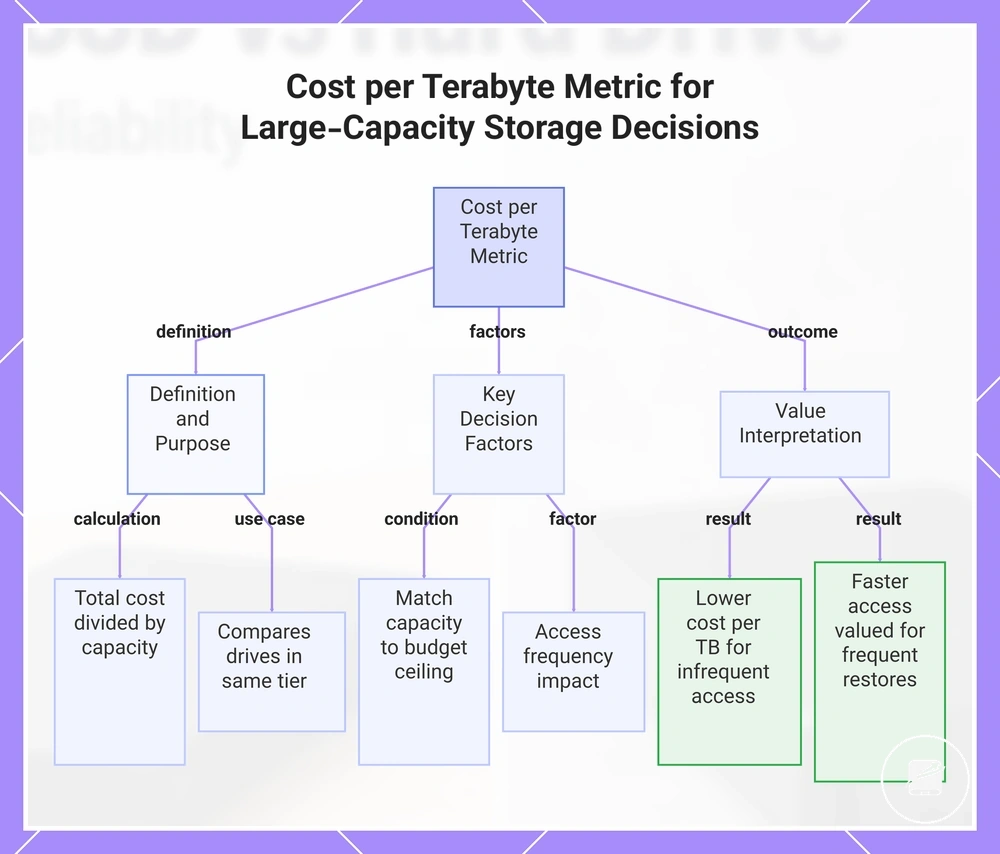
Cost per terabyte is a value metric that divides a storage device's total cost by its capacity to show how much each terabyte of storage represents within the budget ceiling. It is most useful when comparing external hard drive options that serve the same storage need and capacity tier. As storage scales from small drives to multi-terabyte large-capacity storage, even modest differences in cost per terabyte create a larger effect on total capacity value.
It is most useful when comparing external hard drive options that serve the same storage need and capacity tier.
For example, a family archive or bulk backup with a multi-terabyte storage need should be assessed by matching required capacity to the available budget ceiling before considering access frequency. A hypothetical calculation divides the total drive cost by its terabyte capacity, then compares that result only with options intended for the same bulk-storage role. Lower cost per terabyte usually creates stronger value when access is infrequent, while frequent restores increase the value of faster access relative to capacity alone.
This chart explains the cost per terabyte metric, how to calculate it, and how to apply it when comparing large-capacity storage options.
This chart explains the cost per terabyte metric, how to calculate it, and how to apply it when comparing large-capacity storage options.
Smaller SSD Capacity vs Larger Hard Drive Capacity
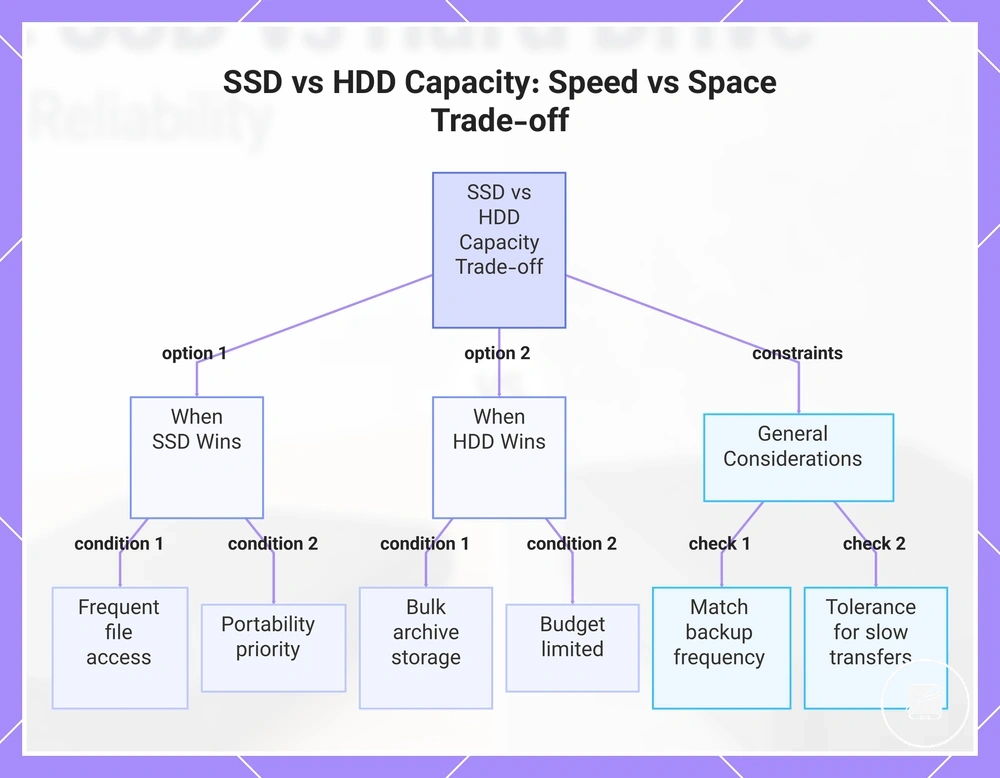
A smaller SSD capacity is the better fit when the storage job requires fast access to working files, while a larger hard drive capacity is the better fit when archive files and bulk storage require more space within the available budget. The decision should balance workload, portability, backup frequency, and tolerance for slower transfers rather than treating capacity as the only criterion. This makes Smaller SSD Capacity vs Larger Hard Drive Capacity a speed-versus-space trade-off instead of a simple size comparison.
This makes Smaller SSD Capacity vs Larger Hard Drive Capacity a speed-versus-space trade-off instead of a simple size comparison.
For example, a traveller editing current projects benefits more from a smaller SSD because fast access and portability support active work, whereas a household maintaining years of photos and scheduled backups benefits more from a larger hard drive because additional storage space supports growing archive files at the same budget level. The checklist below helps verify which constraint matters most when comparing Smaller SSD Capacity vs Larger Hard Drive Capacity.
- Choose a smaller SSD capacity if working files are opened, edited, or transferred frequently.
- Choose a larger hard drive capacity if archive files or bulk backups require more storage space than fast access.
- Match backup frequency to capacity needs, because regular backups benefit from sufficient storage even when restore speed is less important.
- Prioritize portability if the drive is carried between locations or connected to multiple devices regularly.
- Keep the choice within the available budget by balancing storage space with the performance required for the workload.
- Select the option that matches your tolerance for slower transfers, since waiting longer is usually more acceptable for infrequently accessed data than for active projects.
This chart shows the key decision factors and checklist items for choosing between a smaller SSD and a larger hard drive based on workload, portability, backup frequency, and tolerance for slower transfers.
Reliability, Durability, and Data Risk
Neither SSDs nor hard drives are universally more reliable because each has a different failure profile. Portable SSDs usually offer greater physical durability under shock exposure because they have no moving parts, while hard drives carry higher mechanical risk from drops and vibration. Reliability therefore describes the likelihood of continued operation, whereas durability describes resistance to physical stress.
The myth is that an SSD is automatically the safer place for important files.
The myth is that an SSD is automatically the safer place for important files. The practical truth is that an SSD can still fail through controller failure or accumulated write wear, while an external hard drive can fail through damage to its moving parts or other mechanical components. Physical damage and data risk are separate problems, so resistance to impact does not make either drive suitable as the only copy of important data.
The comparison below separates Reliability, Durability, and Data Risk by risk category.
Data risk increases when powered-off storage is left unchecked, handling conditions are poor, or backup redundancy is absent. For example, a portable SSD may be the lower physical-risk option for frequent travel, while a carefully handled hard drive may remain suitable for stationary archive use when a second verified copy exists. The comparison below separates Reliability, Durability, and Data Risk by risk category.
| Risk area | SSD considerations | Hard drive considerations | Safer decision cue |
|---|---|---|---|
| Physical durability | No moving parts, so shock exposure creates less mechanical risk than it does for a hard drive. | Moving parts make drops and vibration more likely to cause mechanical damage. | Prefer the option that matches the expected handling conditions and enclosure protection. |
| Internal failure | Write wear and controller failure remain possible even without mechanical components. | Mechanical components remain the main physical failure concern. | Do not treat either technology as failure-proof. |
| Powered-off storage | Data retention remains conditional on drive health, age, temperature, and storage conditions. | Data retention also remains conditional on drive health, age, and storage conditions. | Reconnect and verify stored data periodically instead of assuming inactive storage is permanent. |
| Backup safety | A single SSD still represents one point of failure. | A single hard drive still represents one point of failure. | Use backup redundancy so important files exist on more than one independent device. |
The main problem is relying on drive technology as a complete backup strategy, because either device can fail or become unreadable under adverse conditions. Backup redundancy, careful handling, and periodic verification usually reduce data risk more effectively than choosing one technology alone. See storage lifespan and health.
Shock Resistance and Moving Parts
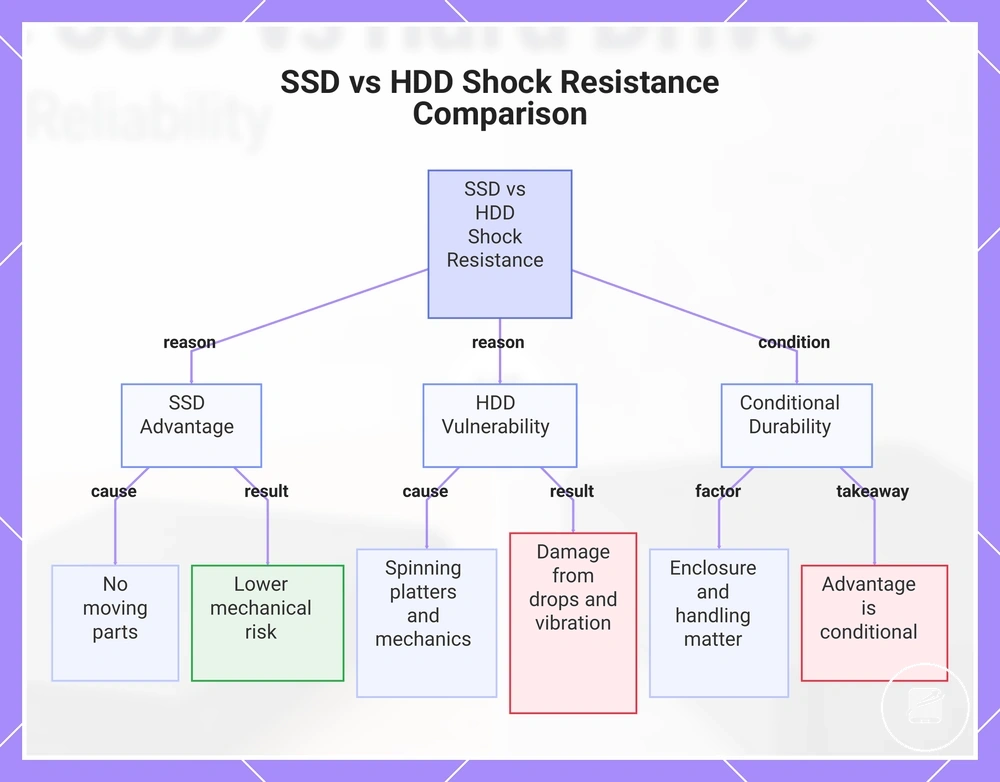
Shock resistance is generally higher for portable SSDs because they have no moving parts, while external hard drives contain spinning platters and mechanical parts that are more exposed to damage from drops and vibration during portable use. This difference is most relevant during transport and powered operation, making moving parts the local durability distinction.
This difference is most relevant during transport and powered operation, making moving parts the local durability distinction.
For example, moving a drive from a desk into a commuter bag exposes it to repeated bumps, so an SSD presents lower mechanical risk than a hard drive with spinning platters. Enclosure protection, drive condition, and user handling still determine real-world physical durability, so the advantage remains conditional on how the device is protected and used.
For example, moving a drive from a desk into a commuter bag exposes it to repeated bumps, so an SSD presents lower mechanical risk than a hard drive with spinning platters.
This chart compares the shock resistance of portable SSDs and external hard drives, explaining why SSDs are more durable and the conditional factors that affect real-world durability.
Write Cycles, Cold Storage, and Long-Term Retention
Write cycles affect SSD write endurance during active use, while cold storage and long-term retention concern how reliably data remains accessible during powered-off storage. Controller health influences SSD readability over time, and mechanical aging can affect hard drives stored for extended periods. These factors address different maintenance conditions, so write use should be considered separately from unpowered retention.
These factors address different maintenance conditions, so write use should be considered separately from unpowered retention.
Long-term data risk increases when a drive remains in powered-off storage without periodic checks or when drive health declines unnoticed. Verifying stored files at intervals and maintaining redundant backups helps reduce the impact of controller issues, mechanical aging, or other storage-related failures before important data is needed. This section supports storage planning, but it does not replace a complete backup strategy based on periodic checks and redundant backups.
A common misconception is that SSDs or HDDs are always the better choice for long-term retention.
A common misconception is that SSDs or HDDs are always the better choice for long-term retention. In practice, write endurance, controller health, unpowered retention, mechanical aging, and storage conditions all influence long-term storage outcomes, so neither technology should be treated as a universal winner.
Portability, Noise, Power Use, and Handling
Portability, noise, power use, and handling shape everyday usability beyond storage speed and cost. Portable SSDs tend to be smaller and lighter with no mechanical vibration, while external hard drives tend to use larger enclosures and produce audible operating noise. Physical convenience therefore depends on more than size alone.
Physical convenience therefore depends on more than size alone.
For example, moving a drive between desk use and bag use makes weight, cable convenience, heat, and enclosure design more noticeable than they are in stationary use. A portable SSD usually creates less handling bulk and no mechanical vibration, while an external hard drive is often easier to accommodate where capacity and desk placement matter more than low weight. Portability is therefore linked to noise, power use, device connection, enclosure heat, and handling conditions.
The concise comparison below organizes the daily handling factors that users are most likely to notice.
Neither drive type is universally more convenient because the practical outcome changes with the enclosure, cable, connected device, workload, and environment. The concise comparison below organizes the daily handling factors that users are most likely to notice.
| Attribute | Portable SSD tendency | External hard drive tendency | Decision cue |
|---|---|---|---|
| Size | More compact enclosure | Larger enclosure | Use available desk or bag space as the filter. |
| Weight | Lower carrying weight | Higher carrying weight | Frequent bag use favors the lighter option. |
| Noise | No mechanical operating noise | Audible mechanical operating noise | Quiet workspaces favor lower operational noise. |
| Vibration | No vibration from moving storage parts | Noticeable vibration can occur during operation | Stable desk placement matters more for hard drives. |
| Power use | Lower tendency during comparable portable workloads | Higher tendency where motors and larger enclosures are used | Check the connected device and workload. |
| Cable convenience | Compact placement usually reduces cable handling bulk | Larger placement area can make cable routing less convenient | Match the drive to the available connection layout. |
| Heat | Enclosure warmth can increase during sustained use | Enclosure warmth also increases with workload and design | Use the enclosure and operating environment as the comfort filter. |
| Rugged handling | More suitable for frequent movement when the enclosure is designed for portable use | More suitable for stable desk use when movement is limited | Choose according to handling frequency rather than a universal durability claim. |
Backup and Archive Fit
Backup and archive fit should be selected by storage job: active backups prioritise frequent access, portability, and faster restore speed, while archival storage prioritises a larger capacity requirement for data accessed infrequently. Backup use protects current working data through repeated copies, whereas archive use retains data for longer-term reference, so backup use and archive use require different selection criteria.
In both scenarios, restore speed, capacity, and redundancy must be assessed together.
For example, active backups of working files fit a portable SSD when backup frequency is high and faster restore speed reduces interruption after data loss. A large external hard drive fits a cold archive when infrequent access and higher capacity matter more than portability, provided long-term storage checks and periodic verification remain part of the archive plan. In both scenarios, restore speed, capacity, and redundancy must be assessed together.
Relying on one drive creates a single-copy data risk regardless of whether the device is an SSD or a hard drive.
Relying on one drive creates a single-copy data risk regardless of whether the device is an SSD or a hard drive. The safer solution is to match the drive to the backup workflow while maintaining redundancy and checking that stored data remains readable, as summarised in the decision table below.
| Storage job | SSD fit | Hard drive fit | Risk control |
|---|---|---|---|
| Frequent backup | Strong fit when high backup frequency, portability, and faster restore speed are priorities | Practical fit when capacity matters more than portable handling or faster access | Keep an independent redundant copy rather than relying on one drive |
| Working-file backup | Strong fit for active backups that are updated and restored regularly | Suitable when the working-file set has a larger capacity requirement and remains desk-based | Verify that the backup is readable and separate from the working files |
| Large archive | Suitable when compact storage and quicker access outweigh the need for the lowest capacity cost | Strong fit when large capacity and infrequent access are the main requirements | Perform long-term storage checks, periodic verification, and retain redundant copies |
| One-copy storage risk | Insufficient as the only backup or archive copy | Insufficient as the only backup or archive copy | Use redundancy so failure of one drive does not remove the only recoverable copy |
Frequent Backups and Working Files
Frequent backups and working files benefit from faster external storage when files change regularly, restores occur often, and quick read access or write access reduces interruption to daily work. Portable SSDs are therefore better suited to active backup workflows focused on convenience, while redundancy—not speed—provides backup safety.
- Automatic backups: Faster write access helps recurring backup jobs finish sooner when files change frequently, but a second backup copy remains necessary for data protection.
- Project folders: Portable SSDs improve responsiveness when project folders are opened, edited, and saved repeatedly, especially during mobile work where shorter wait times increase convenience.
- Repeated restores: Faster read access reduces the time needed to reopen working files or recover recent versions, but quicker recovery does not replace redundant backups.
- Versioned files: Working-file storage with frequent revisions benefits from faster read and write access, particularly when backups capture regular file changes through a compatible device interface.
- Mobile work: Carrying a portable SSD between locations simplifies active backup and access to current files, while redundancy remains the primary safeguard if one drive fails or becomes unavailable.
For example, a designer updating project folders throughout the day benefits from faster read and write access because repeated saves and restores finish with less waiting. Frequent changes make storage speed a productivity advantage, while redundancy—not transfer speed—remains the key protection against data loss.
Large Archives and Infrequent Storage
Large archives and infrequent storage are a practical fit for an external hard drive when files are accessed only occasionally and storing more data is a higher priority than faster transfer speeds. Collections with low access frequency gain more benefit from large-capacity storage than from quicker file access, making an external hard drive a sensible archive option under these conditions.
Collections with low access frequency gain more benefit from large-capacity storage than from quicker file access, making an external hard drive a sensible archive option under these conditions.
For example, media libraries, old project archives, family photo collections, and large backup sets are typically stored for reference rather than daily use, so an external hard drive provides efficient bulk archive storage when files are checked only periodically. Periodic verification helps confirm archived data remains readable, and irreplaceable files should never depend on one external drive because redundancy is the safer long-term protection against data loss.
Which External Drive Fits Each Use Case
Choose an external drive by matching its strengths to your primary use case rather than assuming one type suits every storage need. A portable SSD tends to fit speed- and portability-focused tasks, while an external hard drive tends to fit capacity-focused storage. The right drive depends on the workload.
These decision signals group active files, backups, travel, and archives by the storage behaviour that matters most.
If you work with active files every day, travel frequently, or handle video work and photo projects, a portable SSD offers faster access and greater resistance to movement because it has no moving parts. If your priority is backup, large archives, or storing infrequently accessed data within a limited budget, an external hard drive usually provides more capacity for the same spending level. These decision signals group active files, backups, travel, and archives by the storage behaviour that matters most.
The use-case matrix below converts those priorities into conditional selection guidance.
The appropriate drive fit comes from comparing each use case with the speed, capacity, reliability, portability, and durability it requires. The use-case matrix below converts those priorities into conditional selection guidance.
| Use case | Better fit tendency | Why it fits | Watch-out |
|---|---|---|---|
| Everyday files | Portable SSD | Faster access suits files opened, edited, and saved regularly. | Choose an external hard drive instead when capacity matters more than responsiveness. |
| Frequent backups | Portable SSD for restore speed; external hard drive for capacity | An SSD shortens active backup and restore workflows, while an HDD stores larger backup sets within a tighter budget. | Neither option replaces redundancy because one external drive remains a single point of failure. |
| Travel | Portable SSD | Compact size and no moving parts make it better suited to frequent transport. | Durability does not protect against loss, theft, or file corruption, so retain another copy. |
| Video or photo work | Portable SSD | Higher transfer speed supports active editing and repeated access to large working files. | Completed projects may require a higher-capacity archive when fast access is no longer necessary. |
| Gaming libraries | Portable SSD | Faster file access reduces loading delays where the console or computer supports external SSD storage. | Confirm the required interface, format, and game-storage rules for the target device. |
| Large archives | External hard drive | High capacity suits media libraries and other files with low access frequency. | Verify archived files periodically and keep irreplaceable data on more than one storage device. |
| Budget storage | External hard drive | Capacity value should dominate when the storage amount matters more than transfer speed or portability. | A lower purchase cost is a poor trade-off when the workload requires frequent transfers or regular travel. |
For example, a traveller editing active files benefits more from a portable SSD, while a home user storing large archives on a fixed budget may gain more value from an external hard drive. Read each row as a conditional drive-fit signal, not as a product ranking.
This workload-first approach provides the clearest final decision.
Select the external drive whose dominant strength matches the workload: speed and durability for active or mobile use, or capacity and budget value for infrequent storage. This workload-first approach provides the clearest final decision.
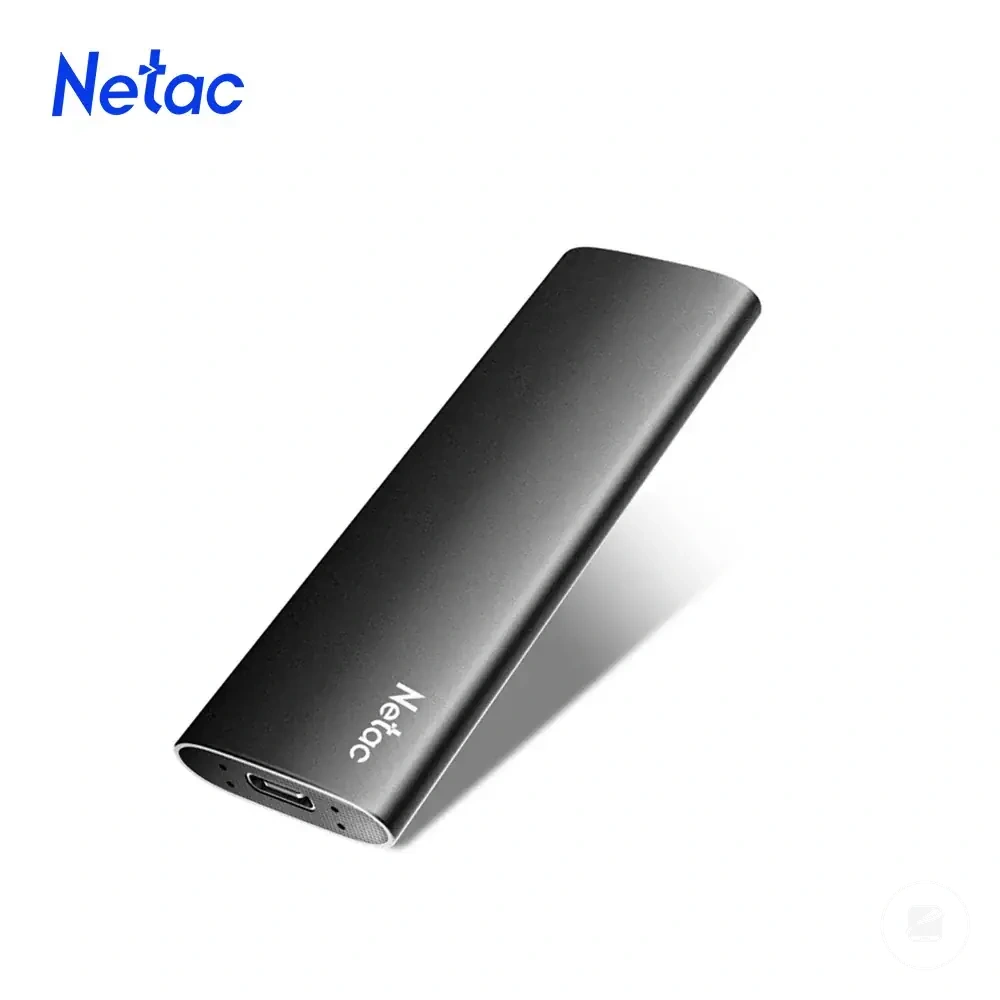
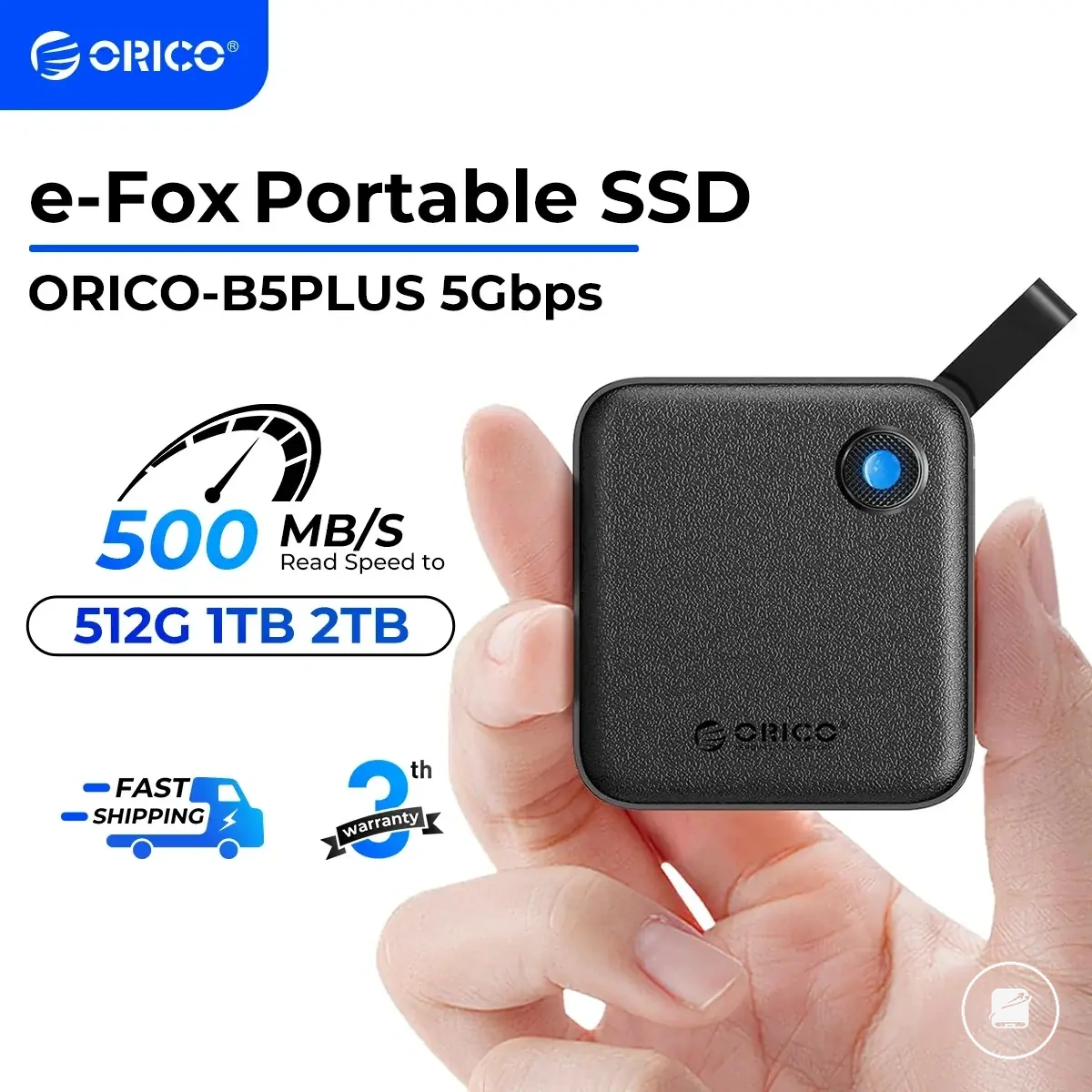
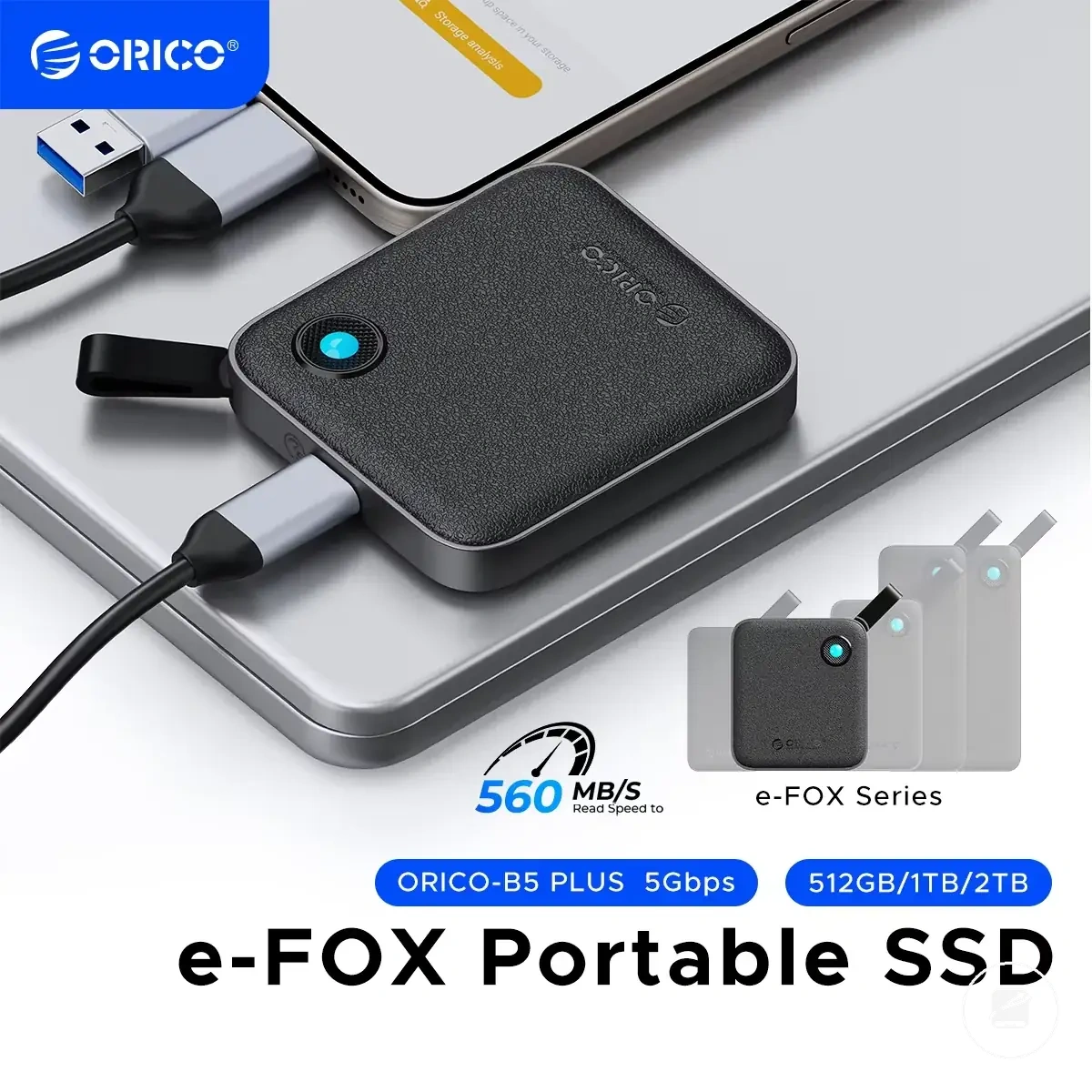
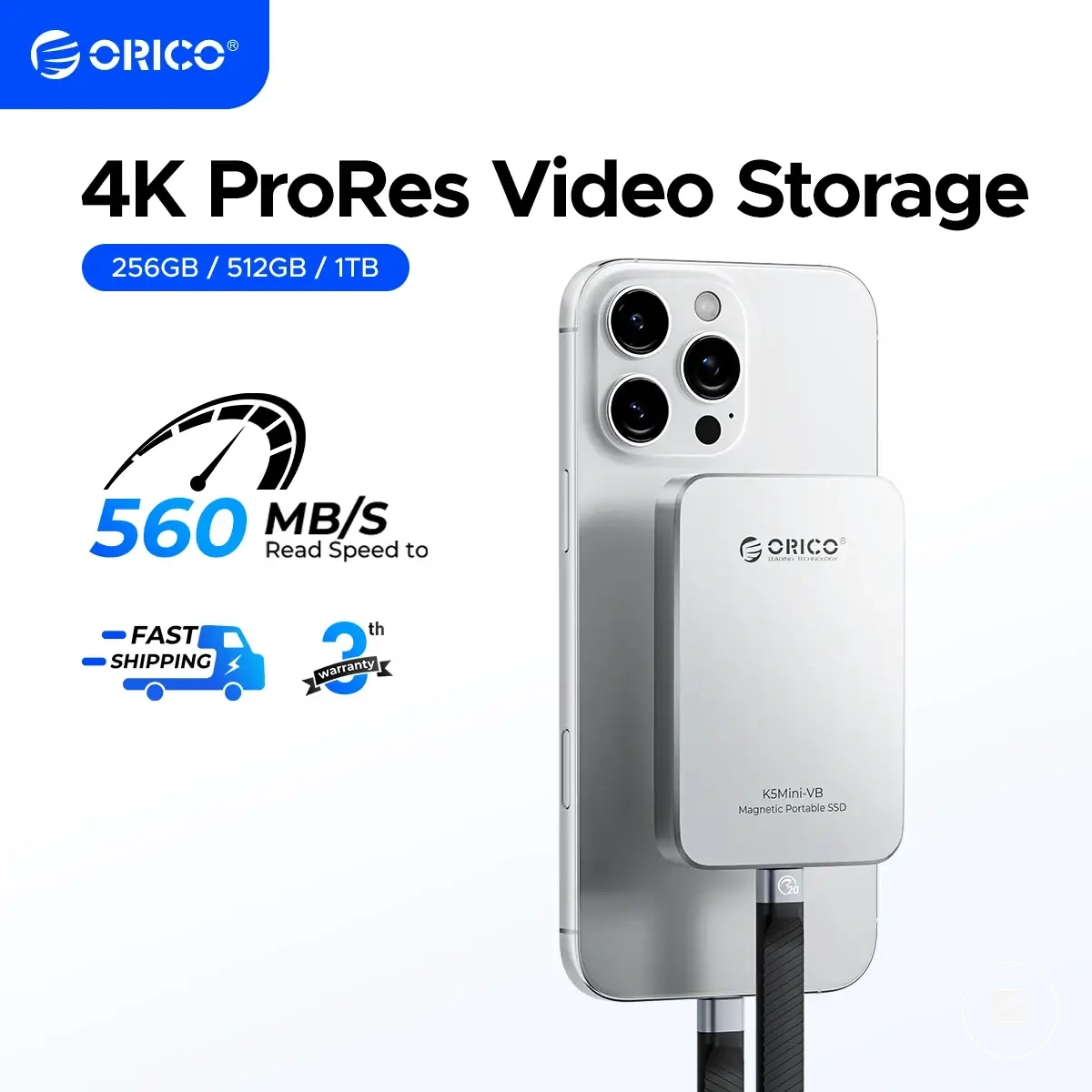
Here are product examples that may make comparison easier.
Here are product examples that may make comparison easier. Before buying, always review the compatibility criteria, essential features, and product details.
When a Portable SSD Is the Better Choice
A portable SSD is the better choice when frequent access, fast transfers, travel, or active project work makes speed and physical handling more important than maximum capacity for the budget. Because it has no moving mechanical parts, a portable SSD also supports low noise, compact handling, and greater resistance to shock exposure than an external hard drive, making speed and handling the core recommendation reasons.
- Frequent access: Choose a portable SSD when files are opened, edited, and saved regularly; an external hard drive may provide better capacity value for infrequently accessed data.
- Fast transfers: A portable SSD is a stronger fit when moving large working files quickly affects productivity, provided the computer and connection support the drive's transfer interface.
- Active project work: Video, photo, design, and other file-intensive workflows benefit from faster access to current project data, while completed projects can move to lower-cost archive storage.
- Travel: Compact handling makes a portable SSD easier to carry, but another backup is still required to protect against loss or theft.
- Shock exposure: Without spinning platters or read-and-write heads, a portable SSD is less vulnerable to movement-related mechanical damage, although it is not immune to physical damage.
- Low noise: A portable SSD operates without the mechanical sound produced by spinning drives, which suits quiet recording or shared work environments.
For example, a travelling video editor who transfers and revises active project files each day can justify the SSD premium because faster access, compact handling, and lower sensitivity to movement directly support the workload. The SSD premium is less compelling when the main requirement is the largest possible capacity within a limited budget, so capacity and cost remain part of the final decision.
When an External Hard Drive Still Makes Sense
An external hard drive still makes sense when large capacity, lower cost per terabyte, infrequent access, or stationary desk use matters more than fast transfers and compact handling. It is a stronger fit for bulk storage, archive storage, and budget-constrained backup where capacity value is the main reason for the choice.
- Large capacity: An external hard drive suits large media collections and other high-volume data when storing more files is more important than opening them quickly.
- Lower cost per terabyte: An external HDD provides stronger capacity value than a portable SSD when the budget must cover the greatest practical storage amount.
- Infrequent access: Files stored for occasional retrieval gain less from SSD speed than active project files.
- Archive storage: An external hard drive can hold completed projects and historical files, but irreplaceable data should also exist on another device or storage location.
- Desk use: A drive kept beside a desktop computer avoids much of the movement associated with travel, although it should not be moved or disconnected while data is being written.
- Budget-constrained backup: An external hard drive can accommodate larger backup sets within a limited budget, but one backup drive alone does not provide redundancy.
For example, a home user storing completed video projects, family media, and periodic computer backups may gain more from the capacity value of an external hard drive than from SSD transfer speed. The choice becomes weaker when frequent transfers, portability, or higher data-risk needs make speed, resistance to movement, and additional redundant copies more important.