NVMe vs SATA M.2 Enclosures
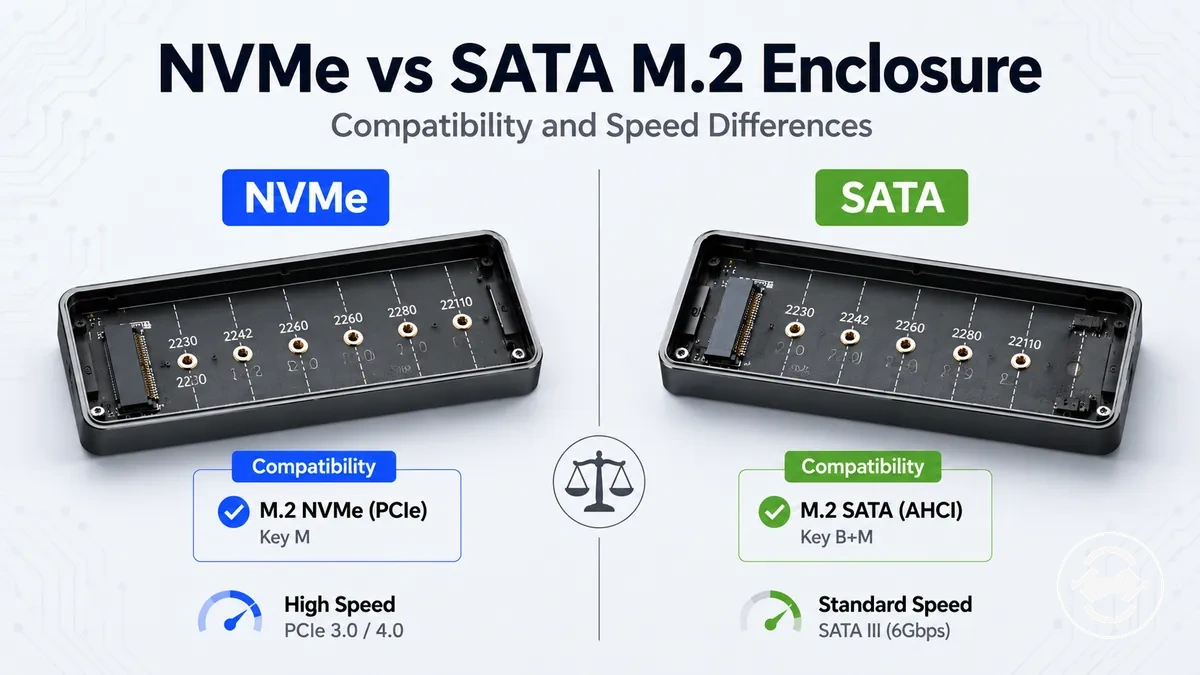
M.2 SSD enclosure choice depends on matching the enclosure support with the SSD drive protocol. An NVMe M.2 enclosure and a SATA M.2 enclosure follow different drive paths, so compatibility and transfer speed are the two main comparison points.
Users with an existing NVMe or SATA M.2 drive need to identify the drive protocol before selecting an external enclosure. A drive can have the same M.2 physical format while requiring different enclosure support because the drive protocol and enclosure controller determine compatibility. Matching the supported protocol helps avoid an incorrect enclosure choice.
M.2 SSD enclosure results depend on the drive protocol, enclosure controller, external interface, cable, and host port. Transfer speed and detection outcomes can vary based on how these components work together. For a broader overview of enclosure selection, see the M.2 SSD enclosure guide.
Comparing NVMe and SATA M.2 enclosures starts with separating protocol support from interface capability. This comparison helps clarify how each enclosure path affects compatibility and expected transfer behaviour.
How NVMe and SATA M.2 Enclosures Differ
NVMe enclosures and SATA enclosures differ by the drive protocol they support and the enclosure controller used to connect with an M.2 drive. An NVMe enclosure uses PCIe-based NVMe support, while a SATA enclosure uses SATA-based support. The M.2 form factor describes the physical drive format, but protocol support determines the compatibility result.
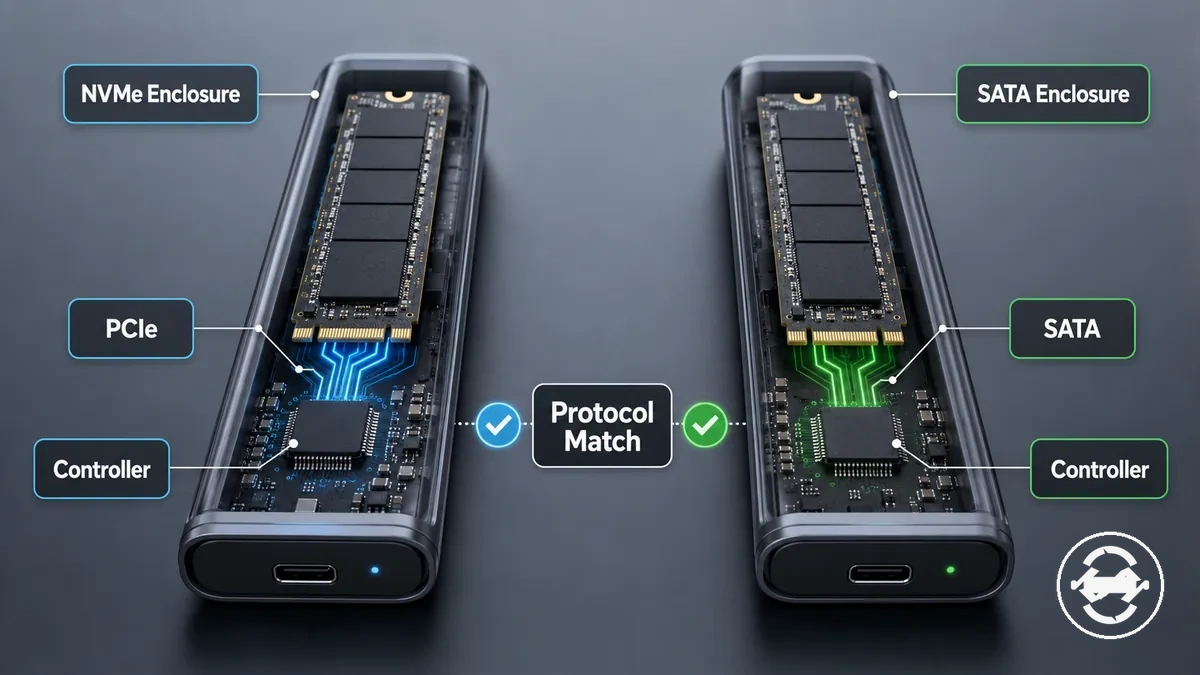
A user can choose the wrong enclosure when relying only on the M.2 shape or connector appearance. An M.2 drive may share a similar physical design with another drive while requiring different enclosure support, so checking the drive protocol and enclosure controller is a key compatibility step.
NVMe enclosures and SATA enclosures are not interchangeable by default. A compatible connection depends on protocol support, controller design, and the connection path between the M.2 drive and the external adapter. The comparison below shows how each enclosure type differs.
| Enclosure type | Drive protocol | Controller support | Common drive labels | Compatibility result |
|---|---|---|---|---|
| NVMe enclosure | PCIe NVMe | NVMe bridge controller support | NVMe M.2 drive | May support NVMe drives when the enclosure controller matches the protocol |
| SATA enclosure | SATA | SATA controller support | SATA M.2 drive, NGFF SATA | May support SATA drives when the enclosure controller matches the protocol |
Protocol, controller, and external interface
Protocol, bridge controller, and external interface are separate attributes of an M.2 SSD enclosure that influence different outcomes. The SSD protocol identifies the type of drive support required, the bridge controller manages communication between the drive and enclosure, and the external interface affects how the enclosure connects with a host device.
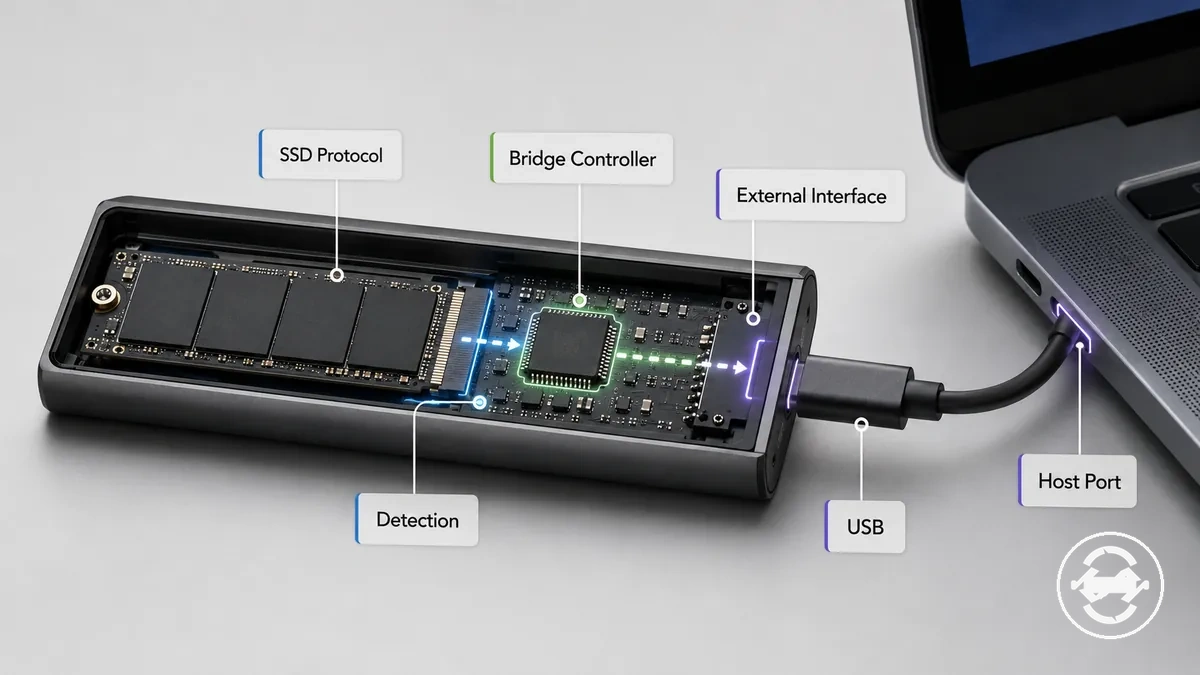
The SSD protocol and bridge controller affect detection and compatibility, while the external interface affects available transfer speed conditions. A compatible enclosure depends on matching the drive protocol with enclosure controller support, while real-world transfer speed can vary based on the cable, USB or Thunderbolt connection, and host port.
- Protocol and drive support: The SSD protocol, such as NVMe or SATA, helps determine whether an enclosure can support the connected M.2 drive.
- Bridge controller and detection: The enclosure bridge controller manages communication between the drive and enclosure, affecting whether the connected drive can be detected.
- External interface and speed: USB, Thunderbolt, cable, and host connection conditions can influence the transfer speed available through the enclosure.
M.2, PCIe, SATA, NVMe, and NGFF naming
M.2, PCIe, SATA, NVMe, and NGFF describe different layers of an M.2 SSD enclosure decision. M.2 is a form factor, while PCIe and SATA describe connection paths, and NVMe describes a protocol used with PCIe-based storage. Separating these terms helps clarify why physical shape and protocol support are different compatibility factors.
A common mistake is assuming that an M.2 label alone proves enclosure support. An M.2 drive can share a similar physical size or keying style with another drive while using a different protocol, so matching the drive type with enclosure support is required for a suitable compatibility result.
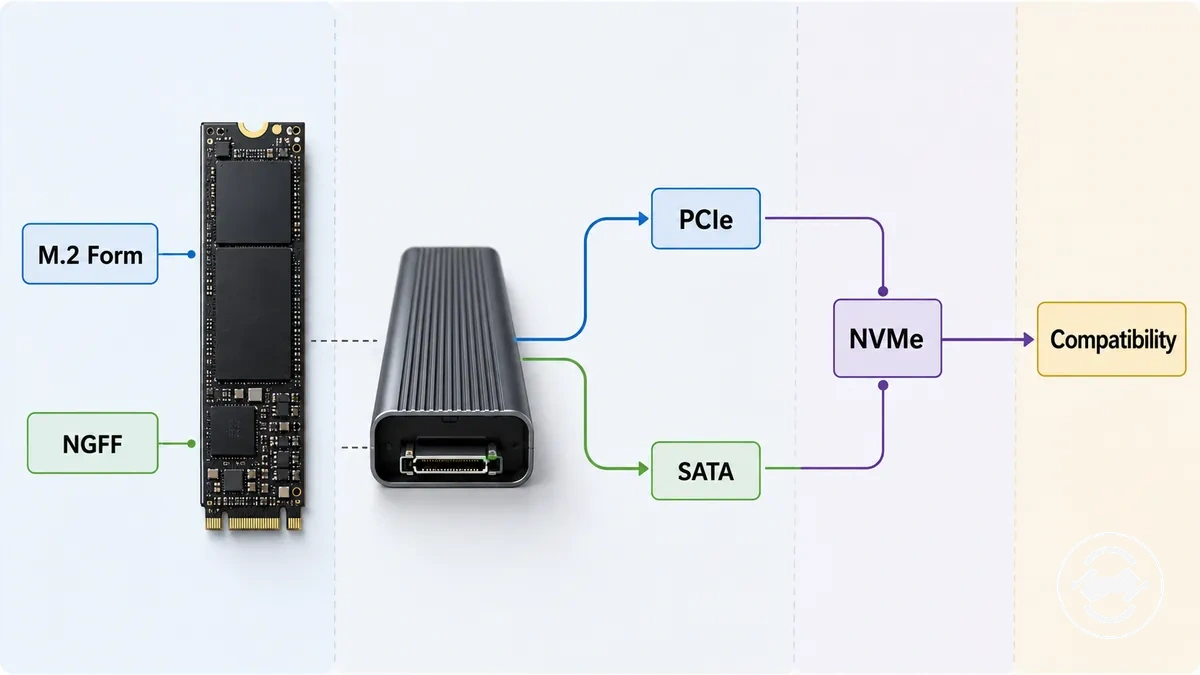
M.2: A form factor that describes the physical design and size category of an SSD.
PCIe: A connection path used by certain storage devices, including NVMe-based M.2 drives.
NVMe: A protocol associated with PCIe-based M.2 drives and supported by compatible enclosure controllers.
SATA: A connection path used by SATA-based M.2 drives and supported by compatible SATA enclosure controllers.
NGFF: A naming label often associated with SATA M.2 products, but listings may use the term differently, so enclosure support should still be checked.
Compatibility Between NVMe Drives and SATA Enclosures
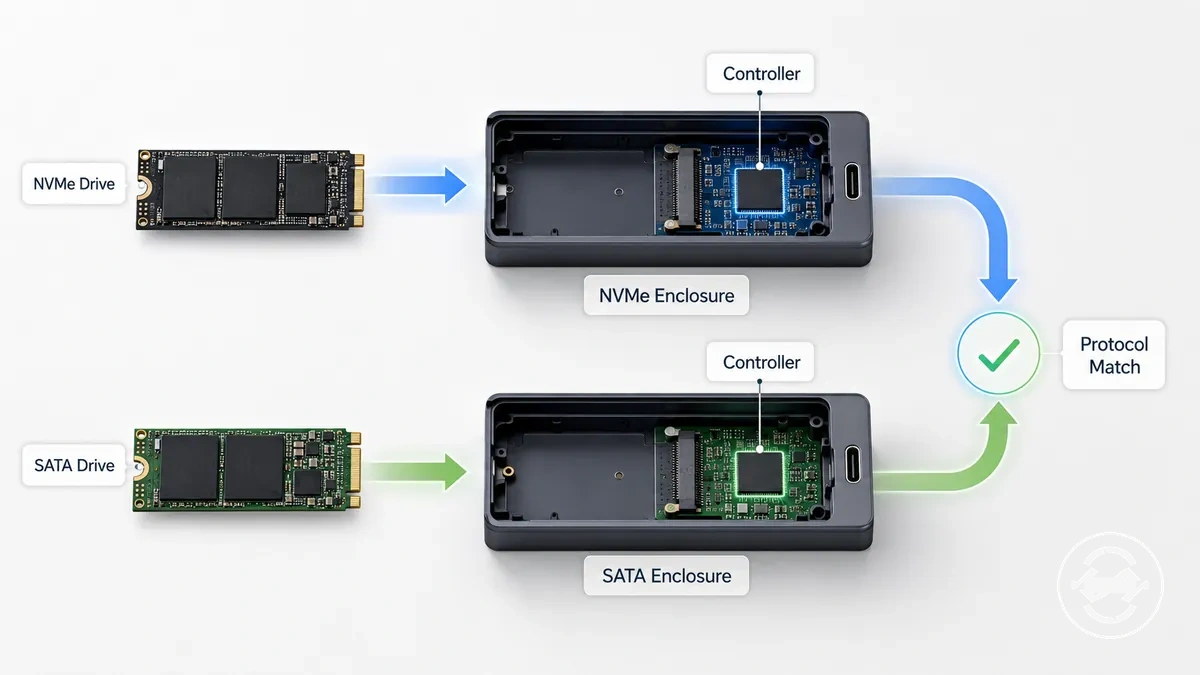
NVMe drives and SATA enclosures require matching protocol support for a compatible connection. An NVMe drive requires an NVMe enclosure or supported dual-protocol enclosure, while a SATA M.2 drive requires SATA enclosure support. The enclosure controller and protocol support determine whether the drive can be detected.
A user may be unsure which enclosure to choose when a drive label, product listing, or specification line only shows the M.2 format. An M.2 drive can share a similar physical design with another drive while using a different protocol, so checking the supported protocol and enclosure controller helps identify the compatible enclosure type.
Physical fit and working compatibility describe different conditions. An M.2 drive fitting into an enclosure does not confirm that the required protocol and controller support are available, so the outcome depends on the enclosure specifications and supported drive protocols.
| Drive type | Required enclosure support | Mismatch result | What to check |
|---|---|---|---|
| NVMe drive | NVMe enclosure with supported protocol and enclosure controller | May not be detected if protocol support does not match | NVMe, PCIe NVMe, and controller support |
| SATA M.2 drive | SATA enclosure with supported SATA protocol and controller | May not be detected if SATA support is missing | SATA, NGFF, and enclosure specifications |
| Dual-protocol enclosure | Supported NVMe and SATA protocols listed by the enclosure | Depends on the supported protocols and enclosure specifications | Protocol support and enclosure controller details |
Why an NVMe drive usually needs an NVMe enclosure
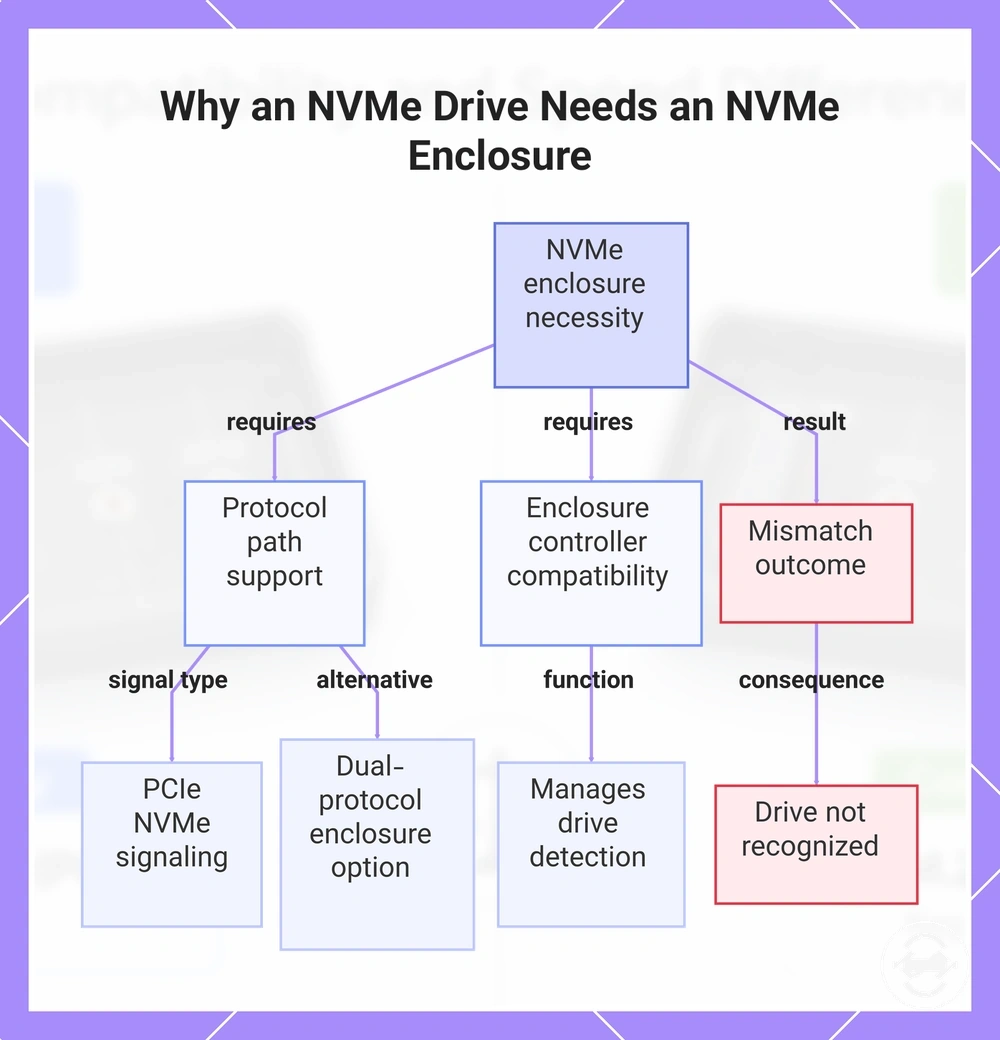
An NVMe M.2 drive usually requires an NVMe enclosure with PCIe NVMe controller support. The NVMe drive uses PCIe signaling, and the enclosure controller must support the matching protocol path for the drive to be detected.
Physical insertion is not enough to confirm compatibility. An M-key connector can indicate a physical connection type, but an enclosure still needs suitable protocol support and controller compatibility for the NVMe drive. A dual-protocol enclosure may support an NVMe drive when its listed supported protocols include the required NVMe path.
- Signal type: An NVMe drive uses PCIe NVMe communication, so the enclosure must support the corresponding protocol path.
- Enclosure controller: The NVMe enclosure controller manages communication between the drive and enclosure, affecting whether the drive can be detected.
- Mismatch outcome: A protocol mismatch may prevent the NVMe drive from being recognized by the enclosure or connected computer.
This chart shows the key requirements for using an NVMe drive in an enclosure, including protocol path support, controller compatibility, and the consequence of a mismatch.
Why a SATA M.2 drive usually needs a SATA enclosure
A SATA M.2 drive usually requires a SATA enclosure with SATA controller support. The enclosure must support the SATA protocol used by the drive for the drive to be detected, so protocol support is the deciding condition rather than the physical M.2 shape alone.
A SATA M.2 drive may use labels such as NGFF SATA, B-key, or B+M-key as identification clues, but these labels do not confirm enclosure support by themselves. An M.2-shaped enclosure does not change a SATA drive into an NVMe drive, and an NVMe-only enclosure may not support a SATA M.2 drive. A dual-protocol enclosure can be an exception when its supported protocols include SATA support.
- Drive label: A SATA M.2 drive may use SATA M.2, NGFF SATA, B-key, or B+M-key clues that help identify the drive type.
- Enclosure support: A SATA enclosure needs SATA controller support to communicate with and recognize the connected drive.
- Mismatch outcome: A protocol mismatch may prevent the SATA M.2 drive from being detected by the enclosure or connected computer.
Where Dual-Protocol M.2 Enclosures Fit
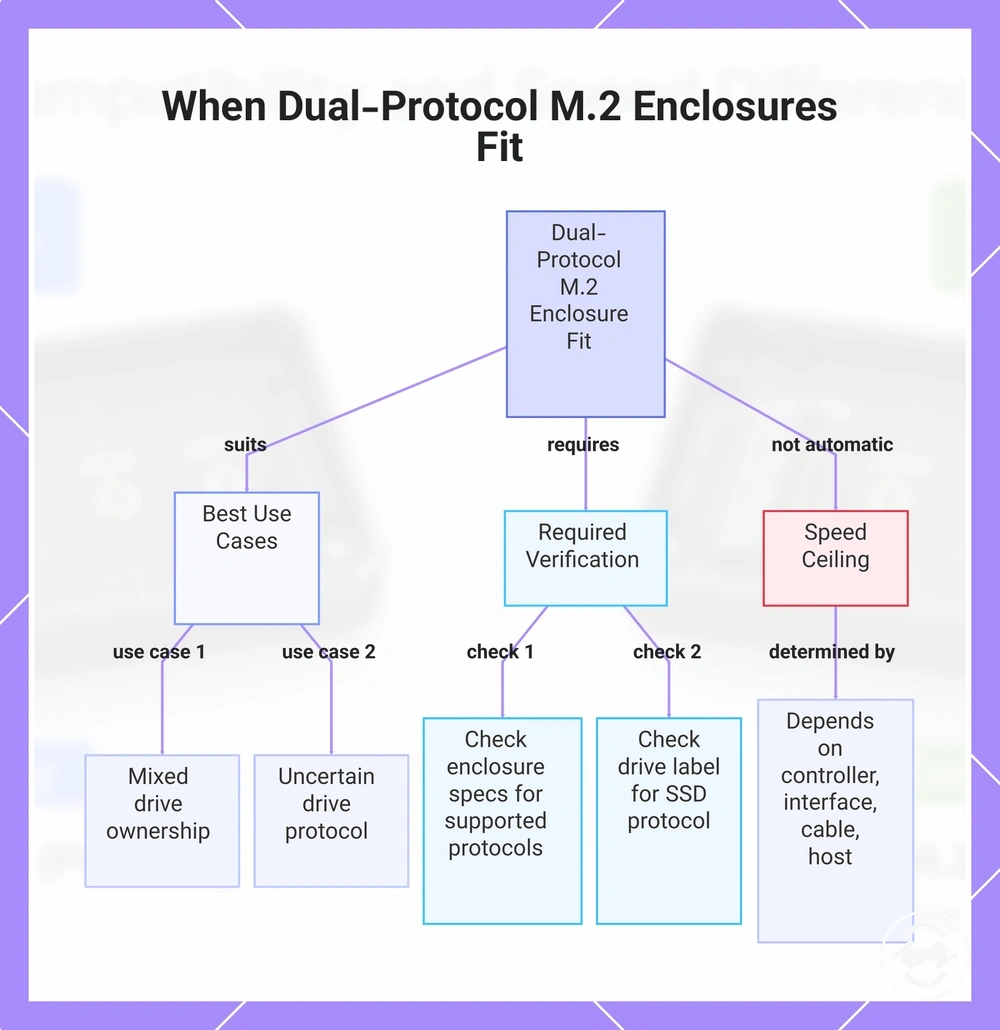
A dual-protocol M.2 enclosure is useful when a user needs support for both NVMe and SATA M.2 drives within the same enclosure type. Dual-protocol support depends on the supported protocols listed in the enclosure specs, and its main value is flexibility rather than guaranteed compatibility with every drive.
Users with multiple M.2 drives or uncertainty about the current SSD protocol may consider a dual-protocol enclosure for reuse flexibility. A drive label or specification line can help identify the protocol, but the enclosure specs and supported protocols should still be checked before making a selection.
A dual-protocol M.2 enclosure does not automatically provide the highest transfer speed for every setup. The practical result depends on the supported protocol, enclosure controller, external interface, and host connection, which creates a speed ceiling for the complete configuration.
- Mixed drive ownership: A dual-protocol enclosure can be a suitable option when users handle both NVMe and SATA drives and want flexibility between supported protocols.
- Uncertain protocol: A dual-protocol enclosure may help when the SSD type is unclear, but the enclosure specs should be checked for supported protocols.
- Reuse flexibility: Users who plan to move between supported NVMe and SATA drives may value a reusable enclosure approach.
- Speed ceiling: Transfer speed depends on the enclosure controller, external interface, cable, and host connection rather than protocol support alone.
This chart shows when a dual-protocol M.2 enclosure is useful and what the practical result depends on.
Speed Differences Between NVMe and SATA M.2 Enclosures
NVMe enclosures can allow higher transfer potential than SATA enclosures, but real transfer speed depends on the SSD protocol, enclosure bridge, external interface, cable, and host port. NVMe speed is limited when the connected interface or host conditions cannot support the available performance path.
For users handling backups, large file transfers, or occasional storage tasks, the value of NVMe speed depends on the workload and complete connection setup. A suitable external interface can help use more of the available transfer potential, while a limited host port or cable can reduce practical throughput. For more detail on these factors, see speed and transfer limits.
A faster SSD protocol does not mean the external connection will always deliver the same result as the internal drive. SATA enclosure limits, NVMe potential, and external interface conditions create different speed ceilings, which is why the comparison below focuses on practical transfer factors.
| Enclosure path | Interface limit | Speed reducers | Use case |
|---|---|---|---|
| SATA enclosure | SATA speed limit | SATA controller, enclosure bridge, and host connection conditions | Storage tasks where SATA transfer capability is suitable |
| NVMe enclosure | NVMe speed potential through the external interface | Enclosure bridge, cable, host port, and interface support | Backups and large files where higher transfer potential may provide value |
| USB 10Gbps / USB 20Gbps | External interface speed ceiling | Cable quality, host support, enclosure controller, and port capability | Depends on the connected enclosure and host setup |
| USB4 / Thunderbolt | Higher external interface capability | Host port, cable, enclosure design, and connected hardware | Useful when the complete setup supports the available interface |
SATA limits inside an external enclosure
A SATA M.2 enclosure is mainly limited by the SATA M.2 SSD and its SATA interface before the external USB port becomes the main factor. The SATA interface creates the primary speed limit, while the enclosure bridge and host connection can further influence the practical transfer result.
A faster USB port does not change a SATA M.2 SSD into an NVMe drive or remove the SATA interface ceiling. For example, connecting a SATA M.2 enclosure to a faster USB port can provide a suitable connection, but the practical transfer depends on the SATA M.2 SSD, enclosure bridge, cable, and host conditions.
- SATA drive limit: A SATA M.2 SSD is constrained by the SATA interface ceiling, which defines the main speed limit before external enclosure factors are considered.
- Enclosure bridge role: The enclosure bridge manages communication between the SATA M.2 SSD and the host device, affecting practical transfer performance.
- USB port limit: A USB port can affect the available external transfer path, but a faster port does not convert SATA behaviour into NVMe performance.
NVMe speed limits from USB, USB4, or Thunderbolt
An NVMe SSD enclosure depends on the external interface and host connection to determine practical transfer performance. The bridge chipset, USB 10Gbps, USB 20Gbps, USB4, or Thunderbolt connection, along with cable quality and host-port support, can limit the result even when the NVMe SSD has higher transfer potential.
A user may have a fast NVMe SSD but connect it through a slower port, unsuitable cable, or limited host-port support. In this situation, the NVMe enclosure may not reach its available performance because the external interface creates the limiting condition. The table below shows the main interface factors to verify.
| Interface type | Limiting condition | Verification point |
|---|---|---|
| USB 10Gbps | Interface speed class and host-port support | USB port, cable quality, and bridge chipset |
| USB 20Gbps | Compatible host connection and enclosure interface | USB support, cable quality, and host port |
| USB4 | Host compatibility and complete connection path | USB4 support, cable quality, and bridge chipset |
| Thunderbolt | Host-port support and connected hardware conditions | Thunderbolt support, cable, and enclosure specifications |
Which M.2 Enclosure Type Fits Your Drive
The right enclosure type follows the SSD protocol supported by the drive. An NVMe enclosure, SATA enclosure, or dual-protocol enclosure can fit different use cases, but the selection process starts with identifying the drive protocol before considering other features.
Users choosing from an existing SSD label or product listing should review the drive type, protocol label, and keying clues before selecting an enclosure. These details can help indicate the required enclosure support, but the enclosure specifications should still be checked for protocol compatibility.
After protocol support is confirmed, interface speed becomes the next selection factor. The right enclosure depends on the connection requirements and intended use, so a higher interface capability may provide value only when the complete setup can support it.
A user with an NVMe drive may consider an NVMe enclosure, while a SATA M.2 drive may require a SATA enclosure. A dual-protocol enclosure may suit users who want reuse flexibility across supported drive types or are uncertain about future SSD needs. For a broader selection process, see the buying checklist.
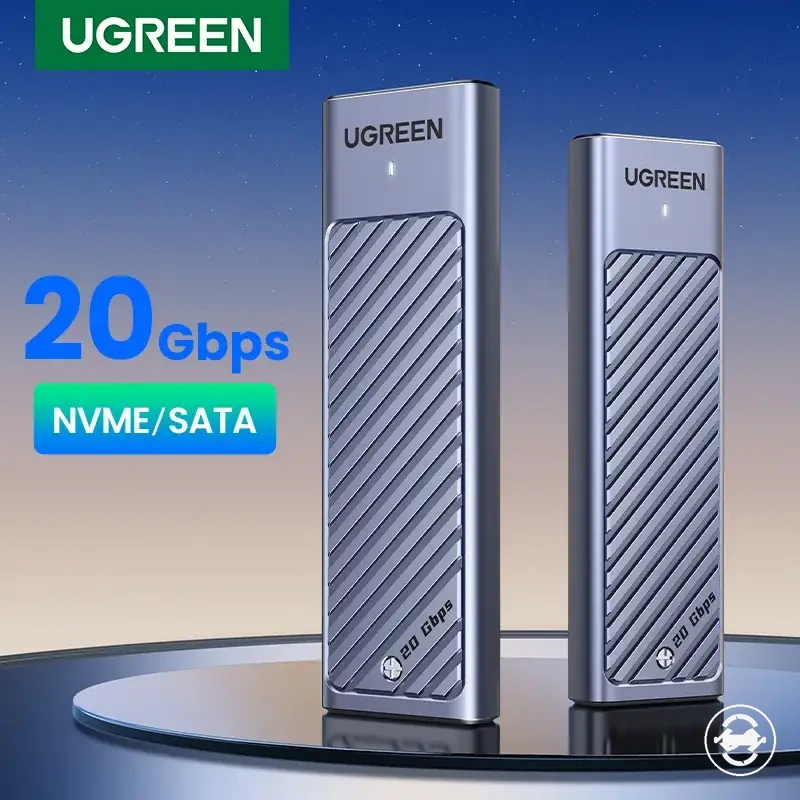
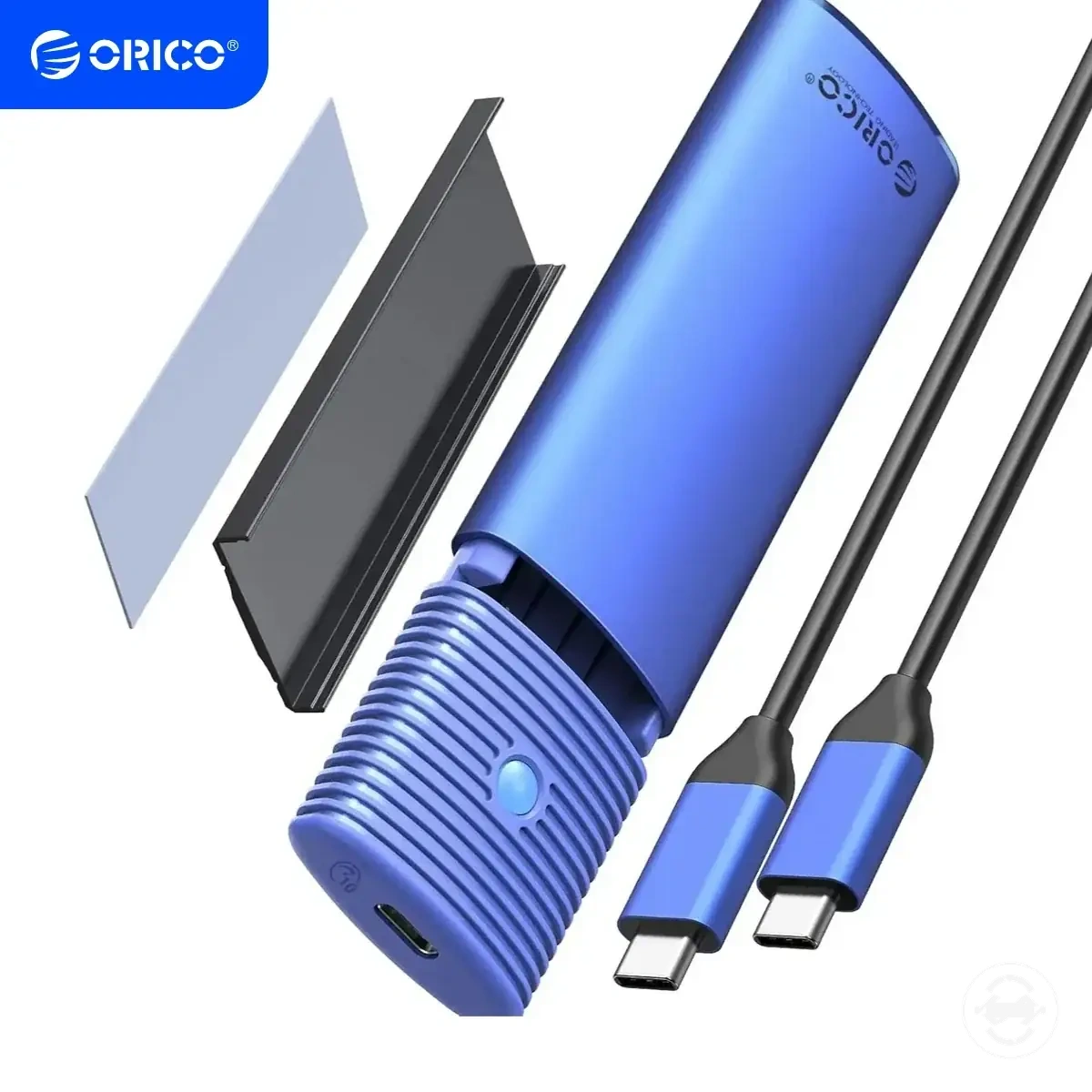
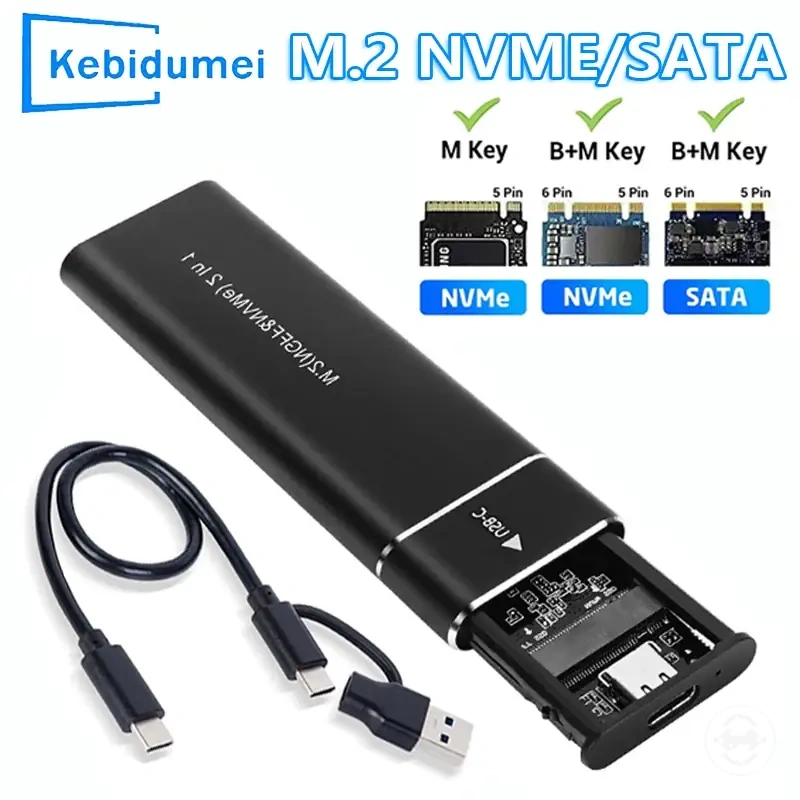
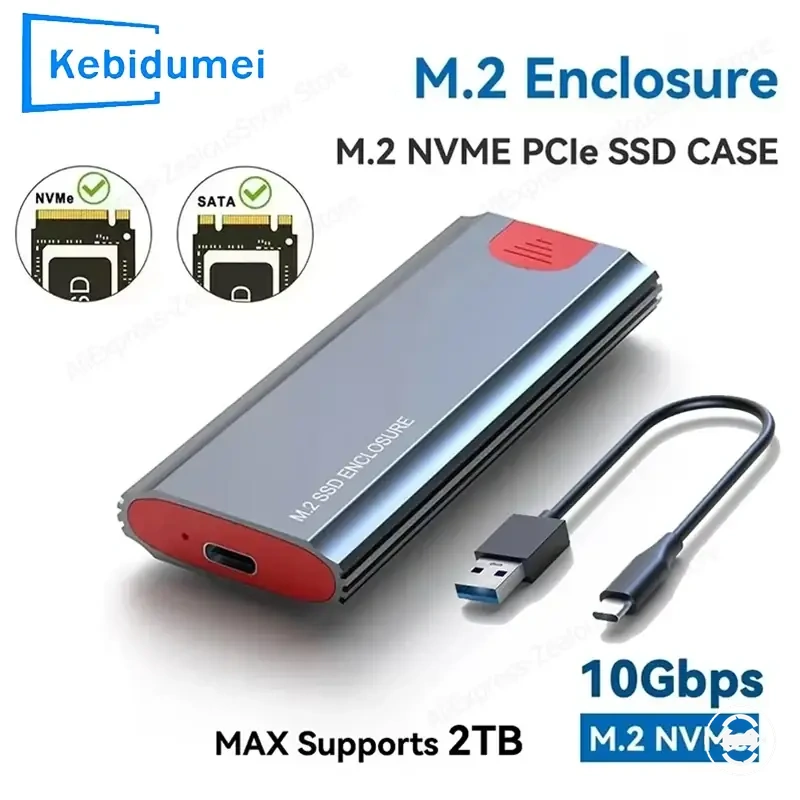
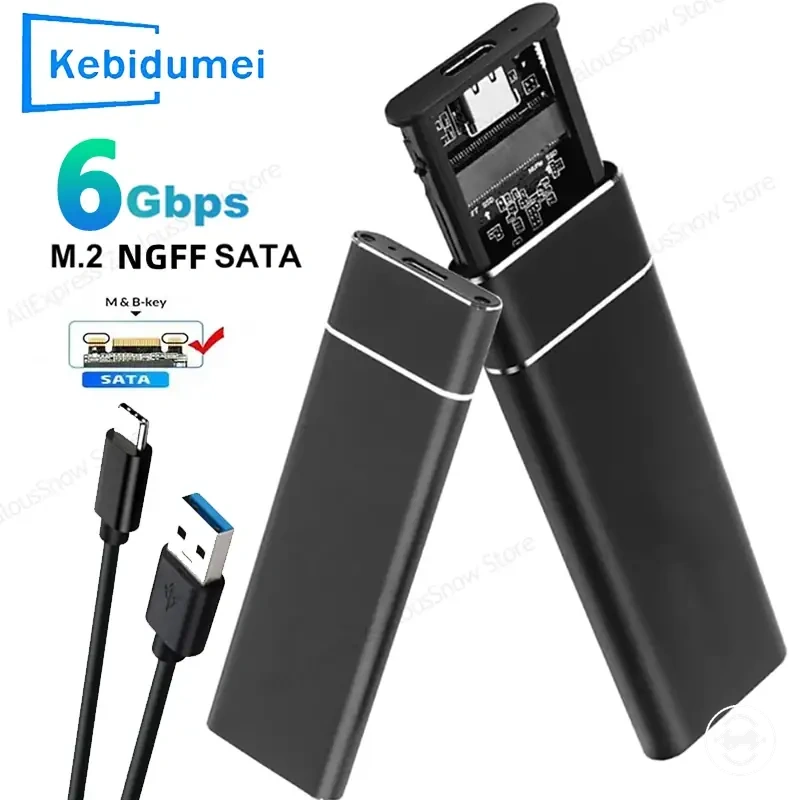
The products below are useful examples for comparing available options. Before buying, check that the compatibility criteria, key features, and product details match your needs.
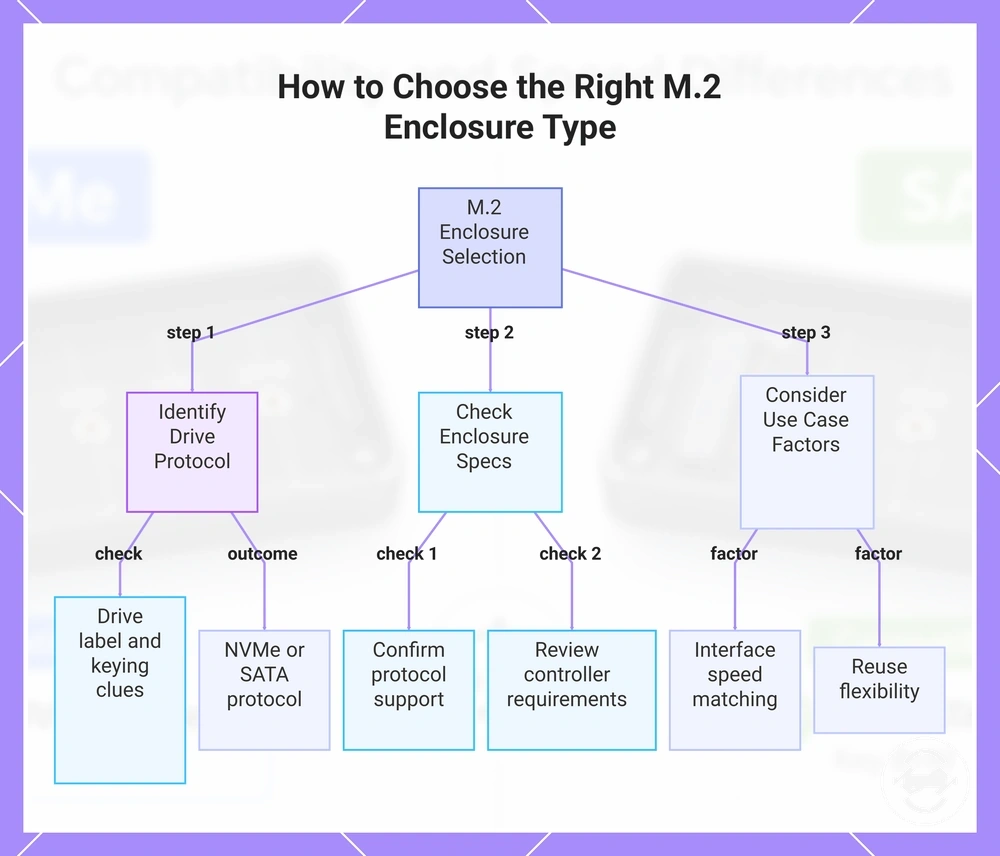
- SSD protocol: Identify whether the drive uses NVMe or SATA before choosing an enclosure type.
- Drive label and keying clues: Review drive labels and keying clues as indicators that may help confirm the required protocol support.
- Enclosure support: Check enclosure specifications to confirm support for the SSD protocol and controller requirements.
- Interface speed: Consider interface speed based on the host connection and expected transfer needs.
- Reuse flexibility: Consider whether a dual-protocol enclosure provides value when using multiple supported drive types.
This chart shows the three main steps to select an M.2 enclosure: identify the drive protocol, check enclosure specifications, and consider use case factors.
Choose by SSD protocol first
The SSD protocol should be checked before speed or enclosure design because it determines whether the enclosure can read the drive. Identifying the drive protocol first helps narrow enclosure support requirements and reduces compatibility uncertainty.
A user may find protocol clues in a drive label, specification line, or product listing when choosing an enclosure. Terms such as NVMe, PCIe, SATA, or NGFF can provide compatibility clues, while M-key, B-key, and B+M-key keying clues should be treated as physical indicators rather than the only decision factor.
- Protocol label: Check whether the SSD uses NVMe or SATA before selecting an enclosure type.
- NVMe and PCIe wording: NVMe or PCIe references can indicate a drive protocol that requires matching enclosure support and controller support.
- SATA and NGFF wording: SATA or NGFF references can indicate a SATA-based drive that requires suitable SATA enclosure support.
- Keying clues: M-key, B-key, and B+M-key can help identify physical characteristics, but they are only compatibility clues.
- Enclosure support line: Verify the enclosure specification for protocol support rather than relying only on M.2 size or slot appearance.
Choose by speed need second
Speed need should be evaluated after protocol compatibility is confirmed. Once the SSD protocol and enclosure support are matched, the next step is choosing performance based on the use case, external interface, and expected transfer workload.
A user moving occasional files may have different requirements from someone handling regular backups or large file transfers. Practical speed depends on factors such as the host port, cable, and enclosure interface, so the value trade-off should be considered before selecting a higher-speed option.
- Basic file transfer: Occasional file transfer may not require a higher speed class if the workload and use case do not benefit from additional transfer performance.
- Large file transfer: Moving large files more often may benefit from stronger interface support when the host port and cable can support the required transfer workload.
- Backup: Backup tasks can depend on file size, frequency, external interface, and practical speed needs rather than enclosure capability alone.
- Frequent high-volume transfers: Repeated large transfers may justify a higher-speed enclosure option when the complete connection setup supports it.
- Value trade-off: Choosing between SATA and NVMe options depends on whether the speed need provides enough value for the intended use case.
Compatibility Mistakes That Cause the Wrong Enclosure Choice
Wrong enclosure choice usually comes from misunderstanding the SSD protocol, enclosure support, or interface requirements. A compatibility mistake such as a protocol mismatch, misleading label, or incorrect assumption about physical fit can lead to a drive not being detected or to underperformance. Checking these factors before selection helps prevent the wrong enclosure choice.
A common mistake is assuming that M.2 shape, NGFF wording, or keying clues alone confirm compatibility. Physical fit can indicate that a drive fits a connector, but it does not confirm protocol support. For a clearer check of supported drive types before selecting an enclosure, see drive type compatibility.
If a drive is already installed but not detected, the cause may involve enclosure support, connection conditions, or other factors. This section focuses on selection errors that can lead to compatibility problems rather than providing a complete troubleshooting process.
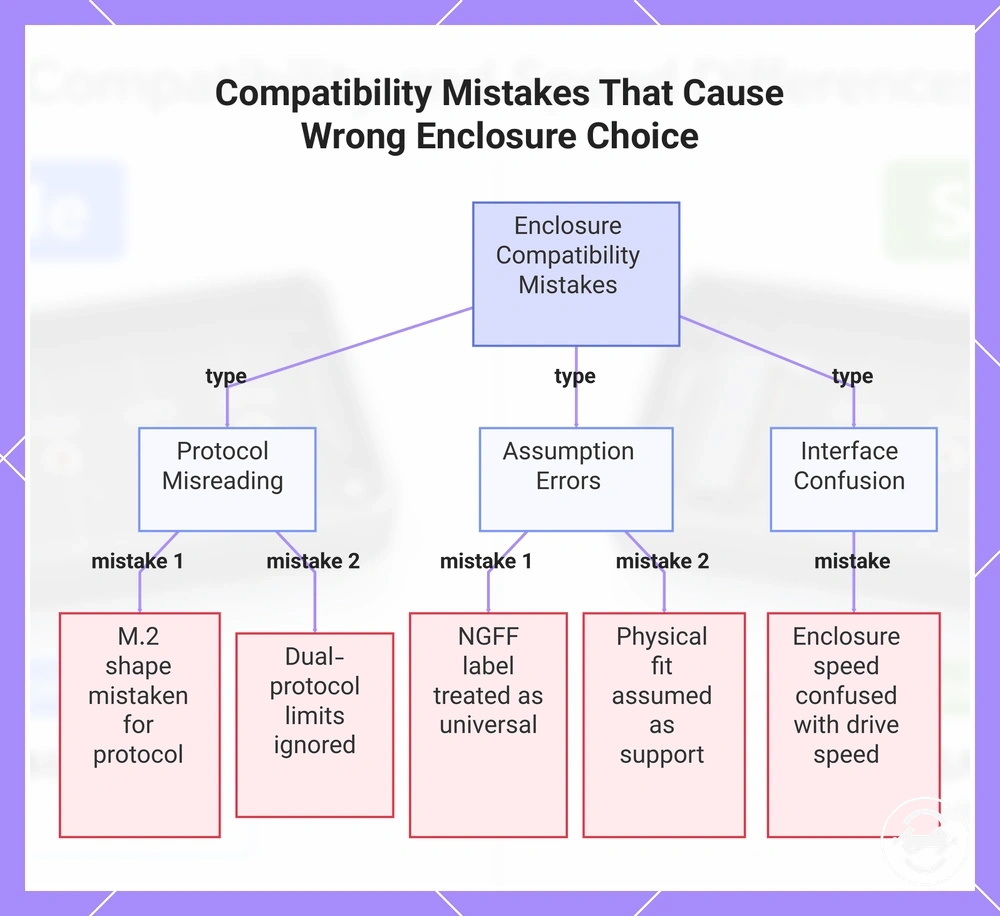
- M.2 mistaken for protocol: Choosing an enclosure from M.2 shape alone can create a compatibility mistake because physical format does not confirm the SSD protocol. Check whether the enclosure supports the required drive protocol.
- NGFF treated as universal: Treating NGFF as a complete compatibility signal can create label ambiguity. Verify the drive protocol and enclosure support instead of relying on the label alone.
- Dual-protocol limits ignored: Assuming a dual-protocol enclosure supports every drive configuration can create a selection error. Check the supported protocols listed in the enclosure specifications.
- Physical fit assumed as support: A drive fitting an enclosure does not confirm that the required protocol support exists. Confirm compatibility beyond the M.2 shape.
- Enclosure speed confused with drive speed: Choosing an enclosure based only on enclosure speed can create an interface assumption. Consider the SSD protocol, enclosure interface, and host connection together.
This chart identifies three categories of compatibility errors that lead to incorrect SSD enclosure selection.
Final Buying Checks for NVMe, SATA, and Dual-Protocol M.2 Enclosures
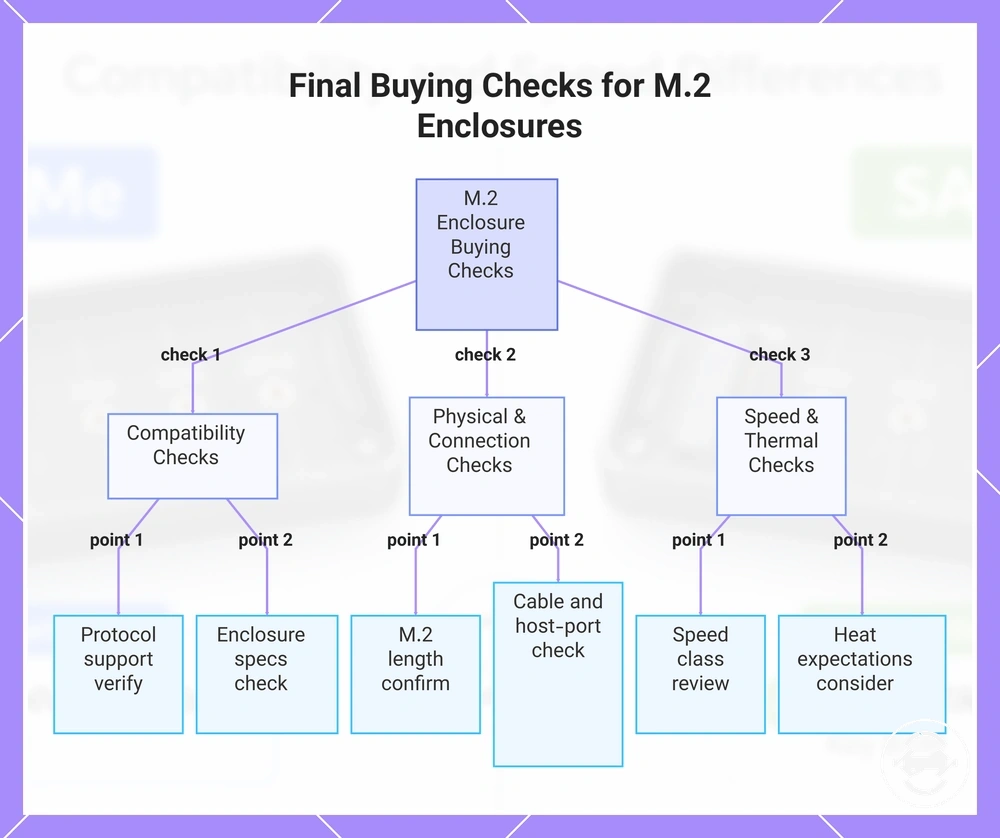
Final buying checks confirm protocol support, interface requirements, physical size support, and use-case fit before selecting an enclosure. Reviewing these factors creates a verification process that helps match the enclosure with the intended drive and connection conditions.
A user checking an existing drive label or enclosure listing should verify the SSD protocol and enclosure specs before comparing additional features. NVMe enclosure, SATA enclosure, and dual-protocol enclosure choices depend on protocol support, making compatibility the first gate in the selection process.
Speed class, cable, and host-port compatibility should be checked after protocol support is confirmed. The external interface and connection path can affect the transfer outcome, so reviewing the relevant criteria in the buying checklist can help structure the final verification.
Product listings may highlight features or speed classes, but they do not replace checking enclosure specs and supported conditions. Exact performance outcomes can vary depending on the drive, interface, host-port compatibility, cable, and other setup factors.
A user comparing storage options may consider whether an enclosure fits the intended SSD use case or whether another storage option is more suitable. An external SSD comparison can help define when an alternative option better matches the use case before making a final decision.
The products below are useful examples for comparing available options. Before buying, check that the compatibility criteria, key features, and product details match your needs.
- Protocol support: Verify that the enclosure supports the SSD protocol, such as NVMe or SATA, before selecting an enclosure type.
- Enclosure support: Check enclosure specs for supported drives, controller support, and compatibility conditions.
- M.2 length: Confirm M.2 length and physical fit requirements to match the drive with the enclosure design.
- Speed class: Review USB or Thunderbolt speed class alongside the intended transfer needs and connection setup.
- Cable and host-port compatibility: Check cable support and host-port compatibility because the connection path affects practical transfer results.
- Heat expectations: Consider heat expectations based on workload and enclosure conditions rather than assuming identical behaviour across setups.
- Dual-protocol need: Consider whether a dual-protocol enclosure provides reuse flexibility and value for supported drive types.
- External SSD alternative: Compare the use case with an external SSD alternative when enclosure flexibility does not match the intended requirement.
This chart groups the key verification checks for choosing an NVMe, SATA, or dual-protocol M.2 enclosure into three essential categories.