M.2 SSD enclosure compatibility for matching a drive to the enclosure
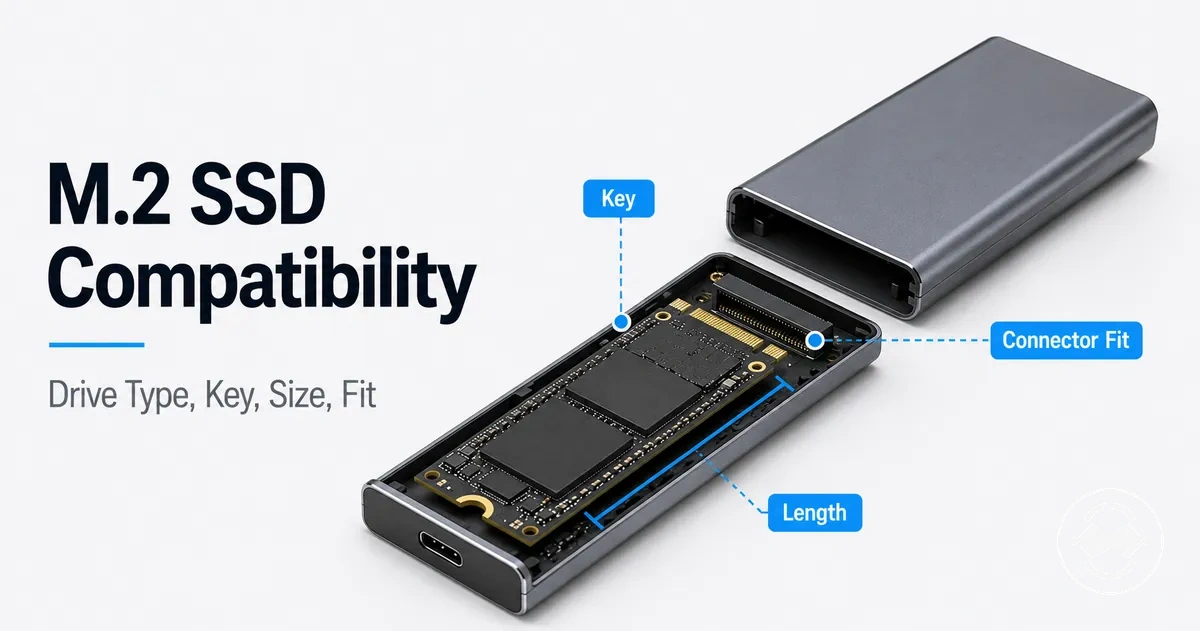
M.2 SSD enclosure compatibility depends on matching the drive protocol, enclosure controller, key type, drive length, and physical fit conditions. A compatible match connects the M.2 SSD drive requirements with the enclosure support features rather than relying on the M.2 label alone.
An M.2 SSD may fit inside an enclosure tray and still fail to operate if the electrical connection does not match. The drive protocol and enclosure controller need to support the same connection path, while the connector notch and mounting point need to allow the drive to be installed correctly.
The main compatibility check is whether the enclosure supports the drive type, key type, length, and clearance requirements. NVMe, SATA, and NGFF terms describe different parts of the compatibility picture, so each detail should be checked before evaluating speed limits or installation steps.
A compatibility review separates electrical compatibility from physical compatibility. The checklist below organizes the main conditions that determine whether an M.2 SSD enclosure can support a specific drive.
- Drive protocol: Check whether the enclosure controller supports the drive protocol, such as NVMe or SATA, because a protocol mismatch may prevent detection.
- Key type: Verify the connector notch, socket support, and enclosure labeling to confirm that the drive connection matches the enclosure design.
- Drive length: Match the M.2 SSD length with the available tray position and mounting point for the enclosure.
- Mounting condition: Check the standoff, screw, or retention method to confirm the drive can be secured correctly.
- Physical clearance: Consider drive thickness, heatsink size, thermal pad height, and enclosure space before installation.
- Host connection: Confirm that the connection between the enclosure and host device supports the intended use case and does not create an additional limit.
What M.2 SSD enclosure compatibility depends on
M.2 SSD enclosure compatibility is the fit between a specific M.2 drive and the enclosure attributes that can support it. The match depends on electrical support and physical fit conditions, including protocol, key type, physical length, clearance, and controller support.
An M.2 drive label alone is not a complete compatibility answer because M.2 describes a form factor family rather than every connection requirement. A drive may have a matching shape but still require the correct enclosure controller, connector key, or protocol support for detection.
When compatibility is uncertain, checking each dependency can reduce the risk of a mismatch before installation. The following checklist organizes the main conditions that affect M.2 SSD enclosure support.

- Drive protocol: The M.2 drive protocol needs to match the enclosure controller support. NVMe and SATA drives use different connection requirements that can affect detection.
- Connector key: The key type and connector notch should match the supported enclosure socket and support label.
- Physical length: The M.2 drive length needs to align with the enclosure tray length and available mounting position.
- Mounting position: The standoff, screw, or retention point should support the drive length and allow a secure fit.
- Clearance: Drive thickness, enclosure space, and nearby components can affect whether the drive fits correctly inside the enclosure.
- Host connection: The host connection can influence the usable limits of the enclosure during real-world use.
For a broader overview of how these attributes connect within the category, see the M.2 SSD enclosure guide.
M.2, NGFF, NVMe, and SATA compatibility boundaries
M.2 and NGFF describe the form factor context of a drive, while NVMe and SATA describe protocol paths that affect enclosure compatibility. The compatibility boundary becomes clearer when separating the physical drive shape from the protocol and controller requirements.
M.2 and NGFF naming can create confusion because they describe the drive format rather than every requirement for operation. A drive shape or connector notch may look suitable, but the enclosure still needs the appropriate protocol support and controller capability.
When a drive appears to fit but does not operate, the difference is often between physical fit and electrical support. The support label and enclosure controller provide the practical verification point for whether the drive connection matches the enclosure requirements.
The comparison below separates common naming terms by what they describe and what they help verify. For a deeper comparison of the protocol paths, see NVMe and SATA enclosure differences.
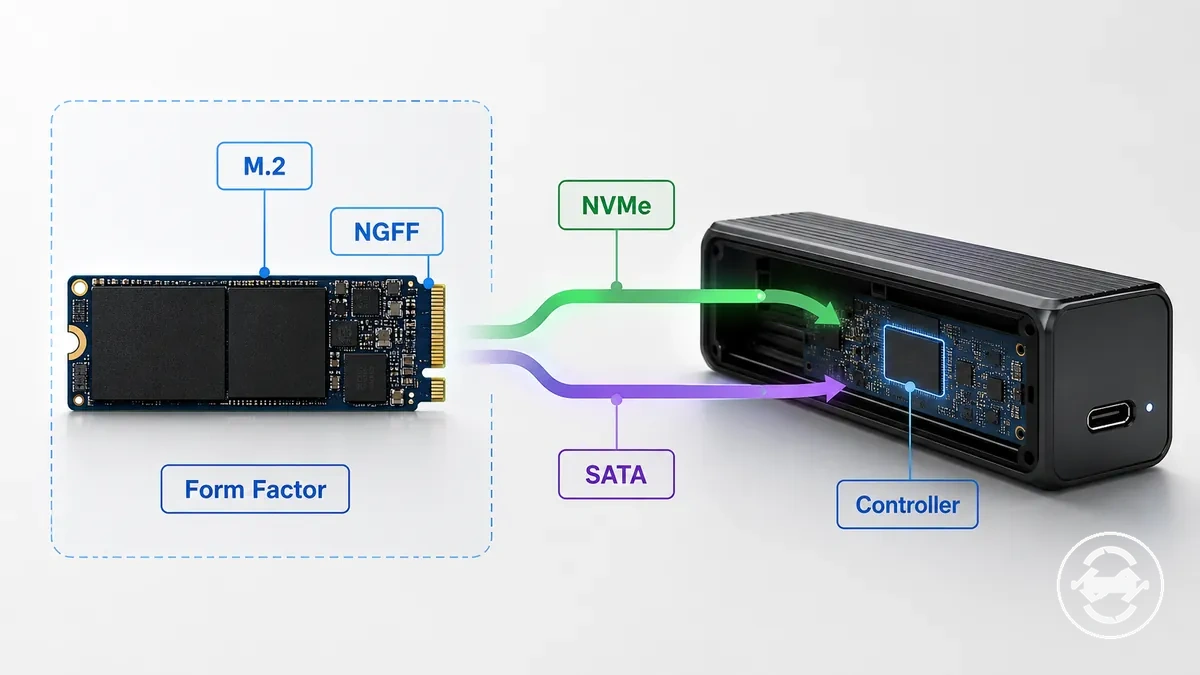
| Term | What it describes |
|---|---|
| M.2 | A form factor describing the physical drive format and connector family. |
| NGFF | A naming term related to the M.2 form factor that does not define every compatibility requirement. |
| NVMe | A protocol context associated with PCIe-based drive communication. |
| SATA | A separate protocol path that requires matching enclosure controller support. |
| Controller | The enclosure component that helps determine supported drive communication. |
When NGFF means form factor instead of protocol
NGFF is used around the M.2 form factor context and does not define the complete protocol requirement for an enclosure. NGFF describes the drive shape and connector family, while SATA or NVMe describes the signaling requirement that needs to match the enclosure support label.
An M.2 drive with NGFF wording may still require verification of the enclosure controller and supported protocol. For example, an enclosure mentioning NGFF support may need a separate check to confirm whether the drive connection uses SATA or NVMe signaling before compatibility can be determined.
Why NVMe drives do not work in SATA-only enclosures
An NVMe drive generally will not work in a SATA-only enclosure because the enclosure controller and signaling path do not match. The NVMe drive uses a PCIe-based protocol path, while a SATA-only enclosure relies on SATA controller support.
The mismatch occurs at the electrical compatibility level rather than only at the physical connection level. An NVMe drive may appear to fit because of the connector shape, but physical insertion does not confirm that the enclosure can communicate with the drive.
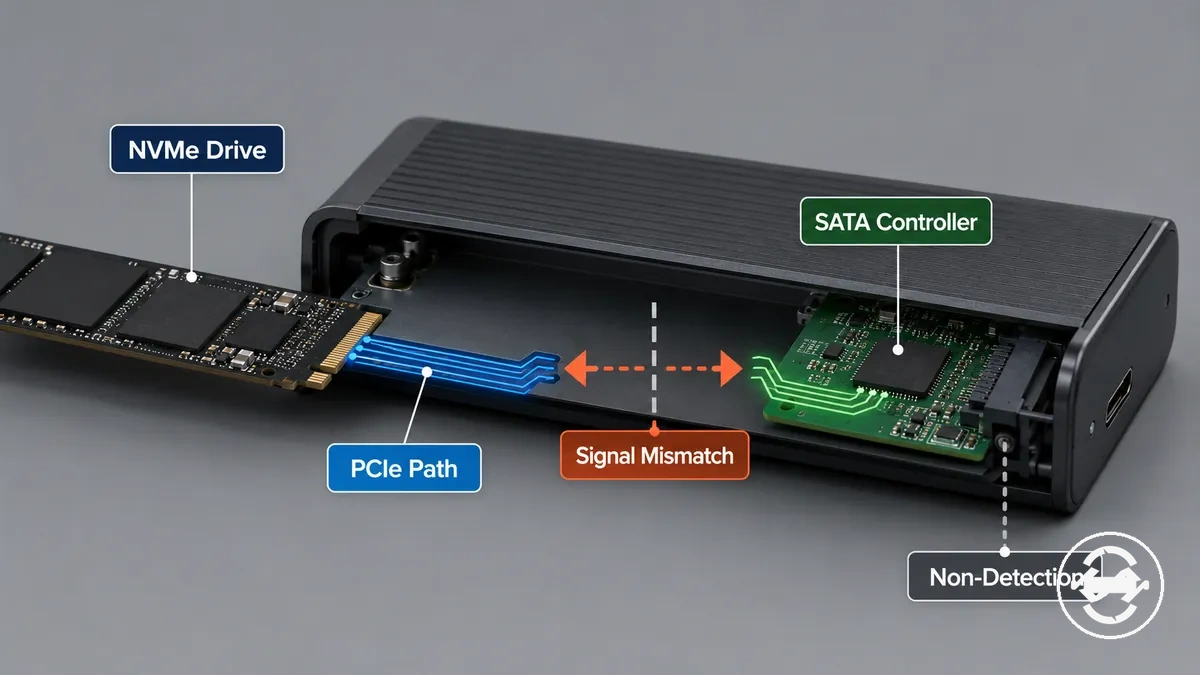
The diagram traces the NVMe-to-PCIe path against a SATA-only controller mismatch. It separates physical insertion from the electrical support needed for detection.
- Drive protocol: An NVMe drive uses an NVMe and PCIe communication path that requires matching enclosure support.
- Enclosure controller: A SATA-only enclosure controller may not support the NVMe drive protocol.
- Signaling path: A mismatch between protocol paths can prevent communication between the drive and enclosure.
- Expected result: The outcome may be non-detection or an unsupported drive condition.
Drive protocol support in M.2 SSD enclosures
Drive protocol support in an M.2 SSD enclosure depends on the enclosure controller and chipset support. The enclosure controller acts as the support gate that determines whether an NVMe, SATA, or dual-protocol M.2 drive can be recognized.
An M.2 drive can require different enclosure support depending on its drive protocol and connection path. NVMe-only, SATA-only, and dual-protocol enclosures represent different support conditions, so the support label and enclosure chipset should be checked before matching a drive.
When the drive protocol does not match the enclosure support, the result may be a detection issue or an unsupported drive condition. For uncertain drive types, checking protocol support first can help identify a suitable enclosure category.
| Enclosure support type | Compatibility condition |
|---|---|
| NVMe-only | Uses NVMe protocol support through an enclosure controller designed for NVMe drives. |
| SATA-only | Uses SATA protocol support through an enclosure controller designed for SATA drives. |
| Dual-protocol | May support both NVMe and SATA drive types when the enclosure controller provides dual support. |
NVMe and PCIe drive support
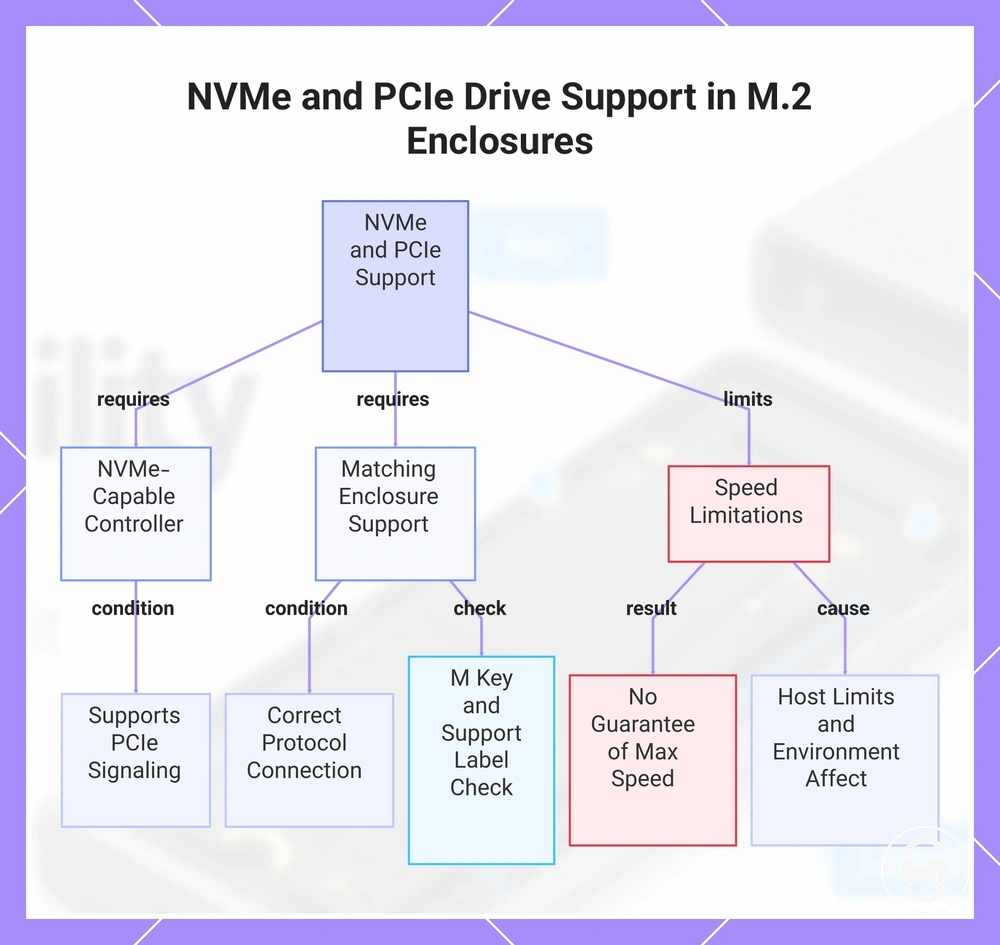
NVMe support in an M.2 SSD enclosure depends on an NVMe-capable controller that supports the PCIe signaling path. An NVMe drive needs matching enclosure support for the correct protocol connection, while the M key and support label help verify whether the drive and enclosure requirements align.
NVMe support can enable supported operation, but it does not guarantee maximum transfer speed. Host limits and the connection environment can affect the available transfer speed after the drive is connected.
For connection-related limits beyond NVMe protocol support, see USB-C and Thunderbolt support.
This chart shows the key requirements and limitations for NVMe and PCIe drive support in an M.2 SSD enclosure, including controller capability, matching enclosure verification, and speed constraints.
SATA M.2 drive support
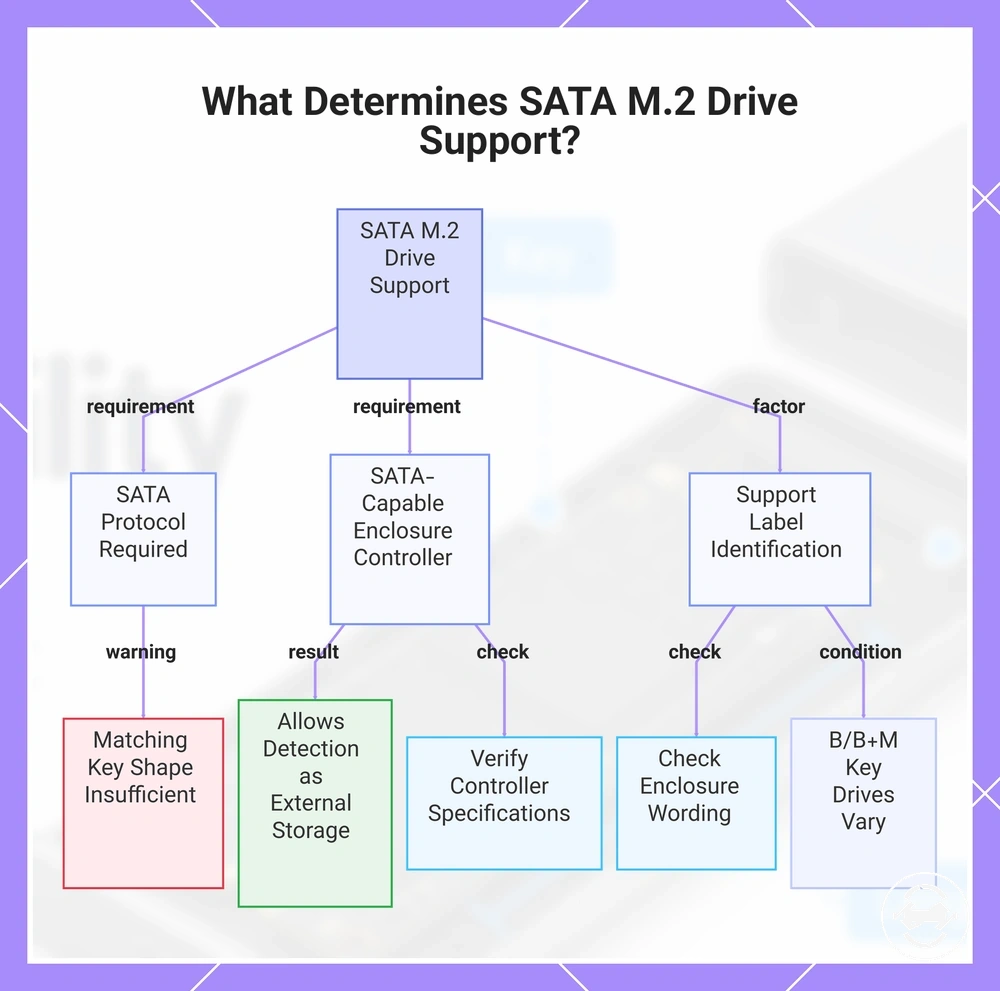
SATA M.2 drive support depends on the SATA protocol, SATA-capable enclosure controller, and the support label used to identify compatible drive types. A SATA M.2 drive requires an enclosure controller with SATA support to allow detection and use as external storage.
A drive with a matching key shape does not automatically confirm SATA support. For example, a B key or B+M key drive may have different protocol support claims, so the enclosure wording and controller support should be checked before assuming compatibility.
This chart shows the three key requirements for SATA M.2 drive support and important checks to ensure compatibility.
Dual-protocol enclosure support
A dual-protocol enclosure can reduce protocol-mismatch risk for users who are unsure whether their drive uses NVMe or SATA. By providing controller support for both drive types, a dual-protocol enclosure can improve compatibility breadth while still requiring label verification.
Dual-protocol support does not replace other compatibility checks. Length, clearance, and host connection limits can still affect whether the drive and enclosure combination is suitable.
The following points separate what dual-protocol support can solve from the remaining checks:
- Can solve: Protocol uncertainty by accepting supported NVMe and SATA drive types when the controller support matches.
- Does not solve: Physical requirements such as drive length and clearance inside the enclosure.
- Still requires: Label verification to confirm the accepted drive type and support claim.
M.2 key types and connector fit
M.2 key types describe the connector-shape layer of compatibility between a drive and an enclosure socket. The key notch helps organize physical alignment, but keying alone does not confirm protocol support or complete operating compatibility.
A matching notch does not always mean the drive will operate in an enclosure. The connector shape identifies part of the physical fit, while the enclosure label and controller support determine whether the required protocol is supported.
Checking the M.2 key type helps narrow the connector fit before evaluating the full compatibility path. The relationship is drive key → enclosure socket support → physical insertion possibility and operating outcome.
The table below separates key fit from protocol support by showing what each key type helps verify and what it cannot prove.
| Key type | What it helps verify |
|---|---|
| M key | Connector alignment that may require checking NVMe support, enclosure label wording, and protocol support. |
| B key | Connector alignment that requires verification of the enclosure socket and supported protocol. |
| B+M key | Combined notch pattern that may fit certain sockets but does not prove SATA support or another protocol claim. |
M key drive and enclosure matching
An M key drive should be checked against an enclosure that explicitly supports an M key socket or NVMe-compatible connection. The M key notch helps establish connector fit, but the enclosure support label is still required to confirm the expected protocol support.
For example, an M key drive may align with an M key socket or an enclosure marked as NVMe-compatible, but the label claim should still be checked with protocol and length verification. The fit check starts with the M key drive and socket alignment, then continues with enclosure support and physical requirements before determining the compatibility outcome.
B key and B+M key drive matching
B key and B+M key drive matching depends on both the connector notch pattern and the enclosure support claim. The notch pattern can help identify physical fit with an enclosure socket, but it does not confirm the supported signaling or protocol by itself.
A B+M key drive may visually match a socket, but the supported signaling still needs verification through the enclosure wording and controller claim. The key shape helps assess insertion possibility, while the enclosure support label helps determine whether the result is a compatible match or a mismatch.
The following points separate notch acceptance from supported signaling:
- Notch pattern: B key and B+M key shapes help identify connector fit and socket alignment.
- Supported signaling: SATA or NVMe support depends on the enclosure controller claim and support wording.
- Compatibility outcome: A matching connector notch can still result in a mismatch if the enclosure does not support the drive protocol.
M.2 SSD length support inside the enclosure
M.2 SSD length support depends on whether the enclosure tray and mounting position can hold the drive size correctly. The M.2 SSD length determines the required standoff or mounting point, so the physical fit depends on the available tray space and retention support.
For example, a 2280 drive may fit many enclosure designs, but that does not confirm support for every shorter or longer M.2 SSD length. A drive that is shorter or longer may still require the correct standoff position and mounting point to secure it correctly.
When the enclosure tray is too short or lacks the required mounting position, the drive may not reach the intended retention point. Checking the supported length before installation helps identify the correct fit limit. For a broader overview of size categories, see M.2 SSD enclosure sizes.
The table below maps common M.2 size numbers to physical length and enclosure mounting needs.
| M.2 size | Length support consideration |
|---|---|
| 2230 | Requires a matching enclosure standoff and mounting position for the shorter drive length. |
| 2242 | Requires an enclosure tray and retention point that support the drive length. |
| 2260 | Requires the correct mounting position to secure the drive inside the enclosure. |
| 2280 | Commonly supported in many enclosures, but still requires explicit length support verification. |
| 22110 | Requires a longer tray area and suitable mounting support for the extended drive length. |
Length support is separate from protocol support, so a physical size match alone does not confirm complete compatibility.
2230, 2242, 2260, and 2280 support
2230, 2242, 2260, and 2280 are common M.2 SSD lengths that describe the physical drive size inside an enclosure tray. Each length maps to a different tray position and may require a matching standoff or retention point for a secure fit.
The correct mounting support depends on the enclosure design and the available mounting points. A shorter drive may need an adjustable standoff to prevent movement, while other lengths require the correct retention point for stable placement.
The size numbers below show how common M.2 lengths connect to tray support, standoff placement, and fit outcome.
- 2230: A shorter drive length that may require an adjustable standoff or specific retention point to maintain a secure fit.
- 2242: A common length that requires the tray and mounting point to align with the drive position.
- 2260: A longer drive size that depends on the correct standoff location and available retention support.
- 2280: A common enclosure-supported length, but the tray and standoff still need to match the specific drive size.
22110 enclosure fit limits
A 22110 SSD requires explicit enclosure support because this longer drive needs enough tray length and the correct mounting point. The enclosure support label should confirm 22110 compatibility before expecting a suitable fit result.
A common assumption is that a connector match or support for another M.2 length covers a 22110 drive, but the enclosure shell controls the final fit limit. A 22110 SSD needs sufficient tray length, the correct mounting point, and enough shell clearance to avoid a no-fit result.
- 22110 check: Verify explicit support for the longer drive, including tray length and enclosure shell clearance.
Physical clearance and mounting fit before installation
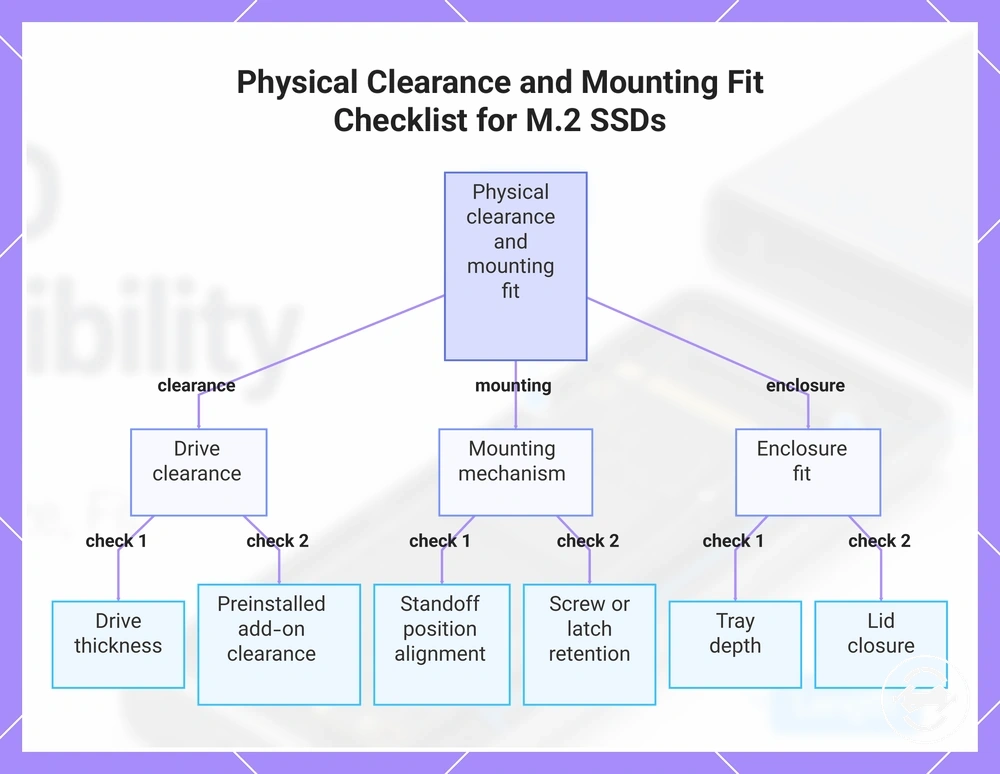
Physical clearance and mounting fit verify whether a theoretically compatible M.2 SSD can seat, close, and mount correctly inside an enclosure. Compatibility with the drive protocol does not confirm that the drive assembly has enough space for proper physical seating.
A drive with a preinstalled heatsink or unusually thick thermal pad may create additional clearance conditions. These added parts can affect tray depth, enclosure body space, contact areas, and lid closure, creating a fit risk before installation.
After physical clearance and mounting fit checks are complete, the next step is the installation process. The checklist below verifies the conditions that affect seating and fit before installing the drive.
- Drive thickness: Check that the SSD thickness allows the drive to sit correctly inside the enclosure.
- Heatsink: Confirm that a preinstalled heatsink does not reduce available clearance or prevent closure.
- Thermal pad: Check whether the thermal pad thickness affects tray depth or lid clearance.
- Standoff position: Verify that the standoff aligns with the drive mounting position.
- Screw or latch: Confirm that the retention method supports the drive without creating a mounting fit issue.
- Tray depth: Check that the tray provides enough space for the complete drive assembly.
- Lid clearance: Verify that the enclosure lid can close correctly after the drive is seated.
For the next stage after these checks, see installing the drive correctly.
This chart groups the essential physical clearance and mounting fit checks to perform before installing an M.2 SSD.
SSD thickness, heatsinks, and thermal pad clearance
SSD thickness, attached components, and enclosure space determine whether an M.2 SSD can achieve safe seating inside the enclosure body. When a drive assembly creates a space conflict, physical clearance becomes the limiting factor for closure and mounting fit.
A drive with a preinstalled heatsink or a higher thermal pad may create different clearance conditions than a bare SSD. These changes can affect the enclosure lid, contact pressure, and closure, so heatsink or pad modifications should be considered carefully because they may change fit conditions.
The checklist below verifies the clearance points inside the enclosure body:
- SSD thickness: Check that the drive thickness allows the SSD assembly to sit correctly inside the enclosure.
- Heatsink: Verify that an attached heatsink does not create a clearance issue with the enclosure body.
- Thermal pad: Confirm that pad height does not prevent safe seating or proper closure.
- Enclosure lid: Check lid clearance before closing the enclosure.
- Contact pressure: Verify that the assembly allows suitable contact without creating a fit risk.
Standoff, screw, and tray position fit
Standoff, screw, and tray position fit determine whether the M.2 SSD can be secured at the correct drive length position inside the enclosure. Retention hardware connects the drive length with the tray position, helping create a secure fit when the mounting points align.
A drive can match the expected protocol and key but still have poor seating if the standoff, screw, latch, or tray slot does not align correctly. Checking the retention hardware helps identify loose retention or fit risks before use.
The following steps verify alignment only:
- Match the standoff position to the supported drive length and tray position.
- Check that the drive sits correctly in the tray slot before securing it.
- Confirm that the screw or latch matches the retention hardware design and provides a secure fit.
How to verify SSD and enclosure compatibility
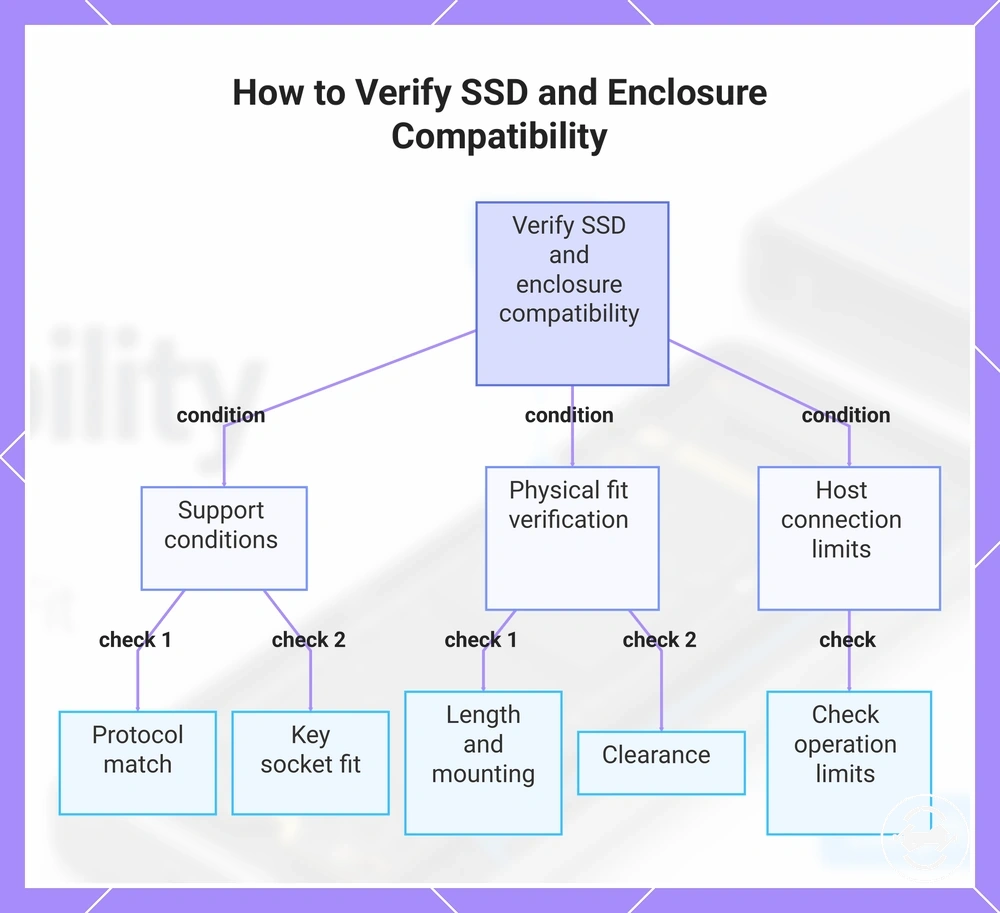
Verify compatibility by matching the SSD and enclosure conditions before installation. The four core checks are protocol, key, supported length, and physical clearance.
When an SSD is not detected, the issue may come from a mismatch between the drive protocol and enclosure controller support. Check the SSD type and enclosure support label first to confirm whether the connection is a pass, fail, or confirm outcome.
A compatibility checklist organizes the decision by required conditions before use:
- Drive type and protocol: Check whether the SSD protocol matches the enclosure support label and controller support. Outcome: pass if the protocol is supported, fail if it does not match, or confirm if the support information is unclear.
- Key and socket fit: Check the SSD key and enclosure socket for physical fit. Outcome: pass if the connector alignment matches, fail if the key shape is incompatible, or confirm if socket support requires verification.
- Supported length: Check the SSD length against the enclosure tray and supported length information. Outcome: pass if the drive length is supported, fail if the tray cannot fit the drive, or confirm if the length details are incomplete.
- Mounting hardware: Check the standoff, screw, latch, or retention hardware for the drive position. Outcome: pass if the SSD can be secured correctly, fail if mounting alignment is not possible, or confirm if the retention method is unclear.
- Clearance: Check SSD thickness, heatsinks, thermal pads, and enclosure space. Outcome: pass if the SSD assembly can seat correctly, fail if clearance prevents proper fit, or confirm if the physical space needs inspection.
- Host connection: Check the host connection limits that affect operation. Outcome: pass if the connection supports the intended use, fail if the connection is unsuitable, or confirm if limits require checking.
Key, socket, and physical fit checks help separate connector alignment from complete compatibility. A pass result requires both support conditions and physical fit verification.
Supported length, mounting hardware, and clearance checks confirm whether the SSD can be secured inside the enclosure. These conditions help identify fit risks before the enclosure is used.
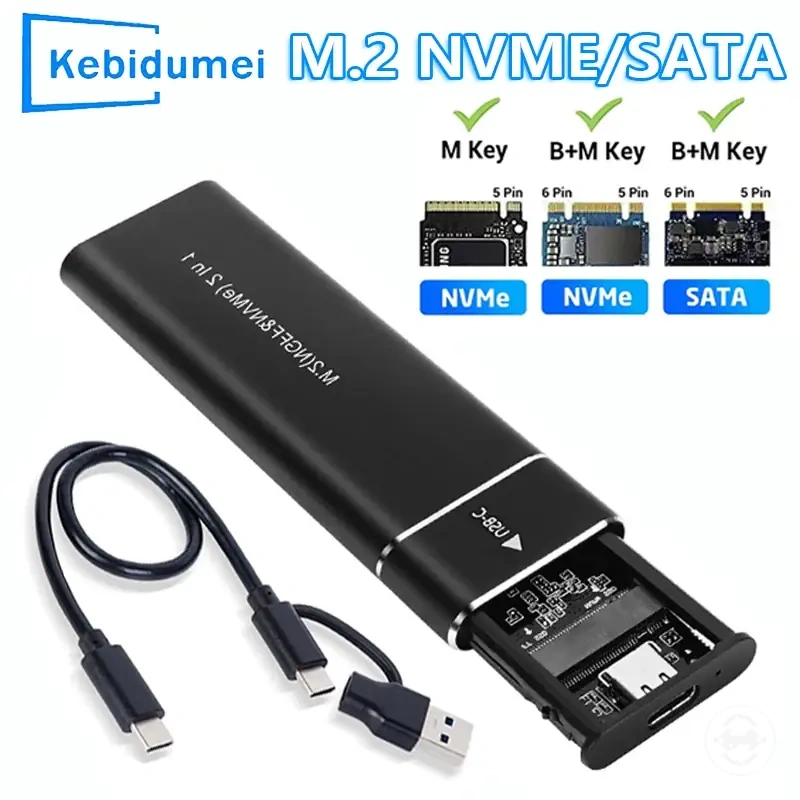
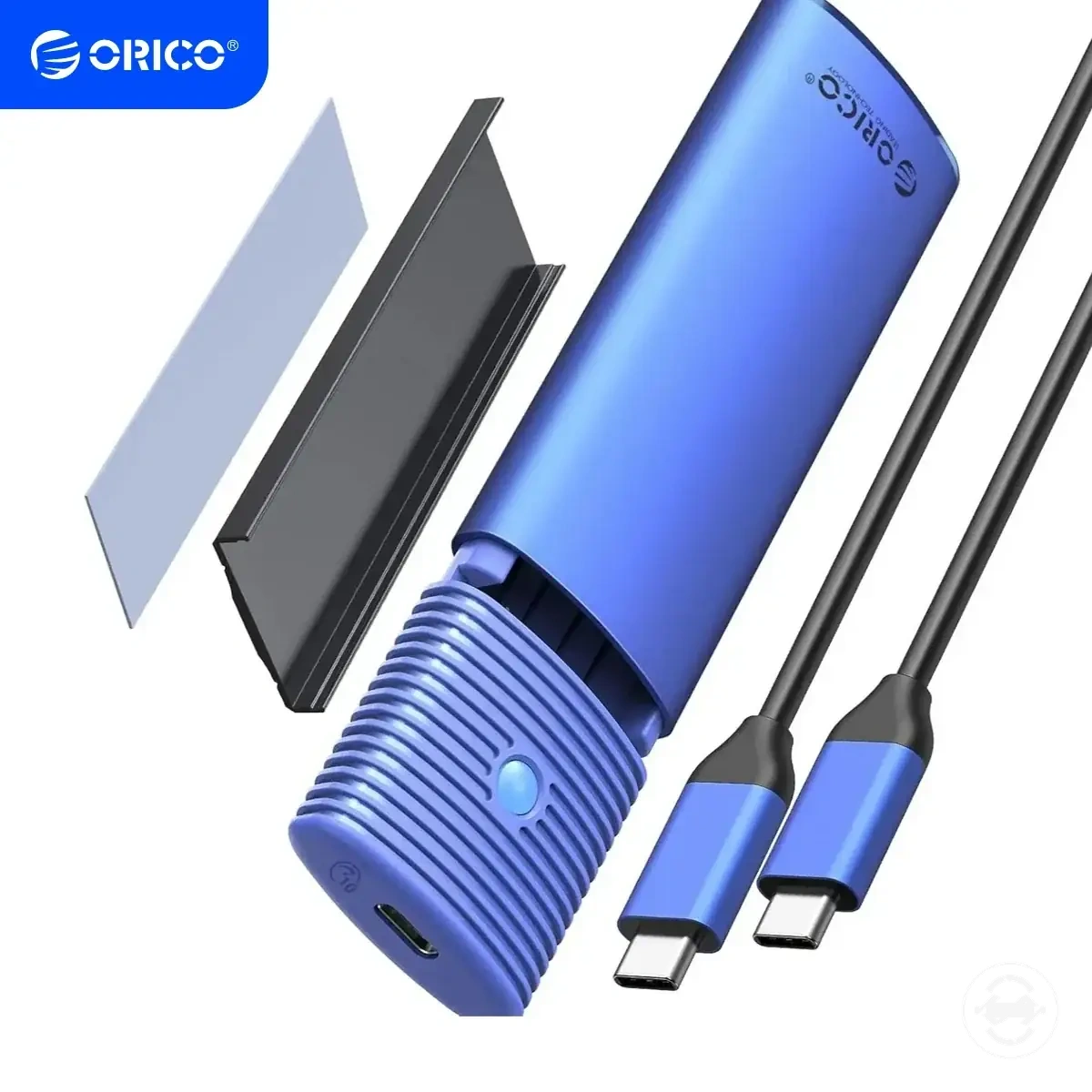
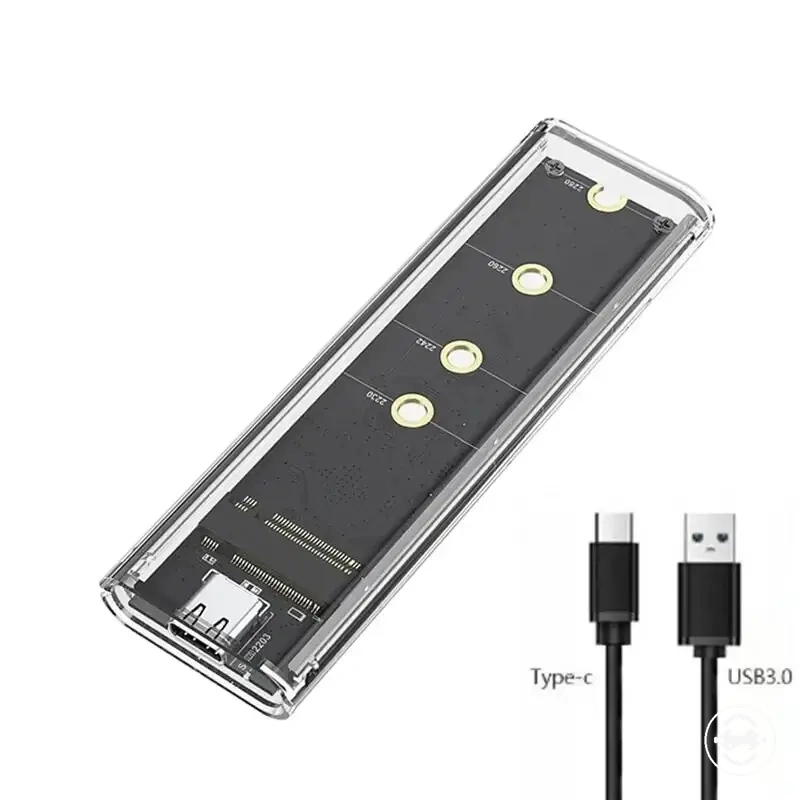
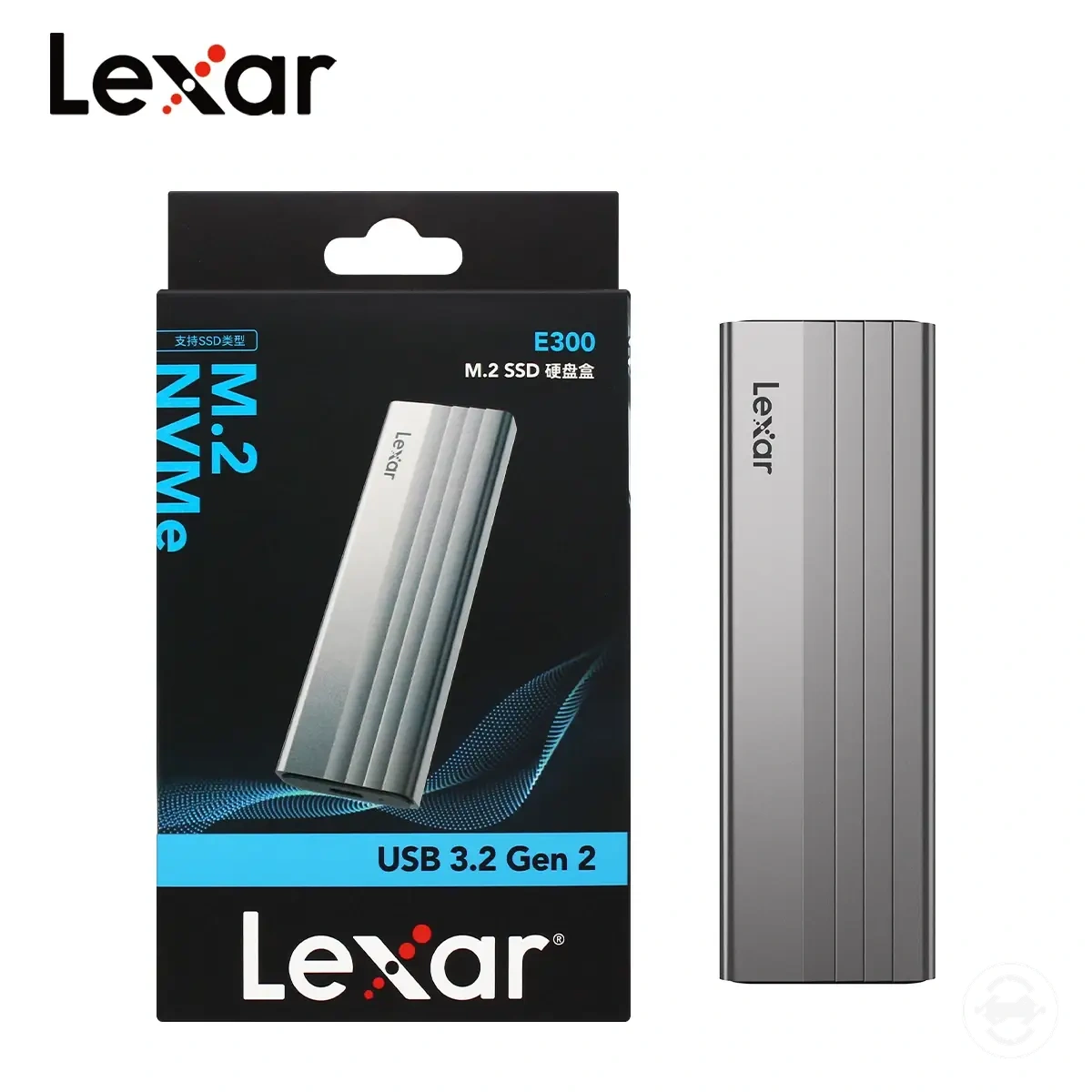
The products below are useful examples for comparing available options. Before buying, check that the compatibility criteria, key features, and product details match your needs.
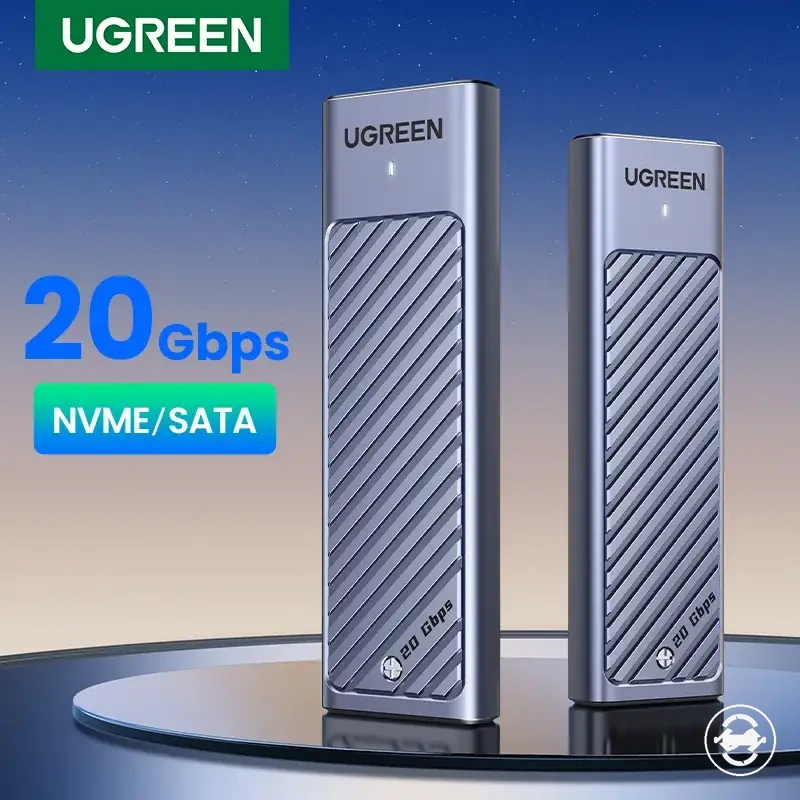
Host connection limits can affect operation after compatibility checks are complete. Confirming each condition provides a clearer compatibility decision before moving forward.
This chart shows the four core conditions to check for SSD and enclosure compatibility: protocol support, key fit, physical fit, and host connection limits.
Compatibility mistakes that stop the enclosure from working
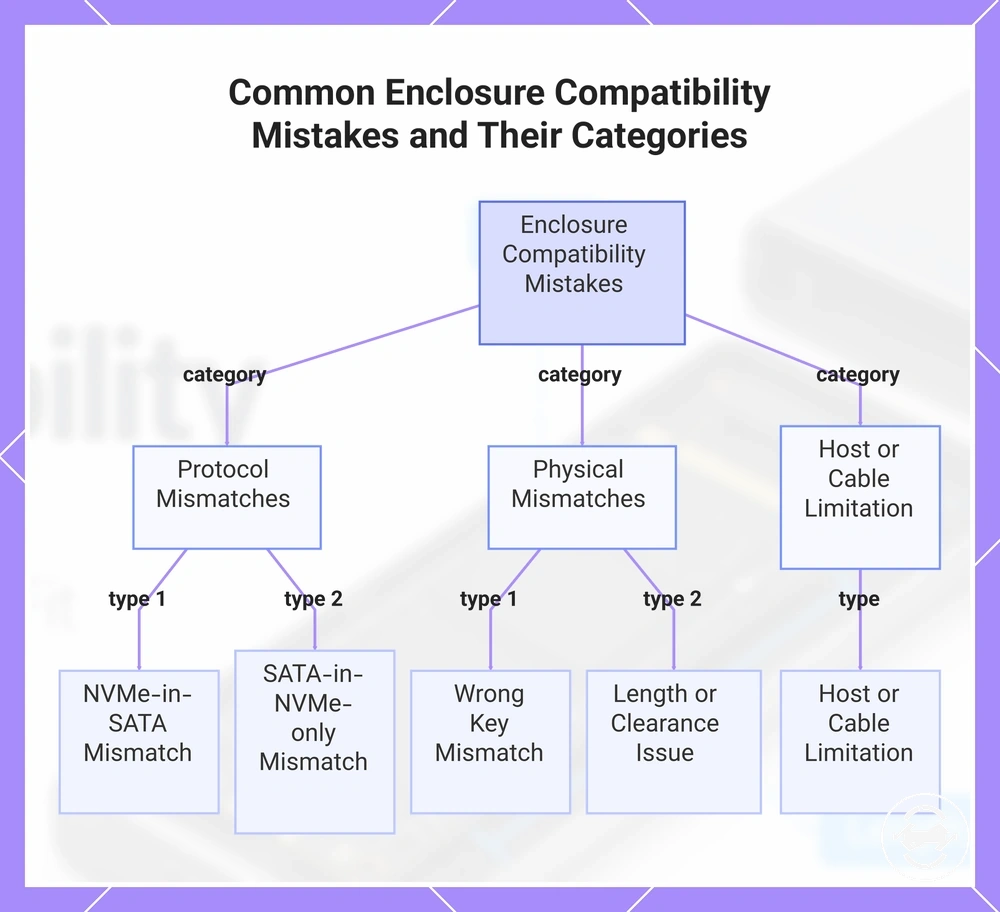
Compatibility mistakes are usually mismatch patterns between an SSD and enclosure that can lead to non-detection or failed installation. Not every detection issue is caused by compatibility, but protocol, key, supported length, and physical clearance checks identify common mismatch patterns.
Protocol mismatches can prevent the enclosure from supporting the SSD connection. An NVMe-in-SATA mismatch or SATA-in-NVMe-only mismatch may occur when the enclosure controller support does not match the drive protocol. Checking the support label and controller compatibility helps confirm the correct next check.
A drive can appear suitable while still having a physical mismatch. A wrong key, unsupported length, poor seating, or clearance conflict can create a fit issue during installation. These conditions should be checked alongside the protocol requirements before treating the enclosure as incompatible.
The diagnostic list below connects common compatibility mistakes to likely symptoms and next checks.
- NVMe-in-SATA mismatch: Symptom: the SSD may show non-detection. Next check: verify that the enclosure controller supports the SSD protocol.
- SATA-in-NVMe-only mismatch: Symptom: the SSD may not operate through the enclosure. Next check: confirm SATA support in the enclosure specifications.
- Wrong key: Symptom: the SSD and enclosure socket may not align. Next check: confirm the key and socket fit.
- Unsupported length: Symptom: the SSD may not fit the tray or mounting position. Next check: verify supported length and retention support.
- Poor seating or clearance conflict: Symptom: the drive may have a physical fit issue. Next check: inspect seating, clearance, and enclosure space.
- Host limitation: Symptom: operation may be affected after connection. Next check: confirm the host connection and cable conditions.
Host limitation and cable limitation are separate from core SSD and enclosure compatibility checks. If compatibility checks pass but the SSD remains not detected, broader detection causes may need to be reviewed through drive not detected troubleshooting.
The products below are useful examples for comparing available options. Before buying, check that the compatibility criteria, key features, and product details match your needs.
This chart categorizes common compatibility mistakes between SSDs and enclosures, showing the main types of protocol, physical, and host/cable mismatches.