M.2 SSD enclosure vs external SSD for portable storage
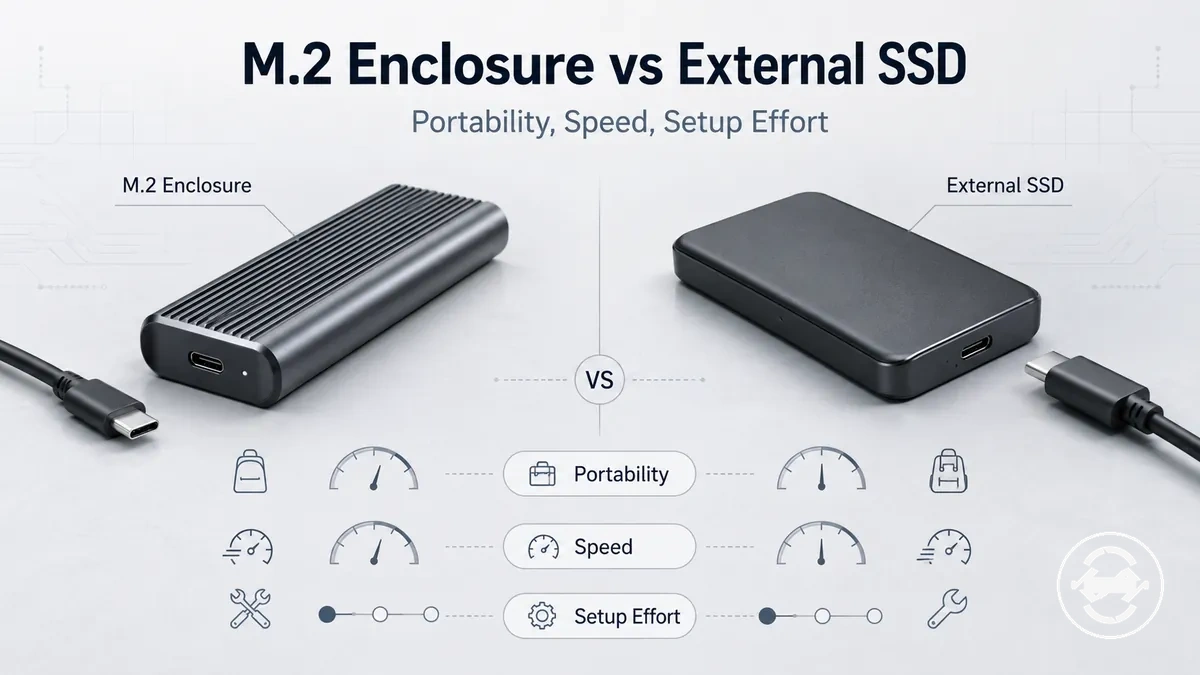
M.2 SSD enclosure and external SSD can both provide portable storage, but the right choice depends on setup effort, drive reuse, compatibility, speed limits, portability, and cost-value. An M.2 SSD enclosure may suit users who want to reuse an internal M.2 SSD when the drive and enclosure are compatible, while an external SSD may suit users who prefer a ready-made portable drive. The choice depends on the device, drive, cable, port, and use case.

The comparison between an M.2 SSD enclosure and an external SSD is based on how each option handles storage setup and practical use. An M.2 SSD enclosure combines an enclosure housing, controller, cable connection, and an internal M.2 SSD selected by the user, while an external SSD is a prebuilt device designed as a complete portable storage option. The main decision criteria include setup effort, compatibility risk, speed limit, cost-value, reuse, portability, and the intended use case.
M.2 SSD enclosure and external SSD options serve different needs rather than having one universal winner. An enclosure can provide reuse flexibility when an internal M.2 SSD is available and suitable, while an external SSD can reduce some setup decisions through a ready-made design. For broader enclosure context, see the M.2 SSD enclosure hub.
What separates an M.2 SSD enclosure from an external SSD
M.2 SSD enclosure is a housing or adapter for an internal M.2 SSD, while an external SSD is a prebuilt portable storage device with integrated components. The main difference is the storage path: an M.2 SSD enclosure creates a portable drive from a selected internal M.2 SSD, while an external SSD starts as a ready-made storage device.
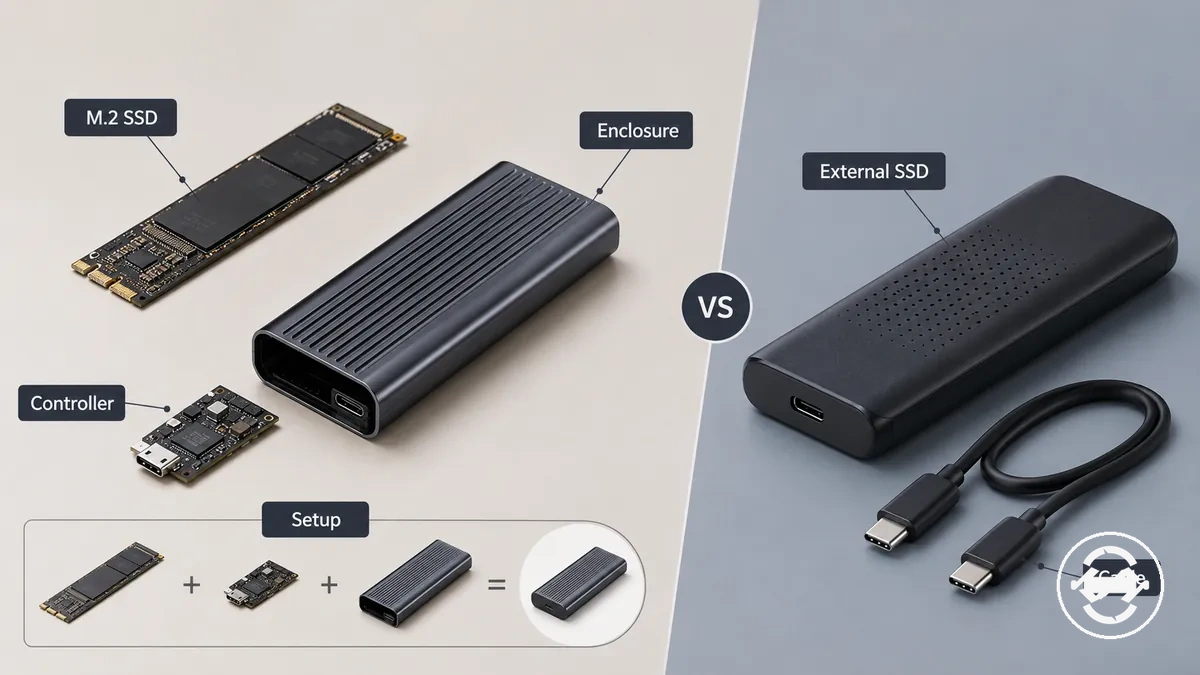
The distinction between an M.2 SSD enclosure and an external SSD comes from the components involved in each setup. An M.2 SSD enclosure uses an internal M.2 SSD with an enclosure housing, controller, casing, and cable connection. An external SSD combines storage, controller, casing, cable connection, firmware, and warranty coverage as a prebuilt portable storage option.
An M.2 SSD enclosure can behave like an external drive after setup, but it is not the same product category as a prebuilt external SSD. The enclosure path depends on the selected internal drive and setup process, while the external SSD path provides a ready-made device state from the start.
The difference can be summarized by product makeup and setup state:
| Storage option | Product makeup |
|---|---|
| M.2 SSD enclosure | Uses an internal M.2 SSD placed into a housing with a controller, casing, and cable connection. |
| External SSD | Uses a prebuilt portable storage design with integrated components and a ready-to-use device state. |
Setup effort and plug-and-play convenience
Setup effort depends on whether the storage path requires assembling an M.2 SSD enclosure or using a ready-made external SSD. An M.2 SSD enclosure may require installing the drive, placing a thermal pad when applicable, closing the enclosure, connecting the cable, and completing first-use steps such as formatting. An external SSD usually starts with a simpler connection process, although first-use steps can still depend on the drive state, file system, and operating-system recognition.
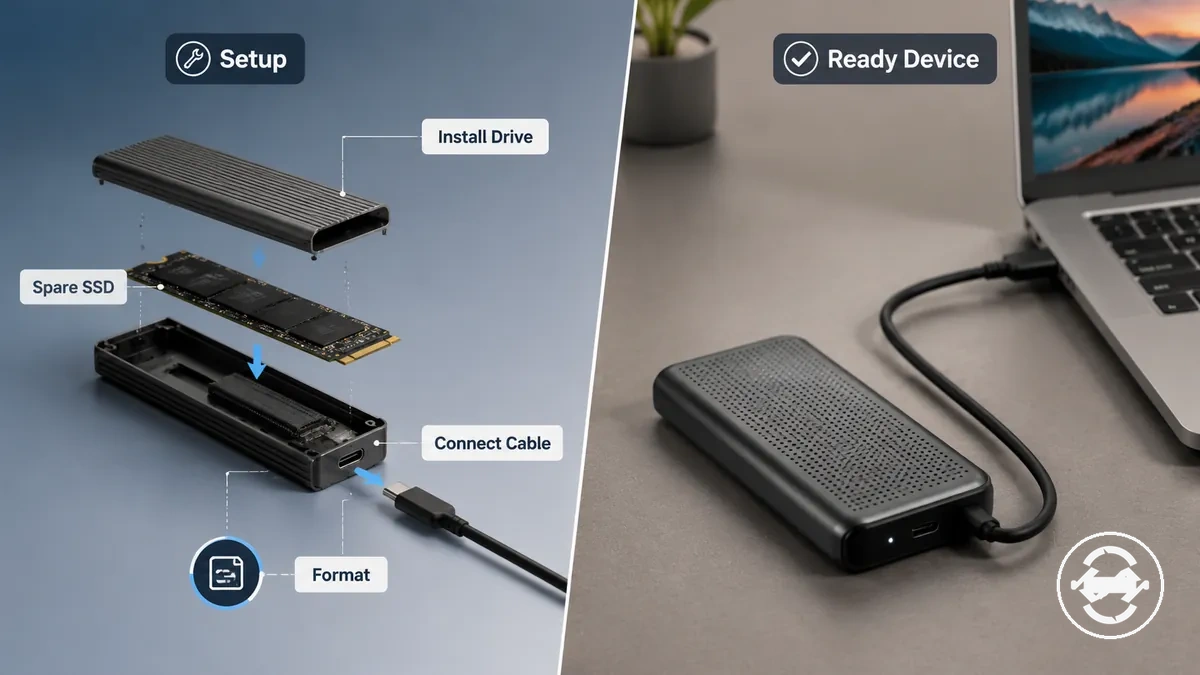
Users with a spare SSD may accept more setup work because the M.2 SSD enclosure path allows an existing internal M.2 SSD to become portable storage. The setup effort can include installing the drive, closing the enclosure, connecting the cable, and checking whether the operating system recognizes the storage. Users who want a ready-made device may prefer an external SSD because fewer assembly decisions are required before first use.
Setup convenience is not only about the number of steps but also about user preference. An M.2 SSD enclosure can suit users who value drive reuse and are comfortable with setup tolerance, while an external SSD can suit users who prefer a more plug-and-play approach with a prebuilt device.
The setup burden can be compared by storage path:
| Option | Setup work | Possible checks | Best fit |
|---|---|---|---|
| M.2 SSD enclosure | Install the drive, close the enclosure, connect the cable, and complete first-use setup. | Drive state, formatting, cable connection, and operating-system recognition. | Users reusing a spare M.2 SSD who accept more setup effort. |
| External SSD | Connect the ready-made device and complete any required first-use steps. | Formatting, cable connection, and operating-system recognition. | Users who prefer a ready-made portable storage device. |
Speed potential and real transfer limits
Speed potential and real transfer limits depend on the slowest relevant part in the storage chain rather than the advertised capability of a single component. An M.2 SSD enclosure and an external SSD can both be limited by the drive, controller, cable, host port, protocol, thermals, and workload. The final transfer behaviour depends on how these parts work together.
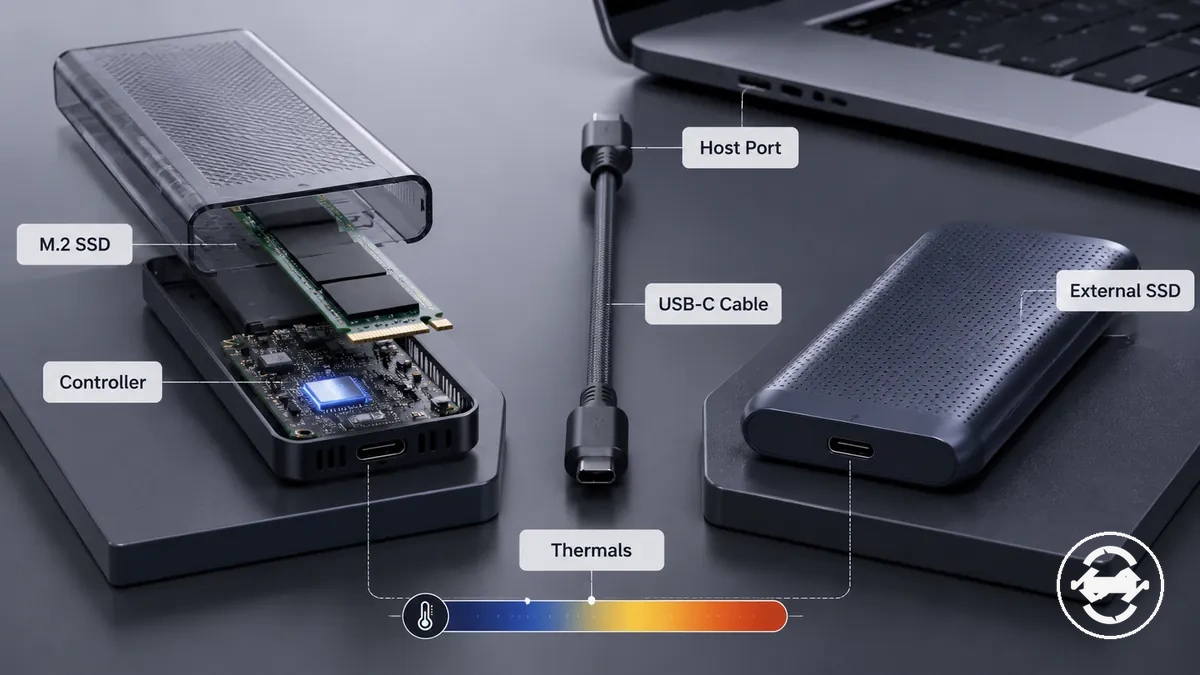
Speed differences come from the relationship between each storage option and its connected components. An M.2 SSD enclosure can involve NVMe or SATA drive type, enclosure controller, USB speed class, USB-C cable capability, and thermal throttling during sustained transfers. An external SSD also depends on its internal components, connection method, and workload when handling repeated file movement.
Users moving large files, backups, game libraries, or project folders may need to consider sustained transfer behaviour rather than short transfer activity. A suitable storage option depends on the drive, enclosure or device design, cable, host system, and operating conditions that affect longer workloads.
Speed decisions should be based on the connected components and intended workload. Checking speed comparison factors can help evaluate how drive type, connection limits, thermals, and workload influence real transfer performance.
| Factor | Applies to | What it can limit | Decision effect |
|---|---|---|---|
| Drive type | M.2 SSD enclosure and external SSD | Transfer behaviour based on the internal storage technology | Helps match storage choice to the use case |
| Controller and protocol | Both storage options | Connection and transfer capability | Can create performance limits |
| Cable and host port | Both storage options | Data transfer path limitations | Requires suitable connected components |
| Thermal conditions | Both storage options | Sustained transfer behaviour | May influence longer workloads |
Cost, reuse value, and upgrade flexibility
Cost-value depends on whether the user already owns a compatible M.2 SSD or needs a complete portable storage package. An M.2 SSD enclosure may provide reuse value when an existing drive is available, while an external SSD provides a prebuilt package with integrated storage components. The purchase decision depends on ownership, setup preference, and long-term use.
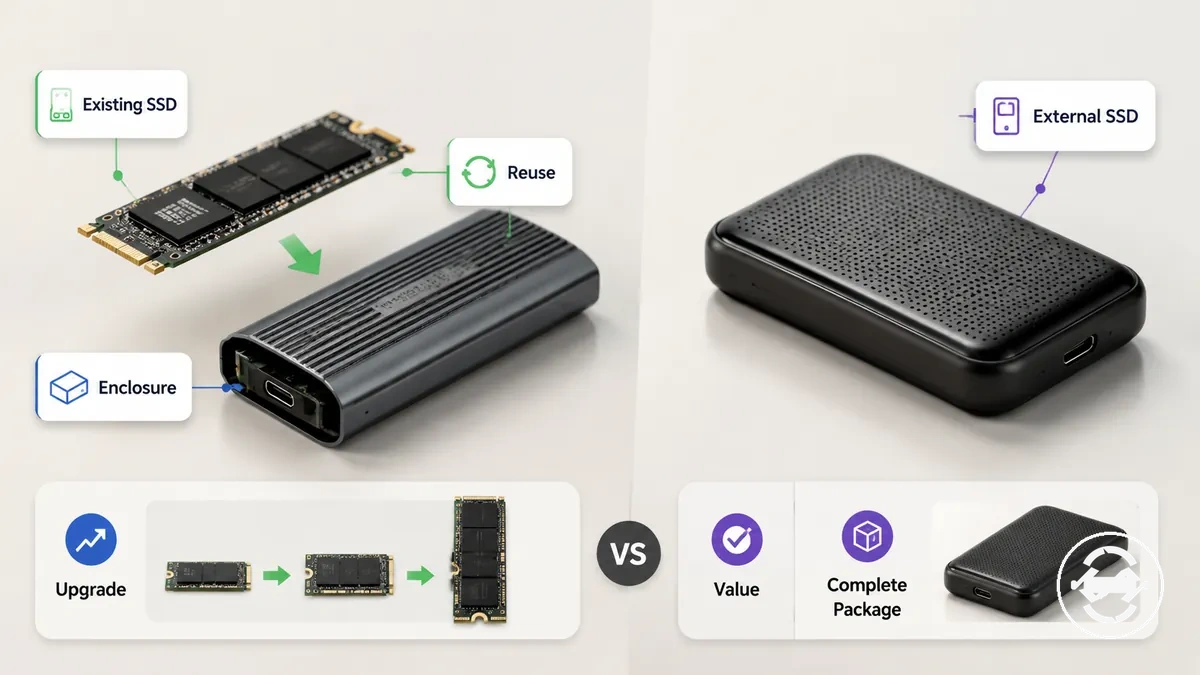
A user with an existing M.2 SSD may consider an enclosure because it allows that drive to continue serving as portable storage. The enclosure path can support reuse after storage changes when the drive, enclosure, cable, and host device conditions align. This value comes from extending the use of an existing component rather than selecting a complete package.
A user without an existing drive may prefer an external SSD because the storage package is already assembled. The external SSD path can reduce separate component choices, while the M.2 SSD enclosure path can offer more flexibility when replacing or reusing individual components is part of the plan.
Cost comparisons should not be treated as a universal saving rule. An enclosure may have a different value profile when a suitable drive is already available, while an external SSD may provide a simpler package depending on the user's priorities and storage needs.
Comparing price and value tradeoffs can help evaluate how enclosure features, reuse options, and long-term flexibility influence the storage decision.
| Situation | Enclosure value | External SSD value | Watch-out |
|---|---|---|---|
| Existing M.2 SSD available | May provide reuse value by giving an existing drive a portable role. | May require choosing a different complete storage package. | Compatibility and setup conditions still affect the enclosure path. |
| No existing drive | Requires selecting an internal SSD and enclosure separately. | Provides a prebuilt portable storage package. | Value depends on simplicity, flexibility, and intended use. |
| Future upgrades | May allow individual components to be reused or replaced. | Provides a complete device path with integrated components. | Upgrade flexibility varies by storage design. |
Portability, durability, and warranty confidence
Portability depends on how an M.2 SSD enclosure or external SSD handles carrying, repeated connections, and everyday handling conditions. An M.2 SSD enclosure may offer flexibility through separate components, while an external SSD provides a prebuilt portable storage design. The practical choice depends on casing, cable dependency, thermal design, and how the storage device will be used.
A travel user may prefer a setup with fewer separate parts, while a desk user may focus more on repeated connections and cable management. An M.2 SSD enclosure can involve an enclosure case, internal drive, and cable, which may affect everyday handling. An external SSD combines these elements into a prebuilt device, but portability still depends on the design and usage environment.
Durability and warranty confidence depend on conditions rather than a single storage category. Casing, material choices, thermal design, connector care, and handling habits can influence everyday confidence. A prebuilt external SSD and an M.2 SSD enclosure assembly may also have different warranty paths and replacement considerations.
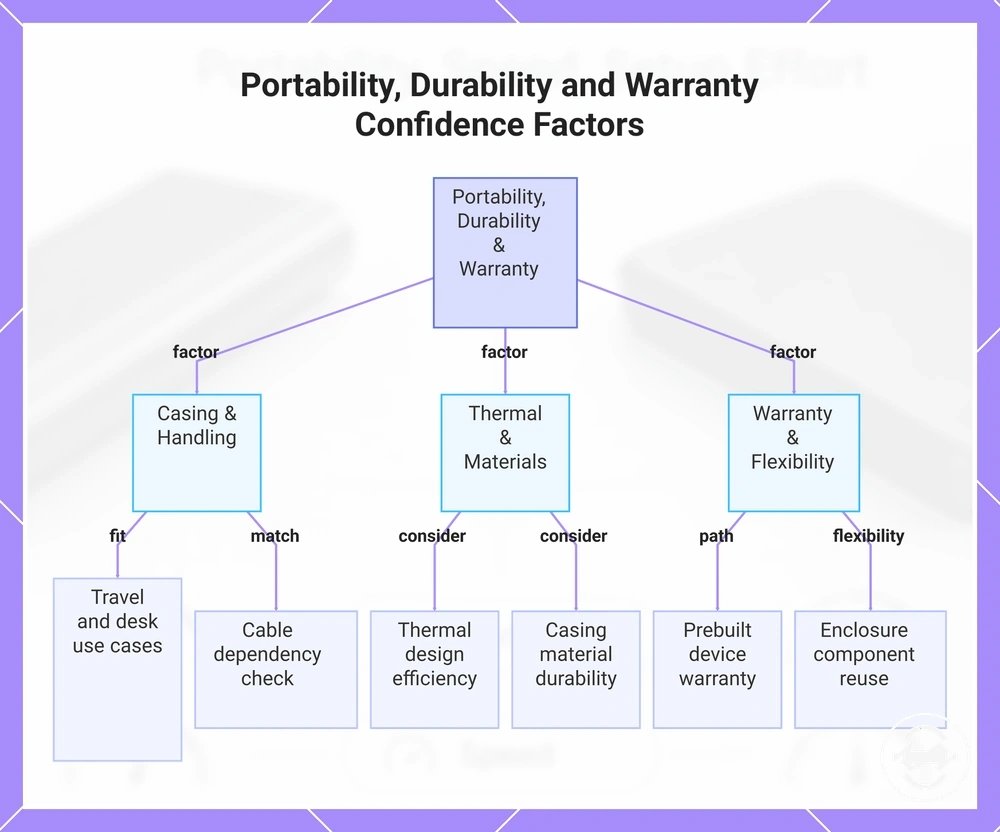
Portability, durability, and warranty confidence can be checked through practical factors:
- Casing and handling: Consider how the storage design fits travel, desk use, occasional file transfer, or frequent movement.
- Cable dependency: Check whether carrying and connecting separate cables matches the intended use.
- Thermal design: Consider how the enclosure or external SSD design handles heat during regular workloads.
- Component flexibility: An M.2 SSD enclosure may allow separate components to be reused or replaced when conditions support it.
- Warranty path: Consider how a prebuilt device or enclosure assembly affects warranty confidence and replacement decisions.
This chart shows the key practical factors to evaluate portability, durability, and warranty confidence when choosing between an M.2 SSD enclosure and an external SSD.
Compatibility risks before choosing an enclosure
Compatibility risk is the main extra consideration when choosing an M.2 SSD enclosure instead of a prebuilt external SSD. The enclosure path requires the M.2 SSD, enclosure, cable, and host device to match under the right conditions. An external SSD can reduce many internal-fit checks, but it still depends on the host port, cable, formatting, and workload.
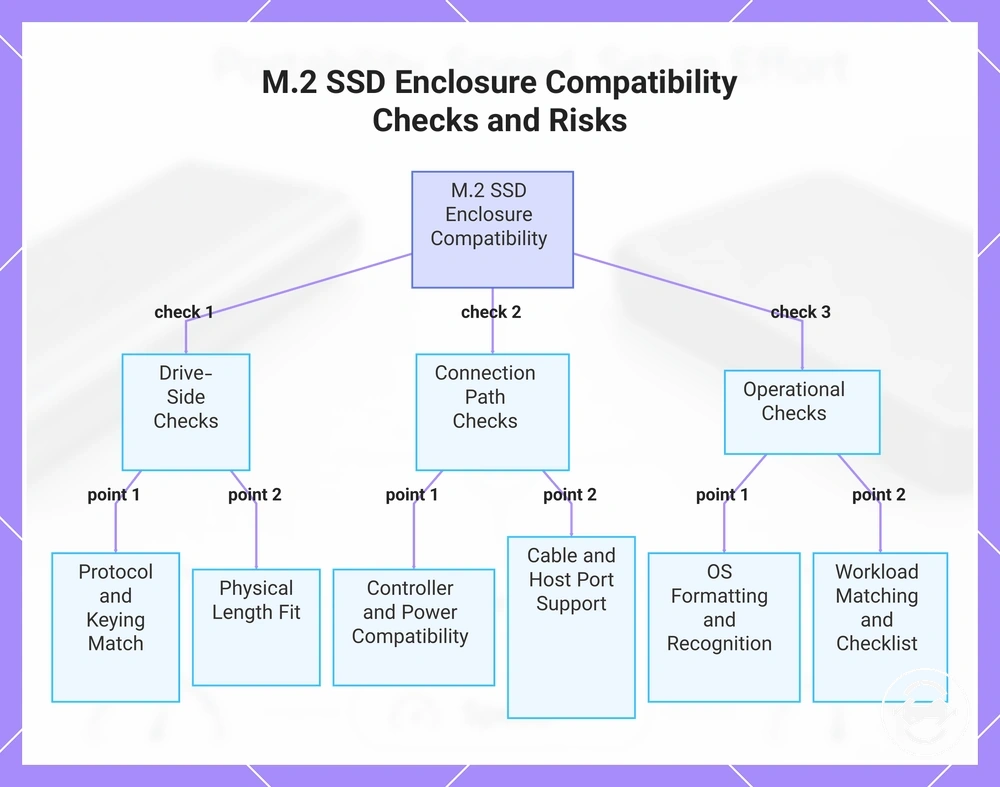
The M.2 SSD and enclosure need compatible attributes before the storage setup can function as expected. Drive-side checks can include NVMe or SATA support, keying, drive length, and enclosure compatibility. A physical fit alone may not confirm that the M.2 SSD and enclosure support the same protocol or connection requirements.
The enclosure controller, cable, and computer connection create another compatibility layer. Controller support, power behaviour, host port type, cable capability, and operating-system recognition can influence the connection path. These factors mean the enclosure setup requires more attention to how each component works together.
Compatibility checks should not be treated as a universal fit rule. A prebuilt external SSD may reduce some internal component decisions, while an M.2 SSD enclosure requires closer matching between the drive, enclosure, cable, and host device.
- M.2 SSD support: Check the drive protocol, keying, length, and enclosure support before choosing an enclosure.
- Controller support: Consider whether the enclosure controller aligns with the intended M.2 SSD and connection requirements.
- Cable and host port: Check whether the cable and host port support the required connection path.
- Operating-system recognition: Consider formatting and system recognition during first use.
- Power behaviour: Consider whether the enclosure and host device provide suitable conditions for the storage setup.
- Use case and workload: Match the enclosure choice to expected file transfers and storage tasks.
Using an enclosure buying checklist can help organise the criteria used when comparing enclosure options.
This chart identifies the main compatibility risks and required checks when selecting an M.2 SSD enclosure.
SSD type, size, and connector fit
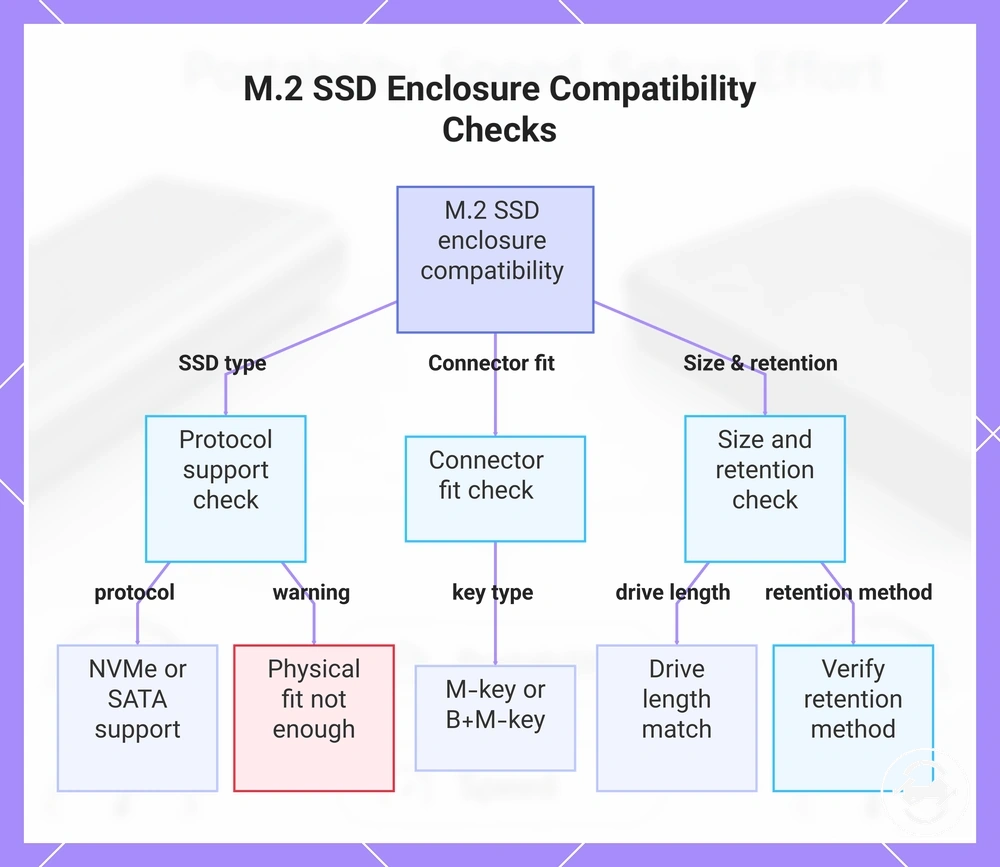
SSD type, connector fit, and drive size must match the M.2 SSD enclosure requirements before choosing an enclosure. The M.2 SSD protocol, key type, and physical dimensions are separate checks that work together. Physical fit does not always confirm protocol support.
Internal M.2 SSD attributes should be checked together because enclosure support depends on more than the drive shape:
- SSD type: Check whether the enclosure supports the M.2 SSD protocol, such as NVMe or SATA.
- Connector fit: Check the keying type, including M-key or B+M-key, to match the enclosure support requirements.
- Drive length: Confirm that the M.2 SSD length matches the supported enclosure size.
- Retention: Check the mounting point and retention method used to secure the drive inside the enclosure.
An M.2 SSD that fits the enclosure physically may still require the correct protocol support and enclosure compatibility. Checking SSD type, connector fit, drive length, and retention helps reduce drive-side fit issues.
This chart shows the four essential checks for M.2 SSD enclosure compatibility, including protocol support, connector keying, drive length, and retention method, along with a key warning about physical fit alone.
Enclosure controller, cable, and host port support
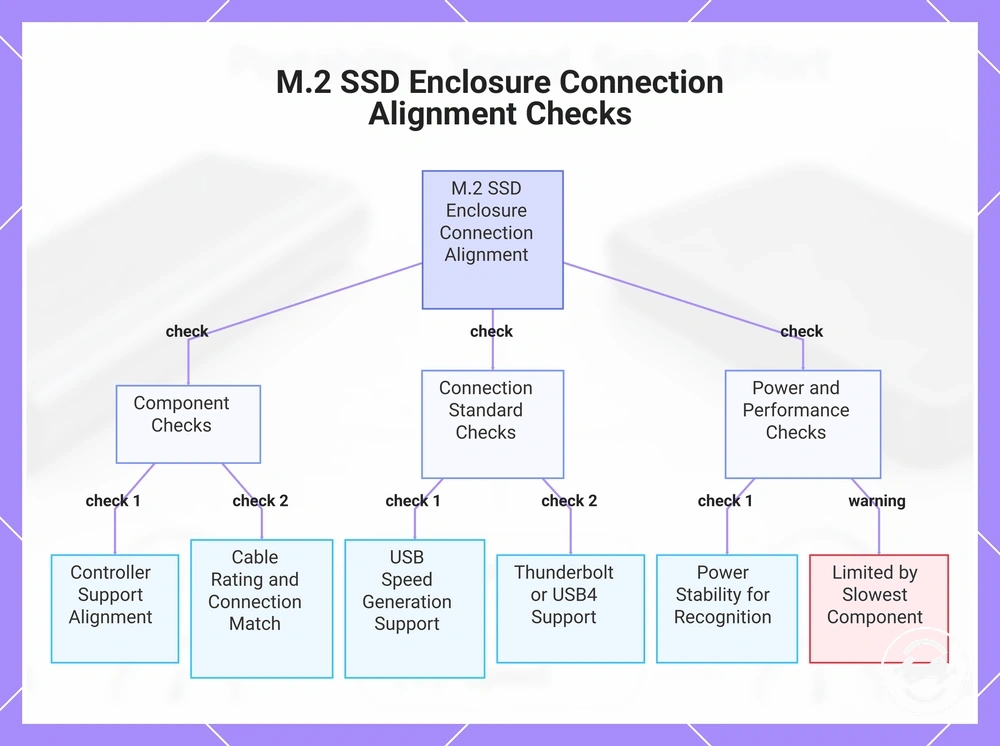
Enclosure controller, cable, and host port support must align for the connection chain to function as expected. The enclosure controller, cable, and host port each affect how an M.2 SSD enclosure connects with a computer. A connection limit can occur when these components do not provide matching support.
Connection-side checks help evaluate how the enclosure, cable, and host device work together:
- Enclosure controller: Check whether controller support aligns with the enclosure protocol and intended M.2 SSD use.
- Cable: Consider the cable rating and whether the cable connection matches the required USB-C or USB-A setup.
- USB speed generation: Check whether the enclosure, cable, and host port support the same connection capability.
- Thunderbolt or USB4: Confirm that these connection types depend on support from both the enclosure and host device.
- Power stability: Consider whether the connection provides suitable conditions for recognition and sustained transfer behaviour.
A fast NVMe drive can still face a performance limit when the enclosure controller, cable, or host port provides a slower connection path. The actual result depends on the complete connection chain and the devices being used.
This chart shows the key checks to ensure proper alignment of enclosure controller, cable, and host port for a reliable M.2 SSD connection.
Which option fits different storage use cases
The right storage option depends on the storage use case rather than one option being universally superior. An M.2 SSD enclosure may suit users who value reuse and upgrade flexibility, while an external SSD may suit users who prefer simpler portable storage. The decision changes with reuse needs, travel requirements, workload size, setup tolerance, and cost sensitivity.
A user with a spare internal SSD may lean toward an M.2 SSD enclosure because reuse and upgrade flexibility are central to the decision. This scenario can suit users who already have a suitable drive and are comfortable managing separate components. The main criteria for spare-drive users include compatibility confidence, setup tolerance, and future reuse options.
A user focused on backups, gaming libraries, or large transfers may compare storage options based on workload needs and portability. An external SSD may suit users who prefer simple storage, while an enclosure may suit users who already have a suitable drive and want more control over the storage setup. For backup and transfer scenarios, consider backup and file transfer use alongside portability and workload requirements.
A common assumption is that one storage option will fit every situation. In practice, each option matches different combinations of simplicity, sustained speed needs, durability expectations, compatibility confidence, and cost sensitivity. The choice depends on the user scenario rather than a universal winner.
The decision matrix below maps common storage use cases to the attributes that may influence the choice. These examples provide a neutral way to compare how an M.2 SSD enclosure and an external SSD fit different requirements.
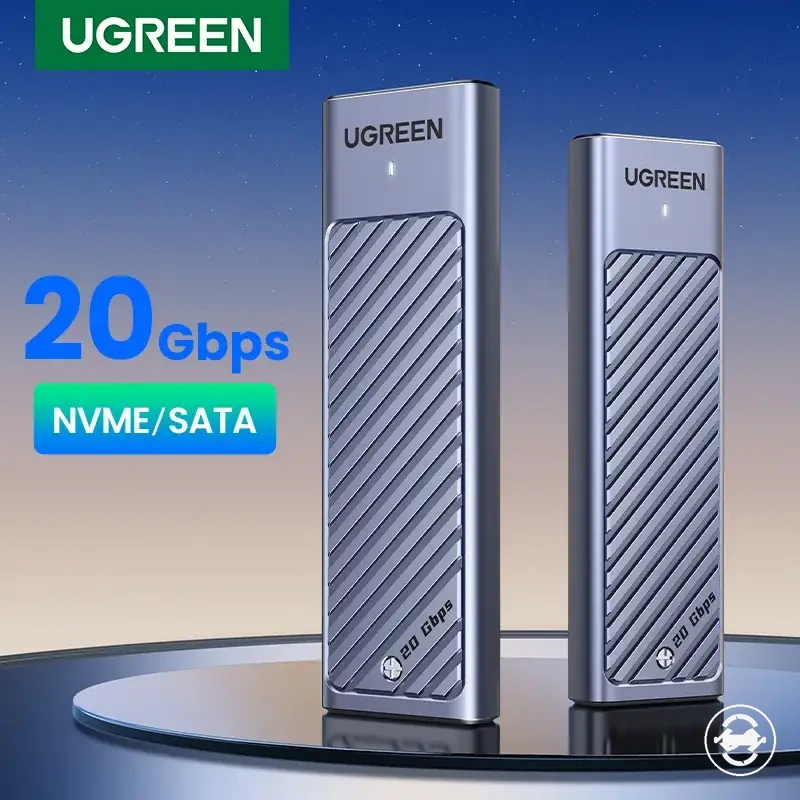
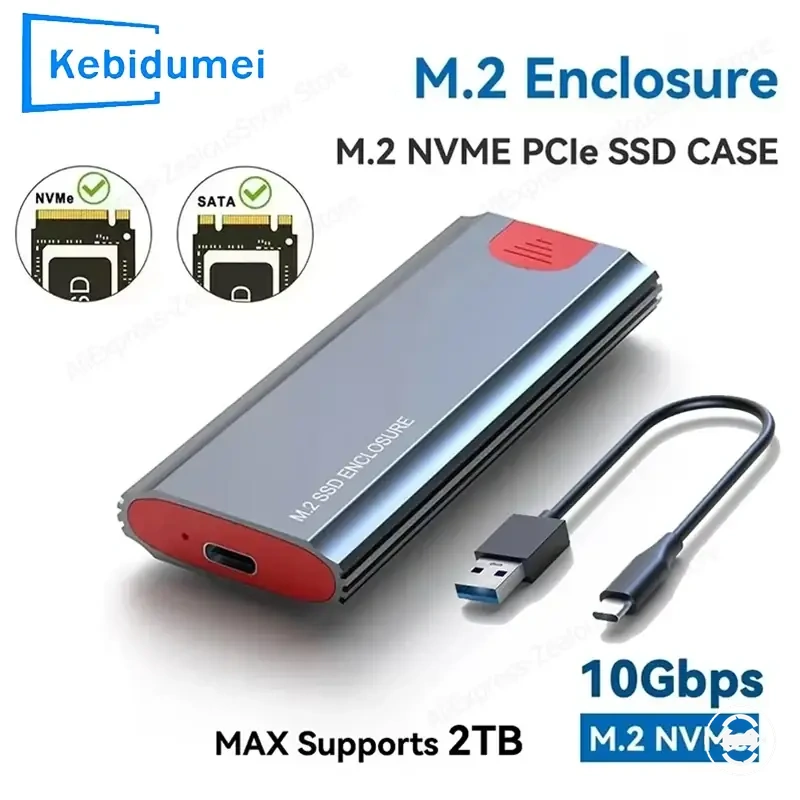
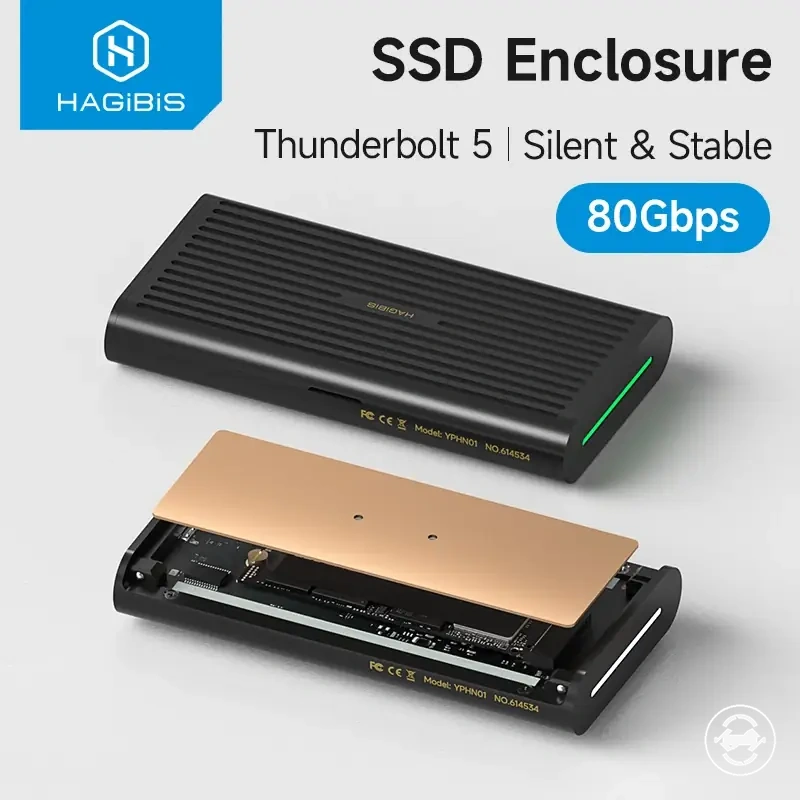
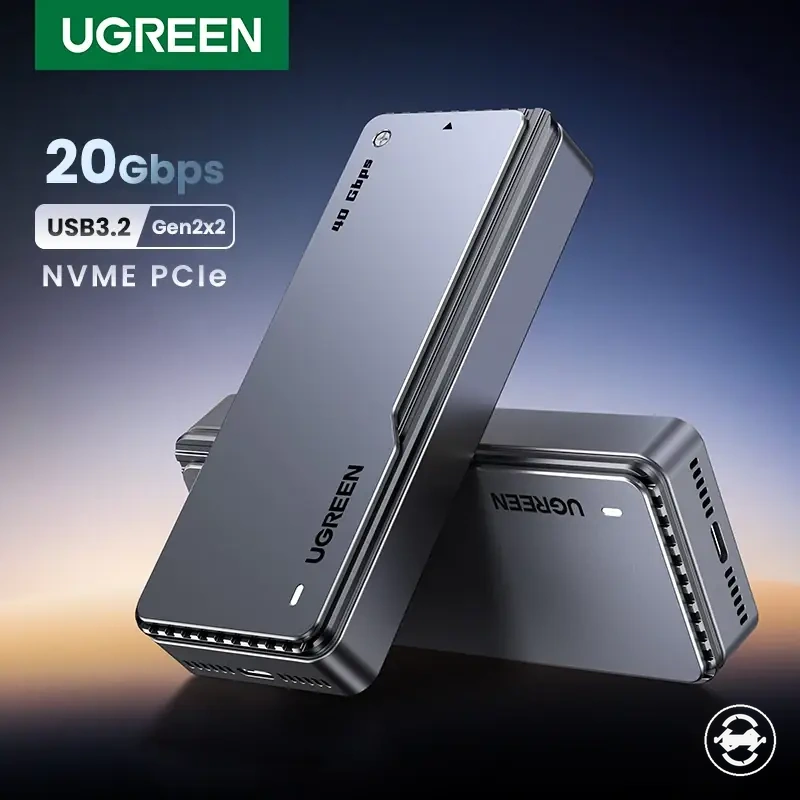
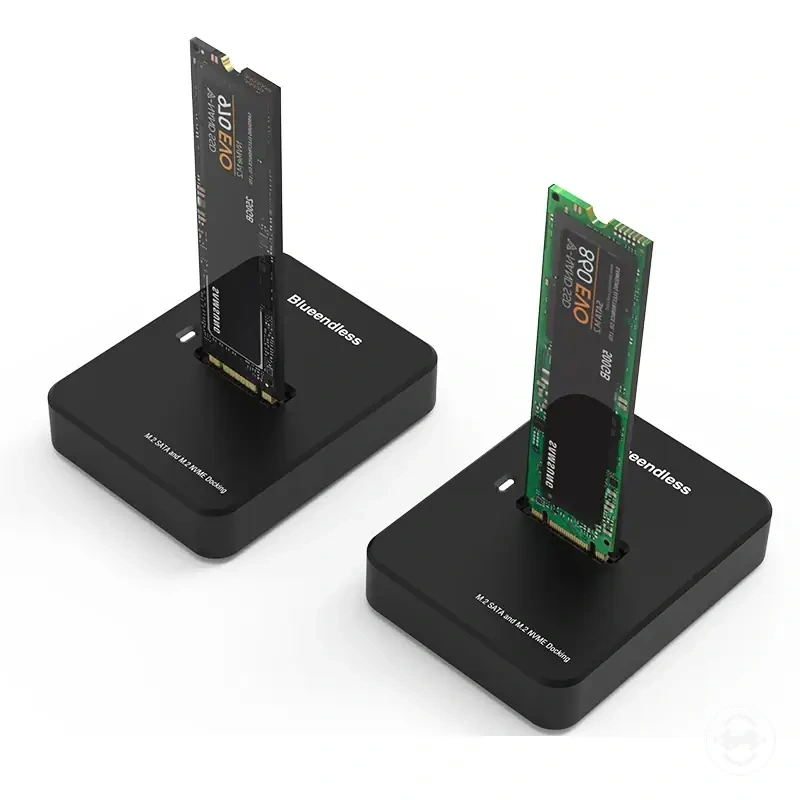
The products below are useful examples for comparing available options. Before buying, check that the compatibility criteria, key features, and product details match your needs.
| Use case | Better leaning | Reason | Check before choosing |
|---|---|---|---|
| Spare internal SSD reuse | M.2 SSD enclosure | May provide reuse value and upgrade flexibility when a suitable drive already exists. | Check enclosure support, drive fit, and setup tolerance. |
| Simple travel storage | External SSD | May suit users who prefer a ready-made portable storage approach. | Check portability, connection requirements, and intended use. |
| Backups and large transfers | Depends on requirements | Choice depends on workload, sustained speed needs, and available components. | Check storage task, connection limits, and reliability expectations. |
| Future upgrades | M.2 SSD enclosure | May support more flexibility when component reuse is important. | Check compatibility and replacement flexibility. |
Better fit for spare internal SSDs and future upgrades
The enclosure path may fit users who already have a compatible M.2 SSD and want to reuse that drive as portable storage. A spare internal SSD can add value when the drive matches the enclosure requirements and the user accepts the setup tolerance involved. This makes the enclosure path a local choice for compatible spare-drive ownership.
A user with an upgraded laptop SSD may use a compatible enclosure to turn the removed drive into portable storage. This scenario depends on the SSD, enclosure, cable, and host device conditions matching the intended use. The enclosure path can provide more flexibility for future changes when replaceability and component reuse are important.
- Spare internal SSD: A compatible M.2 SSD can support the enclosure path when the drive matches the enclosure requirements.
- Laptop-drive reuse: An upgraded SSD may become portable storage through a compatible enclosure when the drive and connection conditions align.
- Future upgrades: The enclosure path may support reuse of individual components when future drive changes are planned.
- Setup tolerance: Consider the required checks, including format, cable connection, and host support, before choosing enclosure reuse.
- Replaceability: An enclosure may provide flexibility when replacing or reusing the internal drive is part of the storage plan.
Better fit for simple portable storage and travel
An external SSD may fit users who want simple portable storage with fewer setup and compatibility variables. The prebuilt device approach provides a ready-made drive without requiring drive installation, which can simplify first use. This makes it a local choice when setup tolerance is limited and convenience is a priority.
A traveler or casual user may prefer an external SSD when carrying fewer parts and managing a simple storage setup are important. A prebuilt device can reduce separate component decisions, while portability and handling confidence still depend on the device design, cable, and usage conditions.
- Prebuilt device: An external SSD provides a ready-made storage package without requiring separate drive installation.
- One warranty path: A prebuilt device may provide a simpler warranty path because the storage components are integrated.
- Travel handling: External SSD use can suit travel storage when fewer parts and simple connections are preferred.
- Predictable packaging: A complete storage package may reduce the need to select separate enclosure and drive components.
- Simple portable storage: Casual users may prefer a ready-to-use option when fewer setup checks are desired.
Better fit for backups, gaming libraries, and large transfers
Backups, gaming libraries, and large transfers stress storage in different ways, so the better fit depends on workload intensity rather than one option being universally superior. These tasks can place different demands on capacity, sustained speed, thermal behavior, cable stability, and reliability. The deciding factor is how the storage option matches the workload and host device conditions.
A user handling frequent backups or large files may need to consider transfer frequency, capacity planning, and long-term stability. Gaming libraries can involve portability and repeated access needs, while large transfers may place more focus on sustained writes and thermal behavior. A setup that performs well depends on the drive quality, enclosure limit, external SSD design, and host device support.
A practical comparison of heavier storage tasks can help identify the main factors to check:
| Workload | Main stress | Enclosure watch-out | External SSD watch-out |
|---|---|---|---|
| Backups | Frequency, capacity, and reliability needs | Consider drive choice, enclosure limits, and connection stability. | Consider device design, capacity planning, and host support. |
| Gaming libraries | Portability, storage capacity, and repeated access | Consider enclosure design, drive compatibility, and sustained use conditions. | Consider external SSD design, portability, and host device support. |
| Large transfers | Sustained writes, thermal behavior, and cable stability | Consider enclosure limits and connection conditions during repeated transfers. | Consider sustained transfer behavior and the complete device setup. |
Common decision doubts before buying
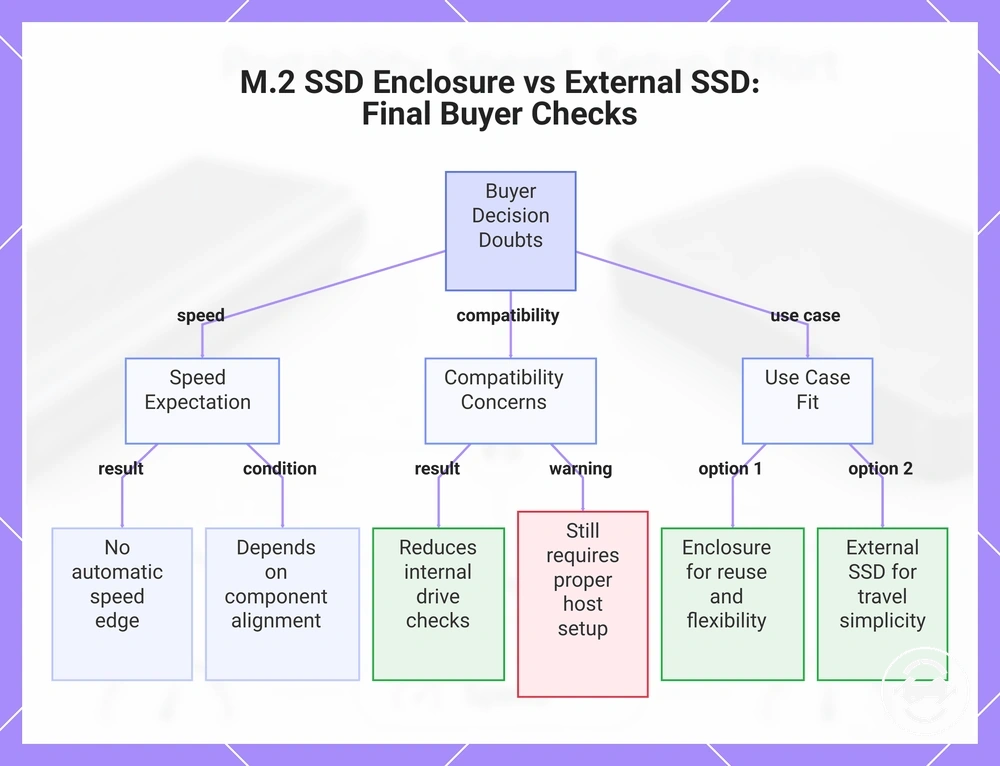
Decision doubts usually remain around speed, cost, compatibility, reuse, reliability, and use case fit after comparing an M.2 SSD enclosure and an external SSD. These quick checks address final buyer uncertainty without repeating the full comparison sections.
Is an M.2 SSD enclosure faster than an external SSD?
No, an M.2 SSD enclosure is not automatically faster than an external SSD. Speed depends on the drive, enclosure controller, cable, host port, and workload. The final result depends on how these components align.
Can an external SSD remove all compatibility concerns?
No, an external SSD can reduce some internal drive compatibility checks, but it still depends on the host port, cable, formatting, and workload. The connection setup can affect how the device works in a specific situation.
Does an M.2 SSD enclosure provide better reuse value?
An M.2 SSD enclosure may provide more reuse value when a compatible existing SSD is available. The decision depends on drive compatibility, enclosure support, and whether reusing the drive fits the user’s storage plan.
Should travel users choose an external SSD?
An external SSD may suit travel users who prefer simple portable storage and fewer setup steps. Travel suitability still depends on handling needs, cable use, and the conditions where the device will be used.
When is an enclosure path a better fit?
An enclosure path may fit users who want to reuse a compatible M.2 SSD or maintain flexibility for future changes. The choice depends on the user’s use case, setup tolerance, and need for component replaceability.
This chart summarizes the key decision doubts for buyers choosing between an M.2 SSD enclosure and an external SSD, covering speed, compatibility, and use case fit.