M.2 SSD Enclosure Sizes and Length Compatibility
M.2 SSD enclosure size support depends on the physical length of the SSD, the enclosure clearance, and the available mounting point. An M.2 SSD enclosure holds an internal M.2 drive within a physical size range, making length compatibility the main decision frame when checking physical fit.
M.2 SSD size affects how the drive aligns inside the enclosure tray. SSD length, enclosure clearance, and mounting position need to match so the drive can be positioned correctly. A suitable mounting point may provide the required retention for the selected drive length. The final fit condition depends on the enclosure design and supported size range.
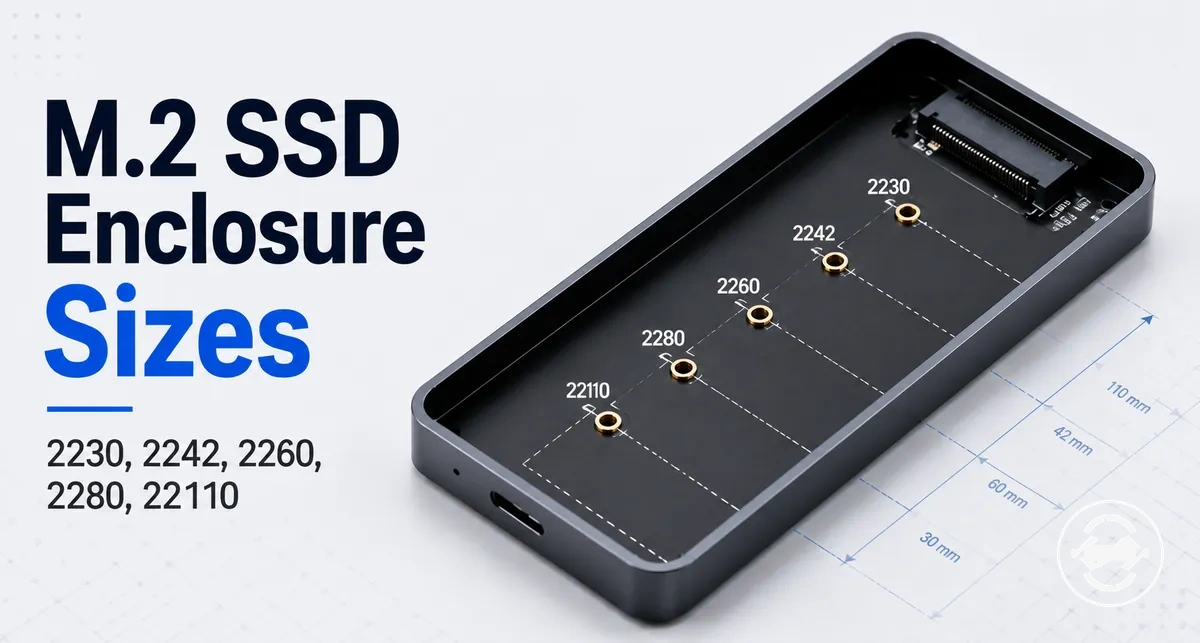
M.2 length codes such as 2230, 2242, 2260, 2280, and 22110 describe different physical dimensions that may require different mounting positions. For broader enclosure context, you can explore the M.2 SSD enclosure hub. Size support is a physical fit check and does not by itself determine protocol compatibility, keying, or speed support.
A reader comparing an M.2 SSD with an enclosure may need to check the size code before choosing or using the enclosure. Confirming the SSD length and the enclosure specification can help determine whether the available mounting point and internal clearance match the intended physical fit.
What M.2 SSD Size Means for an Enclosure
M.2 SSD size is the physical width-and-length code that an enclosure must support to hold the drive securely. The size code describes the physical dimensions of the M.2 SSD, including its physical width and physical length. Matching the size code with the enclosure design helps determine enclosure fit and secure mounting.
An M.2 SSD size uses a numeric form factor code to describe the drive dimensions. For example, 2280 represents an M.2 SSD size with a 22 mm width and an 80 mm length. This width-and-length code connects the drive size to the mounting position and physical dimensions required for enclosure support.
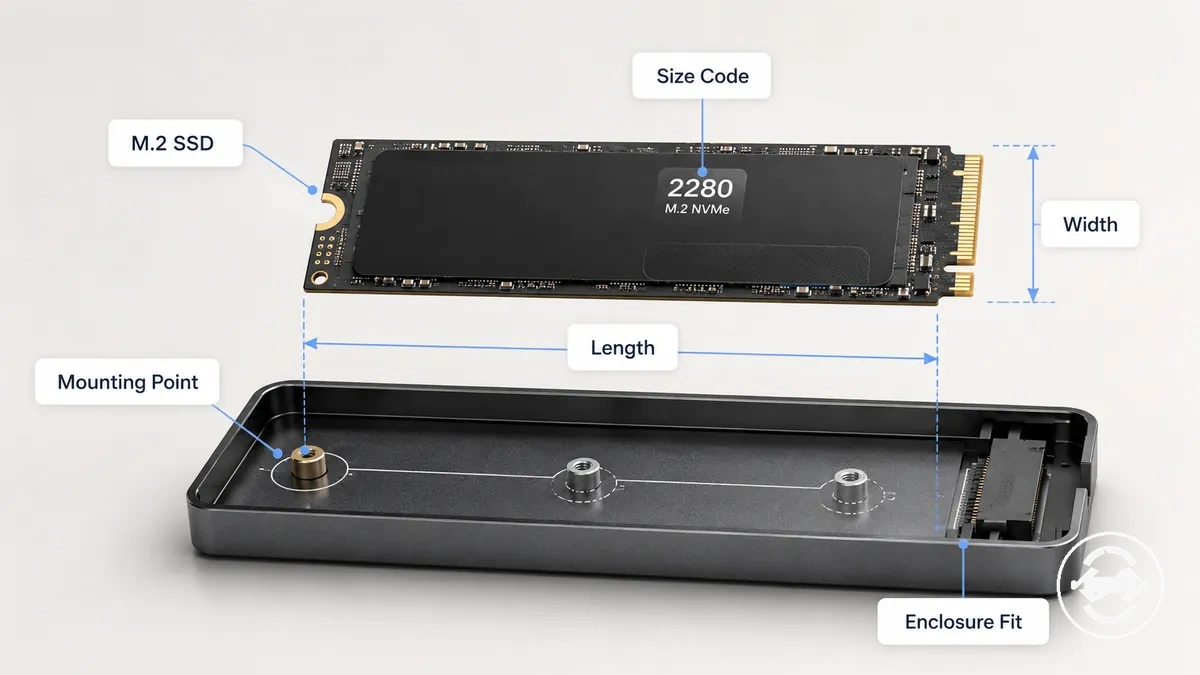
Physical size support only describes the dimensions needed for enclosure fit and secure mounting. It does not confirm protocol compatibility, keying, port support, or speed capability, which require separate checks when evaluating an M.2 SSD enclosure.
How M.2 Size Codes Translate to Width and Length
M.2 size code is a format that describes the physical width and length of an M.2 SSD. The first two digits indicate the width in millimetres, while the remaining digits indicate the length in millimetres. This code-to-dimension relationship helps identify the physical measurement needed for enclosure mounting.
2230, 2280, and 22110 represent different M.2 SSD dimensions based on their width and length values. For example, 2280 describes a 22 mm width and an 80 mm length, while 22110 describes a 22 mm width and a 110 mm length. These size codes connect the M.2 SSD form factor code to the physical dimensions used for enclosure fit considerations.
The table below organizes common M.2 size codes by their width and length measurements. It shows the relationship between the code, physical measurement, and mounting implication without extending the size code into protocol or speed assumptions.
| M.2 Size Code | Width | Length | Mounting Implication |
|---|---|---|---|
| 2230 | 22 mm | 30 mm | Short SSD length support may require a matching mounting point |
| 2242 | 22 mm | 42 mm | Enclosure mounting position depends on supported length |
| 2260 | 22 mm | 60 mm | Physical fit depends on available enclosure mounting position |
| 2280 | 22 mm | 80 mm | Common M.2 length reference for enclosure sizing |
| 22110 | 22 mm | 110 mm | Long SSD length requires suitable enclosure clearance |
M.2 SSD Size Chart for Enclosure Fit
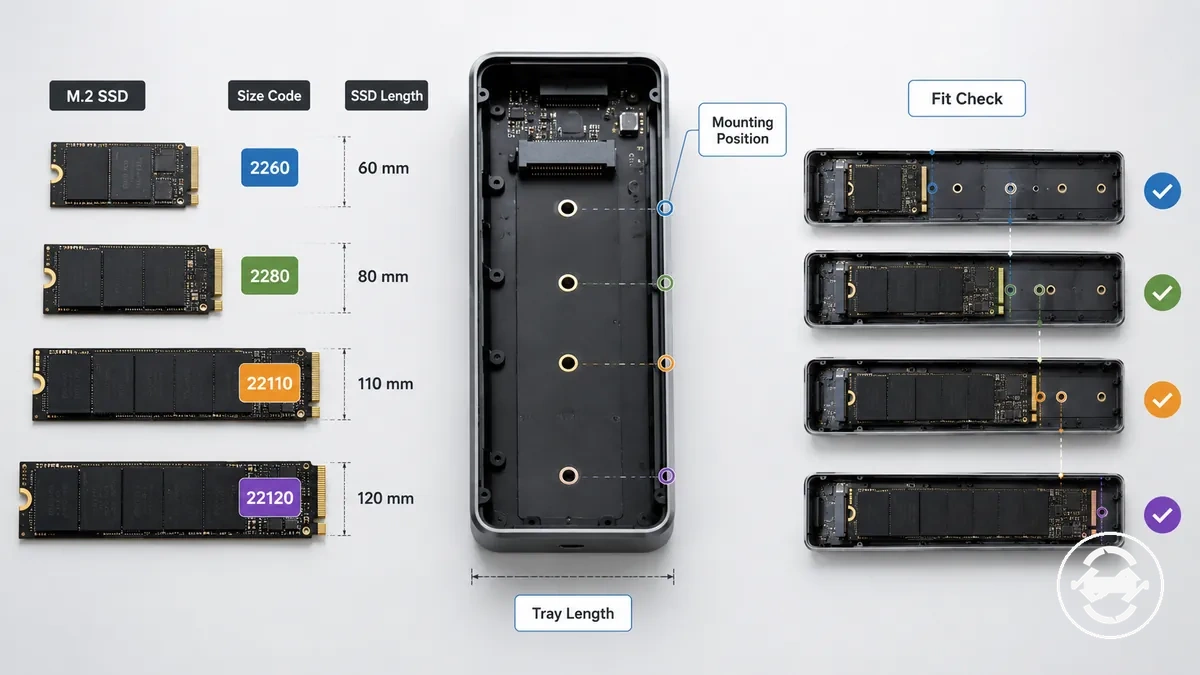
The M.2 SSD size chart compares common SSD lengths with enclosure fit conditions and mounting position requirements. The 2230, 2242, 2260, 2280, and 22110 size codes describe different drive lengths that may require matching enclosure support. This chart is a fit-check aid rather than a universal guarantee.
The table organizes M.2 SSD size by length, mounting position, likely fit condition, and support caveat. Use a specification check to compare the SSD length, mounting position, tray length, and enclosure design before assuming support.
| M.2 SSD Size | Length | Mounting Position | Fit Condition and Support Caveat |
|---|---|---|---|
| 2230 | 30 mm | Short length mounting position | May require a matching standoff position and enclosure specification check |
| 2242 | 42 mm | Medium length mounting position | Support depends on available mounting location and enclosure design |
| 2260 | 60 mm | Extended length mounting position | Physical fit depends on tray length and mounting support |
| 2280 | 80 mm | Common length mounting position | Often used as a reference size, but support depends on enclosure specifications |
| 22110 | 110 mm | Long length mounting position | Requires explicit support and suitable enclosure clearance |
Short M.2 SSDs: 2230, 2242, and 2260
Short M.2 SSDs such as 2230, 2242, and 2260 require a matching mounting point to stay positioned correctly inside an enclosure. These shorter SSD lengths may leave unused space inside a longer enclosure tray. The correct retention hardware helps provide a suitable fit condition for short drives.
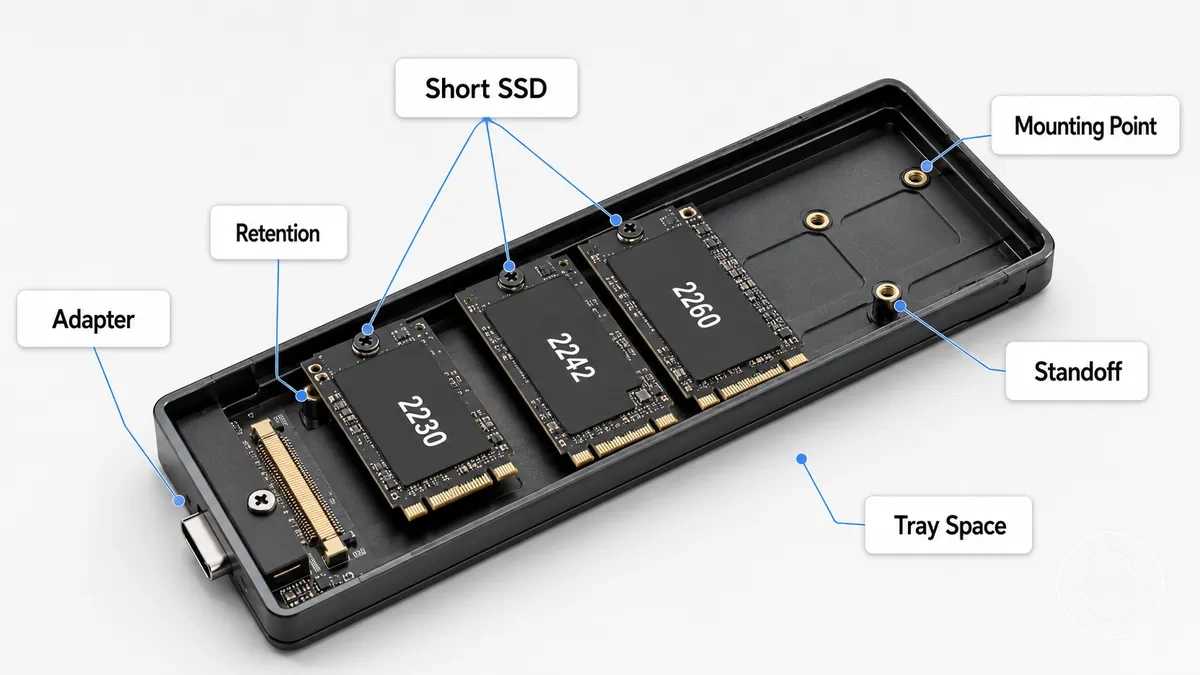
A short M.2 SSD may use a movable standoff, adapter, or support pin depending on the enclosure design. A larger tray area alone may not provide secure retention if the mounting hardware does not match the SSD length. The required retention method depends on the available mounting position and enclosure structure.
Standard 2280 M.2 SSDs
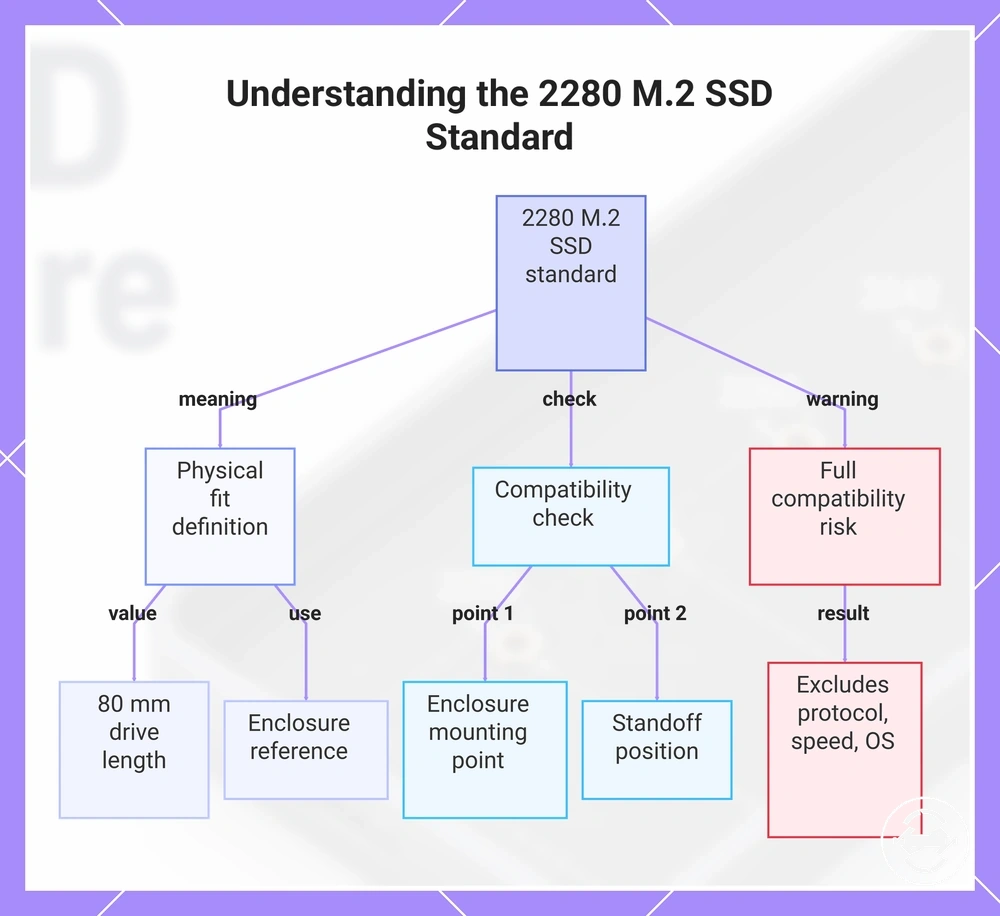
2280 is a common M.2 SSD length reference because it uses an 80 mm drive length that many enclosures are designed around. A 2280 M.2 SSD uses a mounting point based on the enclosure tray length and available standoff position. This common length reference describes physical fit rather than a complete compatibility claim.
A reader comparing a 2280 SSD with a multi-length enclosure can check whether the enclosure tray provides the correct mounting point and standoff position. A suitable retention location may support physical fit, while 2280 support alone does not confirm protocol, speed, or operating system compatibility.
This chart explains what the 2280 M.2 SSD standard means, what to check for physical fit, and why it does not guarantee full compatibility.
Long 22110 M.2 SSDs
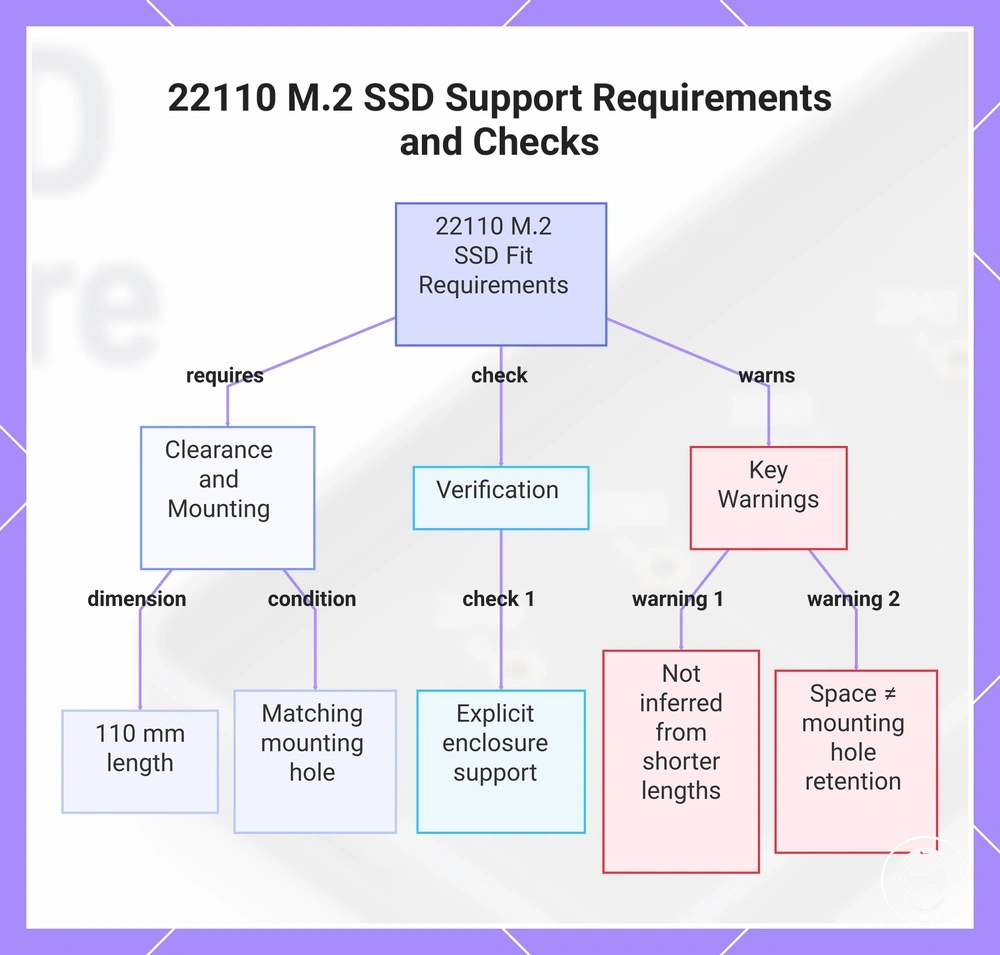
22110 M.2 SSDs use a 110 mm length and require explicit enclosure support for their physical dimensions. A long M.2 SSD needs suitable enclosure clearance and a matching mounting hole position for physical fit. 22110 support is a separate condition that should not be inferred from shorter M.2 SSD lengths.
If a long M.2 SSD does not match the available enclosure clearance or mounting hole, it may result in an unsupported fit condition. A 2280 support point is not enough to confirm 22110 support because the longer SSD requires a separate mounting condition. Check the enclosure specification for explicit support before relying on the available mounting position.
Warning: Available space inside an enclosure does not replace the need for a suitable mounting hole and retention method for a 22110 M.2 SSD.
This chart explains the key physical requirements, verification step, and important warnings for installing a 22110 M.2 SSD.
How to Identify Which M.2 Size Your SSD Uses
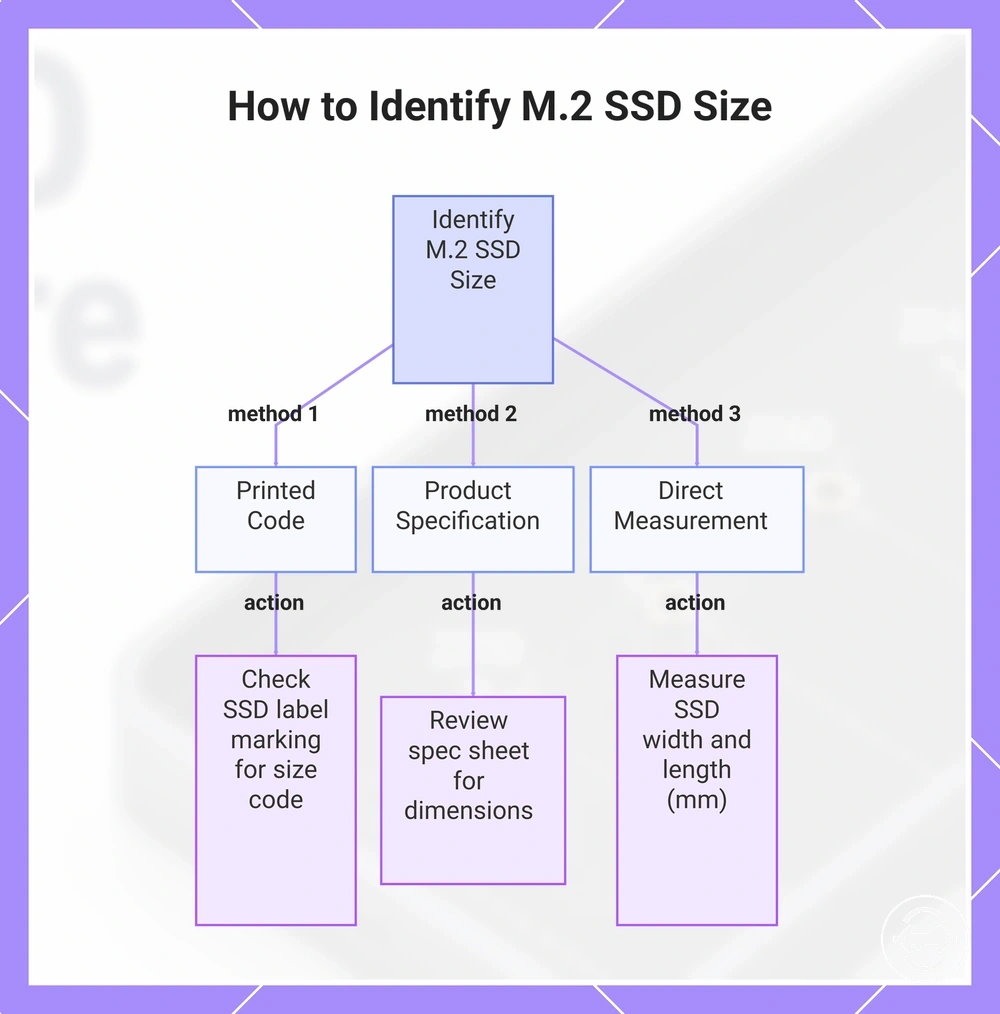
You can identify M.2 size by checking the printed code on the SSD, reviewing the product specification, or using direct measurement of the drive. These sources help determine the M.2 size before comparing the SSD with enclosure support. The safest evidence sources are the SSD label, specification details, and physical dimensions.
A printed code or label marking can provide size information from the SSD itself. A product specification or specification sheet may list the physical dimensions, while direct measurement can help when other information is unavailable. Checking the SSD size is separate from checking enclosure support because the enclosure has its own mounting position and fit conditions.
Use these verification methods when identifying an M.2 SSD size:
- Printed code: Check the SSD label marking for the available size code information.
- Product specification: Review the product specification or listing details for listed physical dimensions.
- Direct measurement: Measure the SSD width and length in millimetres when the size information is not available.
- Enclosure specification: Compare the identified SSD size with enclosure support details and mounting conditions.
- Missing label fallback: Use cautious measurement or specification lookup when the SSD label or listing information is incomplete.
If the SSD label is missing or the product information is incomplete, use safe visual checks and avoid force removal or unnecessary handling. After identifying the SSD size, you can review the SSD installation steps for the next stage of enclosure use.
This chart shows the three main verification methods for determining an M.2 SSD size: printed code, product specification, and direct measurement.
Adjustable M.2 SSD Enclosures and Mounting Points
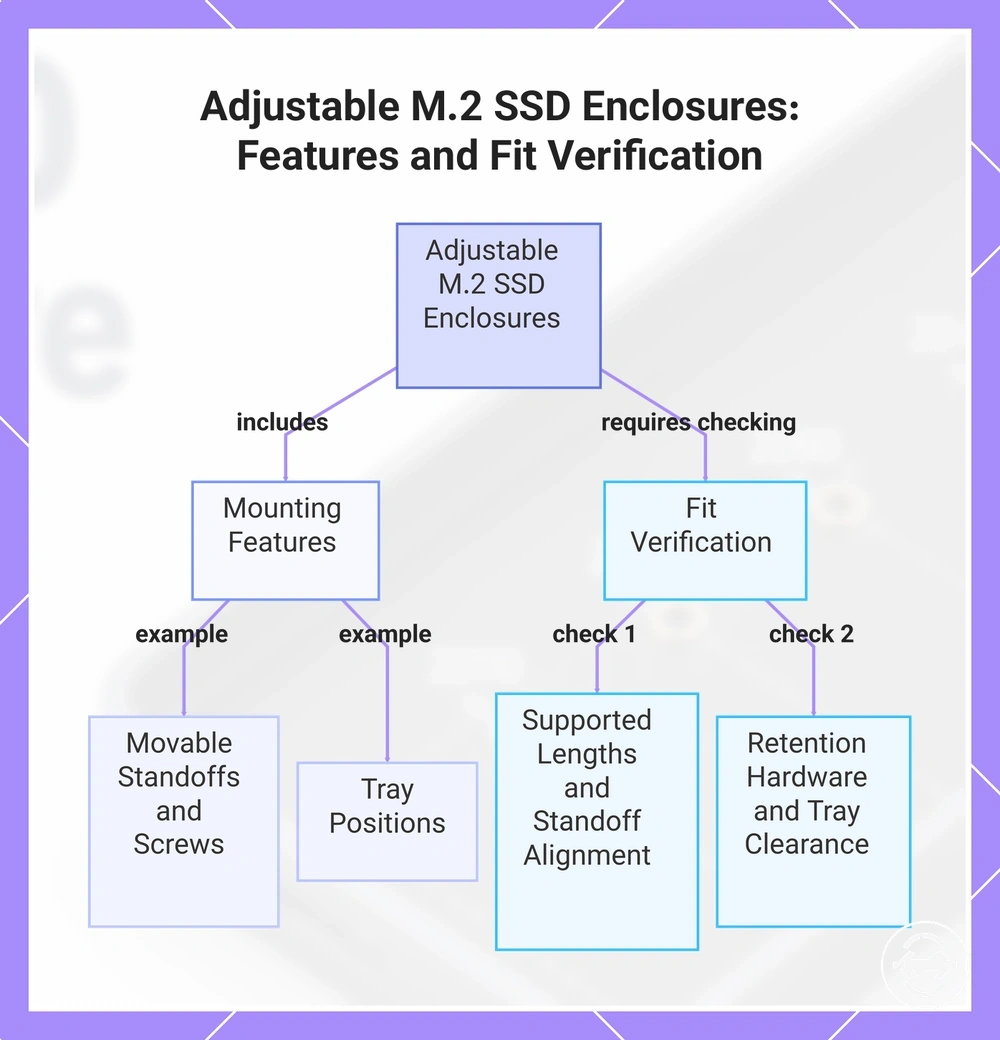
An adjustable M.2 SSD enclosure uses movable mounting features to support different SSD lengths through adjustable mounting points. These features can include movable standoffs, screws, pins, or tray positions that change how an SSD sits inside the enclosure tray. Adjustable support is a mounting-point feature that depends on the enclosure design rather than a universal compatibility claim.
Movable standoffs, screw positions, support pins, and tray positions can adjust the retention method for different SSD lengths. The enclosure tray provides the available space, while the mounting hardware helps determine the fit outcome. Supported lengths depend on the available mounting points, retention method, and physical clearance.
Before considering illustrative product examples, check the main support conditions for an adjustable M.2 SSD enclosure:
- Supported lengths: Verify which SSD lengths the mounting points are designed to support.
- Standoff movement: Check whether the movable standoff or mount position aligns with the SSD length.
- Screw or pin retention: Review the retention hardware used to hold the SSD in position.
- Tray clearance: Confirm the enclosure tray provides suitable physical clearance for the SSD length.
- Documentation check: Review enclosure specifications for supported lengths and mounting conditions.
Adjustable M.2 SSD enclosures can provide flexible mounting options, but the fit outcome still depends on SSD length, retention hardware, and physical clearance. The key decision signals are supported lengths, suitable mounting positions, and documented enclosure support conditions.
This chart shows the key mounting features of adjustable M.2 SSD enclosures and the conditions to verify for proper SSD fit.
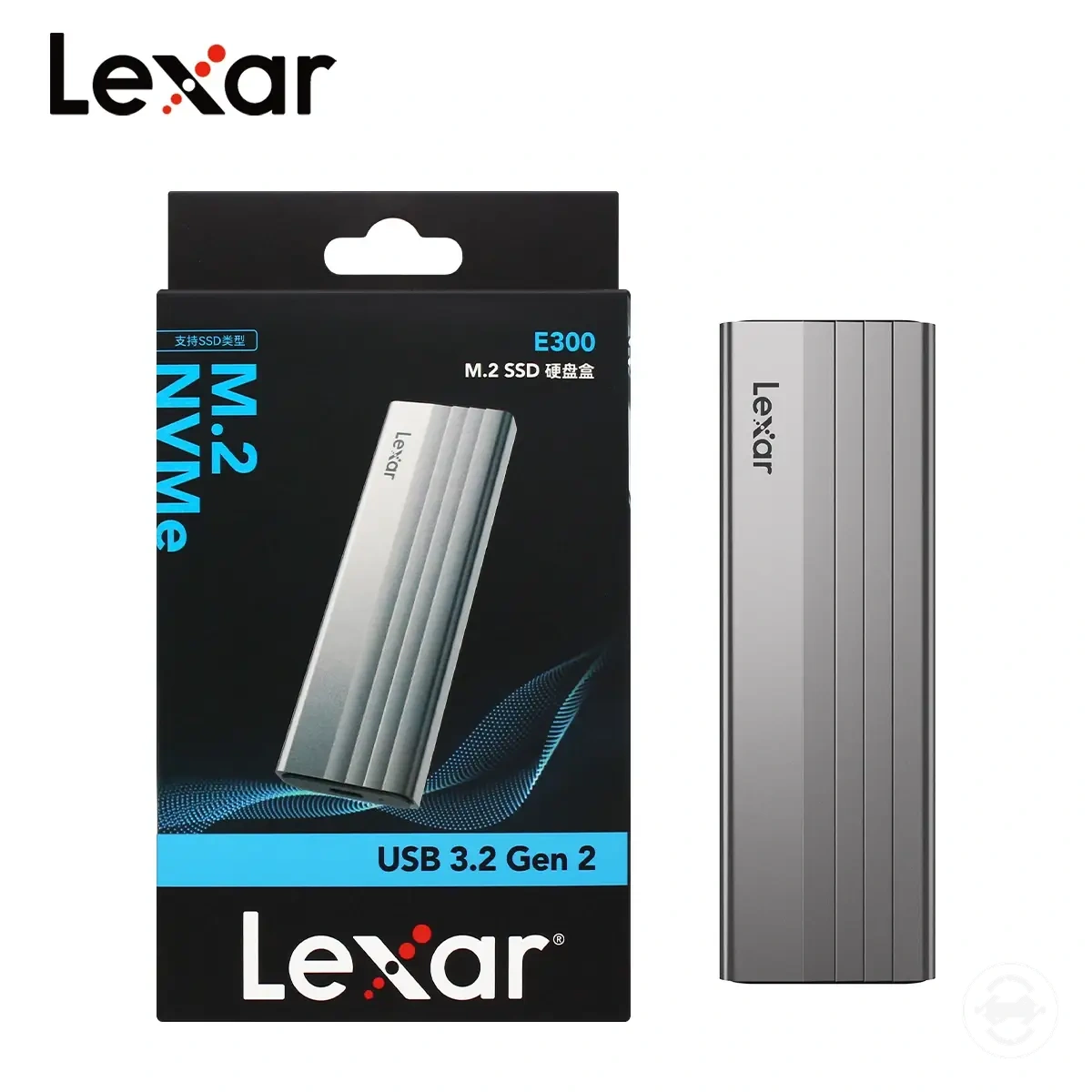
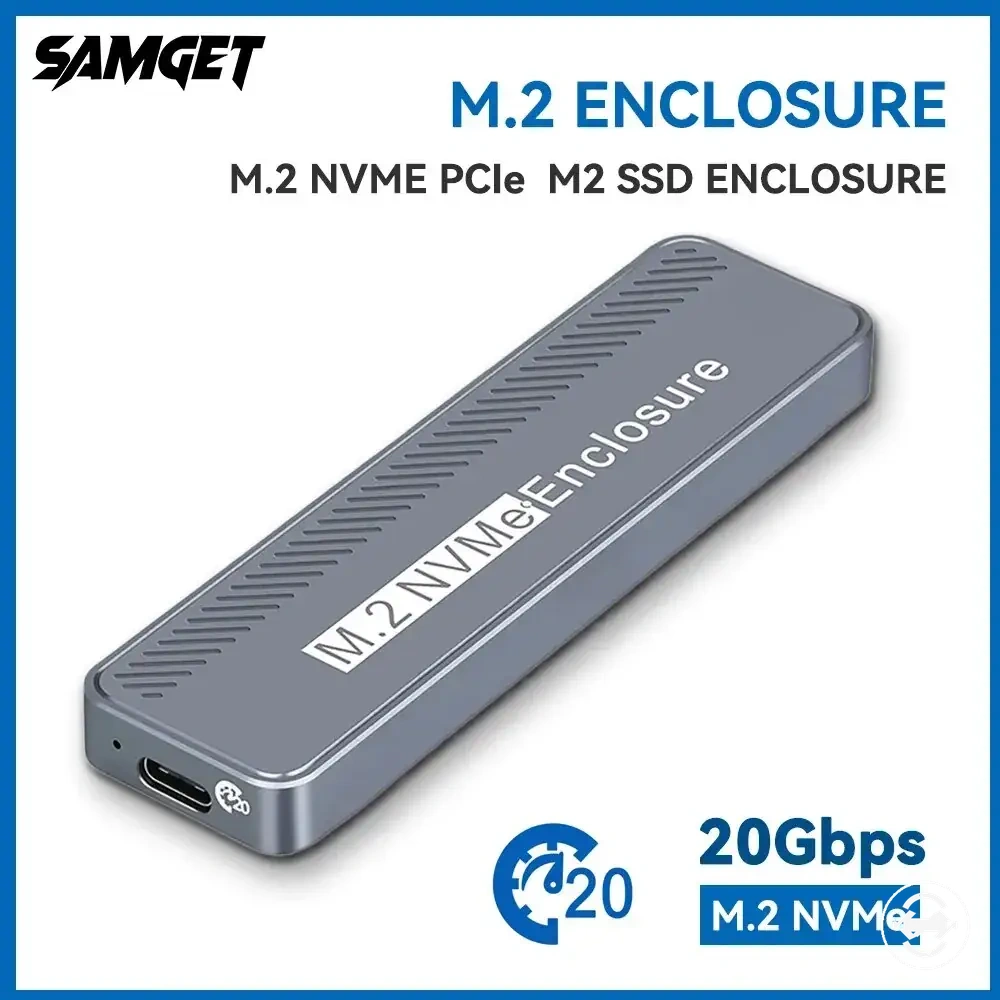
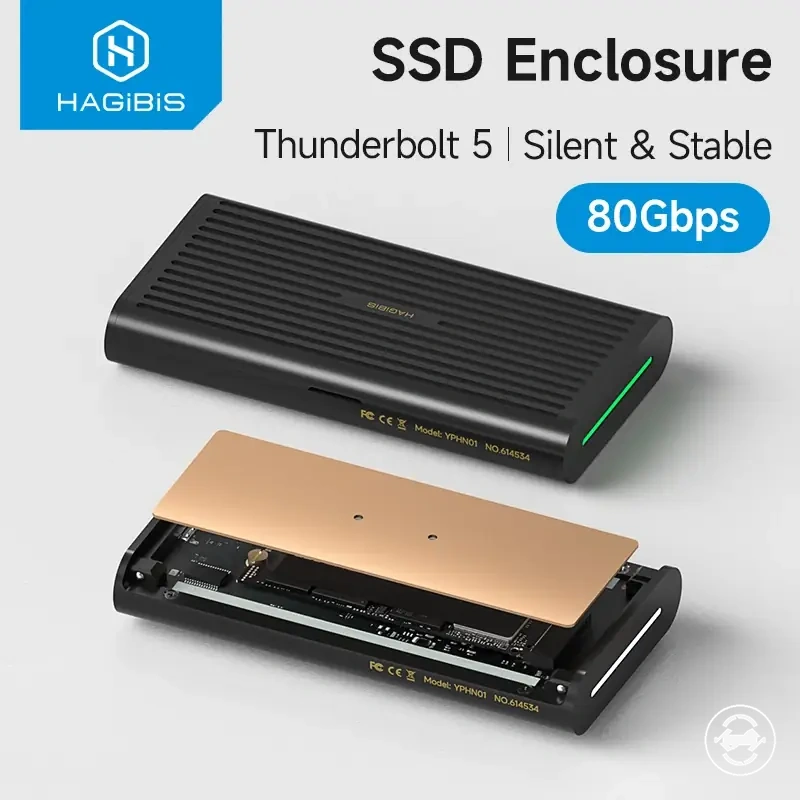
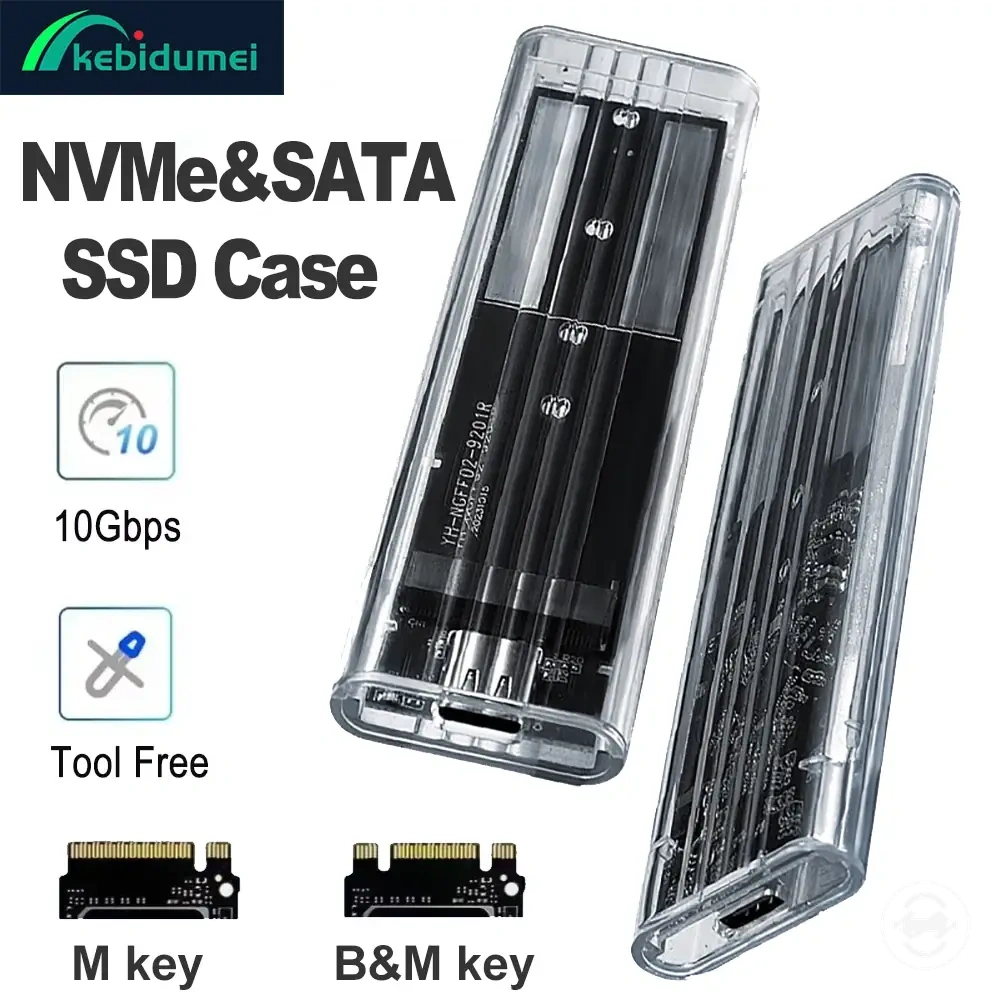
Here are product examples that may make comparison easier. Before buying, always review the compatibility criteria, essential features, and product details.
When a Smaller M.2 SSD Fits a Larger Enclosure
A smaller M.2 SSD can fit a larger enclosure when the enclosure provides the correct mounting point or retention method for that SSD length. A larger enclosure body may provide additional physical room, but secure fit depends on the standoff position and retention hardware. The mounting point determines whether the shorter SSD can be held correctly.
Empty space inside a larger enclosure tray does not automatically create a problem, but it does not confirm secure mounting either. A smaller M.2 SSD may require a suitable retention method, mounting point, or standoff position to remain stable. The fit outcome depends on how the SSD length aligns with the enclosure tray and available hardware.
The difference between physical room, secure mounting, and full compatibility can be separated into these conditions:
| Condition | What it means |
|---|---|
| Physical room | A larger enclosure body has enough space for a shorter SSD length. |
| Secure mounting | The enclosure provides the correct mounting point and retention method for stable positioning. |
| Full compatibility | Requires additional checks beyond enclosure size and physical mounting. |
A shorter drive may have movement risk if the retention hardware does not match the SSD length. A larger tray can provide space, but stable positioning depends on the mounting point and retention condition.
Physical room, secure mounting, and full compatibility are separate checks when comparing a smaller M.2 SSD with a larger enclosure. For additional enclosure evaluation criteria, review full compatibility checks to understand other support conditions.
Size Support Versus Full M.2 Enclosure Compatibility
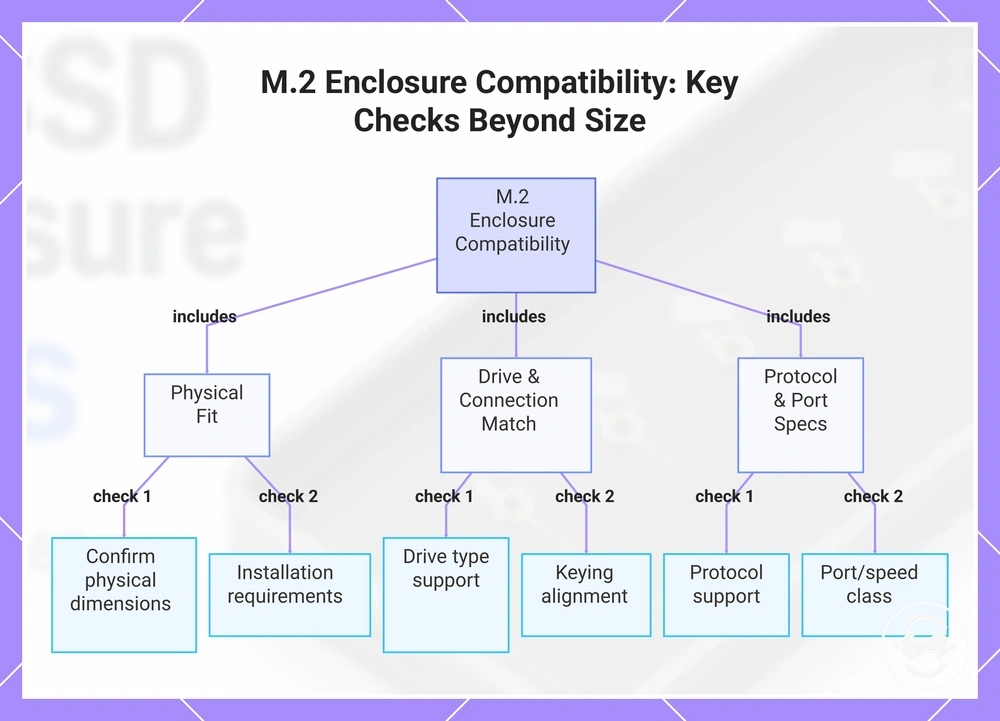
Size support is only one compatibility condition when checking an M.2 SSD enclosure. An enclosure may provide physical support for an M.2 SSD size, but broader compatibility also depends on drive type, keying, protocol, port, speed, and installation requirements. Physical fit helps determine whether the SSD can be mounted, but it does not confirm every compatibility condition.
An M.2 SSD and enclosure need matching attributes beyond size. Drive type, keying, and protocol affect how the SSD connects with the enclosure. Port and speed considerations are separate checks, while installation requirements can affect retention and fit outcome.
For a broader view of enclosure requirements, review full compatibility checks to understand how size support fits into the wider compatibility decision.
Use these checks to separate physical size support from other enclosure requirements:
- Size support: Confirm the enclosure mounting position matches the M.2 SSD physical dimensions.
- Drive type: Check that the enclosure supports the intended SSD type.
- Keying: Verify that the SSD connection design aligns with enclosure support.
- Protocol: Check protocol support as a separate compatibility condition.
- Port or speed class: Review port and speed-related specifications separately.
- Installation requirements: Confirm retention hardware and installation conditions for the SSD.
After size and compatibility conditions are clear, broader buying checks can help compare remaining enclosure features and decision factors. Review features to check before buying to continue evaluating enclosure options.
Here are product examples that may make comparison easier. Before buying, always review the compatibility criteria, essential features, and product details.
This chart shows the six compatibility checks for an M.2 SSD enclosure, highlighting that size support is only one of several conditions.