
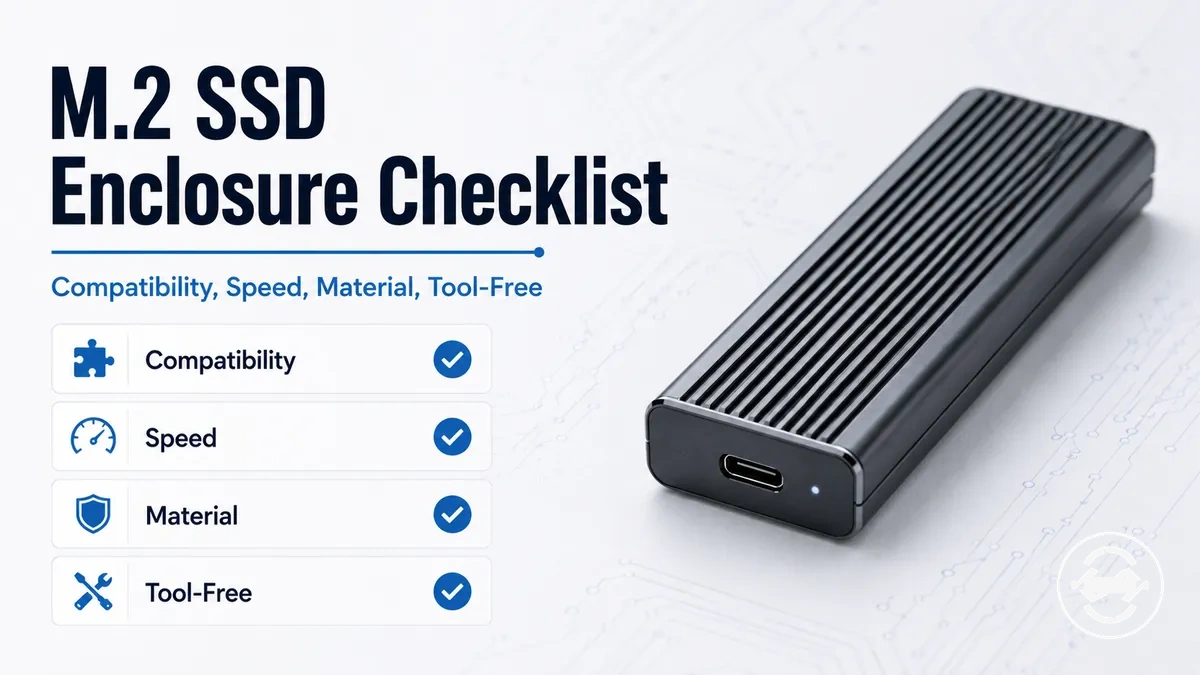
M.2 SSD Enclosure Buying Checklist for Feature-Based Selection
An M.2 SSD enclosure is a feature-based purchase decision, not a single universal choice. The right enclosure depends on the SSD inside it, the host device it connects to, the connection standard it can use, the thermal path it provides, and the way the portable enclosure will be used.
A spare NVMe enclosure for occasional file transfer may need different checks than an enclosure kit used for sustained backup work or frequent drive swapping. The SSD protocol, host port, cable, heat behavior, and use case all affect whether the enclosure is suitable. For the broader page context, the M.2 SSD enclosure guide connects this checklist back to the main enclosure decision. The first filter is compatibility.
The buying checklist should separate required fit from optional upgrades. Compatibility, speed class, thermal design, material, tool-free design, price-value, and use case are the main decision dimensions.
Use the checklist below to qualify the enclosure before comparing products or partner offers. Each check links one enclosure attribute to the outcome it can affect.
- Compatibility: Verify SSD protocol, key type, drive length, host port, cable support, and operating system suitability before weighing secondary features.
- Speed class: Match the enclosure rating with the host port, cable, SSD performance, and workload so the connection choice reflects a realistic transfer expectation.
- Thermal design: Check whether the enclosure uses a thermal pad, heatsink path, or aluminum body when sustained transfer work may create more heat.
- Material: Compare aluminum and plastic by heat handling, weight, portability, surface feel, and durability needs rather than assuming one material fits every use case.
- Installation design: Decide whether tool-free design, screw retention, spare screws, cable, adapter, and documentation make first setup and later drive access easier for the intended use.
- Price-value: Treat higher-cost features as useful only when compatibility, workload, speed class, thermal design, or build quality can make the upgrade meaningful for the final choice.
Drive and Device Compatibility Checks
Drive and device compatibility checks must come before feature preference because an M.2 SSD enclosure has to match the SSD and the host device before speed, heat, material, or value can matter. The main criterion is whether the enclosure can physically fit the drive, support its protocol, and connect to the device in a usable way.
Drive and device compatibility checks label the enclosure-side and host-side points that can change the buying decision.
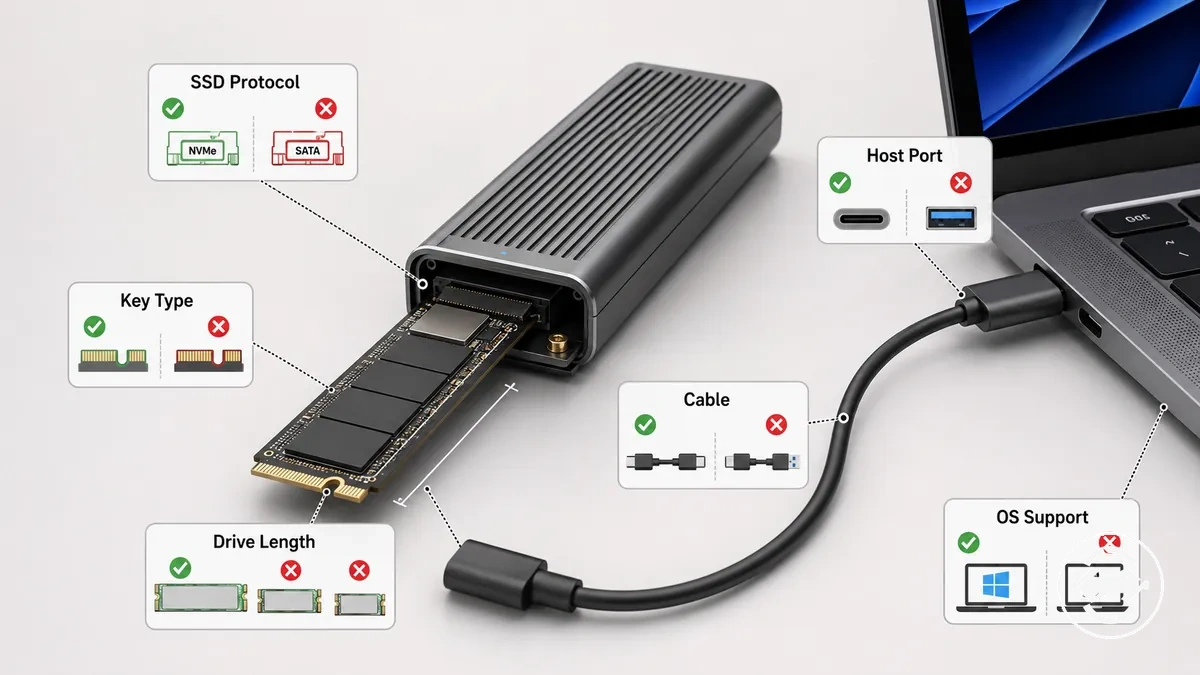
An enclosure may fail the buying decision if the SSD protocol, key type, drive length, host port, cable, or operating system support does not match the intended setup. Protocol support affects whether the SSD can communicate through the enclosure, while drive length and key type affect physical fit. Host-side support affects whether the enclosure can be detected and used with the connected device.
Use these compatibility checks to separate required fit from later preference filters:
- SSD protocol: Confirm whether the enclosure supports the drive type before comparing enclosure features.
- Key type: Match the SSD notch and enclosure connector so the drive can seat correctly.
- Drive length: Verify the enclosure tray supports the SSD size, such as 2230, 2280, or 22110, when those lengths are relevant to the drive.
- Host device and port: Check whether the computer, tablet, or other host device has a compatible port for the enclosure connection.
- Cable and operating system: Confirm that the cable and operating system can support practical use before assuming detection or smooth transfer behavior.
Compatibility is the first filter. Speed class, heat control, material, and price-value are later selection filters only after the enclosure is suitable for the SSD and host device.
NVMe, SATA, Key Type, and Supported Drive Length
NVMe, SATA, key type, and supported drive length are separate checks because an M.2 SSD enclosure may only work when the drive matches all of these conditions. Verify the SSD protocol first, then confirm the key notch and physical size before assuming the drive can fit and communicate.
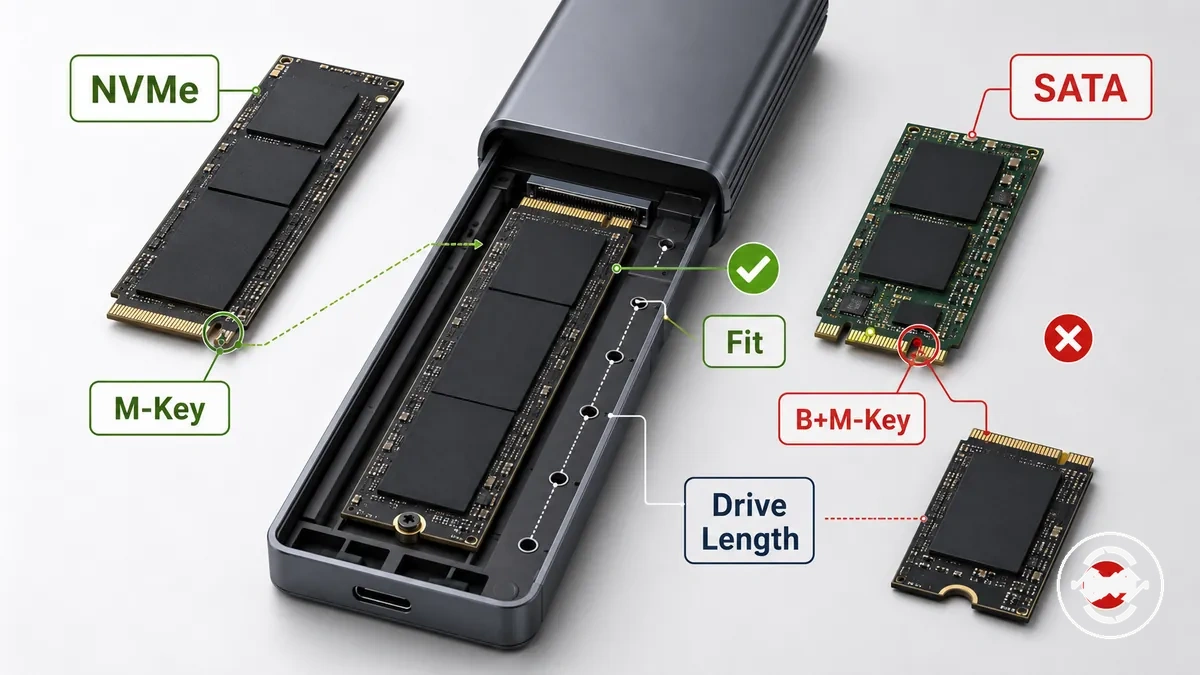
Each attribute affects compatibility in a different way, so treating every M.2 drive as interchangeable can lead to a non-fit or unsupported configuration.
- NVMe or SATA: Confirm that the enclosure provides protocol support for the SSD type because NVMe and SATA are separate interfaces.
- M-key or B+M-key: Match the SSD key notch with the enclosure connector to verify drive-side fit.
- Drive length: Check whether the enclosure tray supports the SSD length, such as 2230, 2280, or 22110, before making a selection.
- Protocol support: A matching connector alone does not necessarily mean the SSD can communicate if protocol support differs.
- Selection outcome: Choose an enclosure only after protocol, key type, and drive length all match the intended SSD.
USB-C, USB-A, Thunderbolt, and Operating System Support
USB-C, USB-A, Thunderbolt, and operating system support determine whether an M.2 SSD enclosure can connect and be used with your host device. Verify the host port, cable, and operating system before assuming the enclosure will be recognized or perform as expected.
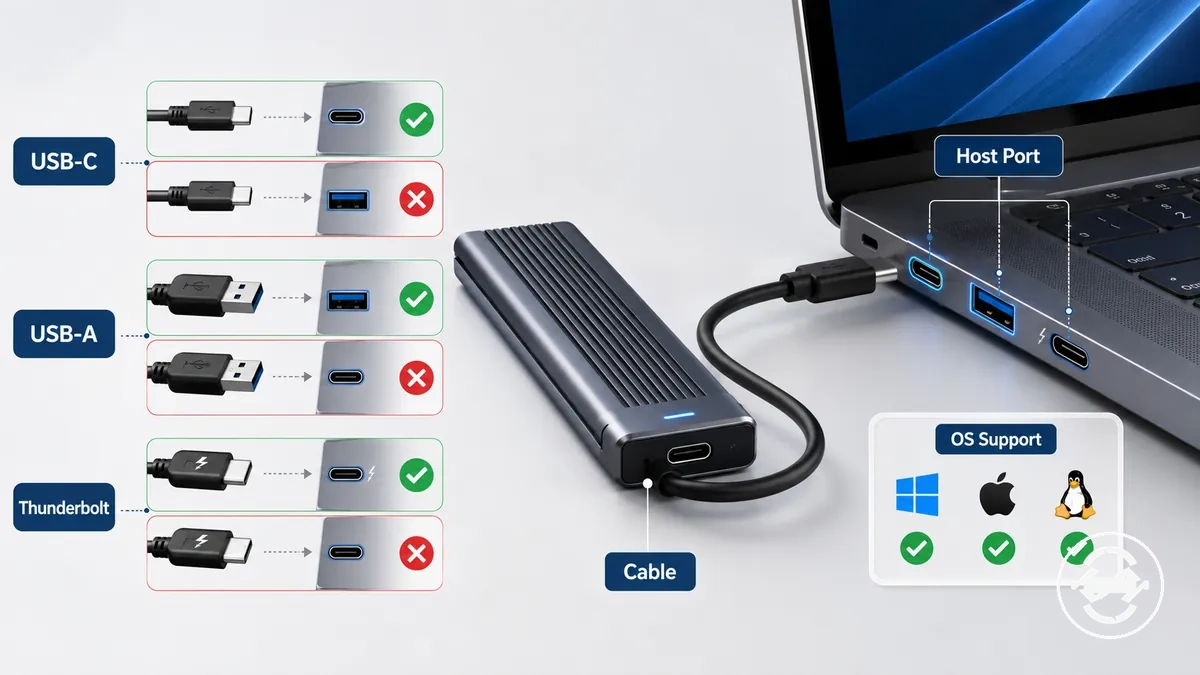
Host-side support depends on more than connector shape because the host port, cable, operating system, and file system each influence practical usability. Use the checklist below to confirm the connection conditions before choosing an enclosure.
- Host port: Match the enclosure connection with the available USB-C, USB-A, or Thunderbolt port on the host device.
- Connector and cable: A matching connector shape alone does not necessarily indicate the same USB generation, protocol support, or usable connection.
- Thunderbolt support: If Thunderbolt compatibility matters for your workflow, confirm that both the enclosure and the host device support the required connection.
- Power stability: Stable power delivery may affect reliable operation, depending on the host device, cable, and connection.
- Operating system and file system: Verify that the operating system can recognize the enclosure and that the file system is suitable for the intended workflow.
Speed Class and Connection Limits
Speed class depends on the full connection chain rather than the enclosure alone. An M.2 SSD enclosure rated for 10Gbps, 20Gbps, or 40Gbps may only deliver transfer behavior that the host port, cable, SSD performance, and workload can support, so the main buying criterion is the weakest link in the chain.
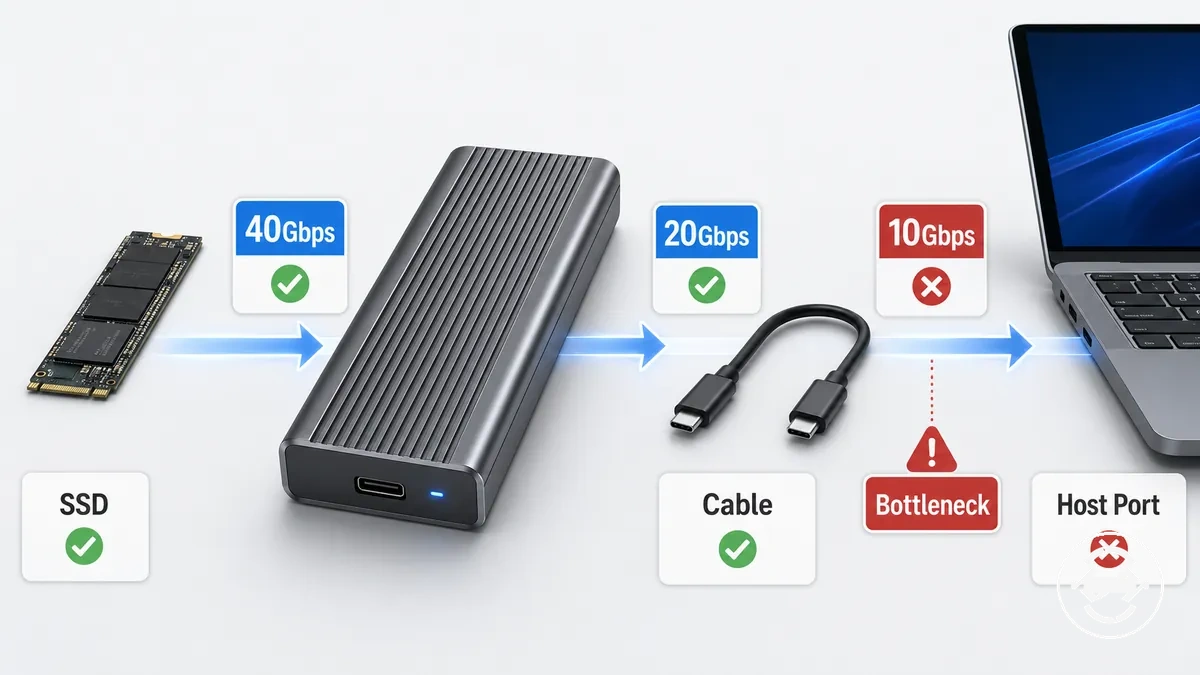
An enclosure rating describes the interface capability, not guaranteed file-copy speed. A bottleneck in the host port, cable, SSD performance, or workload can limit practical transfer behavior, even when the enclosure supports a higher interface rating. Choosing a higher speed class is most valuable when the entire connection path can benefit from the additional bandwidth.
The table below organizes Speed class and connection limits by the conditions that most often influence buying decisions.
| Speed class | Required host/cable condition | Likely bottleneck | When it matters |
|---|---|---|---|
| 10Gbps | Compatible host port and cable | Host port, cable, or SSD performance | General external storage workloads |
| 20Gbps | Host port and cable that support the interface rating | Connection limit or SSD performance | When the drive and workload can benefit from additional bandwidth |
| 40Gbps | Compatible high-bandwidth host connection and cable | Host capability, cable, SSD performance, or workload | When the full connection chain supports the higher transfer class |
Choose a higher speed class only when the enclosure, host port, cable, SSD performance, and workload are aligned. For broader guidance on interpreting interface ratings and realistic speed expectations, compare the complete connection chain rather than the advertised Gbps value alone.
10Gbps, 20Gbps, 40Gbps, and Real Transfer Expectations
10Gbps, 20Gbps, and 40Gbps speed classes should be interpreted by the compatible port, cable requirement, and workload rather than by the SSD alone. The same SSD can behave differently across these speed classes, so the first check is whether the connection setup supports the selected speed tier.
The comparison below summarizes the local decision points for common enclosure speed classes.
- 10Gbps: Often suits everyday file transfers when the compatible port and cable requirement match the enclosure and the workload does not require a higher bandwidth class.
- 20Gbps: May provide additional transfer capacity when both the compatible port and cable requirement support the higher speed class and the workload can benefit.
- 40Gbps: Requires a compatible high-bandwidth port and matching cable requirement, and any advantage depends on SSD performance and workload.
- Cable requirement: A lower-rated cable can become the limiting condition even when the enclosure supports a higher transfer rating.
- Workload fit: Choose the speed class according to the intended workload because a higher transfer rating may provide limited benefit if the compatible port or SSD becomes the bottleneck.
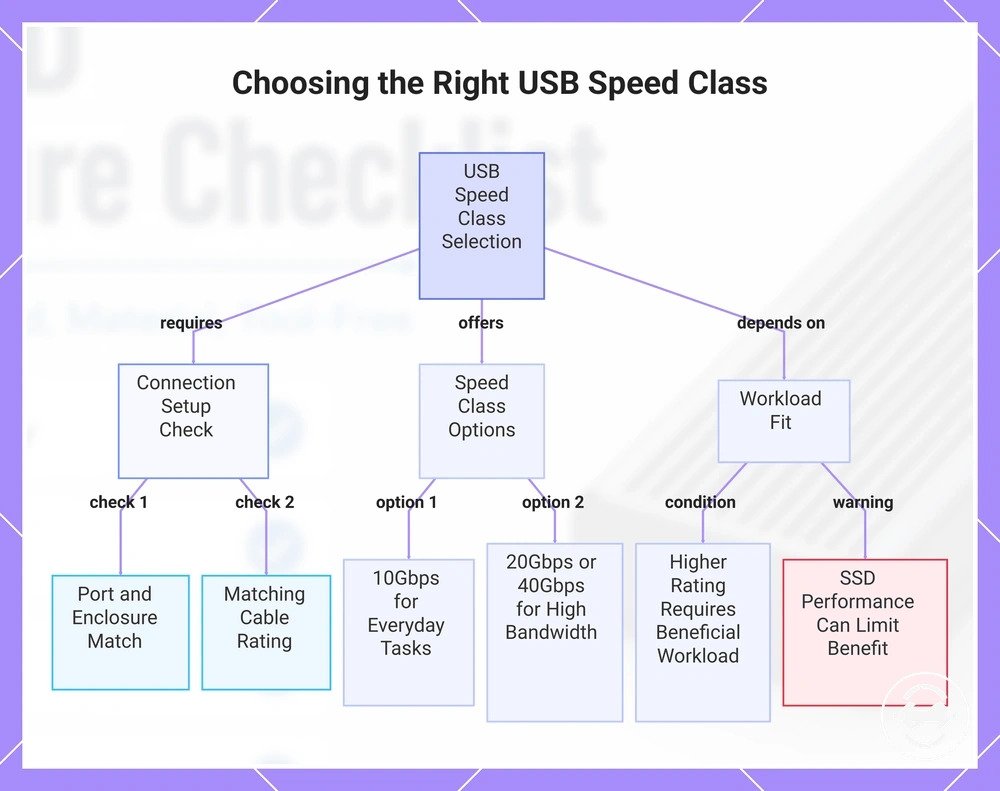
This chart shows how to select between 10Gbps, 20Gbps, and 40Gbps speed classes based on your connection setup, cable, and workload.
Thermal Design and Sustained Performance
Thermal design matters most when an M.2 SSD enclosure has to manage heat during sustained transfers. The main criterion is whether the enclosure body, thermal pad, and heatsink path can help move SSD controller heat away during longer workloads without assuming every warm enclosure is defective.
Short file transfers may place less thermal demand on the enclosure, while long backups or cloning sessions can make heat control more important. Sustained performance depends on the SSD, workload duration, enclosure body, thermal pad contact, and airflow around the device. A thermal pad or heatsink can support heat transfer only when the cooling path makes proper contact.
Use this mini-checklist to evaluate thermal design before treating speed class or material as the deciding feature.
- Enclosure body: Check whether the body can act as part of the heat path during longer workload periods.
- Thermal pad: Confirm that the thermal pad is intended to contact the SSD controller or heat-producing area rather than simply being included in the kit.
- Heatsink path: Look for a clear route from SSD heat to the enclosure body, since poor contact may reduce the value of the cooling design.
- Workload duration: Prioritize heat control when sustained transfers, backups, or cloning sessions are part of the use case.
- Throttling risk: Treat throttling risk as workload-dependent, not as proof that every hot enclosure is faulty.
Choose stronger thermal design when sustained performance and comfort matter for the intended workload. For light or occasional transfers, thermal design still matters, but it may not need to dominate the whole selection decision.
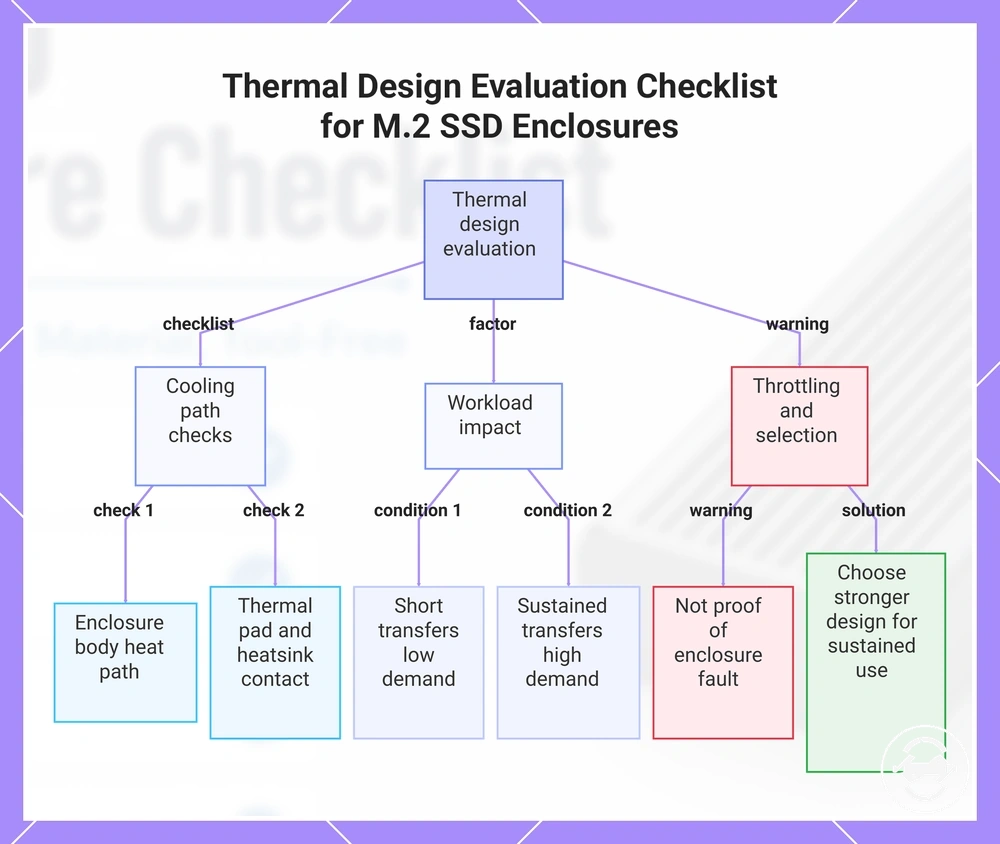
This chart shows the key checks and considerations for evaluating thermal design, covering cooling path components, workload impact, and throttling interpretation.
Thermal Pad Contact, Heatsink Design, and Heat Transfer Path
Thermal pad contact, heatsink design, and the heat transfer path determine how heat moves from the SSD controller into the enclosure shell. The immediate check is whether the thermal interface maintains consistent physical contact, because contact quality influences how effectively heat can be transferred.
The heat transfer path depends on each component working together rather than on a single cooling feature. Pad thickness, heatsink surface, enclosure shell contact, and surrounding airflow can all affect the cooling outcome. If the thermal pad creates a contact gap or does not provide suitable fit pressure, heat transfer may become less effective.
Use these checks to evaluate the physical heat transfer path before comparing other enclosure features.
- SSD controller: Confirm that the thermal pad is intended to contact the SSD controller or another heat-producing component.
- Thermal pad contact: Look for even cooling contact across the thermal interface because gaps may reduce heat transfer.
- Pad thickness: Choose a design where pad thickness supports suitable fit pressure rather than creating unnecessary separation.
- Heatsink design: A heatsink surface can improve the heat transfer path when it maintains effective contact with the thermal interface.
- Enclosure shell and airflow: The enclosure shell forms part of the heat path, while airflow around the enclosure may influence the overall cooling outcome during sustained workloads.
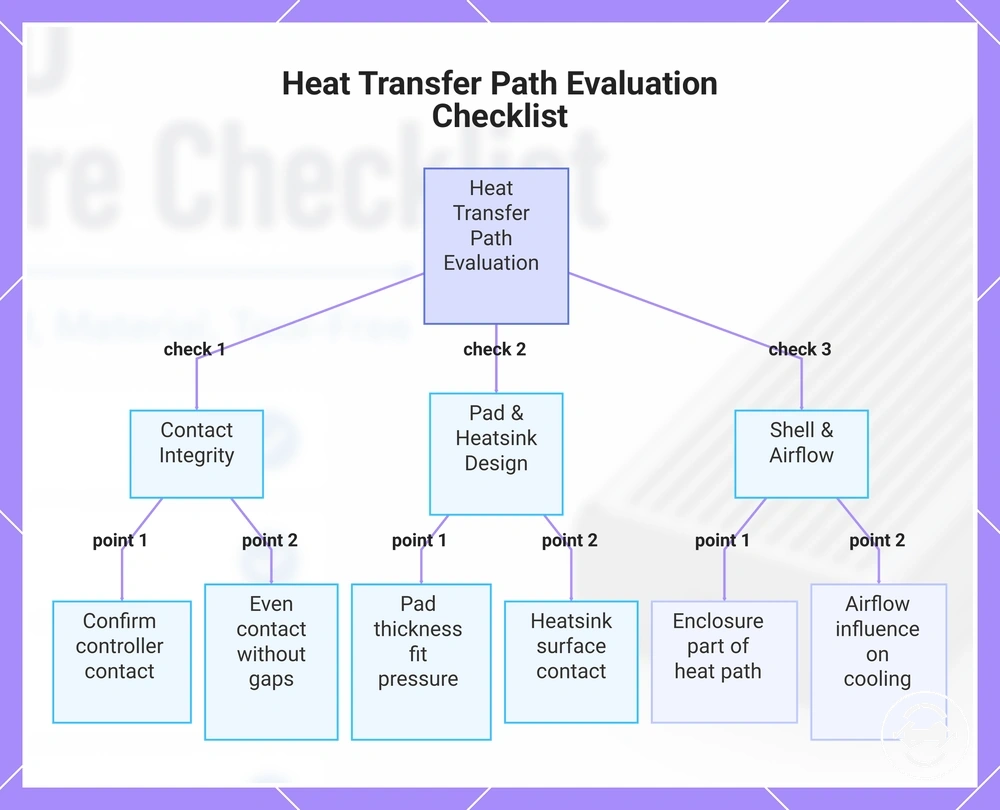
This chart shows the key checks for evaluating the physical heat transfer path from the SSD controller to the enclosure shell, focusing on contact integrity, pad and heatsink design, and shell and airflow factors.
Material, Portability, and Durability Signals
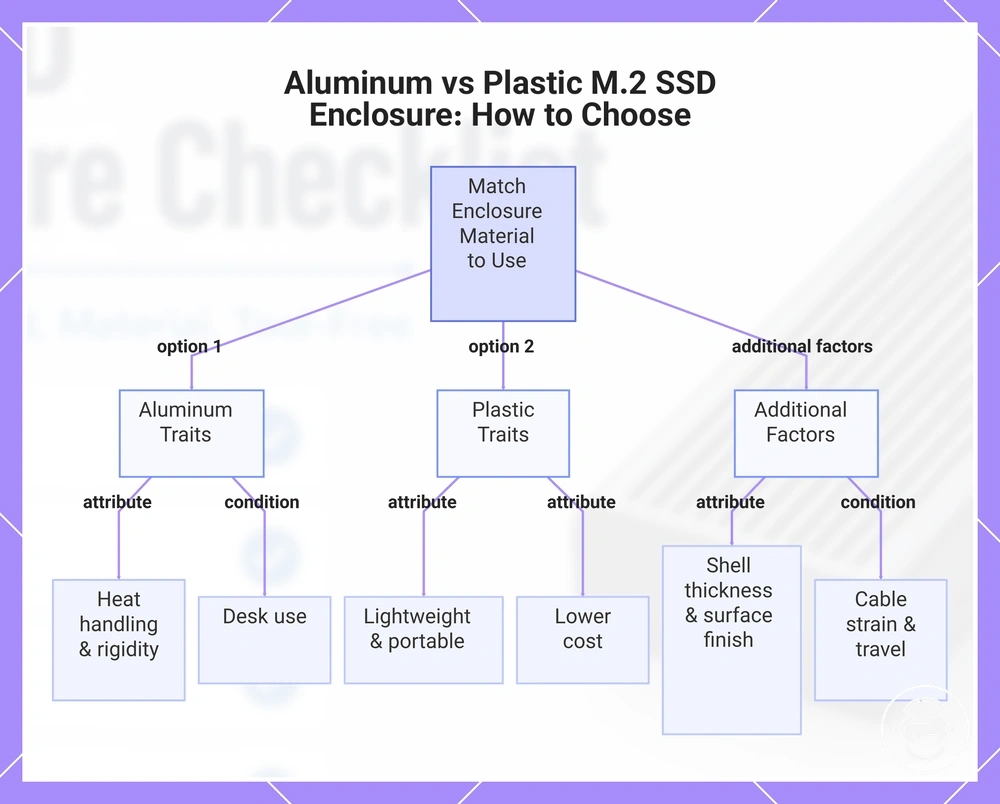
Material affects how an M.2 SSD enclosure balances heat handling, weight, portability, durability, and cost. The right enclosure body depends on how it will be used rather than on one material being suitable for every situation. The main criterion is selecting a material that matches daily handling, travel conditions, and the intended workload.
Aluminum and plastic each involve different trade-offs. An aluminum enclosure may provide a more rigid enclosure body and support heat handling, while a plastic enclosure may reduce weight and improve portability for frequent carrying. Shell thickness, surface finish, cable strain, and travel conditions can also influence durability and usability, depending on how the enclosure is handled.
Compare aluminum and plastic designs by the conditions that matter most for your intended use rather than by material alone.
- Aluminum: May suit desk use or longer transfer sessions when heat handling and enclosure body rigidity are priorities.
- Plastic: May be preferable when lower weight, portability, or cost is more important than a metal shell.
- Shell thickness and surface finish: These attributes can affect everyday durability, grip, and resistance to routine handling.
- Pocket carry and cable strain: Frequent travel or repeated cable movement may make enclosure body design more important than material alone.
- Travel use and occasional backup use: Choose the enclosure material according to the expected environment, carrying habits, and workload instead of assuming one option is universally better.
Material choice is a trade-off rather than a quality ranking. Matching the enclosure body to desk use, travel use, or occasional backup use usually leads to a more suitable buying decision than selecting a material based only on appearance.
This chart compares the key trade-offs between aluminum and plastic M.2 SSD enclosures, highlighting material traits and additional durability factors to help you choose based on your intended use.
Aluminum Body, Plastic Shell, and Travel Use
Aluminum body and plastic shell designs affect how an M.2 SSD enclosure feels during travel use. The immediate check is whether the enclosure body suits your carrying habits, because pocket carry, heat feel, and surface wear can influence everyday handling.
Travel conditions can change which material attributes matter most. Weight, grip, scratch resistance, and heat feel may become more noticeable when the enclosure is carried frequently instead of remaining on a desk. Use the criteria below to compare portable handling without treating either shell material as the better choice for every situation.
- Aluminum body: May provide a firmer feel and can influence heat feel during extended use, depending on the workload and surrounding conditions.
- Plastic shell: May reduce carrying weight and support portability for frequent pocket carry or lightweight travel kits.
- Grip and surface finish: Surface texture can affect handling confidence when the enclosure is moved often.
- Scratch resistance: Surface wear may vary with the shell material, surface finish, and travel conditions rather than material alone.
- Travel protection: Choose the enclosure body according to expected travel use, carrying method, and daily handling instead of assuming either material guarantees greater durability.
Installation Design and Kit Completeness
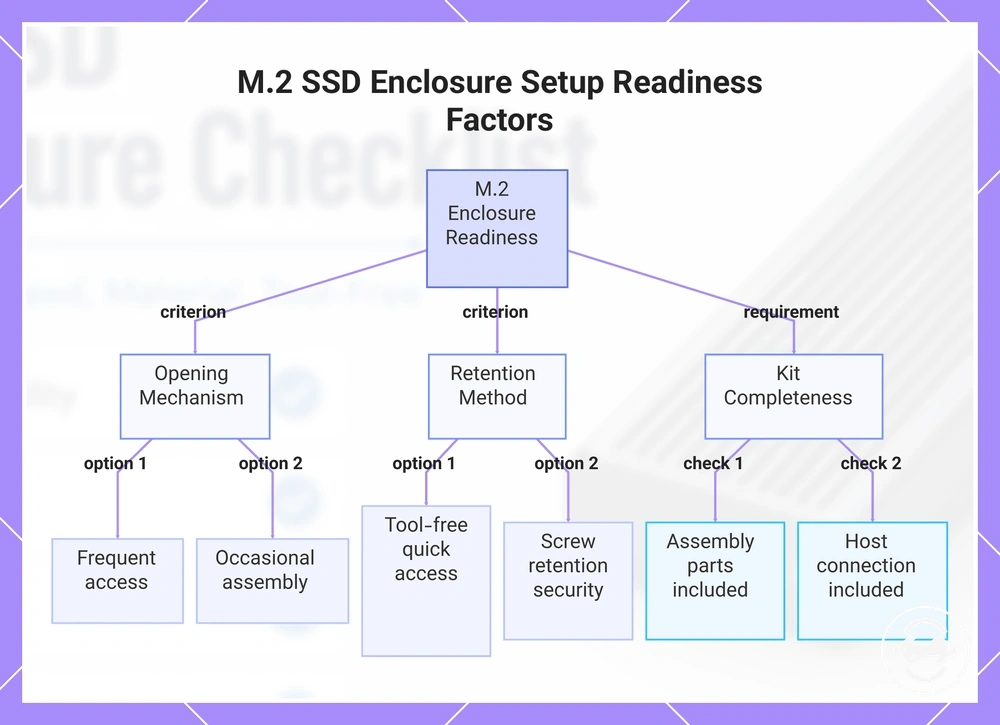
Installation design and kit completeness determine whether an M.2 SSD enclosure is ready for confident first use. The main criterion is whether the opening mechanism, retention method, and included kit support safe assembly and secure drive holding without turning the decision into a full installation tutorial.
A tool-free enclosure may reduce setup friction when drives are swapped often, while screw retention may feel more suitable when long-term portable use makes drive security more important. Setup readiness also depends on whether the kit includes the thermal pad, spare screw, screwdriver if needed, cable, adapter, carry case, and instructions needed for the intended use. A missing component can delay first use or require an extra accessory before the enclosure can be used as planned.
Use this mini-checklist to compare installation design and kit completeness by the feature that changes the setup outcome.
- Opening mechanism: Check whether the enclosure opens in a way that suits frequent access or occasional assembly.
- Retention method: Compare tool-free holding and screw retention by the balance between quick access and drive security.
- Thermal pad, spare screw, and screwdriver: Confirm whether these assembly parts are included when the enclosure design depends on them.
- Cable and adapter: Verify that the included kit supports the host device connection you expect to use.
- Carry case and instructions: Treat these as setup-support features that may improve portability and reduce first-use uncertainty.
Choose quick access when frequent drive swapping matters, and choose more secure retention when the enclosure will stay assembled during long-term portable use. Compare tool-free and screw-based designs by how each retention method supports your setup pattern rather than assuming one design is safer in every case.
This chart shows the main setup readiness factors for an M.2 SSD enclosure: opening mechanism, retention method, and kit completeness.
Tool-Free Opening, Screw Retention, and Drive Security
Tool-free opening and screw retention solve different setup problems for an M.2 SSD enclosure. The immediate check is whether the retention method supports the access speed, drive seating, and drive security needed for the way the enclosure will be used.
A latch or slide-open design may help when frequent drive swapping matters, while screw retention may be more suitable when the drive will stay installed during portable use. Tray alignment, rubber peg fit, and retention screw placement can affect movement risk, so the better choice depends on access needs and long-term handling conditions.
Use this comparison to judge the local mechanism rather than treating one design as the best design for every buyer.
- Tool-free opening: May improve access speed when drives are changed often, depending on the latch or slide mechanism.
- Screw retention: May support drive security when the SSD needs firmer seating during longer-term portable use.
- Latch or rubber peg: Check whether the retention method holds the SSD without adding unwanted movement risk.
- Tray alignment: Confirm that the tray helps the SSD sit evenly before the enclosure is closed.
- Movement risk: Choose the mechanism according to how often the drive is swapped and how much portable handling the enclosure will face.
Included Cables, Pads, Screws, Cases, and Adapters
Included cables, pads, screws, cases, and adapters affect setup readiness, not enclosure quality by themselves. The immediate check is whether the included parts match the host connection, installation style, and portability needs for the M.2 SSD enclosure.
A USB cable or adapter can reduce connection friction when the host port matches the intended setup, while a thermal pad, spare screw, and screwdriver may matter when the enclosure design depends on those assembly parts. A carry case and documentation are useful extras for portability and first-use clarity, but more accessories do not automatically mean a better enclosure.
Use this checklist to separate required setup parts from convenience extras.
- USB cable: Check whether the cable type supports the host connection you expect to use.
- Adapters: Treat adapters as useful when the host device connection differs from the included USB cable.
- Thermal pad: Confirm whether the enclosure design needs a thermal pad for the intended heat path.
- Screws and screwdriver: Spare screws and a screwdriver can reduce setup friction when screw retention is part of the design.
- Cases and documentation: A carry case may support portability, while documentation may reduce first-use uncertainty.
Price-Value Fit for the Selected Feature Set
Price-value depends on whether the selected feature set matches your SSD, workload, and expected use rather than on the price tier alone. A higher-cost M.2 SSD enclosure is only justified when compatibility, speed class, thermal design, build quality, or kit completeness provide upgrade value for the intended workload. The main criterion is paying for features that will be used rather than optional upgrades that add little practical value.
A higher price tier may be worthwhile when sustained transfers, portable use, or demanding workloads benefit from improved thermal design, a higher speed class, or stronger build quality. For lighter workloads or occasional file transfers, a simpler feature set may provide a better value fit if it already meets compatibility and connection requirements.
The table below organizes price-value fit by feature usefulness instead of product tiers. For broader guidance on price and value factors, compare feature usefulness before comparing price alone.
| Feature set | Price/value condition | Worth paying for when | Skip when |
|---|---|---|---|
| Compatibility support | Required for intended SSD and host | The enclosure must match your setup | It adds no extra capability beyond your needs |
| Higher speed class | Upgrade value depends on the workload | The host, cable, and SSD can benefit | The connection chain limits performance |
| Thermal design | Value increases with sustained use | Long transfers or heavier workloads are expected | Short, occasional transfers are the main use |
| Build quality and kit completeness | Depends on handling and setup needs | Frequent travel or easier first-use readiness matters | The additional features are unlikely to be used |
Choose the price tier that aligns with the feature set your workload can actually use. Paying more is easiest to justify when the added features improve compatibility, sustained use, or long-term usability, while optional upgrades may offer limited value for simpler workloads.
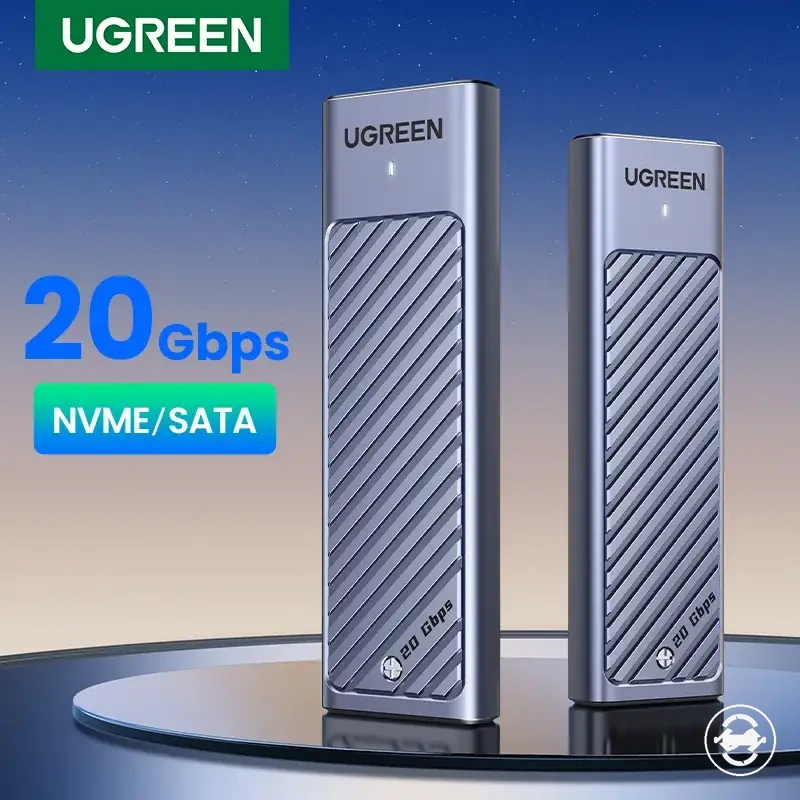
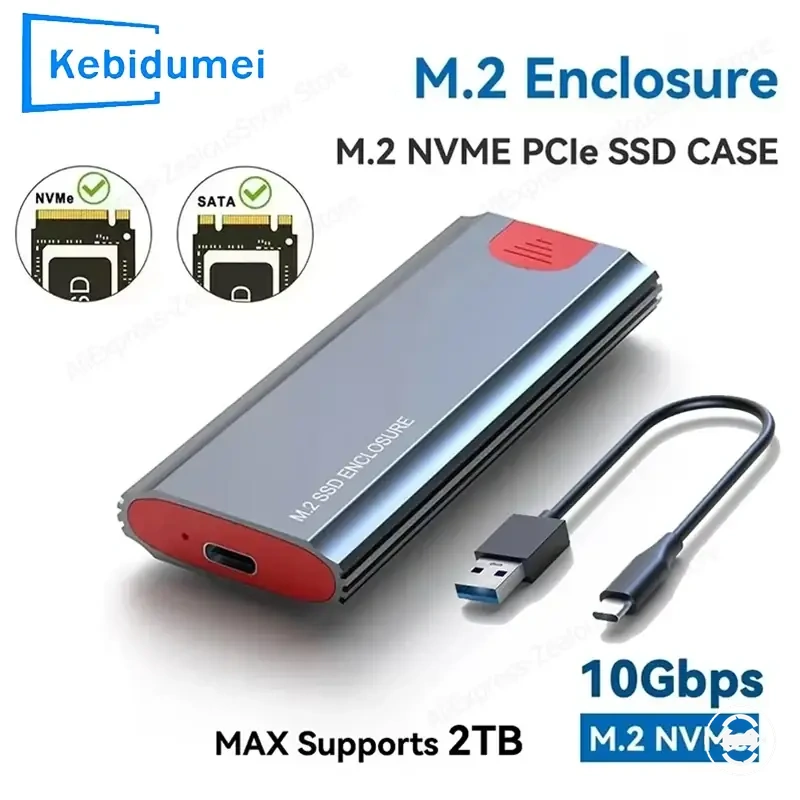
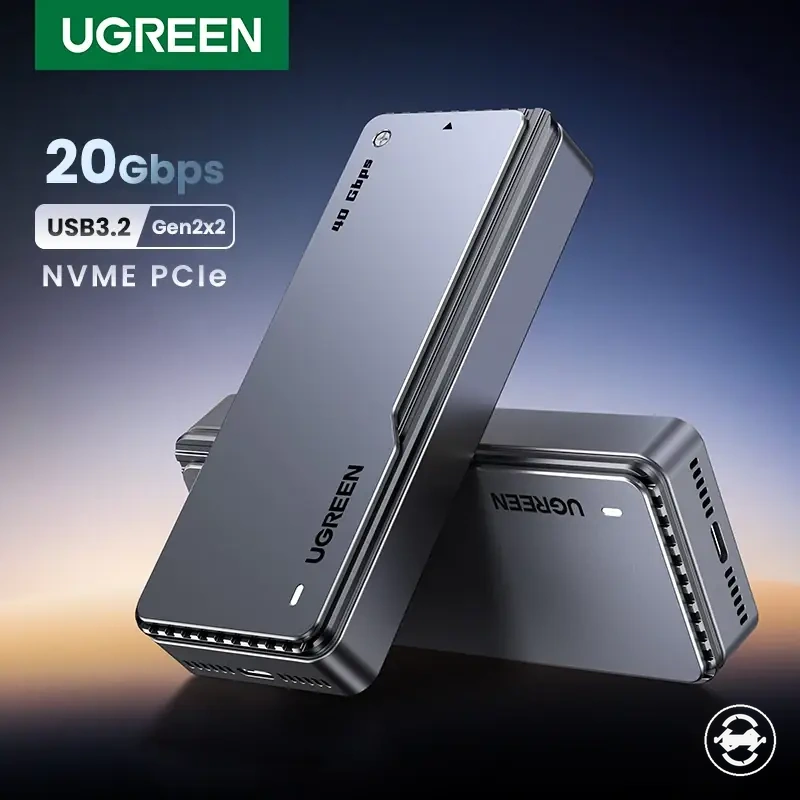
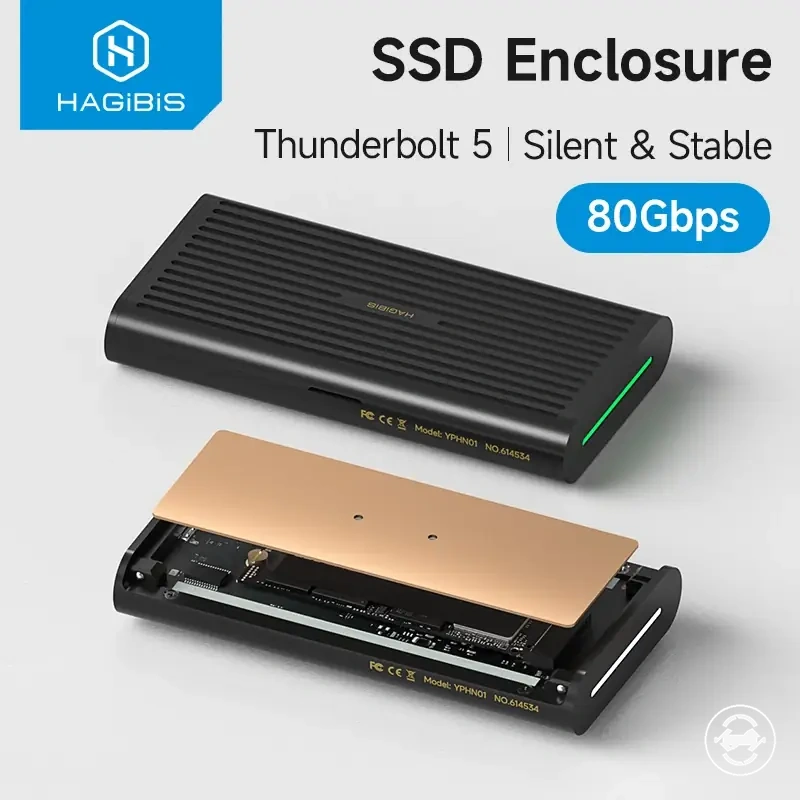
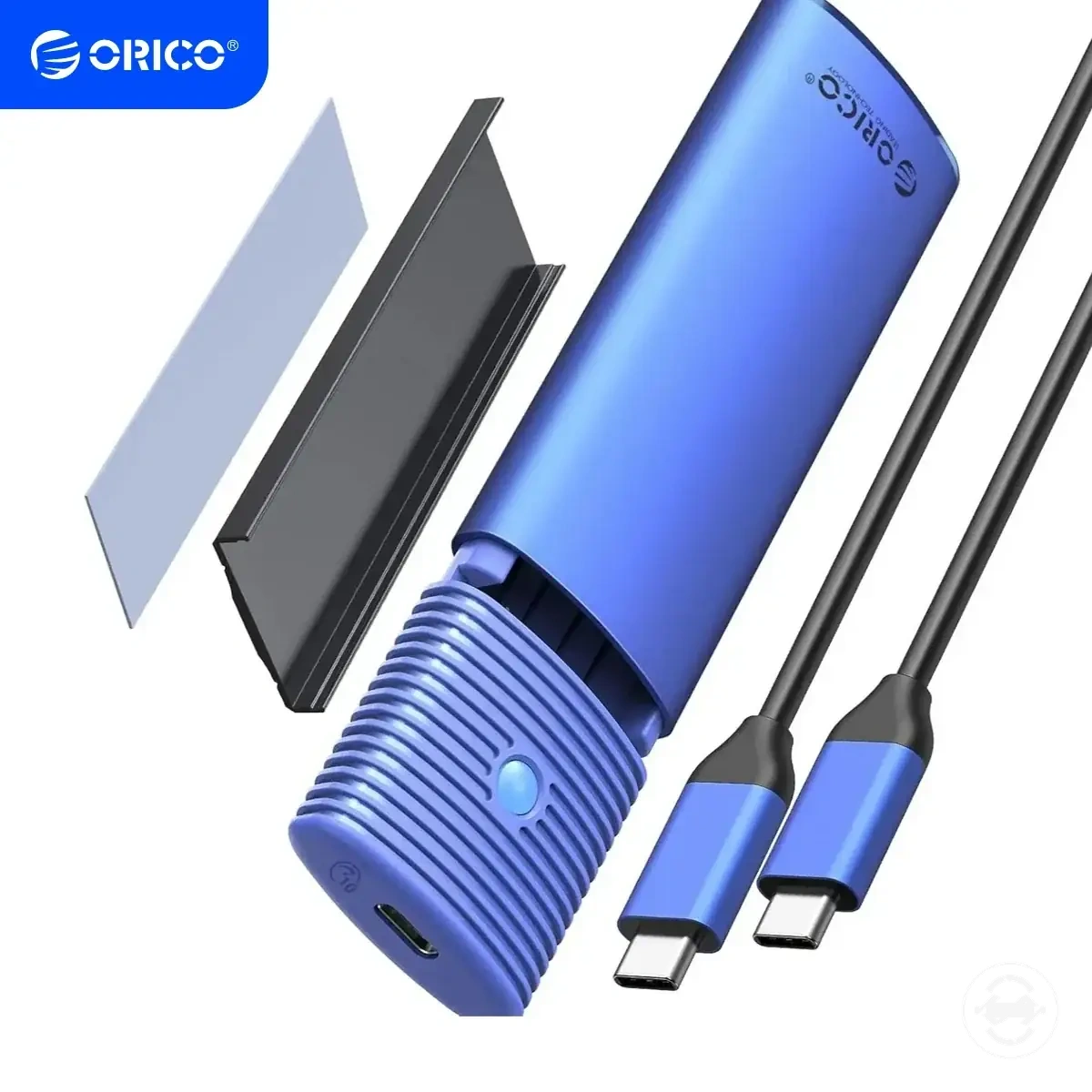
Here are product examples that may make comparison easier. Before buying, always review the compatibility criteria, essential features, and product details.
Must-Have Features Versus Optional Upgrades
Must-have features protect fit and usability, while optional upgrades only matter when the SSD, host device, workload, or convenience need can benefit from them. The immediate check is to separate required compatibility from upgrade value before treating a higher feature set as necessary.
Protocol support, drive length, port match, and cable suitability are essential checks because they affect whether the enclosure can work with the intended setup. Thermal pad quality, material, speed class, and accessories may improve convenience, heat handling, or performance, but their value depends on workload and use pattern.
Use this criteria split to classify must-have features and optional upgrades without making every feature mandatory for every buyer.
| Must-have features | Optional upgrades |
|---|---|
| Protocol support that matches the SSD type | Higher speed class when the port, cable, SSD, and workload can benefit |
| Drive length support that fits the installed M.2 SSD | Thermal pad or stronger heat path when sustained transfers are expected |
| Port match and cable support for the host device | Material upgrades when heat feel, portability, or durability matters |
| Basic retention and setup parts needed for safe first use | Extra accessories when they reduce setup friction or improve travel convenience |
Use-Case Match for the Final Enclosure Choice
Use-case match is the most reliable way to make the final enclosure choice because feature priority changes with how the M.2 SSD enclosure will be used. Backup, cloning, travel, and everyday storage place different emphasis on speed, thermal design, portability, and kit completeness. The main criterion is selecting the enclosure whose features match the SSD, host device, and workload.
A higher speed class may be worthwhile when the host device and workload can benefit from it, while stronger thermal design may add more value during sustained transfers. Portability and kit completeness may become more important for frequent travel, whereas everyday storage may only require the essential compatibility and connection features.
The decision matrix below organizes use-case match by feature priority rather than by product type. Choose the final enclosure based on the scenario that most closely reflects how it will be used.
| Use case | Required features | Useful upgrades | Final selection signal |
|---|---|---|---|
| Backup | Compatibility, stable connection, suitable cable | Thermal design for longer transfers | Choose stronger cooling when sustained backups are expected |
| Cloning | Protocol support, speed, reliable cable | Higher speed class when the full connection supports it | Select additional speed only if the workload can benefit |
| Travel | Portability, durable enclosure, kit completeness | Improved build quality and carrying accessories | Prioritize portability when the enclosure is carried frequently |
| Everyday storage | SSD compatibility and host port match | Optional material or speed improvements | Keep the feature set proportional to regular usage needs |
The best selection depends on how the enclosure's constraints align with the SSD, host device, and workload rather than on isolated specifications or additional features alone.
Backup, Cloning, Travel, and Everyday External Storage
Backup, cloning, travel, and everyday external storage each change which M.2 SSD enclosure features matter most. The immediate check is to match speed, heat control, durability, portability, and accessories to the actual use case rather than treating every feature as equally important.
Backup and cloning may place more weight on sustained transfer behavior, while travel may make portability, durability, and cable convenience more important. Everyday external storage may need fewer upgrades when compatibility, connection stability, and basic usability already match the SSD and host device.
Use these scenario checks to connect each use case to the feature priorities that can affect the final enclosure choice.
- Backup: Prioritize stable connection, suitable capacity support, and thermal design when sustained transfers are expected.
- Cloning: Speed, heat behavior, and cable stability may matter more when the workload involves longer drive-to-drive transfer sessions.
- Travel: Portability, durability, cable convenience, and protective accessories can become more important when the enclosure is carried often.
- Everyday external storage: Basic compatibility, easy connection, and practical handling may be enough when the enclosure is used for routine file access.