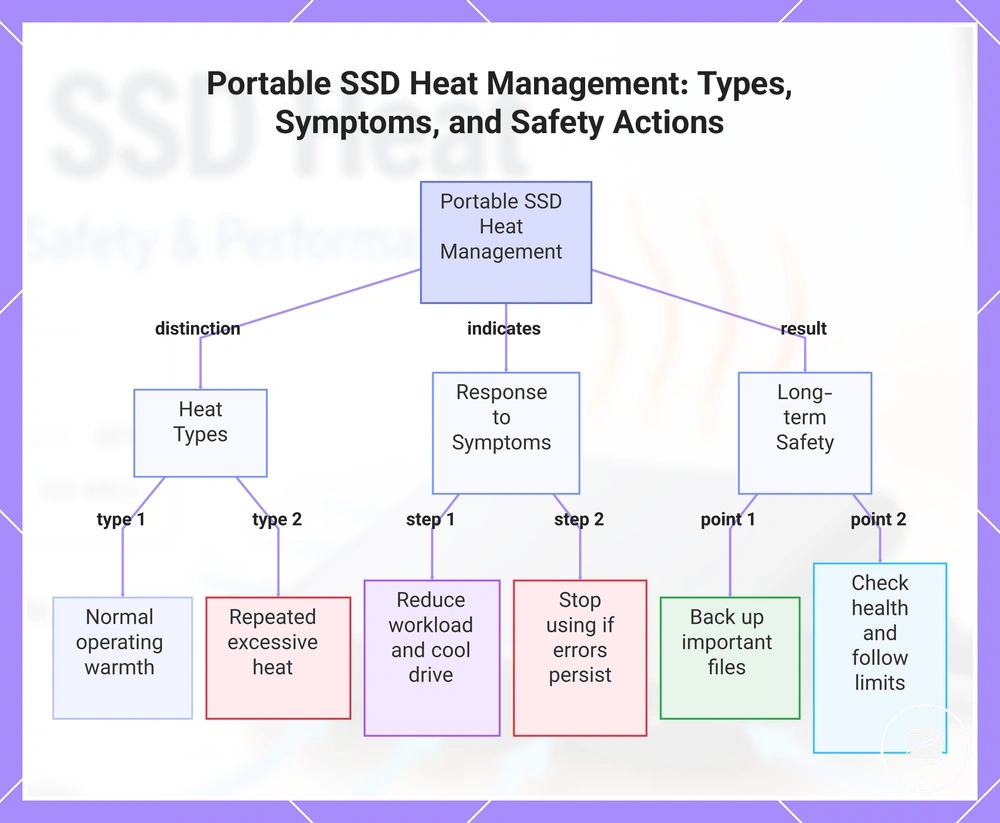
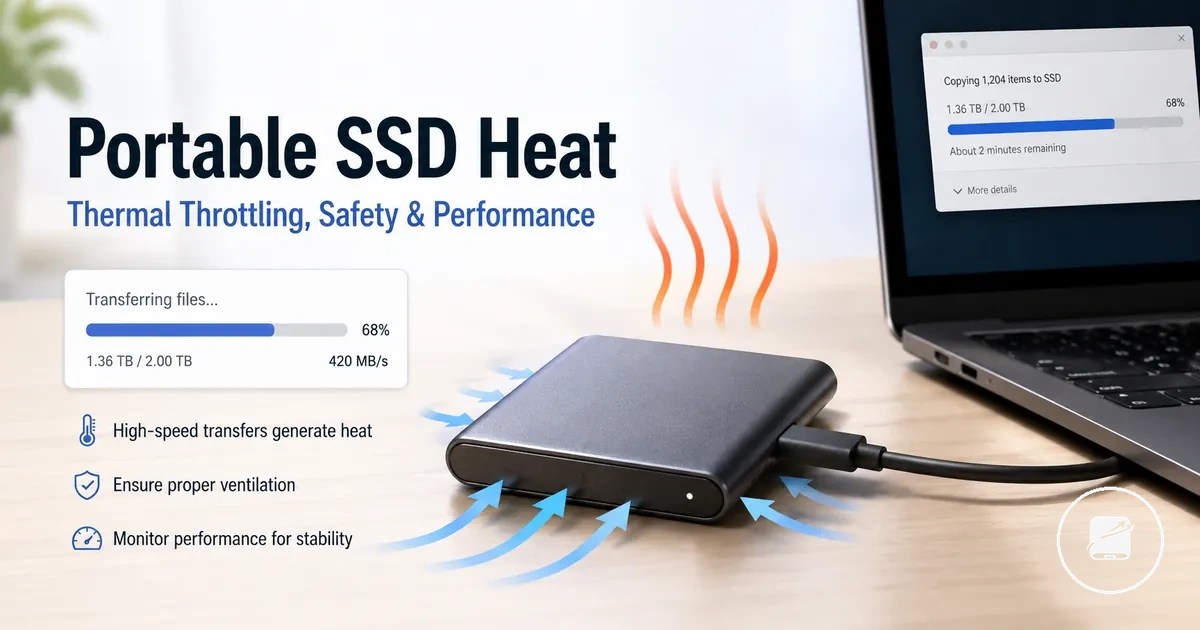
Portable SSD Heat and Thermal Performance Limits
Portable SSD heat is a normal result of operation, but sustained heat can reduce thermal performance, make the enclosure uncomfortable to touch, or affect drive health when the drive operates beyond the temperature limits specified by its manufacturer. Normal SSD warmth during everyday use is different from sustained overheating that is accompanied by a lasting speed drop, repeated disconnects, warning messages, or poor recovery after the workload finishes. This distinction separates expected operating warmth from a condition that requires further attention.
This distinction separates expected operating warmth from a condition that requires further attention.
Portable SSD heat refers to the heat generated by the controller, NAND flash, and supporting components as they process and transfer data. Heat buildup increases during a sustained transfer or other intensive workload and is influenced by controller design, enclosure material, airflow, surface contact, and ambient conditions. Aluminium enclosures often feel warmer because they transfer internal heat to the outer surface more efficiently, while workload, drive design, and enclosure conditions remain the primary factors that determine observed temperature.
Persistent heat becomes important when it causes thermal throttling rather than temporary warmth alone.
Persistent heat becomes important when it causes thermal throttling rather than temporary warmth alone. Kingston explains that thermal throttling is a protective mechanism that intentionally lowers transfer speed to reduce component temperature, while manufacturers such as SanDisk specify that drives should be operated within their documented operating temperature range to maintain reliable performance and long-term drive health. For example, a long backup or 4K video transfer is more likely to trigger temporary speed reduction than copying a few small documents because the controller remains under continuous load.
Understanding those operating conditions provides the right context before evaluating heat behaviour in portable SSDs .
For instance, a portable SSD placed on an open desk with good airflow may remain warm yet continue delivering stable performance throughout a large file transfer. The same drive placed on a soft surface that restricts airflow can retain more heat, making thermal throttling more likely during the same sustained workload. Understanding those operating conditions provides the right context before evaluating heat behaviour in portable SSDs.
Table of Contents
Why Portable SSDs Get Hot
Portable SSDs get hot because electrical activity inside the controller, NAND, bridge chip, and enclosure converts workload energy into heat. The amount of heat produced rises as these parts process and move more data, so warmth is a by-product of work rather than proof of failure.
The following illustration labels the main local heat sources behind why portable SSDs get hot.
During a short file transfer, the controller and NAND remain active for a limited period, which usually creates less heat buildup than a sustained write. A longer transfer load keeps the controller, NAND, and bridge chip active for more time, while the enclosure moves part of that heat toward the outer shell. The following illustration labels the main local heat sources behind why portable SSDs get hot.
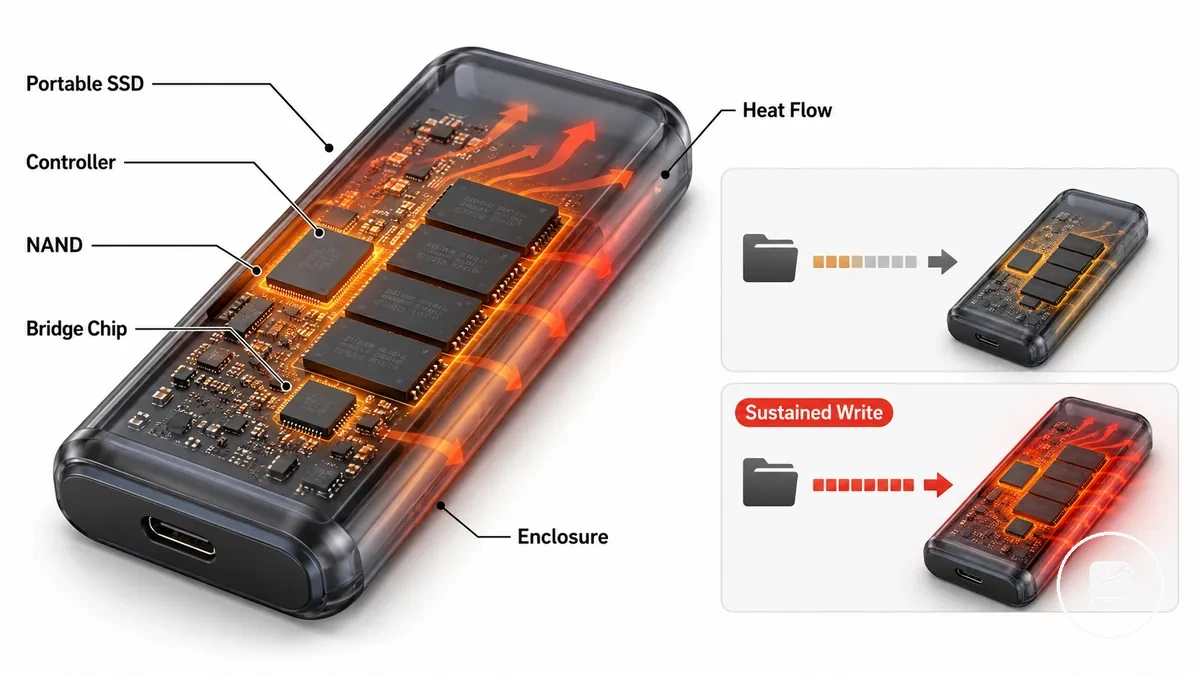
- Controller: Processes commands and manages data movement, so a heavier workload increases its electrical activity and heat output.
- NAND: Stores data in flash memory, with repeated writes and a sustained write producing more heat buildup than brief, intermittent transfers.
- Bridge chip: Converts data between the external connection and the internal storage interface, adding heat while transfers remain active.
- Enclosure: Conducts heat away from internal parts toward the drive shell, with material and construction affecting how quickly that heat reaches the outer surface.
- Workload: Determines how long the internal parts remain active, so short transfers and sustained transfers create different levels of heat buildup.
For example, copying a small group of documents may leave a portable SSD only slightly warm, while moving a large video archive through a sustained write can make the enclosure noticeably warmer because the controller, NAND, and bridge chip stay active for longer. The resulting warmth is not identical across every portable SSD because internal design, enclosure material, and workload differ between drives.
Heat During Short Transfers and Sustained Workloads
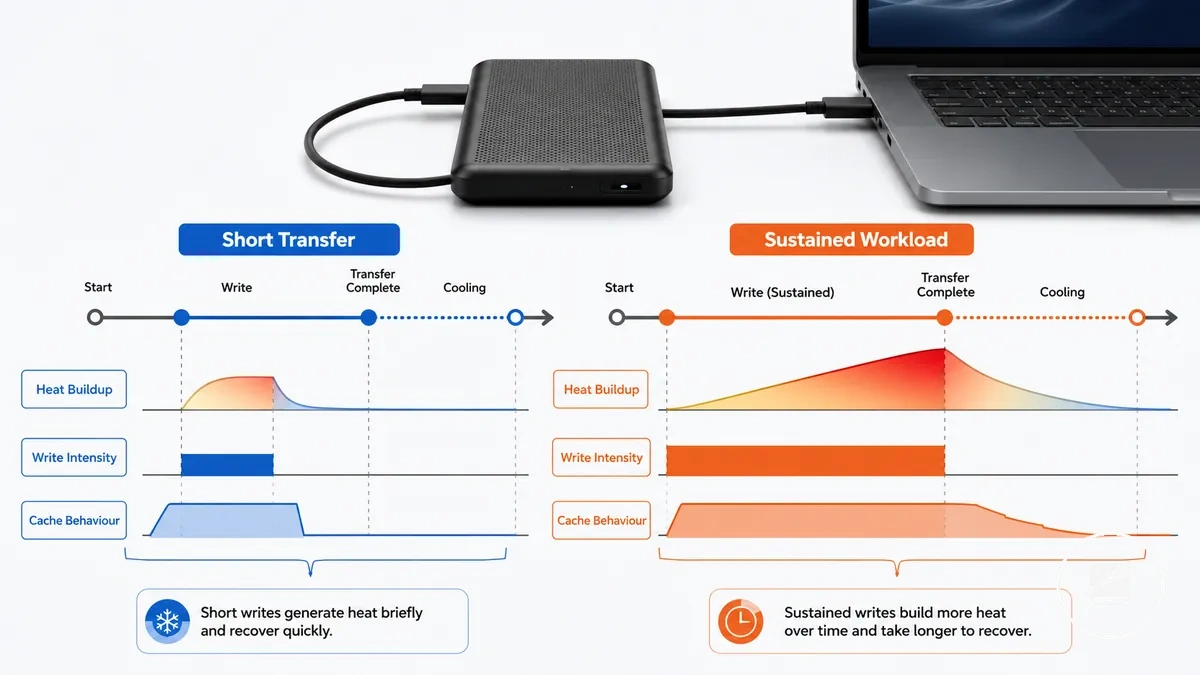
Transfer length changes how much heat a portable SSD accumulates before it becomes idle. A short transfer usually produces brief warmth followed by idle recovery, while a sustained workload with higher write intensity keeps heat building for longer.
Transfer length changes how much heat a portable SSD accumulates before it becomes idle.
Heat During Short Transfers and Sustained Workloads is easier to compare when each transfer pattern is matched with its typical heat behaviour.
| Transfer pattern | Heat behaviour |
|---|---|
| Short transfer | A quick copy creates a brief period of drive activity, so heat buildup is limited and idle recovery starts soon after the copy finishes. |
| Sustained write | A large file transfer maintains write intensity for longer, allowing more heat to accumulate before the drive returns to idle. |
| Repeated transfers | Repeated transfers with little idle time begin each workload cycle before the previous heat has fully dissipated, producing cumulative heat buildup. |
| Idle recovery | When data transfer stops, active workload heat generation falls and the enclosure begins dissipating the accumulated heat. |
On a portable SSD that uses a temporary write cache, a sustained workload can fill that cache and continue writing outside it, extending the period of controller load and heat accumulation. For example, a backup, project archive, or video editing with a portable SSD session can involve a longer transfer than copying a few documents, leaving more accumulated heat to dissipate during idle recovery.
Controller, NAND, and Enclosure Heat Sources
Controller, NAND, and Enclosure Heat Sources describe where portable SSD heat originates and how it reaches the outside of the drive. The controller is the primary heat source during active workloads, while NAND flash memory and the bridge chip also generate heat during sustained writes and USB data transfer. Most user-visible warmth begins inside these internal components before heat moves toward the enclosure through the thermal path.
Most user-visible warmth begins inside these internal components before heat moves toward the enclosure through the thermal path.
Controller, NAND, and Enclosure Heat Sources are easier to understand when each component is matched with its heat-related role and user-facing effect.
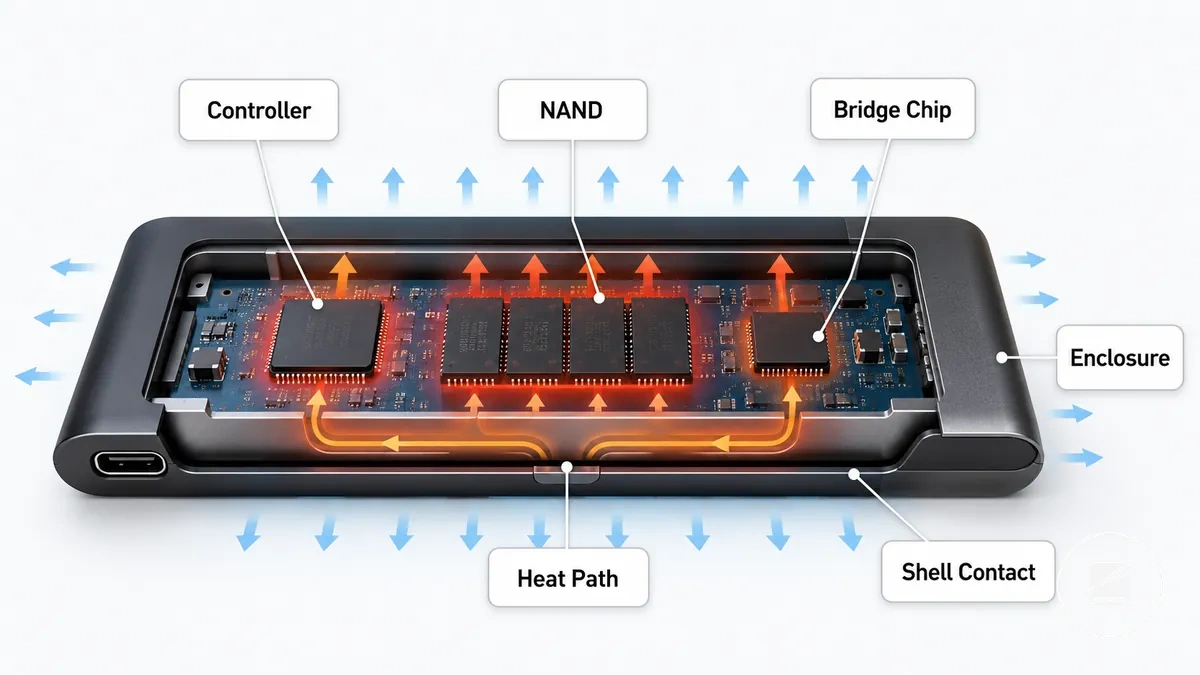
| Part | Heat-related attribute | Condition that increases heat | User-facing effect |
|---|---|---|---|
| Controller | Main heat source | High workload and sustained data transfers | Higher internal temperature with increased throttling risk |
| NAND | Flash memory writes | Continuous write activity | Progressive heat buildup during long write sessions |
| Bridge chip | USB interface processing | Continuous host communication | Adds heat to the internal thermal path before it reaches the enclosure |
| Enclosure | Heat dissipation | Heat transferred from internal components | Outer casing becomes warm as it releases heat to the surrounding air |
| Shell contact | Surface warmth | Closer thermal path with limited internal spacing | User feels external warmth, although the shell temperature does not necessarily match the internal component temperature |
When a portable SSD feels warm, the enclosure is usually dissipating heat produced by the controller, NAND, and bridge chip rather than creating heat itself. For example, after copying a large group of files, the drive shell may feel noticeably warm because heat has travelled outward through the enclosure, while the internal components remain the original heat source.
Normal Warmth vs Portable SSD Overheating
A warm portable SSD is often normal during active file transfers, but overheating is a concern when sustained heat is combined with speed drops, errors, disconnects, or manufacturer warnings. Normal warmth reflects expected operation under workload, whereas overheating is identified by persistent heat together with abnormal device behaviour. The difference between normal warmth and sustained problematic heat is more important than how hot the enclosure feels to the touch.
The comparison below highlights the difference between expected warmth and warning signs that deserve attention.
Normal Warmth vs Portable SSD Overheating is best judged by combining temperature, behaviour, and operating context rather than touch alone. The comparison below highlights the difference between expected warmth and warning signs that deserve attention.
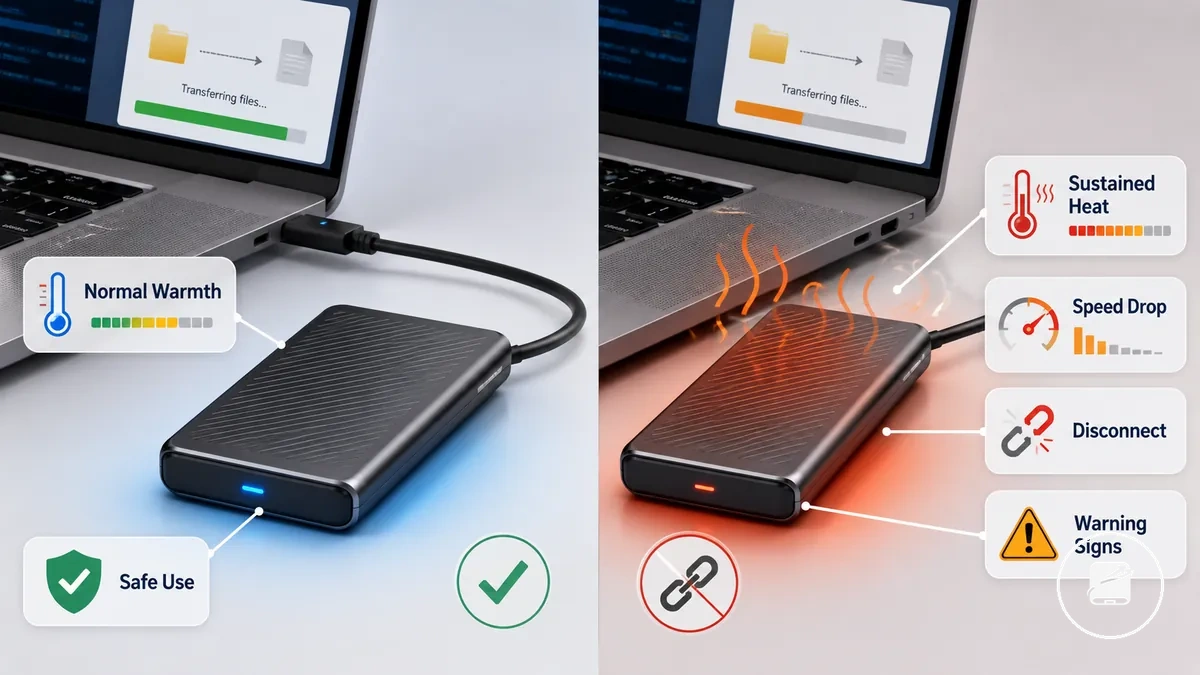
| Heat condition | What it usually means |
|---|---|
| Normal warmth | Expected during active workloads and generally consistent with safe use. |
| Sustained high heat | Persistent excessive surface heat that should be assessed together with device behaviour. |
| Speed-drop heat | Reduced transfer speed while the drive remains hot can indicate thermal throttling. |
| Error-linked heat | Heat accompanied by transfer errors or unstable operation is a warning sign. |
| Warning-linked heat | Manufacturer warnings or repeated disconnects indicate the drive should be checked against manufacturer limits. |
A common myth is that a hot enclosure always means the portable SSD is failing. In reality, the enclosure normally releases heat from internal components, so surface heat alone does not distinguish normal warmth from overheating. Touch alone is not enough to determine whether a drive is operating safely.
Touch alone is not enough to determine whether a drive is operating safely.
If sustained heat is accompanied by repeated speed drops, errors, disconnects, or thermal warnings, stop demanding transfers and allow the drive to cool before reviewing the manufacturer's operating guidance. For example, a drive that feels warm throughout a large file copy but finishes without interruptions is different from one that repeatedly disconnects during the same workload. Manufacturer limits and repeated thermal symptoms provide a safer basis for judging overheating than enclosure temperature by itself.
Safe Temperature Ranges for SSD Use
A safe temperature range for an SSD depends on the drive model and its manufacturer specification rather than a single universal value. General guidance can help interpret readings, but reported operating and warning ranges should always be treated as orientation unless the manufacturer specifies limits for that model. If a generic recommendation differs from the manufacturer specification, the manufacturer's documented operating range should take priority.
| Temperature signal | What it represents | How to interpret it | Caution |
|---|---|---|---|
| Idle reading | Internal temperature during light or no storage activity | Use it as the baseline for that SSD under normal ambient temperature. | Compare it with the manufacturer specification for the same model. |
| Workload reading | Internal temperature during sustained transfers | Higher readings are expected while the drive is under load. | Evaluate the reading against the documented operating range for the drive. |
| Warning state | Sensor or utility indicates a thermal warning | Reduce the workload and review the reported internal temperature. | Follow the manufacturer's warning range or temperature limit where provided. |
| Surface feel | External enclosure temperature | Use it only as a general observation. | Surface feel does not directly represent internal temperature. |
| Ambient heat | Temperature of the surrounding environment | Higher ambient temperature can raise normal operating temperatures. | Interpret all readings within the expected room conditions and device-specific limits. |
Internal temperature is the value reported by the SSD's drive sensor, while surface feel reflects only the outside of the enclosure, so they should not be interpreted as the same measurement. Manufacturer software, system utilities, or a SMART reading provide a more reliable decision signal than touch alone when available. For example, an enclosure may feel only mildly warm while the SMART reading shows the internal temperature has increased significantly during a sustained file transfer.
Manufacturer software, system utilities, or a SMART reading provide a more reliable decision signal than touch alone when available.
According to manufacturer documentation, operating limits are defined for individual SSD models rather than for every SSD as a single class. Use utility readings together with the manufacturer specification to judge whether the reported temperature remains within the intended operating range instead of relying on surface feel alone.
Warning Signs That Heat Is Becoming a Problem
Heat becomes a problem when it changes portable SSD drive behaviour, not merely when the case feels warm. The strongest warning signs are repeated changes in transfer performance, connection stability, or operation while the drive is hot.
Heat becomes a problem when it changes portable SSD drive behaviour, not merely when the case feels warm.
Look for warning signs that combine temperature, performance, and stability signals:
- Speed drops: If transfer speeds fall as heat builds and recover after cooling, the pattern may indicate repeated throttling.
- Transfer pauses: If sustained transfers repeatedly stall while the drive is hot, heat may be contributing to the interruption.
- Disconnects: If the SSD disconnects during hot workloads and reconnects after cooling, the repeated issue is more significant than warmth alone.
- Error messages: If transfer or device error messages appear together with sustained heat, the paired symptoms may indicate a thermal issue or another source of instability.
- Repeated throttling: If performance falls during similar workloads each time the drive heats up, the recurring pattern is stronger warning behaviour than one isolated slowdown.
- Uncomfortable surface heat: If the enclosure becomes difficult to handle and drive behaviour also changes, treat the combination as a warning signal rather than using touch as the sole test.
- Recovery after cooling: If speed, transfers, or connection stability improve after the SSD cools, heat is a plausible contributor, although the pattern does not prove a specific fault.
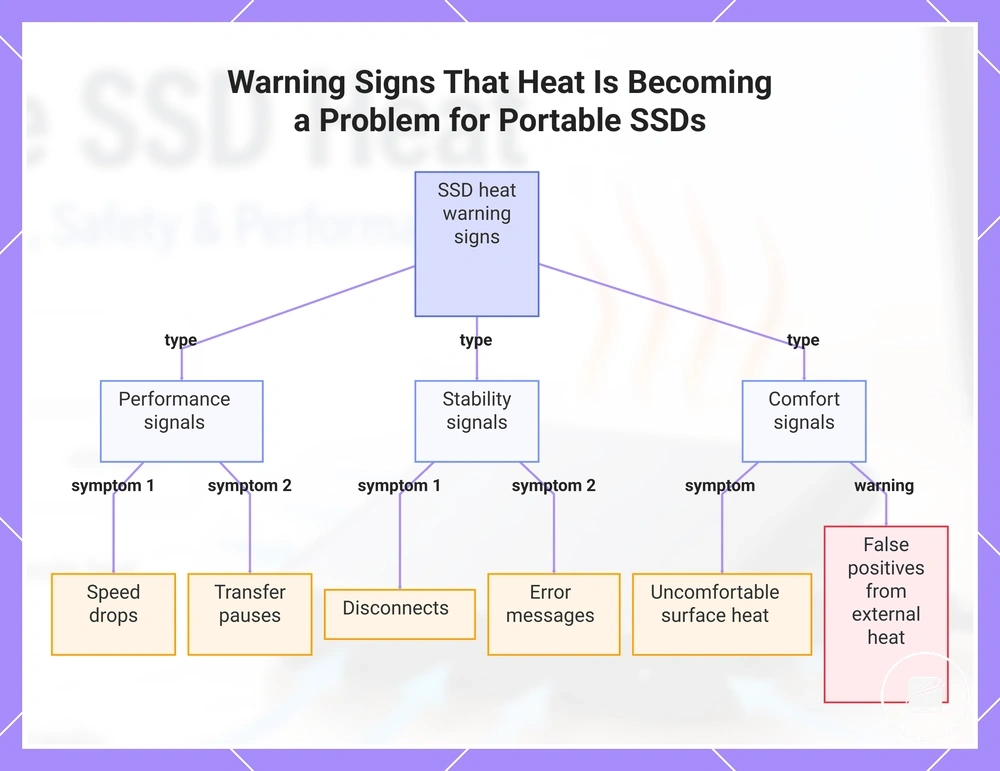
These symptoms fall into performance signals, such as speed drops and transfer pauses; stability signals, such as disconnects and error messages; and comfort signals, such as uncomfortable surface heat. A hot laptop, hub, enclosed desk, or high ambient heat can warm the SSD and create a false positive, so repeated behaviour changes under comparable workloads provide a more useful diagnostic pattern.
This chart shows the main warning signs that indicate heat is affecting a portable SSD, grouped by performance, stability, and comfort signals.
This chart shows the main warning signs that indicate heat is affecting a portable SSD, grouped by performance, stability, and comfort signals.
Thermal Throttling and Transfer Speed Drops
Thermal throttling reduces portable SSD performance when the drive limits controller activity to manage heat. During a sustained transfer, rising controller temperature can turn an initially fast write into a lower, steadier rate or a repeating pattern of transfer speed drops tied to sustained heat.
| Condition | Heat-related mechanism | Speed behaviour | What to check |
|---|---|---|---|
| Sustained writes | Long workloads with high write intensity generate heat for longer than short transfers. | Speed begins higher, then falls after the drive remains busy and hot. | Compare the timing of the speed reduction with workload length and temperature rise. |
| Cache exhaustion | The fast write cache fills during a long transfer, exposing the lower sustained write rate. | Speed drops after a repeatable amount of written data, even when heat is not the main cause. | Compare repeated transfers under similar cache-state and cooling conditions. |
| Controller heat | The controller reduces activity after reaching its model-specific thermal control point. | Throttled performance appears while controller temperature is elevated and may fluctuate as heat is managed. | Check whether temperature and performance loss rise and fall together during the same workload. |
| Poor airflow | Restricted airflow slows heat removal from the portable SSD enclosure. | The speed drop starts earlier or lasts longer during repeated transfers. | Compare the same workload in open air with the drive near another hot device or inside an enclosed space. |
| Recovery after cooling | Cooling reduces the need for the controller to limit activity. | Transfer speed improves during a comparable workload after the drive cools. | Keep the workload, cache state, cable, and port comparable before linking the recovery to cooling. |
Write intensity and workload length are useful criteria because a heat-related slowdown usually develops during sustained activity rather than limiting the transfer at the same rate from the start. Broader portable SSD speed also reflects the interface, host, file pattern, and cache behaviour, but thermal throttling is more likely when the speed reduction tracks rising controller temperature and repeats under similar sustained workloads.
For example, a large repeated write may begin at the drive's faster cached rate, fall after cache exhaustion, and decline further if controller temperature continues to rise.
For example, a large repeated write may begin at the drive's faster cached rate, fall after cache exhaustion, and decline further if controller temperature continues to rise. If a comparable transfer begins faster after the SSD cools, that recovery after cooling supports a heat-related explanation, although the cache state and workload must also remain comparable.
Thermal throttling instead produces performance loss connected to heat buildup, workload duration, and a repeatable cooling response.
A cable or port bottleneck is more likely when the transfer rate is limited from the start and does not change with controller temperature or cooling. Thermal throttling instead produces performance loss connected to heat buildup, workload duration, and a repeatable cooling response.
Why Large File Transfers Expose Throttling
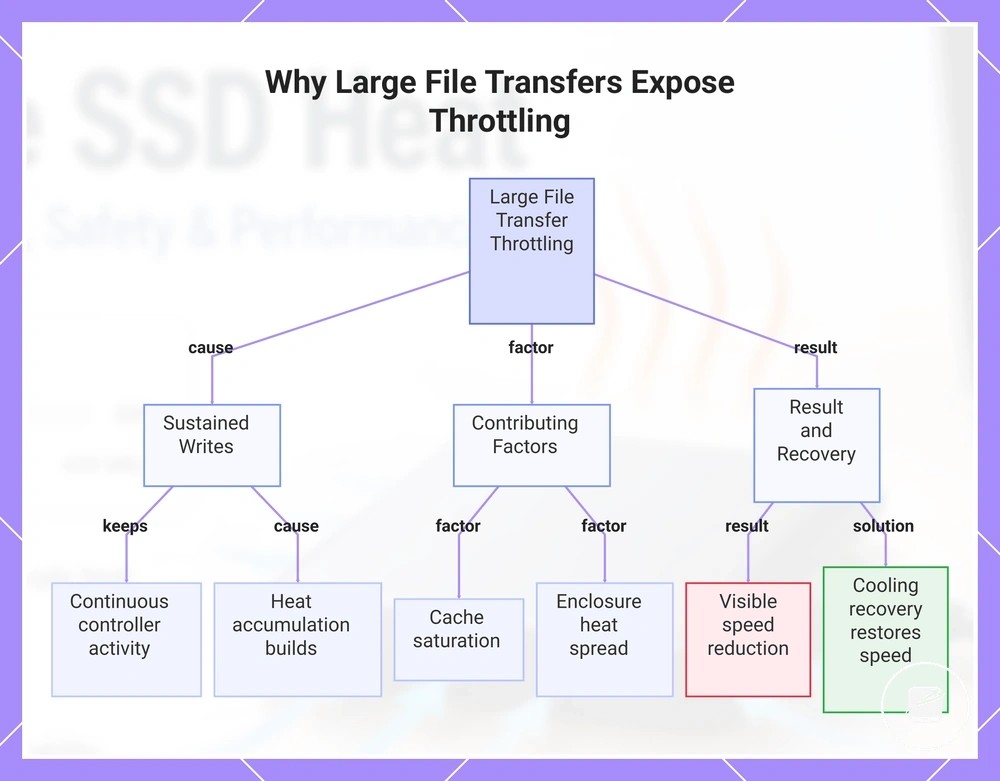
A large file transfer reveals heat limits more clearly because sustained writes keep the SSD controller active long enough for heat accumulation to build. As transfer size increases, controller workload continues, cache saturation can become visible, and enclosure heat spread has more time to influence sustained writes and heat accumulation.
For example, copying a single large archive keeps the drive writing continuously for much longer than copying many small documents.
For example, copying a single large archive keeps the drive writing continuously for much longer than copying many small documents. If cache saturation and rising temperature occur during that sustained transfer, a visible speed reduction can develop, while small everyday copies often finish before the same heat limit becomes noticeable or before cooling recovery is needed.
The workload characteristics that most strongly influence this behaviour are:
- File size: Larger files extend the write operation, increasing heat accumulation.
- Sustained writes: Continuous writing maintains controller workload instead of allowing brief cooling intervals.
- Cache saturation: During a long transfer, the write cache can become full, exposing the lower sustained write rate.
- Controller workload: Extended processing raises thermal load, making heat-related slowdowns easier to observe.
- Enclosure heat spread: The enclosure's ability to dissipate heat affects how quickly temperature builds during prolonged transfers.
- Cooling recovery: After the drive cools, a similar transfer may begin at a higher speed again if heat contributed to the earlier slowdown.
This chart shows how sustained writes lead to heat accumulation and speed reduction, along with contributing factors and recovery.
How Heat Differs from Cable, Port, and Device Bottlenecks
A heat-caused speed drop usually develops after sustained activity, while a cable bottleneck, port generation limit, or host-device limit usually constrains speed from the start. Heat, cables, ports, hubs, and host devices can therefore create similar speed symptoms through different causes.
Treat heat, cable, port, hub, and host limits as separate checks.
Use the timing and repeatability of the slowdown to choose the next check. A speed drop that appears during a long transfer and improves when the same test is repeated after cooling points more strongly to a heat pattern, while immediate low speed points more strongly to the cable rating, port generation, hub use, or host-device limit. Treat heat, cable, port, hub, and host limits as separate checks.
| Symptom pattern | More likely heat-related | More likely connection-related | Next check |
|---|---|---|---|
| Speed drops over time | The transfer starts faster, then slows after sustained activity. | Less likely when the initial transfer rate is normal. | Repeat the same workload after the drive has cooled. |
| Immediate low speed | Less likely when low speed is present from the start. | A cable bottleneck, slower port generation, or host-device limit is more likely. | Check the cable rating, connected port, and host interface. |
| Recovery after cooling | Repeatability after cooling supports a heat-related cause when the same workload starts faster again. | A fixed connection limit should remain at the same ceiling after cooling. | Compare the same transfer before and after cooling. |
| Hub use | Hub use alone does not identify a heat-caused speed drop. | A hub is more likely involved when direct connection to the host produces a higher transfer rate. | Test the drive directly on the host port. |
| Port or cable mismatch | Less likely when the slowdown appears only after sustained activity. | A lower cable rating or slower port generation can cap speed immediately. | Confirm that the cable and port support the intended transfer mode. |
If these checks do not separate heat from a connection or host limit, continue with broader slow transfer speed diagnosis rather than assuming throttling is the only cause.
NVMe Portable SSDs and Higher Heat Output
An NVMe portable SSD can produce higher heat output because its higher-performance controller, high-speed interface, and compact enclosure can create a greater sustained thermal load. This effect is more likely during sustained writes, although actual heat output varies with workload, enclosure design, and thermal management.
This connects the controller, bridge chip, high-speed interface, and enclosure size directly to thermal behaviour.
The controller processes storage commands, while the bridge chip connects the internal NVMe drive to the external interface. When both components remain active at high transfer rates, their combined heat load is concentrated within the enclosure, and a smaller enclosure size provides less space for heat to spread. This connects the controller, bridge chip, high-speed interface, and enclosure size directly to thermal behaviour.
| Drive design factor | Heat implication |
|---|---|
| NVMe controller | Higher command-processing activity increases heat load during sustained transfers. |
| Bridge chip | The bridge chip adds another active heat source while converting between the internal drive and external interface. |
| High-speed interface | Higher transfer activity keeps the controller and bridge chip active for longer periods. |
| Enclosure size | A smaller enclosure concentrates heat more readily, while a larger or more conductive enclosure spreads it more effectively. |
| Sustained writes | Long write workloads maintain controller activity and create a higher sustained thermal load than short transfers. |
The idea that every NVMe portable SSD overheats is inaccurate. For example, a drive with effective thermal management and a heat-spreading enclosure may remain within its intended thermal behaviour during the same workload that makes a more compact design run warmer. NVMe heat belongs here as a thermal characteristic, not as proof that all NVMe portable SSDs overheat or as a guide to broader speed selection.
Cooling Factors That Affect Portable SSD Heat
Portable SSD cooling is most effective when airflow, placement, enclosure design, and workload are considered together instead of relying on a single accessory. Better cooling conditions can reduce heat build-up during sustained transfers, but cooling depends on conditions rather than a single accessory.
If a portable SSD becomes warmer during sustained use, start with passive placement changes before considering a cooling accessory.
If a portable SSD becomes warmer during sustained use, start with passive placement changes before considering a cooling accessory. Check airflow and surface contact first.
- Keep airflow around the drive unobstructed rather than covering or stacking it.
- Use stable surface contact on a firm, uncovered surface instead of soft material that can trap heat.
- Choose a drive orientation that leaves the enclosure exposed to surrounding air.
- An aluminium enclosure material can spread heat more effectively than a less conductive plastic shell.
- Use a thermal pad only when its thickness and placement create direct thermal contact between the internal component and enclosure.
- A cooling case or portable SSD stand is more useful when the existing placement restricts passive cooling.
- A lower ambient temperature and a short workload break reduce continued heat accumulation during sustained transfers.
Enclosure material is the outer structure that receives and spreads heat from the drive's internal components. A thermal pad can improve heat transfer only when it fits correctly and maintains thermal contact with the enclosure.
Enclosure material is the outer structure that receives and spreads heat from the drive's internal components.
If a portable SSD becomes warm during long transfers, improve its placement and allow workload breaks before adding accessories. When those passive measures are insufficient during repeated sustained workloads, a compatible cooling case or portable SSD stand may be considered as part of portable SSD maintenance.
If a portable SSD becomes warm during long transfers, improve its placement and allow workload breaks before adding accessories.
Passive cooling is usually sufficient when unobstructed airflow, firm placement, and workload breaks keep the drive's thermal behaviour stable during normal use. Consider an enclosure, stand, or cooling case when sustained workloads or restricted placement continue to concentrate heat despite those checks. Accessories can improve cooling conditions when their fit and thermal contact suit the drive, but they do not guarantee lower temperatures or prevent damage.
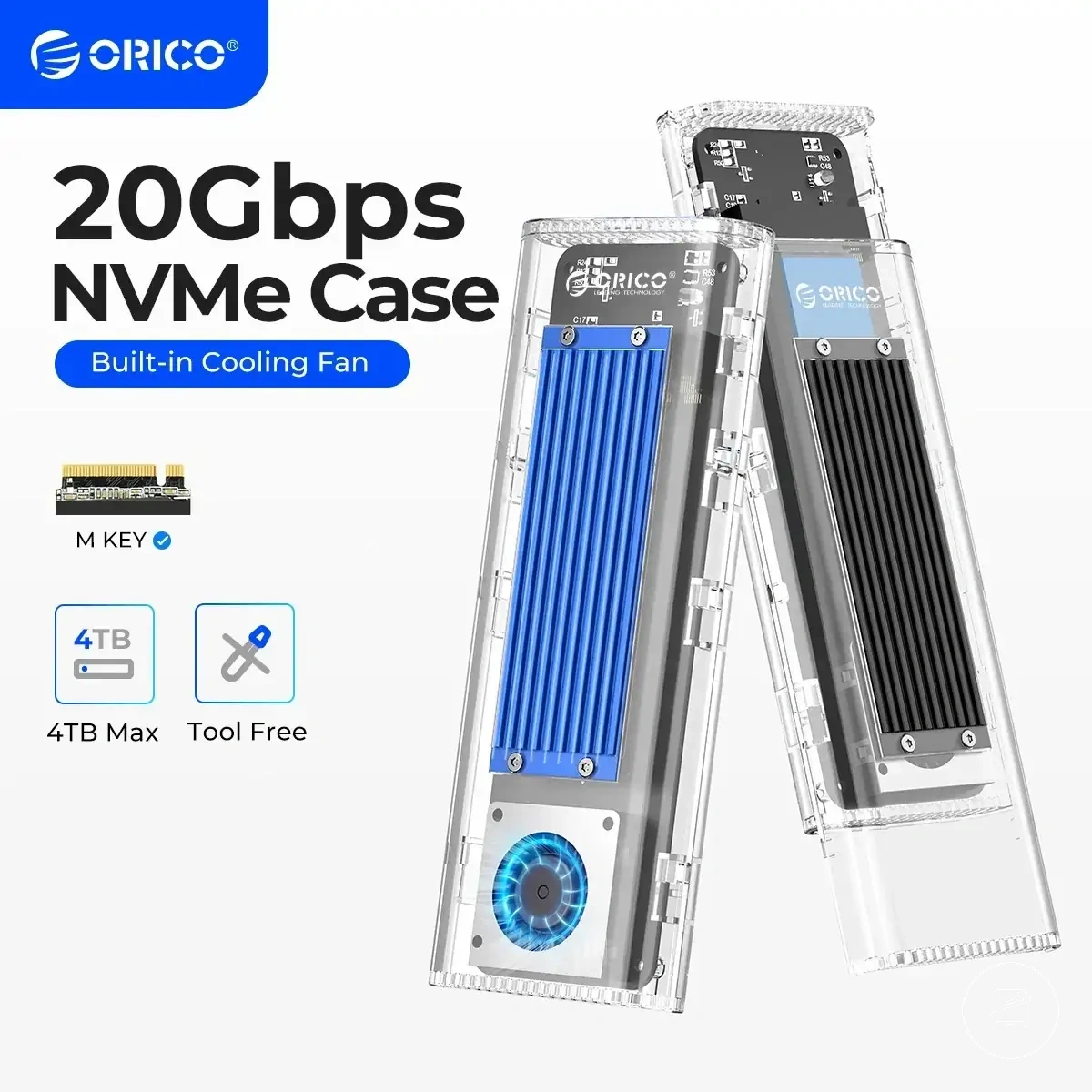
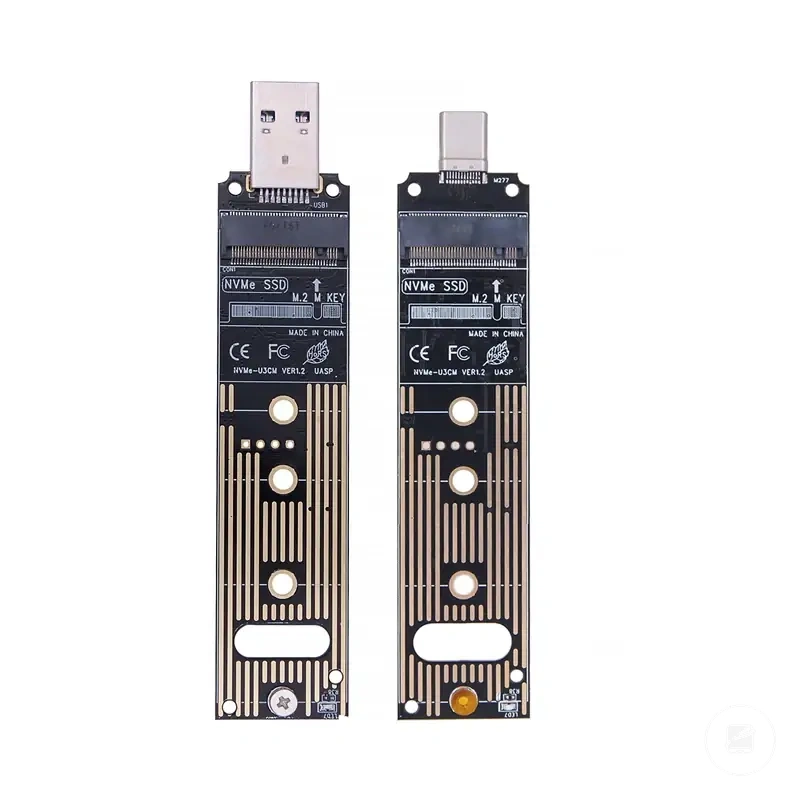
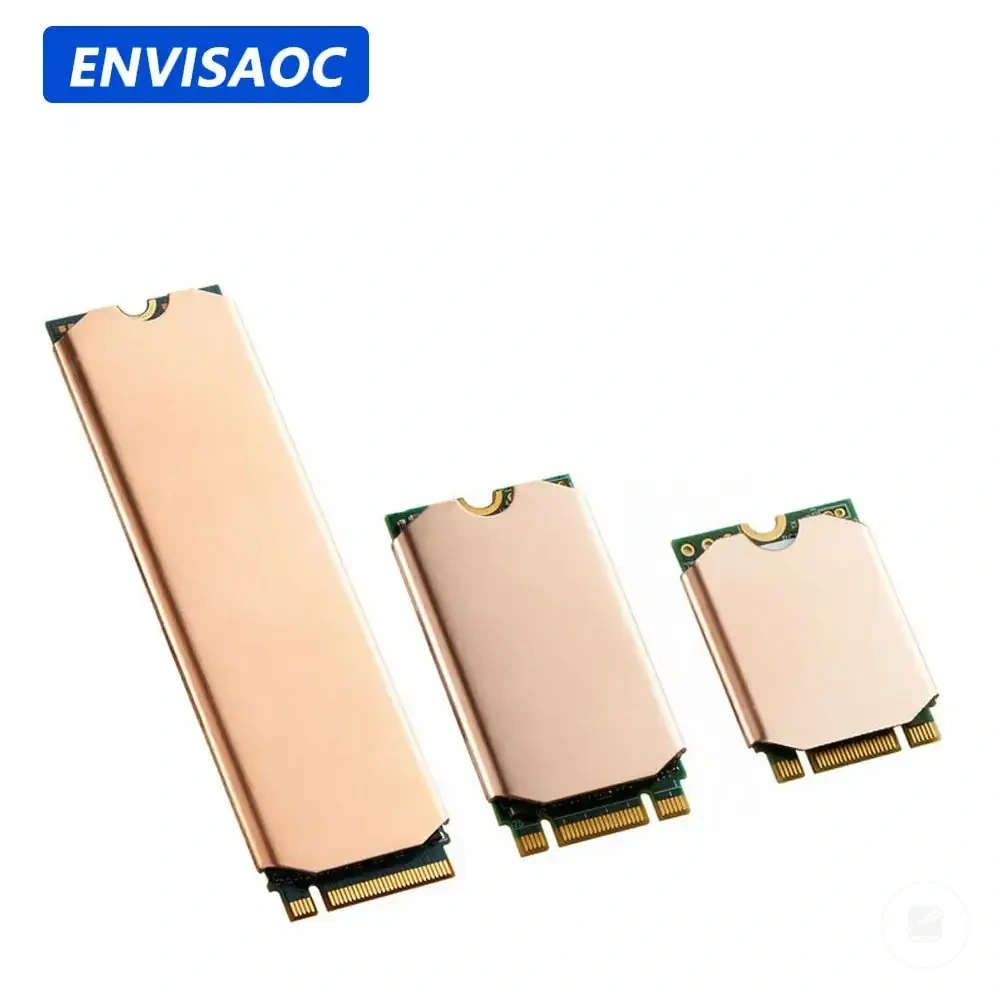
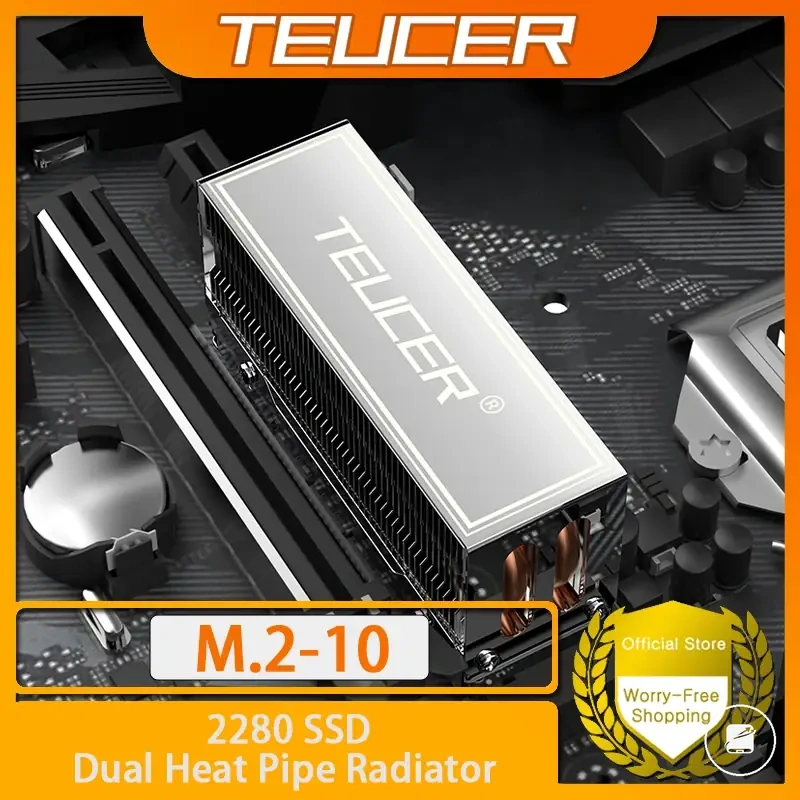
The products below are useful examples for comparing available options.
The products below are useful examples for comparing available options. Before buying, check that the compatibility criteria, key features, and product details match your needs.

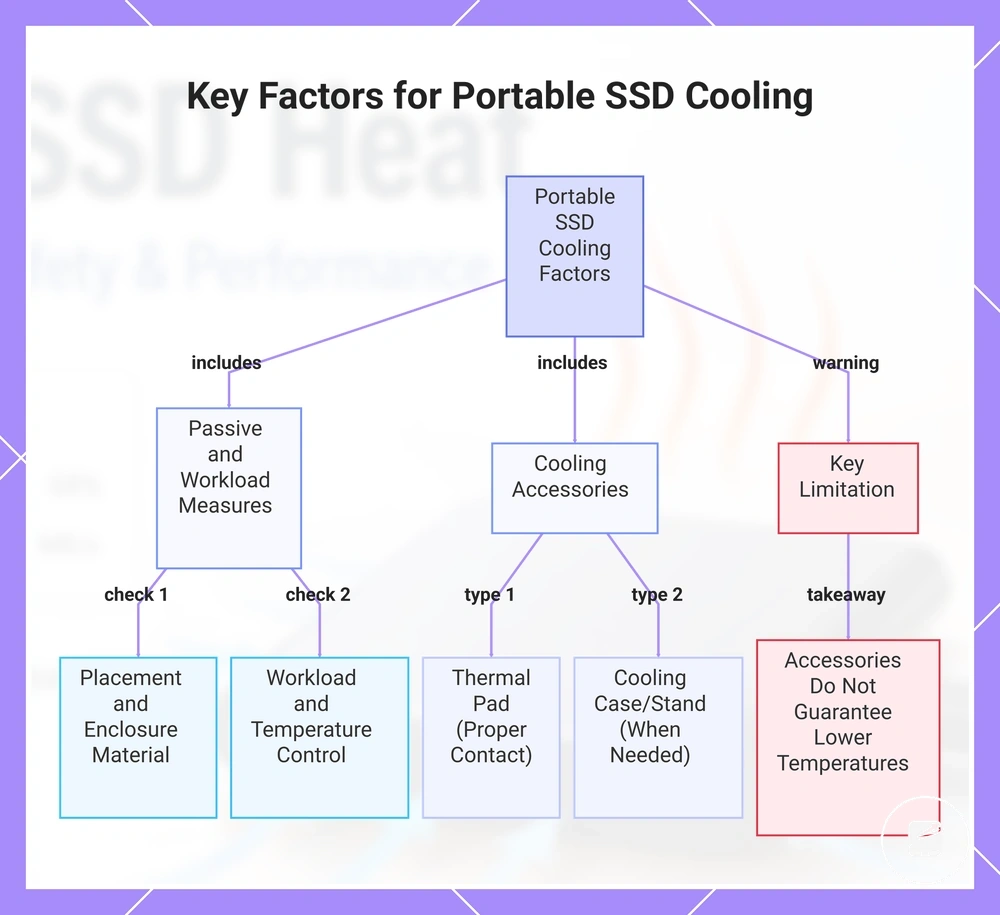
This chart shows the main cooling factors for portable SSDs, including passive measures, workload management, and cooling accessories, along with a key limitation.
Airflow, Surface Contact, and Drive Placement
Drive placement during a transfer affects portable SSD heat because airflow and surface contact change how easily heat leaves the enclosure. The same drive can run warmer or cooler under the same workload depending on where and how it sits. Placement can change heat buildup.
Check the following conditions before changing anything else.
For example, a portable SSD beside a laptop exhaust or on a soft surface can become warmer during a long transfer than the same drive in open air on a firm desk. These local conditions increase placement risk but do not mean that placement alone resolves every heat issue. Check the following conditions before changing anything else.
- Use open-air placement so airflow can move around the drive during a transfer.
- Avoid a soft surface because fabric or cushioning can reduce ventilation and trap heat.
- Keep the SSD away from stacked devices, which can block airflow and add nearby heat.
- Do not place the drive in the path of a laptop exhaust, where warm air can raise local heat conditions.
- Keep the SSD out of direct sunlight because added ambient heat can increase enclosure temperature.
- Choose a firm desk material that provides stable surface contact without surrounding the drive.
- Use short pause intervals between sustained transfers when a workload break allows cooling recovery.
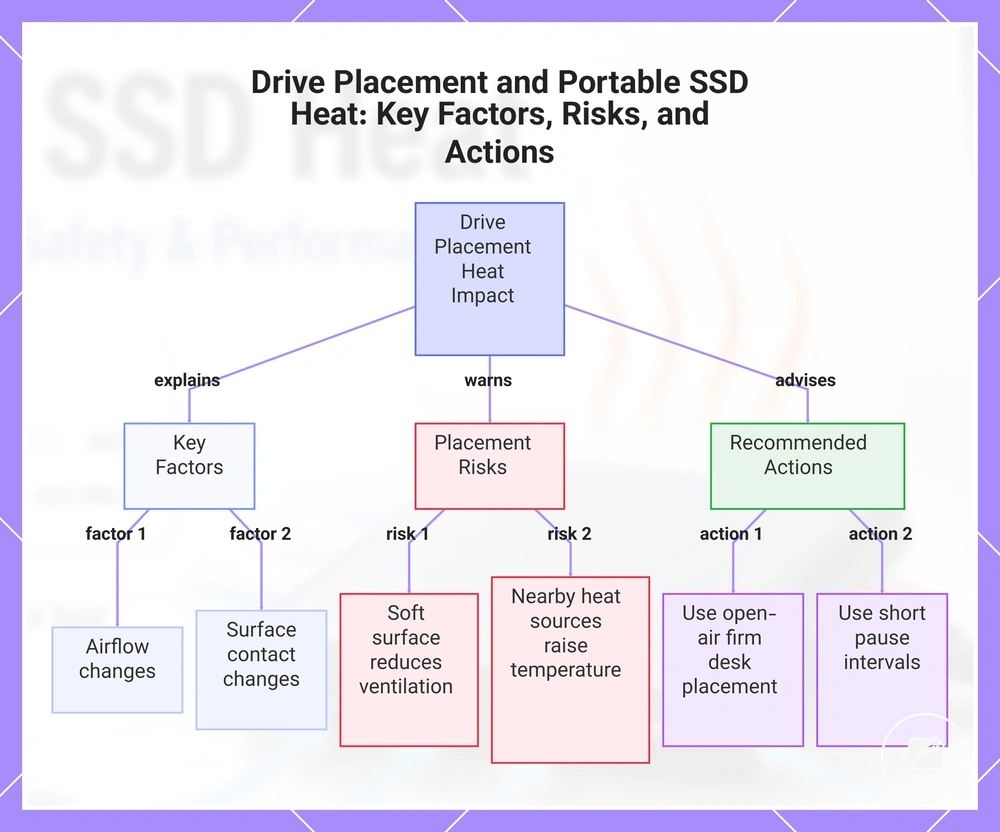
This chart shows how drive placement influences portable SSD heat through airflow and surface contact, and lists the main placement risks and recommended actions to keep the drive cool.
Aluminium Enclosures, Thermal Pads, Heatsinks, and Cooling Cases
An aluminium enclosure, thermal pad, heatsink, or cooling case improves heat transfer by moving heat from internal components toward the outer surface, where surrounding air can carry it away. These materials influence the heat path rather than actively cooling the drive. Better heat transfer comes from effective internal contact instead of product superiority.
| Cooling option | What it changes | When it helps | Limitation |
|---|---|---|---|
| Aluminium shell | Spreads heat across the enclosure | When airflow reaches the metal shell | Blocked airflow limits heat release |
| Thermal pad | Improves internal contact and the heat path | When enclosure fit creates consistent thermal contact | Poor enclosure fit reduces heat transfer |
| Heatsink | Adds surface area for passive heat transfer | When surrounding air can remove heat | Less effective if airflow is restricted |
| Cooling case | Improves heat movement through the enclosure | During sustained workload intensity with compatible accessory fit | Trapped heat or poor fit reduces accessory value |
| Stand-like airflow support | Creates open space around the enclosure | When the drive rests on a firm surface with unobstructed airflow | Provides limited benefit if internal heat transfer remains restricted |
A common myth is that any cooling accessory guarantees a cooler portable SSD. In reality, an accessory helps only when internal contact, enclosure fit, airflow, and workload intensity support efficient heat transfer. Poor fit, trapped heat, or blocked airflow can reduce the benefit of an aluminium enclosure, thermal pad, heatsink, or cooling case.
Heat, Drive Health, and Long-Term Data Safety
Occasional warmth during file transfers is not the same as data loss. A portable SSD can become warm under load, while repeated excessive heat can increase thermal stress, contribute to performance instability, and place additional strain on drive health. The relevant distinction is normal operating warmth versus repeated excessive heat.
Occasional warmth during file transfers is not the same as data loss.
A sustained write workload can trigger firmware behaviour that reduces performance when the drive needs to control temperature. If slowdowns or intermittent error symptoms appear during repeated heavy transfers, reduce the workload and improve cooling before continuing. Repeated workload-related heat combined with recurring errors represents a higher instability risk than isolated warmth.
Repeated workload-related heat combined with recurring errors represents a higher instability risk than isolated warmth.
For example, if a portable SSD slows during repeated large transfers but returns to normal after cooling, treat the pattern as a reason for monitoring rather than proof of data loss. Regular backup habits, periodic health checks, and safe storage provide stronger long-term data safety than cooling alone.
Regular backup habits , periodic health checks, and safe storage provide stronger long-term data safety than cooling alone.
Use the drive's stated manufacturer limits as the operating boundary and check drive health when warning behaviour becomes repetitive. Reduce workload for heat-related slowdowns, improve cooling when airflow is restricted, and stop using the drive for important data if repeated errors, file-access problems, or ongoing instability continue after basic checks.
Use the drive's stated manufacturer limits as the operating boundary and check drive health when warning behaviour becomes repetitive.
Use these decision signals for safer long-term use:
- Reduce workload when sustained transfers repeatedly produce thermal stress.
- Improve cooling when repeated excessive heat appears during normal use.
- Check health readings and continue monitoring when error symptoms recur.
- Back up important files because cooling is not a substitute for data protection.
- Follow manufacturer limits and store the drive in suitable conditions when it is not in use.
- Stop using the drive for important data if repeated errors or continuing instability appear.
This chart shows the key distinction between normal and excessive heat, the symptoms that trigger action, and the recommended safety actions for portable SSDs.