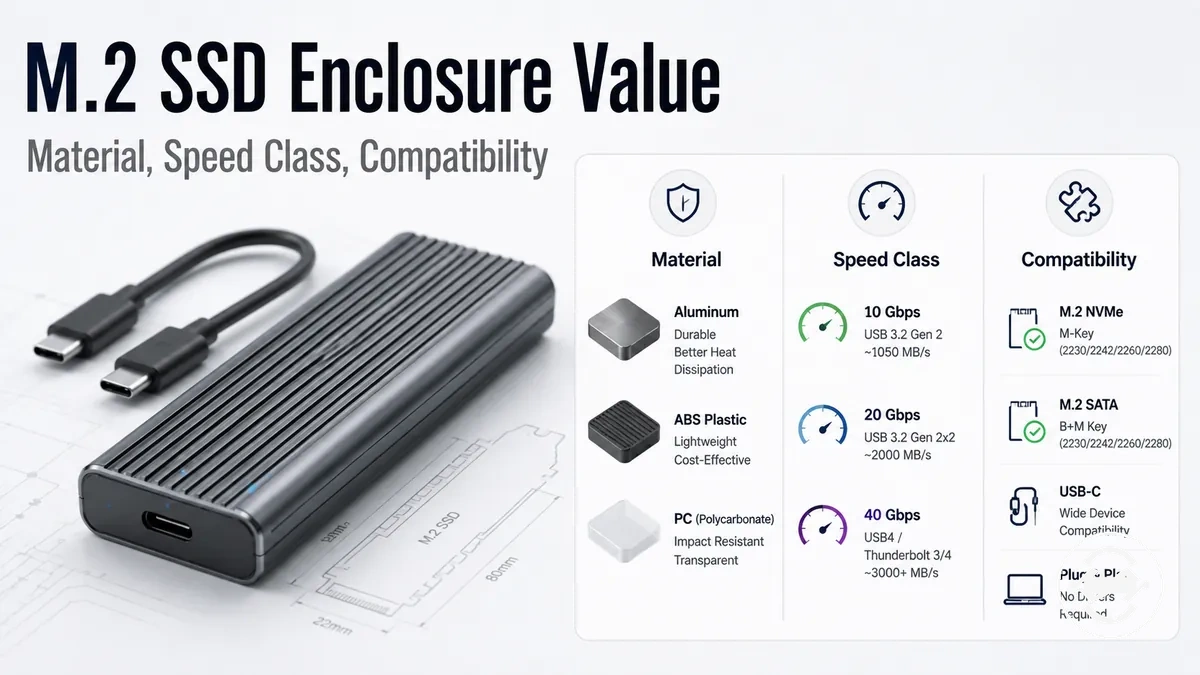
M.2 SSD enclosure price and value guide
An M.2 SSD enclosure price is worth paying for only when it solves a real fit, speed, heat, durability, or convenience need. A low price can still be poor value if the drive type, host support, or speed class does not match the setup. A higher upgrade cost may be useful only when the enclosure adds conditional value for the way the drive will be used.
If you already have an internal M.2 SSD, the enclosure route can make sense when the enclosure body, included cable, and supported drive type fit your device and workload. If you are starting from zero, an external SSD may be simpler because the drive and enclosure are already combined. The main decision is not price alone; it is whether the enclosure-plus-SSD path gives enough flexibility, control, or reuse value compared with a prebuilt external drive.
This page evaluates M.2 SSD enclosure price through criteria, not product ranking. It looks at value through compatibility, host support, speed class, build quality, heat behavior, included parts, and practical use. For the broader category context, use the M.2 SSD enclosure hub before comparing what the price usually includes.
What an M.2 SSD enclosure price usually includes
An M.2 SSD enclosure price usually covers the enclosure parts that let a separate M.2 SSD connect as an external drive. The SSD itself is usually separate unless the offer clearly describes a bundle.
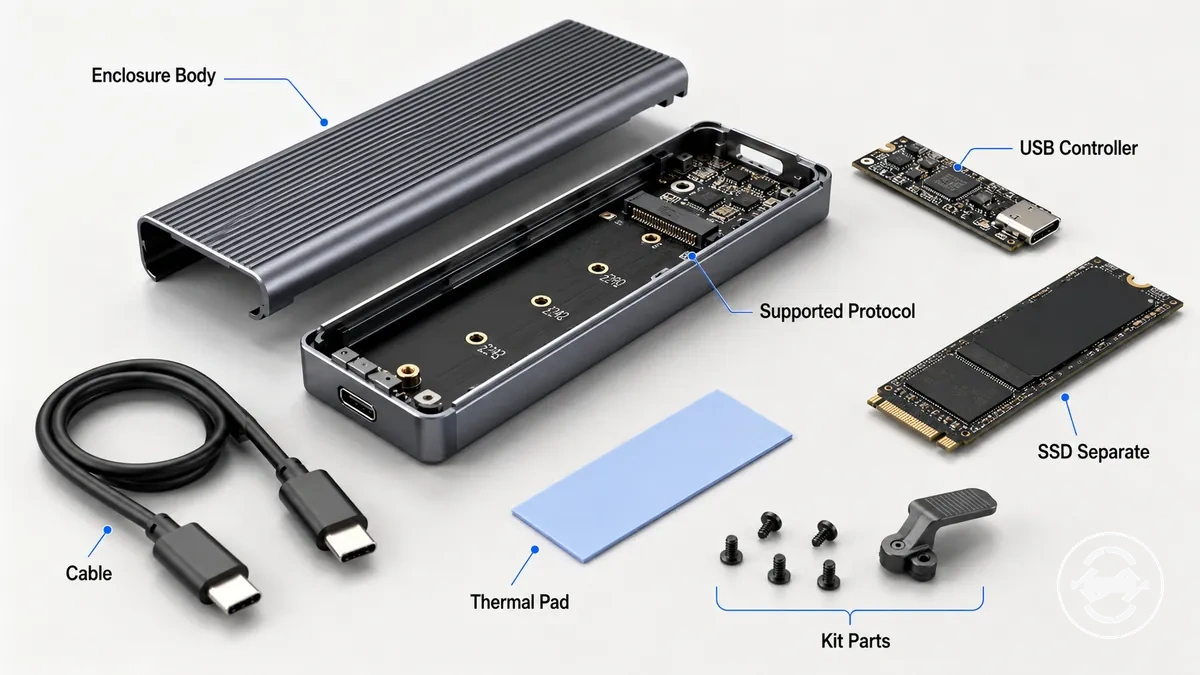
The enclosure body, USB bridge controller, supported protocol, cable, thermal pad, and fastening method are the main parts behind the price. These parts affect fit, connection, setup, and basic handling rather than turning the enclosure into a complete drive by itself. A higher-cost kit may include more accessories, but kit parts can vary by seller, listing wording, and package type. The main included parts are usually grouped like this:
- Enclosure body: the casing or shell that holds the M.2 SSD and protects the internal connection.
- USB bridge controller: the controller chip that connects the drive protocol to the external USB connection.
- Supported protocol: NVMe, SATA, or dual-protocol support may be listed, depending on the enclosure design.
- Cable: the included cable or adapter affects basic connection to the host device and may affect setup friction.
- Thermal pad: the thermal part may help create contact between the SSD and enclosure body when the design supports it.
- Screws, tool-free design, and kit parts: fastening parts may include screws, a rubber peg, a latch, or simple packaging accessories, depending on the kit.
If a listing shows an enclosure with an SSD included, treat that as a bundle and check the wording carefully. If the listing only describes the enclosure body and accessories, keep the SSD separate in the value decision.
Price ranges for basic, mid-range, and premium M.2 enclosures
Price ranges for basic, mid-range, and premium M.2 enclosures are indicative rather than fixed because they vary by region, seller, interface, and included accessories. A value tier reflects the overall feature pattern instead of a guaranteed market price. USB speed class, material, thermal design, and cable quality all influence where an enclosure fits. Avoid treating any price range as a fixed expectation.
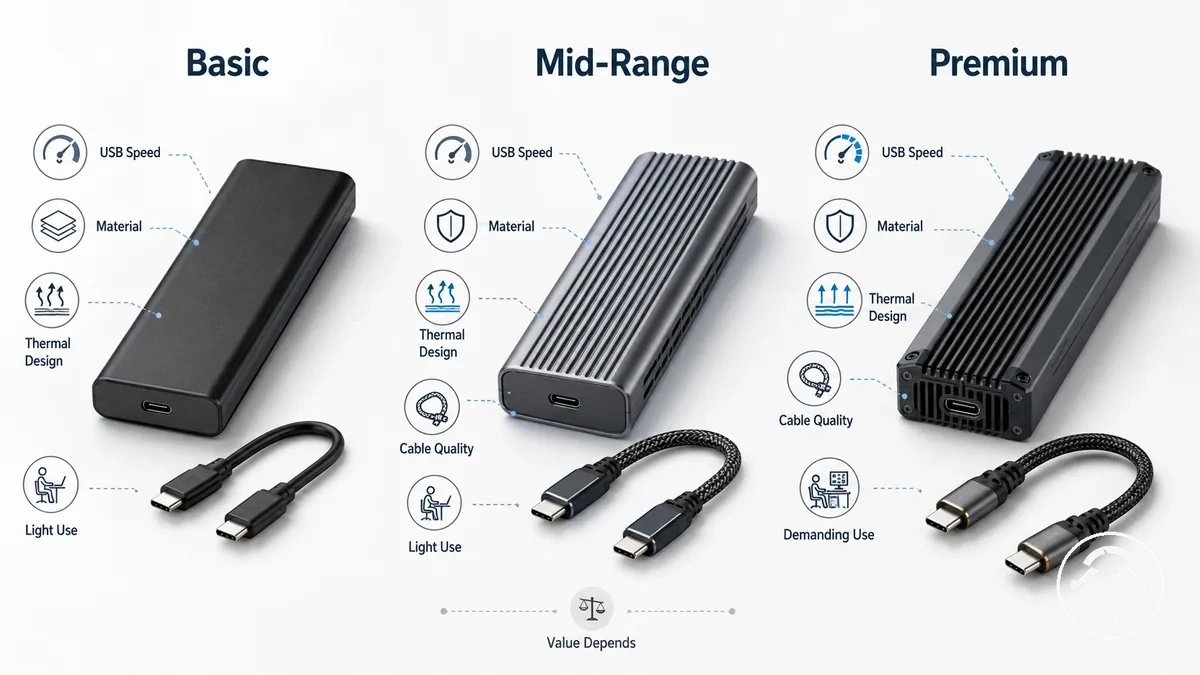
A basic enclosure can be a sensible choice for light workloads when its features match the intended use case. A mid-range enclosure often balances material quality, thermal design, and cable quality for regular use, while a premium enclosure may suit more demanding workloads when compatible hardware can benefit from its added capabilities. A higher price does not automatically mean higher value, and a lower tier can still be the right choice for many users. The table below compares typical value tiers by feature pattern rather than fixed pricing.
| Tier | Typical feature pattern | Best-fit use case | Value caution |
|---|---|---|---|
| Basic enclosure | Entry-level build, common USB speed class, simple material, basic accessories | Light file transfers, backups, and occasional external storage | Lower cost can still provide good value when advanced features are unnecessary. |
| Mid-range enclosure | Aluminum material, improved cable quality, balanced thermal design | Frequent everyday transfers and general external SSD use | Extra features are worthwhile only when they match the intended workload. |
| Premium enclosure | Higher USB speed class support, enhanced thermal design, higher-quality materials | Demanding workloads with compatible devices and SSDs | Premium features may add limited value if the hardware cannot use them. |
Cost factors that change M.2 enclosure value
Cost factors that change M.2 enclosure value depend on whether a feature improves compatibility, USB speed, heat control, build quality, durability, or convenience for the intended setup. A feature that affects fit or practical performance can change overall value more than one that only adds convenience. The criteria below explain which features usually have the greatest practical effect.
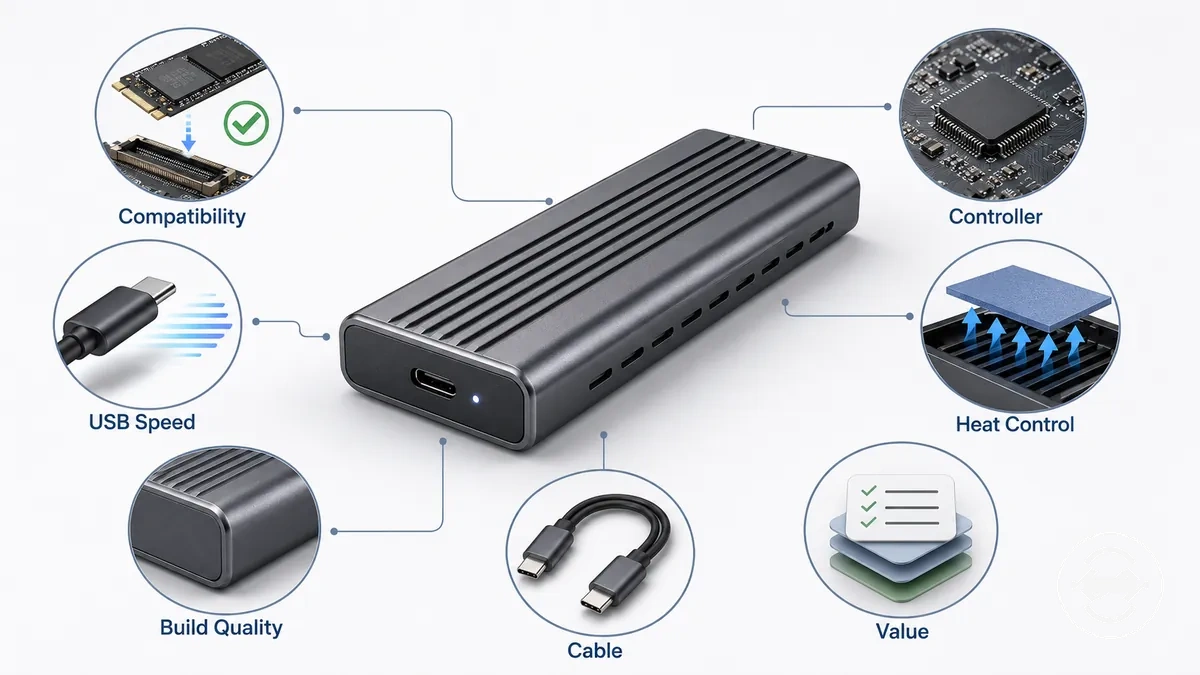
A cost factor becomes a value criterion when the enclosure feature, its condition, and its practical effect are considered together. Compatibility has the greatest influence because a mismatch in drive type or supported size can eliminate the enclosure's usefulness. USB speed, controller capability, heat control, build quality, and cable quality may improve usability or performance, but their value depends on the host device, workload, and usage pattern. The table below summarizes the main criteria using a feature–condition–effect approach.
| Feature or part | Attribute or condition | Value effect | When it matters |
|---|---|---|---|
| Compatibility | Supported drive type and size | Poor compatibility can eliminate value | Before selecting an enclosure |
| Controller | Bridge controller capability | May influence stability and supported features | Frequent or demanding use |
| USB speed | Host port and enclosure speed class | Higher speed may improve transfer performance | Large file transfers with compatible hardware |
| Material | Build quality and heat control | May improve durability and sustained operation | Long or repeated workloads |
| Cable | Cable quality and included accessories | Can reduce setup friction and improve usability | Frequent connections or travel |
| Tool-free design | Convenience feature or kit extras | Mainly improves installation convenience | When drives are swapped regularly |
Functional value drivers usually have a greater practical effect than cosmetic finishes or convenience-only extras. Features such as compatibility, controller capability, and heat control can influence how useful an enclosure is, while tool-free design and accessory kits mainly improve ease of use. The final checklist section is the appropriate place to confirm which features are necessary for a specific setup.
Drive protocol, size support, and controller type
Drive protocol, size support, and controller type determine whether an M.2 enclosure is worth its price because an unsupported SSD makes even a low-cost enclosure poor value. NVMe, SATA, M.2 length, keying, and controller support must match the enclosure's supported configuration.
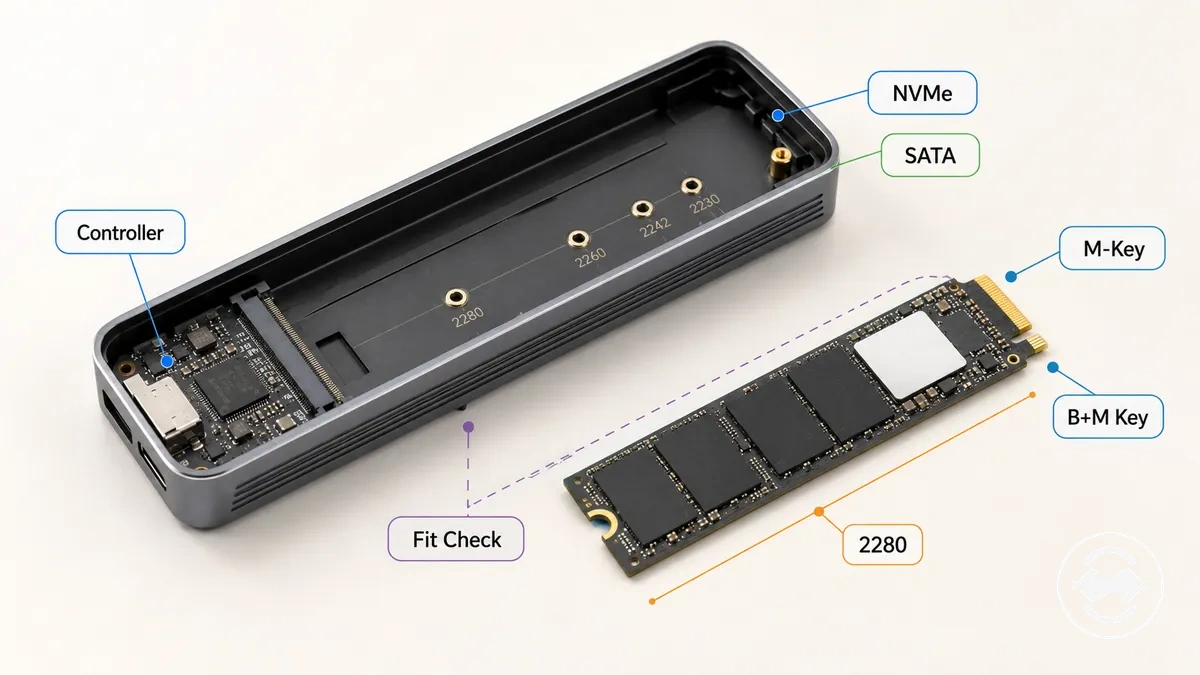
If you already own an SSD, verify its drive protocol before comparing enclosure prices. Check whether the enclosure supports NVMe or SATA, confirm the supported M.2 length such as 2280, and compare the SSD's M-key or B+M key with the enclosure's supported keying. Controller support also affects whether the enclosure can communicate correctly with the installed drive. Completing this compatibility check helps determine whether a lower-priced enclosure is genuinely good value or simply an incompatible purchase.
- Drive protocol: Match NVMe or SATA support with the SSD.
- M.2 length: Confirm supported sizes such as 2280 or other listed lengths.
- Keying: Verify M-key or B+M key compatibility.
- Controller support: Ensure the enclosure supports the intended drive protocol.
USB speed class and real transfer limits
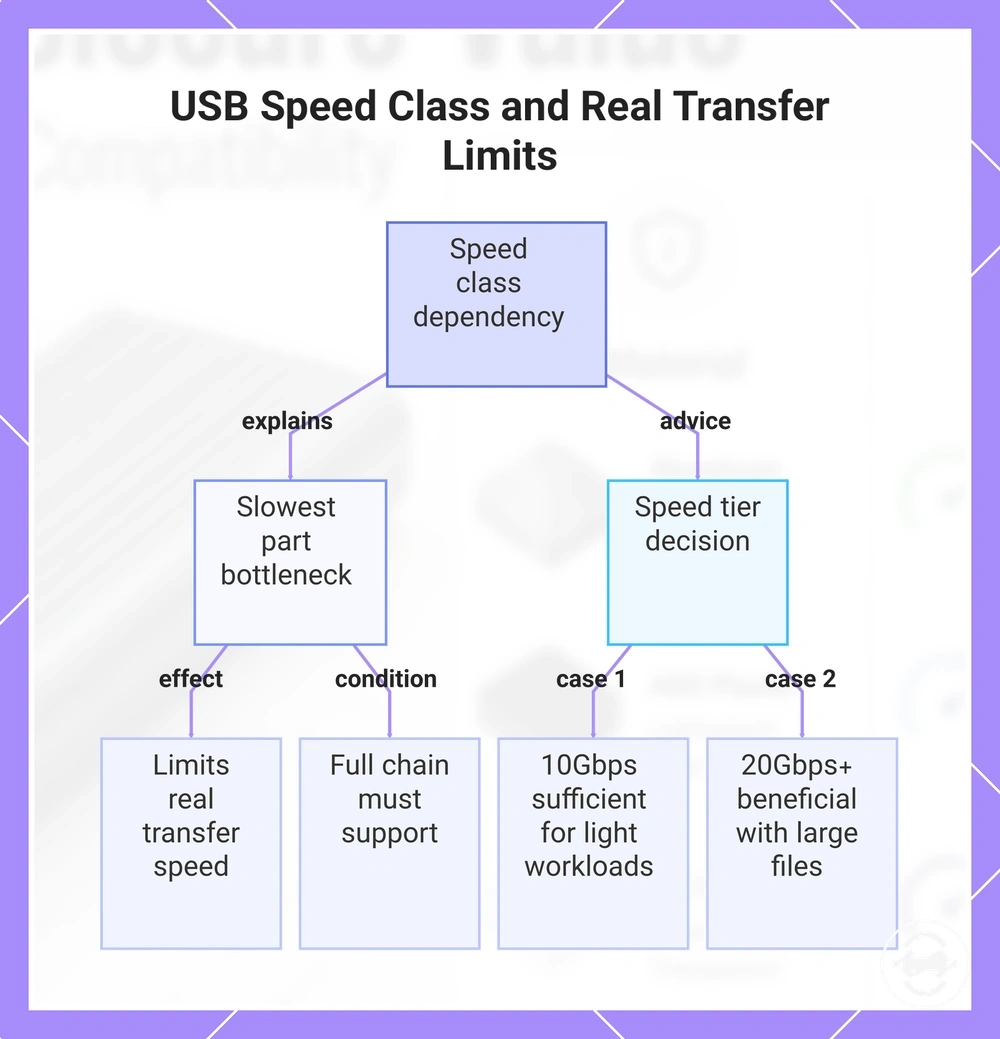
USB speed class affects enclosure value only when the SSD, controller, host port, cable, workload, and heat behavior can all support it. A higher USB speed class does not automatically increase real transfer speed because the slowest part of the transfer chain becomes the bottleneck.
If you are considering a 20Gbps enclosure, compare the entire setup before paying more. A compatible SSD, host port, cable, and workload that frequently moves large files may benefit from the higher USB speed class. If the enclosure is connected to a slower host port or mainly used for light everyday tasks, the additional advertised bandwidth may provide little practical value. Heat during sustained transfers can also influence real transfer speed, so upgrade decisions depend on the complete transfer chain rather than the advertised speed tier. For more detail about interface capabilities, see speed class differences.
- 10Gbps: Often sufficient when the host port, SSD, and workload do not require a higher speed tier.
- 20Gbps: May add value when compatible hardware regularly transfers large files.
- Faster classes: Additional bandwidth helps only when the rest of the transfer chain does not create a bottleneck.
This chart explains the bottleneck condition that limits USB speed class benefit and provides guidance on choosing between speed tiers.
Body material, heat control, and build quality
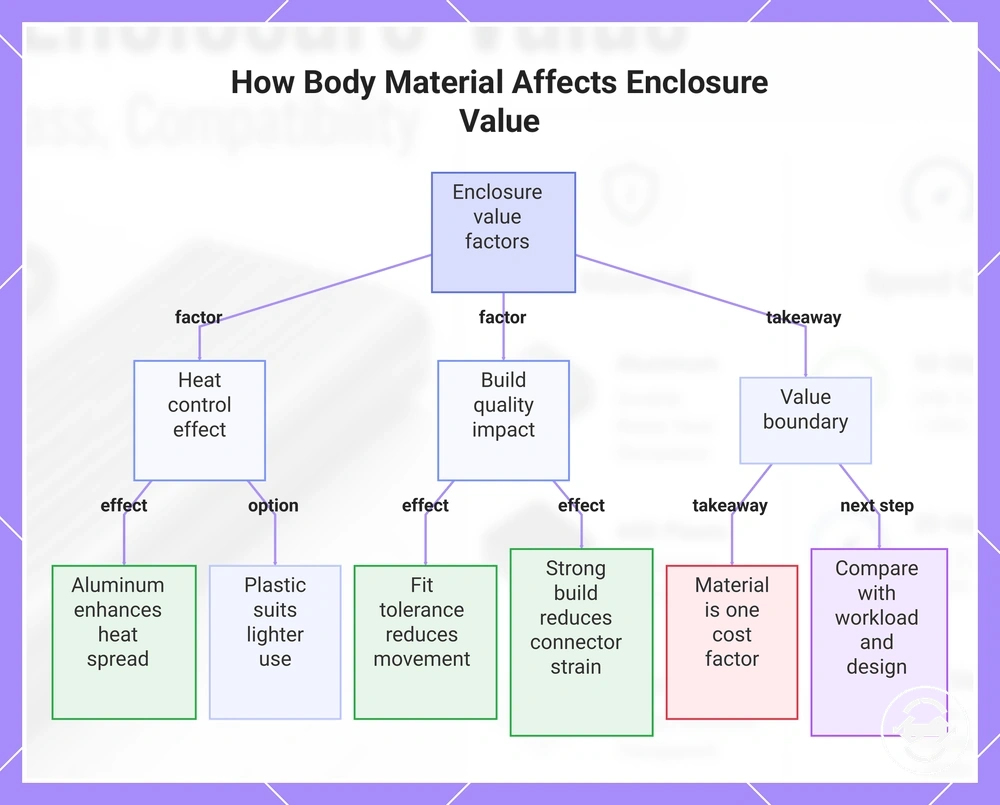
Body material affects enclosure value through heat spread, durability, and everyday handling rather than by material name alone. An aluminum enclosure or plastic enclosure can be a practical choice when heat control, build quality, and overall construction match the intended workload. Overall value depends on the complete enclosure design.
If you expect sustained transfer workloads or regularly carry the enclosure, construction details become more important. An aluminum enclosure may improve heat spread when paired with effective thermal pad contact, suitable surface area, and the SSD's heat output, while a plastic enclosure may suit lighter workloads at a lower cost. Good fit tolerance can reduce movement inside the enclosure, and stronger build quality may reduce connector strain during repeated portable use. Aluminum can improve heat behavior, but it does not guarantee better speed or reliability in every setup.
- Aluminum enclosure: May improve heat control and physical protection when thermal pad contact and enclosure design work together.
- Plastic enclosure: Can suit lighter use where lower cost and reduced weight are the main priorities.
- Build quality: Fit tolerance and connector strain can influence durability during everyday portable use.
- Value boundary: Material is only one cost factor. For broader material tradeoffs, compare material together with workload and enclosure design.
This chart shows the key factors—heat control, build quality, and the value boundary—that determine how body material influences overall enclosure value.
Included cable, tool-free design, and kit parts
Included accessories affect enclosure value by reducing total cost and setup friction rather than improving the enclosure's core technical capability. Missing or low-quality accessories can increase replacement cost or require additional purchases before the enclosure is ready to use. Their value depends on which parts are already available and which are still needed.
If you already own compatible cables and installation tools, a larger enclosure kit may add little practical value. If you are starting from scratch, the included parts can simplify setup and reduce separate purchases. Cable compatibility still depends on the host device and supported USB speed class, while convenience features mainly affect usability rather than compatibility, speed, or reliability. The accessory attributes below show where they typically matter.
- Included cable: A USB-C cable can reduce setup friction when it matches the host device and supported speed class.
- Adapter: An adapter may improve compatibility with different host ports without changing enclosure performance.
- Screwdriver, screws, and thermal pad: These parts can reduce installation friction and replacement cost when they are included in the enclosure kit.
- Tool-free design: A tool-free design can make repeated SSD swaps more convenient than enclosures that require screws.
- Rubber peg and carrying case: These kit parts may improve handling or portability, but they do not determine compatibility, speed, or reliability.
Cheap and expensive M.2 enclosures compared by value
A cheap enclosure can offer good value when it meets the required compatibility, workload, and durability needs. An expensive enclosure is worthwhile only when its added features match the SSD, host device, and intended use case. Value depends on how well the enclosure meets practical requirements rather than on price alone.
A higher price does not automatically mean a better enclosure. A higher-priced option may provide broader compatibility breadth, stronger controller capability, improved heat handling, better body quality, higher cable quality, or more convenience features. Those additions matter only when they support the intended workload. Otherwise, the extra cost may add polish or convenience without changing practical value.
If the enclosure is used for occasional backups or light file transfers, a low-cost enclosure that matches the SSD and host device may be sufficient. Repeated portable use may place greater importance on body quality, cable quality, and durability. High-speed workloads may justify paying more only when the SSD, interface support, controller capability, and host device can benefit from those features. The comparison below summarizes these decision signals.
| Cheap enclosure can be enough | Higher-priced enclosure may be worth it |
|---|---|
| Compatibility matches the intended SSD and use case. | Broader compatibility breadth is needed for multiple drive types or future flexibility. |
| Controller capability meets everyday storage needs. | Controller capability supports more demanding workloads. |
| Basic heat handling is suitable for lighter use. | Improved heat handling may benefit longer or repeated transfers. |
| Body quality is adequate for occasional handling. | Stronger body quality may improve durability during frequent portable use. |
| Standard cable quality meets the required connection. | Higher cable quality may reduce replacement needs and improve convenience. |
| Simple features meet the intended use. | High-speed interface support and convenience features add value only when they are used. |
When a basic M.2 SSD enclosure is enough
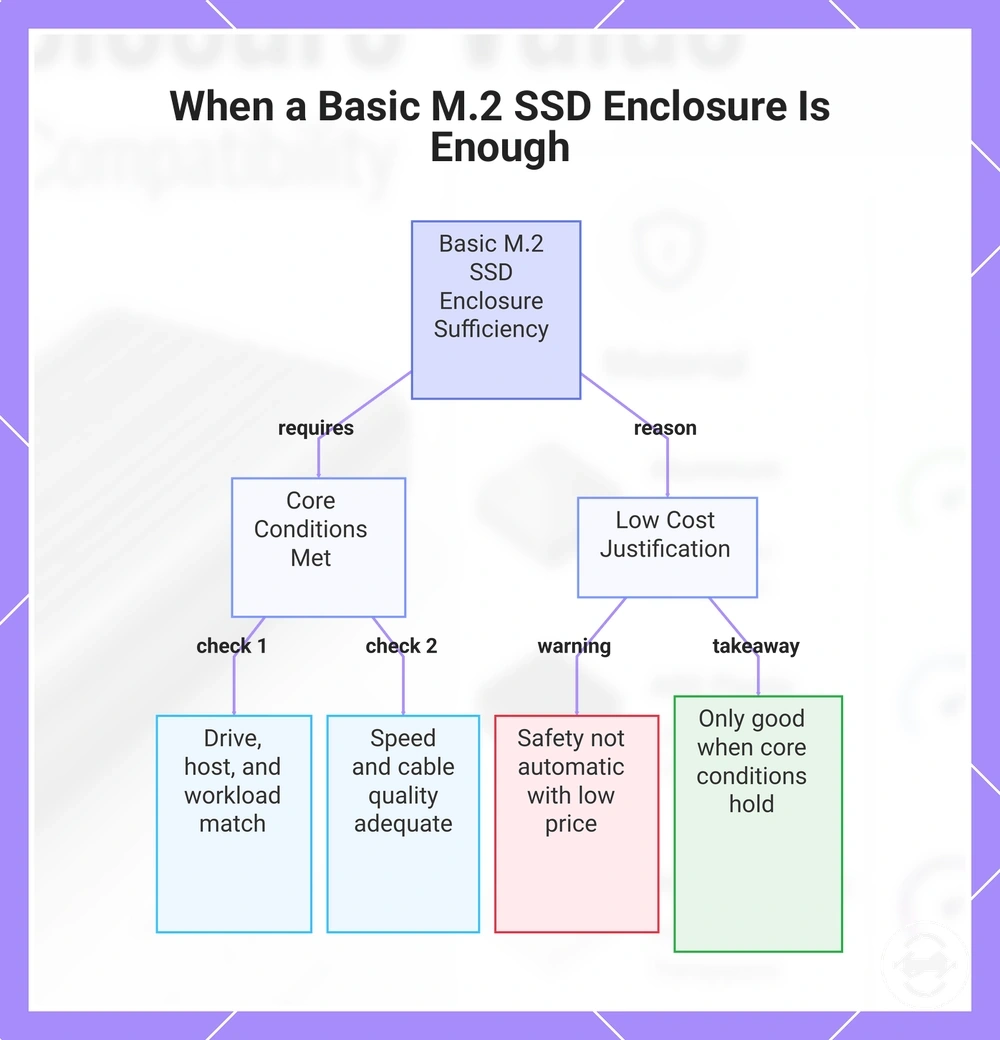
A basic M.2 SSD enclosure is enough when it matches the compatible drive, the host port, and the intended light workload. It can be a reasonable low cost choice when the setup does not need peak speed, premium build quality, or frequent heavy transfers. Sufficiency depends on fit, port support, and use case.
For occasional file transfer, backup, or spare-drive access, a simple enclosure may provide the practical access needed without extra features. SATA drives or modest NVMe drives can be sensible matches when the workload is light and the host setup is not built around higher-speed transfers. A 10Gbps enclosure can be enough when the SSD, cable, and host port do not need more speed. The main limit is that compatibility, cable quality, and heat behavior still need to be checked.
Low cost does not automatically mean unsafe or poor value, but it also does not prove that a basic enclosure is suitable. A budget enclosure is only enough when the core conditions are met. Use this mini-checklist before treating the lower price as a good value decision.
- Drive match: The enclosure supports the SSD type, keying, and physical size.
- Host port: The host device can use the enclosure connection without needing extra adapters.
- Workload: The main use is occasional file transfer, backup, or spare-drive access.
- Speed need: 10Gbps is enough for the intended use rather than a bottleneck for the workflow.
- Cable quality: The included or available cable matches the host port and expected speed class.
- Heat behavior: The workload is not likely to require stronger heat control during long transfers.
- Accessory needs: Required screws, pads, tools, or adapters are included or already available.
This chart shows the core conditions that determine whether a basic M.2 SSD enclosure is sufficient for your setup.
When paying more for an M.2 enclosure is worth it
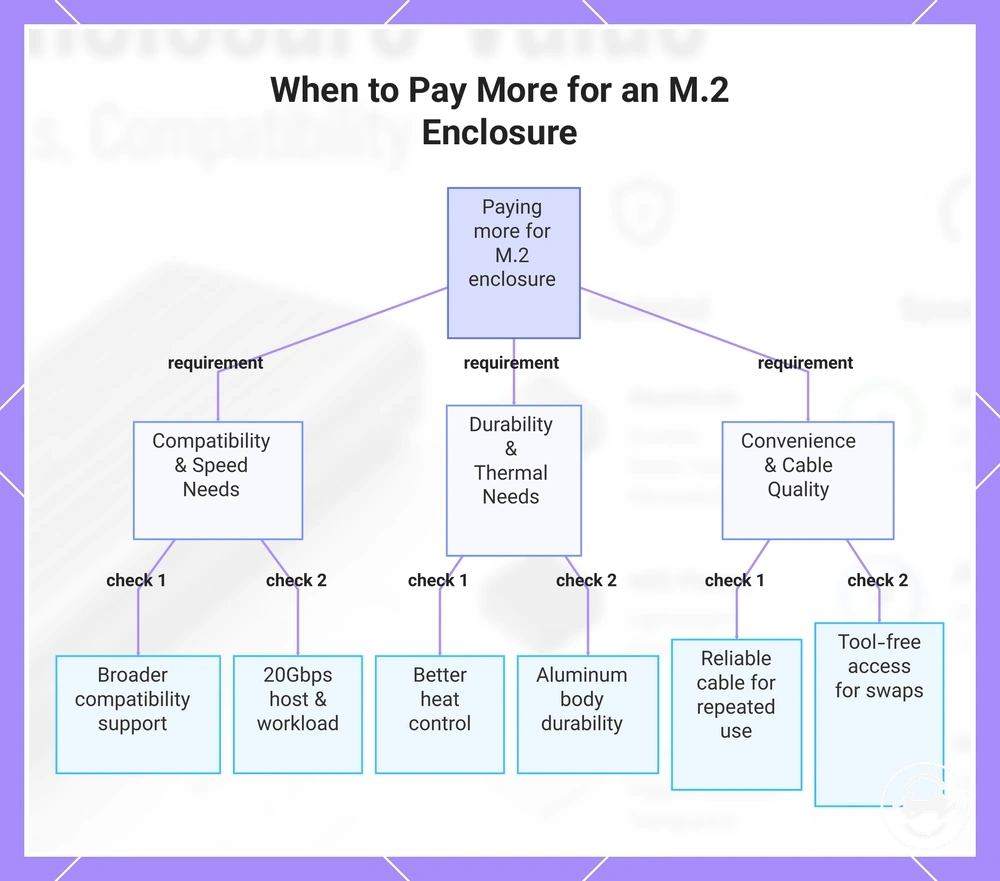
Paying more for an M.2 enclosure is worth it when the upgrade cost solves a real compatibility requirement, speed requirement, heat concern, durability need, or convenience requirement. The extra cost should provide a measurable benefit for the intended setup rather than additional features that remain unused. The upgrade is worthwhile only when it matches the way the enclosure will be used.
For large file transfers or demanding NVMe workloads, a higher-cost enclosure may be valuable when the SSD, 20Gbps host support, and workload can all benefit from the additional bandwidth. If the host device or SSD cannot use the higher speed class, the extra capability may provide little practical value. Speed improvements depend on the complete transfer chain rather than the enclosure alone.
Repeated transfers can also justify paying more when better thermal contact, an aluminum body, and a reliable cable improve sustained use or reduce connection issues. A stronger enclosure body may also be worthwhile for frequent travel or repeated handling. These upgrades mainly add value when durability or long transfer sessions are important.
A premium enclosure is not automatically the better choice. Features such as tool-free access or premium extras are worthwhile only when they solve a real convenience or workflow need. Use the checklist below to decide whether the upgrade cost matches the intended use.
- Compatibility requirement: Pay more when broader support is needed for the intended SSD or setup.
- 20Gbps support: Upgrade when the host device and workload can benefit from the higher speed class.
- Thermal contact: Better heat control may be worthwhile for sustained transfers.
- Aluminum body: Consider a stronger body when durability or repeated portable use is important.
- Reliable cable: A higher-quality cable may improve long-term usability during repeated connections.
- Tool-free access: Upgrade when SSDs are swapped frequently and convenience has practical value.
Paying more is worthwhile only when the added feature addresses a genuine requirement instead of adding unused capability. Match the upgrade cost to the workload, compatibility needs, and expected usage pattern. Before making a final decision, review the buying checklist.
This chart shows the key requirements that justify paying more for an M.2 enclosure, based on intended use and workload.
20Gbps and faster enclosures as conditional upgrades
A 20Gbps or faster enclosure is worth the extra cost only when the host port, SSD speed, cable, and workload can support the upgrade. Advertised bandwidth does not equal real transfer speed if one part of the chain becomes a bottleneck.
For large transfers, external editing, or frequent backups, a higher-speed enclosure may create real benefit when the rest of the setup can use the added bandwidth. If the host port, SSD, or cable cannot support the speed upgrade, the enclosure may only add unused headroom. Faster support can be part of a future-use decision, but it should not be treated as useful for every setup. The difference is visible performance gain versus paying for capability that the current workflow cannot use.
- Host port support: A 20Gbps enclosure adds value only when the host port can use that speed class.
- SSD speed: The SSD must be capable enough for the faster enclosure to provide practical benefit.
- Cable support: The cable must match the required speed class or it can become the bottleneck.
- Workload demand: Large transfers, external editing, or frequent backups are more likely to benefit than light file access.
- Unused headroom: Faster support is poor value when the setup cannot turn advertised bandwidth into real transfer benefit.
Aluminum enclosures as heat and durability upgrades
An aluminum enclosure is a value upgrade when heat spread, durability, or repeated handling are important for the intended workload. Its added cost can be worthwhile when good thermal pad contact and enclosure construction support sustained use. The value depends on how the enclosure will be used rather than on the material alone.
During sustained transfer workloads, an aluminum enclosure can help distribute heat when thermal pad contact and overall design are effective. For portable use, an aluminum body may offer improved surface durability and better resistance to everyday flex or handling, depending on the enclosure design. These benefits are more relevant for frequent travel or repeated use than for occasional file access. Material value should be judged together with speed needs and workload, not as a standalone guarantee.
- When aluminum helps: Frequent handling, sustained transfers, portability, and workloads where heat spread and surface durability can add practical value.
- When it may not matter: Light workloads or lower-cost setups where the appearance of an aluminum body adds little practical benefit beyond the required function.
M.2 enclosure cost versus a prebuilt external SSD
An M.2 enclosure with a separate SSD can provide better value when flexibility and reuse value matter, while a prebuilt external SSD may be a better choice when setup simplicity is the priority. The decision depends on total cost, setup effort, portability, warranty simplicity, and how the storage device will be used.
| Option | Cost components | Practical advantage | Main trade-off | Better fit |
|---|---|---|---|---|
| M.2 enclosure + separate SSD | Enclosure, SSD, and any required cable or accessories | Flexibility, repairability, and reuse value | More setup effort and separate component selection | Users who already own an SSD or want reusable storage |
| Prebuilt external SSD | Single ready-made storage device | Warranty simplicity, portability, and quick setup | Less flexibility for reuse or component replacement | Users who prefer a simple ready-to-use solution |
If you already have a compatible SSD, the enclosure route may reduce the cost of building external storage because the existing drive can be reused. It can also make future SSD replacement or reuse easier without replacing the entire external storage device. The overall value depends on the enclosure, SSD, and any additional accessories that are required.
If you are starting without an SSD, compare the combined enclosure, SSD, cable, and setup effort with the price of a prebuilt external SSD. A ready-made drive may simplify setup and warranty handling, while the enclosure route may provide greater flexibility for future upgrades or drive reuse. Neither approach is automatically less expensive because total cost depends on the complete configuration.
Choosing an enclosure does not require treating a prebuilt external SSD as the better or worse option. The comparison is intended only to help judge whether the enclosure route offers sufficient value for your needs. For a broader feature comparison, compare with an external SSD.
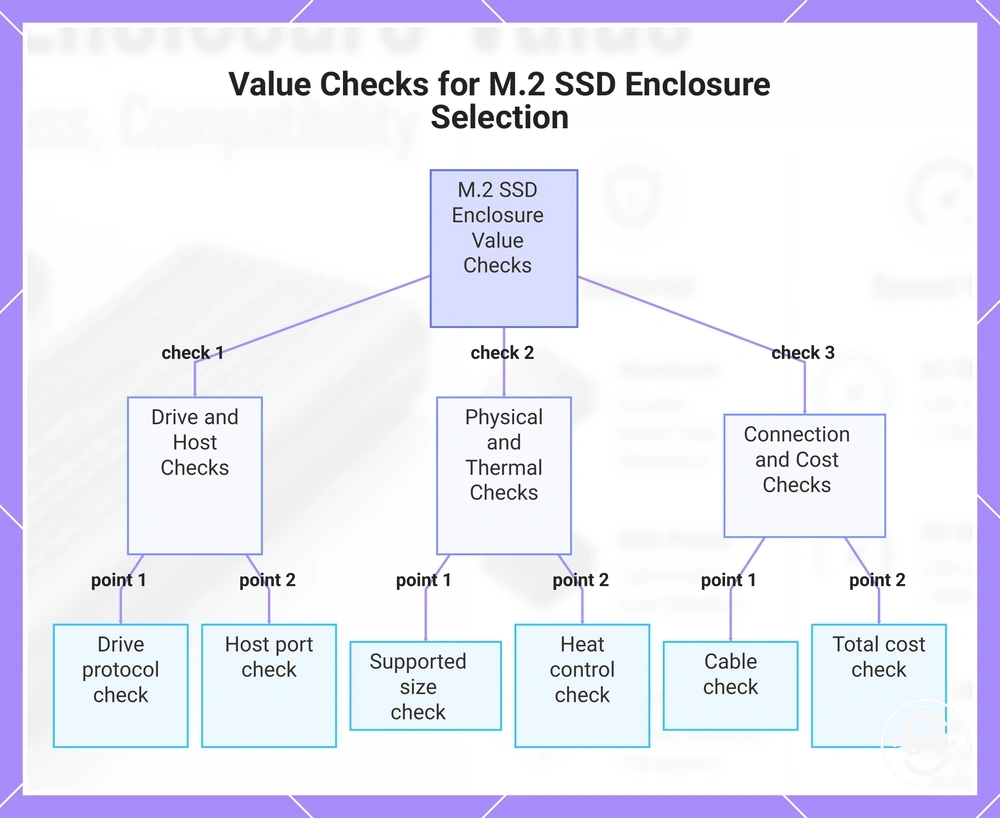
Value checks before choosing an M.2 SSD enclosure
The best-value M.2 SSD enclosure is the lowest-cost enclosure that satisfies the required conditions for the drive, host device, workload, and expected durability. Paying less only makes sense when compatibility, speed, heat, and setup needs still pass. Use the value checks below as final verification before choosing.
A value check is a pass-or-fail buying check that confirms whether a feature is actually needed. Each required condition should connect to practical fit, total cost, or setup friction rather than to unused extras. The checklist below converts the price-value criteria into pre-purchase checks.
- Drive protocol: Verify that the enclosure supports the SSD protocol you plan to use.
- Supported size: Confirm that the enclosure supports the SSD's physical M.2 size.
- USB speed class: Choose a speed class that matches the workload rather than unused bandwidth.
- Host port: Check that the host device can use the enclosure connection and expected speed.
- Cable: Confirm that the included or available cable matches the host port and speed requirement.
- Heat control: Verify that heat handling is suitable for the intended transfer length and workload.
- Body material: Match body material to handling, portability, and durability needs.
- Kit parts: Check whether screws, pads, tools, adapters, or other kit parts are included or already available.
- Return flexibility: Consider whether the purchase path allows flexibility if compatibility or fit is wrong.
- Total cost: Add enclosure, SSD, cable, accessories, and setup needs before comparing value.
If budget and features conflict, start with the required conditions rather than the lowest visible price. A cheaper enclosure is a good value only when it passes the checks that matter for the SSD, host port, cable, workload, heat control, and total cost. Extra features should solve a real limitation, not just make the enclosure look more complete.
Choose the lowest-cost enclosure that satisfies the necessary conditions for your setup. If a feature does not improve compatibility, usable speed, heat behavior, durability, setup friction, or reuse value, it may not justify extra cost.
Here are product examples that may make comparison easier. Before buying, always review the compatibility criteria, essential features, and product details.
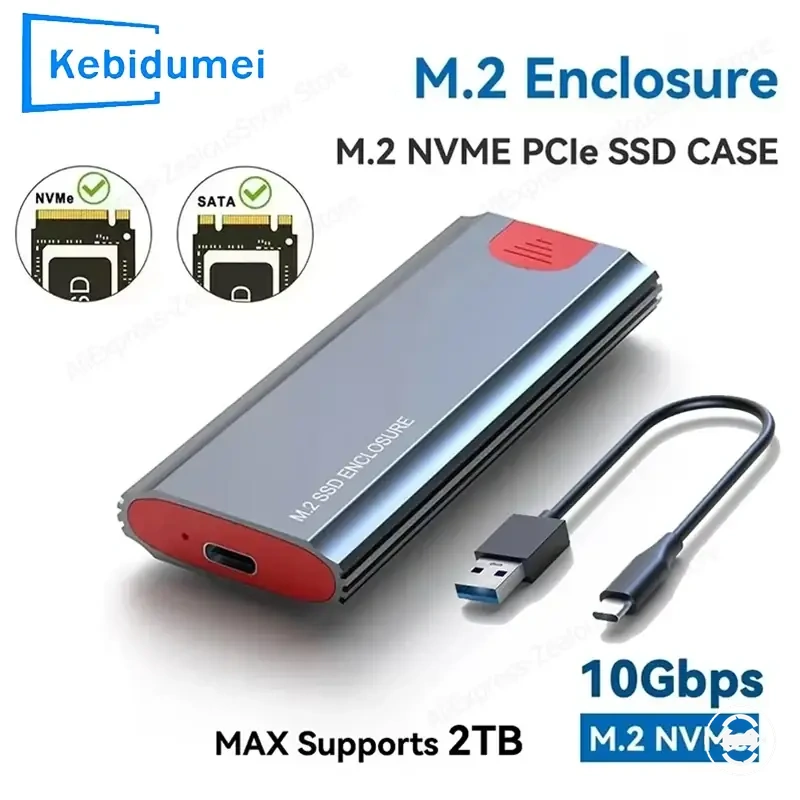
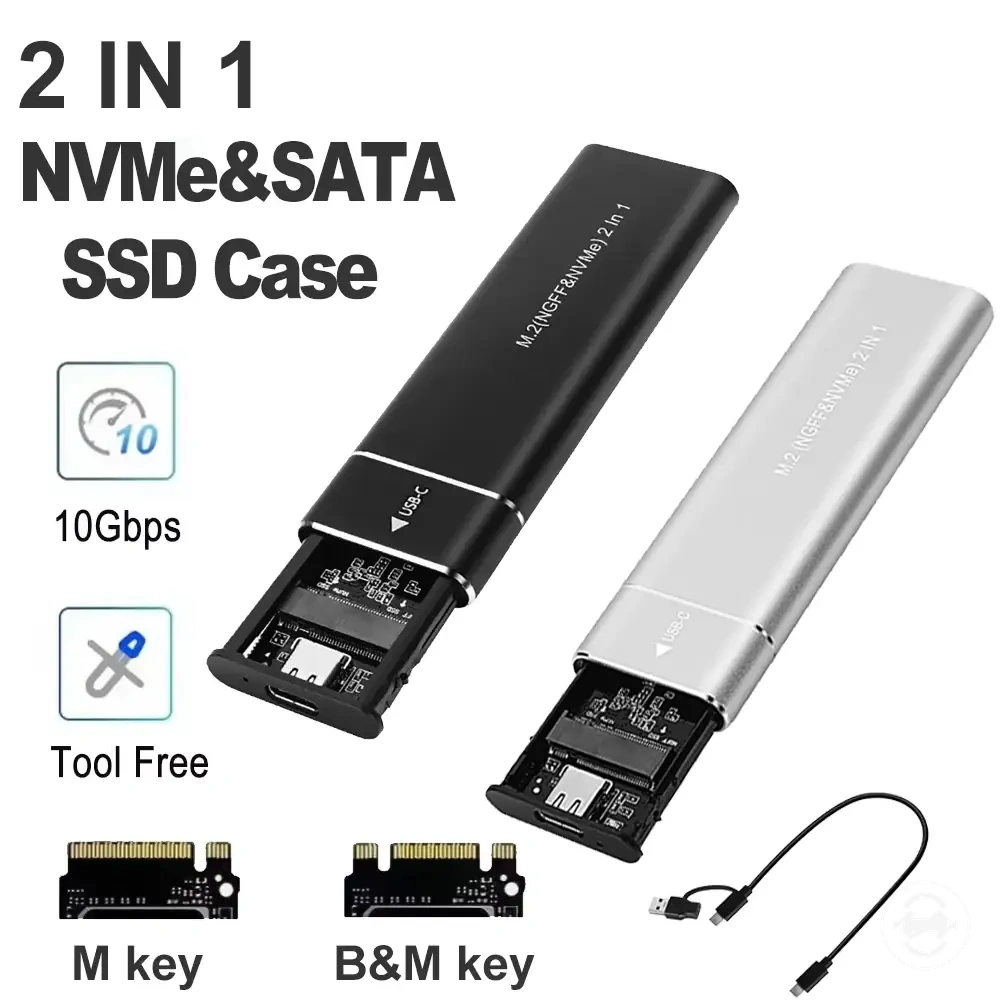
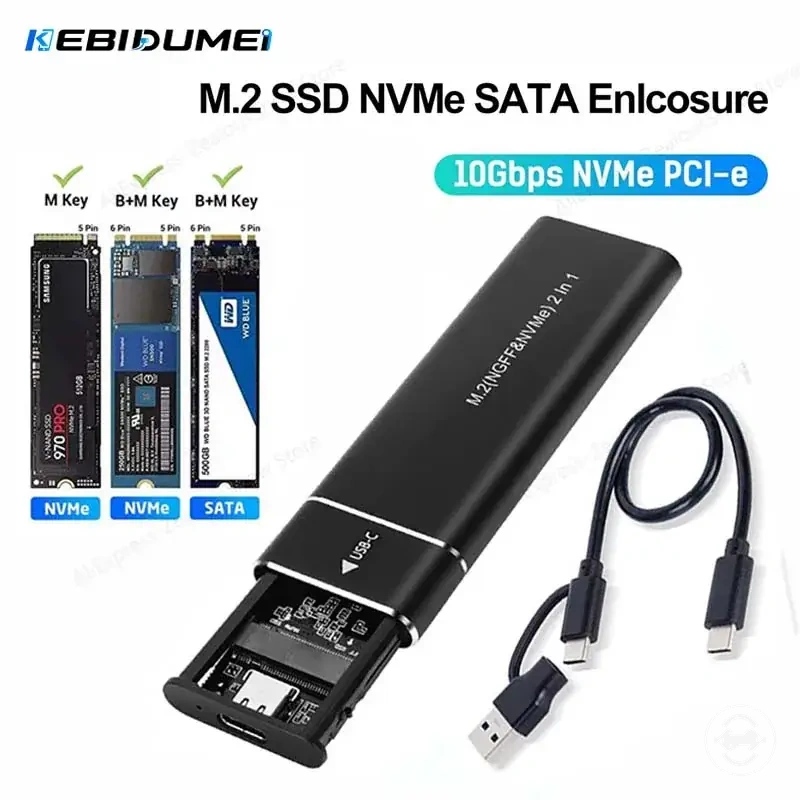
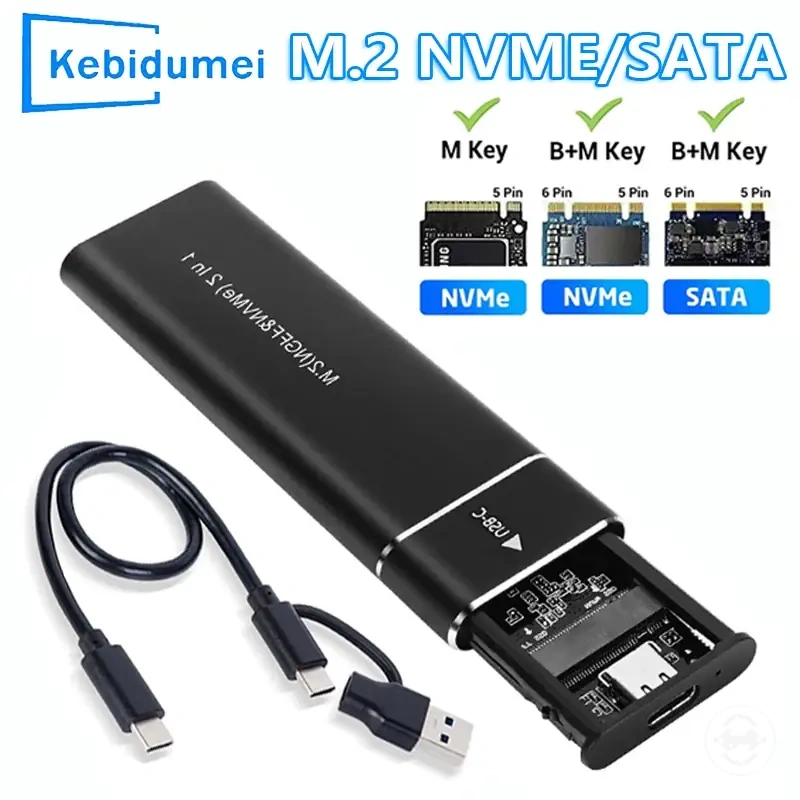
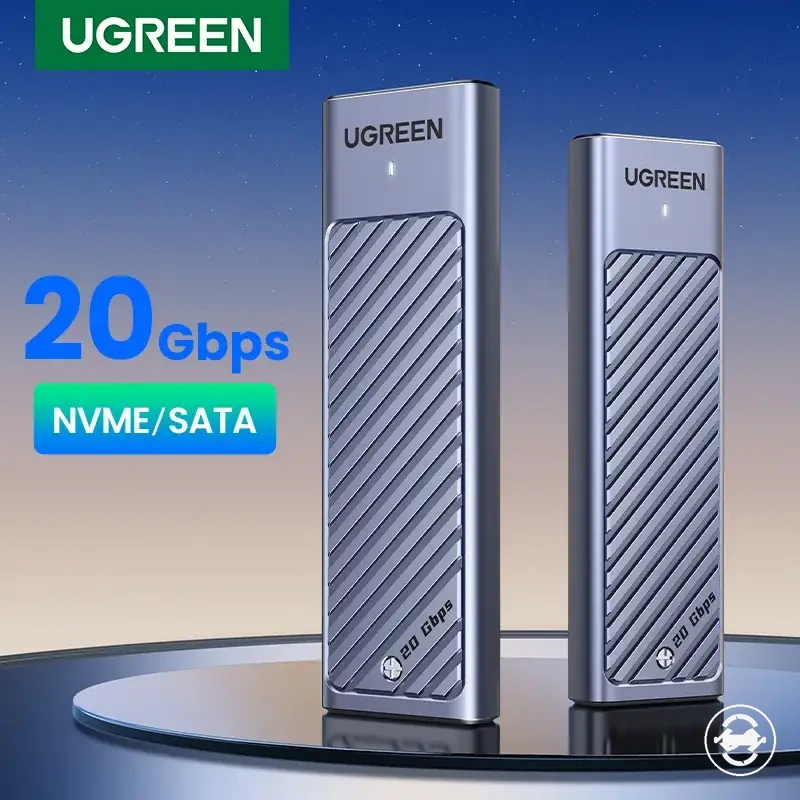
This chart shows the essential pass-or-fail checks to verify before choosing a cost-effective M.2 SSD enclosure.