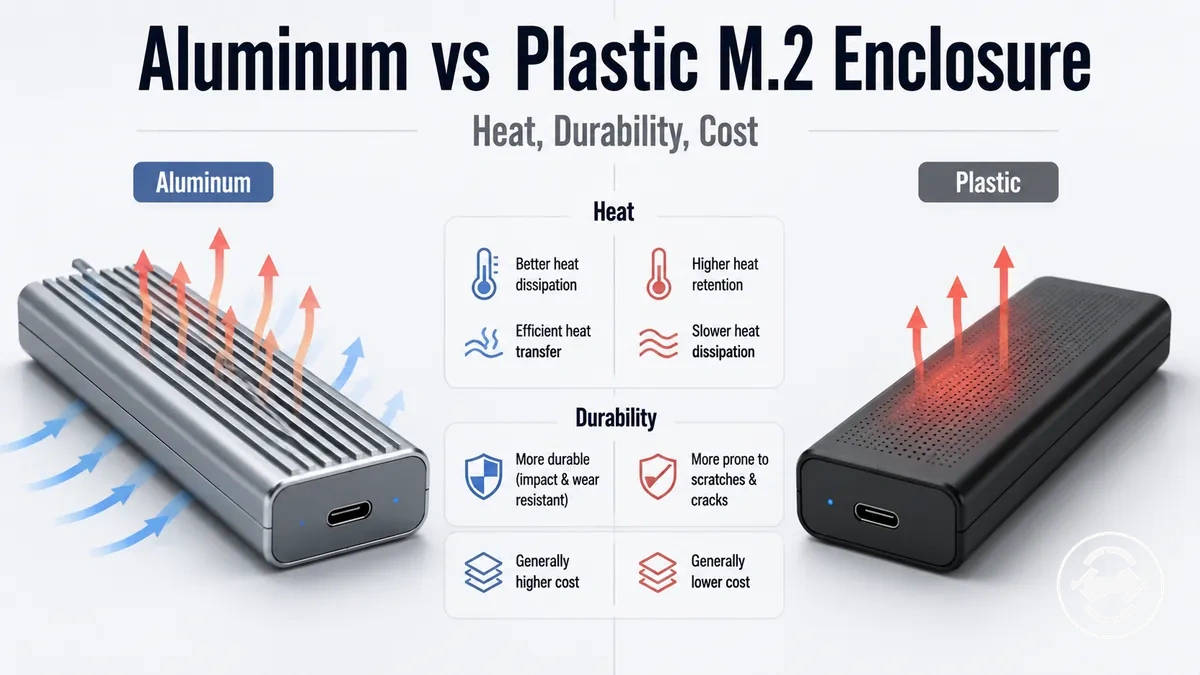
Aluminum vs plastic M.2 SSD enclosures
An aluminum M.2 SSD enclosure usually suits users who care more about heat spreading, rigidity, and frequent handling, while a plastic enclosure can suit lighter use, lower cost, and easier portability. Material can shape heat behavior and durability, but the better choice depends on heat, durability, and use case.
Enclosure material refers to the outer casing around the SSD, not the whole thermal design. An aluminum enclosure may spread heat through a metal body when the SSD, thermal pad, and shell make useful contact. A plastic enclosure may feel lighter and cost less, but its heat path depends more on internal design and workload. For the broader compatibility, speed, and buying context, use the M.2 SSD enclosure guide.
For sustained NVMe transfers, an aluminum body may be preferable when thermal pad contact and controller behavior support real heat movement. For travel, desk use, occasional backups, or budget buying, a plastic body can still be practical when the SSD type and workload are modest. The material influences heat, durability, handling, and value, but it does not guarantee performance or reliability by itself.
How enclosure material affects M.2 SSD performance and handling
Enclosure material is the physical shell of an M.2 SSD enclosure that influences how the device transfers heat, feels in the hand, and responds to everyday handling. Aluminum and plastic change the enclosure body's physical characteristics in different ways, but enclosure material alone does not determine SSD speed or sustained performance. Instead, it contributes to heat and handling alongside the overall enclosure design.
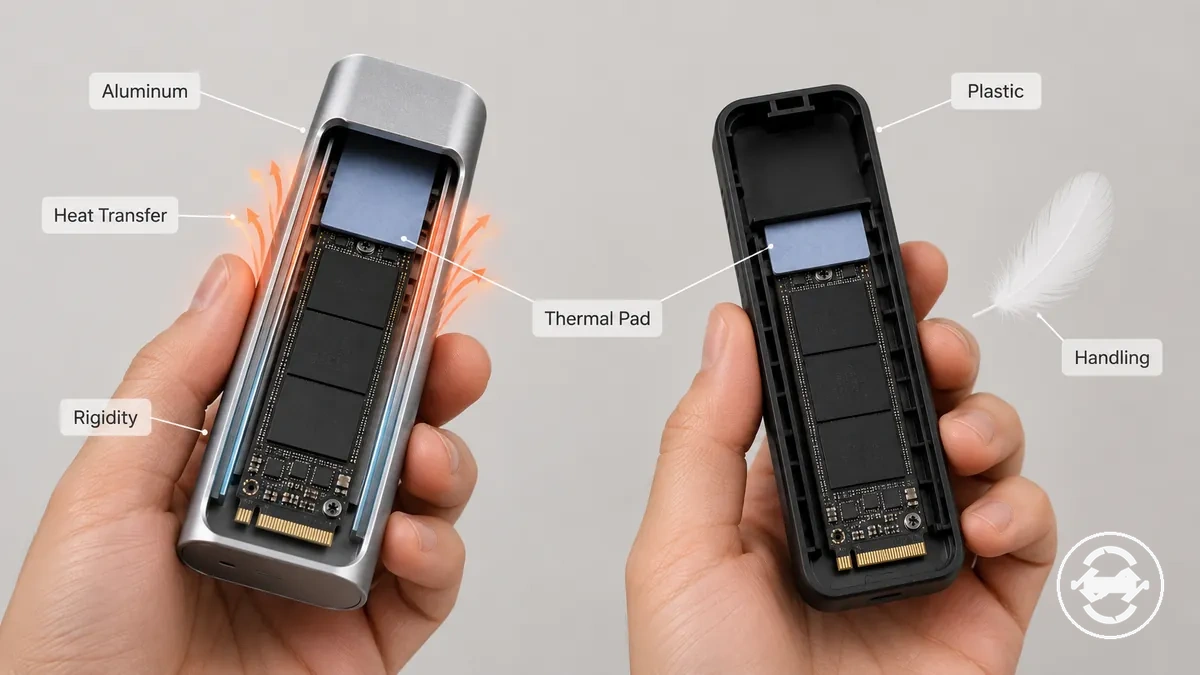
How enclosure material affects M.2 SSD performance and handling becomes clearer when separating physical material effects from complete performance outcomes. The comparison below highlights what the enclosure body can influence and what still depends on the SSD, controller, thermal pad, and enclosure design.
- Material effect: Aluminum can spread heat across the enclosure body during heavier workloads. What it does not guarantee: Sustained SSD performance still depends on thermal pad contact, SSD controller behavior, and overall enclosure design.
- Material effect: Plastic can provide a lighter body that may feel more comfortable for travel and occasional use. What it does not guarantee: Lower weight does not by itself determine heat transfer or operating temperature.
- Material effect: Aluminum often offers greater rigidity and a firmer surface feel. What it does not guarantee: Material alone does not ensure a higher level of protection in every situation.
- Material effect: Plastic and aluminum create different handling characteristics during daily use. What it does not guarantee: Body material alone does not determine long-term reliability or overall enclosure quality.
During light file transfers or desk-based use, either material may be suitable when the M.2 SSD enclosure is designed well. During sustained NVMe workloads, heat transfer may become more noticeable, although the outcome still depends on thermal contact and controller behavior. For travel, frequent handling, or stationary desk use, the preferred material depends on the intended workload and use case.
A common misconception is that aluminum automatically makes an M.2 SSD enclosure perform better or that plastic limits performance. In practice, enclosure material is only one part of the thermal and physical design. Design quality, thermal pad contact, and SSD controller behavior remain important factors in overall results.
Aluminum and plastic enclosure differences at a glance
Aluminum usually favors heat spreading and a more rigid enclosure body, while plastic often favors lower cost, lighter weight, and easier handling. These are material tendencies rather than guarantees, and design quality, thermal pad contact, controller behavior, and workload can all influence the final result.
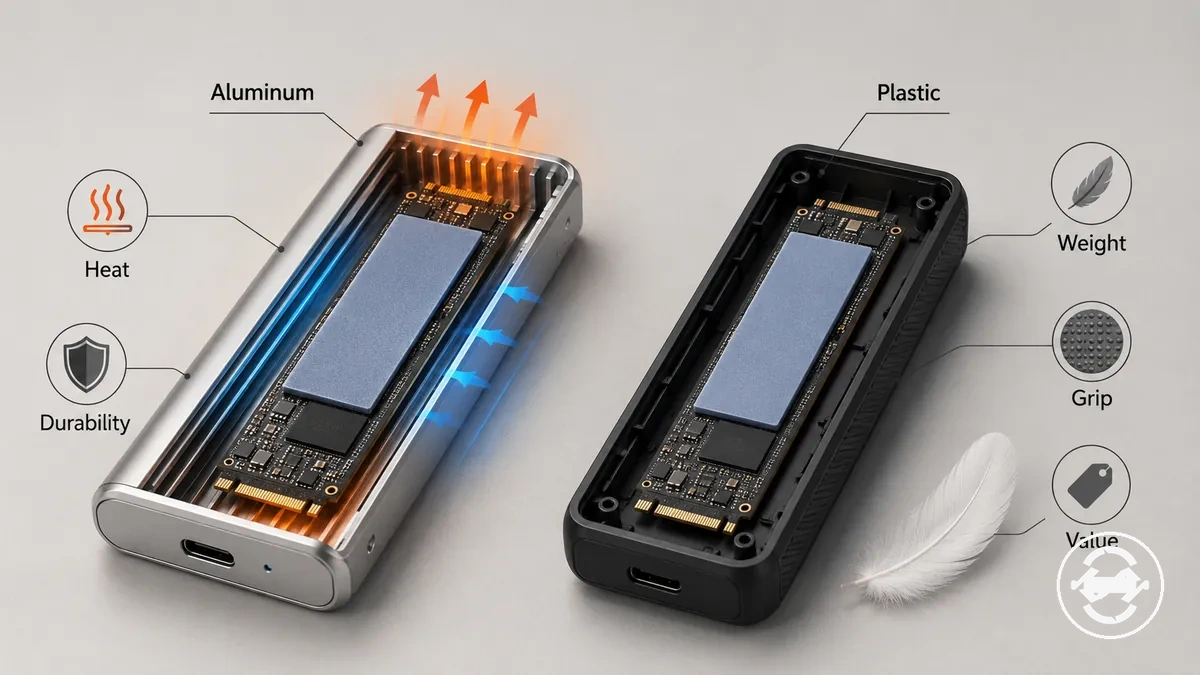
The comparison below summarizes the main dimensions that distinguish aluminum and plastic enclosure bodies. Each attribute should be considered together with enclosure design rather than material alone. Use the table as a quick reference before the later sections explain each topic in more detail.
| Attribute | Aluminum tendency | Plastic tendency | Decision note |
|---|---|---|---|
| Heat behavior | Often spreads heat through the enclosure body. | Usually depends more on the overall enclosure design. | Thermal pad contact, controller behavior, and workload still influence heat behavior. |
| Durability | Often provides greater rigidity and a solid build feel. | May provide sufficient durability for everyday handling. | Overall construction quality remains an important factor. |
| Weight | Typically heavier. | Typically lighter. | Select based on portability and handling preferences. |
| Grip | Metal body may feel smoother. | Plastic body may offer a different grip depending on the shell finish. | Surface texture varies by enclosure design. |
| Appearance | Often has a more rigid metal appearance. | Often has a lighter plastic appearance. | Appearance does not determine overall performance. |
| Value | May cost more depending on the enclosure design. | Often aligns with budget-focused use cases. | Compare features and design quality instead of material alone. |
Heat dissipation and thermal contact
Heat dissipation depends on both the enclosure body material and the thermal contact path between the SSD and the enclosure. An aluminum body can help spread heat when the thermal pad creates useful contact with the heatsink surface, while a plastic body depends more on the overall enclosure design and contact path. Thermal pad contact is the key local condition that connects the SSD to the enclosure body.
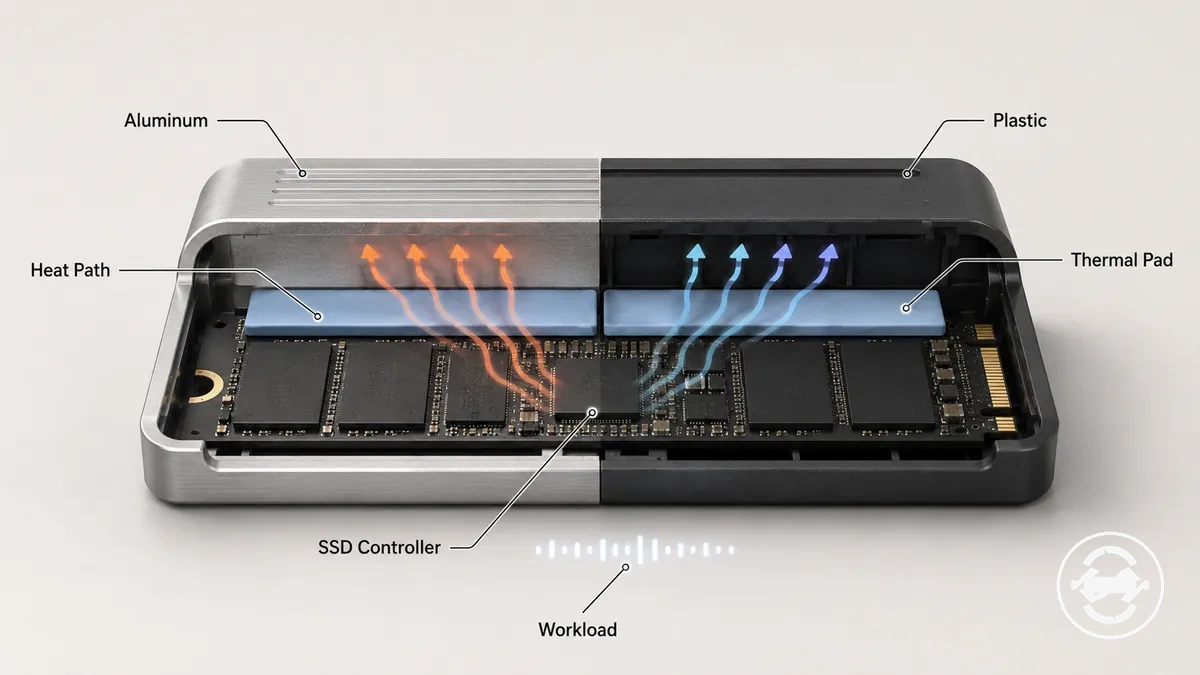
- Body material: An aluminum body may help spread heat across a larger surface, while a plastic body may transfer heat differently depending on the enclosure design.
- Thermal pad: Effective thermal contact between the SSD, thermal pad, and heatsink surface is often more important than the material label alone.
- SSD controller: Heat generated by the SSD controller can vary with activity, so the contact path influences how heat moves away from the drive.
- Workload: During sustained transfers, heat behavior depends on thermal contact, controller heat, and workload rather than enclosure material alone.
A common misconception is that an aluminum body automatically controls heat or that a plastic body always overheats. In practice, heat dissipation depends on how well the SSD, thermal pad, and enclosure body work together. Under heavier workloads, SSD controller heat may become more noticeable, but the outcome still depends on the complete thermal design.
Durability, rigidity, and everyday wear
During everyday carrying or regular desk handling, the enclosure body may show different wear patterns depending on its material and construction. An aluminum body often provides greater rigidity with less flex under normal pressure, while a plastic body may respond differently to handling and minor impacts. Rigidity can influence how the enclosure body responds to scratches, carrying, and everyday wear.
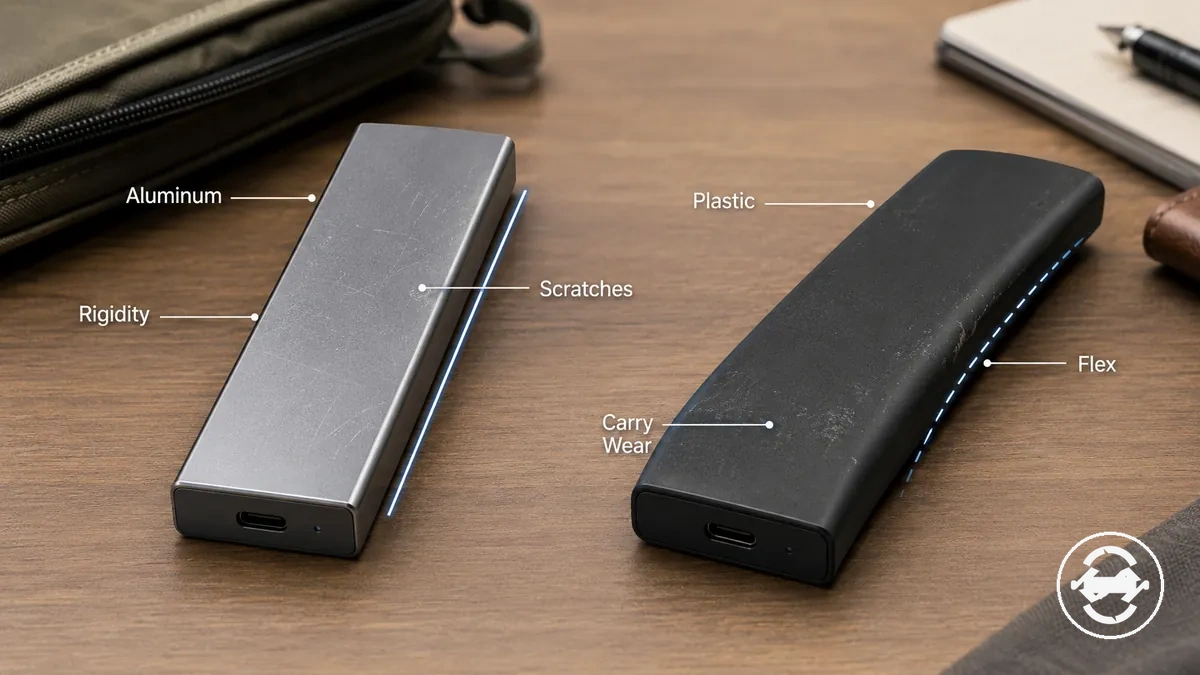
- Carry wear: During bag carrying, an aluminum body may develop scratches or small dents, while a plastic body may show scuffs or handling wear depending on use conditions.
- Desk wear: Regular contact with work surfaces can affect the enclosure body differently, with shell stiffness, pressure, and overall design influencing visible body wear over time.
- Repeated plugging: Frequent connector use places repeated stress on the enclosure opening, so seam design and build strength can influence long-term durability.
A common misconception is that a metal enclosure is automatically more durable in every situation or that a plastic enclosure is fragile by default. In practice, an aluminum body may resist flex more effectively, while a plastic body may absorb minor handling differently. The overall durability outcome depends on enclosure design, material, repeated carrying, drops, and everyday use conditions.
Weight, grip, and portable use
During portable use or regular desk handling, body material can influence how an M.2 SSD enclosure feels in the hand and how comfortable it is to carry. An aluminum body often has a more solid build feel with a slightly heavier tendency, while a plastic body may feel lighter for pocket carry or travel. Surface texture and edge shape also contribute to weight, grip, and carrying comfort during portable use.
A common misconception is that a more premium build feel automatically means better SSD performance. In practice, build feel reflects handling characteristics rather than transfer speed or overall performance. If pocket carry, travel, or everyday portability is the priority, the preferred body material depends on weight, grip, surface texture, edge shape, and personal handling preferences.
Heat control in aluminum and plastic M.2 enclosures
Heat control in aluminum and plastic M.2 enclosures depends on the complete thermal design rather than enclosure material alone. An aluminum M.2 enclosure can help spread heat when the thermal pad creates an effective heatsink path to the enclosure body, but it does not guarantee cooler operation under every workload. The overall result depends on thermal design, shell contact, controller behavior, and workload.
Heat control in aluminum and plastic M.2 enclosures is easier to evaluate by checking the complete heat path rather than focusing only on the enclosure shell. The checklist below helps verify the main design conditions that influence heat management.
- Match the enclosure material to the expected workload.
- Check that the thermal pad makes consistent contact with the SSD and enclosure body.
- Consider the SSD type and its expected heat output.
- Remember that the controller is often a primary heat source during sustained transfer activity.
- Allow reasonable airflow around the enclosure when possible.
- Expect surface temperature to vary with contact quality, enclosure design, and workload.
A thermal pad transfers heat from the SSD to the enclosure body by creating a heatsink path through direct shell contact. Controller activity, SSD type, and enclosure design all influence how effectively heat moves away from the drive. If the heat path is incomplete, the enclosure material alone cannot compensate for limited thermal contact. These differences usually become more noticeable during sustained transfer workloads.
During light file transfers, a plastic M.2 enclosure may remain suitable when heat generation stays modest. During sustained NVMe writes, an aluminum M.2 enclosure may help spread heat more effectively when the thermal pad and heatsink path are working as intended. The preferred material therefore depends on workload, controller behavior, and thermal design rather than the enclosure shell alone.
A common misconception is that aluminum automatically prevents heat-related performance changes or that plastic is unsuitable for every workload. In practice, material is only one part of heat control, while controller behavior, SSD type, and contact quality remain important factors. For broader conditions that may affect thermal behavior beyond enclosure material, see enclosure heat issues. For deeper heat-related questions, evaluate the complete thermal path before focusing on enclosure material alone.
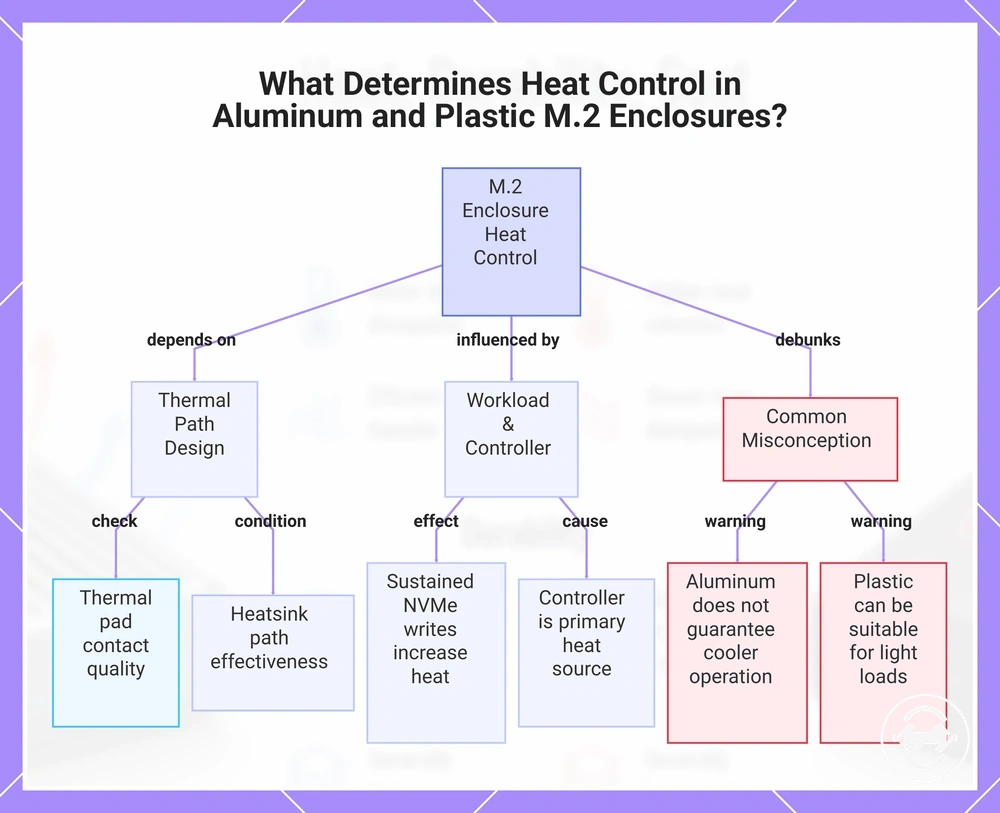
This chart shows the main factors affecting heat control in M.2 enclosures and clarifies a common misconception about material choice.
Thermal pads, heatsink contact, and enclosure body design
Thermal pads, heatsink contact, and enclosure body design create the heat path from the SSD surface to the enclosure shell. The thermal pad, pad thickness, contact pressure, and enclosure body work together to transfer heat through this contact path. Poor contact can reduce the benefit that the enclosure material may otherwise provide.
The mini-checklist below helps verify whether the local thermal interface is likely to support effective heatsink contact.
- Check that the thermal pad sits correctly against the SSD surface.
- Confirm that the pad thickness allows consistent contact pressure without leaving gaps.
- Verify that the enclosure shell maintains continuous contact with the thermal pad.
- Consider whether the enclosure body forms an effective heat path instead of assuming that a metal shell alone provides adequate heat transfer.
A visible thermal pad or metal enclosure body does not automatically provide effective heatsink contact. If pad thickness, contact pressure, or enclosure shell contact is limited, the heat path may also be limited even when a metal enclosure is used. Verify the complete contact path rather than relying on the enclosure material or the presence of a thermal pad alone when assessing local heat transfer.
When material helps and when the SSD or controller still limits heat
Material helps most when the enclosure body provides an effective heat path and the workload creates sustained heat. Even with good heat transfer through the enclosure body, the SSD controller and bridge chip may remain the primary heat sources. The overall effect therefore depends on controller limits as well as the quality of the thermal design.
The criteria below help distinguish when enclosure material is likely to influence heat management and when other factors become the main thermal limit.
- Material helps: When sustained writes generate continuous heat and the enclosure body supports an effective heat path, enclosure material may improve heat distribution.
- SSD or controller limit: A high-power NVMe drive, the SSD controller, or the bridge chip may remain the dominant heat source even when the enclosure material supports heat transfer.
- Workload changes the decision: During light use, ambient condition and enclosure design may have a greater influence on perceived heat, while sustained writes can make enclosure material more relevant depending on the complete thermal path.
During light use, the difference between enclosure materials may be less noticeable because the workload places less sustained thermal stress on the SSD. During sustained writes with a high-power NVMe drive, controller behavior and the bridge chip may still become the main thermal limit even when the enclosure body helps move heat. If prolonged heavy workloads are expected, choose enclosure material together with the overall thermal design rather than relying on the shell material alone.
Durability tradeoffs between metal and plastic bodies
Durability tradeoffs between metal and plastic bodies depend on handling conditions rather than material alone. A metal body often provides greater shell rigidity, while a plastic body may still be sufficient under lighter handling and everyday use. The better choice depends on use conditions instead of a simple metal-wins rule.
Durability tradeoffs between metal and plastic bodies become easier to compare when each material is matched to the intended handling environment. The table below organizes common use conditions without ranking one material above the other.
| Use condition | Metal body tradeoff | Plastic body tradeoff | Decision signal |
|---|---|---|---|
| Rugged carry | Greater shell rigidity may help the enclosure body resist flex during travel conditions. | Lower weight may be convenient, although overall body strength still depends on enclosure design. | Consider frequent travel and handling intensity. |
| Stationary desk use | Rigid construction may provide a more solid feel during everyday use. | May be suitable when movement and handling remain limited. | Match the material to the primary use condition. |
| Frequent handling | Handling wear may appear as scratches or small dents over time. | Handling wear may appear as scuffs depending on the enclosure shell. | Choose according to expected handling frequency. |
| Cosmetic wear tolerance | Scratch resistance can vary with the body finish and enclosure design. | Surface marks may vary with material finish and use conditions. | Select according to cosmetic wear preference. |
| Connector stress | Shell rigidity and seam design may influence repeated plugging. | Connector stress also depends on seam design and enclosure construction. | Evaluate overall build quality instead of material alone. |
Rugged carry, stationary desk use, and frequent plugging place different demands on an enclosure body. Shell rigidity, seam design, connector stress, scratch resistance, and drop exposure can all influence everyday durability, although their effect depends on travel conditions and overall construction. The intended use environment should guide material choice.
Shell rigidity describes how well an enclosure body resists flex during normal handling, while seam design influences how the enclosure shell responds to repeated use. Connector stress develops through repeated plugging, and scratch resistance reflects how the enclosure surface responds to everyday contact. These attributes work together when evaluating durability tradeoffs, as summarized in the table above.
A common misconception is that a metal body is always the more durable choice. In practice, durability depends on material, enclosure design, and use conditions rather than a single attribute. For broader handling practices beyond material selection, see safe use and maintenance. Deeper care considerations remain outside the scope of this section.
Cost and value differences between aluminum and plastic designs
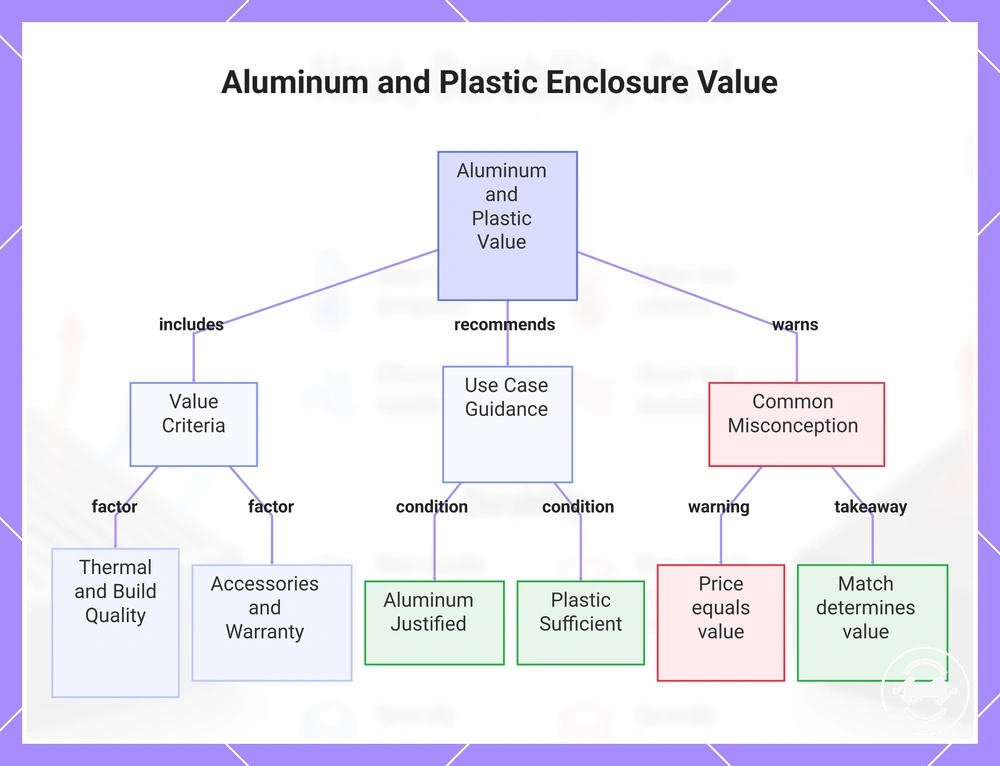
Cost and value differences between aluminum and plastic designs often reflect body material and build expectations, but higher cost does not automatically mean better overall performance. An aluminum design may cost more because of its material and construction, while a plastic design can still provide value for many use cases. The better value depends on design quality and intended use rather than price alone.
Value criteria describe what the reader is actually paying for beyond the enclosure shell. Thermal design, build quality, cable inclusion, a tool-free mechanism, durability, and warranty signals may all affect whether the price difference is useful. These signals should be evaluated together, because value is not the same as price alone.
- Body material and overall material cost.
- Thermal design and heat-management structure.
- Build quality, including shell fit and finish.
- Cable inclusion and supplied accessories.
- Tool-free mechanism or installation convenience, when included.
- Durability and warranty signals as value indicators rather than guarantees.
For sustained NVMe use, paying more for an aluminum design may be justified when the enclosure also provides a well-executed thermal design and stronger build quality. For occasional backups or lighter workloads, a lower-cost plastic design may be sufficient when its features match the intended use. The right decision depends on workload, handling needs, and included value criteria.
A common misconception is that the most expensive enclosure automatically offers the highest value. In practice, value comes from how well the enclosure matches the intended use and included features. For broader evaluation criteria, see price and value tradeoffs. Product examples should support these criteria rather than replace them.
The checklist highlights that cost can represent more than the enclosure material itself. Compare the aluminum design or plastic design against the required features, expected workload, and long-term value before judging the price difference.
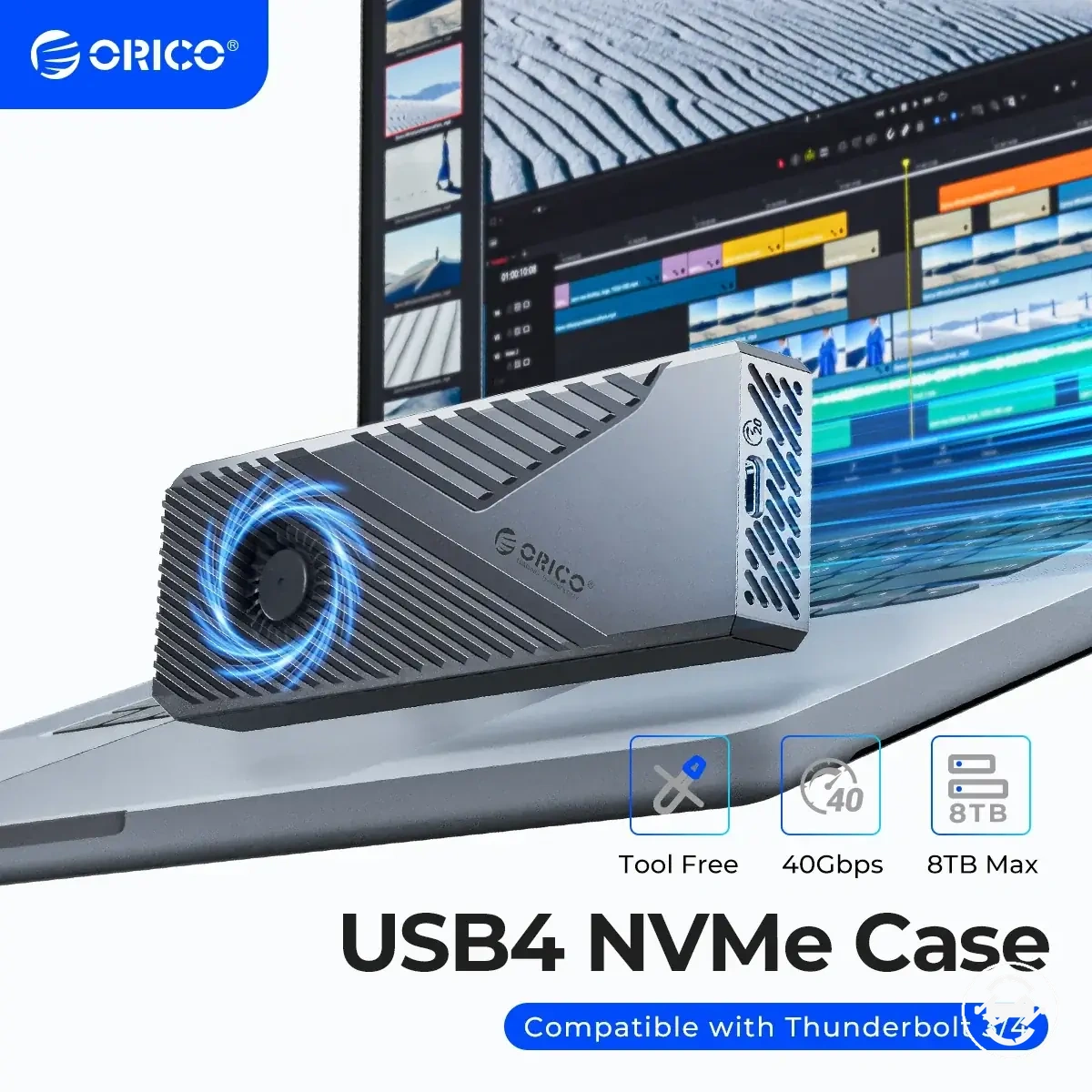
The products below are useful examples for comparing available options. Before buying, check that the compatibility criteria, key features, and product details match your needs.
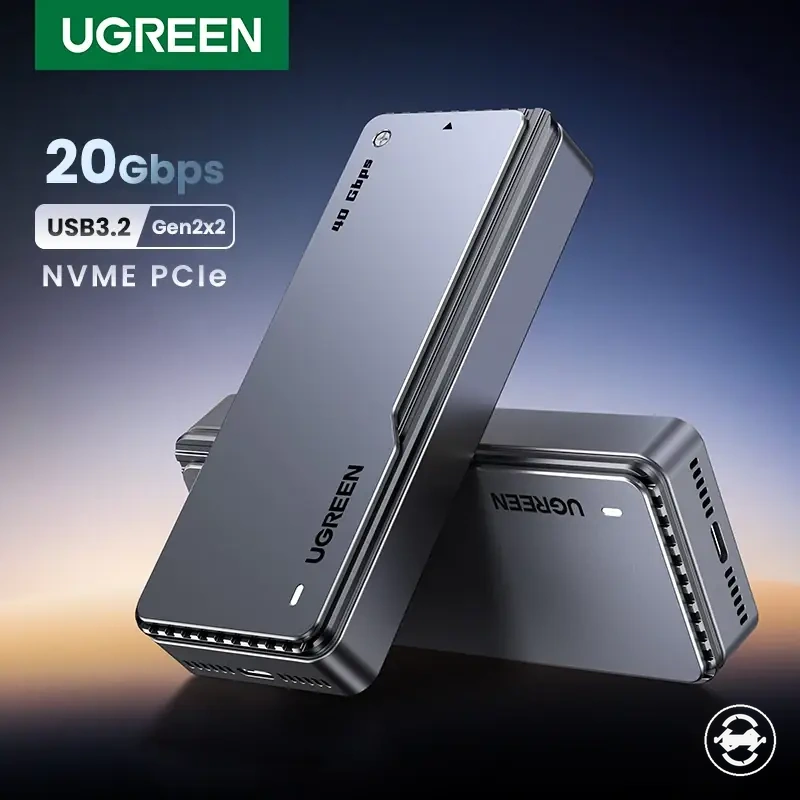
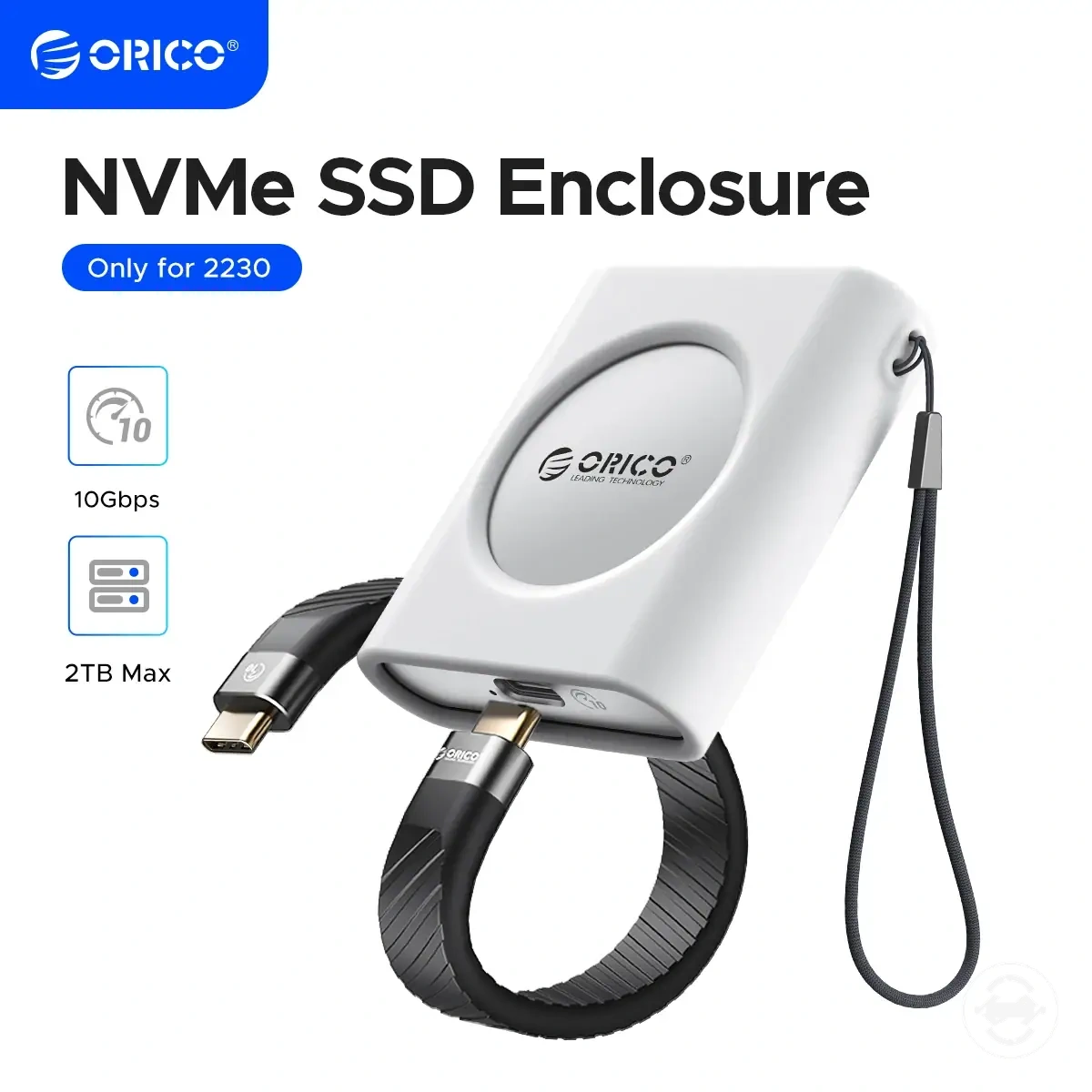
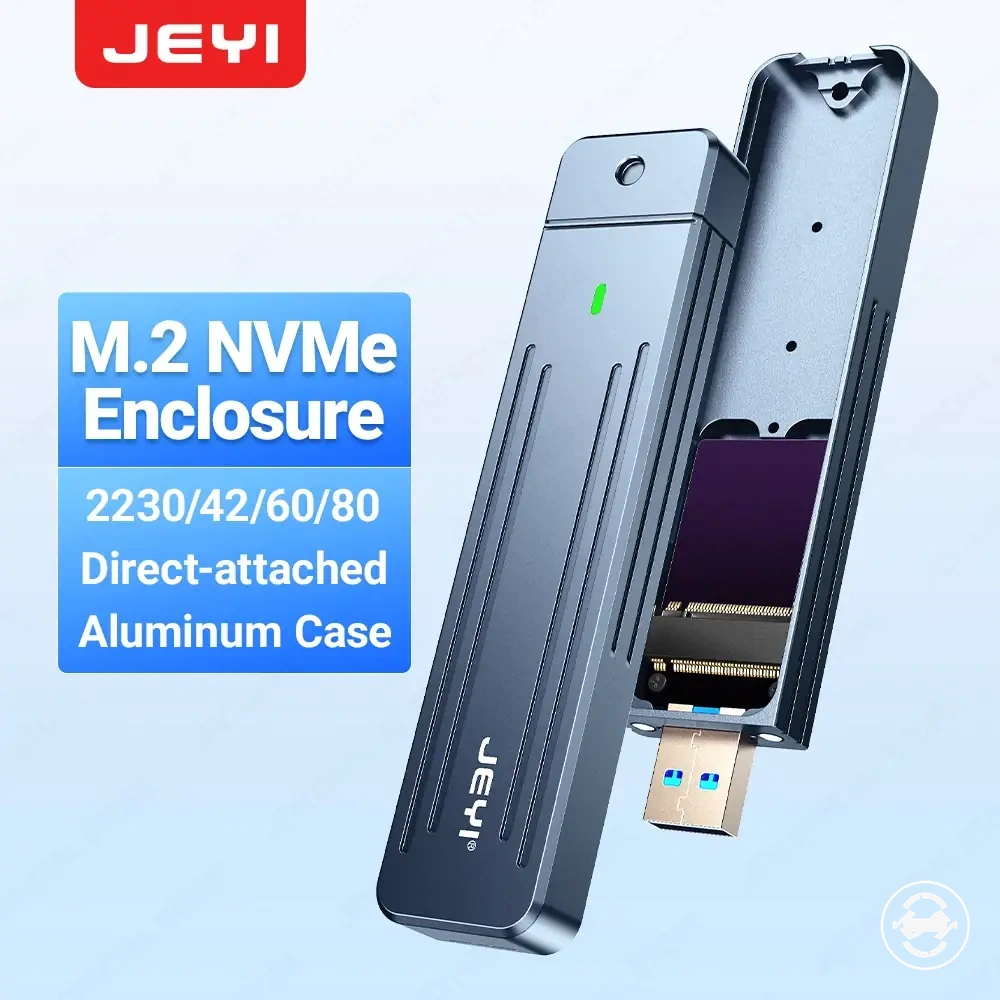
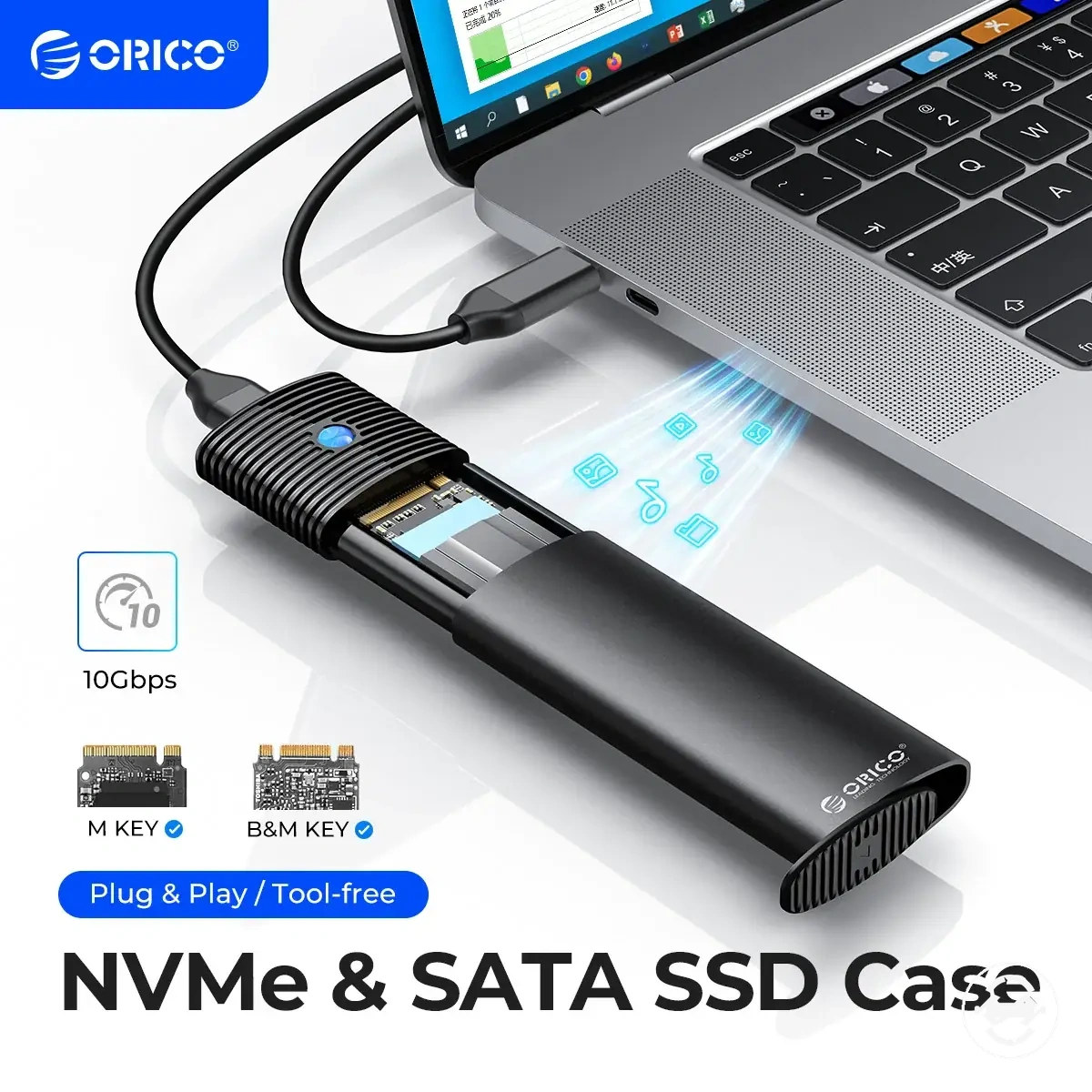
This chart shows the key value criteria, use case recommendations, and common misconception when comparing aluminum and plastic enclosure designs.
When aluminum is the better M.2 SSD enclosure material
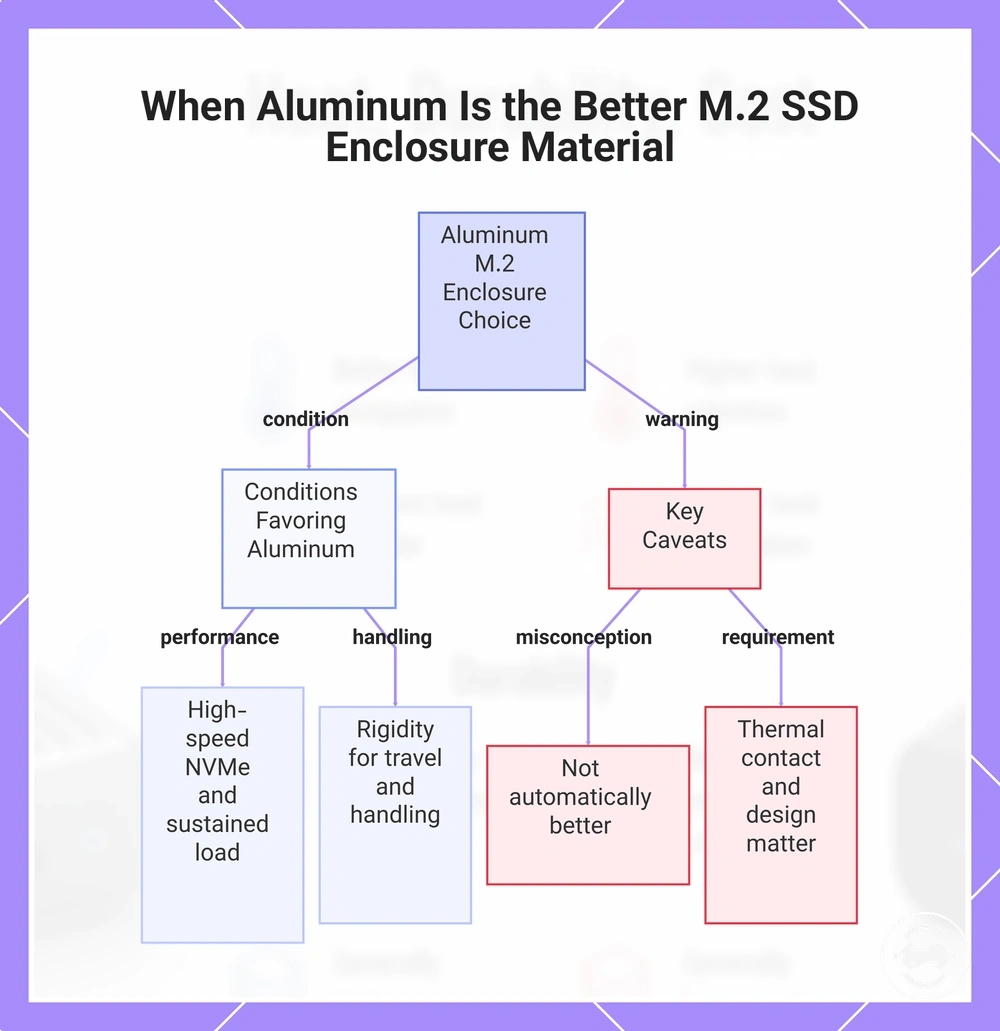
Aluminum is usually the better material for an M.2 SSD enclosure when heat spreading, rigidity, and frequent handling matter more than minimum cost or lowest weight. An aluminum body can support a stronger selection outcome when the enclosure also has useful thermal contact and solid design quality. The choice should still be based on workload, SSD type, and handling needs rather than aluminum alone.
- Sustained workload: Aluminum may be the stronger choice for sustained transfers or high-speed NVMe use when the workload creates repeated heat buildup.
- Thermal contact: Aluminum works best when the thermal pad and enclosure body create a real heat-spreading path from the SSD to the shell.
- Frequent carry: An aluminum body may suit frequent carry when rigidity and a firmer outer shell are important.
- Durability expectation: Aluminum can be preferable when the user expects a more rigid enclosure body for travel or regular handling.
- Premium build preference: Aluminum may suit users who prefer a metal body, higher perceived quality, and a firmer surface feel.
- Cost tolerance: Aluminum is easier to justify when the added cost supports the intended workload, thermal design, and durability expectations.
For high-speed NVMe use, aluminum becomes more relevant when sustained transfers create enough heat for the enclosure body to matter. For travel or rougher handling, rigidity and surface temperature behavior may also influence the recommendation. Aluminum is the stronger choice when those conditions match the actual workload.
A common misconception is that aluminum is automatically better for every M.2 SSD enclosure. In practice, aluminum does not guarantee lower throttling or better performance by itself. Thermal contact, controller behavior, and design quality still need to support the aluminum body for the material advantage to matter.
This chart shows the conditions under which aluminum is preferable for an M.2 SSD enclosure, along with key caveats about its effectiveness.
When plastic is enough for an M.2 SSD enclosure
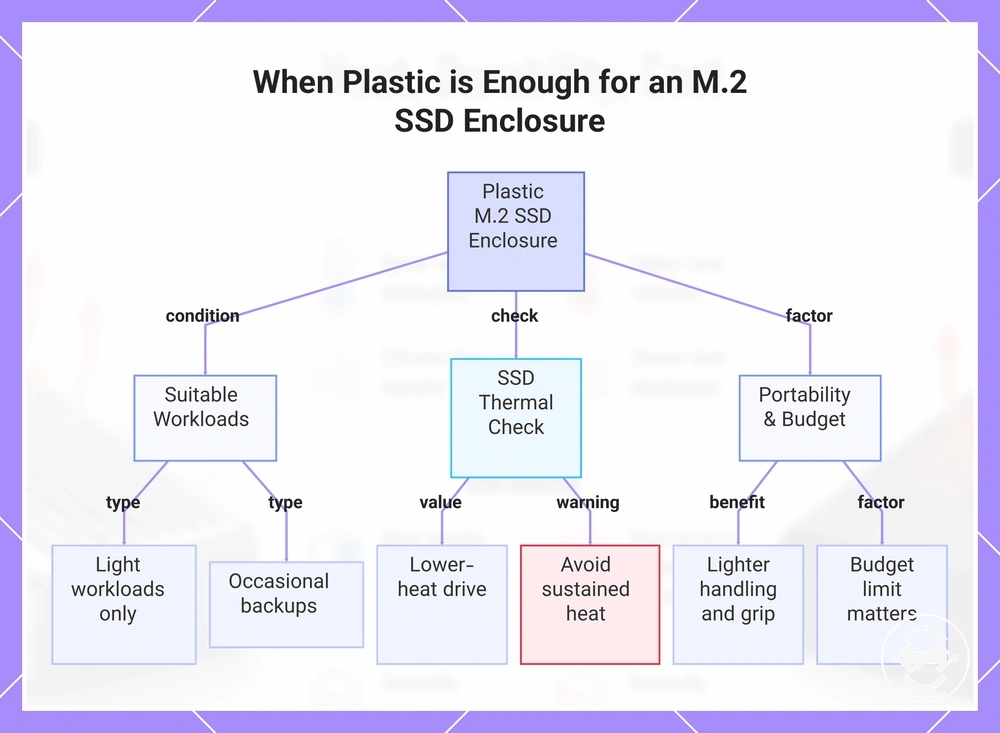
Plastic can be enough for an M.2 SSD enclosure when light workloads, occasional backups, and budget-focused use are the main priorities. A plastic body can offer lower cost, lighter feel, grip, and basic protection when the SSD and workload do not create heavy sustained heat. The checklist below helps confirm whether plastic is a suitable material choice for the use case.
- Use plastic for light workloads that do not create long sustained heat buildup.
- Check whether the SSD is a lower-heat drive for the intended task.
- Use caution if transfers are long or frequent enough to make thermal design more important.
- Choose plastic when portability, lighter handling, and grip matter more than a metal body.
- Consider plastic when the budget limit is important and the enclosure still meets basic protection needs.
For lower-heat drives, occasional backups, and portable use, a plastic body may be a practical choice. The lighter shell and surface grip can make carrying easier, while the enclosure still provides basic protection when used within its design limits. This usually benefits users who need a simple portable enclosure for occasional use rather than sustained heavy workloads.
A common misconception is that plastic is automatically weak or unsuitable for every NVMe enclosure. In practice, plastic may still be acceptable when the workload, SSD type, and enclosure design are appropriate. For sustained workloads or high-heat drives, check the thermal design more carefully before treating plastic as enough.
This chart shows the key conditions, checks, and considerations that determine whether a plastic M.2 SSD enclosure is suitable for your use case.
Choosing the right enclosure material for your SSD use case
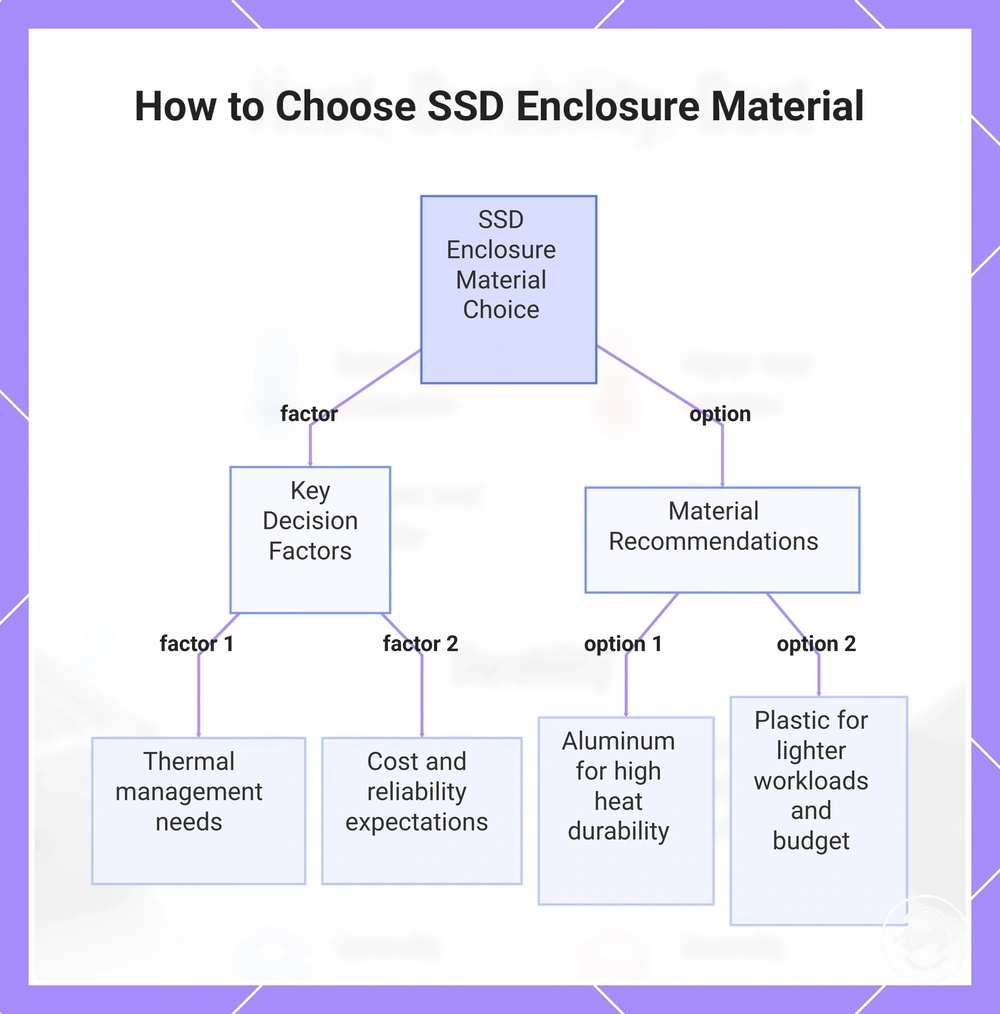
Choosing the right enclosure material for your SSD use case depends on SSD type, transfer duration, handling environment, portability, and budget. Aluminum usually fits higher-heat or higher-handling situations, while plastic can fit lighter workloads and tighter cost limits. The final selection decision should match the material choice to the real workload and risk tolerance.
For sustained NVMe transfers, aluminum may be preferable when heat spreading and rigidity matter. For occasional backups or stationary desk use, plastic may be enough when thermal demand and handling risk are lower. For travel, the choice depends on whether portability, durability, or heat control is the stronger priority.
Decision variables are the factors that connect enclosure material to the expected use case. Thermal pad design affects whether heat can move from the SSD into the enclosure body, while transfer duration affects how much sustained heat the enclosure must manage. Cost ceiling and reliability expectations help decide whether the extra build quality of aluminum is worth prioritizing. Use the checklist below to organize the final material choice.
- Match the enclosure material to the SSD type and expected heat output.
- Check transfer duration, especially for sustained writes or long file moves.
- Consider heat sensitivity when the SSD or controller may run warm under workload.
- Choose for portability if pocket carry, travel weight, or grip matters most.
- Assess the handling environment, including desk use, bag carry, and repeated plugging.
- Check thermal pad design and whether the enclosure quality supports a real heat path.
- Set a cost ceiling before comparing aluminum and plastic options.
- Align the material choice with reliability expectations and long-term handling needs.
A common misconception is that one enclosure material is the right answer for every SSD use case. In practice, the stronger choice depends on workload, enclosure design, and the features to compare. Compatibility and speed class should remain adjacent checks, not new topics that replace the material decision.
Aluminum generally fits users with higher heat concerns, more frequent carry, or stronger durability expectations. Plastic generally fits users with lighter workloads, budget limits, and portability preferences. A qualified recommendation is to choose aluminum when heat path and handling risk matter more, and choose plastic when lighter use and lower cost are the main decision signals.
Material should be chosen alongside compatibility, speed class, thermal pad design, and overall enclosure design quality. The enclosure material is one decision layer, not the whole buying decision.
The products below are useful examples for comparing available options. Before buying, check that the compatibility criteria, key features, and product details match your needs.
This chart shows the key decision factors and material recommendations for choosing between aluminum and plastic SSD enclosures.